Shell: Horizontal tiling doesn't split exactly in half.
 WatchMkr
All 9 comments
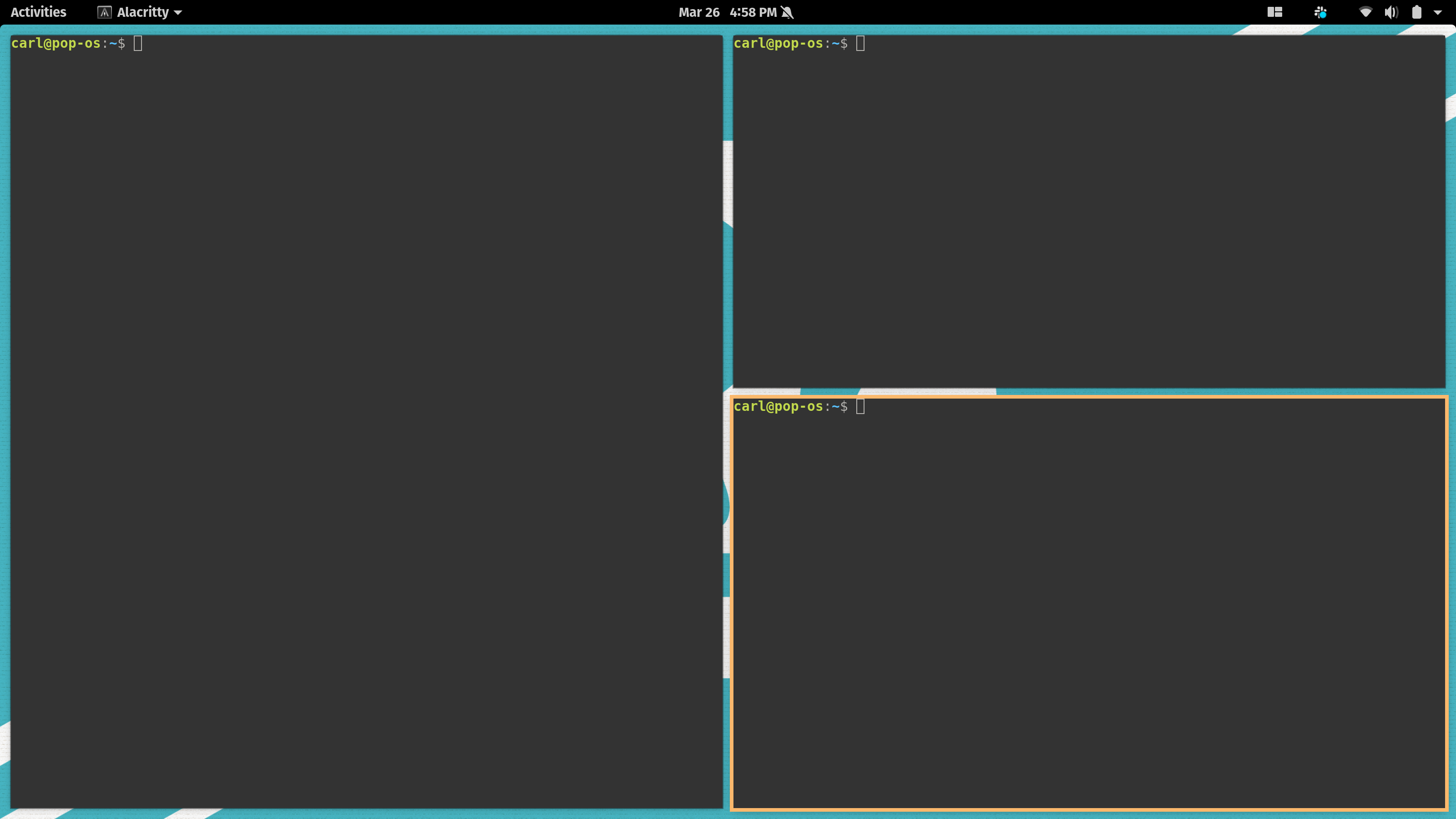
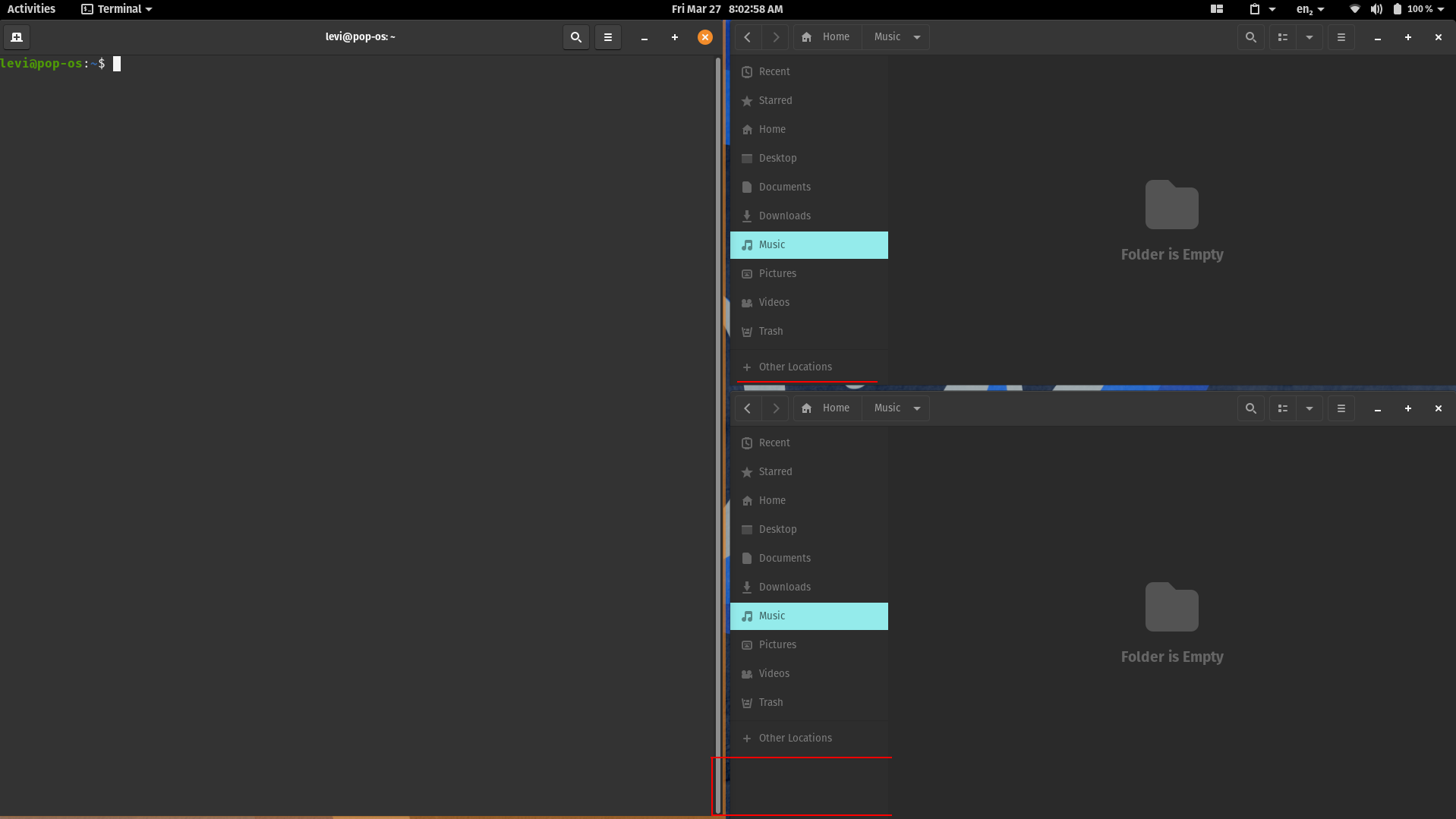
I thought it might have been just gnome-terminal, but I can confirm that it happens with all applications. I think it may have something to do with the top bar, because I can resize it to get it almost perfect on a secondary display, as opposed to my primary, where I can't resize it to center at all (without mouse drags, at least).
 leviport
on 27 Mar 2020
leviport
on 27 Mar 2020
Are you guys sure it's not exactly in half? Try to align with e.g. a webam rather than the clock, since the clock is not necessarily in the exact middle of the panel.
 isantop
on 30 Mar 2020
isantop
on 30 Mar 2020
I checked both of the screenshots posted here:
@WatchMkr Yours is split in the middle exactly, both the left column and the right column are the exact same width.
@leviport Yours are different, but it appears that may be due to the terminal not being able to resize to any arbitrary pixel size. It's limited to sizes which perfectly fit an integer-number of characters in width.
isantop
on 30 Mar 2020
We're talking about horizontal halfness. Check out the red lines I doodled on my screenshot. They're supposed to show the height difference between two Nautilus windows.
leviport
on 30 Mar 2020
Ah, yep. Just noticed that myself
isantop
on 30 Mar 2020
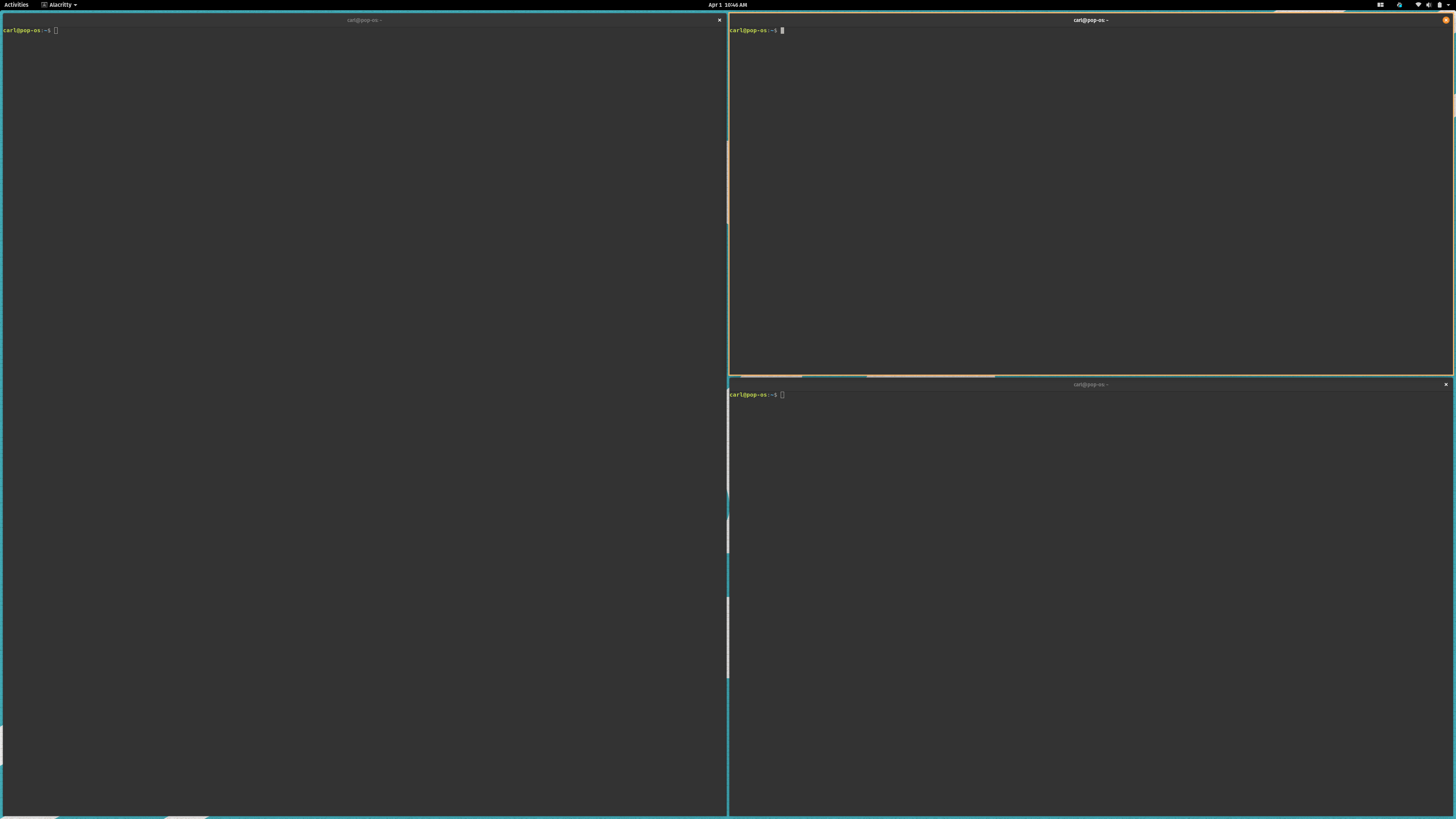
This is still happening for me.
pop-shell:
  Installed: 0.1.0~1585606052~20.04~8fb4de7
  Candidate: 0.1.0~1585606052~20.04~8fb4de7
  Version table:
 *** 0.1.0~1585606052~20.04~8fb4de7 1001
       1001 http://ppa.launchpad.net/system76/pop/ubuntu focal/main amd64 Packages
       1001 http://ppa.launchpad.net/system76/pop/ubuntu focal/main i386 Packages
        100 /var/lib/dpkg/status
WatchMkr
on 1 Apr 2020
See if f40419d fixes it
 mmstick
on 1 Apr 2020
mmstick
on 1 Apr 2020
See if f40419d fixes it
It seems to work for me
 RrOoSsSsOo
on 1 Apr 2020
RrOoSsSsOo
on 1 Apr 2020
Looks good!
WatchMkr
on 1 Apr 2020
Related issues
 domwoolf
·
9Comments
domwoolf
·
9Comments
 maria-komarova
·
8Comments
maria-komarova
·
8Comments
 derpmatt
·
7Comments
derpmatt
·
7Comments
 jacobgkau
·
6Comments
jacobgkau
·
6Comments
 ahoneybun
·
6Comments
ahoneybun
·
6Comments