Sharp: Change `.jpeg` extension use by `tile().toFile('output.dz')` to `.jpg`
Is there a way to have sharp use the .jpg file extension for tile output? By default the tiling methods seem to only output to the .jpeg extension. I couldn't find any API methods for doing so and would prefer not to have to do a post-processing move on all those tiles (I'm setting up a script to batch-convert a large folder of images into tiles) just to get the desired file extension.
 dehuszar
All 7 comments
Hello, selecting a layout of zoomify or google will switch the extension to .jpg (see #622 for some background on this decision). Would either of these be suitable for your scenario?
 lovell
on 24 Apr 2018
lovell
on 24 Apr 2018
Thanks for the quick response!
That appears to be changing the folder path output. It would be nice to have a brief description of what effect each layout has on the output structure as the API docs presume an understanding of the different layout engines.
My main concern is maintaining compatibility with a bunch of tiles already generated using deepzoom.py. The default dz layout gets me exactly what I need in terms of output structure, with the exception of the file extension.
Without some sort of option, I'll have to re-iterate over each tiled image and move/rename them, which is not the end of the world, but not ideal either (the batch job outputs ~1.5 million tiles)
dehuszar
on 24 Apr 2018
Quick thought: is it faster to rename files inside an archive instead of on the filesystem? If so, you could set container to zip.
The logic can be found here if you want to experiment with hacking/hard-coding it locally - https://github.com/lovell/sharp/blob/master/src/pipeline.cc#L919-L921
The docs should at least link to something that provides a good description of the differences between the various layouts. PRs always welcome if you're aware of such a thing.
lovell
on 24 Apr 2018
I was able to get by using the file-system. I'll take a look at the linked code. If I am able to whip up a PR I will.
Thanks!
dehuszar
on 26 Apr 2018
Another owner of a large set of DZI tiles that would like to use .jpg extension for Deep Zoom output 😜
@lovell First of all: Long time no see. How have you been? I’ve relocated back to Europe and now live in 🇨🇭 with my wife + baby.
I’m continuing work on ZoomHub and with my move from Rackspace to AWS (Beanstalk + S3), I also decided to move the tile processing logic to AWS Lambda. My original goal was for the project to be 100% Haskell, but limited time due to baby made me compromise and write the Lambda in Node.js. This led me back to using sharp. However, the thousands of existing tiles are persisted with .jpg extension and I’d like to preserve that. As @dehuszar pointed out, renaming them as an intermediate step is cumbersome.
Would you be open to changing the default to .jpg? If not, how about adding an extension option?
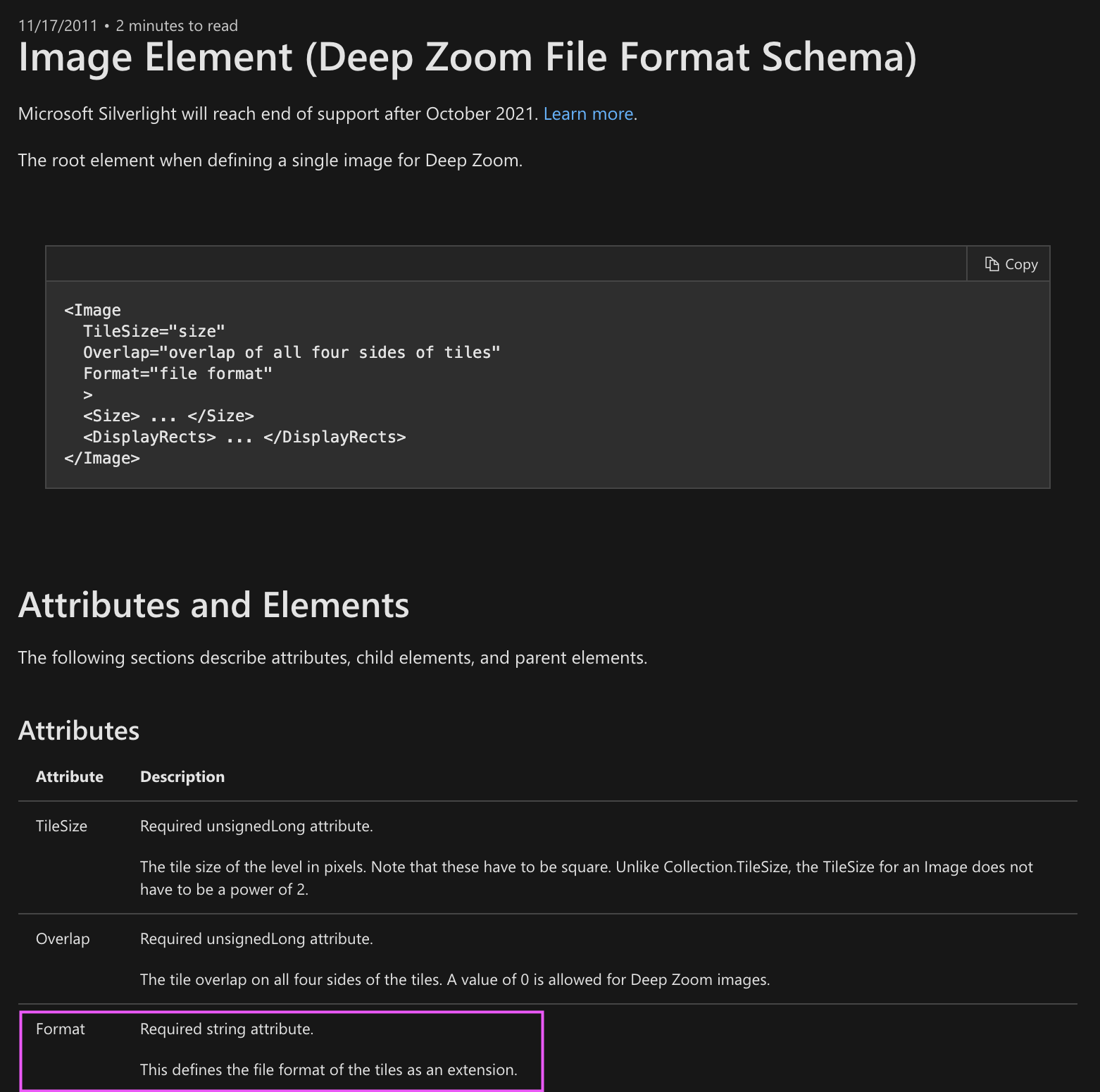
FWIW, this was the original output format of Deep Zoom Composer. I even thought it might have been part of the spec, but apparently it wasn’t:
https://docs.microsoft.com/en-us/previous-versions/windows/silverlight/dotnet-windows-silverlight/cc645043(v=vs.95)
I see you originally simplified this logic. This could be another simplification and align the tile format with Google and Zoomify image pyramids: https://github.com/lovell/sharp/commit/cf39fc4fb18234db6f08b8c296e117bc5821d1d1
Original Haskell tiling code that called VIPS via CLI and defined .jpg output:
https://github.com/zoomhub/zoomhub/blob/17f25a69f6b4cede1f4e8ed92f2bf89b04a44717/src/ZoomHub/Pipeline.hs#L226
 gasi
on 29 Nov 2020
gasi
on 29 Nov 2020
Would you be open to changing the default to .jpg? If not, how about adding an extension option?
Hello Daniel :wave:, I think this might be a "why not both" situation - we could switch to .jpg as the default for all tiled JPEG output and provide a new extension property to allow someone to change it back to .jpeg if they wish. Happy for a PR if you're able.
lovell
on 29 Nov 2020
@lovell I like your proposal. This technically would be a breaking change if someone relied on the output defaulting to .jpeg. Are we ok with that given that sharp is pre-1.0?
Last night, I ended up implementing the renaming logic since I could do it on the fly when uploading to S3 without traversing the entire file system.
Whenever I go back to clean up this code, I will try and submit a PR for this 👍
gasi
on 29 Nov 2020
Related issues
 jaekunchoi
·
3Comments
jaekunchoi
·
3Comments
 paulieo10
·
3Comments
paulieo10
·
3Comments
 kachurovskiy
·
3Comments
kachurovskiy
·
3Comments
 natural-law
·
3Comments
natural-law
·
3Comments
 Andresmag
·
3Comments
Andresmag
·
3Comments