ShareX + Nvidia GeForce Experience compatibility issues
Hey,
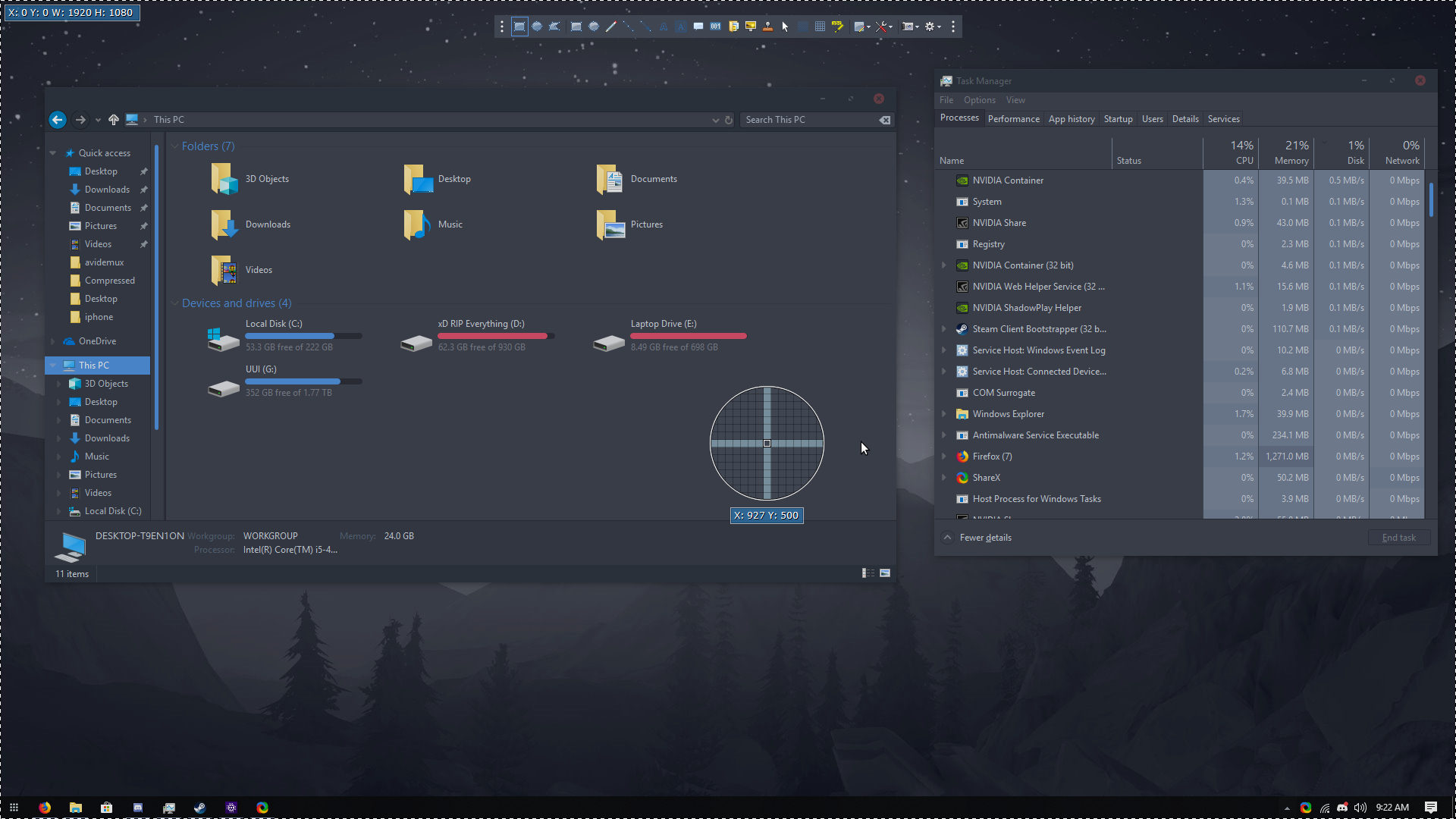
When Nvidia GeForce Experience's "Share" feature is turned on, ShareX's region capturing does not capture specific parts of windows. It instead captures the whole screen. This is because Nvidia has a window that is constantly overlayed so it can display some HUD-type shit for its "Share" feature. I think the problem depends on the load order of ShareX and Nvidia (?) as turning off Share and turning it on again (in one session) fixes the issue.
One potential fix could be a region capturing filter (which may already exist, I'm not sure.) The process name is "NVIDIA Share.exe"
 WilliamVenner
All 12 comments
Window titles also include
NVIDIA GeForce Overlay DT and NVIDIA GeForce Overlay
 Scrxtchy
on 16 Jul 2017
Scrxtchy
on 16 Jul 2017
I would like a process exception to be added as well, or at least the ability to select processes/windows to blacklist. Had this problem for a while but until now didn't know that was the cause.
 Hinkiii
on 22 Jul 2017
Hinkiii
on 22 Jul 2017
I enabled Nvidia Share but still I can hover on any window.
 Jaex
on 23 Jul 2017
Jaex
on 23 Jul 2017
It takes some time, it's not a 100% rate of reproduction
Scrxtchy
on 23 Jul 2017
@Jaex make sure Nvidia _Share_ starts on startup (but ShareX doesn't.) Once the computer starts up, check whether Nvidia Share is running, and then start ShareX.
WilliamVenner
on 23 Jul 2017
Nvidia Share started on startup. I opened ShareX. Still I can hover each window and their controls.
Jaex
on 23 Jul 2017
Leave it running, play some vidya perhaps, turn on desktop capture support maybe, since it's by default turned off. I still get Nvidia DT overlay labelled screenshots even with desktop capture disabled, since turning it on renders the Nvidia Share server useless due to a communication error
Scrxtchy
on 24 Jul 2017
This issue has been automatically marked as stale because it has not had recent activity. It will be closed if no further activity occurs.
![stale[bot] picture](https://avatars3.githubusercontent.com/in/1724?v=4&s=40) stale[bot]
on 14 Apr 2018
stale[bot]
on 14 Apr 2018
🤖🔫👀
Scrxtchy
on 15 Apr 2018
🤨 Nvidia
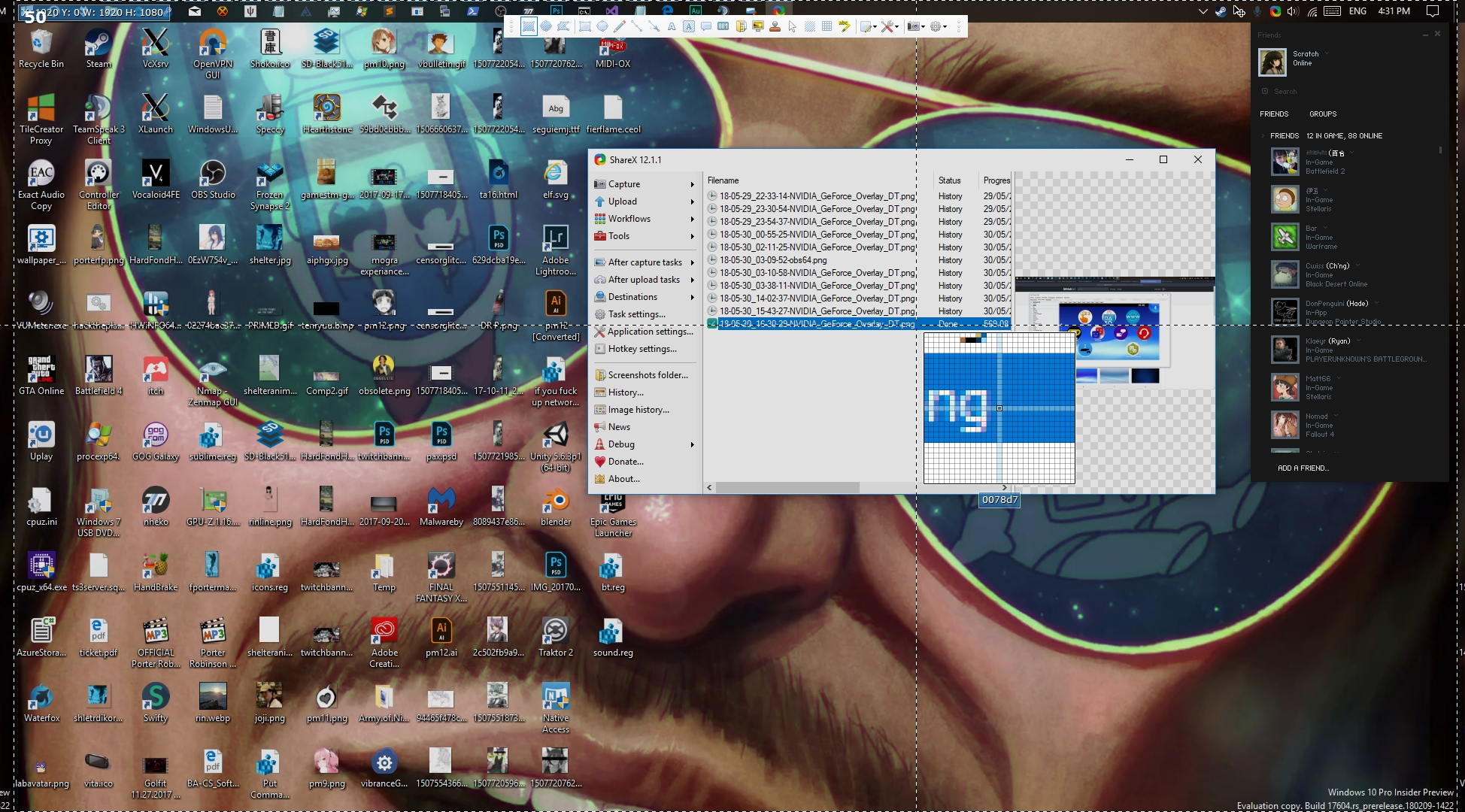
Scrxtchy
on 30 May 2018
🤨 
Hinkiii
on 30 May 2018
This issue has been automatically marked as stale because it has not had recent activity. It will be closed if no further activity occurs.
stale[bot]
on 27 Nov 2018
Related issues
 TNTUP
·
34Comments
TNTUP
·
34Comments
 SKILLEDxKILLAH
·
19Comments
SKILLEDxKILLAH
·
19Comments
 TrazzyDev
·
62Comments
TrazzyDev
·
62Comments
 ghost
·
27Comments
ghost
·
27Comments
 bbigras
·
18Comments
bbigras
·
18Comments
Most helpful comment
🤖🔫👀