Shairport-sync: pipe_name = "/tmp/shairport-sync-metadata"
i have followed all the steps however i cannot get the pipe to work. i have tried cat /tmp/shairport-sync-metadata and it just says no such file or directory. i have tried the install multiple times and i have given the with--metadata command on the config install and still no joy. im at the end of my tether. any help would be great. ty
 johnway94
All 19 comments
+1 I've been having this issue for a while now and have not found a fix
 RUGMJ7443
on 2 Sep 2020
RUGMJ7443
on 2 Sep 2020
Thanks for the posts. You should check that Shairport Sync has been built with metadata support and that it is enabled in the configuration file. And you should also check that Shairport Sync is has permission to write to /tmp.
Let me suggest you have a look at TROUBLESHOOTING.md and REPORTING ISSUES.md.
 mikebrady
on 2 Sep 2020
mikebrady
on 2 Sep 2020
I definitely have enabled with metadata support in the configuration. How do I make shairport have permission to write to temp ? I have run the command ls -la inside the temp directory to check what permissions shairport had however there is no shariport on the list. Do you have any ideas ? Thanks again
johnway94
on 2 Sep 2020
The user that Shairport Sync is running under must have write permission on /tmp. It's a unix thing -- you'll have to dig around a bit.
[Update] As it says in the REPORTING ISSUES guide, it would be really helpful if you could tell us something about your configuration.
mikebrady
on 2 Sep 2020
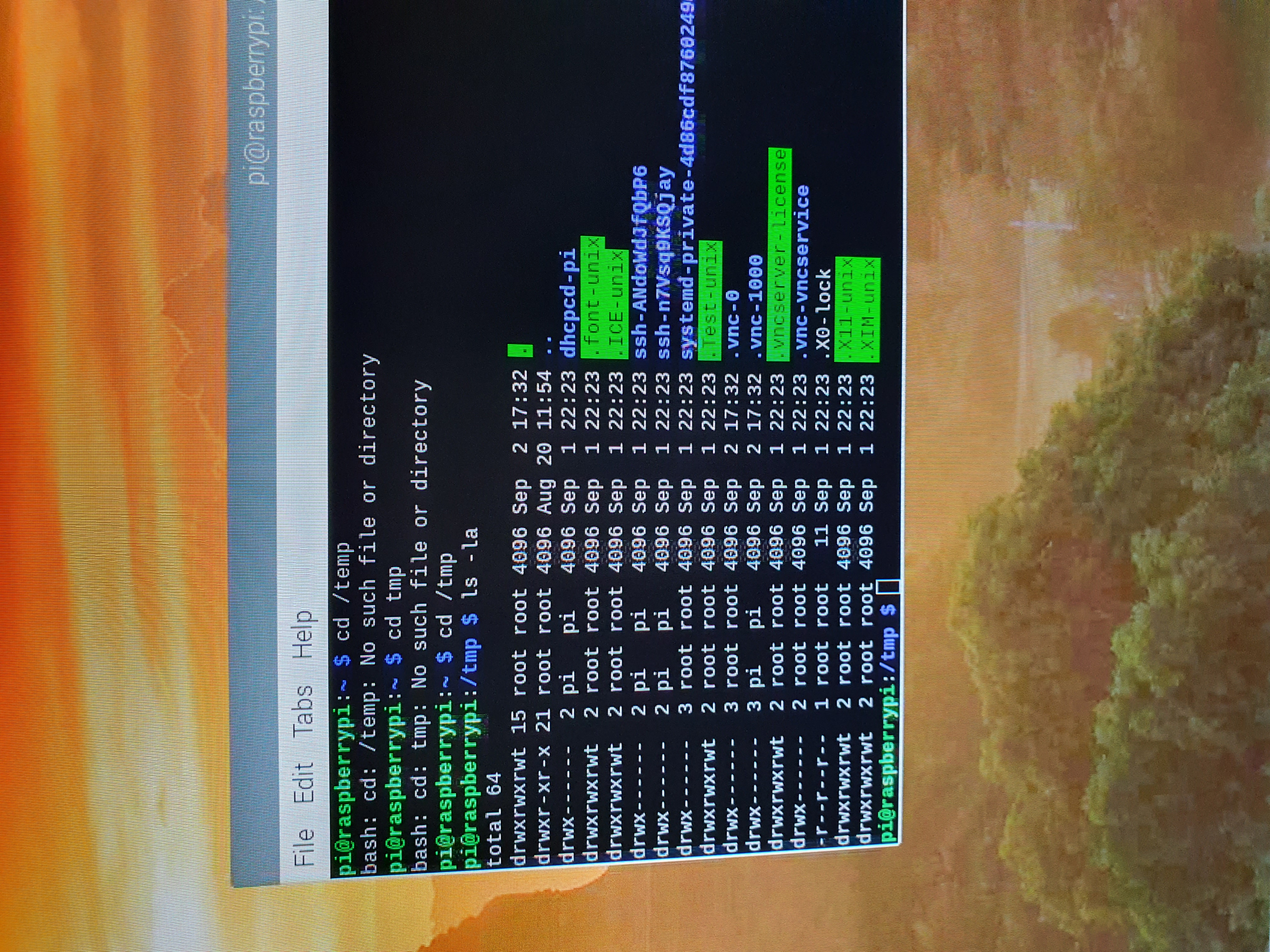
johnway94
on 2 Sep 2020
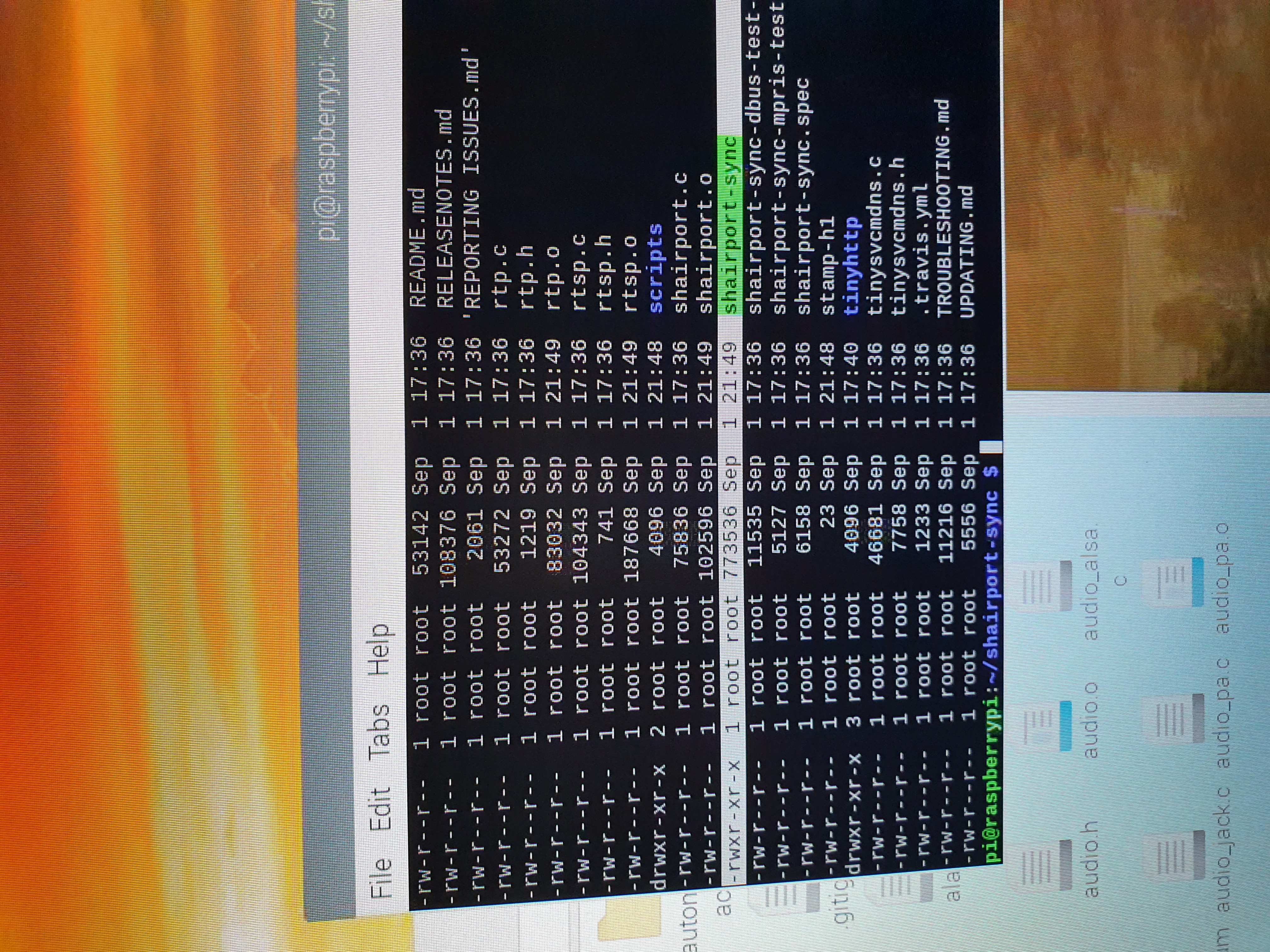
Should the shaiport sync be in root root ?
johnway94
on 2 Sep 2020
It's is usually a bad idea to build something when you are logged in as root, which is what I guess has happened here. But this is outside the scope of troubleshooting Shairport Sync, I'm afraid.
mikebrady
on 2 Sep 2020
okay thank you anyway ill try as a user
johnway94
on 2 Sep 2020
okay thank you anyway ill try as a user
Yeah, a good idea. I suggest you follow the INSTALL.md guide carefully, especially the parts at the start about cleaning up old installations, to get rid of any trash that might be lying around.
mikebrady
on 2 Sep 2020
I installed the shairport-sync binary by simply copying the executable file to /usr/local/bin after building it with ./configure --with-stdout --with-avahi --with-ssl=openssl --with-metadata (per the snapcast server instructions). Afterwards, it would not create the metadata pipe until I also copied the generic configuration file to /usr/local/etc. Even though the generic file is completely commented out which is strange. Anyway, i'm just mentioning this in case it helps to find the root cause. I used version 3.3.6.
 mford6
on 3 Sep 2020
mford6
on 3 Sep 2020
i have literally formatted the sd card and retried every step 3 times and i get the same problem everytime. i get audio to play fine and every feature works apart from the metadata. i have checked permissions and everything seems to be fine i have also added --with-metadata and --with-pipe and i just cannot get it to work. when i run the command cat /tmp/shairport-sync-metadata it just says no directory. there must be a fix for this. I have also chmod 777 the /tmp folder and shairport-sync still won't write the metadata to it.
johnway94
on 3 Sep 2020
bump
johnway94
on 7 Sep 2020
The problem you seem to be having is probably some kind of configuration error, but you have provided essentially no information about your system or installation. You also seem to be fairly new to Linux. Could I suggest, as politely as possible, but for the third time, that you read the REPORTING ISSUES and the TROUBLESHOOTING.md guides?
mikebrady
on 8 Sep 2020
I managed to solve it. The problem was the shaiport-sync-metadata file not being created. I fixed it by creating the file manually however I do have to create that file everytime I reboot the pi.
johnway94
on 8 Sep 2020
I wanted to play with metadata so I followed this troublesome little bug into the guts of shairport. See #1066
(I'd wait for a real fix over my bodges, though!)
 Gadgetoid
on 11 Sep 2020
Gadgetoid
on 11 Sep 2020
Hello @mikebrady , thank you for your amazing work. I am fighting the same issue. My conf is:
3.3.7rc2-OpenSSL-Avahi-ALSA-soxr-metadata-sysconfdir:/etc
Systemd report is:
● shairport-sync.service - Shairport Sync - AirPlay Audio Receiver
   Loaded: loaded (/lib/systemd/system/shairport-sync.service; enabled; vendor p
   Active: active (running) since Sun 2020-09-27 18:29:47 CEST; 8min ago
 Main PID: 475 (shairport-sync)
    Tasks: 6 (limit: 4915)
   CGroup: /system.slice/shairport-sync.service
           └─475 /usr/local/bin/shairport-sync
Music streams fine, but I get no pipe in /tmp/shairport-sync-metadata. If I create the file manually and add full permissions, it works like this: The new metadata gets appended at the end of the file until the system gets rebooted. Then the whole /tmp folder gets dumped and I have to create the file again.
I set it up like this:
metadata =
{
        enabled = "yes"; // set to yes to get Shairport Sync to solicit metadata from the source and to pass it on via a pipe
        include_cover_art = "yes"; // set to "yes" to get Shairport Sync to solicit cover art from the source and pass it via the pipe. You must also set "enabled" to "yes".
        pipe_name = "/tmp/shairport-sync-metadata";
        pipe_timeout = 5000; // wait for this number of milliseconds for a blocked pipe to unblock before giving up
//      socket_address = "226.0.0.1"; // if set to a host name or IP address, UDP packets containing metadata will be sent to this address. May be a multicast address. "socket-port" must be non-zero and "enabled" must be set to yes"
//      socket_port = 5555; // if socket_address is set, the port to send UDP packets to
//      socket_msglength = 65000; // the maximum packet size for any UDP metadata. This will be clipped to be between 500 or 65000. The default is 500.
};
Is there anything wrong with my configuration? I am loosing my mind here. Thank you once again.
 radimkarnis
on 27 Sep 2020
radimkarnis
on 27 Sep 2020
Thanks for the post. The fix is in the development branch, so if you switch to it at build time, the problem should be resolved. (BTW, you should remove any /tmp/shairport-sync-metadata item that's there, and Shairport Sync will create it when it starts up.)
mikebrady
on 27 Sep 2020
Thank you @mikebrady, that solved my problem :) Thank you for your work once again!
radimkarnis
on 29 Sep 2020
@mikebrady has this been rolled in to the master branch? If not is there a fix I can implement my self?
 DavidD303
on 6 Nov 2020
DavidD303
on 6 Nov 2020
Related issues
 corentoulf
·
7Comments
corentoulf
·
7Comments
 mcopete
·
3Comments
mcopete
·
3Comments
 PaulWieland
·
8Comments
PaulWieland
·
8Comments
 purefan
·
5Comments
purefan
·
5Comments
 janlei0524
·
8Comments
janlei0524
·
8Comments