Shadowsocksx-ng: socks5代理成功了, 端口也up了,但就是翻不出去。。。
System and Shadowsocksx-NG version:
- macOS 10.13.4
- Shadowsocksx-NG 1.7.1?
Expected behavior:
手机上用wingy可以翻出去
Actual behavior:
但mac上就是翻不出去
Steps to reproduce:
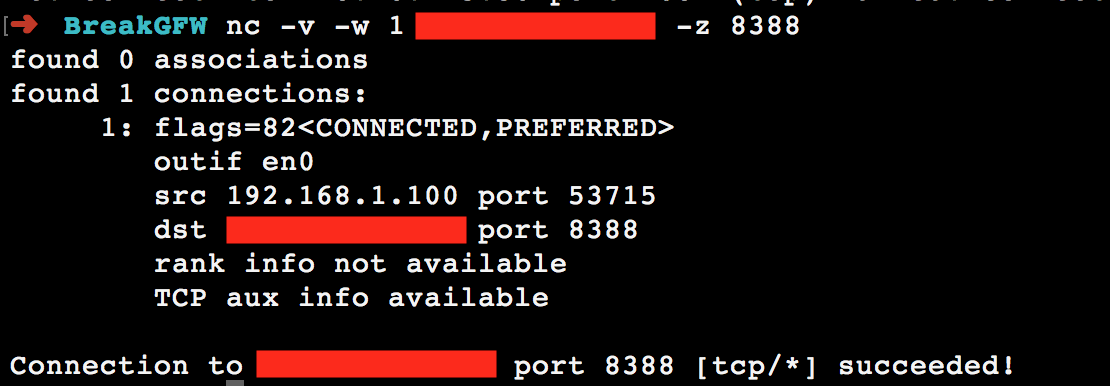
端口开着:

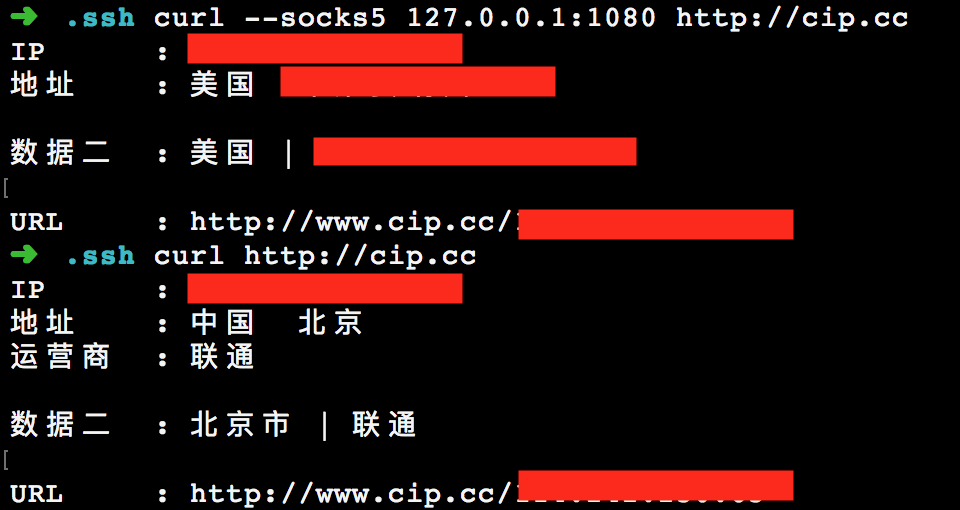
socks5也代理成功
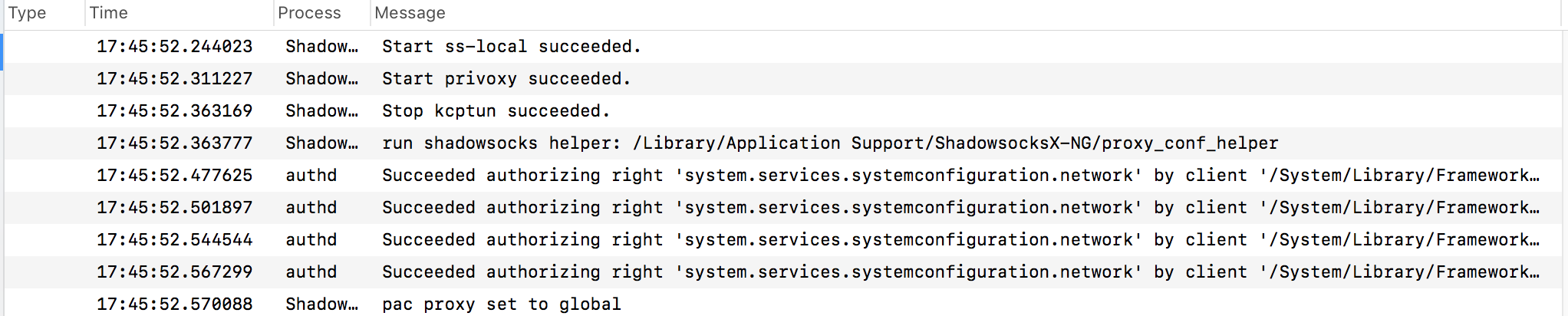
ShadowsocksX 显示连接也成功了
8388口也是通的啊
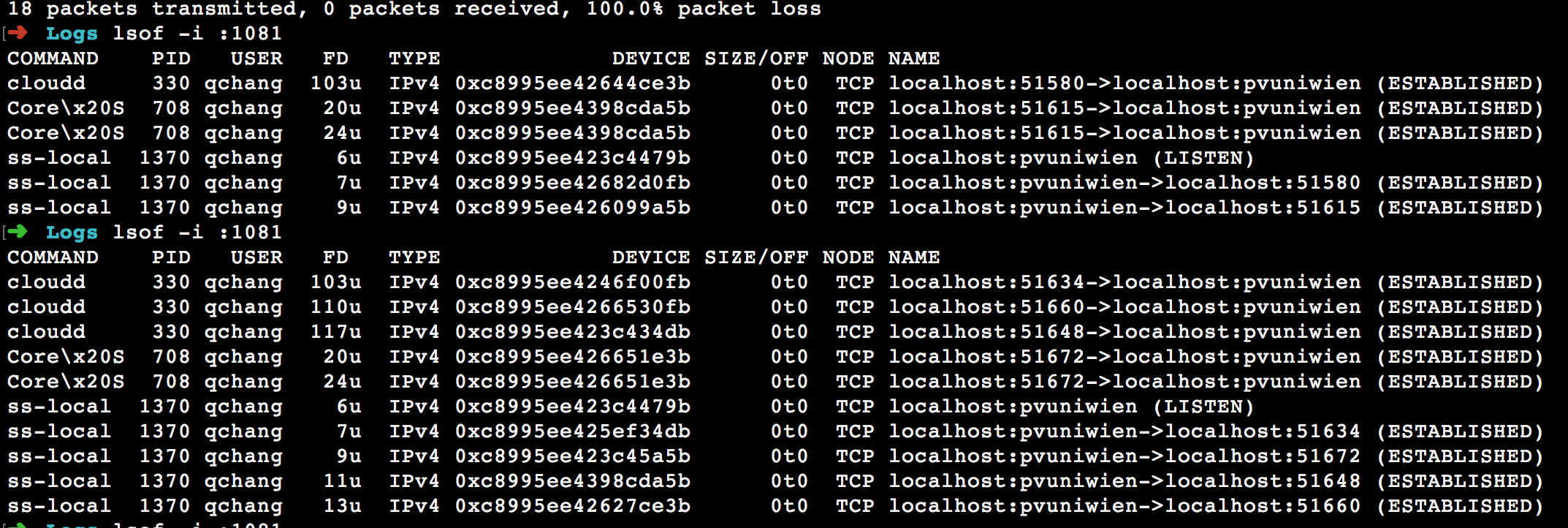
但是本地的ss-local却好像一直在用随机的端口数
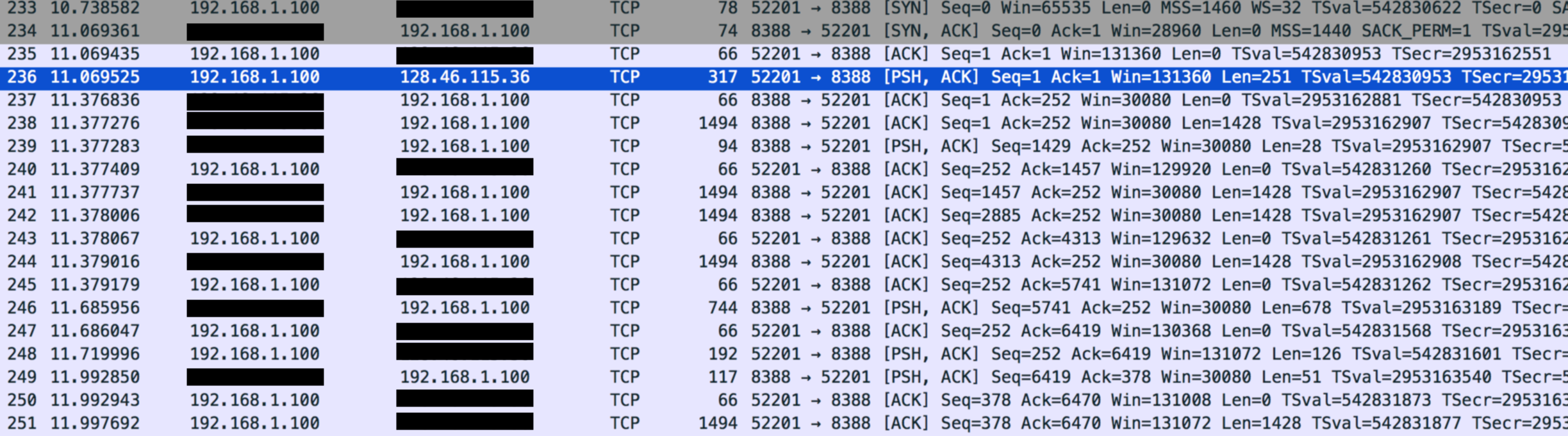
为什么。。。。?
补一条,lsof的时候显示很多不知道为什么会出来这些其他端口的信息。不知道有没有关系。
How often does this happen?
隔了一年没有用ss。不过现在用的是一台新电脑, ss是新装的,装上之后还没有chen成功翻出去过。
ss-local.log
ss-local.log
Application log
default 20:19:18.342561 +0800 authd Succeeded authorizing right 'system.services.systemconfiguration.network' by client '/System/Library/Frameworks/SystemConfiguration.framework/Versions/A/Helpers/SCHelper' [922] for authorization created by '/Library/Application Support/ShadowsocksX-NG/proxy_conf_helper' [936] (3,0)
default 20:19:18.361126 +0800 authd Succeeded authorizing right 'system.services.systemconfiguration.network' by client '/System/Library/Frameworks/SystemConfiguration.framework/Versions/A/Helpers/SCHelper' [922] for authorization created by '/Library/Application Support/ShadowsocksX-NG/proxy_conf_helper' [936] (3,0)
default 20:19:18.363681 +0800 ShadowsocksX-NG pac proxy set to global
default 20:20:00.011958 +0800 ShadowsocksX-NG Stop ss-local succeeded.
default 20:20:00.081516 +0800 ShadowsocksX-NG Start privoxy succeeded.
default 20:20:00.134126 +0800 ShadowsocksX-NG Stop kcptun succeeded.
default 20:20:00.134894 +0800 ShadowsocksX-NG run shadowsocks helper: /Library/Application Support/ShadowsocksX-NG/proxy_conf_helper
default 20:20:00.256912 +0800 authd Succeeded authorizing right 'system.services.systemconfiguration.network' by client '/System/Library/Frameworks/SystemConfiguration.framework/Versions/A/Helpers/SCHelper' [960] for authorization created by '/Library/Application Support/ShadowsocksX-NG/proxy_conf_helper' [959] (3,0)
default 20:20:00.279790 +0800 authd Succeeded authorizing right 'system.services.systemconfiguration.network' by client '/System/Library/Frameworks/SystemConfiguration.framework/Versions/A/Helpers/SCHelper' [960] for authorization created by '/Library/Application Support/ShadowsocksX-NG/proxy_conf_helper' [959] (3,0)
default 20:20:00.301748 +0800 authd Succeeded authorizing right 'system.services.systemconfiguration.network' by client '/System/Library/Frameworks/SystemConfiguration.framework/Versions/A/Helpers/SCHelper' [960] for authorization created by '/Library/Application Support/ShadowsocksX-NG/proxy_conf_helper' [959] (3,0)
default 20:20:00.321546 +0800 authd Succeeded authorizing right 'system.services.systemconfiguration.network' by client '/System/Library/Frameworks/SystemConfiguration.framework/Versions/A/Helpers/SCHelper' [960] for authorization created by '/Library/Application Support/ShadowsocksX-NG/proxy_conf_helper' [959] (3,0)
default 20:20:00.324316 +0800 ShadowsocksX-NG pac proxy set to off
Crash Log
If the app crashes and pop up a crash log, please copy and paste here
 eldenchang
All 10 comments
我也用不起了,怎么搞啊,不太懂,好像我们情况一样
 l5ee
on 23 May 2018
l5ee
on 23 May 2018
浏览器代理设置成sock5 1080或者http的
mac的safari应该走系统默认代理吧。你的curl已经翻出去了呀
On Tue, May 22, 2018 at 6:07 PM, Qifan Chang notifications@github.com
wrote:
System and Shadowsocksx-NG version:
- macOS 10.13.4
- Shadowsocksx-NG 1.7.1?
Expected behavior:
手机上用wingy可以翻出去Actual behavior:
但mac上就是翻不出去
Steps to reproduce:
端口开着:
[image: screen shot 2018-05-22 at 5 41 45 pm]
https://user-images.githubusercontent.com/9343055/40354892-922926e4-5de7-11e8-89cd-b826dbf0de5c.png
socks5也代理成功
[image: screen shot 2018-05-22 at 5 38 21 pm]
https://user-images.githubusercontent.com/9343055/40354978-d58d720a-5de7-11e8-825a-fa5a57514467.png
ShadowsocksX 显示连接也成功了
[image: screen shot 2018-05-22 at 5 46 00 pm]
https://user-images.githubusercontent.com/9343055/40355090-1b77eeee-5de8-11e8-9f1c-4657d3a1885a.png但是本地的ss-local却好像一直在用随机的端口数
[image: screen shot 2018-05-22 at 3 43 41 pm]
https://user-images.githubusercontent.com/9343055/40355146-3dc70cb4-5de8-11e8-89da-9f78aa8f9d60.png
为什么。。。。?How often does this happen?
隔了一年没有用ss。不过现在用的是一台新电脑, ss是新装的,装上之后还没有chen成功翻出去过。
ss-local.log
Please upload the ss-local.log file here the file is in ~/Library/Logs
- Open 'Advanced Settings -> enable Verbose Mode'
- Continue run Shadowsocksx-NG for 5 minutes
- Upload the ~/Library/Logs/ ss-local.log here (with or without
compress)
ss-local.log
https://github.com/shadowsocks/ShadowsocksX-NG/files/2026057/ss-local.log
Application logOpen the Console.app and search Shadowsocksx-NG
Copy paste the log hereCrash Log
If the app crashes and pop up a crash log, please copy and paste here
—
You are receiving this because you are subscribed to this thread.
Reply to this email directly, view it on GitHub
https://github.com/shadowsocks/ShadowsocksX-NG/issues/821, or mute the
thread
https://github.com/notifications/unsubscribe-auth/AA3yC2PSsOxCkJ4-zoVFVxMOBGsVj__5ks5t0-NrgaJpZM4UIWWS
.
 txdywy
on 23 May 2018
txdywy
on 23 May 2018
@l5ee 也是macos么?会不会是系统里的什么新设置?(神伤。。)
eldenchang
on 23 May 2018
@eldenchang 是macOS,我也是这两天突然用不起了。。。 手机可以用,所以应该不是配置的原因,应该是客户端有什么问题。。。
l5ee
on 23 May 2018
@txdywy 一直忘了试safari,刚刚试了一下safari居然已经翻出去了,但是以前只要shadowsocks通了,整个系统就翻出去了,但是现在连Google都ping不通。这会是什么问题啊。我也试了chrome上用proxyOmega也不行。而且terminal也没有出去。。。
eldenchang
on 23 May 2018
@l5ee 那你terminal里可以ping通Google么?
eldenchang
on 23 May 2018
@eldenchang 我Safari也可以居然。。。 terminal怎么ping,我不太会。。。
l5ee
on 23 May 2018
chrome就是代理没有设置对,多试试,重启一下。mac按里说最新版terminal是走系统代理的,除了系统默认的curl。要想保证去安装proxychain
另外ping不走代理,协议的原因,这个不是vpn,只是提供了本地的socks或http代理
2018-05-23 10:21 GMT+08:00 Qifan Chang notifications@github.com:
@txdywy https://github.com/txdywy 一直忘了试safari,刚刚试了一下safari居然已经翻出去了,
但是以前只要shadowsocks通了,整个系统就翻出去了,但是现在连Google都ping不通。这会是什么问题啊。
我也试了chrome上用proxyOmega也不行。而且terminal也没有出去。。。—
You are receiving this because you were mentioned.
Reply to this email directly, view it on GitHub
https://github.com/shadowsocks/ShadowsocksX-NG/issues/821#issuecomment-391199300,
or mute the thread
https://github.com/notifications/unsubscribe-auth/AA3yC-y0KOf9h2mr-FP2fchou6sRmnSFks5t1MeQgaJpZM4UIWWS
.
txdywy
on 23 May 2018
我一解决,我发现是我有其它VPN,在chrome代理设置中,我停用了,然后就好了
l5ee
on 23 May 2018
@txdywy 多谢多谢,我已经解决。居然是chrome上unblock youku这个插件的锅,因为不知道ping不走代理所以一直没有考虑是chrome里的问题。涨姿势了
eldenchang
on 23 May 2018
Related issues
 cuidezhu
·
4Comments
cuidezhu
·
4Comments
 qinyuhang
·
5Comments
qinyuhang
·
5Comments
 ghost
·
5Comments
ghost
·
5Comments
 gnaixx
·
4Comments
gnaixx
·
4Comments
 ilovebamboo
·
4Comments
ilovebamboo
·
4Comments
Most helpful comment
我一解决,我发现是我有其它VPN,在chrome代理设置中,我停用了,然后就好了