Shadowsocks-windows: WSL Support
Shadowsocks version / 影梭版本
4.1.8.0
Environment (Operating system, .NET Framework, etc) / 使用环境(操作系统,.NET Framework等)
Windows 10 latest release
Steps you have tried / 操作步骤
- Using Proxifier
- Setting Shadowsocks client as "Global"
- Using Outline client
What did you expect to see? / 期望的结果
WSL command lines can go through Shadowsocks proxy
What did you see instead? / 实际结果
WSL ignores Shadowsocks proxy even if set as "Global"
Config and error log in detail (with all sensitive info masked) / 配置文件和日志文件(请隐去敏感信息)
Seems no errors to show, Shadowsocks connects successfully.
 florianmonfort
All 13 comments
In WSL, Please set your proxy info by using these command:
export http_proxy=http://127.0.0.1:1080
export https_proxy=http://127.0.0.1:1080
If your shadowsocks local proxy is not 1080, Change it before use.
For example:

 chenshaoju
on 21 Nov 2019
chenshaoju
on 21 Nov 2019
In WSL, Please set your proxy info by using these command:
export http_proxy=http://127.0.0.1:1080
export https_proxy=http://127.0.0.1:1080
If your shadowsocks local proxy is not 1080, Change it before use.
For example:
@chenshaoju it seems to be working, how to turn it off afterwards if want to turn it off?
florianmonfort
on 22 Nov 2019
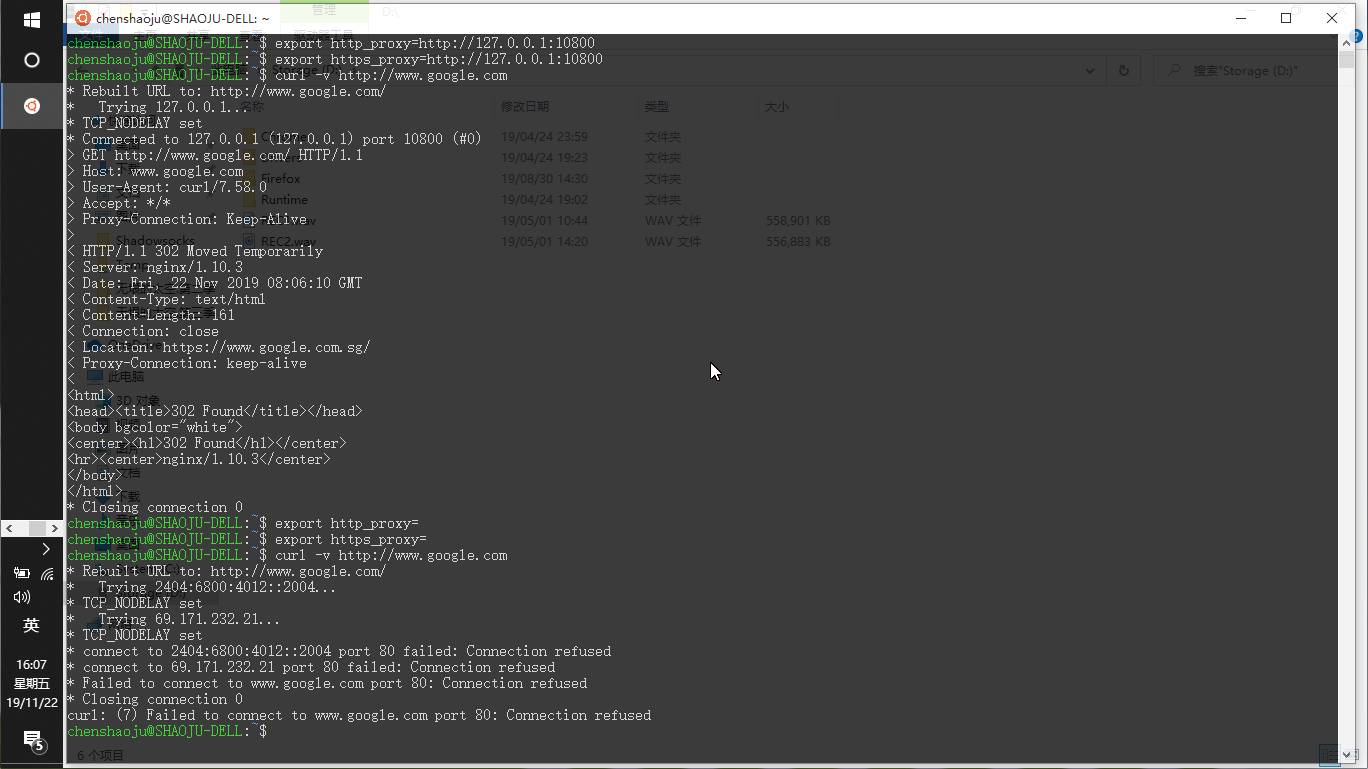
You can simply shutdown your WSL by using wsl.exe -t ubuntu, This will clean all environment variable.
Or, You can use these command to set proxy environment variable to null.
export http_proxy=
export https_proxy=
Example:
chenshaoju
on 22 Nov 2019
@chenshaoju that's great, thanks so much for the tip! I'd suggest you guys add that to your FAQ somewhere or documentation, it's very useful to know for those who are not very familiar with the internals of WSL but still would like to use it with the proxy.
florianmonfort
on 23 Nov 2019
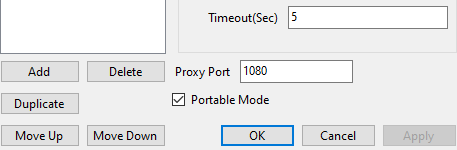
@chenshaoju sometimes I try and it doesn't work:
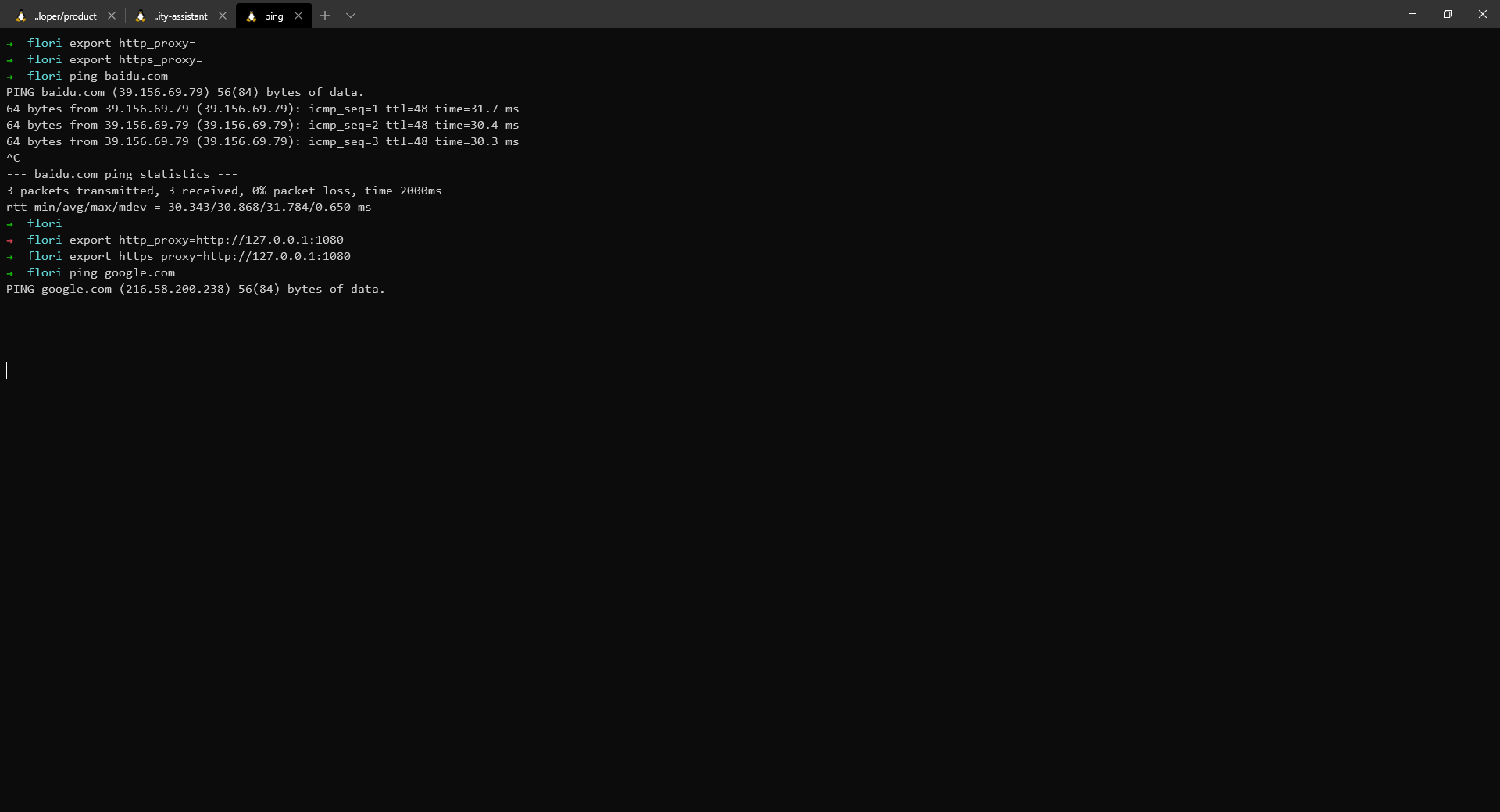
But I have checked my port config and it's correct:

florianmonfort
on 6 Dec 2019
The ping command is ICMP protocol, It's unable through proxy.
Try curl or wget.
chenshaoju
on 6 Dec 2019
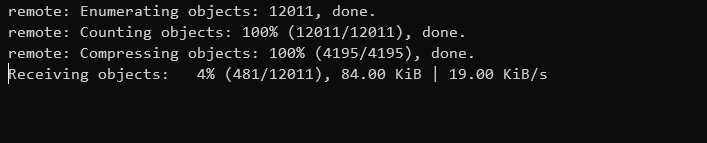
@chenshaoju when I access gitlab through browser it's super fast using proxy with shadwsocks. Even if shadowsocks is working well and I can curl google.com successfully, doing a git clone is still very very slow:

florianmonfort
on 7 Dec 2019
maybe try socks5 protocol:
export http_proxy=socks5h://127.0.0.1:1080
export https_proxy=socks5h://127.0.0.1:1080
@chenshaoju same result:
@chenshaoju it seems to be a problem if you clone a repository over SSH, but over HTTPS it works fine. Maybe client should support through SSH?
florianmonfort
on 8 Dec 2019
If using SSH, may try this:
https://gist.github.com/yougg/5d2b3353fc5e197a0917aae0b3287d64
After set ssh proxy line.
chenshaoju
on 8 Dec 2019
Maybe add some documents after WSL2 become stable
 ghost
on 16 Dec 2019
ghost
on 16 Dec 2019
On WSL2 it's not working.
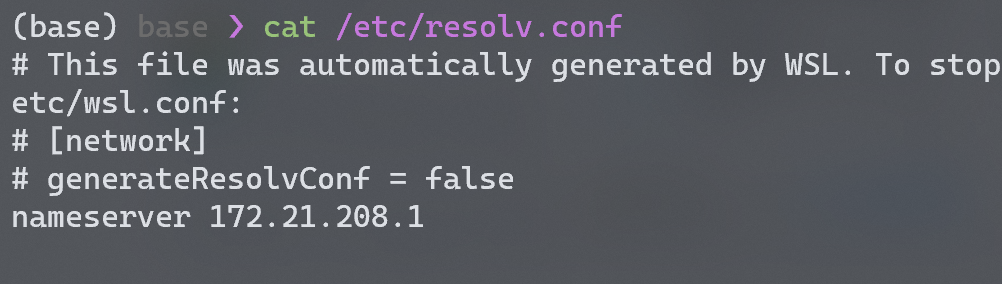
Because WSL can't see windows as localhost, so I have to get the proxy ip as described in /etc/resolv.conf:
Then I set the proxy env variable:
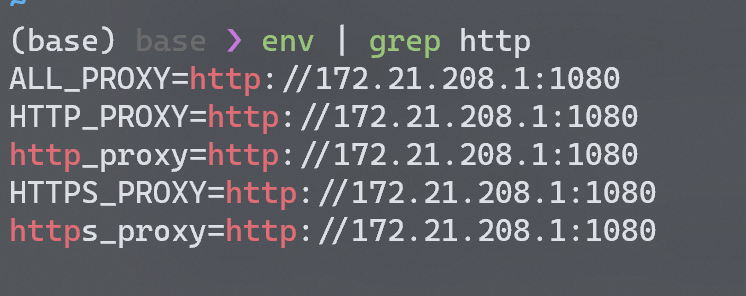
But curl to google.com still doesn't work:

Of course I have already set the shadowsocks properly and can acess to google on windows side.

So what's the problem? Did something went wrong with WSL2?
 DeepDarkOdyssey
on 18 Dec 2019
DeepDarkOdyssey
on 18 Dec 2019
From your curl log, The proxy looks set successfully, But the proxy no responding.

If your WSL2 and Shadowsocks are on the same computer, try 127.0.0.1?
If not are on the same computer, maybe is your Shadowsocks computer Windows Firewall settings not correct. Please check your Windows Firewall income port allow list, is allowed your Shadowsocks proxy port?
chenshaoju
on 19 Dec 2019
Related issues
 cairoHy
·
57Comments
cairoHy
·
57Comments
 Stephen2252
·
39Comments
Stephen2252
·
39Comments
 HiramYong
·
57Comments
HiramYong
·
57Comments
 Aniark
·
39Comments
Aniark
·
39Comments
 Justsoos
·
50Comments
Justsoos
·
50Comments
Most helpful comment
In WSL, Please set your proxy info by using these command:
If your shadowsocks local proxy is not 1080, Change it before use.
For example:
