Session: I can't delete the session ID cookie after destroying the session.
If I set a session using req.session.something = 'Session', then delete it when someone logs out using req.session.destroy, I can't get the session ID cookie to delete.
Here's my deletion code:
req.session.destroy(function() {
    res.clearCookie('connect.sid', { path: '/' }).status(200).send('Cookie deleted.');
  });
The cookie will by set to have nothing in its contents, and expire on Thursday, 1 January 1970 at 01:00:00, but I am unable to delete it.
I'm using this store.
 Matthew-Christopher
All 27 comments
I just tried out a simple app eith the store and the cookie did clear, though it was dependant on my settings to this module. Can you share an example app that demonstrates the issue?
 dougwilson
on 9 Sep 2017
dougwilson
on 9 Sep 2017
I'm using the express-session module with the production memory store, here's my config:
app.use(session({
store: new MemoryStore({
checkPeriod: 86400000
}),
cookie: {
secure: true,
maxAge: 10000
},
secret: SECRET,
resave: false,
saveUninitialized: false,
name: 'SID',
unset: 'destroy'
}));
I asked a question on Stack Overflow regarding this and someone kindly stated that: "A server can't instruct a client to remove a particular cookie.
All it can do is to overwrite the cookie so its value is empty, and set an expiry date that has already passed (which is exactly what res.clearCookie does), in the hope that the browser will take the hint and actually remove it."
I'd still be interested to know if there's anyway that I can alter my config so that this would work, but if not then I'm happy to leave it as it is, since the session is destroyed and the SID cleared, then it's still impossible to use the session cookie.
Matthew-Christopher
on 9 Sep 2017
In order to overwrite the cookie, you have to match the existing cookie's config. You have secure true on your session cookie, so you need secure true on the clearCookie as well, for example.
dougwilson
on 9 Sep 2017
"The cookie will by set to have nothing in its contents, and expire on Thursday, 1 January 1970 at 01:00:00, but I am unable to delete it." This also applies if I set a cookie with res.cookie('Test', 'test').status(200).send('Ok.');, then try to delete it with res.clearCookie('Test', {path: '/'}).status(200).send('Ok.');
Matthew-Christopher
on 9 Sep 2017
In order to overwrite the cookie, you have to match the existing cookies's config. You have no path when setting the cookie, so you need no path on the clearCookie as well, for example.
dougwilson
on 9 Sep 2017
Please see https://hastebin.com/edivevefil.js - even if I do do that, the same still happens.
Matthew-Christopher
on 9 Sep 2017
That's because without the path, the cookies are being separately set on the URLs they are accessed from, so it doesn't clear in your example. If you want to set it from one URL and clear on a different URL, you need to explicitly provide the same path to both the set and clear so the cookies will match.
dougwilson
on 9 Sep 2017
See https://hastebin.com/ixajoceyup.js for the updated example - am I doing that correctly?
Matthew-Christopher
on 9 Sep 2017
Yes, but if the cookie Test is still in your web browser frpm your previous example it won't work still. Ckear your cookies or change the cookie name to one you haven't used yet to try.
dougwilson
on 9 Sep 2017
I updated the name to 'Test2', but the cookie is not cleared when I go to /clear

Matthew-Christopher
on 9 Sep 2017
It is working just fine for me, on Chrome 61 and Express 4.15.4.
I used the following app:
const express = require('express');
const app = express();

app.get('/set', (req, res) => {
  res.cookie('Test', 'test', {path: '/'}).status(200).send('Ok.');
});

app.get('/clear', (req, res) => {
  res.clearCookie('Test', {path: '/'}).status(200).send('Ok.');
});

app.listen(3000);
Here is the state when I loaded http://127.0.0.1:3000/:
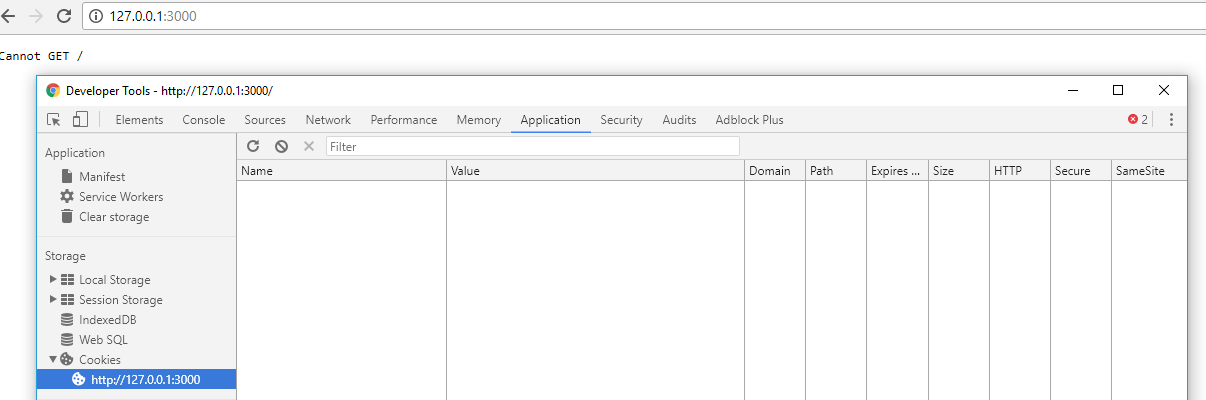
Here is the state when I loaded http://127.0.0.1:3000/set:

Here is the state when I loaded http://127.0.0.1:3000/clear:
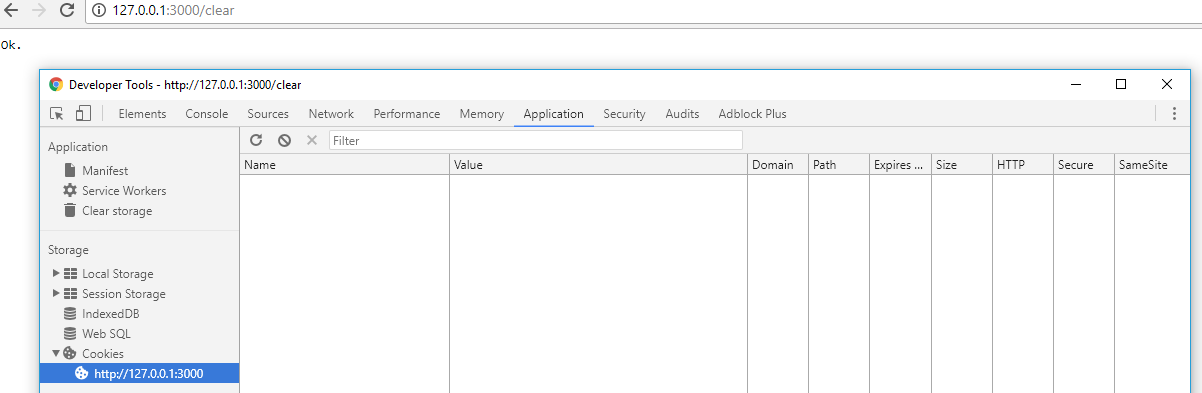
I don't know how I can help further.
dougwilson
on 9 Sep 2017
If I go to /set and then to / the cookie stays there. If I go to /set and then to /clear the cookie stays there. If I go to /set then to /clear then to / the cookie goes away.
Matthew-Christopher
on 9 Sep 2017
I just tried again with those same patterns and here is what I see:
If I go to /set and then to / the cookie stays there.
Yes, I see that, which is expected.
If I go to /set and then to /clear the cookie stays there.
When I hit /clear it goes away, just as you see happening in my screenshot above.
If I go to /set then to /clear then to / the cookie goes away..
Yes, I see that mostly, where the cookie goes away at /clear and just stays gone when going to /.
dougwilson
on 9 Sep 2017
What's happening on your end is certainly correct, which is strange considering that other than express-session, I don't actually have any other packages which deal with cookies. I also ran npm up and still the issue persists.
Matthew-Christopher
on 9 Sep 2017
I'm also having this problem. Tried a number of things, but every time I try to logout, I see the response
Set-Cookie:connect.sid=; Path=/admin; Expires=Thu, 01 Jan 1970 00:00:00 GMT; HttpOnly,
but I can still access admin and Chrome (vc 61+) shows the cookie as still there:
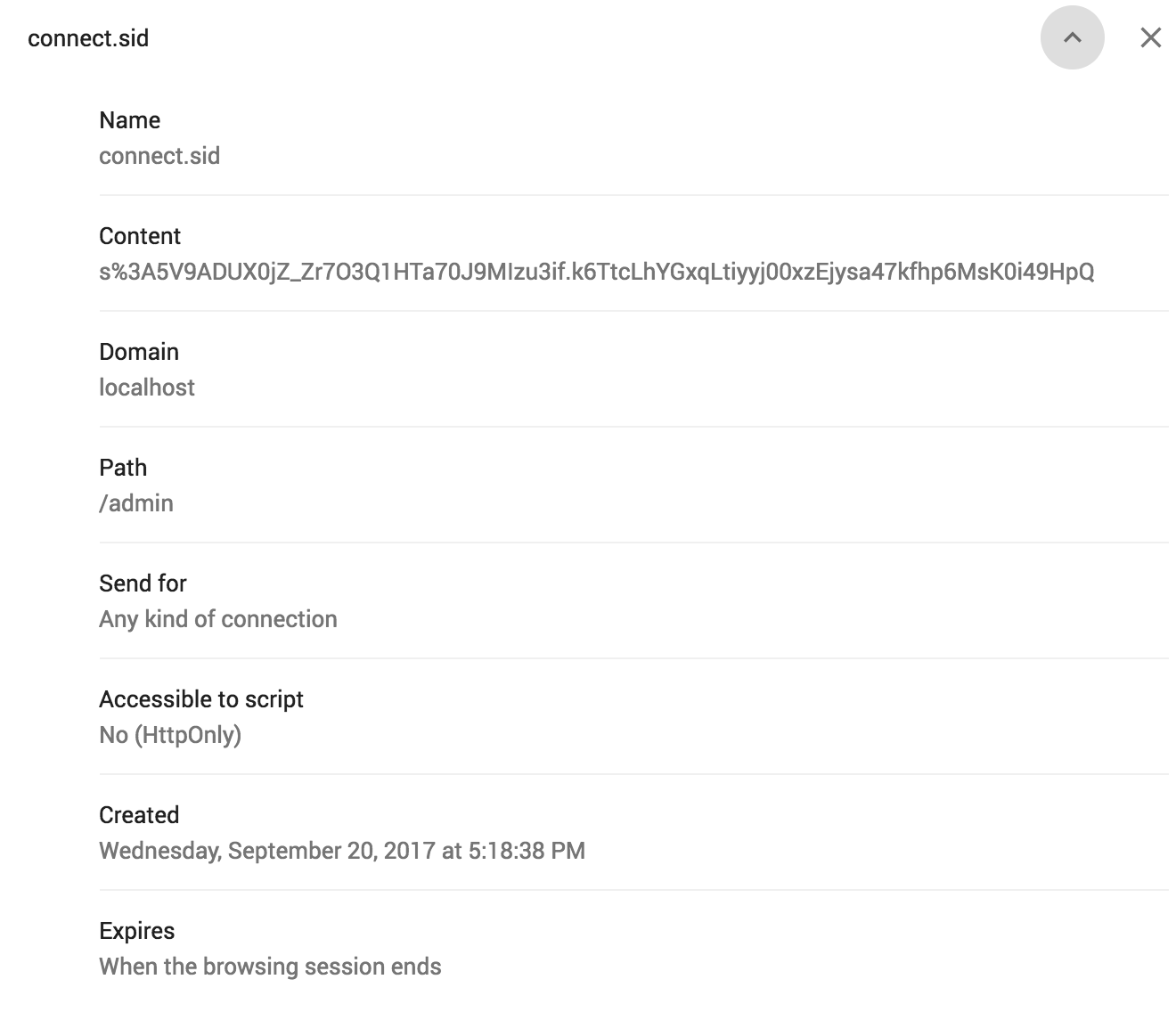
I'm accessing my site on localhost: 1337 and secureCookie is false.
When the cookie is set on login, it looks like this:
set-cookie:connect.sid=s%3AllLgBUHK1-H-5I_B2WFQtpO_jtgf9-3z.g1eGQyYhWw9IrAOQU%2FIDS3s%2Fotg2cygdD2BN4%2FCjMUY; Path=/admin; HttpOnly
import passport from 'passport';
import cookieParser from 'cookie-parser';
import session from 'express-session';
import { Strategy as LocalStrategy } from 'passport-local';
import localPassport from '../../db/sequelize/passport';
import config from '../../../config';

const secret = config('server.sessionHash');
const secureCookie = config('server.secureCookie');

const authenticationMiddleware = (req, res, next) => {
  console.log('authenticated', req.isAuthenticated());

  if (req.isAuthenticated()) {
    next();
  } else if (req.url.includes('/rest/')) {
    res.status(401).send('Unauthorized');
  } else {
    res.status(302).redirect('/admin/login');
  }
};

const sessionSecurity = (app) => {
  app.set('trust proxy', 1);
  app.use(cookieParser(secret));
  app.use(
    session({
      secret,
      saveUninitialized: false,
      resave: false,
      maxAge: null,
      cookie: {
        path: '/admin',
        secure: secureCookie,
      },
    }),
  ); // session secret
  app.use(passport.initialize());
  app.use(passport.session());

  passport.use(new LocalStrategy(localPassport.local));
  passport.serializeUser((user, done) => {
    done(null, user.id);
  });
  passport.deserializeUser(localPassport.deserializeUser);

  app.post('/admin/login', (req, res, next) => {
    passport.authenticate('local', (authErr, user) => {
      if (authErr) return next(new Error(authErr));
      if (!user) {
        return res.sendStatus(401);
      }
      return req.logIn(user, (loginErr) => {
        if (loginErr) return res.sendStatus(401);
        return res.sendStatus(200);
      });
    })(req, res, next);
  });

  app.post('/admin/logout', (req, res) => {
    req.logOut();

    req.session.destroy(() => {
      res
        .clearCookie('connect.sid', {
          path: '/admin',
          httpOnly: true,
        })
        .sendStatus(200);
    });
  });

};

export { sessionSecurity as default, authenticationMiddleware };
 mschipperheyn
on 20 Sep 2017
mschipperheyn
on 20 Sep 2017
Hi @mschipperheyn sorry to hear that. I tried really quick with a modified versions of your code that would run (since you didn't include all files) and couldn't reproduce, just like I couldn't reproduce @Matthew-Christopher 's issue. I think at this point, the only way to get this moving forward is to please provide a pull request with a fix for the issue unless you have another idea.
dougwilson
on 20 Sep 2017
@dougwilson I can think of a couple of directions where this issue may lie without knowing, since all the obvious suspects seem to have been eliminated:
- CSP: I use a strict policy. Is there some way csp can limit the way cookies are processed?
- Could it be related to the use of localhost and a port (I use localhost: 1337)
- Could it be that Chrome 61 uses a stricter policy than before (I will test on FF)
- Could it be related to the use of path somehow
- I'm using React (based on React Universally) and HMR. Could that be the issue?
mschipperheyn
on 21 Sep 2017
It is certainly possible any of those could be the issue. The more you leave out from the issue description, the harder it is for me to figure out the issue; I only have the information you provided to work with.
Can you maybe provide all the following to get our environments the same so I can try to debug through thr issue?
- Version of Node.js
- Exact version of this module and all other modules you need to reproduce the issue.
- Complete code I can copy and paste and run.
- Complete instructions for how to get the code up and running.
- Step by step instructions on what to do to see the issue (like first navigate to this url, then click this, etc.)
dougwilson
on 21 Sep 2017
Ok, I added a test repo with a stripped down project:
https://github.com/mschipperheyn/test-cookie
You should add a .env file to the root with the following values
HOST=localhost
PORT=1337
CLIENT_DEV_PORT=7331
PAGE_ID=
APP_ID=
APP_SECRET=
MAIL_SERVICE=SES
MAIL_DEFAULTFROM=Client info@client.com.br
MAIL_DEFAULTTO=Client info@client.com.br
MAIL_USER=
MAIL_PASS=
DB_TYPE=mysql
DB_SERVER=127.0.0.1
DB_PORT=3306
DB_USER=root
DB_PW=
DB_SCHEMA=testDb
GOOGLE_CLIENTID=
GOOGLE_CLIENTSECRET=
GOOGLE_SITE_VERIFICATION=
FACEBOOK_APPID=
FACEBOOK_CLIENTID=
FACEBOOK_CLIENTSECRET=
AWS_ACCESS_KEY_ID=
AWS_SECRET_ACCESS_KEY=
[email protected]
DEFAULT_PASSWORD=admin
SES_ACCESSKEY=
SES_ACCESSSECRET=
MANDRILL_SECRET=
SESSION_HASH=test
You need a local MySql server setup. When you create the schema testDb, the tables will be created and populated automatically on startup: yarn run develop
Be aware that the login user will be created on the .env values DEFAULT_USER and DEFAULT_PASSWORD
The project will also work in a more recent version of node (also tested on 8.5.0)
mschipperheyn
on 24 Sep 2017
Hi @Matthew-Christopher thanks for the code! I'll look into setting up an environment this week that has all the needed prereqs you outlined. Can you provide step by step instructions on what to do to see the issue (like first navigate to this url, then click this, etc.)?
dougwilson
on 24 Sep 2017
yarn installornpm install- Setup a MySQL server with empty schema
process.env.DB_SCHEMA - run
yarn run developornpm run develop - load
localhost:1337 - Click Go to Admin
- Login using
process.env.DEFAULT_USERandprocess.env.DEFAULT_PASSWORD - Logout
- Click Go to Admin (you should see a login screen and not arrive at admin home)
mschipperheyn
on 24 Sep 2017
Thanks @mschipperheyn ! I think I see the code around those routes at least. Have you tried the tip at the top of this issue: https://github.com/expressjs/session/issues/507#issuecomment-328288268 ? The setting of the cookie doesn't seem to have the exact same properties when you're clearing it. For example https://github.com/mschipperheyn/test-cookie/blob/4757f0332e921fecaac43eb586da5f11154af994/server/middleware/passport/index.js#L36-L39 and https://github.com/mschipperheyn/test-cookie/blob/master/server/middleware/passport/index.js#L73-L76 are not the same, so if that is the code that's being executed (I'll set a break point there when I have the environment set up), then the browser will simply ignore the clear cookie request.
dougwilson
on 25 Sep 2017
@dougwilson I did try that. Just to verify, I just tried again to use the exact same settings on both cookie settings.
app.use(
    session({
      secret,
      saveUninitialized: false,
      resave: false,
      maxAge: null,
      cookie: {
        path: '/admin',
        secure: secureCookie,
        httpOnly: true,
      },
    }),
  );
[...]
req.session.destroy(() => {
      res
        .clearCookie('connect.sid', {
          path: '/admin',
          secure: secureCookie,
          httpOnly: true,
        })
        .sendStatus(200);
    });
No luck
mschipperheyn
on 25 Sep 2017
Cool. I assume you completely cleared out all cookies and / or validated that the cookie that is already in your browser had those exact settings, right? I'm working on setting up an environment now, which is in a clean VM that will test this on a blank install of Chrome that has never been used before to rule out anything in the browser as well. If you have any particular browser configuration I should try, let me know as well.
dougwilson
on 25 Sep 2017
So I know you said to use Node.js 8.5.0, but the npm install fails with:
You are currently running Node v8.5.0 but client requires ~6.11.3. Please use a supported version of Node.
Is that expected and I should just proceed with 8.5.0?
dougwilson
on 25 Sep 2017
Yea, probably need to use a different Node.js version, since the npm run develop step after that doesn't work:
$ npm run develop

> [email protected] develop C:\test-cookie
> cross-env DEPLOYMENT=development babel-node internal/development

'cross-env' is not recognized as an internal or external command, operable program or batch file.
What version of Node.js should I use?
dougwilson
on 25 Sep 2017
So I decided to just install Node.js 6.11 for now since it will pass the validation, and then npm install worked and npm run develop is working now. I also went ahead and just made the modifications you posted in https://github.com/expressjs/session/issues/507#issuecomment-331760710 and started it up.
So here is the state when I got to the login page:
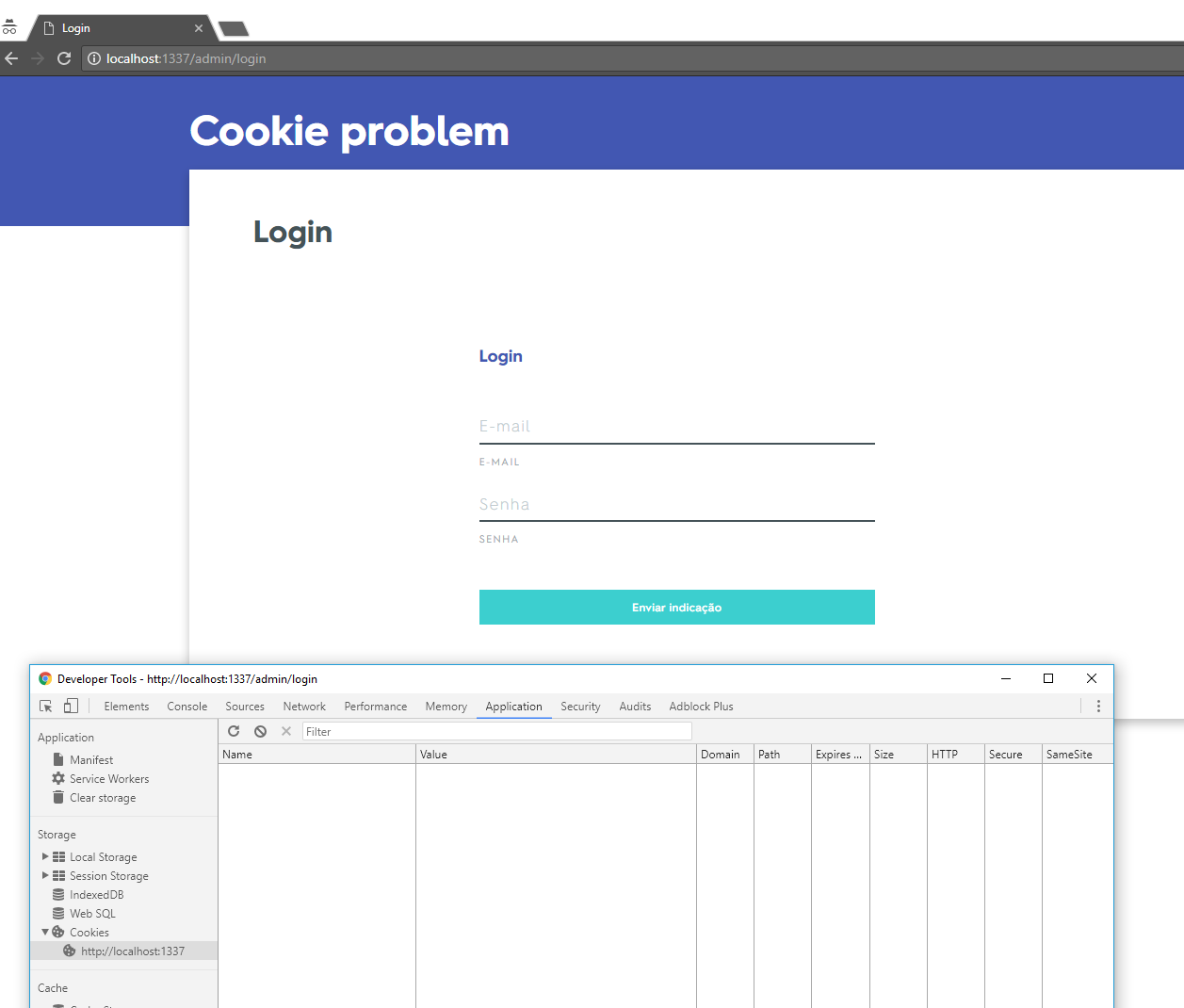
Then right after I entered the credentials from my .env and clicked to login:

And then after clicking logout:

So the cookie it not cleared. I went to check the network request:
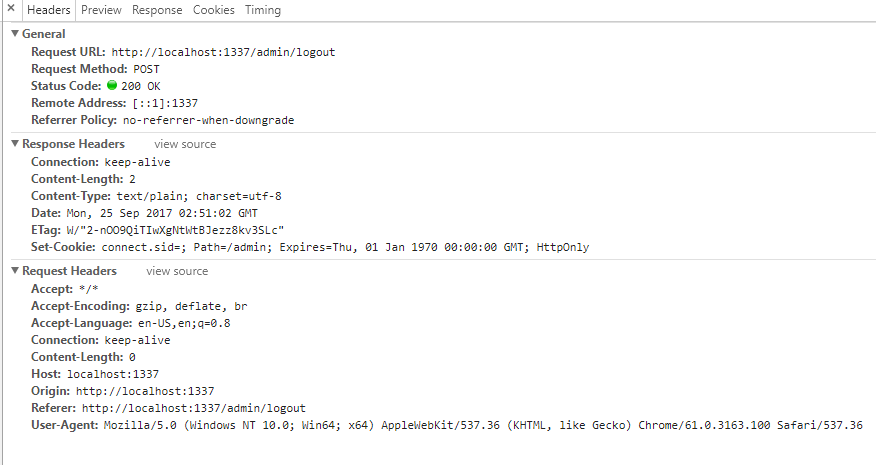
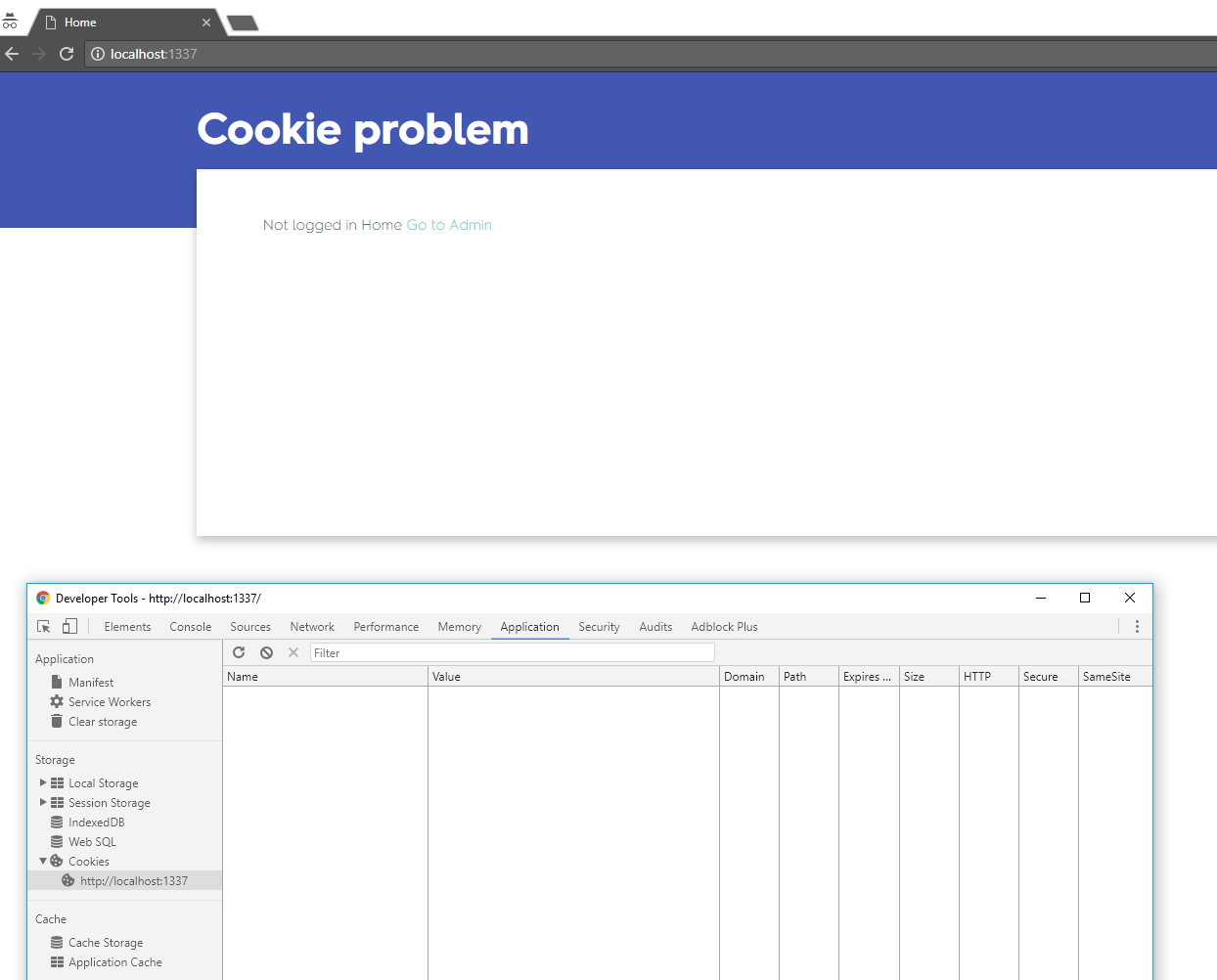
And it is fine, but I see that it's issued from a fetch command, not a top-level web browser navigation. At least in Chrome, you have to perform a top-level navigation for it to pick up on removed cookies, which happens as soon as you click on the refresh button, the cookie is gone:
dougwilson
on 25 Sep 2017
Related issues
 G-Adams
·
16Comments
G-Adams
·
16Comments
 anikethsaha
·
80Comments
anikethsaha
·
80Comments
 simoami
·
27Comments
simoami
·
27Comments
 Jpunt
·
17Comments
Jpunt
·
17Comments
 azfar
·
14Comments
azfar
·
14Comments
Most helpful comment
It is working just fine for me, on Chrome 61 and Express 4.15.4.
I used the following app:
Here is the state when I loaded

http://127.0.0.1:3000/:Here is the state when I loaded

http://127.0.0.1:3000/set:Here is the state when I loaded

http://127.0.0.1:3000/clear:I don't know how I can help further.