Serverless-stack-com: Comments: Connect to API Gateway with IAM Auth
 jayair
All 38 comments
if (AWS.config.credentials && Date.now() < AWS.config.credentials.expireTime - 60000) {
return;
}
This block of code in function getAwsCredentials(userToken) will create some issues if a user login to a different account before AWS.config.credentials expires.
Imagine the following scenario on a certain machine:
1) User A login
2) User A creates a new note
3) User A logs out
4) User B login
5) User B sees all notes of User A. Because AWS.config.credentials exists and not yet expires, the userId of the outgoing requests are actually from user A.
 p31d3ng
on 3 Aug 2017
p31d3ng
on 3 Aug 2017
@p31d3ng It's not in this chapter but we clear the credentials when a user logs out.
I should also add that there is a bit of an issue with the current logout code that I'll be putting out a fix for soon - https://github.com/AnomalyInnovations/serverless-stack-com/issues/50#issuecomment-318939817.
jayair
on 3 Aug 2017
is there any easy to trigger API calls by using AWS SDK without manually signing the request so that AWS SDK takes care of signing process. is it possible like this from mobile front end using AWS IOS SDK?
 yashg5
on 4 Aug 2017
yashg5
on 4 Aug 2017
@yashg5 We can disable IAM temporarily and test our APIs but we would need to mock where we get our user id from.
You should be able to do a similar setup from iOS as well.
jayair
on 7 Aug 2017
Anyone know why AWS passes over to the user all this complexity (signing etc) instead of handling it with the sdk, kinda like what firebase does? I'm sure there are good reasons.
 quantuminformation
on 5 Oct 2017
quantuminformation
on 5 Oct 2017
@QuantumInformation I think the Firebase equivalent would be if you used the Cognito User Pool on it's own and instead of IAM as the authorizer use the User Pool as the authorizer. Unfortunately you still need to work with IAM roles and such when you need to work with S3 or other AWS resources.
One of our older versions covers this setup - https://59caadbd424ef20abdc342b4--serverless-stack.netlify.com/chapters/call-the-create-api.html.
We might add a chapter on why use IAM as an authorizer vs User Pool.
jayair
on 6 Oct 2017
lol I thought we used the User Pool as the authorizer
quantuminformation
on 6 Oct 2017
@QuantumInformation AWS is pretty confusing but I should have been more clear, we are using IAM as an authorizer for API Gateway. But to talk to API Gateway we generate a set of temporary credentials through Cognito Federated Identities where the User Pool is the authentication provider.
jayair
on 7 Oct 2017
@jayair first of all thank you for writing this section, it is super helpful. I was surprised at how hard it was to find a straightforward, pluggable solution for signing requests on the client (most of what I came across was intended for serverside use)
just wanted to point out that the rawgit link to the sigV4Client.js is out of date, I encountered an issue while trying to sign a request, but when I went to open a PR I discovered you'd fixed it on master
 zacacollier
on 10 Oct 2017
zacacollier
on 10 Oct 2017
@zacacollier Thank!
For the sigV4Client.js, I'm not sure I see the issue you are talking about because that file has never been edited (if you check the history, https://github.com/AnomalyInnovations/serverless-stack-demo-client/commits/master/src/libs/sigV4Client.js). I wonder what didn't work for you.
jayair
on 11 Oct 2017
Hi all. I'm confused as to why we need to deal with IAM role creation and Policy Documents like these:
{
"Version": "2012-10-17",
"Statement": [
{
"Effect": "Allow",
"Action": [
"mobileanalytics:PutEvents",
"cognito-sync:*",
"cognito-identity:*"
],
"Resource": [
"*"
]
},
{
"Effect": "Allow",
"Action": [
"s3:*"
],
"Resource": [
"arn:aws:s3:::YOUR_S3_UPLOADS_BUCKET_NAME/${cognito-identity.amazonaws.com:sub}*"
]
},
{
"Effect": "Allow",
"Action": [
"execute-api:Invoke"
],
"Resource": [
"arn:aws:execute-api:YOUR_API_GATEWAY_REGION:*:YOUR_API_GATEWAY_ID/*"
]
}
]
}
Isn't serverless.com supposed to take care of this complexity, and automatically create and assign roles when necessary?
My biggest pain in following the guide is how specific it is to AWS and how much knowledge is required on the specifics on AWS services. I had expected these to all be abstracted away into the serverless framework.
 tommedema
on 18 Oct 2017
tommedema
on 18 Oct 2017
You'll never be able to completely abstract away AWS otherwise you will end up with more complexity. My next video will cover this policy file as it isn't that hard once you get it.
quantuminformation
on 18 Oct 2017
@tommedema It's an interesting thought for sure. One of the unwritten aspects of the serverless approach is that you are investing more in the specific cloud provider's services and methods.
Serverless Framework (or potentially any other framework) could abstract these out but then you'll be relying heavily on which features of the cloud provider they expose to you. Serverless Framework has decided that they want to be a layer on top of all these providers instead of being a specific solution for AWS. This is why a lot of this has not been abstracted out.
jayair
on 19 Oct 2017
Still receiving the following error if anyone has any thoughts :)
TypeError: __WEBPACK_IMPORTED_MODULE_4__sigV4Client__.a.newClient(...).signRequest is not a function
 dailenspencer
on 30 Oct 2017
dailenspencer
on 30 Oct 2017
@dailenspencer Can I try your project somehow? I want to see what is going.
jayair
on 30 Oct 2017
@jayair yes, if you click on this link you should be able to have access
https://github.com/dailenspencer/Element/invitations
dailenspencer
on 30 Oct 2017
@dailenspencer Got it. How to I reproduce the error again?
jayair
on 30 Oct 2017
@jayair Steps to reproduce
- Run yarn install
- Run yarn start and wait for app to load at localhost:3000
- Head to localhost:3000/signin and login with the following credentials
username: [email protected]
password: Sodacan123!
dailenspencer
on 30 Oct 2017
I've just pushed an update so you may want to re-pull if you've already cloned the project
dailenspencer
on 30 Oct 2017
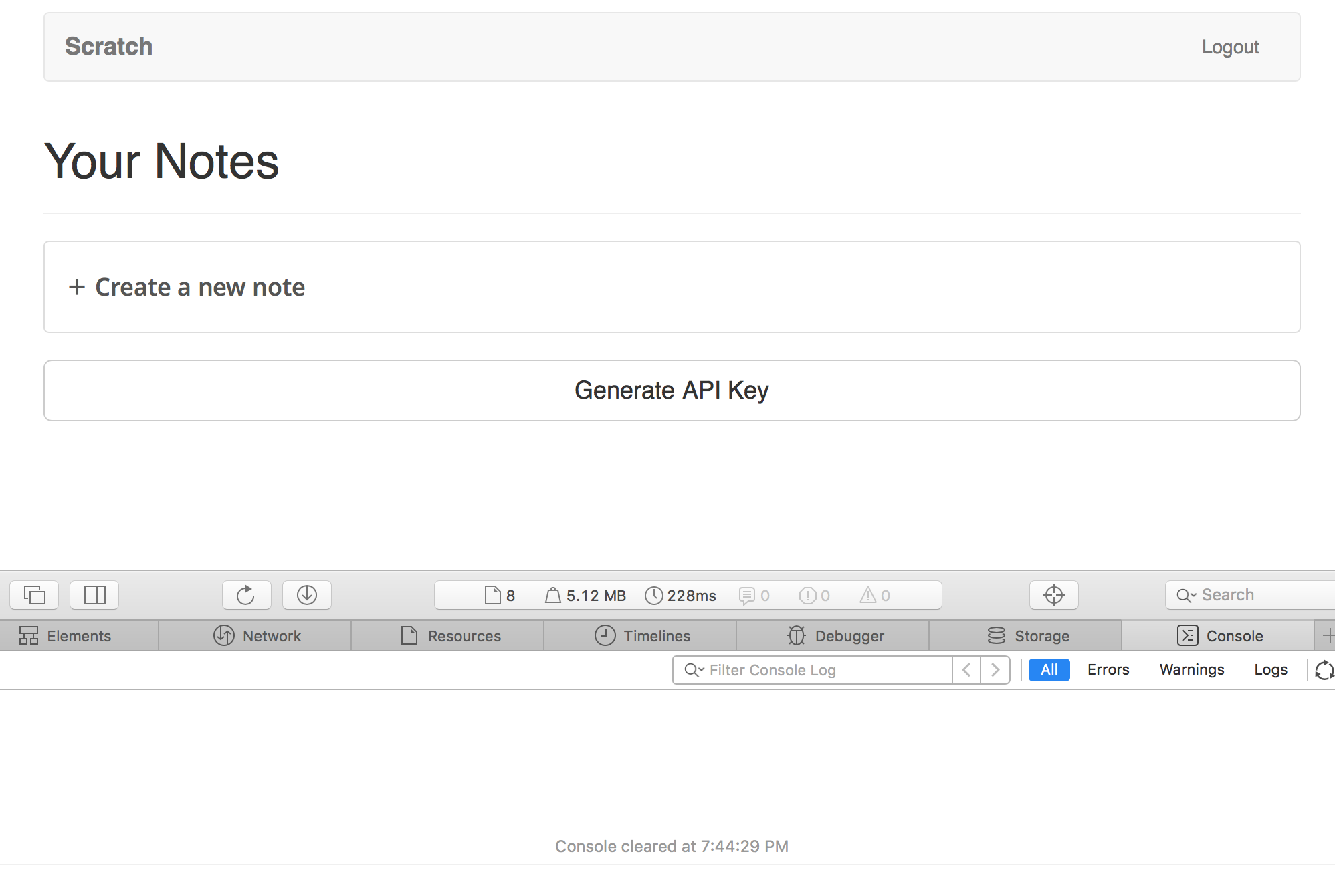
@dailenspencer This is element-app-client correct?
I logged in an everything seems fine. I'm using NPM but it seems curious that your package.json does not have the aws-sdk like the one we have - https://github.com/AnomalyInnovations/serverless-stack-demo-client/blob/master/package.json#L7
Any idea why it's not in there?
jayair
on 1 Nov 2017
@jayair Apologies. The correct folder is isomorphic/
dailenspencer
on 1 Nov 2017
@dailenspencer I'm not sure how much I can help you with your Isomorphic app. This isn't a project based on create-react-app so my experience is a little limited here. But I noticed the aws-sdk is not in your package.json in this project either. Any idea why?
jayair
on 1 Nov 2017
@dailenspencer I am having the same issue as you.
Basically when sigV4Config.secretKey is undefined, sigV4Client.newClient(sigV4Config) returns and empty object {} that doesn't have the signRequest function, causing the error you see.
This happens when we call authUser twice. While the first call waits for the promise in getAwsCredentials to resolve, the second call overwrites the config in AWS.config.credentials = new AWS.CognitoIdentityCredentials. Then, when the promise of the first call resolves, the config won't be the original config with the secret key you were waiting for.
This bug doesn't happen always, if you keep refreshing the page, you can see that sometimes the code does work.
This is my workaround:
let loadingCredentials = null;

function getAwsCredentials(userToken) {
  if (loadingCredentials) return loadingCredentials;

  const authenticator = `cognito-idp.${config.cognito
    .REGION}.amazonaws.com/${config.cognito.USER_POOL_ID}`;

  AWS.config.update({ region: config.cognito.REGION });

  AWS.config.credentials = new AWS.CognitoIdentityCredentials({
    IdentityPoolId: config.cognito.IDENTITY_POOL_ID,
    Logins: {
      [authenticator]: userToken
    }
  });

  loadingCredentials = AWS.config.credentials.getPromise();

  await loadingCredentials;

  loadingCredentials = null;
}
 fcostarodrigo
on 21 Nov 2017
fcostarodrigo
on 21 Nov 2017
@fcostarodrigo Thanks for tracking this down This one has been a tough one to reproduce. I'm going to take a better look and figure it out.
jayair
on 22 Nov 2017
@fcostarodrigo I've been trying to reproduce this and I haven't been able to. Are you just refreshing the home page constantly trying to get the error? Also, if you could share your repo and the browser you are using, that would help greatly.
jayair
on 29 Nov 2017
@jayair I tried to write a test to reproduce the error, but it is really hard. It depends on the order the promises are resolved.
I will create a new project in my personal account and share it with you soon. Maybe our changes introduced the bug too, who knows.
Thanks.
fcostarodrigo
on 29 Nov 2017
@jayair
I reproduced the bug here: https://github.com/fcostarodrigo/notes-app-client
I had to make a few changes to the original code to trigger the bug.
- In
Home.jsyou have to check if the user is logged withawait authUser()instead ofthis.props.isAuthenticated. - In
App.jsyou have to render even whenthis.state.isAuthenticatingistrue.
If App.js is the only thing checking if the user is authenticated and all other components wait for this check to come from App.js, then things work fine. But if another component tries to see if the user is authenticated concurrently, then the code can fail.
I guess this is not really a bug, it just happens that authUser should not be called concurrently.
fcostarodrigo
on 3 Dec 2017
@fcostarodrigo Thanks for putting this together.
Yeah I see what you mean about calling authUser concurrently. I'm not sure how with the original code it can happen.
jayair
on 4 Dec 2017
@jayair Yes, this won't happen in the original code. It only happens if you modify it enough.
fcostarodrigo
on 4 Dec 2017
A similar error also happens in the original code. I have followed the guide to this step and just got:
TypeError: __WEBPACK_IMPORTED_MODULE_0_aws_sdk_global__.util.crypto.lib.randomBytes is not a function
 appernetic
on 9 Jan 2018
appernetic
on 9 Jan 2018
@appernetic Can you share your repo? I need to try this out. It really should not happen.
jayair
on 13 Jan 2018
@appernetic - see this thread: https://github.com/aws/amazon-cognito-identity-js/issues/646
 xpresslanej
on 14 Jan 2018
xpresslanej
on 14 Jan 2018
For anybody who'd rather not depend on a JS crypto implementation, I've created a modified version of sigV4Client.js that uses the Web Cryptography API. It only uses crypto-js as a fallback (Browser support looks pretty good though).
Since web crypto uses promises, signRequest now needs to return a promise as well.
You'll have to add an extra await when using it:
const signedRequest = await sigV4Client // added `await`
  .newClient({...})
  .signRequest({...})
Unrelated: This tutorial series is amazing. Thanks so much for making this available!
 qwtel
on 31 Jan 2018
qwtel
on 31 Jan 2018
Great info on this topic!
I modified your project for what I thought would be a simpler task, but I'm having a fetch / CORs issue.
So I know the following issue is NOT an issue with your code, but I'm hoping someone can point me in the right direction. Because I've made the following changes:
- DynamoDb has a single primary key, no sort key
- I'm still using Congnito & Federated Identities, but not using the userid as part of the sort key in dynamodb. Basically, I just want an authorized user to be able to view / modify any item in the database. (ISsue probably related to this, maybe I sholdn't use FEderated Ids...?)
- I removed the file upload to s3 portion (I made sure to keep the api gateway policy info when I removed the s3 part)
ISSUE: When I login, I'm placed on the home page and a list of items is fetched and displayed. Great!. However, clicking on one of the items. I'll get:
TypeError: Failed to Fetch
Failed to load https://xxxxx.execute-api.us-east-1.amazonaws.com/prod/contestents/+13135551212: No 'Access-Control-Allow-Origin' header is present on the requested resource. Origin 'http://localhost:3000' is therefore not allowed access. The response had HTTP status code 403. If an opaque response serves your needs, set the request's mode to 'no-cors' to fetch the resource with CORS disabled.
API works using CLI and your test cli tool,
have same issue if client is running locally or published from s3...
Why would the scan call work on Home.js (I changed the query call to a scan call since I no longer have a sort key) but subsequent GET calls get denied access?
I'm thinking it must be on client side and possibly with sigV4Client.js... but I've been troubleshooting without success for awhile now..
thank you!
 sanbeaman
on 31 Jan 2018
sanbeaman
on 31 Jan 2018
@sanbeaman If you are having some trouble debugging this and you think you've looked at all the usual suspects, I'd suggest trying to look through the logs and seeing what is going on - https://serverless-stack.com/chapters/api-gateway-and-lambda-logs.html.
jayair
on 1 Feb 2018
@jayair thanks for the response. I've since removed the serverless API's and have started to research IAM , Cognito, etc... in more detail. The guides helped me thru a number of things, and I hope to revist the cloudformation and s3 upload info at a later date! thank you
sanbeaman
on 1 Feb 2018
@sanbeaman - I ran into that same problem today TypeError: Failed to Fetch. I still don't know why I was receiving it but will describe what I saw in the hope it helps someone else.
I added another entity names tasks with the path /tasks. This task entity is basically just a note with a different name. Since Home.js (route "/") displays a list of notes when I'm logged in I wanted to display a list of tasks when I'm logged in using TaskList.js (route "/tasks") file. So I added a link to the Navbar
\<Nav>
     <NavItem eventKey={20} href="/tasks">Tasks</NavItem>
 \</Nav>
Now the curious part. When I manually typed "/tasks" at the end of my URL I had no issues. When I clicked the link Tasks in the menubar I got the Failed to fetch error. In both cases I still displayed my list of tasks. One difference I noted was the application refreshes when I click the link.
So I got location from this.props and changed NavItem to be
<NavItem eventKey={20} componentClass={Link} href="/tasks" to="/tasks" active={location.pathname === '/tasks'}>Tasks</NavItem>
This removed the application refresh and the problem.
 clarkgrg
on 20 Feb 2018
clarkgrg
on 20 Feb 2018
This issue was moved to https://discourse.serverless-stack.com/t/comments-connect-to-api-gateway-with-iam-auth/97
jayair
on 9 May 2018
Related issues
 willybeans
·
3Comments
quantuminformation
·
12Comments
jayair
·
3Comments
jayair
·
14Comments
jayair
·
20Comments
willybeans
·
3Comments
quantuminformation
·
12Comments
jayair
·
3Comments
jayair
·
14Comments
jayair
·
20Comments
Most helpful comment
@dailenspencer I am having the same issue as you.
Basically when
sigV4Config.secretKeyisundefined,sigV4Client.newClient(sigV4Config)returns and empty object{}that doesn't have thesignRequestfunction, causing the error you see.This happens when we call
authUsertwice. While the first call waits for the promise ingetAwsCredentialsto resolve, the second call overwrites the config inAWS.config.credentials = new AWS.CognitoIdentityCredentials. Then, when the promise of the first call resolves, the config won't be the original config with the secret key you were waiting for.This bug doesn't happen always, if you keep refreshing the page, you can see that sometimes the code does work.
This is my workaround: