Server: Share by mail to an "old" Contact leads to error
How to use GitHub
- Please use the 👍 reaction to show that you are affected by the same issue.
- Please don't comment if you have no relevant information to add. It's just extra noise for everyone subscribed to this issue.
- Subscribe to receive notifications on status change and new comments.
Steps to reproduce
- First, you need to have 1 contact at least created with an "older" version of Nextcloud (like Nextcloud V17)
- Update to Nextcloud V20
- Connect and select a folder or file, and try to share by email searching that contact name
- When contact info are displayed, click on contact name in the dropdown list
Expected behaviour
The contact should be added below, and email info / password sent by email
Actual behaviour
An error message appears on the top of the screen "Error creating share"
The contact is not added below
But email is received by the contact and contact item is added below if the webpage is refreshed
Similar issue exists but all linked to setting default expiration date for shares. This is not the case here.
Aditionnal info :
This error doesn't occur with a new freshly created contact...
- Exporting contacts (vcf file), deleting contacts and importing them from vcf file doesn't solve the problem
- Exporting contacts (vcf file), importing in Thunderbird, exporting them again and importing them in nextcloud doesn't solve problem
- Uninstall / Install again Contacts plugin doesn't solve poblem neither

Server configuration
Operating system:
Debian 10
Web server:
Apache 2.4
Database:
PG10
PHP version:
PHP 7.3
Nextcloud version: (see Nextcloud admin page)
NextCloud v 20.0.1
Updated from an older Nextcloud/ownCloud or fresh install:
NextCloud v 17.0.9
Login as admin user into your Nextcloud and access
http://example.com/index.php/settings/integrity/failed, paste the results here.
No errors have been found.
List of activated apps:
Accessibility 1.6.0
Activity 2.13.2
Calendar 2.1.2
Comments 1.10.0
Contacts 3.4.1
Contacts Interaction 1.1.0
Custom CSS 1.7.0
Dashboard 7.0.0
Data Request 1.7.0
Deleted files 1.10.1
DICOM Viewer 1.2.2
External sites 3.7.1
File sharing 1.12.0
Group folders 8.1.0
Log Reader 2.5.0
Notifications 2.8.0
Password policy 1.10.1
PDF viewer 2.0.1
Photos 1.2.0
Recommendations 0.8.0
Right click 0.17.0
Share by mail 1.10.0
Support 1.3.0
Text 3.1.0
Theming 1.11.0
Update notification 1.10.0
Usage survey 1.8.0
User status 1.0.0
Versions 1.13.0
Video player 1.9.0
Weather status 1.0.0
**Are you using external storage, if yes which one: no
**Are you using encryption: no
**Are you using an external user-backend, if yes which one: no
Client configuration
Version 86.0.4240.111 (Build officiel) (64 bits)
Operating system:
Windows 10 Version 10.0.19041 Numéro 19041
 medcloud
All 16 comments
Hello!
I will need a screenshot of your network requests.
Before you do anything, still on the development tools, there is a tab called network. Click on it and then the xhr filter. Do your action and screenshot the network log like this:

I will need your browser console log to investigate this issue.
Open your console, reload your page and/or do the action leading to this issue and copy/paste the log in this thread.
How to access your browser console (Click to expand)
Chrome
- Press either CTRL + SHIFT + J to open the “console” tab of the Developer Tools.
- Alternative method:
- Press either CTRL + SHIFT + I or F12 to open the Developer Tools.
- Click the “console” tab.
Safari
- Press CMD + ALT + I to open the Web Inspector.
- See Chrome’s step 2. (Chrome and Safari have pretty much identical dev tools.)
IE9
- Press F12 to open the developer tools.
- Click the “console” tab.
Firefox
- Press CTRL + SHIFT + K to open the Web console (COMMAND + SHIFT + K on Macs).
- or, if Firebug is installed (recommended):
- Press F12 to open Firebug.
- Click on the “console” tab.
Opera
- Press CTRL + SHIFT + I to open Dragonfly.
- Click on the “console” tab.
 skjnldsv
on 7 Nov 2020
skjnldsv
on 7 Nov 2020
Please make sure you enabled link sharing on your settings.

skjnldsv
on 7 Nov 2020
Hello John,
First of all, many thanks for your help.
As requested, I checked "Allow users to share via link" is confirmed checked. Then I made 3 screenshot (and saved 3 log) :
- After freshly new loaded webpage, without any interaction (files called "01")
- I added the contact leading to this issue (contact was existing before upgrading in NC20, from NC17) (files called "02")
- Finally, I added the contact created after upgrade (in NC20) without any issue (files called "03")
After freshly new loaded webpage, without any interaction
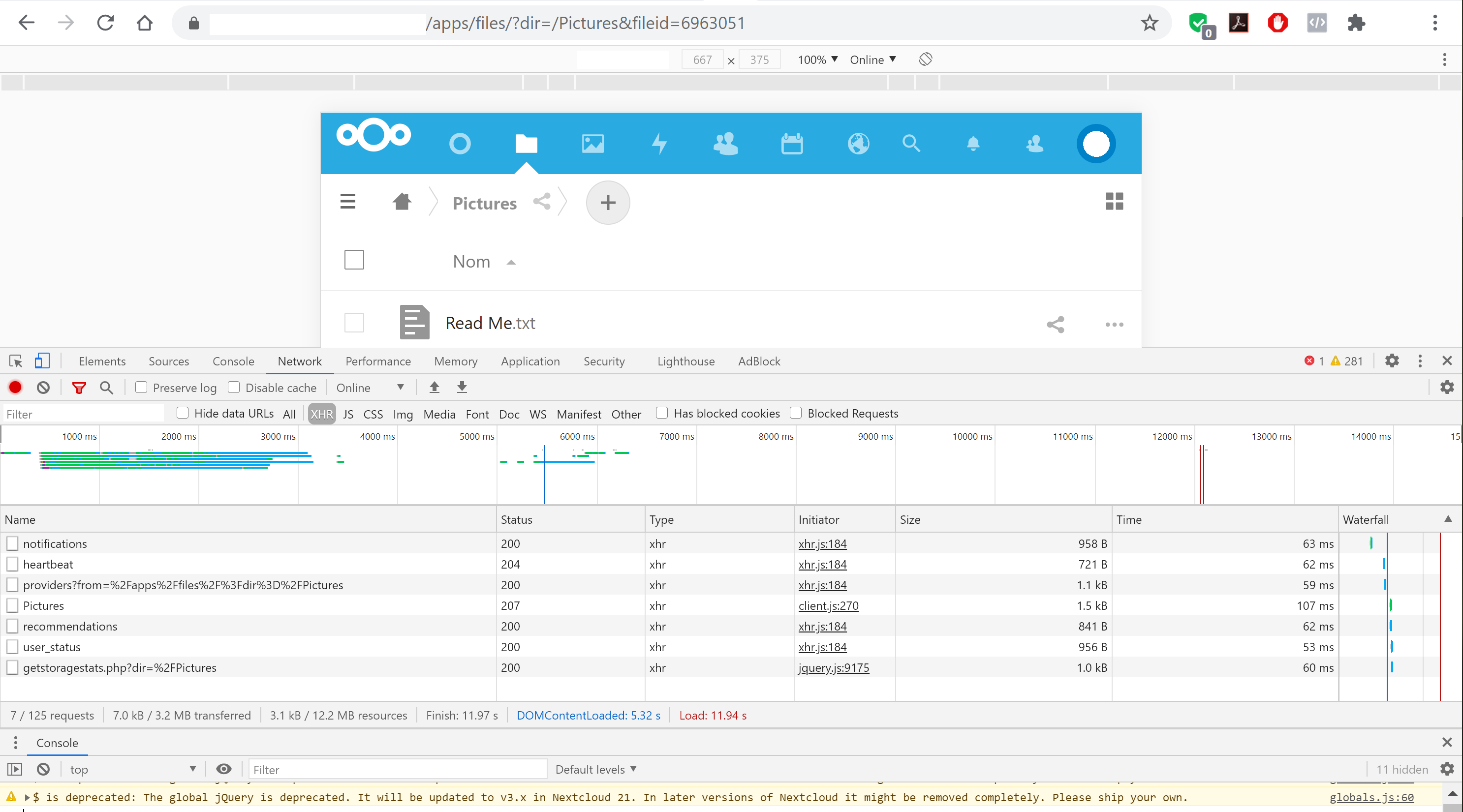
Bug Share file - 01 - Fresh page reload.log
After adding the contact leading to this issue (contact was existing before upgrading in NC20, from NC17)
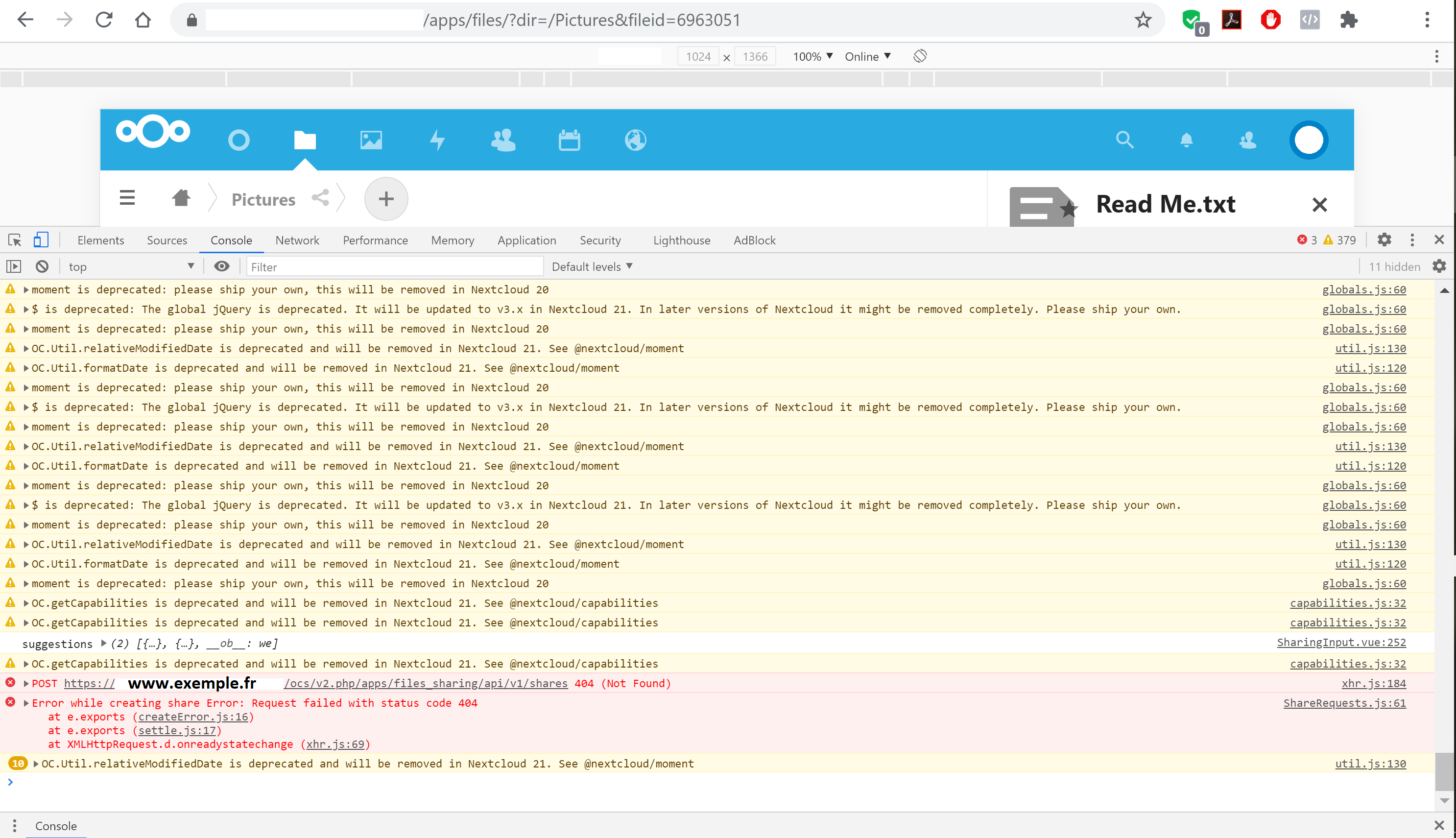
Bug Share file - 02 - Adding share with contact error.log
Finally, after adding the contact created after upgrade (in NC20) without issue
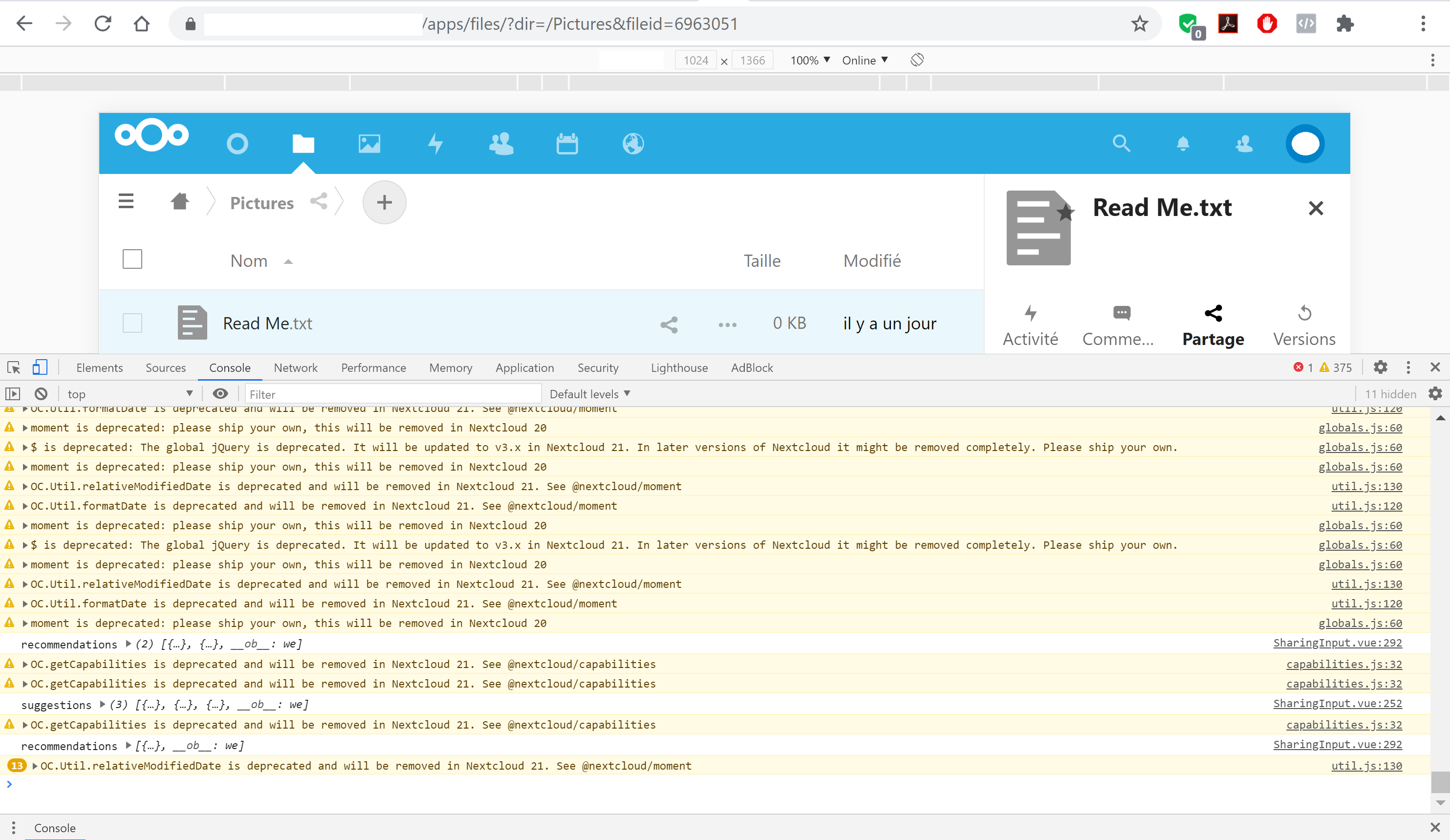
Bug Share file - 03 - Adding share with contact OK.log
File sharing server parameters (just for information, sorry in French)
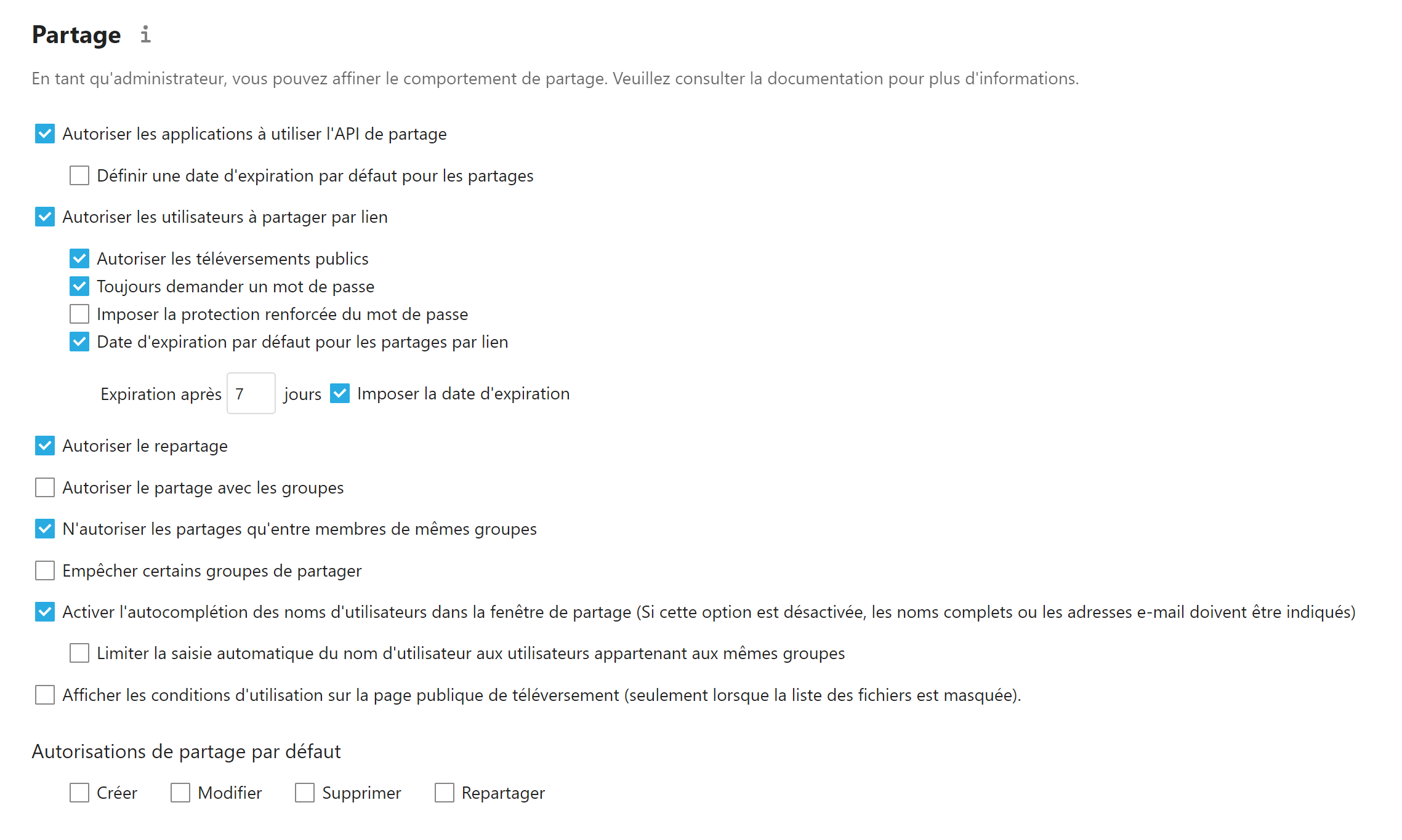
Don't hesitate to ask me if you need more data.
Thanks again.
medcloud
on 8 Nov 2020
After adding the contact leading to this issue (contact was existing before upgrading in NC20, from NC17)
Before you do anything, still on the development tools, there is a tab called network. Click on it and then the xhr filter. Do your action and screenshot the network log like this:
skjnldsv
on 8 Nov 2020
Sorry, I thoug you need console screenshot before any interaction only.
Here you should find the screenshots you need in both cases (one with issue and another without issue).
In case of issue, I also made a screenshot from Nextcloud log (above).
Thanks again.
After adding the contact leading to this issue (contact was existing before upgrading in NC20, from NC17)
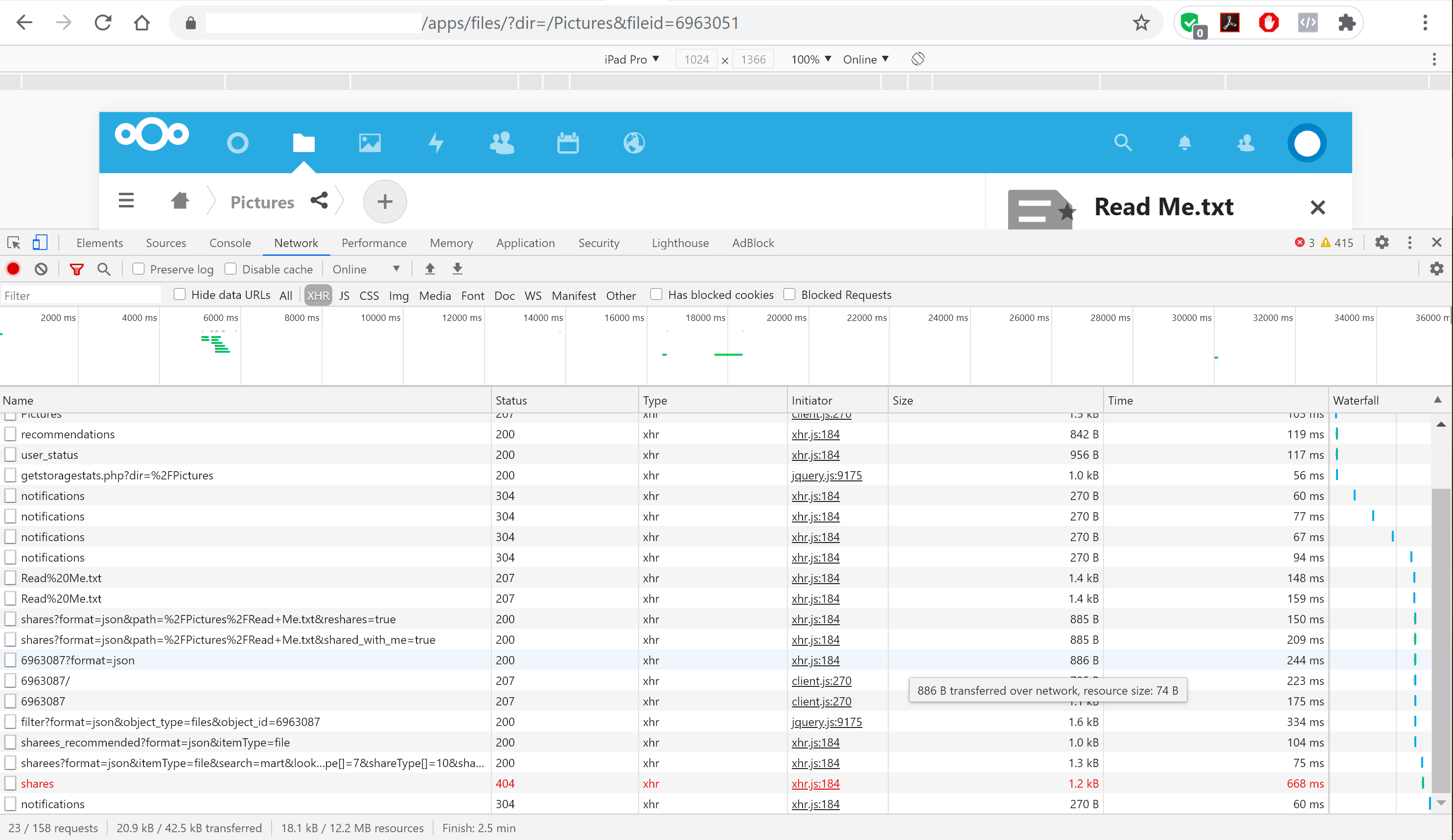
Screenshot from Nextcloud log
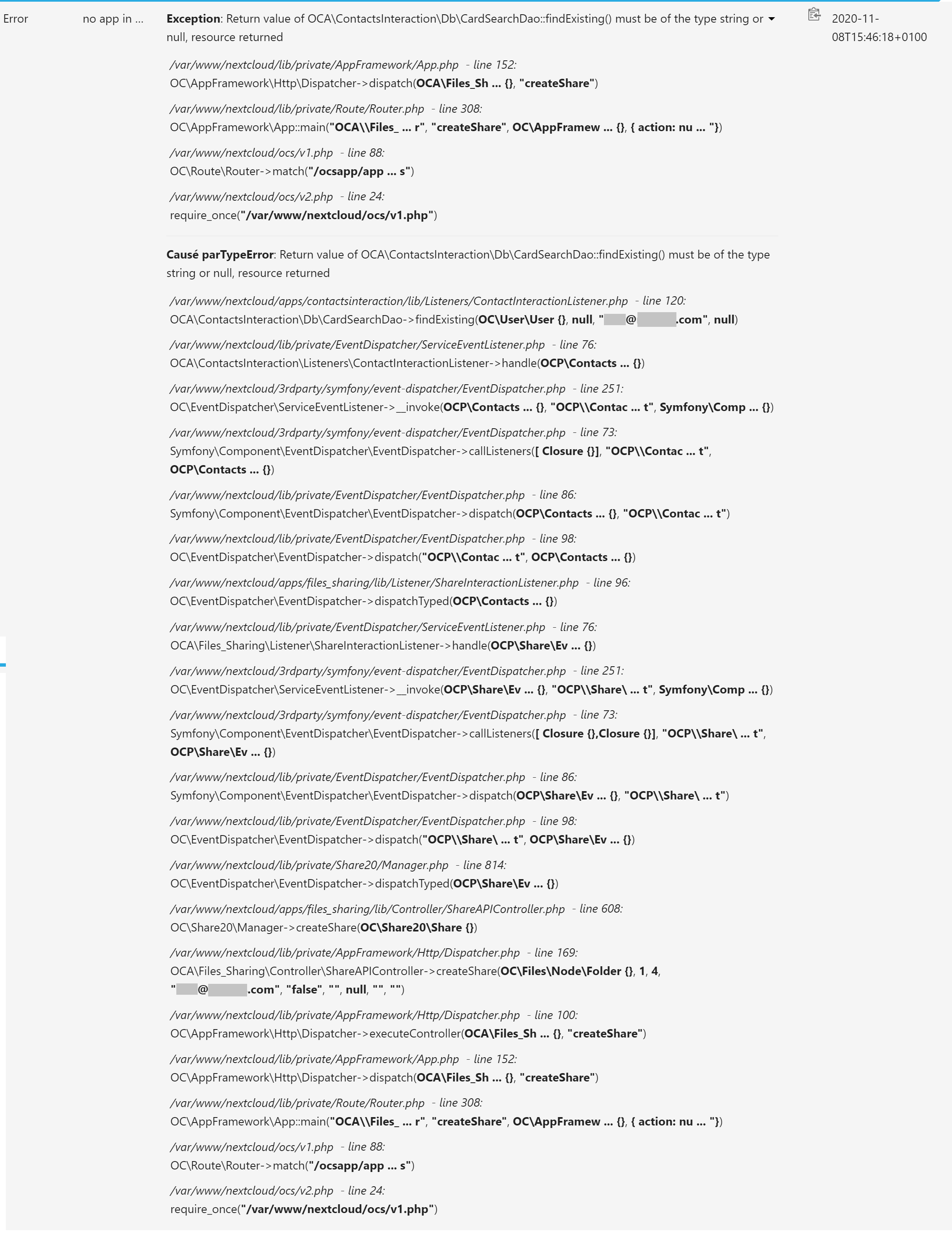
After adding the contact created after upgrade (in NC20) without issue)
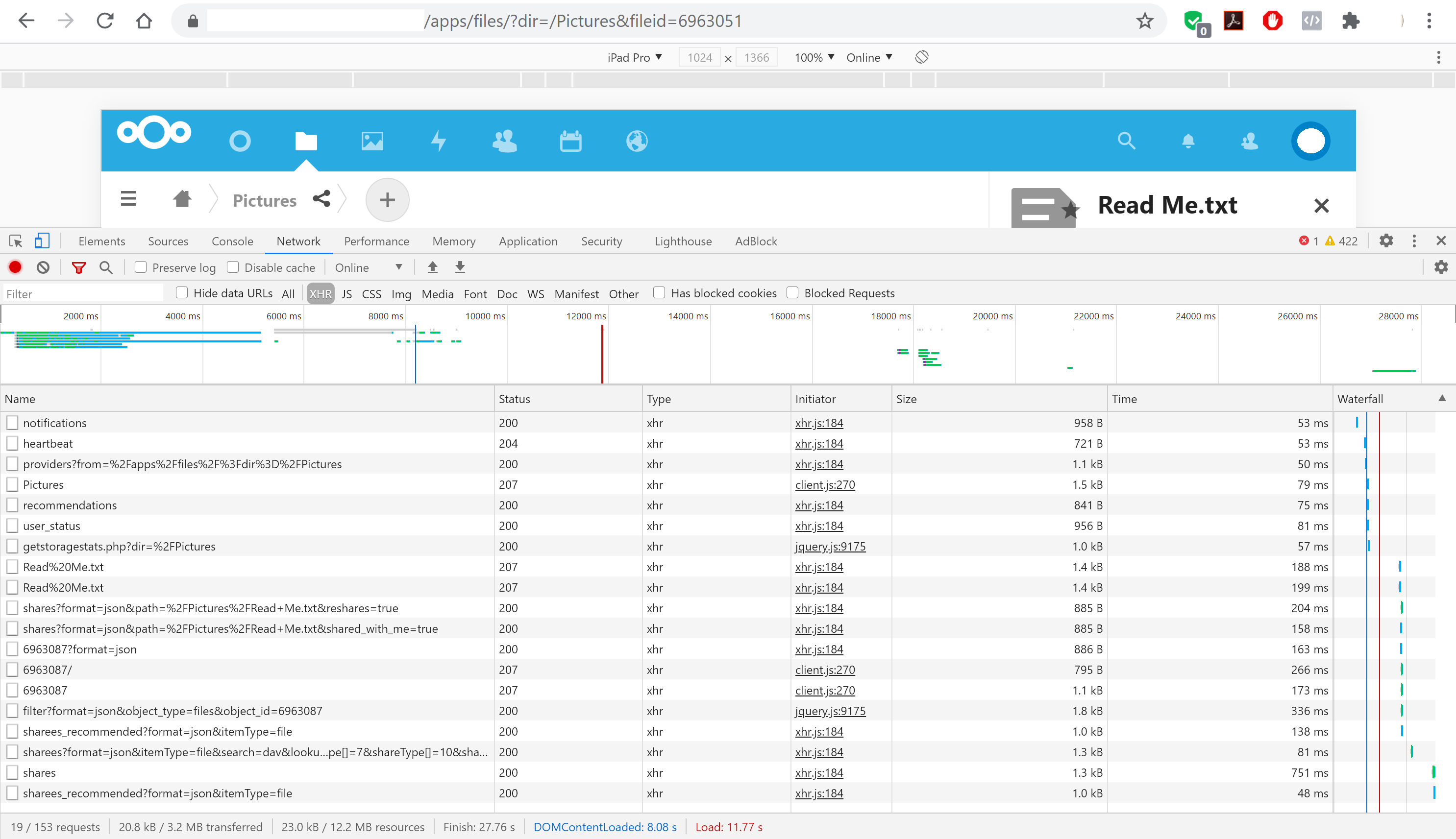
medcloud
on 8 Nov 2020
Okay, I think your contact is not valid as it doesn't have an uid.
What I find weird is that it was accepted by the carddav backend despite being a strict invalid vCard.
Could you download the old contact and copy/paste the content here please?
You can obfuscate the data, but only the content you recognize, don't touch any special characters on the vcard :)
Thanks a lot for the debug, it really helps!!
skjnldsv
on 9 Nov 2020
Hello John,
Thanks for your feedback : please find hereafter the content of the 2 vcf file I exported from NC20 : as always, one is not working (Martin DUPONT, contact created in NC17), and the another one is working well (David Melo, contact created in NC20).
I just obfuscated the emails and didn't touch anything else.
After adding the contact leading to this issue (contact was existing before upgrading in NC20, from NC17)
BEGIN:VCARD
VERSION:3.0
PRODID:-//Sabre//Sabre VObject 4.3.0//EN
EMAIL;TYPE=PREF:[email protected]
FN:Martin DUPONT
UID:8393f4d3-da7b-45b9-985a-63394acd3273
REV;VALUE=DATE-AND-OR-TIME:20201110T015908Z
END:VCARD
After adding the contact created after upgrade (in NC20 without issue)
BEGIN:VCARD
VERSION:3.0
PRODID:-//Sabre//Sabre VObject 4.3.0//EN
EMAIL;TYPE=PREF:[email protected]
FN:David Melo
UID:9a9e5ae7-4833-4d67-ab46-331ba7226bca
REV;VALUE=DATE-AND-OR-TIME:20201110T021018Z
END:VCARD
Thanks again for your help.
medcloud
on 10 Nov 2020
Do you have access to your database?
skjnldsv
on 10 Nov 2020
Yes, I can easily have support to do it : just tell me please what you need and I will provide it. thanks
medcloud
on 10 Nov 2020
Coud you find the row that matches the file on the cards table?
SELECT * FROMcardsWHEREuri= 'DAAFE9E8-F281-4B90-A6A9-E4E90B6C1BDE.vcf'
Where the uri matches your vcf file name please?
skjnldsv
on 10 Nov 2020
Yes:
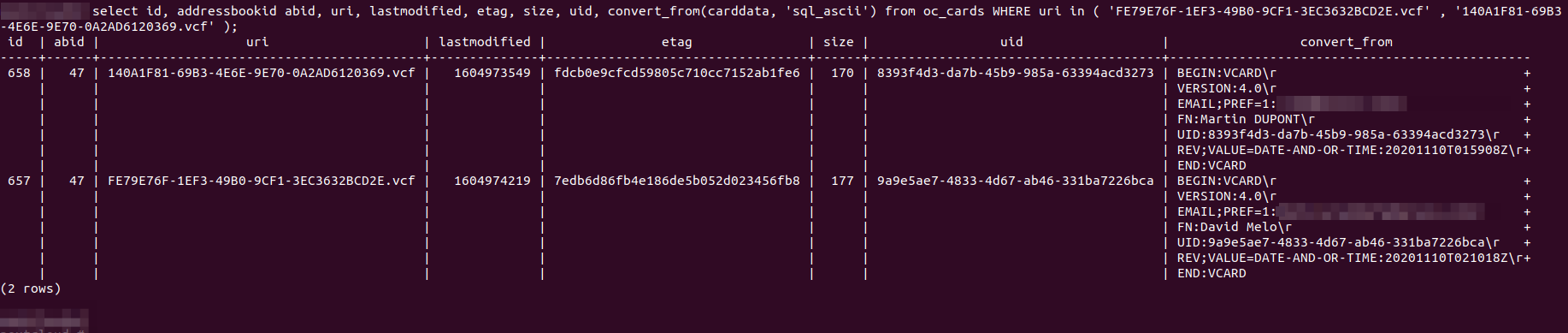
medcloud
on 10 Nov 2020
I can see you edited the Martin Dupont vcard.
I assume it must work now as the UID column is now populated?
skjnldsv
on 11 Nov 2020
Indeed, I had removed "notes" on the contact in Nextcloud in order to keep on both vcard only relevant information : name and email only before copy/paste vcf file content above.
But, unfortunately no change > still not working on "old" contact : I tested again now before answering. The other contact (created in NC20 directly) is still working well.
In nextcloud online log, same issue is notified : "Exception: Return value of OCA\ContactsInteraction\Db\CardSearchDao::findExisting() must be of the type string or null, resource returned"
Would you think it may comes from Vcard itself ? I am not expert at all, but I don't feel to see any specific difference between this 2 vcards... :-(
Thanks again for your time,
medcloud
on 11 Nov 2020
In nextcloud online log, same issue is notified : "Exception: Return value of OCA\ContactsInteraction\Db\CardSearchDao::findExisting() must be of the type string or null, resource returned"
skjnldsv
on 11 Nov 2020
PR is at https://github.com/nextcloud/server/pull/24096. You can download it as patch from https://patch-diff.githubusercontent.com/raw/nextcloud/server/pull/24096.patch. Please let us know if this works.
 ChristophWurst
on 13 Nov 2020
ChristophWurst
on 13 Nov 2020
@skjnldsv @ChristophWurst : I confirm it works !!
Many thanks for your support and investigiation !
medcloud
on 13 Nov 2020
Related issues
 Django-BOfH
·
3Comments
Django-BOfH
·
3Comments
 MorrisJobke
·
3Comments
MorrisJobke
·
3Comments
 dl5rcw
·
3Comments
dl5rcw
·
3Comments
 mfechner
·
3Comments
mfechner
·
3Comments
 j-ed
·
3Comments
j-ed
·
3Comments