Steps to reproduce
- Login to Nextcloud
- Wait
Expected behaviour
Safari is in idle mode when nothing happens
Actual behaviour
Safari on macOS 10.13.6 shows high CPU load
Server configuration
Operating system: Ubuntu 18.04
Web server: Apache2
Database: MariaSQL
PHP version: 7.2
Nextcloud version: 14.0
Updated from an older Nextcloud/ownCloud or fresh install: Update
Where did you install Nextcloud from: Web-Updater
List of activated apps:
Shouldn't be the problem
Are you using external storage, if yes which one: local, smb
Are you using encryption: no
Client configuration
Browser: Safari
Operating system: macOS 10.13.6
Logs
Web server error log
No log. I do nothing. Only being logged in.
Browser log
I see some lines like this:
[324 <private> stream, pid: 33527, url: https://my.nextcloud.domain/ocs/v2.php/apps/notifications/api/v2/notifications, tls] cancelled
    [324.1 BB809A76-3379-4FC8-BE86-F7F9DC8C4630 <private>.50637<-><private>]
    Connected Path: satisfied (Path is satisfied), interface: en0, ipv4, dns
    Duration: 6.359s, DNS @0.000s took 0.010s, TCP @0.013s took 0.011s, TLS took 0.005s
    bytes in/out: 866/1404, packets in/out: 8/8, rtt: 0.010s, retransmitted packets: 0, out-of-order packets: 0

 helmut72
All 21 comments
GitMate.io thinks possibly related issues are https://github.com/nextcloud/server/issues/9042 (Use external storage CPU usage high), https://github.com/nextcloud/server/issues/6144 (it shows "Failed to load resource: net::ERR_TOO_MANY_REDIRECTS"), https://github.com/nextcloud/server/issues/5171 (Heavy CPU-load with video-calls), https://github.com/nextcloud/server/issues/4260 (Share link (public link) shows loading icon forever), and https://github.com/nextcloud/server/issues/4366 (Mail not loading.).
 nextcloud-bot
on 11 Sep 2018
nextcloud-bot
on 11 Sep 2018
I Do not have high CPU load, But OSX Safari complains about significant energy usage. Safari shows the following above the nextcloud webpage after I logged in.

Any page of my nextcloud 14 or nextcloud app or admin settings page result in this high energy consumption. With Nextcloud 13 this issue was not there.
 hunter-nl
on 12 Sep 2018
hunter-nl
on 12 Sep 2018
yes, get this image too after some time.
helmut72
on 12 Sep 2018
Same here.
Just logging into NextCloud and wait about 3 minutes.
(Mining? emmmm...🤔)
 jinyu121
on 16 Sep 2018
jinyu121
on 16 Sep 2018
I guess this is because of the polling for notifications 🙈
cc @nickvergessen
 MorrisJobke
on 2 Oct 2018
MorrisJobke
on 2 Oct 2018
If you look in safari web inspector > timelines. Do a record with the red button. You'll see styles invalidated and styles recalculated every frame. This constant load draws performance and it only happens on safari and ios. It was not there on nc 13. I think its because of the style change in nc 14.
 kevin147147
on 7 Oct 2018
kevin147147
on 7 Oct 2018
cc @skjnldsv
 nickvergessen
on 8 Oct 2018
nickvergessen
on 8 Oct 2018
Let me bisect this one.
MorrisJobke
on 8 Oct 2018
This seems to be the one: 8977c71f8842f19077fdd0bfe27a4f48f2bc4726 (checking out the parent fixes the issue).
@skjnldsv Do you have any idea what is happening here? Does the @include cause some weird side effects?
MorrisJobke
on 8 Oct 2018
This commit also causes this behavior on Safari (I guess this is the reason or the high CPU load):
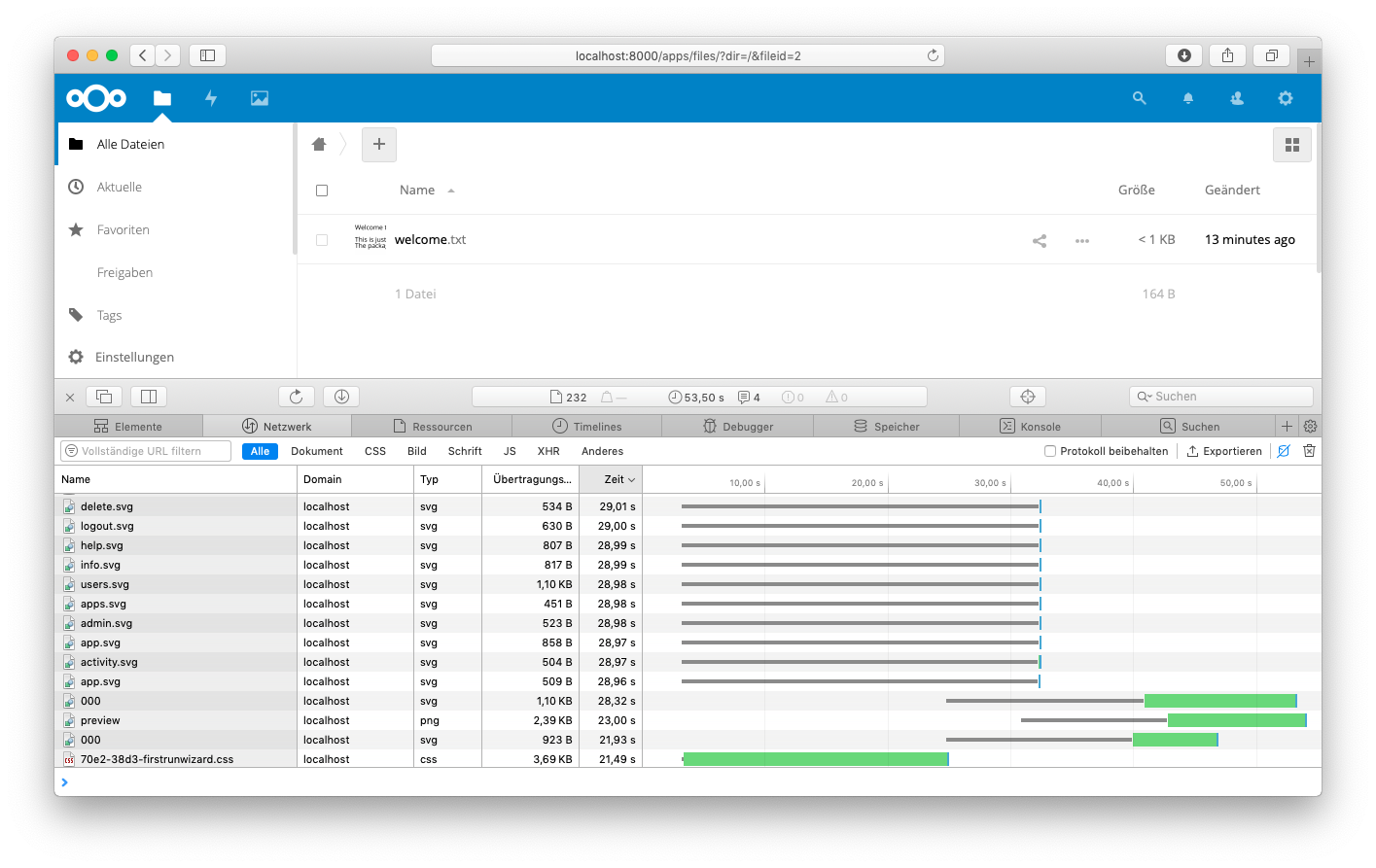
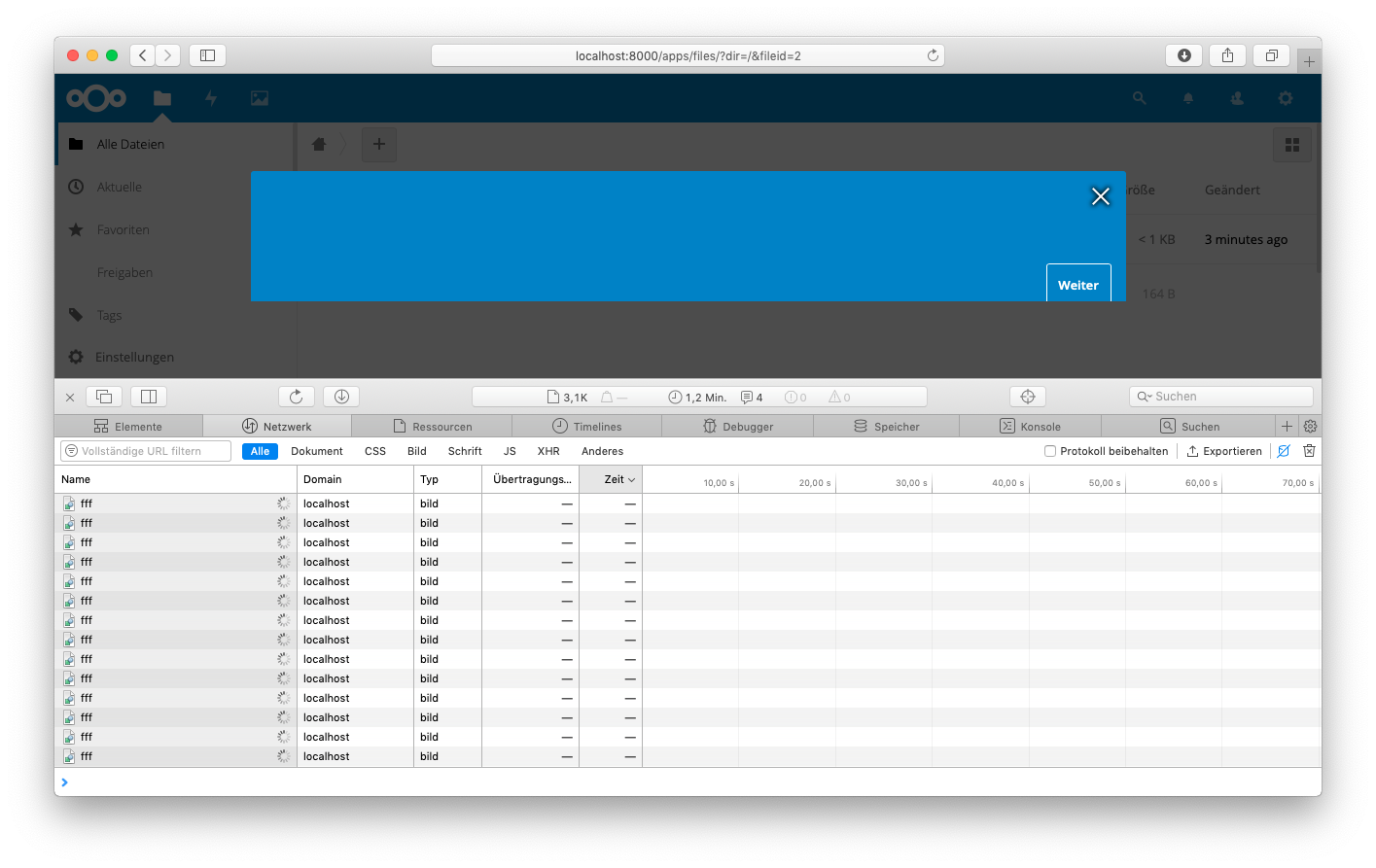
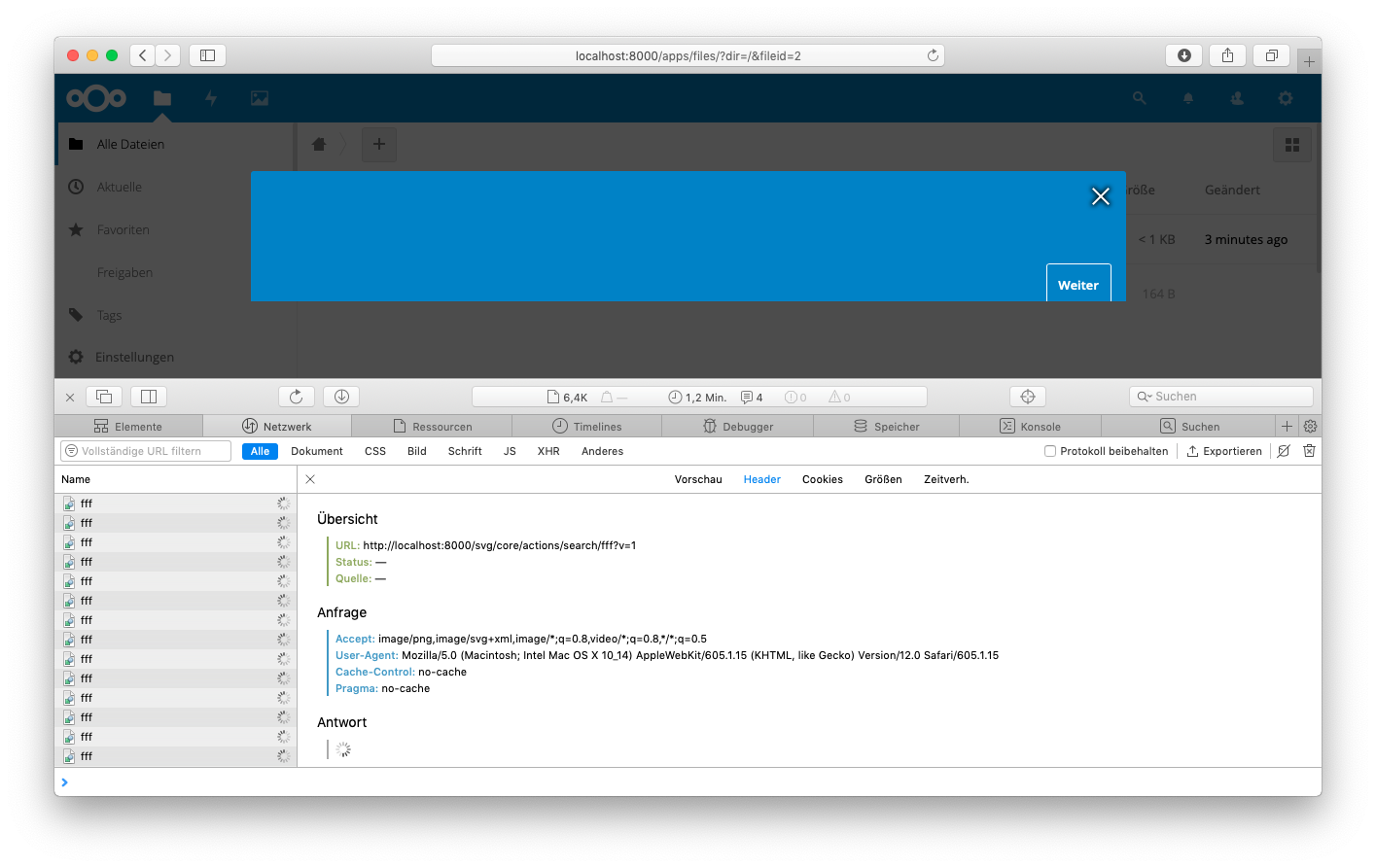
Turning off the browser cache it will re-request all SVGs infinitely - could be one symptom of the re-rendering.
Before (232 requests in total):
After (3,1K but counts up):
This is the request (you can see there the 6,4k requests):
MorrisJobke
on 8 Oct 2018
Unfortunately did #12019 not fix this issue so I will reopen it. Current master has still this issue. 😢
MorrisJobke
on 29 Oct 2018
Oups, forgot to remove the fix keyword!
 skjnldsv
on 29 Oct 2018
skjnldsv
on 29 Oct 2018
And it's also there on 15.0 Beta 1. Btw, 15.0 looks like a terrific release, especially with Grid view and external scripts add on 👍
helmut72
on 11 Nov 2018
@skjnldsv Any idea how to move this forward? Should we try another icon for the search or a different approach on how to integrate it in the DOM?
MorrisJobke
on 13 Nov 2018
This is coming from the variables, I did not have the time to investigate yet :(
We're not the only one using css4 variables, I'm wondering how YouTube is doing on safari :confused:
skjnldsv
on 13 Nov 2018
This is coming from the variables, I did not have the time to investigate yet :(
We're not the only one using css4 variables, I'm wondering how YouTube is doing on safari 😕
So this is only because the CSS4 variable contains a base64 image? Maybe there is a threshold in size we are passing?
MorrisJobke
on 13 Nov 2018
No, this is because we have css4 variables containing urls apparently, base64 doesn't change the issue :(
skjnldsv
on 13 Nov 2018
Disappointed this is been pushed back again (to 14.0.5, currently due by 10/01/19), this was never an issue in NC13 and makes safari pretty much unusable 😕
 jeeves64
on 15 Nov 2018
jeeves64
on 15 Nov 2018
Today made a fresh install on my linux/Ubuntu root server
Only one user (Admin) is configured on Nextcloud
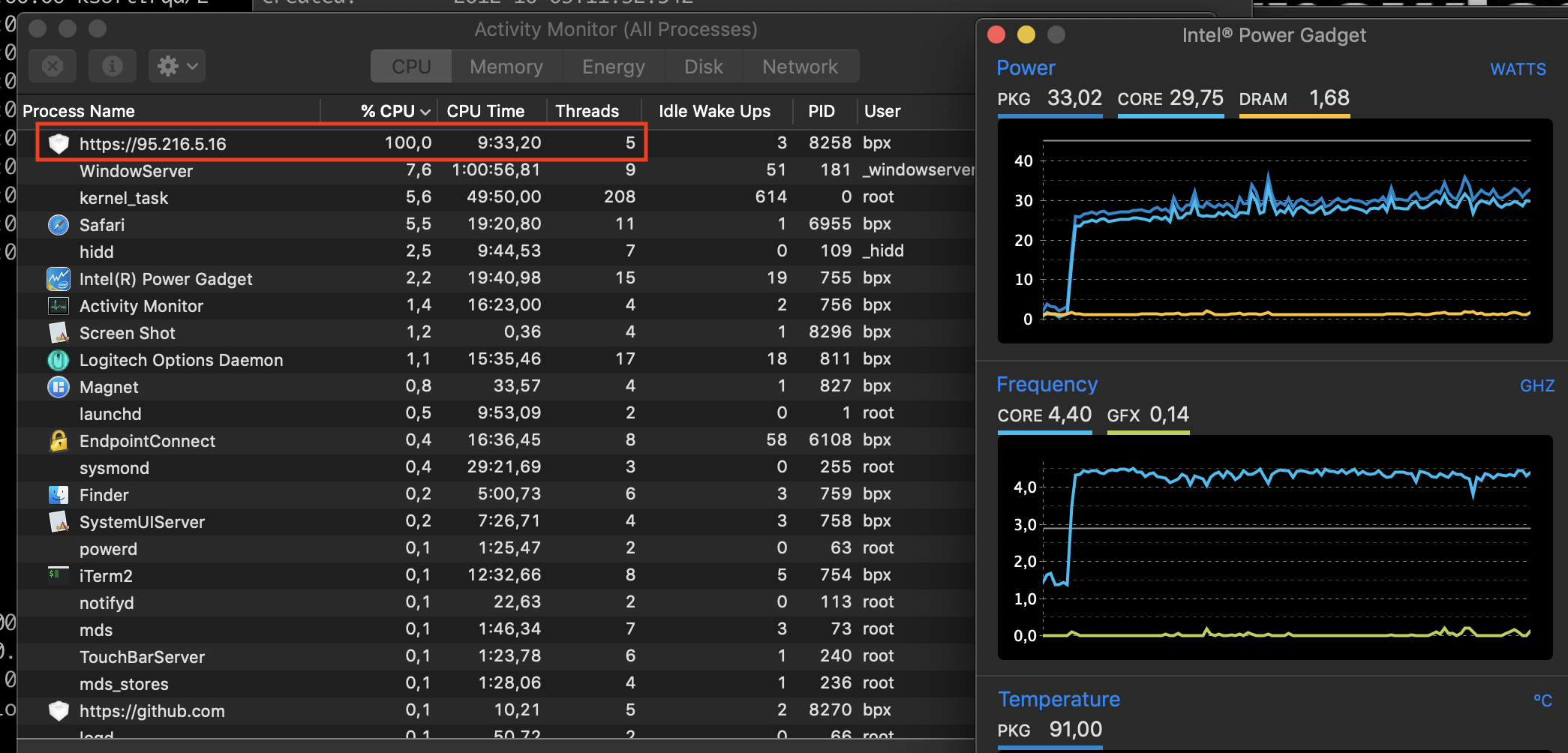
Note: Client side heavy load is caused by safari/MacOS Mojave 10.14.3 (beta) on MacBook Pro with i9
Chrome Browser doesn't produce load
Linux
Distributor ID: Ubuntu
Description: Ubuntu 18.04.1 LTS
Release: 18.04
Codename: bionic
Nextcloud 14.0.3
Client Browser Safari
Some CPU & Temprature of CPU snapshots
Logout/Login
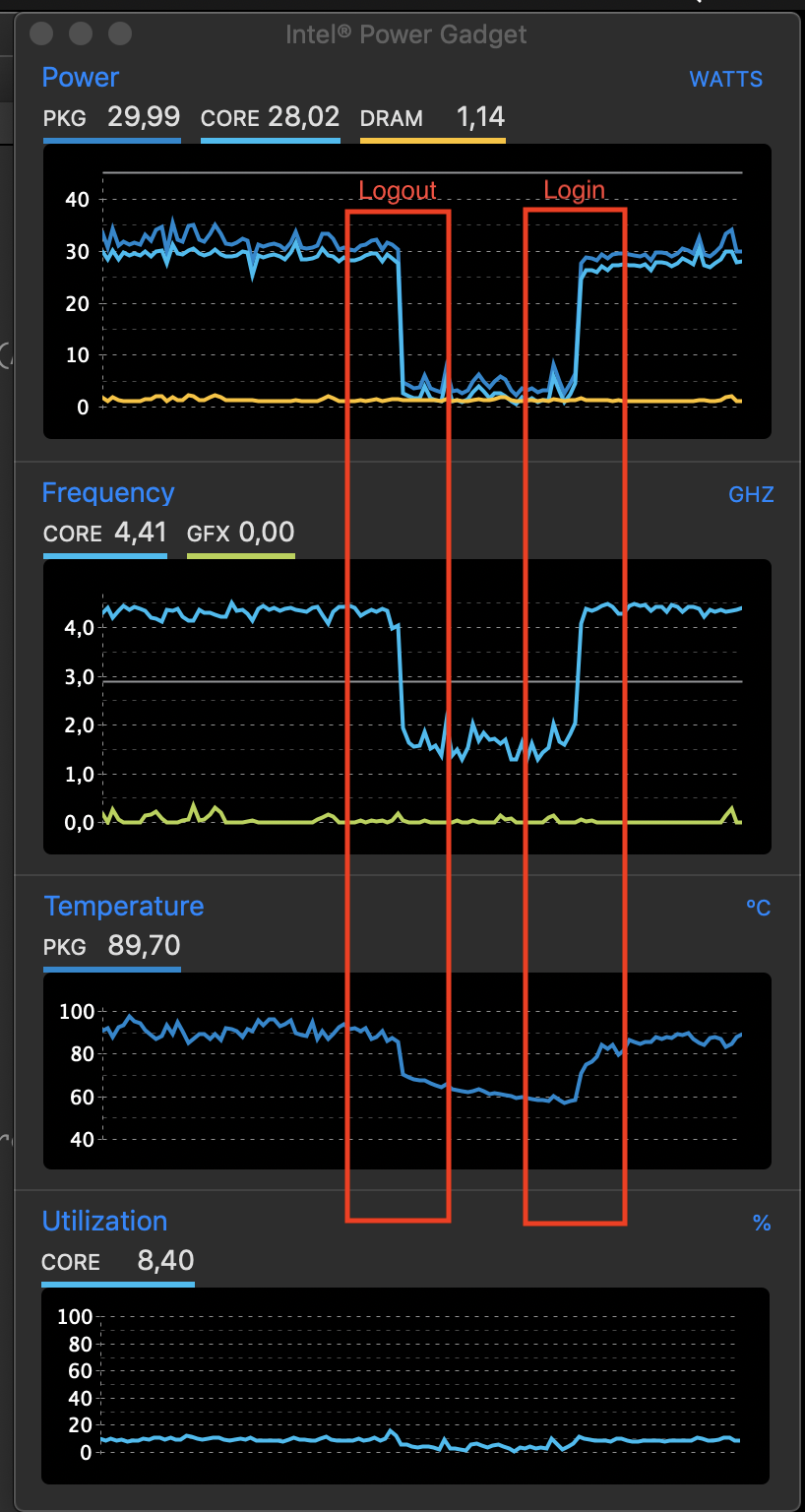
After login: I'm doing nothing
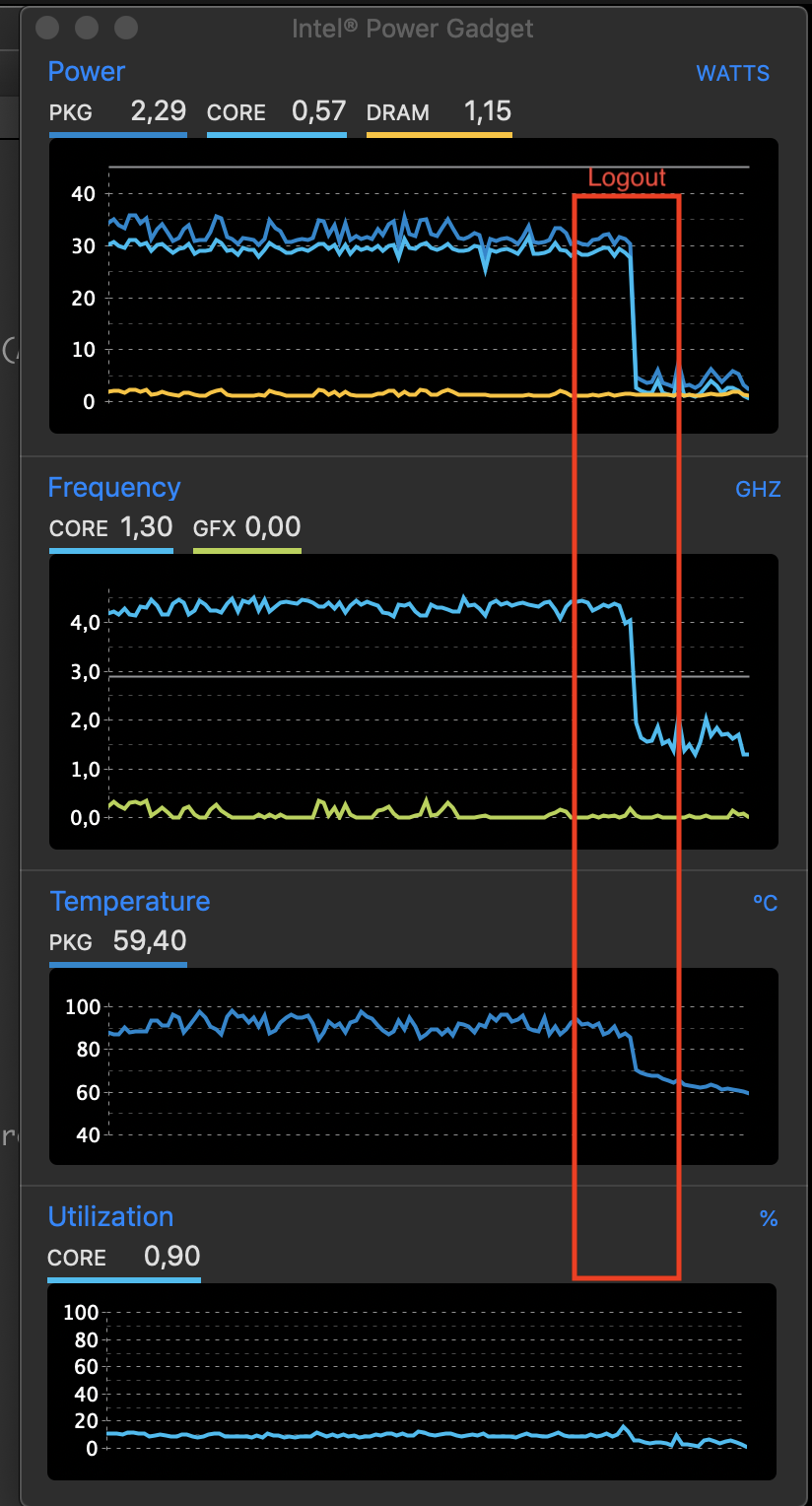
Safari Process
 pillaib
on 13 Jan 2019
pillaib
on 13 Jan 2019
Nextcloud 14.0.3
You need to upgrade to 14.0.5 at least, because the fix was added there.
MorrisJobke
on 14 Jan 2019
Hi,
Thanks, I upgraded to latest 15.x.
Now looks better, have to test for few days.
Regards,
Badri
On 14. Jan 2019, at 10:06, Morris Jobke notifications@github.com wrote:
Nextcloud 14.0.3
You need to upgrade to 14.0.5 at least, because the fix was added there.
—
You are receiving this because you commented.
Reply to this email directly, view it on GitHub https://github.com/nextcloud/server/issues/11179#issuecomment-453937411, or mute the thread https://github.com/notifications/unsubscribe-auth/AJyJeCKnIcKEOwiu76yZryKoqUd2X3OLks5vDEiQgaJpZM4WkKJw.
pillaib
on 15 Jan 2019
Related issues
 arno01
·
3Comments
arno01
·
3Comments
 mama21mama
·
3Comments
mama21mama
·
3Comments
 e-alfred
·
3Comments
MorrisJobke
·
3Comments
e-alfred
·
3Comments
MorrisJobke
·
3Comments
 brylie
·
3Comments
brylie
·
3Comments