Server: 13.0.0 beta 3: white page after upgrade
Steps to reproduce
- Update from 12.0.4 to 13.0.0 beta3 using webupdater
Expected behaviour
occ upgrade should be run, redirect to default page afterwards.
Actual behaviour
occ upgrade does not start leading to a blank page.
The issue is caused by missing execute permissions on occ. Fixing the permissions manually and running occ upgrade afterwards solves the issue.
 RainerEmrich
All 26 comments
Update from 12.0.4 to 13.0.0 beta3 using webupdater
You used the web page to update (white page with "updater" in the top right) and then also used the web based upgrade (blue page with the button in the middle to start it)? What does this have to do with occ upgrade (which is the counterpart to the blue page). Either you used the web based upgrader (blue page) or occ upgrade. Could you explain this a bit more?
 MorrisJobke
on 15 Dec 2017
MorrisJobke
on 15 Dec 2017
Sorry for being unclear. I updated from 12.0.4 using the updater on the admin page beta channel selected.
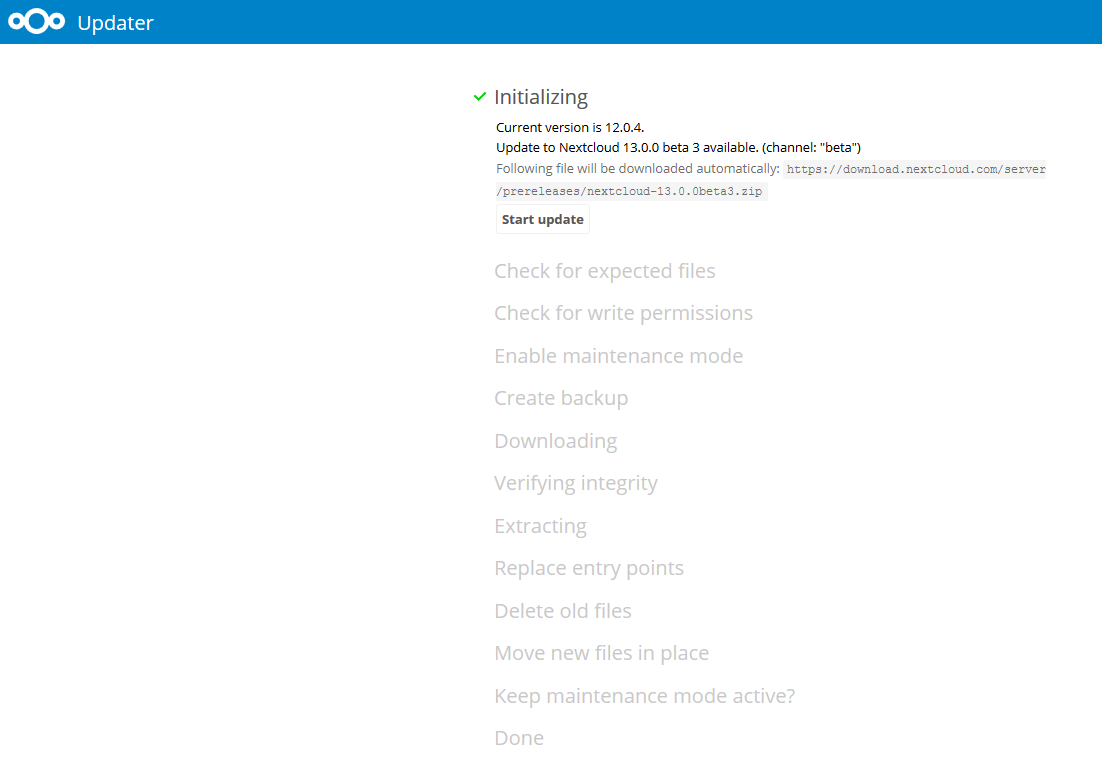
Pushing "Start update"
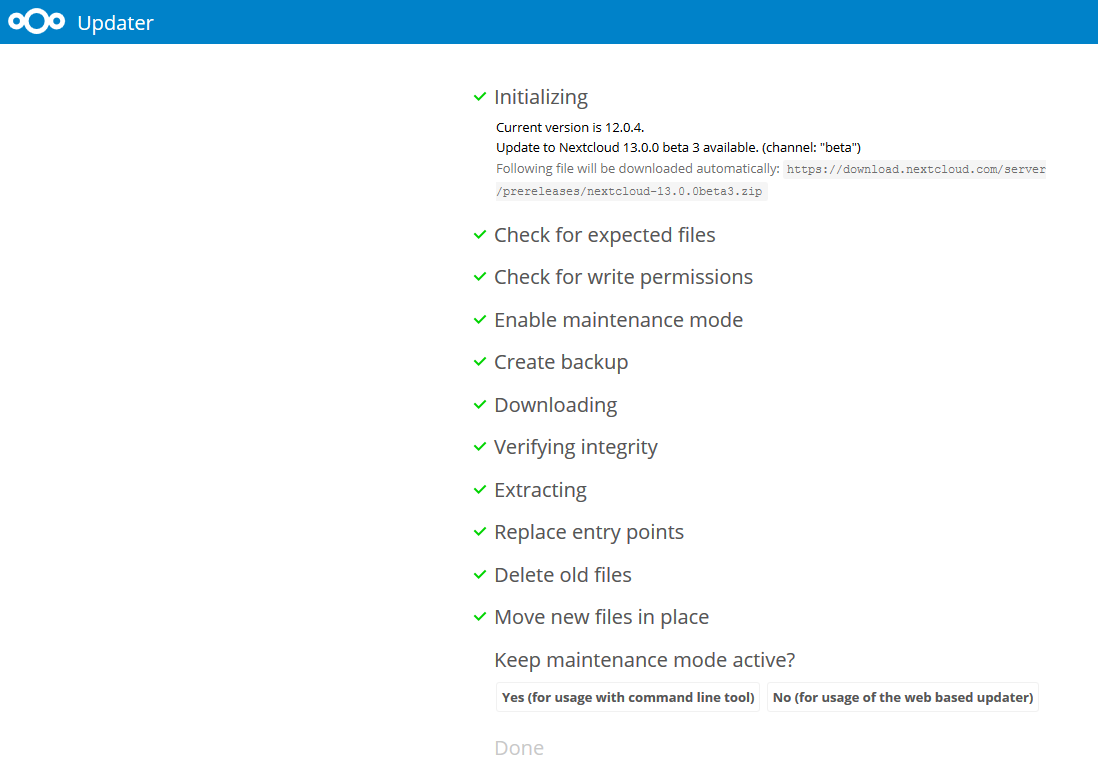
Now using the web based updater pressing the "No ..." button.
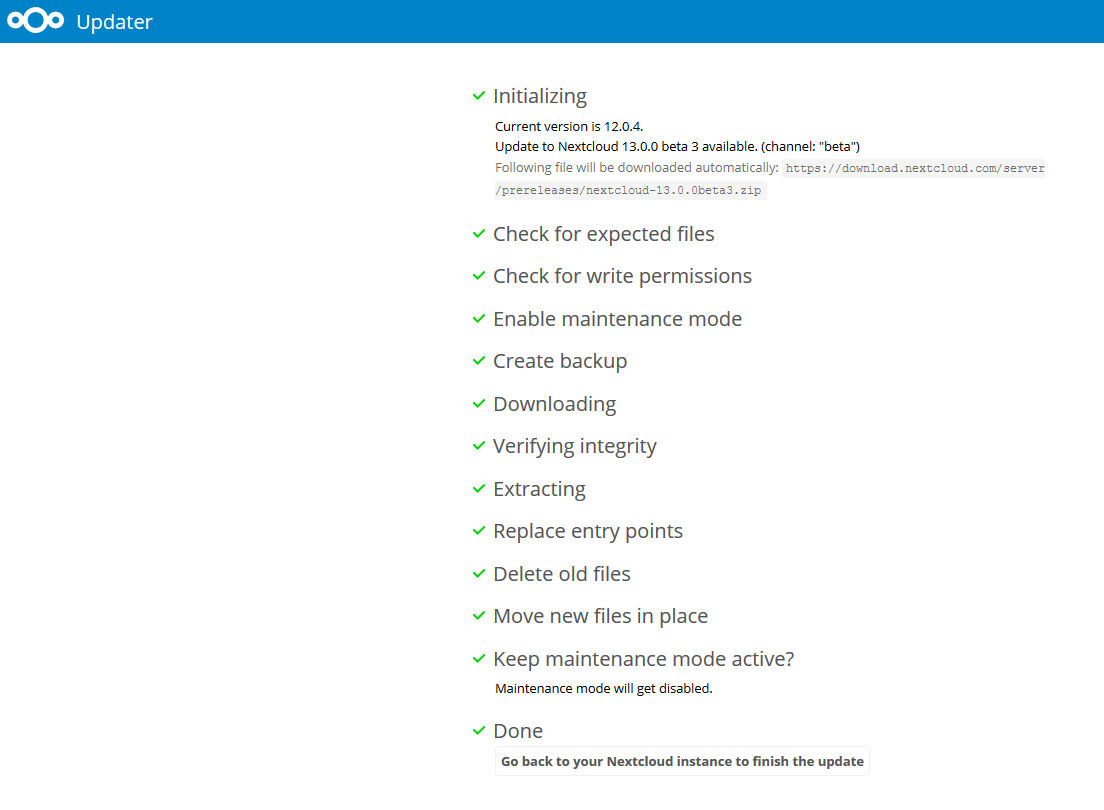
Finally Pressing the "Go back to your Nextcloud instance to finish the update" button gives a blank page.
Looking in my document root shows that occ has no execute permissions!
ll occ
-rw-r--r-- 1 www-data www-data 283 Dec 15 13:06 occ
Changing permissions with chmod +x and running "occ upgrade"
manually gives me a working nextcloud instance again. So, the only
issue are the missing execute permissions on occ.
I hope this helps.
RainerEmrich
on 15 Dec 2017
Looking in my document root shows that occ has no execute permissions!
Okay - this has nothing to do with the white page.
Changing permissions with chmod +x and running "occ upgrade" manually gives me a working nextcloud instance again. So, the only issue are the missing execute permissions on occ.
You don't need the executable flag for the occ command to run - you could also run php occ upgrade - the executable flag here is for convenience.
The white page is the real problem. Is there anything in the nextcloud.log or the web server error log? Because the white page indicates, that there was a problem.
MorrisJobke
on 15 Dec 2017
I too suffering from the same error 500.
Upgraded via web interface from NC12.0.4 to NC13 beta3.
I found this error in apache error log.
PHP Fatal error: Declaration of OCA\\FilesAccessControl\\StorageWrapper::copyFromStorage(OCP\\Files\\Storage $sourceStorage, $sourceInternalPath, $targetInternalPath) must be compatible with OCP\\Files\\Storage::copyFromStorage(OCP\\Files\\Storage\\IStorage $sourceStorage, $sourceInternalPath, $targetInternalPath) in /virtual/htdocs/nextcloud/apps/files_accesscontrol/lib/StorageWrapper.php on line 628
Operating system: CentOS 6.2
Web server: Apache 2.2
PHP version: 7.1.2
 masaki-iwata
on 15 Dec 2017
masaki-iwata
on 15 Dec 2017
Looking in my document root shows that occ has no execute permissions!Okay - this has nothing to do with the white page.
Changing permissions with chmod +x and running "occ upgrade" manually gives me a working nextcloud instance again. So, the only issue are the missing execute permissions on occ.You don't need the executable flag for the occ command to run - you
could also run |php occ upgrade| - the executable flag here is for
convenience.
You're right, sorry.
The white page is the real problem. Is there anything in the
nextcloud.log or the web server error log? Because the white page
indicates, that there was a problem.
I try to reproduce. For sure the upgrade isn't started.
I roll back and retry.
RainerEmrich
on 15 Dec 2017
The white page is the real problem. Is there anything in the
nextcloud.log or the web server error log? Because the white page
indicates, that there was a problem.
I try to reproduce. For sure the upgrade isn't started.
I roll back and retry.
Yeah, got it.
nextcloud.log:
{"reqId":"I76Rx37T3t6gby8zyNxc","level":3,"time":"2017-12-15T14:06:16+00:00","remoteAddr":"24.134.13.209","user":"--","app":"PHP","method":"GET","url":"\/","message":"Declaration
of
OCA\FilesAccessControl\StorageWrapper::copyFromStorage(OCP\Files\Storage
$sourceStorage, $sourceInternalPath, $targetInternalPath) must be
compatible with
OCP\Files\Storage::copyFromStorage(OCP\Files\Storage\IStorage
$sourceStorage, $sourceInternalPath, $targetInternalPath) at
\/var\/www\/nc_01\/nextcloud\/apps\/files_accesscontrol\/lib\/StorageWrapper.php#628","userAgent":"Mozilla\/5.0
(Windows NT 6.1; Win64; x64; rv:57.0) Gecko\/20100101
Firefox\/57.0","version":"12.0.4.3"}
Apache error.log:
[Fri Dec 15 14:06:16.550444 2017] [proxy_fcgi:error] [pid 1185:tid
140167169410816] [client 24.134.13.209:55026] AH01071: Got error 'PHP
message: PHP Fatal error: Declaration of
OCA\FilesAccessControl\StorageWrapper::copyFromStorage(OCP\Files\Storage
$sourceStorage, $sourceInternalPath, $targetInternalPath) must be
compatible with
OCP\Files\Storage::copyFromStorage(OCP\Files\Storage\IStorage
$sourceStorage, $sourceInternalPath, $targetInternalPath) in
/var/www/nc_01/nextcloud/apps/files_accesscontrol/lib/StorageWrapper.php
on line 628\n'
RainerEmrich
on 15 Dec 2017
Gotcha - the files_accesscontrol caused this.
MorrisJobke
on 15 Dec 2017
This was already fixed by that app: https://github.com/nextcloud/files_accesscontrol/pull/75
Could you check that you have installed the version 1.3.0 of files_accesscontrol? Because that version fixes the issue with the error message and should also avoid the white page.
MorrisJobke
on 15 Dec 2017
Am 15.12.2017 um 15:55 schrieb Morris Jobke:
Gotcha - the files_accesscontrol caused this.
Does this qualify for a T-Shirt. I would be really proud of a Nextcloud
T-Shirt.
RainerEmrich
on 15 Dec 2017
Does this qualify for a T-Shirt. I would be really proud of a Nextcloud
T-Shirt.
It was already fixed in 1.3.0 🙈 . But maybe @jospoortvliet can help you with that 😉 Just drop him and me an email with this thread as an reference (our emails are our first name
MorrisJobke
on 15 Dec 2017
Am 15.12.2017 um 16:00 schrieb Morris Jobke:
This was already fixed by that app: nextcloud/files_accesscontrol#75
https://github.com/nextcloud/files_accesscontrol/pull/75Could you check that you have installed the version 1.3.0 of
files_accesscontrol? Because that version fixes the issue with the error
message and should also avoid the white page.
This isn't going to work, because there is no 1.3.0 version of the app
for NC 12.0.x.
RainerEmrich
on 15 Dec 2017
Am 15.12.2017 um 16:13 schrieb Rainer Emrich:
Am 15.12.2017 um 16:00 schrieb Morris Jobke:
This was already fixed by that app: nextcloud/files_accesscontrol#75
https://github.com/nextcloud/files_accesscontrol/pull/75Could you check that you have installed the version 1.3.0 of
files_accesscontrol? Because that version fixes the issue with the error
message and should also avoid the white page.
This isn't going to work, because there is no 1.3.0 version of the app
for NC 12.0.x.
I just rechecked, last supported version for NC 12 is version 1.2.5 of
the app. So you would need a version 1.2.6 which works for NC 12.
RainerEmrich
on 15 Dec 2017
Mmmmh ... need to check this again and will write here again, but this seems to be the only way.
MorrisJobke
on 16 Dec 2017
Could reproduce the behavior described - files_accesscontrol disabled and it worked again for now until I can update the app itself
 ToeiRei
on 20 Dec 2017
ToeiRei
on 20 Dec 2017
I tried update with files_accesscontrol disabled.
so then I could update !
masaki-iwata
on 22 Dec 2017
Thanks, disabling files_accesscontrol worked for me too.
 anjoer
on 26 Dec 2017
anjoer
on 26 Dec 2017
Can we close this issue then?
 jospoortvliet
on 2 Jan 2018
jospoortvliet
on 2 Jan 2018
I had the same issue today upgrading from 12.04 to 13 RC1, using the auto updater in the admin backend. After going back to my frontend, I was greeted with a HTTP ERROR 500. Running occ updater manualy through SSH fixed the issue for me. I could see that it disabled files_accesscontrol during the upgrade.
 fethomm
on 12 Jan 2018
fethomm
on 12 Jan 2018
Ah so the web interface can't deal with apps breaking but the command line can, is that correct @MorrisJobke ?
jospoortvliet
on 16 Jan 2018
Yeah, It looks like that's the case. You can work around this issue by disabling the app before the upgrade, but it would really be better, if the upgrade process would take care of this.
RainerEmrich
on 16 Jan 2018
Ah so the web interface can't deal with apps breaking but the command line can, is that correct @MorrisJobke ?
Not really. The web UI only has the disadvantage that if a app breaks it can't launch itself, while the command line interface still can launch, because it doesn't load everything right away.
MorrisJobke
on 17 Jan 2018
I also got a blank page after php update :S
 xXSTrikeXx
on 8 Feb 2018
xXSTrikeXx
on 8 Feb 2018
Same error here when upgrading to current stable v13. running "sudo -u apache php occ upgrade" on a centos7 system fixed the issue
 nomoresecrets
on 12 Feb 2018
nomoresecrets
on 12 Feb 2018
I had this issue to. All my _enabled_ addons were up to date. Apps wanted upgrade after fixing white screen but not before. Retention, news, file tagging, file access control, activities for file downloads.
 Terrox
on 15 Feb 2018
Terrox
on 15 Feb 2018
I was on 12.0.4, updated all my apps, had WSOD. After renaming the apps/files_accesscontrol to files_accesscontrol-disabled, I was able to see the upgrade screen and actually run the upgrade. This page really helped because I did see the storagewrapper error in the logs.
 tomck
on 1 Mar 2018
tomck
on 1 Mar 2018
Thanks @tomck !
 lalmat
on 10 Apr 2018
lalmat
on 10 Apr 2018
Related issues
 Django-BOfH
·
3Comments
Django-BOfH
·
3Comments
 juliushaertl
·
3Comments
juliushaertl
·
3Comments
 jancborchardt
·
3Comments
jancborchardt
·
3Comments
 arno01
·
3Comments
arno01
·
3Comments
 dl5rcw
·
3Comments
dl5rcw
·
3Comments