Server: An error occured: Bad signature - corrupted encrypted files
Certain encrypted files have been corrupted on external Dropbox drive. I believe it happened when I have changed user password or when it ran out of free space.
Removing files from Dropbox to increase file space does not solve the problem.
Also, I can't login to Android app anymore with new password (error: server took too long to respond)
Nextcloud OSX app reports errors: Connection closed. Operation canceled
Steps to reproduce
- Change password / run out of space in Dropbox?
- Try to sync
Expected behaviour
Files should sync and open
Actual behaviour
Files opened in browsers display error (An error occured: Bad signature)
Files opened locally contain
HBEGIN:oc_encryption_module:OC_DEFAULT_MODULE:cipher:AES-256-CTR:signed:true:HEND------------------------------------------------------------------------------------------------------------
Server configuration
Operating system:
Debian 8.6
Web server:
nginx/1.10.2
Database:
mysql 5.7.17
PHP version:
7.0.14
Nextcloud version: (see Nextcloud admin page)
11.0.1 (stable)
Updated from an older Nextcloud/ownCloud or fresh install:
fresh install
Where did you install Nextcloud from:
https://nextcloud.com/install/#instructions-server
Signing status:
Signing status
No errors have been found.
List of activated apps:
App list
Enabled:
  - activity: 2.4.1
  - comments: 1.1.0
  - dav: 1.1.1
  - encryption: 1.4.1
  - federatedfilesharing: 1.1.1
  - federation: 1.1.1
  - files: 1.6.1
  - files_external: 1.1.2
  - files_pdfviewer: 1.0.1
  - files_sharing: 1.1.1
  - files_texteditor: 2.2
  - files_trashbin: 1.1.0
  - files_versions: 1.4.0
  - files_videoplayer: 1.0.0
  - firstrunwizard: 2.0
  - gallery: 16.0.0
  - logreader: 2.0.0
  - lookup_server_connector: 1.0.0
  - nextcloud_announcements: 1.0
  - notifications: 1.0.1
  - password_policy: 1.1.0
  - provisioning_api: 1.1.0
  - serverinfo: 1.1.1
  - sharebymail: 1.0.1
  - survey_client: 0.1.5
  - systemtags: 1.1.3
  - theming: 1.1.1
  - twofactor_backupcodes: 1.0.0
  - updatenotification: 1.1.1
  - workflowengine: 1.1.1
Disabled:
  - admin_audit
  - external
  - files_accesscontrol
  - files_automatedtagging
  - files_retention
  - templateeditor
  - user_external
  - user_ldap
  - user_saml
The content of config/config.php:
Config report
{
    "system": {
        "instanceid": "oc3iptdhr08a",
        "passwordsalt": "***REMOVED SENSITIVE VALUE***",
        "secret": "***REMOVED SENSITIVE VALUE***",
        "trusted_domains": [
            "cloud.patrykkalinowski.com"
        ],
        "datadirectory": "\/home\/patryk\/Public\/cloud.patrykkalinowski.com\/data",
        "overwrite.cli.url": "https:\/\/cloud.patrykkalinowski.com",
        "dbtype": "mysql",
        "version": "11.0.1.2",
        "dbname": "patrykkalinowski_nextcloud",
        "dbhost": "localhost",
        "dbport": "",
        "dbtableprefix": "oc_",
        "dbuser": "***REMOVED SENSITIVE VALUE***",
        "dbpassword": "***REMOVED SENSITIVE VALUE***",
        "logtimezone": "UTC",
        "installed": true,
        "memcache.local": "\\OC\\Memcache\\APCu",
        "memcache.locking": "\\OC\\Memcache\\Redis",
        "redis": {
            "host": "localhost",
            "port": 6379
        }
    }
}
Are you using external storage, if yes which one: local/smb/sftp/...
Dropbox and Google Drive
Are you using encryption: yes/no
yes
Are you using an external user-backend, if yes which one: LDAP/ActiveDirectory/Webdav/...
no
Client configuration
Browser:
Operating system:
Logs
Web server error log
Web server error log
Insert your webserver log here
Nextcloud log (data/nextcloud.log)
Nextcloud log
Too big to copy here
Browser log
Browser log
Insert your browser log here, this could for example include:

a) The javascript console log
b) The network log
c) ...
 patrykkalinowski
All 22 comments
cc @schiessle
 MorrisJobke
on 21 Mar 2017
MorrisJobke
on 21 Mar 2017
Any ideas on fix?
patrykkalinowski
on 25 Mar 2017
@patrykkalinowski I was wondering did you already try to clean the trashbin of all your users? You could use for that purpose this command:
occ trashbin:cleanup
I am also encountering the "Bad Signature" error message on quite some files after having enabled the encryption app (using local storage) at a later stage. Though I am still trying to find a solution on my own...
 hostingnuggets
on 27 Mar 2017
hostingnuggets
on 27 Mar 2017
@hostingnuggets cleaning the trashbin didn't make the trick. Files are still broken.
patrykkalinowski
on 4 Apr 2017
@patrykkalinowski same for me, emptying the trashbin did not work. Finally I had to delete all files and synchronise them all back to the server. This is radical method and I wished someone of nextcloud would have any idea or hint.
hostingnuggets
on 5 Apr 2017
@hostingnuggets same for me. Unfortunately I have lost some files in the process, they were not critical, though.
Moving to client-side encryption I guess.
patrykkalinowski
on 6 Apr 2017
Any updates on this? It's been over a month since the last comment.
 rogue26
on 8 May 2017
rogue26
on 8 May 2017
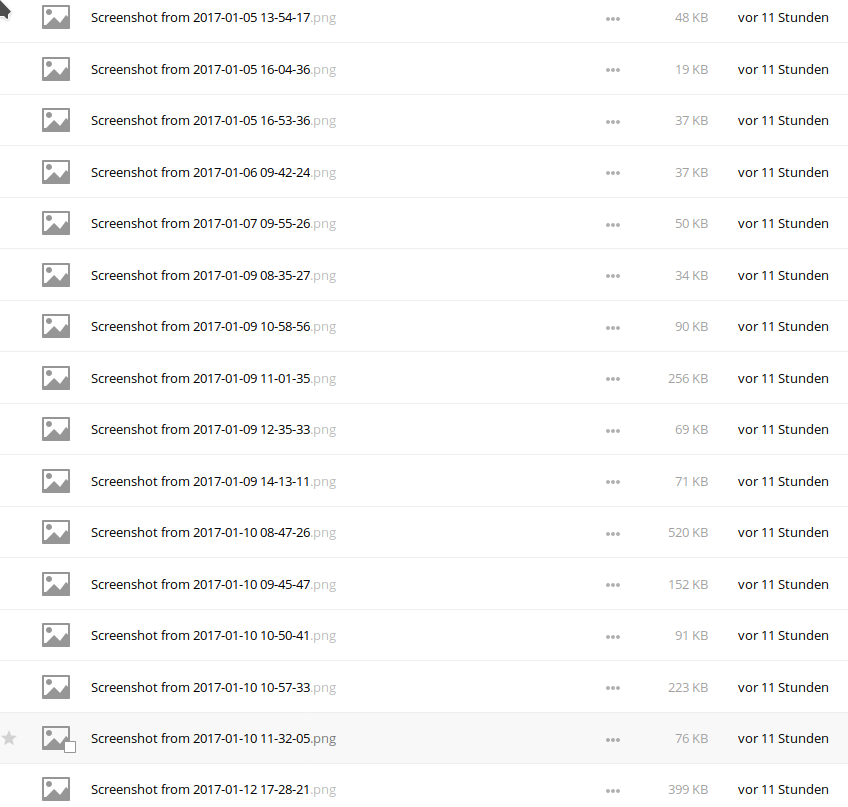
*bump* this looks like a really serious issue. It seems that I have stumbled upon the same bug and Nextcloud corrupted a complete folder. Seeing the same issues as @patrykkalinowski: Files appear in Nextcloud, but cannot be decrypted.
I'm still investigating, but it seems like I have lost a few weeks worth of Data. 😞
Logs
{
  "reqId": "WUy9qb87h18wGV2AfSAcegAAABA",
  "remoteAddr": "[…]",
  "app": "webdav",
  "message": "Exception: {\"Message\":\"Bad Signature\",\"Exception\":\"OC\\\\HintException\",\"Code\":0,\"Trace\":\"#0 \\\/var\\\/www\\\/nextcloud\\\/apps\\\/encryption\\\/lib\\\/Crypto\\\/Crypt.php(464): OCA\\\\Encryption\\\\Crypto\\\\Crypt->checkSignature('Sb\\\/wQw0Wke0ntjl...', '\\\\x05\\\\x87\\\\xF4\\\\xC5\\\\xB03\\\\xD5\\\\xC8V|\\\\xA8)\\\\x0E\\\\x81\\\\x8D...', '9db3f17128f3a66...')\\n#1 \\\/var\\\/www\\\/nextcloud\\\/apps\\\/encryption\\\/lib\\\/Crypto\\\/Encryption.php(372): OCA\\\\Encryption\\\\Crypto\\\\Crypt->symmetricDecryptFileContent('Sb\\\/wQw0Wke0ntjl...', '\\\\x05\\\\x87\\\\xF4\\\\xC5\\\\xB03\\\\xD5\\\\xC8V|\\\\xA8)\\\\x0E\\\\x81\\\\x8D...', 'AES-256-CTR', 0, 0)\\n#2 \\\/var\\\/www\\\/nextcloud\\\/lib\\\/private\\\/Files\\\/Stream\\\/Encryption.php(460): OCA\\\\Encryption\\\\Crypto\\\\Encryption->decrypt('Sb\\\/wQw0Wke0ntjl...', 0)\\n#3 \\\/var\\\/www\\\/nextcloud\\\/lib\\\/private\\\/Files\\\/Stream\\\/Encryption.php(291): OC\\\\Files\\\\Stream\\\\Encryption->readCache()\\n#4 [internal function]: OC\\\\Files\\\\Stream\\\\Encryption->stream_read(8192)\\n#5 \\\/var\\\/www\\\/nextcloud\\\/apps\\\/files_external\\\/3rdparty\\\/icewind\\\/streams\\\/src\\\/Wrapper.php(83): fread(Resource id #657, 8192)\\n#6 \\\/var\\\/www\\\/nextcloud\\\/apps\\\/files_external\\\/3rdparty\\\/icewind\\\/streams\\\/src\\\/CallbackWrapper.php(91): Icewind\\\\Streams\\\\Wrapper->stream_read(8192)\\n#7 [internal function]: Icewind\\\\Streams\\\\CallbackWrapper->stream_read(8192)\\n#8 \\\/var\\\/www\\\/nextcloud\\\/3rdparty\\\/sabre\\\/http\\\/lib\\\/Sapi.php(78): stream_copy_to_stream(Resource id #661, Resource id #671, '2343044')\\n#9 \\\/var\\\/www\\\/nextcloud\\\/3rdparty\\\/sabre\\\/dav\\\/lib\\\/DAV\\\/Server.php(498): Sabre\\\\HTTP\\\\Sapi::sendResponse(Object(Sabre\\\\HTTP\\\\Response))\\n#10 \\\/var\\\/www\\\/nextcloud\\\/3rdparty\\\/sabre\\\/dav\\\/lib\\\/DAV\\\/Server.php(254): Sabre\\\\DAV\\\\Server->invokeMethod(Object(Sabre\\\\HTTP\\\\Request), Object(Sabre\\\\HTTP\\\\Response))\\n#11 \\\/var\\\/www\\\/nextcloud\\\/apps\\\/dav\\\/lib\\\/Server.php(231): Sabre\\\\DAV\\\\Server->exec()\\n#12 \\\/var\\\/www\\\/nextcloud\\\/apps\\\/dav\\\/appinfo\\\/v2\\\/remote.php(30): OCA\\\\DAV\\\\Server->exec()\\n#13 \\\/var\\\/www\\\/nextcloud\\\/remote.php(165): require_once('\\\/var\\\/www\\\/nextclo...')\\n#14 {main}\",\"File\":\"\\\/var\\\/www\\\/nextcloud\\\/apps\\\/encryption\\\/lib\\\/Crypto\\\/Crypt.php\",\"Line\":484,\"User\":\"bascht\"}",
  "level": 4,
  "time": "2017-06-23T07:05:13+00:00",
  "method": "GET",
  "url": "\/nextcloud\/remote.php\/dav\/files\/bascht\/Bascht\/Pictures\/Screenshots\/2017-06\/Screenshot_20170116_152751.png",
  "user": "bascht",
  "version": "11.0.3.2"
}
 bascht
on 23 Jun 2017
bascht
on 23 Jun 2017
Update
I tried to disable encryption and things went south from there on:
occ encryption:decrypt-all bascht
Nextcloud is in maintenance mode - no apps have been loaded
Disable server side encryption... done.


You are about to start to decrypt all files stored in bascht's account.
It will depend on the encryption module and your setup if this is possible.
Depending on the number and size of your files this can take some time
Please make sure that no user access his files during this process!

Do you really want to continue? (y/n) y
prepare encryption modules...
 done.


 decrypt files for user bascht (1 of 1): /bascht/files/2017-04-23_18-49_Sun.gpx
 [---->-----------------------]PHP Fatal error:  Call to a member function getContainer() on null in /var/www/nextcloud/apps/files_external/lib/config.php on line 129
😿
Should I open a new ticket for that one?
bascht
on 23 Jun 2017
@nextcloud/encryption 🏓
MorrisJobke
on 2 Jan 2018
I have this issue with external storages (nextcloud instance to nextcloud instance). The remote Nextcloud is encrypted but the one that is mounting it is not. I cant open any file I upload to this remote external storage (which is encypted) via the local unencryted Nextcloud.
 gerroon
on 3 Aug 2018
gerroon
on 3 Aug 2018
@gerroon which Nextcloud version?
 schiessle
on 10 Aug 2018
schiessle
on 10 Aug 2018
13.5
gerroon
on 10 Aug 2018
@bascht did you ever find a way to get back your data?
 suntorytimed
on 16 Aug 2018
suntorytimed
on 16 Aug 2018
@suntorytimed Sad to say, but: no. :-(
bascht
on 17 Aug 2018
I did find a way to turn off the signature check by adding return true; to the checkSignature() in apps/encryption/lib/Crypto/Crypt.php. I added it in the if clause right before the exception is thrown. But switching it off isn’t enough.
The reason is that the server reports a different filesize to the client and breaks off the download too early. The client therefore thinks that the connection was lost and reports an error. But the file is already downloaded successfully (f.e. in Chrome you just have to remove .crdownload at the end of the downloaded file). I have written a small Python 3 script that can download the files via WebDav. It is a dirty hack, but at least I could recover my files.
You can find the script including an explanation in my gitea repository:
https://gitea.hibiki.eu/suntorytimed/nc-downloader
suntorytimed
on 21 Aug 2018
(Sorry for repeating this post so often, but there are many forum entries and issues that people looking for a solution might find via Google :smile:)
After checking the downloads I discovered that while the JPEGs open without any problem my RAW files didn't. Looking closer at the JPEGs I could see that in the last pixel line there were some blocks missing. So the download wasn't finished. Following up on the error message that gets displayed in Nextcloud in the hasSignature() call of splitMetaData() I discovered that the encrypted data field was empty and therefore there can't be a signature in the file. To bypass this I have added following if clause into the function symmetricDecryptFileContent() in apps/encryption/lib/Crypto/Crypt.php:
            if ($keyFileContents == '') {
                    return '';
            }
I have put this code as the first command in the symmetricDecryptFileContent(). Together with disabling the signature check (putting return true; in the checkSignature() function in the same file):
    private function checkSignature($data, $passPhrase, $expectedSignature) {
            $signature = $this->createSignature($data, $passPhrase);
            if (!hash_equals($expectedSignature, $signature)) {
                    return true;
                    throw new GenericEncryptionException('Bad Signature', $this->l->t('Bad Signature'));
            }
    }
I can now see the previews in the web interface and download all files decrypted and even download the folders as zip-files. My script is not necessary anymore :grinning:
suntorytimed
on 21 Aug 2018
I can't confirm that @suntorytimed his solution works as I'm running the snap version and by default snap is a read-only filesystem so I can't edit the php files. :(
I'm having the exact same issue though, I ran occ encryption:decrypt-all which finished fine. But when rsync-ing them to my own laptop they're definitely still encrypted.
Also there's no way to open/download them in the web interface as I'm getting the 'Bad Signature' error in my logs. Basically I'm sitting here with a bunch of gobblediegook files and no way to try the solution due to running the snap version.
Could someone, pretty please with cherries on top, take a look at #10778 and release a new version.
Some research showed me that this issue has tripped many people up leaving them with a bunch of encrypted files that are impossible to decrypt correctly. (#7287, forum post, #8311)
The issue has been known at least since February and seems to really mess up people's files so please can someone give this a high priority?
 RubenHoms
on 5 Sep 2018
RubenHoms
on 5 Sep 2018
@RubenHoms yes, in this case you have to wait for my merge request to be accepted. As soon as the image is rebuilt it should work.
One thing I have experienced with my workaround is, that the download only finishes successfully if you download more than one file at the same time (f.e. a folder or 1+n files via selection). If you only download one file it still interrupts the download without an error logged. I either downloaded the whole folder or created a small text file that I could select with the primary file that I wanted to download. After downloading all my files I turned off the encryption module and removed all files and re-uploaded the downloaded decrypted files. In my opinion this is still a very cumbersome solution and stabilising this module and offering an easy decrypt export function (read without needing an instance and database dump) should be of a higher priority.
One way this could be solved:
- backup option in
occto receive decrypted private key as armor and a XML file with all information necessary for decryption (not the signature information but f. e. the instance ID, padding and other stuff that is used for the encryption) - a commandline tool to use armor + XML + encrypted file to decrypt without signature check (and explicitly warning the user about this)
EDIT: of course only the decrypted master key and not per user. User files should still be safely encrypted if they choose this option. But maybe for those users an export via the web interface would be feasible (without too much impact on security)
suntorytimed
on 5 Sep 2018
I managed to decrypt my files using the advice found in #8311
RubenHoms
on 6 Sep 2018
Fixed by #10778
MorrisJobke
on 24 Oct 2018
@patrykkalinowski @bascht I don't know if this is still relevant for you but we've written a tool that allows you to decrypt individual files if you still have your Nextcloud data directory and configuration file. It supports master key encrypted files, user key encrypted files (you additionally need the user passwords) and recovery key encrypted files (you additionally need the recovery password): decrypt-file.php
 yahesh
on 7 Aug 2019
yahesh
on 7 Aug 2019
Related issues
 rullzer
·
3Comments
rullzer
·
3Comments
 mfechner
·
3Comments
mfechner
·
3Comments
 williambargent
·
3Comments
williambargent
·
3Comments
 jancborchardt
·
3Comments
jancborchardt
·
3Comments
 blackcrack
·
3Comments
blackcrack
·
3Comments
Most helpful comment
I can't confirm that @suntorytimed his solution works as I'm running the snap version and by default snap is a read-only filesystem so I can't edit the php files. :(
I'm having the exact same issue though, I ran
occ encryption:decrypt-allwhich finished fine. But when rsync-ing them to my own laptop they're definitely still encrypted.Also there's no way to open/download them in the web interface as I'm getting the 'Bad Signature' error in my logs. Basically I'm sitting here with a bunch of gobblediegook files and no way to try the solution due to running the snap version.
Could someone, pretty please with cherries on top, take a look at #10778 and release a new version.
Some research showed me that this issue has tripped many people up leaving them with a bunch of encrypted files that are impossible to decrypt correctly. (#7287, forum post, #8311)
The issue has been known at least since February and seems to really mess up people's files so please can someone give this a high priority?