Sequel-ace: Lost connection at "reading final connect information" with SSL and CA certificate
Please search existing issues to avoid creating duplicates.
Searched for "reading final connect information" and "WP Engine".
- Sequel Ace Version: 2.1.0
- macOS Version: 10.15.4
- MySQL Version: 5.7.29
Description
Attempting to connect to WP Engine SFTP using SSL and specified CA certificate results in the following error:
Lost connection to MySQL server at 'reading final connect information', system error: 0

Steps To Reproduce
- Enter access credentials for SFTP server using port
13306, SSL, and specified CA certificate - Click "Test Connection" button
Expected Behavior
Connect to remote database without error.
Is Issue Present in Latest Beta?
2.1.0 is the latest version.
Additional Context
- Attempting connection to same server with same credentials works in Sequel Pro 1.1.2.
- Attempting connection to another client on WP Engine also fails in Sequel Ace, but fails in Sequel Pro 1.1.2.
 crstauf
All 30 comments
@crstauf Just double checking, have you tried unselecting and reselecting the required certification files? Are you relying on anything in your .ssh directory (including your system ssh config)? Sequel Ace doesn't have access to your .ssh directory while Sequel Pro did because Sequel Ace is a sandboxed app.
 Jason-Morcos
on 30 Jun 2020
Jason-Morcos
on 30 Jun 2020
have you tried unselecting and reselecting the required certification files?
@Jason-Morcos Just tried that, and received the same error.
Are you relying on anything in your .ssh directory?
Not that I'm aware of or recall setting up previously. Just reviewed ~/.ssh/config and there's nothing in there that looks relevant.
crstauf
on 1 Jul 2020
@crstauf And you're sure Sequel Pro works at the same time that Sequel Ace fails? Sequel Pro still works right now? Internet seems to suggest the issue is MySQL-side https://stackoverflow.com/questions/5755819/lost-connection-to-mysql-server-at-reading-initial-communication-packet-system (not quite the exact same error but possibly related)
Jason-Morcos
on 1 Jul 2020
@Jason-Morcos yes, i tried Sequel Pro immediately after Sequel Ace failed.
Will check the SO when back at my desk in the morning.
crstauf
on 1 Jul 2020
@Jason-Morcos I turned off the macOS firewall and attempted the connections, and both failed with the same error.
If it was the bound loop-back IP issue mentioned in SO, I think Sequel Pro would also fail...?
crstauf
on 1 Jul 2020
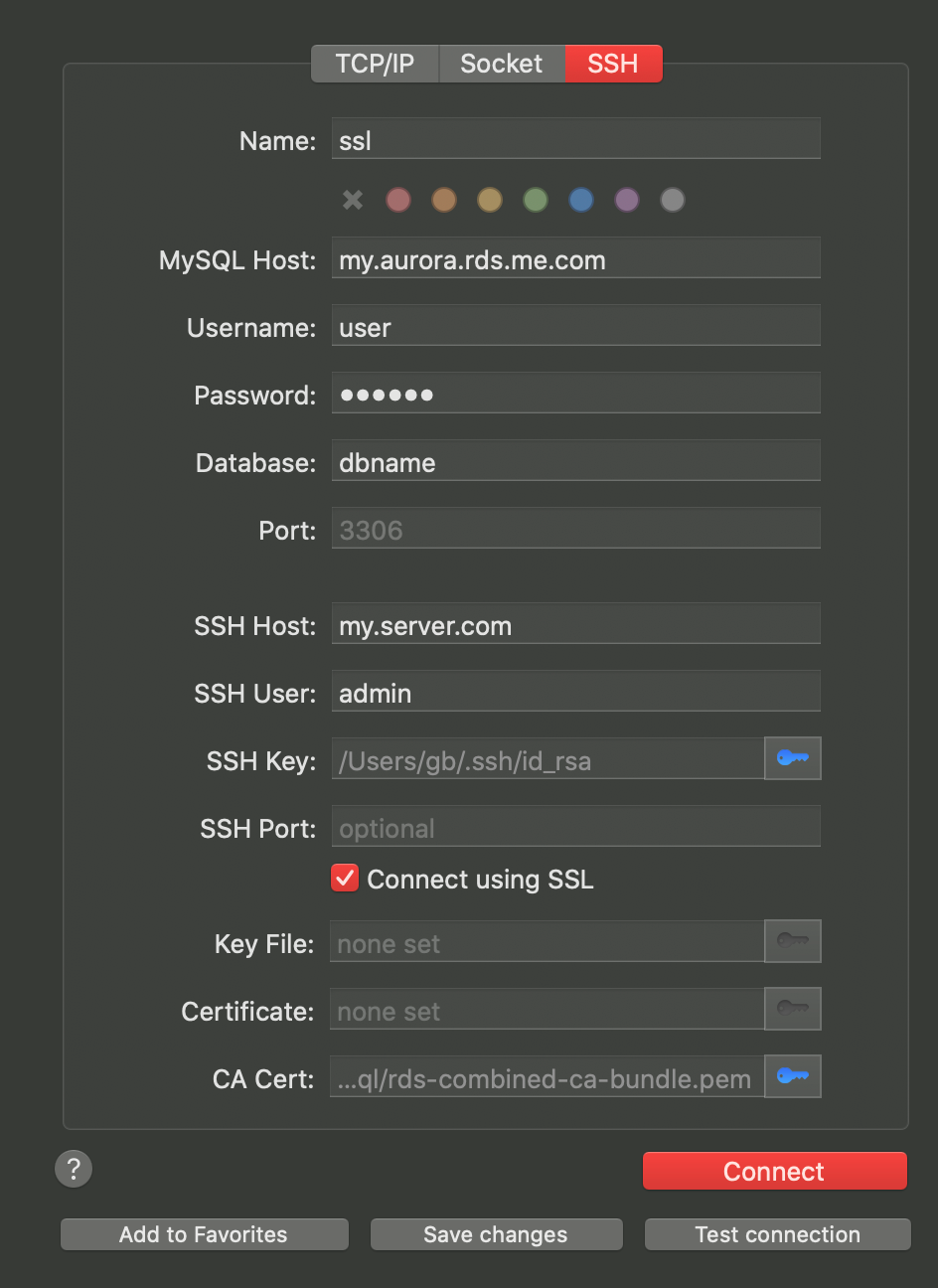
Can't seem to reproduce. I tried with and without SSH tunnel. I connect using SSL, and specify a CA cert (rds-combined-ca-bundle.pem, since I'm connecting to AWS RDS Aurora).
Do you have something different configured than this:
 gboudreau
on 2 Jul 2020
gboudreau
on 2 Jul 2020
Also, what value are you using for MySQL Host ?
gboudreau
on 2 Jul 2020
Do you have something different configured than this
@gboudreau I'm not connecting via SSH, it's via TCP/IP.
also, what value are you using for MySQL host
Hostname is ENVIRONMENTNAME.sftp.wpengine.com (ref.).
crstauf
on 2 Jul 2020
And you're using Sequel Pro and Sequel Ace on the same computer, with exactly the same values in all fields of that connection form, and Pro works, while Ace doesn't?
Can you try to create a new favorite in Ace, and copy-paste the values from Pro? Maybe, somehow, the favorite you test with is borked..?
gboudreau
on 2 Jul 2020
From Terminal.app, try:
telnet ENVIRONMENTNAME.sftp.wpengine.com 13306
What do you get?
gboudreau
on 2 Jul 2020
And you're using Sequel Pro and Sequel Ace on the same computer, with exactly the same values in all fields of that connection form, and Pro works, while Ace doesn't?
Same computer, and as far as I can tell, exactly the same values in all fields.
Can you try to create a new favorite in Ace, and copy-paste the values from Pro?
Tried, same error (copy and pasted password from wp-config.php).
What do you get?
$ telnet ENVIRONMENTNAME.sftp.wpengine.com 13306
Trying 34.75.XXX.XXX...
Connected to ENVIRONMENTNAME.sftp.wpengine.com
Escape character is '^]'.
Q
5.7.29-32-logXXXXmysql_native_password
The article here mentions that when using MySQL Workbench 8.0+, you might need to add something in the advanced setting. Maybe we need the same, since we upgraded our libmysqlclient to 8.0 ..?
If you can try MySQL Workbench 8, try connecting as documented in the article you posted, and try with and without adding the defaultAuth=mysql_native_password bit in the Advanced settings.
If you don't specify that, do you get the same (or a similar) error message than the one you get in Sequel Ace?
gboudreau
on 2 Jul 2020
@gboudreau Can you please confirm that this warning is expected when attempting to run MySQL Workbench 8 for the first time?
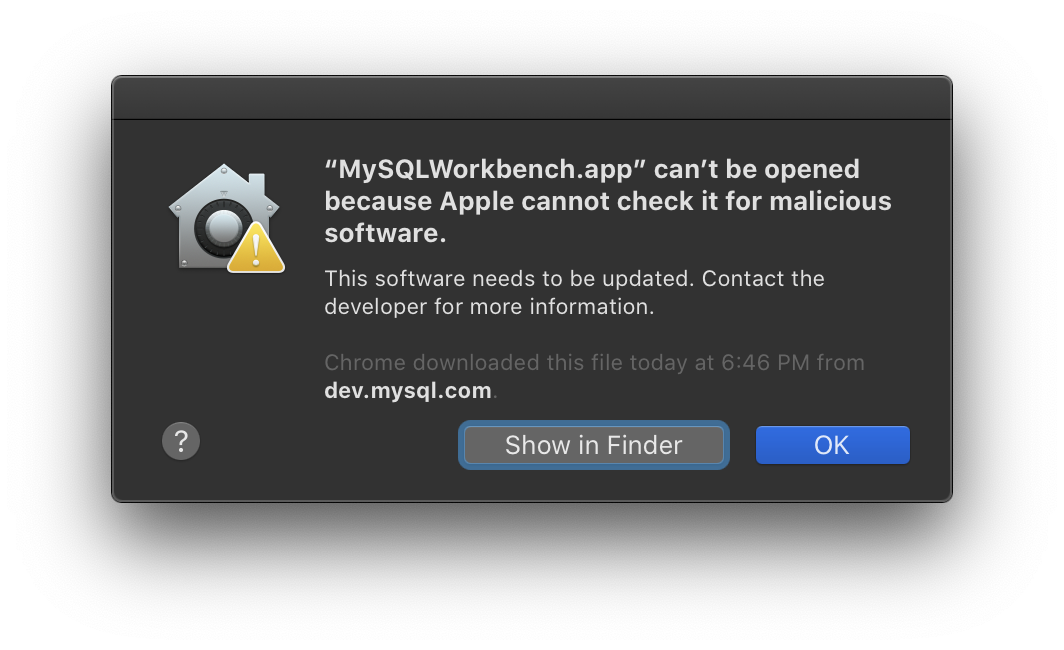
Is there an article that explains why Workbench is not being signed by Apple? Quick Google search didn't yield anything official looking.
Edit: I know how to get around it, just being cautious.
crstauf
on 2 Jul 2020
@gboudreau Can you please confirm that this warning is expected when attempting to run MySQL Workbench 8 for the first time?
I get the same, but both MD5 and GPG signatures match what MySQL published on their website, so I'm pretty sure it's OK.
gb@Guillaumes-MacBook-Pro:~/Downloads $ gpg --verify mysql-workbench-community-8.0.20-macos-x86_64.dmg.asc
gpg: assuming signed data in 'mysql-workbench-community-8.0.20-macos-x86_64.dmg'
gpg: Signature made Thu  2 Apr 04:55:51 2020 EDT
gpg:                using DSA key 8C718D3B5072E1F5
gpg: Good signature from "MySQL Release Engineering <[email protected]>" [unknown]
gpg: WARNING: This key is not certified with a trusted signature!
gpg:          There is no indication that the signature belongs to the owner.
Primary key fingerprint: A4A9 4068 76FC BD3C 4567  70C8 8C71 8D3B 5072 E1F5

gb@Guillaumes-MacBook-Pro:~/Downloads $ md5sum mysql-workbench-community-8.0.20-macos-x86_64.dmg
66708e8150a7221941bf3b107fc218e3  mysql-workbench-community-8.0.20-macos-x86_64.dmg
try connecting as documented in the article you posted, and try with and without adding the
defaultAuth=mysql_native_passwordbit
@gboudreau Successful connection with defaultAuth=mysql_native_password, received same error without.

crstauf
on 2 Jul 2020
Ok, so the problem seems to be that WPEngine did something on their MySQL server that requires MySQL client to use defaultAuth=mysql_native_password, when connecting using libmysqlclient 8+.
Sequel Pro doesn't have the problem because it uses an old libmysqlclient.
Not sure if we could fix automatically, as in we could detect that error, and retry the connection automatically, adding defaultAuth=mysql_native_password that second time. Worst case, we could ask end-users to enter 'other connections settings', same as Workbench does.
To implement this change, we'd need to know what WPEngine did that makes defaultAuth=mysql_native_password mandatory, to reproduce on our own server, or access to a WPEngine DB.
Not sure how widespread this server configuration is...
gboudreau
on 2 Jul 2020
@gboudreau I'll open a ticket requesting WP Engine look at this issue, but probably wise to not depend on that.
Unfortunately, I don't yet have my own WPE account, otherwise I'd offer; maybe someday. 🤞
crstauf
on 2 Jul 2020
Okay so right now I'm being told that WP Engine does/will not allow Sequel Ace (via support chat). I've asked for a senior tech to provide an explanation as to why, and hopefully get a response soon on the support ticket.
crstauf
on 2 Jul 2020
The MySQL library documentation states it tries caching_sha2_password first, but will fallback to mysql_native_password if that fails; why is WPEngine disconnecting when MySQL tries caching_sha2_password, without letting the client try mysql_native_password next, like other MySQL server..?
We can specify defaultAuth=mysql_native_password in Sequel Ace connection code, but would that create issues with other servers..?
I don't know, and it's not documented, if specifying defaultAuth in the connection options will try other auth plugins, if the specified one doesn't work. The property name is 'default', so I would guess it does, but I saw no definitive answer.
And what if another server acts the same as WPEngine's, but with caching_sha2_password instead of mysql_native_password..?
gboudreau
on 2 Jul 2020
Thanks for digging in so deeply, @gboudreau; greatly appreciated.
crstauf
on 2 Jul 2020
Of note: I can reproduce this error message by starting a docker MySQL, and trying to connect to it before MySQL finishes starting.
docker run --rm --name mysql8 -e MYSQL_ROOT_PASSWORD=patate -p 3306:3306 mysql:8
Then try to connect before /usr/sbin/mysqld: ready for connections appear in the log.
I think it happens when the MySQL client library is able to send a message to the specified TCP port, but does not receive any response/ACK, which is probably what happens, when Docker did setup port forwarding, but MySQL is not yet ready to accept connections on that port.
gboudreau
on 2 Jul 2020
@crstauf Could you try this new beta release and let us know if it works? @gboudreau made the change to try mysql_native_password first by default!
https://github.com/Sequel-Ace/Sequel-Ace/releases/tag/2.1.1-beta1
Jason-Morcos
on 2 Jul 2020
I just gave the new beta a whirl and I'm having trouble connecting to any of my database connections.
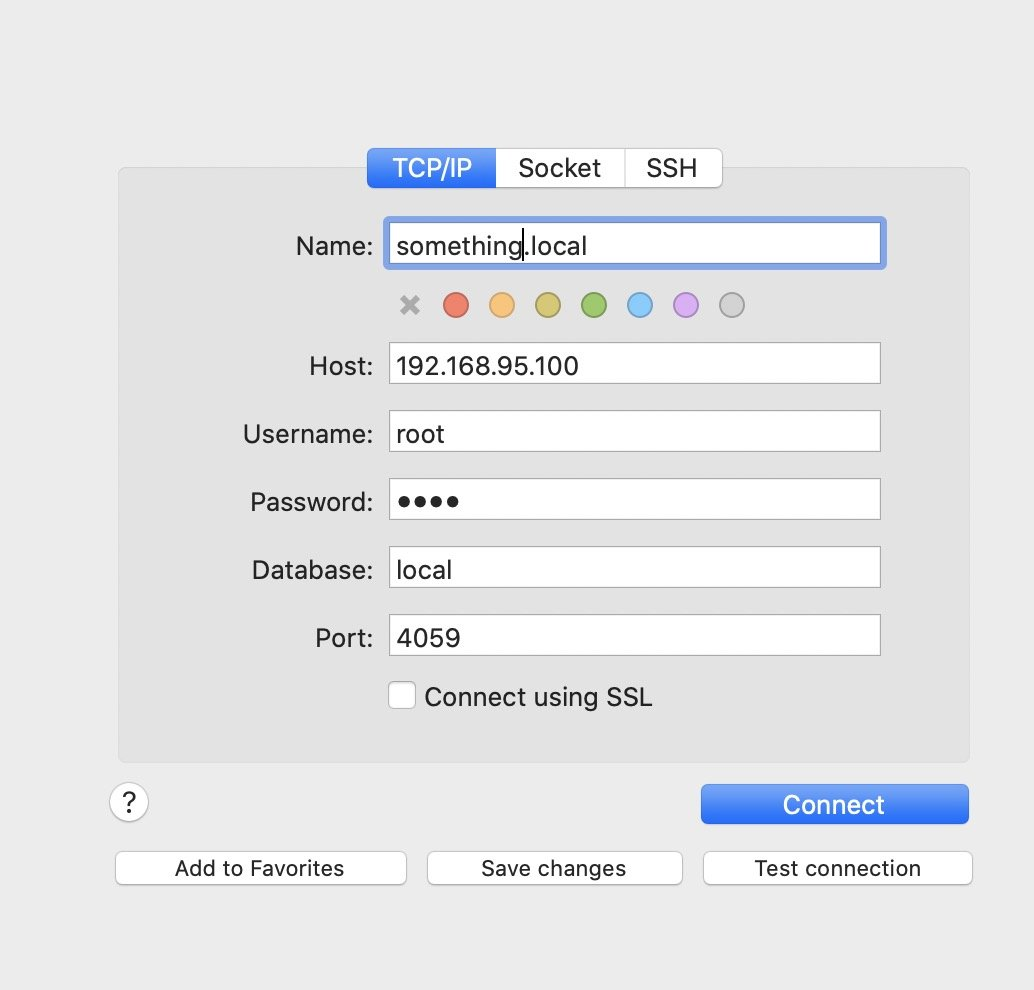
I use https://localwp.com/ to run a local WordPress environment via some docker magic behind the scenes.
I'm able to connect just fine using Sequel Pro
but I keep getting a timeout error when using Sequel Ace 2.1.1-beta1.
Connection details in Sequel Pro:
Connection details in Sequel Ace 2.1.1-beta1
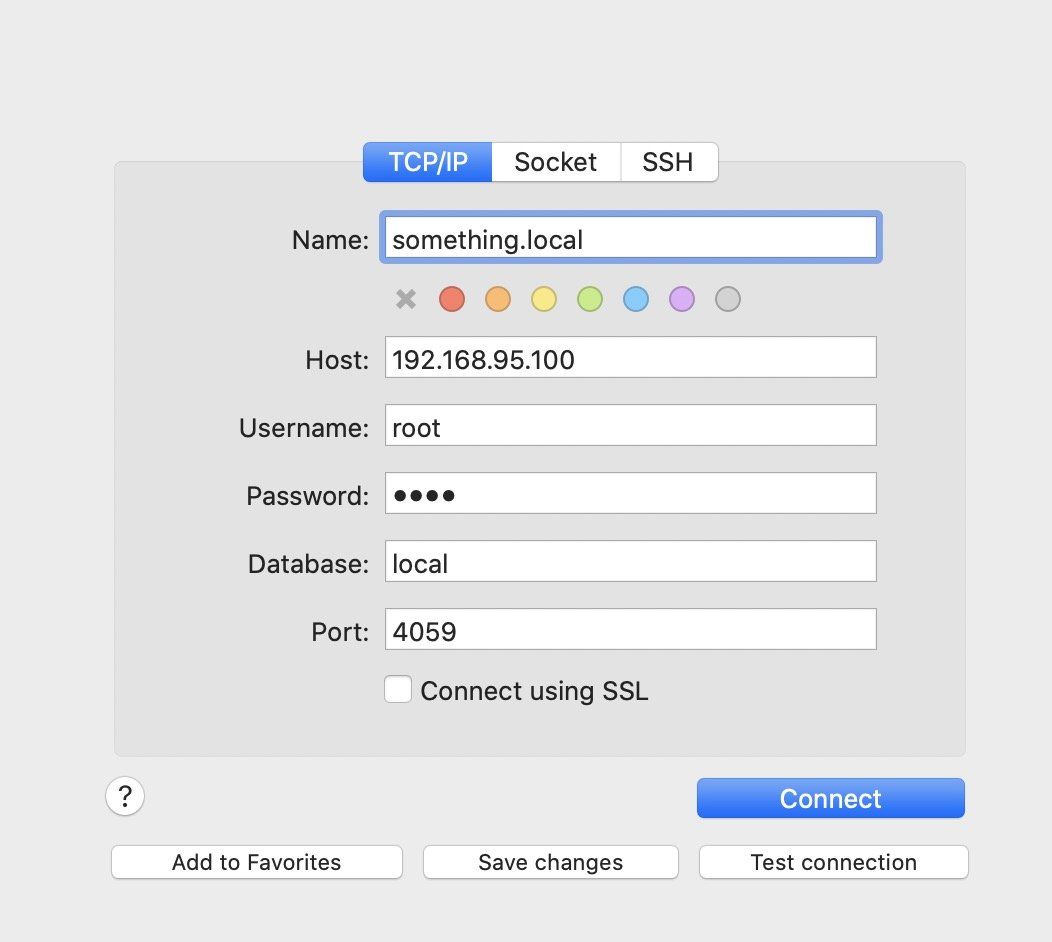
And here is the timeout error message from Sequel Ace:
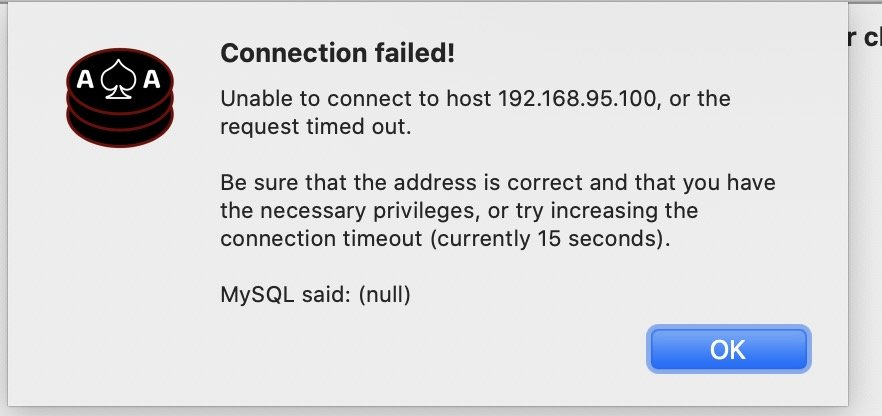
It's worth noting that it says a 15 second timeout but the timeout error happened pretty much instantly after trying to connect.
Operating System: macOS Catalina 10.15.5 (19F101)
 kingkool68
on 2 Jul 2020
kingkool68
on 2 Jul 2020
@kingkool68 Mentioned on #109 but it looks like the fix proposed to this issue broke some other issues. Reverted the fix in 2.1.1 beta 2. This issue will unfortunately require some more investigation and a different fix! Sorry about that!
Jason-Morcos
on 2 Jul 2020
@crstauf Please still try beta 1 to ensure it fixes your problem.
If it does, at least we know how to fix; we just can't use this fix for everyone; we'll need to make it user-selectable.
gboudreau
on 2 Jul 2020
try beta 1 to ensure it fixes your problem
@gboudreau Not sure if this means it was fixed and now encountering another error or not:
Unable to connect to host, or the request timed out.
MySQL said: (null)
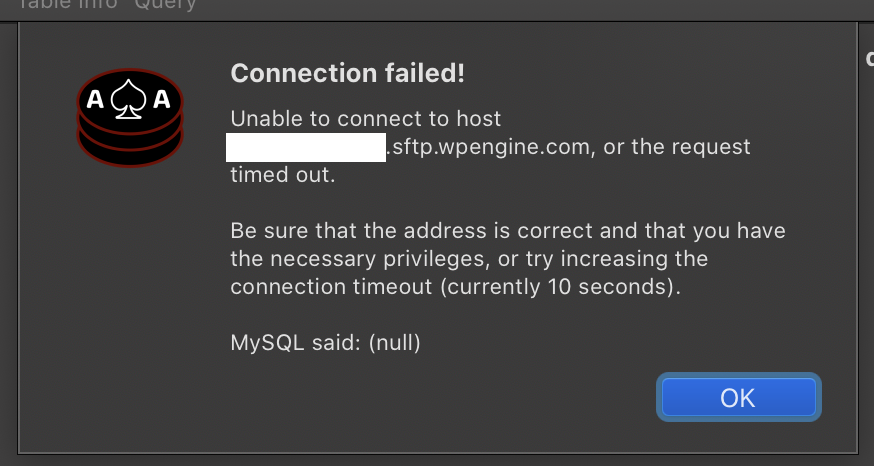
Screenshot mentions timeout, but the error appeared within half a second after testing connection.
crstauf
on 2 Jul 2020
Yeah... The change I made to fix this in beta 1 just broke all connections!!
I submitted a new PR that should resolve your issue, and at the same time NOT break everything! Hooray!
gboudreau
on 2 Jul 2020
Give this a try, @crstauf!
https://github.com/Sequel-Ace/Sequel-Ace/releases/tag/2.1.1-beta3
Jason-Morcos
on 2 Jul 2020
@gboudreau @Jason-Morcos "Connection succeeded" :joy:
crstauf
on 2 Jul 2020
@Jason-Morcos @gboudreau Downloaded and installed 2.1.1, and connected immediately; thank you!
crstauf
on 7 Jul 2020
Related issues
 gms8994
·
6Comments
gms8994
·
6Comments
 rafmst
·
4Comments
rafmst
·
4Comments
 netojose
·
4Comments
netojose
·
4Comments
 augusl
·
6Comments
augusl
·
6Comments
 salvor-hardin
·
8Comments
salvor-hardin
·
8Comments
Most helpful comment
@Jason-Morcos @gboudreau Downloaded and installed 2.1.1, and connected immediately; thank you!