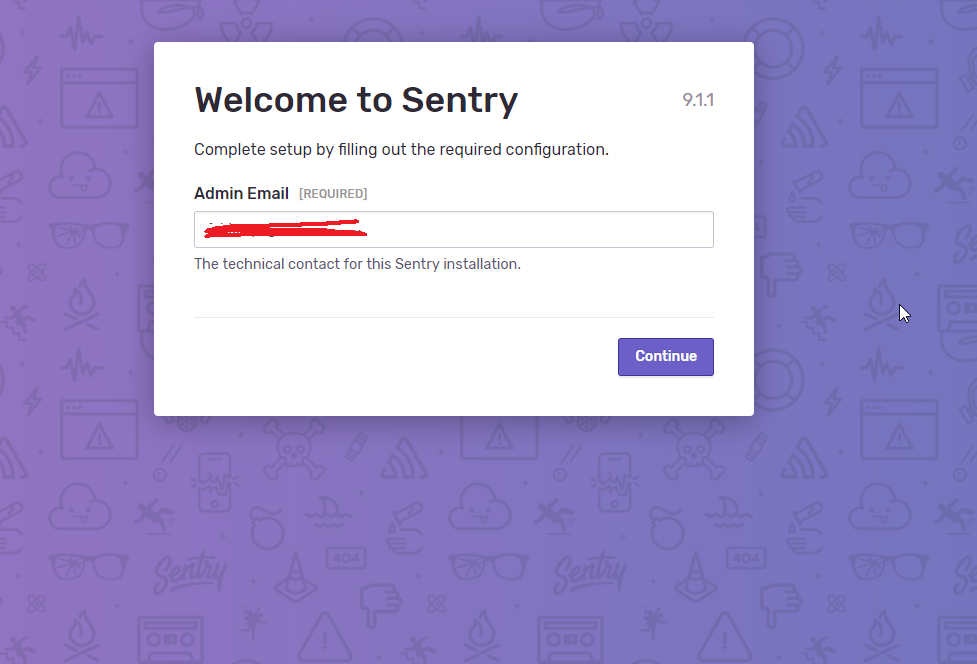
Sentry: Sentry 9.1.1 always showing the Welcome page
Important Details
How are you running Sentry?
- [x] On-Premise docker [Version 9.1.1]
- [ ] Saas (sentry.io)
- [ ] Other [briefly describe your environment]
Description
Every time I log onto our sentry, I get this page, again. I press continue and all works fine. I just can't get rid of this page.
 fabiopedrosa
All 14 comments
Same for me on a docker based install.
It works until i reload the entire page.
 ochorocho
on 24 Apr 2019
ochorocho
on 24 Apr 2019
Can confirm with 9.1.1 new docker install.
 pmwebster
on 25 Apr 2019
pmwebster
on 25 Apr 2019
Same here with a fresh 9.1.1 docker version
Having no problems with a 9.0.0 docker installation
 marsbear
on 28 Apr 2019
marsbear
on 28 Apr 2019
Ended up fixing it by doing this: https://github.com/getsentry/sentry/issues/12811#issuecomment-484748965
It should be a temporary fix until someone actually merges a fix.
fabiopedrosa
on 29 Apr 2019
Ended up fixing it by doing this: #12811 (comment)
It should be a temporary fix until someone actually merges a fix.
This does work but, the initial install banner, "You're almost there! Start capturing errors with just a few lines of code.", persists.
@fabiopedrosa did you find a way to fix that as well ?
 RohitJones
on 9 May 2019
RohitJones
on 9 May 2019
I did not have this with the 9.1.1 docker version. Are you all using https://github.com/getsentry/onpremise ?
 BYK
on 5 Jul 2019
BYK
on 5 Jul 2019
Can confirm it's happening with my setup also on 9.1.1. I'm using onpremise docker-compose file with no modification. Only major change I did is change the organization name in the settings don't know if that's related or not.
EDIT: Just to clarify my install was done from scratch (aka not an upgrade from a previous version, did it yesterday)
 seifane
on 6 Jul 2019
seifane
on 6 Jul 2019
the same issue here.
I have added test repo, so anybody can reproduce this issue easily
git clone https://github.com/zhil/sentry-welcome-bug.git
cd sentry-welcome-bug
docker-compose up -d
docker-compose exec sentry sentry upgrade
docker-compose restart sentry
 zhil
on 6 Jul 2019
zhil
on 6 Jul 2019
Getting the same issue while using docker-compose
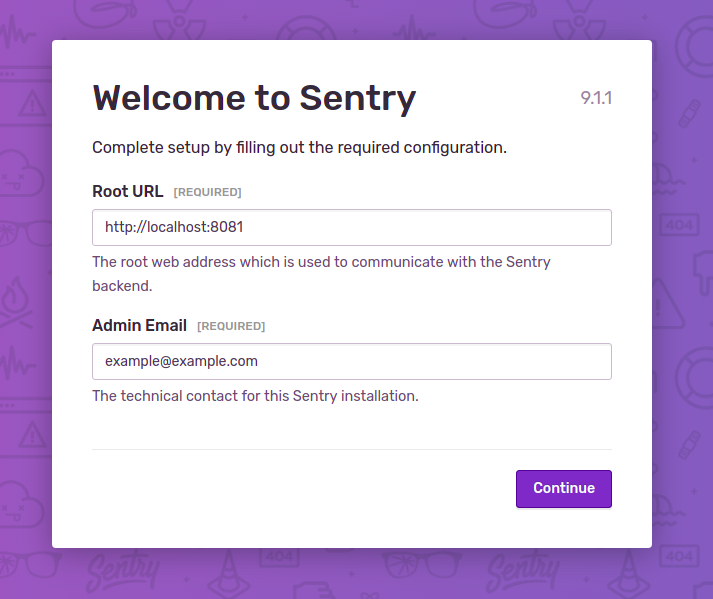
docker-compose configurations:
version: '3.7'
x-defaults: &sentry
  image: sentry:latest
  restart: unless-stopped
  environment:
    SENTRY_SECRET_KEY: 'p@&^%hr)!+2#lv%v58a12-(31%p0i)p210zka!p#fc2-g!pv4s'
    SENTRY_MEMCACHED_HOST: example-memcached
    SENTRY_REDIS_HOST: example-redis
    SENTRY_POSTGRES_HOST: example-postgres
    SENTRY_DB_NAME: example
    SENTRY_DB_USER: example-user
    SENTRY_DB_PASSWORD: 'password'
    SENTRY_SERVER_EMAIL: '[email protected]'
    SENTRY_EMAIL_HOST: example-mail
    SENTRY_EMAIL_PORT: 1025
  depends_on:
    - memcached
    - redis
    - postgres
  volumes:
    - example-sentrydata:/var/lib/sentry/files
  networks:
    - example-net
services:
  # Redis service
  redis:
    image: 'bitnami/redis:latest'
    container_name: example-redis
    restart: unless-stopped
    tty: true
    environment:
      ALLOW_EMPTY_PASSWORD: "yes"
      SERVICE_TAGS: dev
      SERVICE_NAME: redis
    expose:
      - '6379'
    volumes:
      - example-redis:/bitnami/redis/data
    networks:
      - example-net
  # Postgres service
  postgres:
    image: postgres:latest
    container_name: example-postgres
    restart: unless-stopped
    environment:
      POSTGRES_DB: example
      POSTGRES_USER: example-user
      POSTGRES_PASSWORD: 'password'
    expose:
      - '5432'
    ports:
      - 5433:5432
    volumes:
      - example-pgdata:/var/lib/postgresql/data
    networks:
      - example-net
  # Memcached service
  memcached:
    restart: unless-stopped
    image: memcached:latest
    container_name: example-memcached
    networks:
      - example-net
  # Sentry service
  sentry:
    <<: *sentry
    container_name: example-sentry
    ports:
      - 8081:9000
  # Sentry cron
  sentry-cron:
    <<: *sentry
    container_name: example-sentrycron
    command: run cron
  # Sentry worker service
  sentry-worker:
    <<: *sentry
    container_name: example-sentryworker
    command: run worker
  # Mailcatcher service
  mail:
    image: 'schickling/mailcatcher'
    container_name: example-mail
    restart: unless-stopped
    tty: true
    expose:
      - '1025'
    ports:
      - '1081:1080'
    volumes:
      - example-mails:/data
    networks:
      - example-net
# Names our volume
volumes:
  example-redis:
  example-mails:
  example-pgdata:
  example-sentrydata:
#Docker Networks
networks:
  example-net:
    driver: bridge
 tirthbodawala
on 7 Jul 2019
tirthbodawala
on 7 Jul 2019
Alright, I was able to reproduce this with a clean install myself. Looks like it should be fixed with #13726 which we are going to include in the 9.1.2 release.
Since I think this is a different manifestation of #12813 can someone experiencing the issue try editing both of these required fields (even if you then set them to the same value as the defaults) and hitting "Continue" afterwards? If that solves the issue, I'll close this as a duplicate of #12813 if not, means I need to do more investigation.
BYK
on 8 Jul 2019
Can confirm with 9.1.1 new helm chart.
 snics
on 10 Jul 2019
snics
on 10 Jul 2019
No need for more confirmations as I think we've identified the root cause of the issue which should be fixed with 9.1.2 when it is out.
BYK
on 10 Jul 2019
Hi guys!
I have installed fresh Sentry setup, using:
git clone https://github.com/getsentry/onpremise
cd onpremise
sudo ./install.sh
I logged in, made settings, tested outcoming emails, created some projects and so on.
But I'm also having constant Welcome page with (already specified) root URL and admin email.
This seems like not having effect at all:
# Manually configuring available options in config.yml
sudo docker-compose down
sudo docker exec sentry-onpremise_web_1 sentry config set sentry:version-configured '9.1.0'
# OR sudo docker exec sentry-onpremise_web_1 sentry config set sentry:version-configured '9.0.0'
sudo docker-compose up -d
I waited a couple of hours (as people here are saying to wait in order to invalidate caches), but it did not give any effect (I see 9.1.1 version in Sentry UI).
What am I doing wrong?
How to get started using Sentry? Now, I even don't have DSN in project settings (the fields are empty).
 maximal
on 10 Jul 2019
maximal
on 10 Jul 2019
@maximal please read the comments just before yours. I'm closing and locking this issue for now as it should be resolved on master and will be resolved with 9.1.2 and none of the new comments are useful.
Feel free to open a thread at https://forum.sentry.io if you still need help.
BYK
on 10 Jul 2019
Related issues
 mitchhentges
·
22Comments
mitchhentges
·
22Comments
 zoltanlaczko
·
29Comments
zoltanlaczko
·
29Comments
 dcramer
·
34Comments
dcramer
·
34Comments
 jakubzitny
·
28Comments
jakubzitny
·
28Comments
 saytik
·
24Comments
saytik
·
24Comments
Most helpful comment
Can confirm with 9.1.1 new docker install.