Sentry-cli: How does sentry find the correct source map to use?
I am having trouble getting sentry to recognize source maps I've uploaded using sentry-cli with node js.
I am using babel to generate source files which upon erroring show a directory structure such as,

I've checked to ensure that the uploaded files in the created release match the Artifact path exactly that Sentry sees,

If I download index.js from the artifacts listing in sentry, it has a sourceMappingURL comment:
//# sourceMappingURL=index.js.map
which should point to the map file.
Does this sourceMappingURL need instead to be /app/srv/routes/index.js.map? Or should it work as specified with the relative path?
Also, does uploading the same artifact a second time in the same release overwrite the previous artifact?
I've tried to figure out how to get babel to generate these fully qualified paths, but so far no luck. I tried inline source mappings but it makes my app files too large to be usable.
 econner
All 2 comments
Ok, finally got it working.
For posterity:
This document helped,
https://docs.sentry.io/platforms/javascript/sourcemaps/troubleshooting/#verify-your-source-maps-are-built-correctly
My uploaded artifacts now have the paths,

The paths in my tracebacks were set to,
app:///srv/routes/index.js
by using a beforeSend method I pulled from another issue.
Also it is important to ensure a release is set via the client config,
const Sentry = require('@sentry/node');
const path = require('path');

Sentry.init({
  dsn: config.sentry.url,
  release: process.env.HEROKU_SLUG_COMMIT,
  beforeSend (event) {
    if (
      !event.exception ||
      !event.exception.values ||
      !event.exception.values[0]
    ) {
      return event
    }

    const value = event.exception.values[0]

    if (value.stacktrace && value.stacktrace.frames) {
      const root = process.cwd()
      value.stacktrace.frames.forEach(function (frame) {
        if (frame.filename.startsWith('/')) {
          frame.filename = 'app:///' + path.relative(root, frame.filename)
        }
      })
    }

    return event
  }
})
- Issue tracker needs to show a release on the right hand side.
- Clicking that release name needs to take you to a page that shows the artifacts listing.
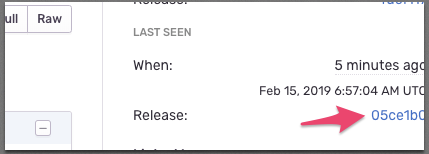
Good luck.
econner
on 15 Feb 2019
@econner do sourcemaps urls still show as //# sourceMappingURL=index.js.map? or with another correct path?
 islamhamdi
on 17 Mar 2020
islamhamdi
on 17 Mar 2020
Related issues
 alexregier
·
4Comments
alexregier
·
4Comments
 sameoldmadness
·
5Comments
sameoldmadness
·
5Comments
 BioPhoton
·
3Comments
BioPhoton
·
3Comments
 kkdev163
·
5Comments
kkdev163
·
5Comments
 tclindner
·
3Comments
tclindner
·
3Comments
Most helpful comment
Ok, finally got it working.
For posterity:
This document helped,
https://docs.sentry.io/platforms/javascript/sourcemaps/troubleshooting/#verify-your-source-maps-are-built-correctly
My uploaded artifacts now have the paths,

The paths in my tracebacks were set to,
app:///srv/routes/index.jsby using a
beforeSendmethod I pulled from another issue.Also it is important to ensure a
releaseis set via the client config,Good luck.