Sensei: Warn when built assets aren't present
Steps to Reproduce
- Install and configure fresh WordPress (from the docker image
wordpress:latest, 5.5.1 at the moment) - Clone sensei repository to the plugins directory
- Login to the admin panel and go to the Plugins page.
- Click "Activate" for Sensei LMS
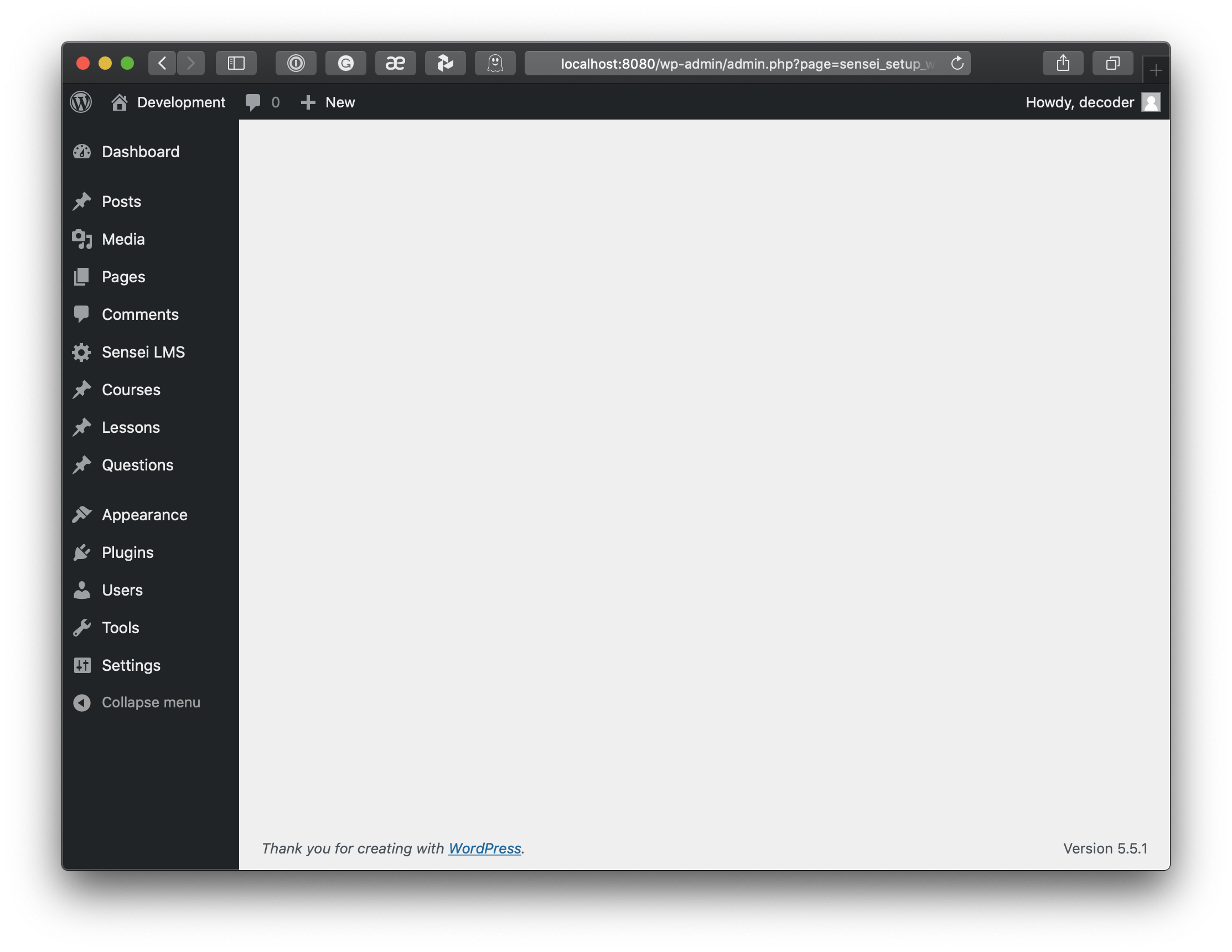
- I was redirected to the page of Setup Wizard:
/wp-admin/admin.php?page=sensei_setup_wizard
What I Expected
Configuration form or at least a message about properly installed plugin.
What Happened Instead
Blank page with a grey background and a couple of words in the bottom (WP version)
PHP / WordPress / Sensei LMS version
wordpress:latest with WordPress 5.5.1 and Sensei LMS from master (0b64d2bde876069a9c0d5a15f632d0d3fe9ebca9)
Screenshot
 merkushin
All 3 comments
We distribute the package with the built assets. See Setting Up Your Development Environment. For now, I'm marking this as an enhancement request for adding a warning when built assets aren't present.
 jom
on 10 Sep 2020
jom
on 10 Sep 2020
My mistake, thank you.
Yes, it would be useful to warn in this case.
merkushin
on 11 Sep 2020
WooCommerce shows the following notice if the plugin hasn't been built. We could do a similar thing here, where the link goes to https://github.com/Automattic/sensei/wiki/Setting-Up-Your-Development-Environment:

 donnapep
on 17 Sep 2020
donnapep
on 17 Sep 2020
👍3
Was this page helpful?
0 / 5 - 0 ratings
Related issues
 richardmtl
·
5Comments
richardmtl
·
5Comments
 BusinessBloomer
·
3Comments
donnapep
·
3Comments
BusinessBloomer
·
3Comments
donnapep
·
3Comments
 danjjohnson
·
7Comments
richardmtl
·
5Comments
danjjohnson
·
7Comments
richardmtl
·
5Comments
Most helpful comment
WooCommerce shows the following notice if the plugin hasn't been built. We could do a similar thing here, where the link goes to https://github.com/Automattic/sensei/wiki/Setting-Up-Your-Development-Environment: