Sensei: No button to generate certificate
I saw some old topics with some people running this issue but happened with me using Sensei 1.9.20 e and last certificates version.
My course is using the template one and i dont have the button after completing the tasks. I'm using Language School theme.
Steps to Reproduce
- last wordpress version
- language school theme
- last sensei and certificates version
What I Expected
things work
What Happened Instead
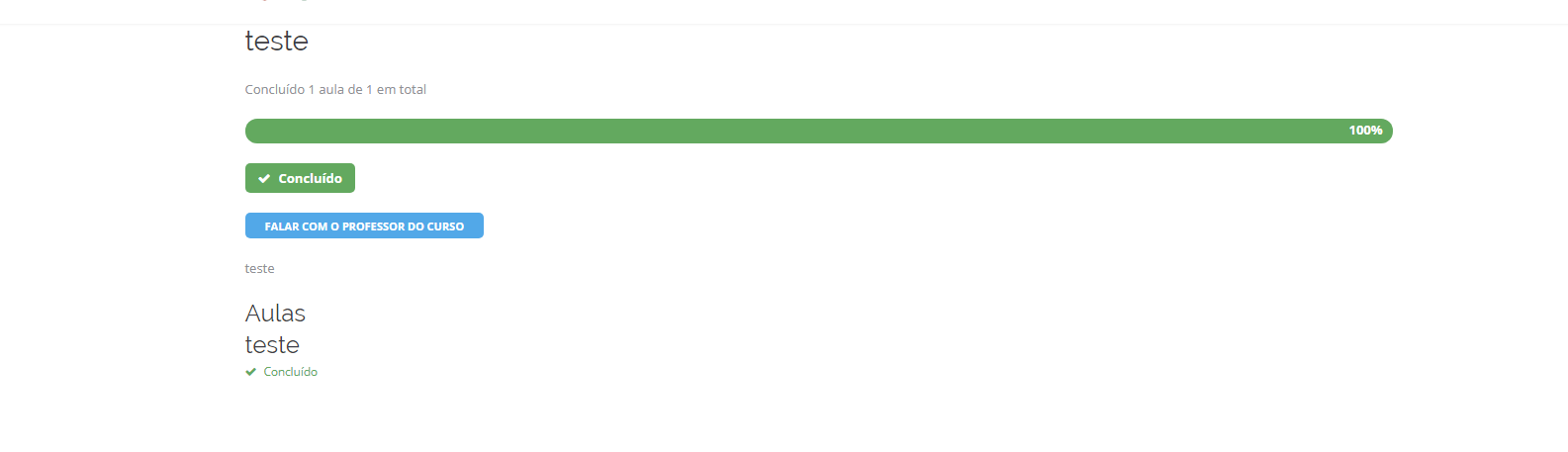
not button to generate certificate
WordPress / Sensei version
4.9.4 / 1.9.20
Browser / OS version
Chrome / Win10
Screenshot / Video
Context / Source
I'm using pt-BR language version
 ncesar
All 8 comments
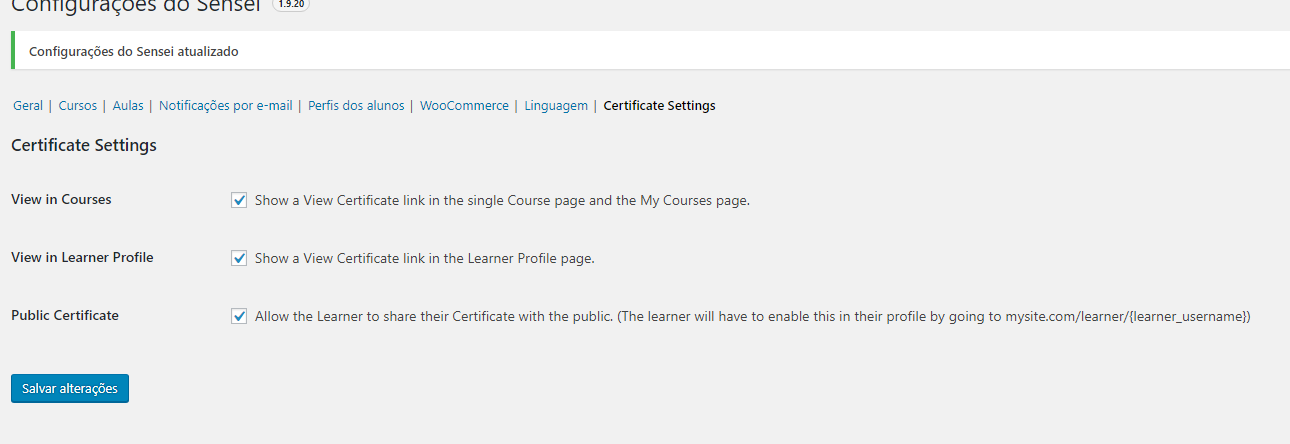
Can you check that the _Show a View Certificate link in the single Course page and the My Courses page._ setting is checked in _Sensei_ > _Settings_ > _Certificate Settings_?
 donnapep
on 8 Mar 2018
donnapep
on 8 Mar 2018
Yes. Look the image below:
And this is my Certificates page
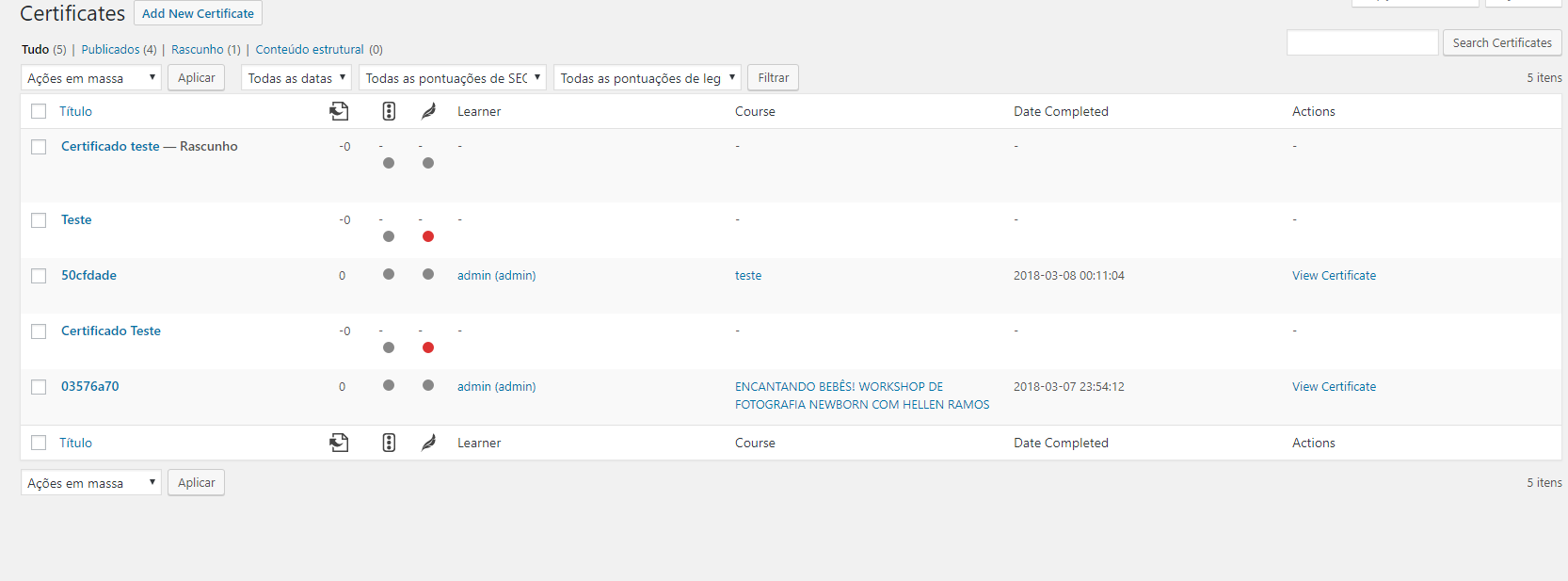
If i open the single certificate link, it works but the button does not appear :(
Thanks for your time and help <3
ncesar
on 9 Mar 2018
I'm having a bit of trouble reproducing. Do you recall when you first started noticing this issue? Was it after you upgraded a particular plugin or theme?
Also, what do you mean when you say "My course is using the template one"?
Is the button not showing on the _My Courses_ page, the single course page, or both? If you try switching temporarily to another theme, does that make any difference?
donnapep
on 9 Mar 2018
I can reproduce this on the _My Courses_ page if there is no value set for _My Courses Page_ in _Sensei_ > _Settings_. Be sure to set that to the appropriate page if it's not already. Cheers.
donnapep
on 9 Mar 2018
Oh boy, i just changed my theme to Wordpress default and the button appears :(
Now i really dont know what i should do, since seems its Language School theme fault's.
Do you have any tip?
ncesar
on 9 Mar 2018
For what i have seen in Chrome's Developer Mode, in default theme Sensei Certificates CSS is called, but in the Languague School theme, he's not.
ncesar
on 9 Mar 2018
OK, then there's a possibility that the button is actually present on the page, but it's just not being styled due to missing CSS. You could inspect the HTML to check whether or not that is the case.
I'm afraid I can't really offer further insight, as it doesn't appear to be a bug in Sensei. You'll likely need to dig into the theme or contact the theme developer to ask them what's going on. I'm going to close this issue, but feel free to open another should you determine there's a problem in Sensei. Thx.
donnapep
on 9 Mar 2018
Hey, if someone is facing the same problem and you need to use your main theme, install a plugin called Multi Themes, so in the my courses page you use a default wordpress theme and the rest of the website use your main theme.
Works like a charm :)
ncesar
on 11 Mar 2018
Related issues
 kraftbj
·
4Comments
donnapep
·
5Comments
kraftbj
·
4Comments
donnapep
·
5Comments
 jeichorn
·
6Comments
jeichorn
·
6Comments
 danjjohnson
·
5Comments
danjjohnson
·
5Comments
 richardmtl
·
5Comments
richardmtl
·
5Comments