Sensei: Question categories being counted incorrectly
706737-zen
User is added questions to quiz using the Category Questions tab:
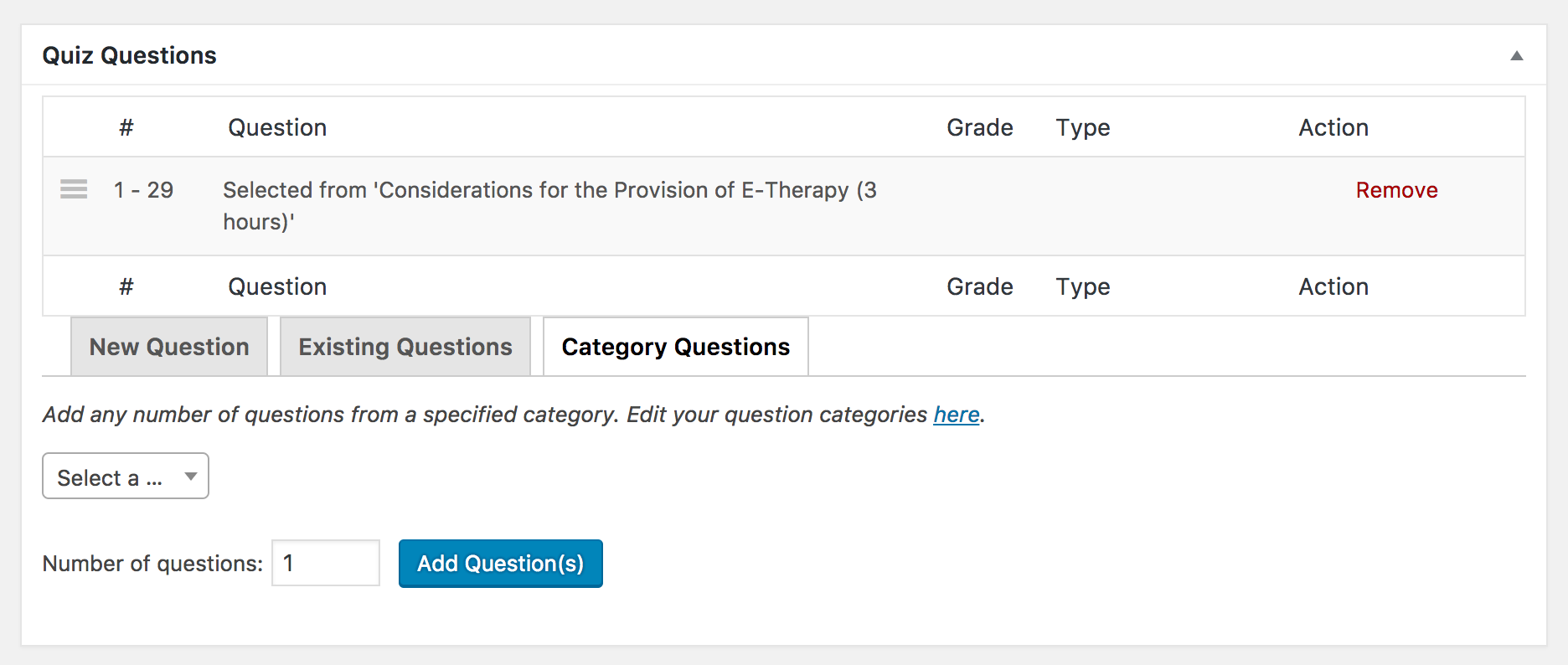
However the total amount of questions shown there:
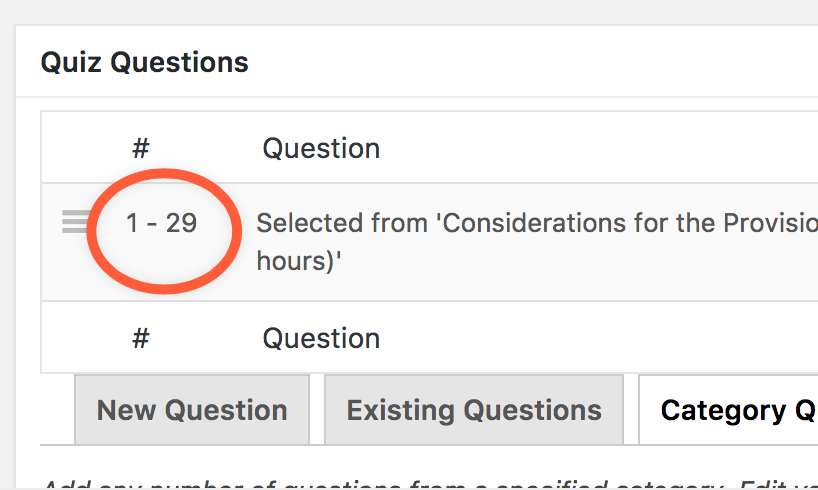
... does not reflect the real total of questions in that category:
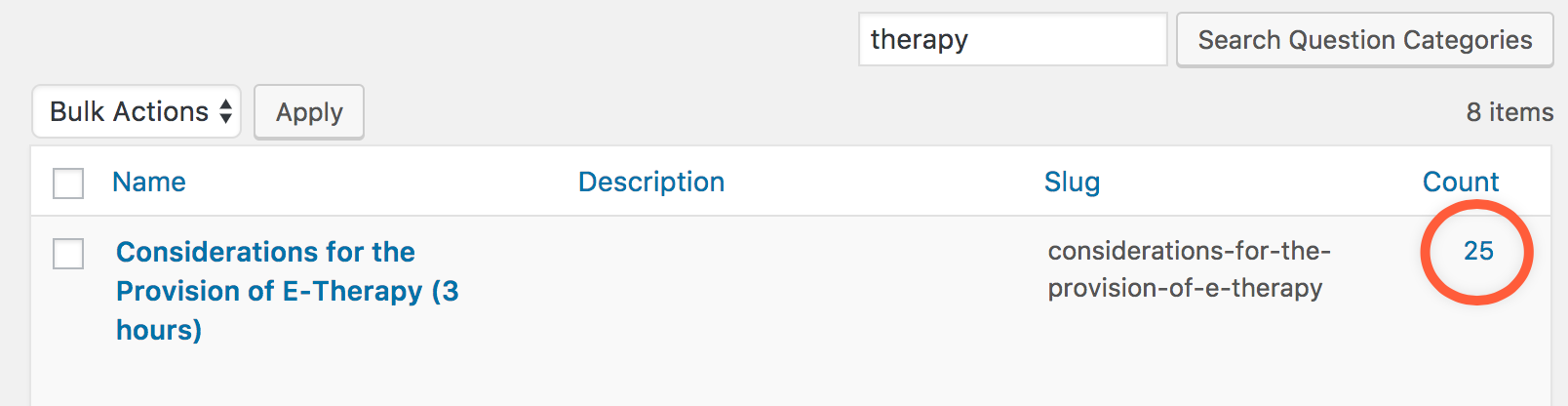
I used the Taxonomy Toolbox plugin to recount all terms in all taxonomies, but the issue still occurs. He's running the most recent Sensei version. Creds in the ticket.
 donnapep
All 11 comments
@aheckler It seems as though when questions in a particular category are deleted, the count in the _Quiz Questions_ section is not updated. The workaround is to remove and add the questions again.
Given that there's a workaround and this is lower priority, it's unlikely we'll fix. We are considering creating a Gutenberg block for adding quizzes, so it doesn't make much sense to spend time fixing issues with the meta box.
donnapep
on 25 Oct 2017
@donnapep here is the response from the user:
Ok, so basically is what you are saying is, we are going to have to
manually go through every lesson and check and fix the questions?
Is there any way to accomplish this more efficiently and effectively, as,
there are nearly 1,500 lessons?
 bikedorkjon
on 25 Oct 2017
bikedorkjon
on 25 Oct 2017
@bikedorkjon Ouch. Why do they want to fix them though? Is it affecting some functionality?
Or does it just bother them because it's incorrect? Honestly, if we had to address this in Sensei, the fix might be to just remove that field altogether. Perhaps we could run a one-off query for the user to fix this though.
donnapep
on 25 Oct 2017
I've asked the user how they'd like to proceed.
bikedorkjon
on 26 Oct 2017
@donnapep their reply
Unfortunately, it is extremely important and we cannot go live or run our
business without it.
bikedorkjon
on 26 Oct 2017
@bikedorkjon What would they say if we just hid this field? I'm trying to discern why it's valuable to them because the easiest solution here would just be to hide it unless they have a compelling use case for it.
donnapep
on 27 Oct 2017
One instance where I can see the value:
Say you have a collection of 100 questions in a certain category, but you only want your quiz to be 25 questions long. If we removed the count, how do you know for sure how many questions you included in the quiz? After a year or two, would you still remember?
IMHO, we should probably show the number _somewhere_.
 aheckler
on 27 Oct 2017
aheckler
on 27 Oct 2017
@bikedorkjon I'm closing this for now since we're not going to address in the plugin. We can reconsider that decision down the road if it keeps being brought up. Instead, let's take this to Slack where @pgk has a query to update the data.
donnapep
on 27 Oct 2017
After some Slack discussion, let's reopen this and do the following:
- Hook into the delete action for questions and update the count.
- Introduce a new data update to address these retrospectively.
cc @pgk
aheckler
on 31 Oct 2017
From the user.
Please send this to Woo Support and ask them what they would charge to fix
the
following (all must be totally fixed so we do not have to do anything
manually):
Fix all categories filtering issues (so we do not have to manually run
the SQL
script)Fix all question ordering issues for each quiz (so each one does not
have to be
manually fixed) -- Must be exactly as they are on the live site.Fix all issues with all quizzes where the 'last choice for each
question' is
always the right answer (so each one does not have to be done manually)
bikedorkjon
on 1 Nov 2017
Responded to user link to private slack convo is in ticket.
bikedorkjon
on 3 Nov 2017
Related issues
 richardmtl
·
5Comments
richardmtl
·
5Comments
 jeichorn
·
6Comments
jeichorn
·
6Comments
 Protohominid
·
6Comments
donnapep
·
5Comments
Protohominid
·
6Comments
donnapep
·
5Comments
 danjjohnson
·
7Comments
danjjohnson
·
7Comments
Most helpful comment
@aheckler It seems as though when questions in a particular category are deleted, the count in the _Quiz Questions_ section is not updated. The workaround is to remove and add the questions again.
Given that there's a workaround and this is lower priority, it's unlikely we'll fix. We are considering creating a Gutenberg block for adding quizzes, so it doesn't make much sense to spend time fixing issues with the meta box.