Screentogif: Progression by frame number doesn't display the right numbers
On windows 10 using STG 2.18.
When using the Progression overlay to display frame number alongside total frames number, there's the issue that the total of frames is counted from 1, while the frame number is counted from 0.
So we end up in that strange situation when we're showing he final frame but the overlay says we are not :

At least, the two values should count numbers from the same start number, either 0 or 1. It seems like the minimum thing.
Ideally, it should also be possible for the user to choose which start number to use. Sometimes it's nice to start on one, sometimes on zero, sometimes you start on a completely different number because ou already made other gifs showing the other frames, ...
That additional flexibility could really be welcome.
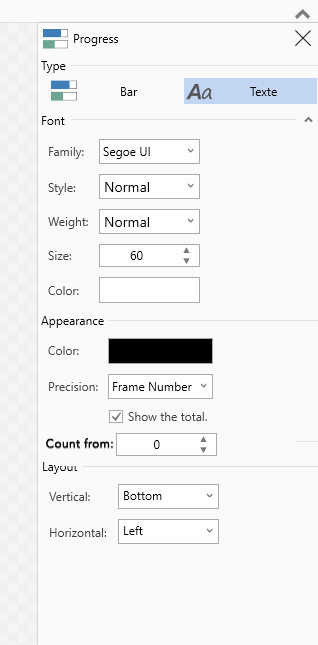
UI side, it could be in a very simple form:
Thanks for your help!
 L0Lock
All 4 comments
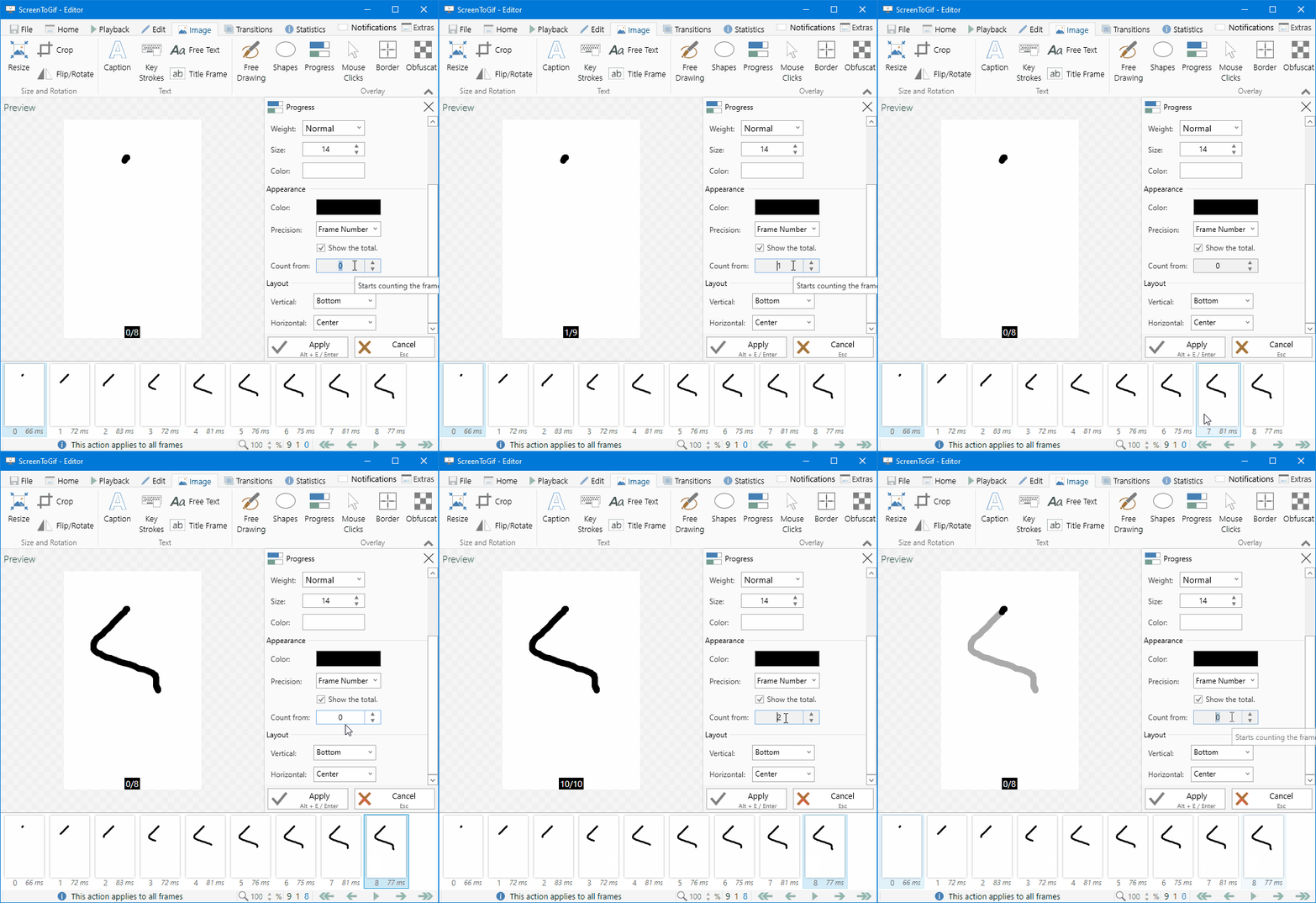
Like this? Does it make sense to increase the total too?
 NickeManarin
on 24 Sep 2019
NickeManarin
on 24 Sep 2019
Does it make sense to increase the total too?
Good point.
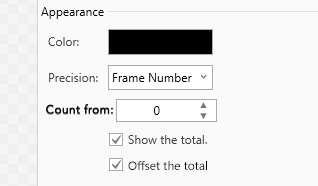
I think it would be useful only in some circumstances. Let's pretend your nine beautiful frames are actually the 127th of a larger project, it would be nice to be able either to show the real total frame (1-9) or the total frame in the project's context (127-135).
So... Maybe something like this?
L0Lock
on 24 Sep 2019
I also get similar unexpected behavior when displaying progress with percentage or bars.
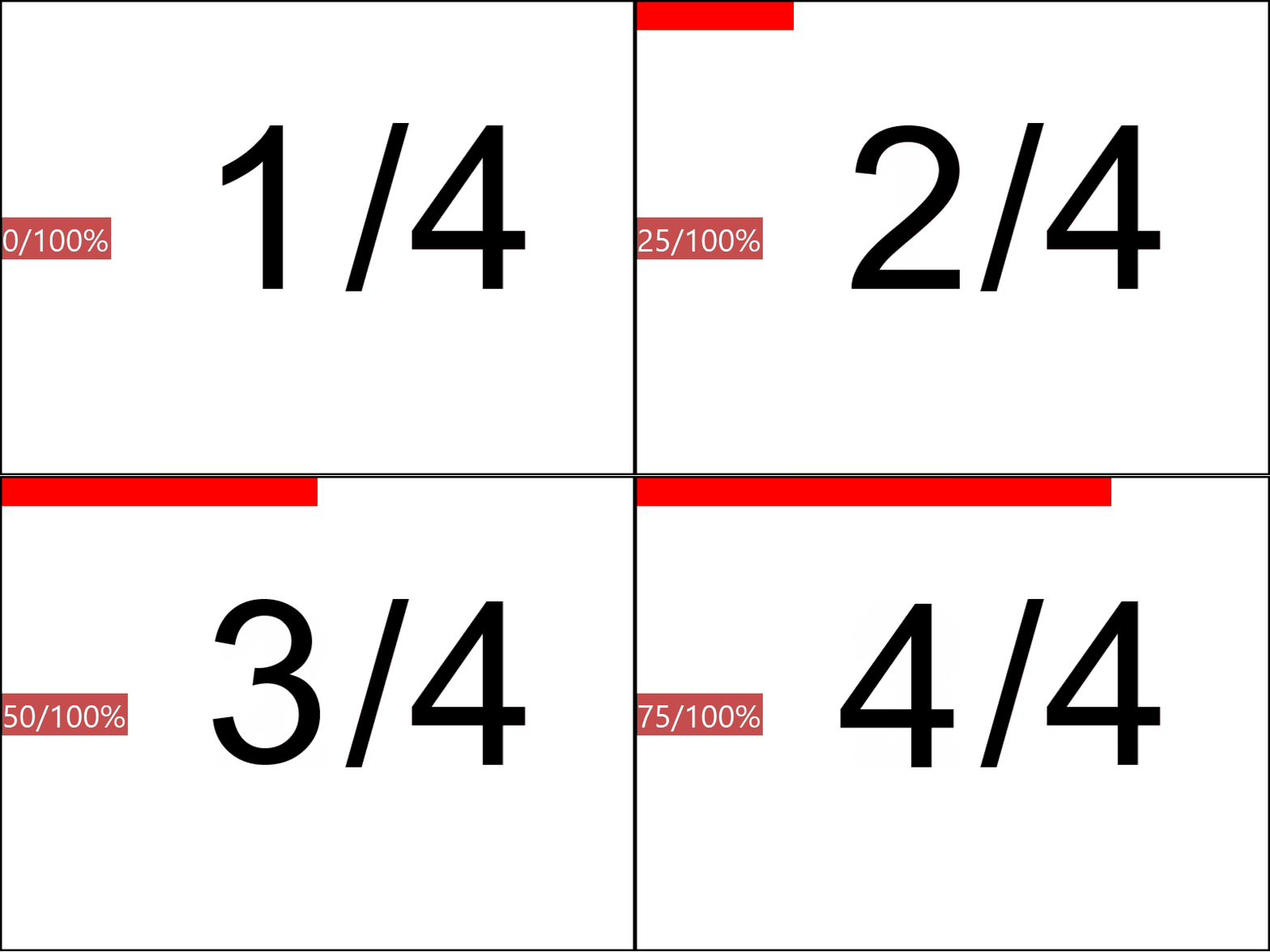
I expected 25/100%, 50/100%, 75/100%, 100/100%
But perhaps fixing the issue when displaying frame number will solve it for the other presentations as well?
 hollowdrutt
on 27 Sep 2019
hollowdrutt
on 27 Sep 2019
@L0Lock There's one problem when the total is not offset: at the ending frames, if the total is not offset, the frame number would go beyond the total (15/10).
So I'm going to offset the total too for now.
@hollowdrutt I also corrected that part of the code.
All frames now start from +1, including the other precisions modes (miliseconds, seconds, etc).
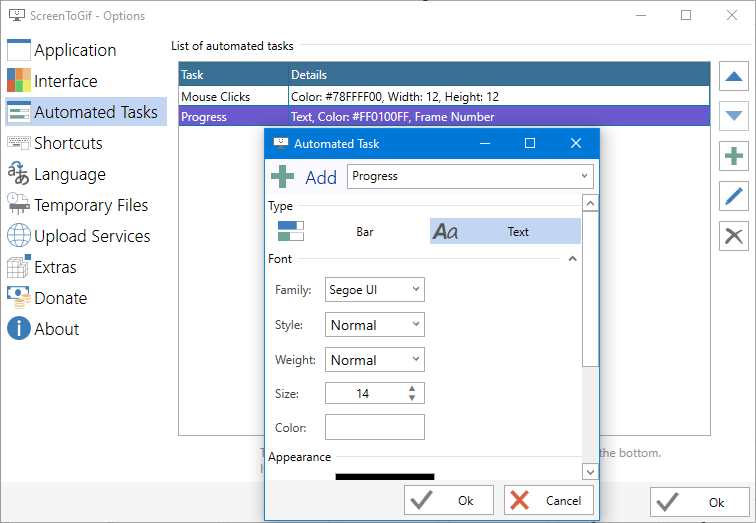
For the frame number I'll let the user choose the starting frame.
Also, you'll be able to set the progress as an automatic task.
NickeManarin
on 27 Sep 2019
Related issues
 Kristinita
·
4Comments
Kristinita
·
4Comments
 spyoungtech
·
4Comments
spyoungtech
·
4Comments
 EirikBirkeland
·
5Comments
EirikBirkeland
·
5Comments
 Quisquose
·
3Comments
Quisquose
·
3Comments
 user3323
·
5Comments
user3323
·
5Comments
Most helpful comment
@L0Lock There's one problem when the total is not offset: at the ending frames, if the total is not offset, the frame number would go beyond the total (15/10).
So I'm going to offset the total too for now.
@hollowdrutt I also corrected that part of the code.
All frames now start from +1, including the other precisions modes (miliseconds, seconds, etc).
For the frame number I'll let the user choose the starting frame.
Also, you'll be able to set the progress as an automatic task.