Screentogif: Win 10 Enterprise Failure
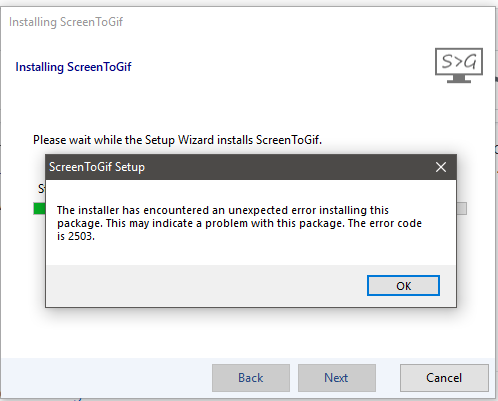
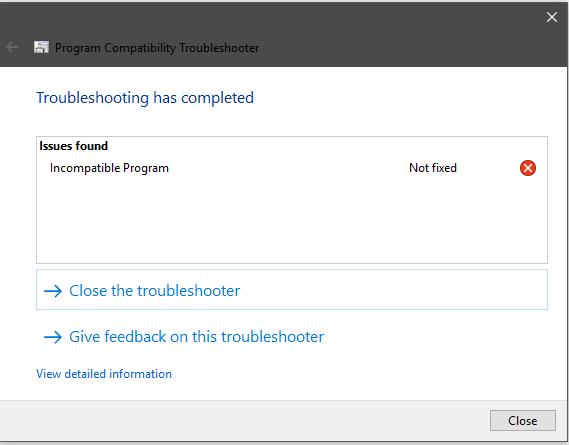
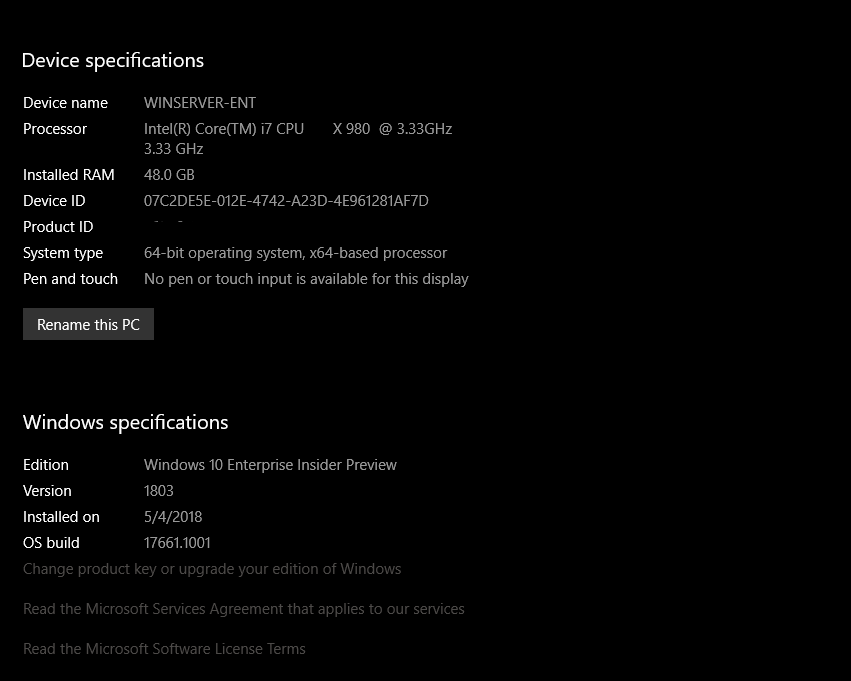
This is an upgrade to previous version not new install. Running the latest Windows 10 version 1803 build 17661.1001. The April 2018 final Redstone build on the Insider fast ring. After several failures rebooted and same error. Could need refactoring for Win 10 as this is the final before Redstone 5. Ran the Windows compatibility troubleshooter and returned incompatible program Attached error:
BTW great app, love it!
 GaalexxC
All 9 comments
Have you tried using the "Portable" install as a workaround?
 vatterspun
on 12 May 2018
vatterspun
on 12 May 2018
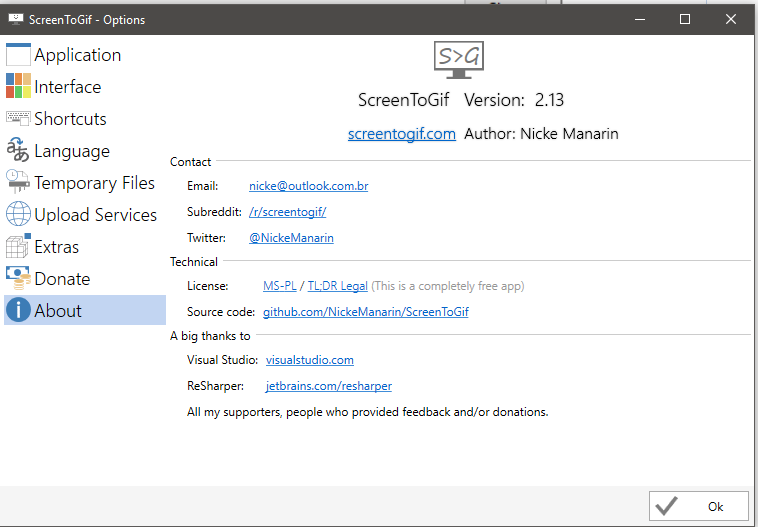
I am still able to use the previously installed version, 2.13, just unable to upgrade. Its working 100% fine so no big deal just wanted to make you aware of the upgrade issue.
GaalexxC
on 13 May 2018
I haven't seen this issue but now that I think about it I may not have the latest version. I'll try to retest in the coming week or two with the current version.
vatterspun
on 13 May 2018
Just some more info for you. I checked the error code 2503 and found some permissions and some other Windows installer issues associated with this code. I checked permissions as well as re-registered the Windows installer and restarted the Installer service. Also tried version 2.13.1 / 2.13.2 and had no luck, same issue. The Windows event logs had nothing more to say either just the error code, nothing more.
I was thinking about removing my version and trying a new install but worried I wouldn't be able to get it back in and really need it for screens of my work. I will keep on it and if I find anything or do happen to get it working will post. Thanks
GaalexxC
on 13 May 2018
Error code 2503 is:
2503, Called RunScript when not marked in progress.
One user added this as a possible solution:
Problem is in permissions on "C:\Windows\Temp" folder.
Somehow Administrators-Full Control is not enough.
Added permissions as "" - Changed permissions and that was all I needed to do, Installer worked again.
One other possible solution is to check if the system has a correct date.
 NickeManarin
on 13 May 2018
NickeManarin
on 13 May 2018
Bingo! The issue is with Win 10 when you use your MS login to access your machine it creates a new admin for your account which is YOU (msloginemail) So I had all Admins with full permissions but the YOU (msloginemail) wasn't in the list. Added YOU (msloginemail) with full permissions and it installed perfectly. Gotta love Windows....
Thanks Nicke!
GaalexxC
on 13 May 2018
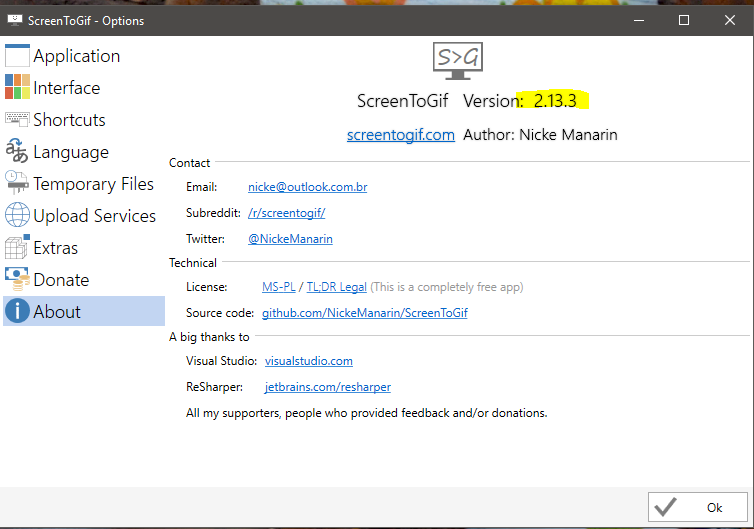
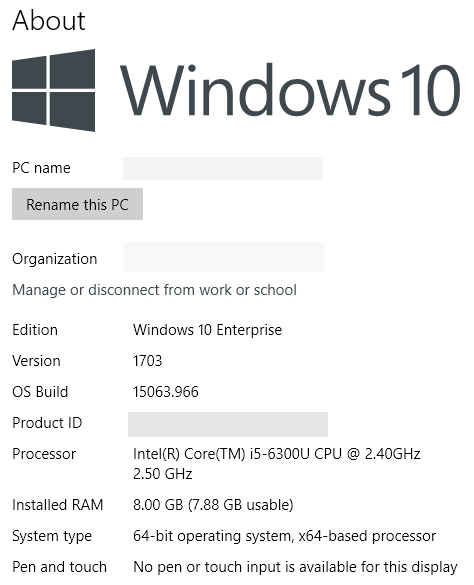
I guess this got resolved but I tested the installer version and it worked fine on my Win10x64 system. I did get an admin prompt, which might be part of the problem (I couldn’t take a screencap of it for some reason). Here’s my about screen:
vatterspun
on 13 May 2018
Version 1703 to 1803 major changes in Windows 10, almost a completely different OS matter of fact as it is a pre-requisite for Redstone 5 and I see many differences from previous builds. So I had no problem installing 2.13 many months ago before the Win 10 version upgrade last week to 1803. 95% of issues in Windows are permissions issues, too many users for an application when all you should have is the current logged in user as owner.
GaalexxC
on 14 May 2018
major changes in Windows 10, almost a completely different OS
I've heard frustrating from a number of other developers with the way Windows 10 makes drastic internal changes. It seems like previous versions of the OS attracted developers with being relatively stable and uniform, unlike the rapidly-changing MacOS and wide selection of Linux desktops. Now I wonder.
vatterspun
on 14 May 2018
Related issues
 hanzhangyu
·
3Comments
hanzhangyu
·
3Comments
 Kristinita
·
4Comments
Kristinita
·
4Comments
 AdKiller
·
5Comments
AdKiller
·
5Comments
 spyoungtech
·
4Comments
spyoungtech
·
4Comments
 alphestdev
·
4Comments
alphestdev
·
4Comments