Scratch-gui: Scrolling during custom block creation creates text misalignment
Two finger touchpad scrolling causes the text input field to become misaligned with the block being created. I have yet to test this with a wheeled mouse. I will report back later
Update: I have successfully reproduced the bug on an iMac. The issue appears to be due to small window/screens. The sweet spot to view the bug is when the screen is smaller than 1024x640px, and can be in either X or Y directions
Update 2: The bug also persists on Firefox and Safari
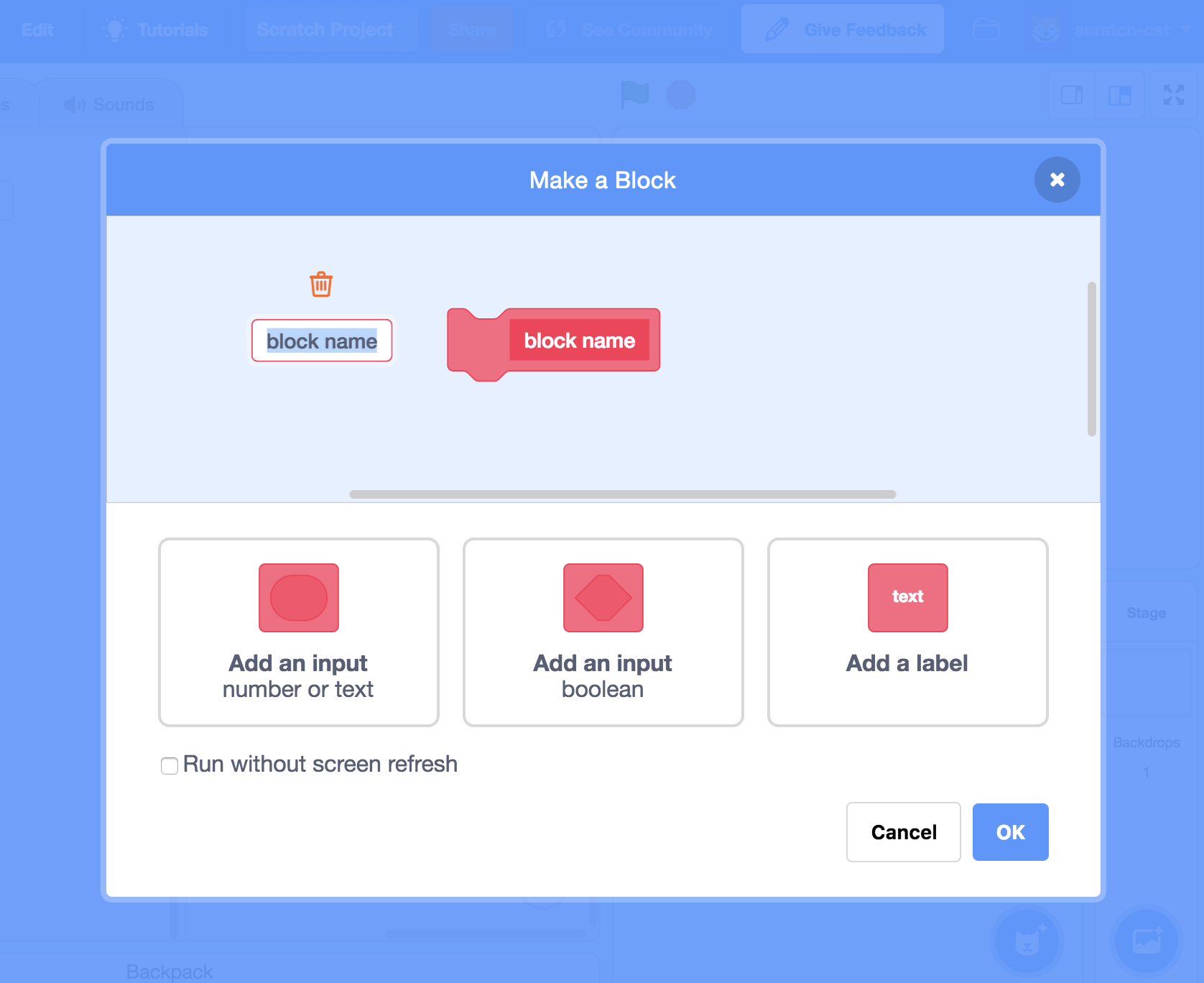
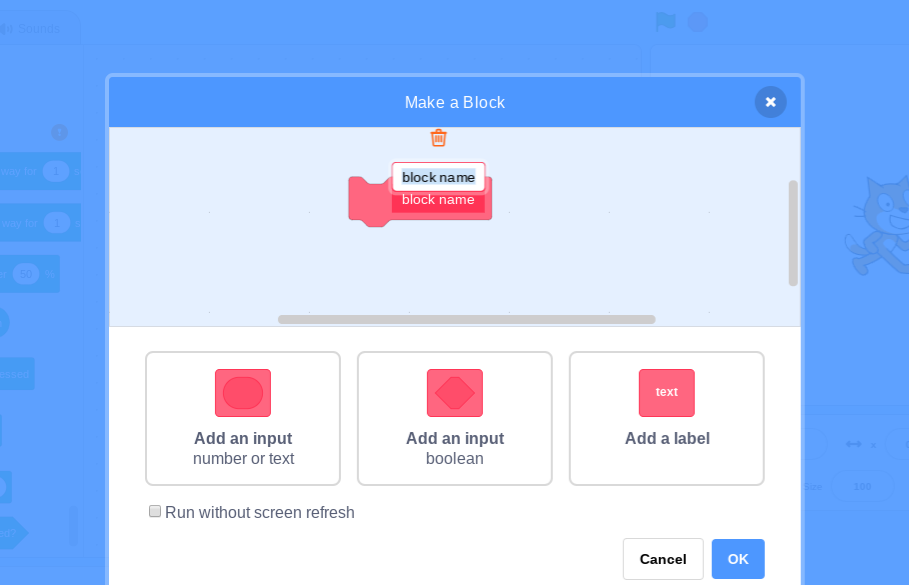
My browser / operating system: ChromeOS 10575.58.0, Chrome 67.0.3396.99, Flash 30.0 (release 0)
 ZenithRogue
All 12 comments
Are you using natural scrolling or not?
 MasterOfTheTiger
on 10 Sep 2018
MasterOfTheTiger
on 10 Sep 2018
Can't repro on Windows Chrome.
 kyleplo
on 11 Sep 2018
kyleplo
on 11 Sep 2018
Cannot reproduce on Firefox or Chrome on Fedora GNU/Linux.
MasterOfTheTiger
on 11 Sep 2018
I can't even reproduce it myself on Windows. It seems to be a Chrome OS isolated issue
ZenithRogue
on 12 Sep 2018
Very very odd. The Chrome on ChromeOS should behave the same way as on other platforms right?
MasterOfTheTiger
on 12 Sep 2018
Can't repro on Windows 10 Chrome 68
 Kenny2github
on 12 Sep 2018
Kenny2github
on 12 Sep 2018
It is really strange. It only happens with the two finger scrolling gesture on the mousepad. (chromeOS exclusive bug)
ZenithRogue
on 13 Sep 2018
Successfully repo. I just had to make the window smaller.
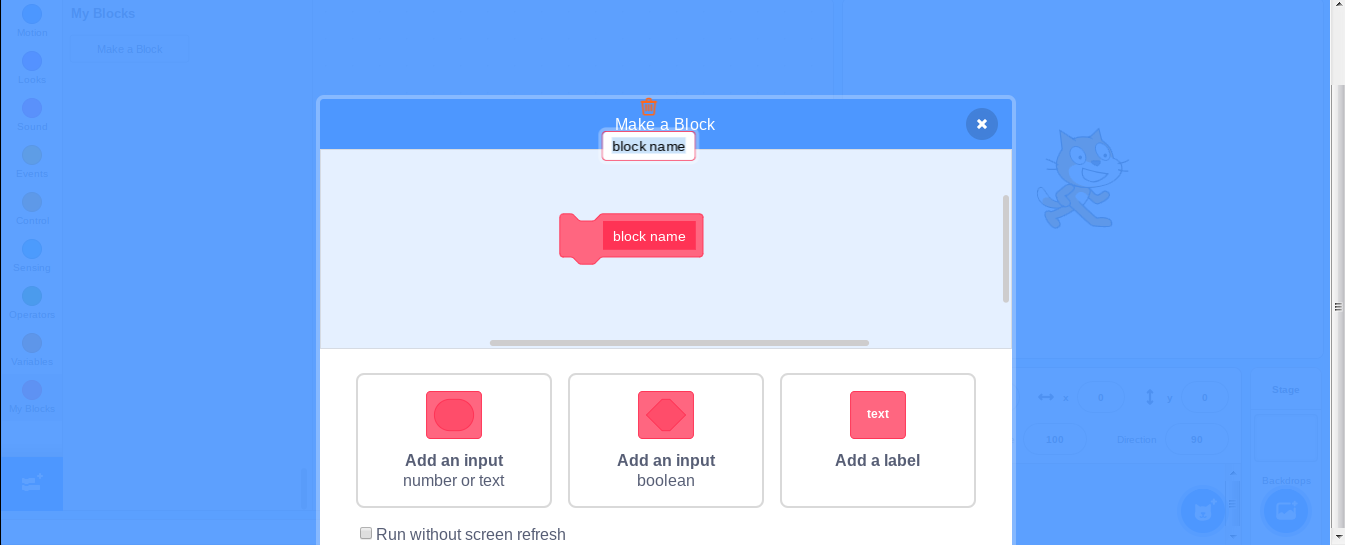
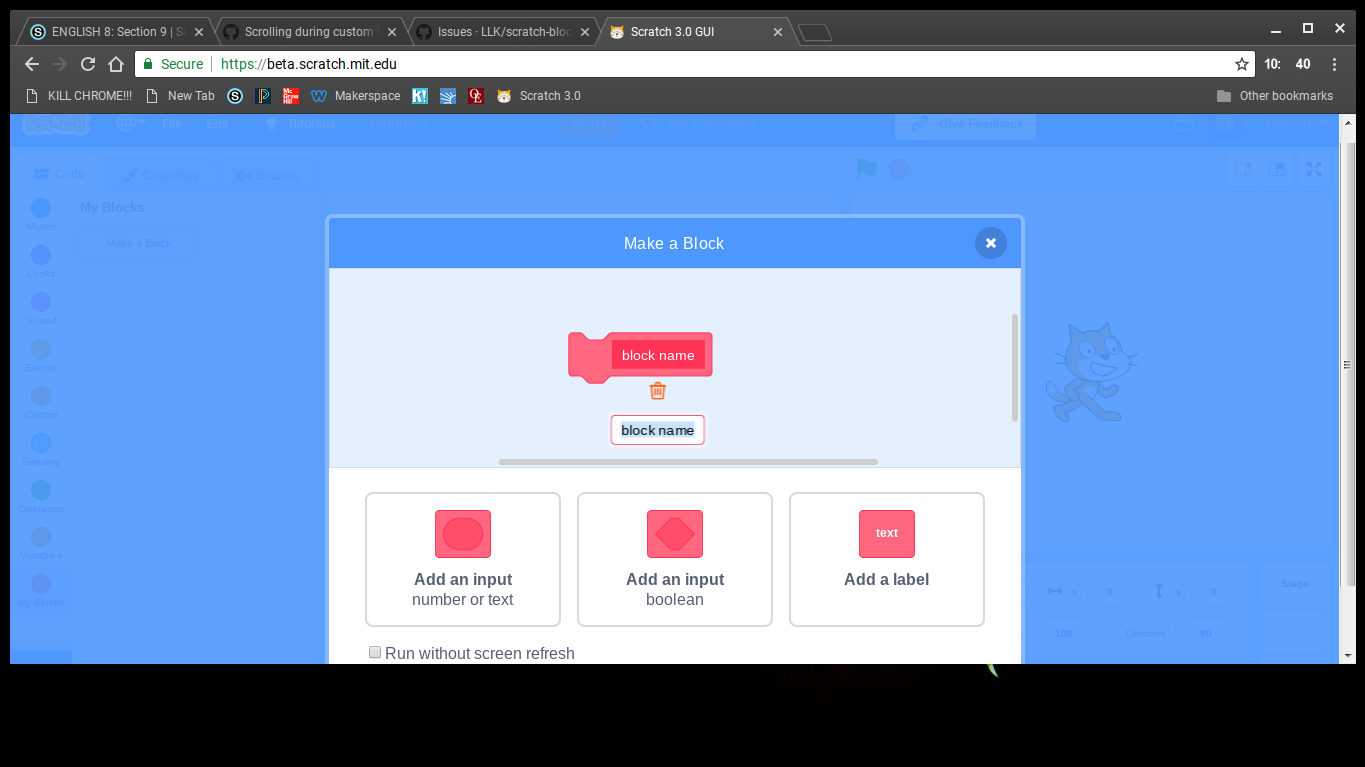
The text-box scrolls but the rest of the dialog does not.
 chexbox
on 13 Sep 2018
chexbox
on 13 Sep 2018
@chexbox How small in pixels does the screen have to be before the bug occurs?
How big is your display @NitroCipher?
MasterOfTheTiger
on 13 Sep 2018
Another successful reproduction! Whenever the available space is less than the editor takes up (1024px by 640px), this occurs when the editor for the block text is selected, and you scroll (at least with the touchpad).
MasterOfTheTiger
on 13 Sep 2018
@MasterOfTheTiger Yeah, just reproduced it myself on an iMac, and then your comment appeared. Smaller than 1024x640 is the glitches sweet spot. Updating the issue in a sec
ZenithRogue
on 13 Sep 2018
Successful repro on raspberry pi Chrome, and Firefox.
chexbox
on 14 Sep 2018
Related issues
 ericrosenbaum
·
4Comments
ericrosenbaum
·
4Comments
 MrBlockCat
·
4Comments
MrBlockCat
·
4Comments
 rschamp
·
3Comments
rschamp
·
3Comments
 thisandagain
·
4Comments
thisandagain
·
3Comments
thisandagain
·
4Comments
thisandagain
·
3Comments
Most helpful comment
Another successful reproduction! Whenever the available space is less than the editor takes up (1024px by 640px), this occurs when the editor for the block text is selected, and you scroll (at least with the touchpad).