Scratch-gui: Menu system for adding media (e.g. "Add Sprite")
Overview
The current design for adding media to the editor was temporary and not scalable to support all the necessary functionality and localization.
For example, "Add Sprite" within the Sprite list only supports adding a Sprite from the library, but eventually it will need to support adding Sprites from file upload, capture from camera, and blank sprite that opens the Paint Editor.
While most of these features are not slated for development in the near future, we need to design a system to handle the larger set of features.
2.0 Functionality
For this pass we are going to exclude that "Add to Costume" functionality. This UI needs more consideration.
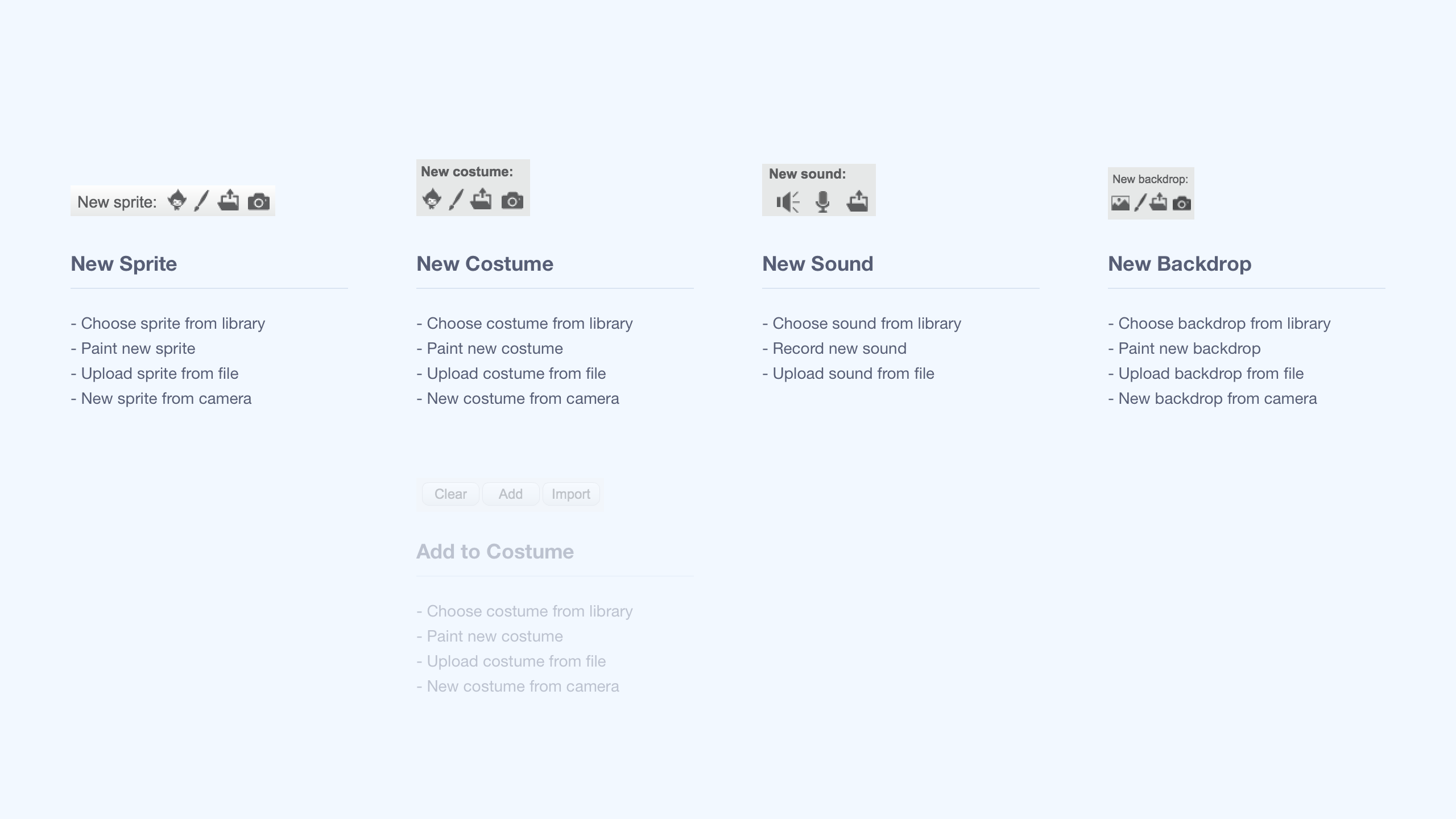
3.0 Functionality
With some adding features we will want to include a placeholder until feature the full lands. All these features are called out.
New Sprite
- [ ] Spite Library
- [ ] Surprise (Random sprite from library)
- [ ] File Upload
- Place holder until feature lands
- [ ] Camera Capture
- Place holder until feature lands
- [ ] Paint Editor (New Sprite with new blank Costume)
New Stage
- [ ] Backdrop Library
- [ ] Surprise (Random backdrop from library)
- [ ] File Upload
- Place holder until feature lands
- [ ] Camera Capture
- Place holder until feature lands
- [ ] Paint Editor (New Backdrop with new blank Costume)
New Costume / Backdrop in Paint Editor
- [ ] Costume or Backdrop Library (depending on selected object)
- [ ] Surprise (Random costume/backdrop from library depending on selected object)
- [ ] New Blank Costume or Backdrop (depending on selected object)
- [ ] File Upload
- Place holder until feature lands
- [ ] Camera Capture
- Place holder until feature lands
Add to Current Costume in Paint Editor
Address separately
- File upload
- From library
New Sound in Editor
- [ ] Sound Library
- [ ] Surprise (Random sound from library)
- [ ] File Upload
- Place holder until feature lands
- [ ] Record Sound
 carljbowman
All 6 comments
3.0 System Overview
A collapsable menu based on material design. Something that does not bury the decision into a modal like 1.4, but also do not have all the options at the surface level like 2.0. The system also takes into account buttons overlapping with sprite/costume/sound tiles, increasing visibility (while maintaining a balanced UI hierarchy), and scalable UI for longer localized strings.
Desktop should open menus on hover.
Touch environments should open menus on tap.
Copy / Language
All copy and language (e.g. "Paint") is subject to change.
@carljbowman to confirm language for all add types
Assets
_Some icons have been modified and are out of sync with the mocks, that's okay. The icons in the ZIP are the most up-to-date._
Sketches
All Menus (Closed)

New "Closed Menu" styling: removing the "Add XYZ" text from under the icon, place the icon in a 40px by 40px rounded container with blue background. This will help the add menus pop out a bit more and appear above Sprite/Costume/Sound tiles…
Add Sprite Menu (Open) > Hover over Paint
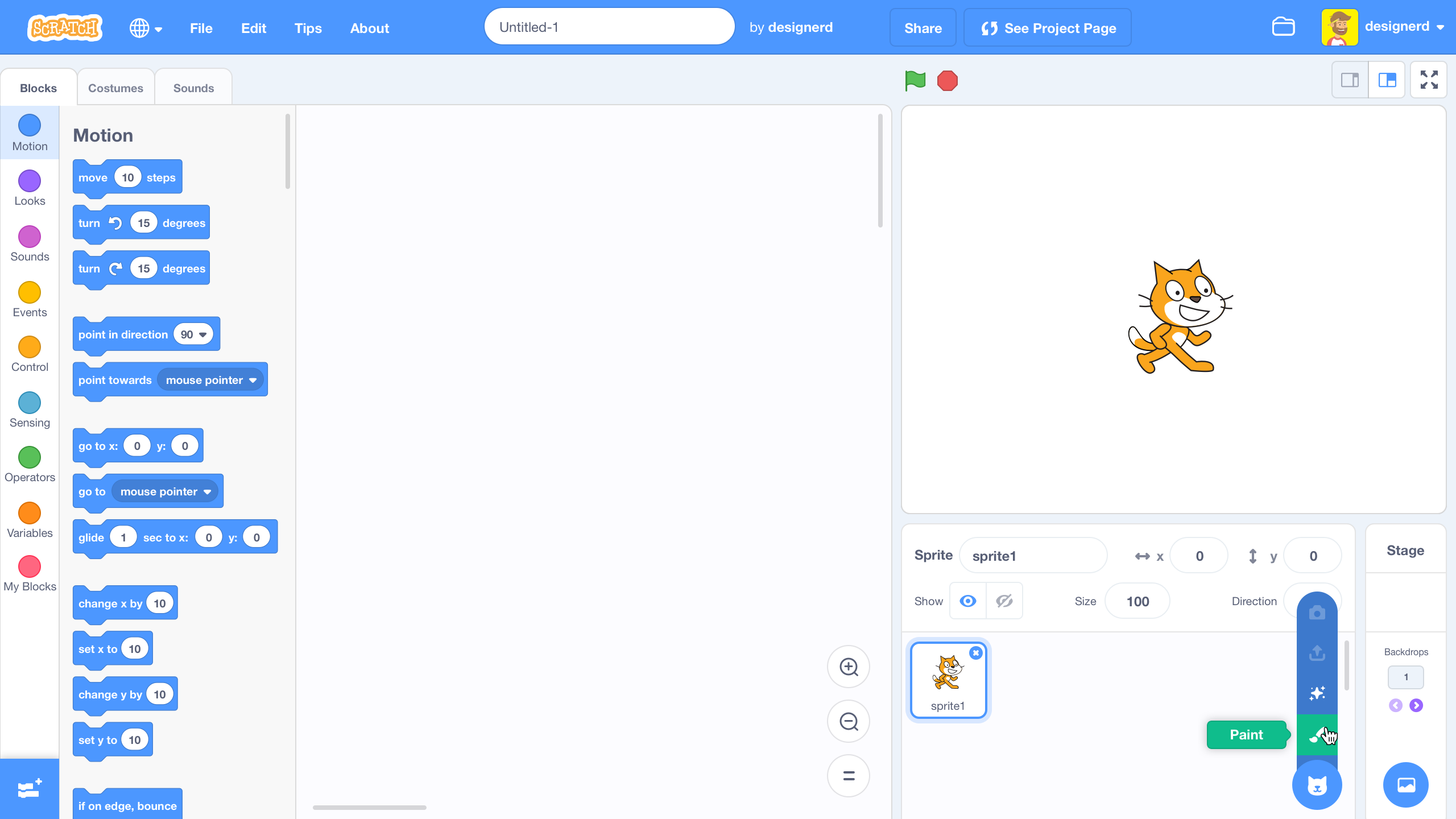
On hover the menu should open and show the addtional options for adding. In the case of the adding a sprite, here are the menu options in order from top to bottom:
- Sprite by Camera (inactive placeholder)
- Sprite by File Upload (inactive placeholder)
- Sprite by Suprise
- Sprite by Paint New
- Sprite by Library (Round Icon)
Animation Study
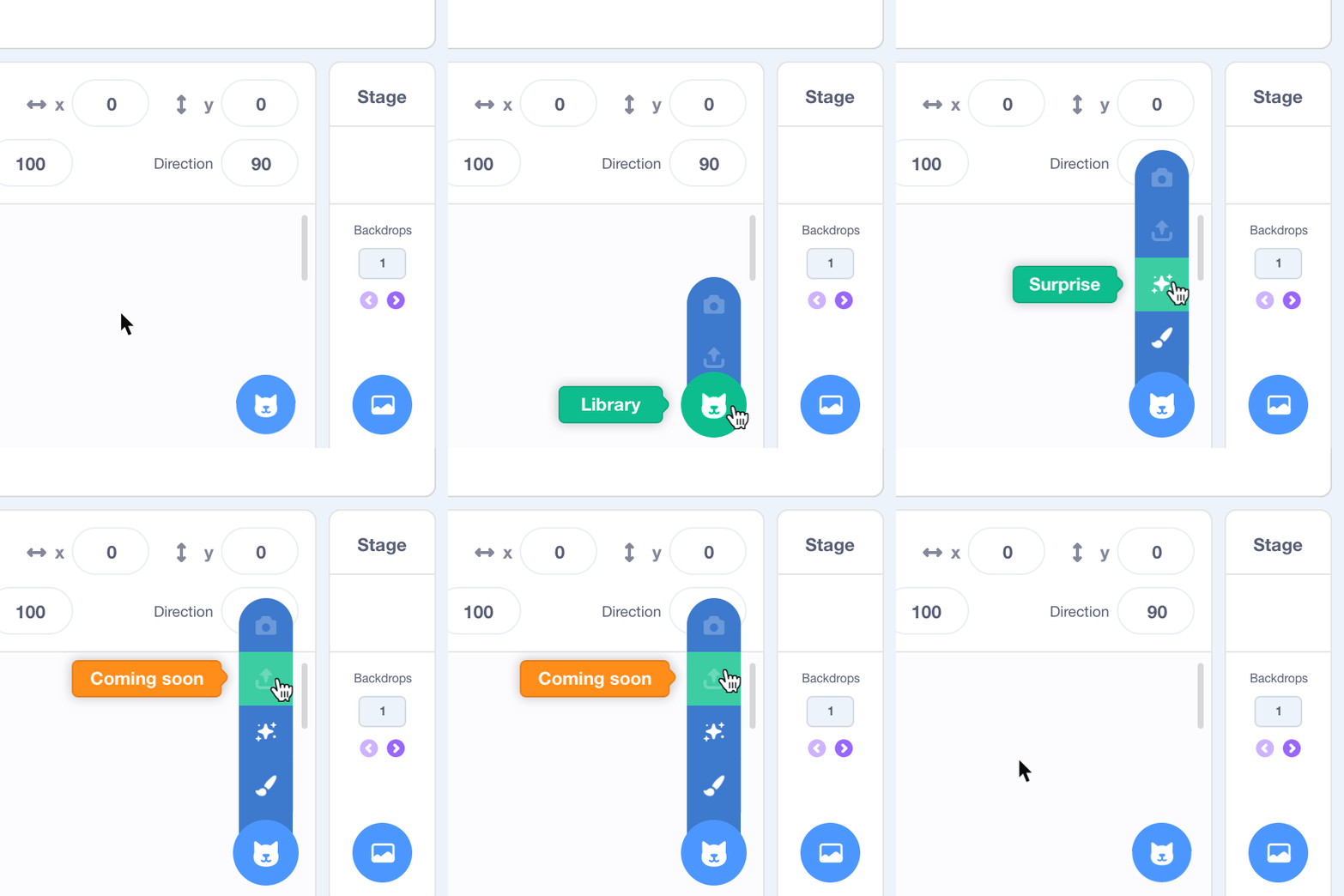
Add Sprite Menu (Open) > Hover over File Upload

Until we have features, when hovering over a inative placeholder (e.g. File Upload) a tooltip should be displayed.
Add Backdrop Menu (Open) > Hover over Surprise
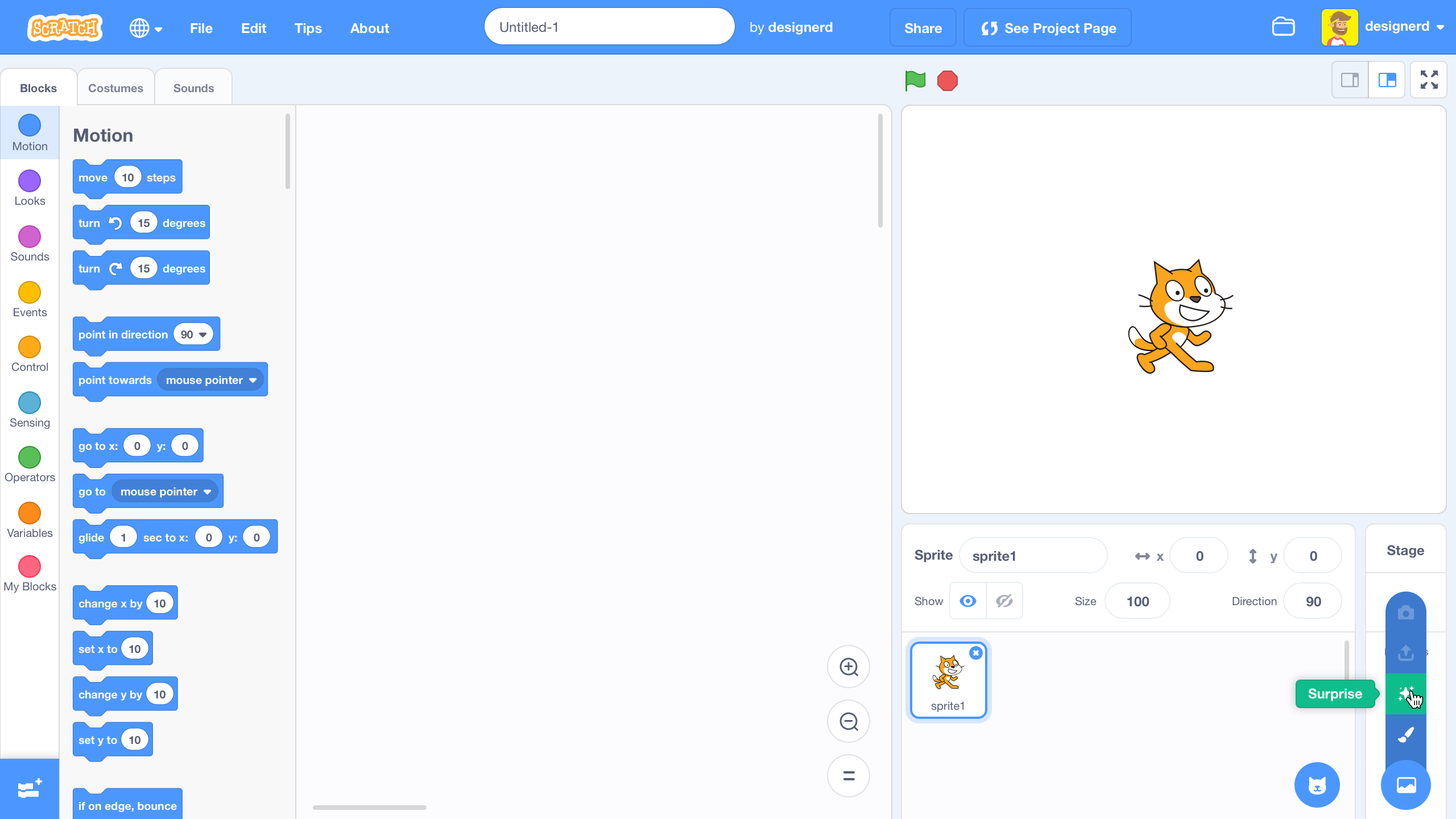
Add Costume Menu (Open) > Hover over Paint
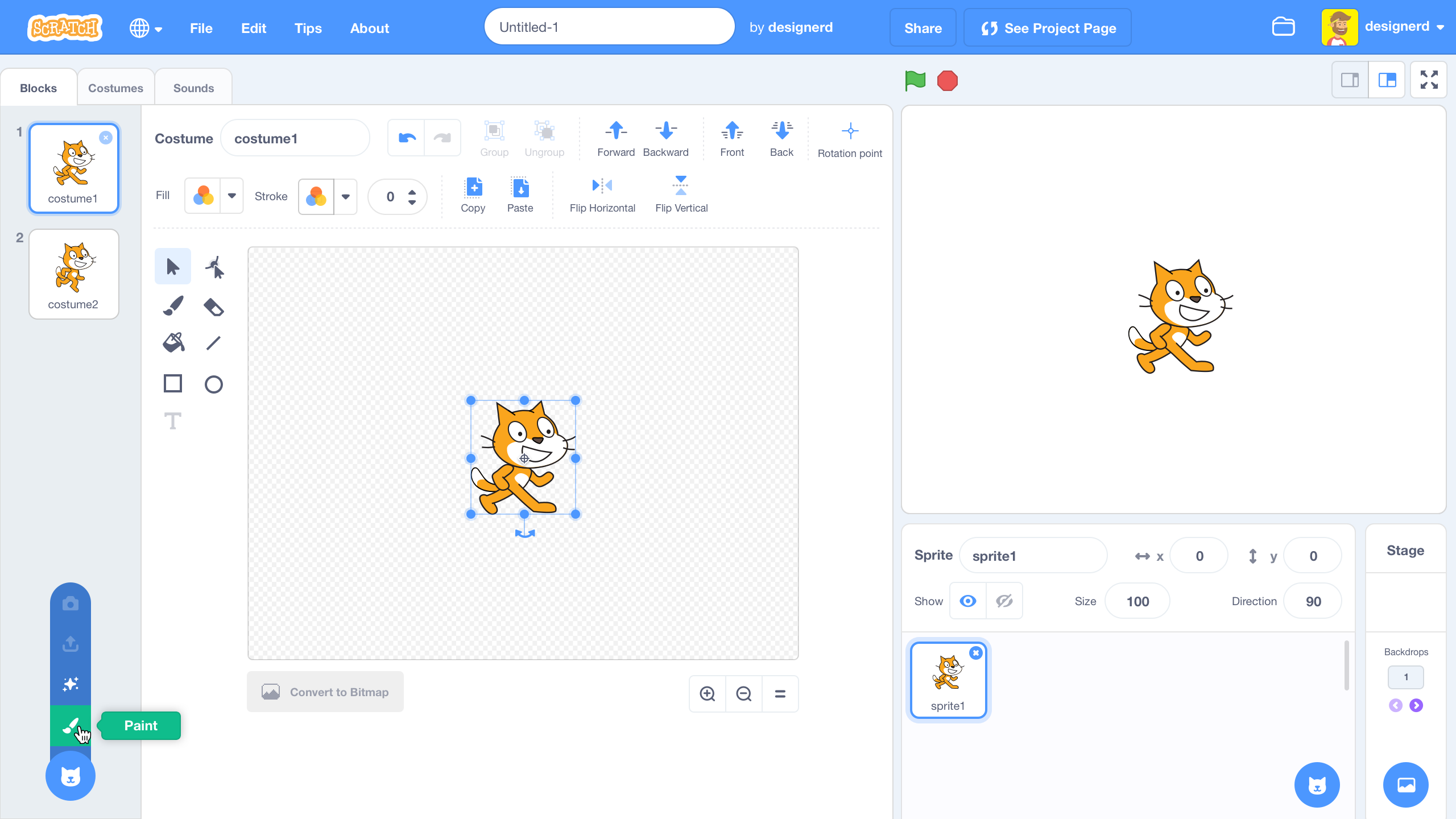
This is the same when viewing backdrops on the Stage within the paint Editor.
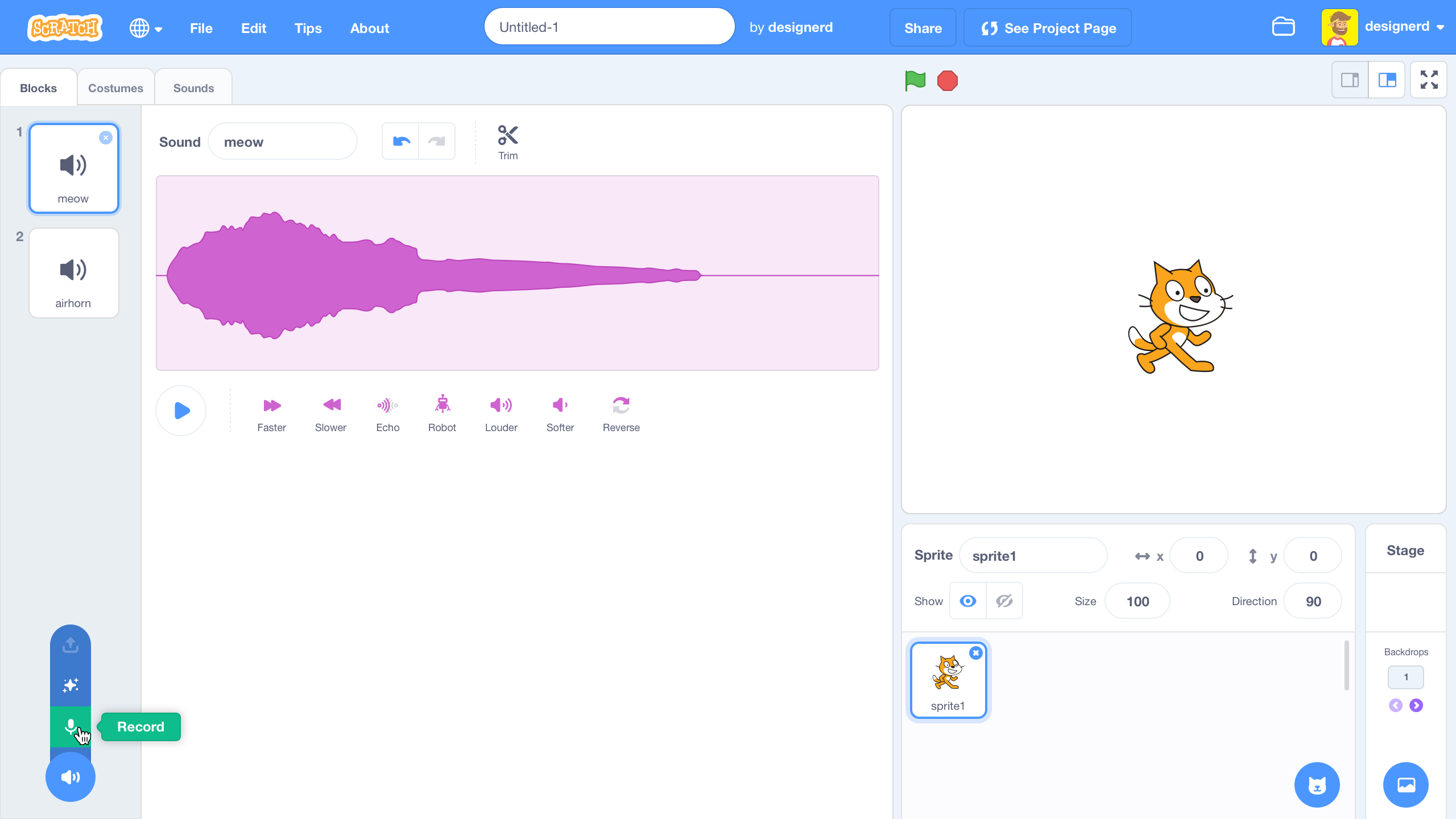
Add Sound Menu (Open) > Hover over Record
carljbowman
on 18 Jan 2018
Cool! I have a couple of thoughts
- Maybe there should be a + in all the icons, since the cat bubble looks kind of cryptic
- What about the discoverability of the hover options on touch screens?
- The tunnel you have to keep your mouse in is kind of long and it might be annoying to hit the top button
 fsih
on 18 Jan 2018
fsih
on 18 Jan 2018
Surprise
(The screenshots for these seem to be incorrect? The mouse is over the "Paint" icon, not the sparkles icon.)
🎉 #226 🎉
 towerofnix
on 18 Jan 2018
towerofnix
on 18 Jan 2018
The tunnel you have to keep your mouse in is kind of long and it might be annoying to hit the top button
Agreed, I've struggled with this kind of menu a lot using a mouse, but this design is really pretty and a wider design or a fan might introduce its own problems. Would clicking the cat button keep the menu open? Would it stay open while the mouse is down? Maybe the hit area could be larger than the visible menu, or it could take a second to disappear after mouseout?
 mrjacobbloom
on 19 Jan 2018
mrjacobbloom
on 19 Jan 2018
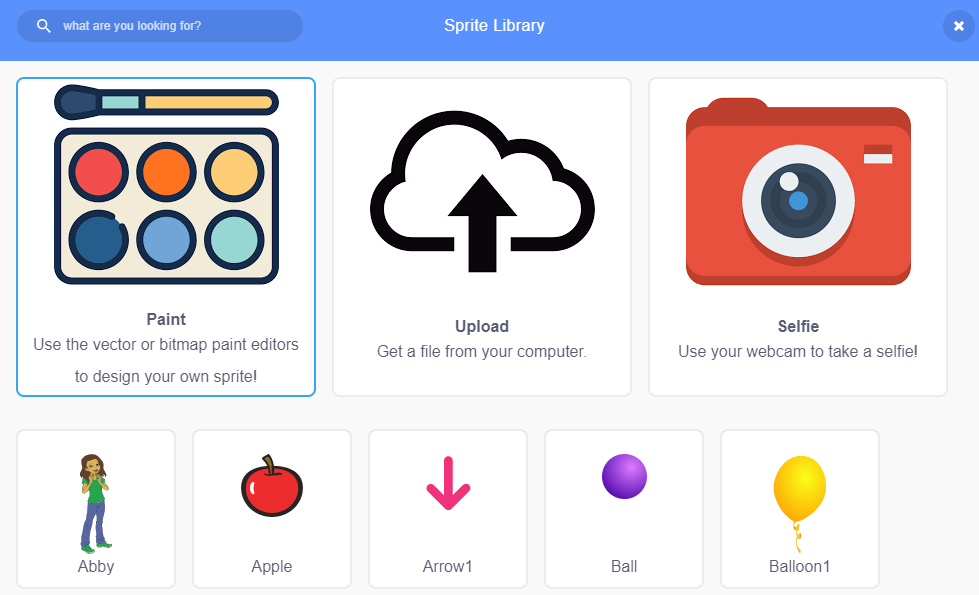
Here is another idea:
 kyleplo
on 19 Jan 2018
kyleplo
on 19 Jan 2018
@paulkaplan Added to February iteration, but the sooner we can get at least the icons updated with the new blue backgrounds the better.
 thisandagain
on 30 Jan 2018
thisandagain
on 30 Jan 2018
Related issues
thisandagain
·
3Comments
 ericrosenbaum
·
4Comments
ericrosenbaum
·
4Comments
 rschamp
·
4Comments
ericrosenbaum
·
3Comments
thisandagain
·
4Comments
rschamp
·
4Comments
ericrosenbaum
·
3Comments
thisandagain
·
4Comments
Most helpful comment
3.0 System Overview
A collapsable menu based on material design. Something that does not bury the decision into a modal like 1.4, but also do not have all the options at the surface level like 2.0. The system also takes into account buttons overlapping with sprite/costume/sound tiles, increasing visibility (while maintaining a balanced UI hierarchy), and scalable UI for longer localized strings.
Desktop should open menus on hover.
Touch environments should open menus on tap.
Copy / Language
All copy and language (e.g. "Paint") is subject to change.
@carljbowman to confirm language for all add types
Assets
Add Media Icons.zip
_Some icons have been modified and are out of sync with the mocks, that's okay. The icons in the ZIP are the most up-to-date._
Sketches
All Menus (Closed)
New "Closed Menu" styling: removing the "Add XYZ" text from under the icon, place the icon in a 40px by 40px rounded container with blue background. This will help the add menus pop out a bit more and appear above Sprite/Costume/Sound tiles…
Add Sprite Menu (Open) > Hover over Paint
On hover the menu should open and show the addtional options for adding. In the case of the adding a sprite, here are the menu options in order from top to bottom:
Animation Study
Add Sprite Menu (Open) > Hover over File Upload
Until we have features, when hovering over a inative placeholder (e.g. File Upload) a tooltip should be displayed.
Add Backdrop Menu (Open) > Hover over Surprise
Add Costume Menu (Open) > Hover over Paint
This is the same when viewing backdrops on the Stage within the paint Editor.
Add Sound Menu (Open) > Hover over Record