Scout: Make Matchmaker matches page more compact
Not it looks like this:
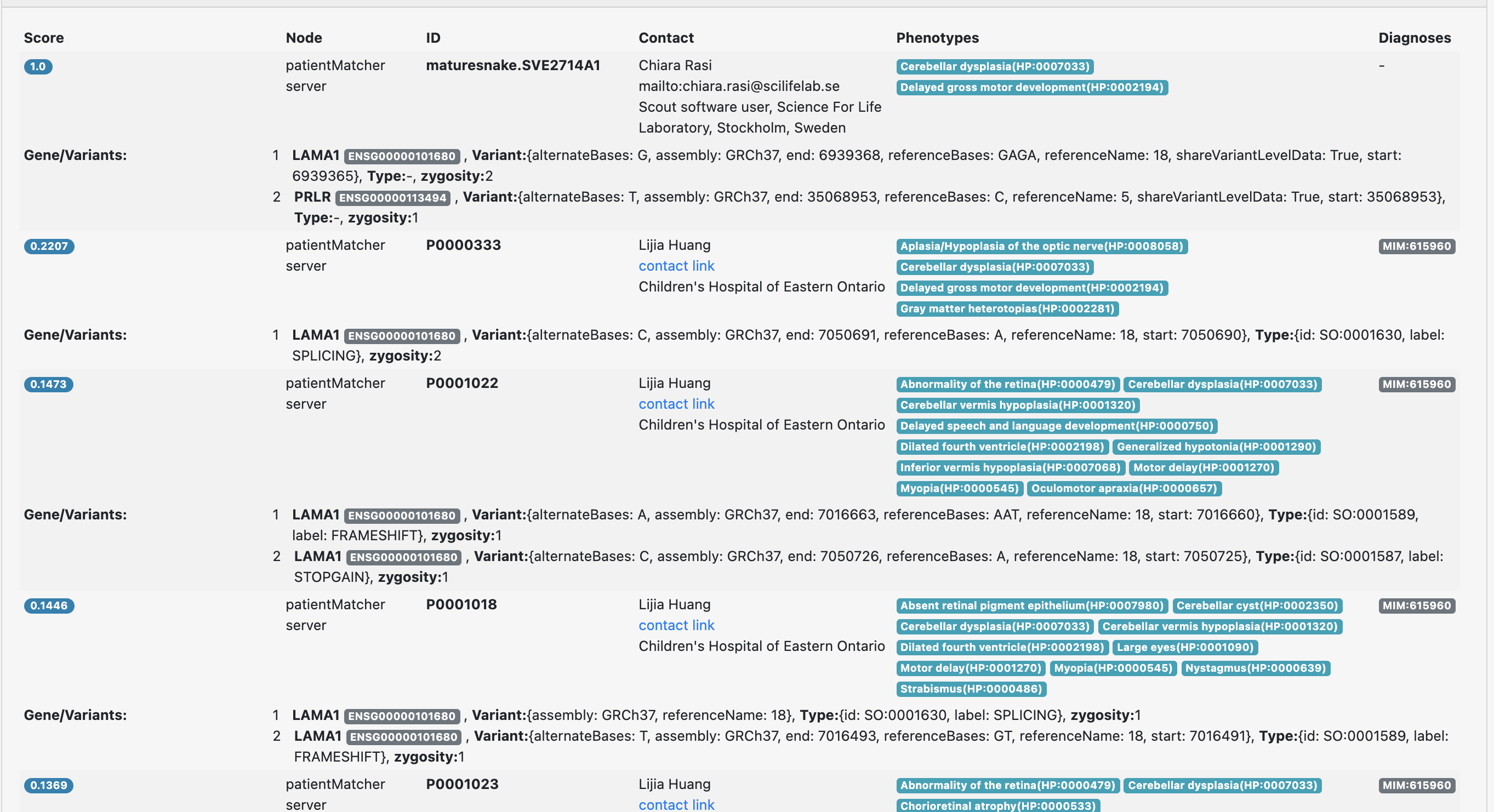
You get a bit lost in the results.
Perhaps it's enough is the matching patients are foldable
 northwestwitch
All 8 comments
I'm thinking about a way to simulate an environment to help you fix this one @moedarrah.
To give you an idea how real pages with MatchMaker results look like we need to:
- [x] Grant you permissions to use MatchMaker on stage and then you'll have access to a case with matches.
- [ ] Develop locally connecting Scout to a local image of the MatchMaker
northwestwitch
on 11 May 2021
@moedarrah now it should work for you to use the MatchMaker. You can check this case here: https://scout-stage.scilifelab.se/cust101/A1383. Click on the MatchMaker link on the sidebar of the case:
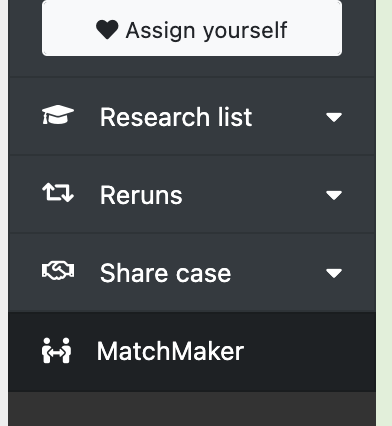
From there you can see past matches.
northwestwitch
on 11 May 2021
I've fixed the port issue in the MatchMaker, you should be able to connect it to your local scout following these steps:
Running the MatchMaker demo app:
git clone https://github.com/Clinical-Genomics/patientMatcher.gitcd patientMatcherdocker-compose up
Fixing Scout to connect to the MatchMaker -from within Scout repo:
Edit scout/server/config.py by adding these lines:
MME_ACCEPTS = "application/vnd.ga4gh.matchmaker.v1.0+json"
MME_URL = "http://localhost:9020"
MME_TOKEN = "custom_token"
Granting your local user access over the MatchMaker feature
From another terminal, while the Scout docker-compose still runs
docker-compose -f docker-compose-dev.yml run scout-cli scout --host mongodb --demo update user -u [email protected] -r mme_submitter
northwestwitch
on 11 May 2021
I've just figured out why sending the patient from docker Scout to Docker PatientMatcher doesn't work! It's because if you tell Scout container that the PatientMatcher has address 127.0.0.1:9020 then it will send the request to its own localhost (inside the container) and not the localhost of your machine. I think it's an easy fix. OMG all this stuff! 🙄
northwestwitch
on 11 May 2021
I've spent some time on the issue from the comment above, but I've realized that is actually quite complicated, because if you tell the Scout docker-compose to use localhost instead of the internal network, then it's using it also for the database connection, resulting in all mongodb-related things not to work.
Perhaps it can be done, but I think the easiest just for the sake of creating an environment for testing this PR, would be to actually merge the docker-compose files from Scout and from PatientMatcher to have everything into 1.
You could try to do that @moedarrah and see what comes out. If you have everything in the same file then it shouldn't be a problem any more to send requests out of the container.
northwestwitch
on 11 May 2021
I will test it!
 moedarrah
on 11 May 2021
moedarrah
on 11 May 2021
Here is a docker-compose file that combines Scout and PatientMatcher. I've added also the command the grants the MatchMaker permission to the Scout user so it should create a complete test environment for Scout connected to the MatchMaker:
version: '3'
# usage:
# sudo docker-compose up
services:
  mongodb:
    # Lightweight Docker image for MongoDB which makes it easy to create:
    # - admin
    # - database
    # - database user with password
    # when the container is first launched.
    image: vepo/mongo
    container_name: mongo
    networks:
      - custom-net
    environment:
      - AUTH=y
      - ADMIN_USER=root
      - ADMIN_PASS=admin123
      - APPLICATION_DATABASE=pmatcher
      - APPLICATION_USER=pmUser
      - APPLICATION_PASS=pmPassword
    ports:
      - '27013:27017'
    expose:
      - '27017'

  pmatcher-cli:
    container_name: pmatcher-cli
    image: clinicalgenomics/patientmatcher
    environment:
      MONGODB_HOST: mongodb
      PMATCHER_CONFIG: '/home/worker/app/patientMatcher/patientMatcher/instance/config.py'
    depends_on:
      - mongodb
    networks:
      - custom-net
    command: bash -c "pmatcher add client -id test_client -token custom_token -url custom_url && pmatcher add demodata --ensembl_genes"

  pmatcher-web:
    container_name: pmatcher-web
    image: clinicalgenomics/patientmatcher
    environment:
      MONGODB_HOST: mongodb
      PMATCHER_CONFIG: '/home/worker/app/patientMatcher/patientMatcher/instance/config.py'
    depends_on:
      - mongodb
    networks:
      - custom-net
    ports:
      - '9020:9020'
    expose:
      - '9020'
    command: bash -c 'pmatcher run --host 0.0.0.0 -p 9020'

  scout-cli:
    build: .
    container_name: scout-cli
    command: bash -c "
      scout --host mongodb setup demo
      && scout --host mongodb --demo update user -u [email protected] -r mme_submitter"
    volumes:
      - ./scout:/home/worker/app/scout
      - ./volumes/scout/data:/home/worker/data
    depends_on:
      - mongodb
    networks:
      - custom-net

  scout-web:
    build: .
    container_name: scout-web
    expose:
      - '5000'
    ports:
      - '5000:5000'
    command: scout --host mongodb --demo serve --host 0.0.0.0
    volumes:
      - ./scout:/home/worker/app/scout
      - ./volumes/scout/data:/home/worker/data
    depends_on:
      - mongodb
      - pmatcher-web
    networks:
      - custom-net

networks:
  custom-net:
    driver: bridge
    ipam:
      driver: default
      config:
        - subnet: 172.21.0.0/24
To make it work you should modify the scout config file by adding the following lines:
MME_ACCEPTS = "application/vnd.ga4gh.matchmaker.v1.0+json"
MME_URL = "http://pmatcher-web:9020"
MME_TOKEN = "custom_token"
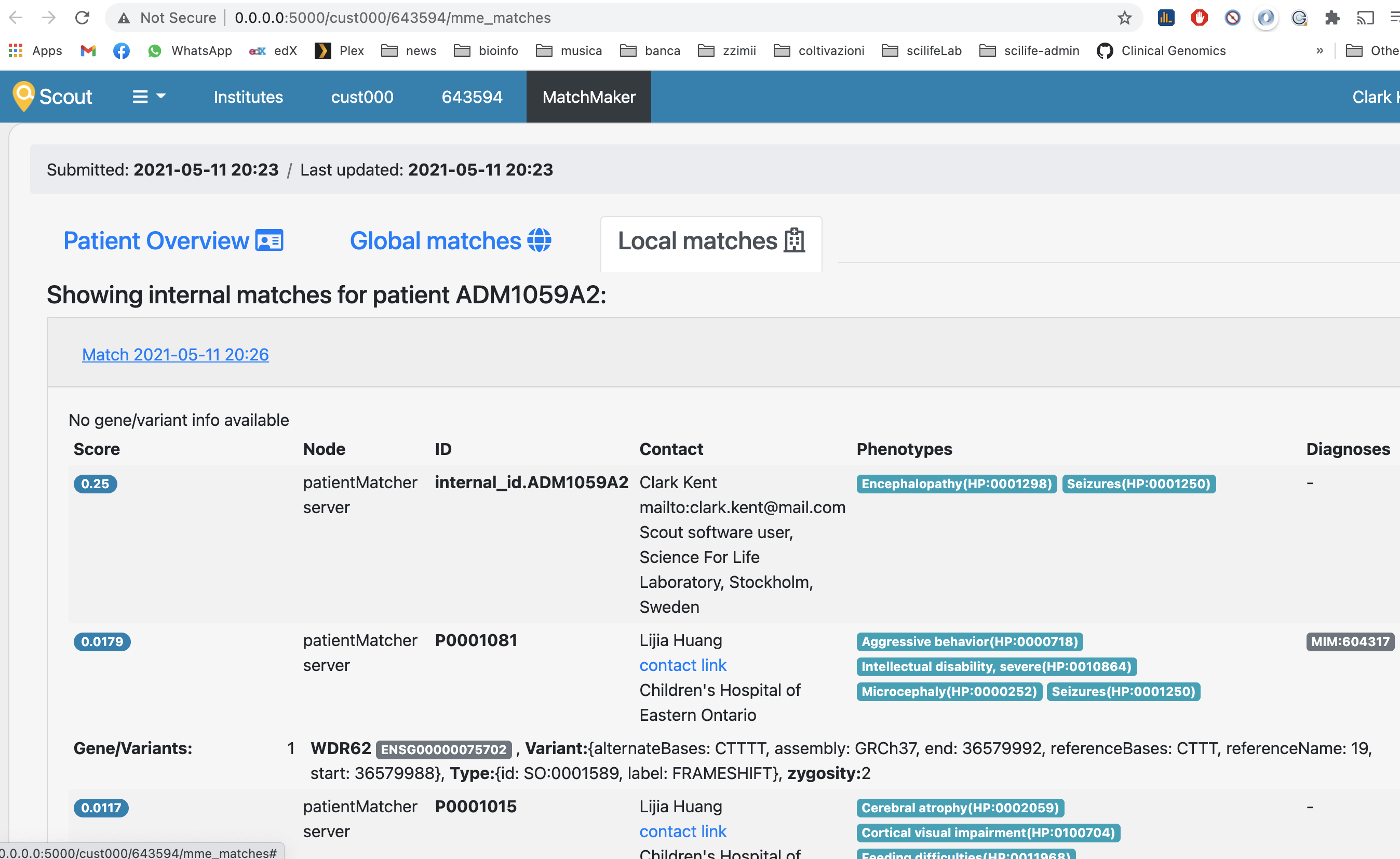
Tadaaa:
northwestwitch
on 11 May 2021
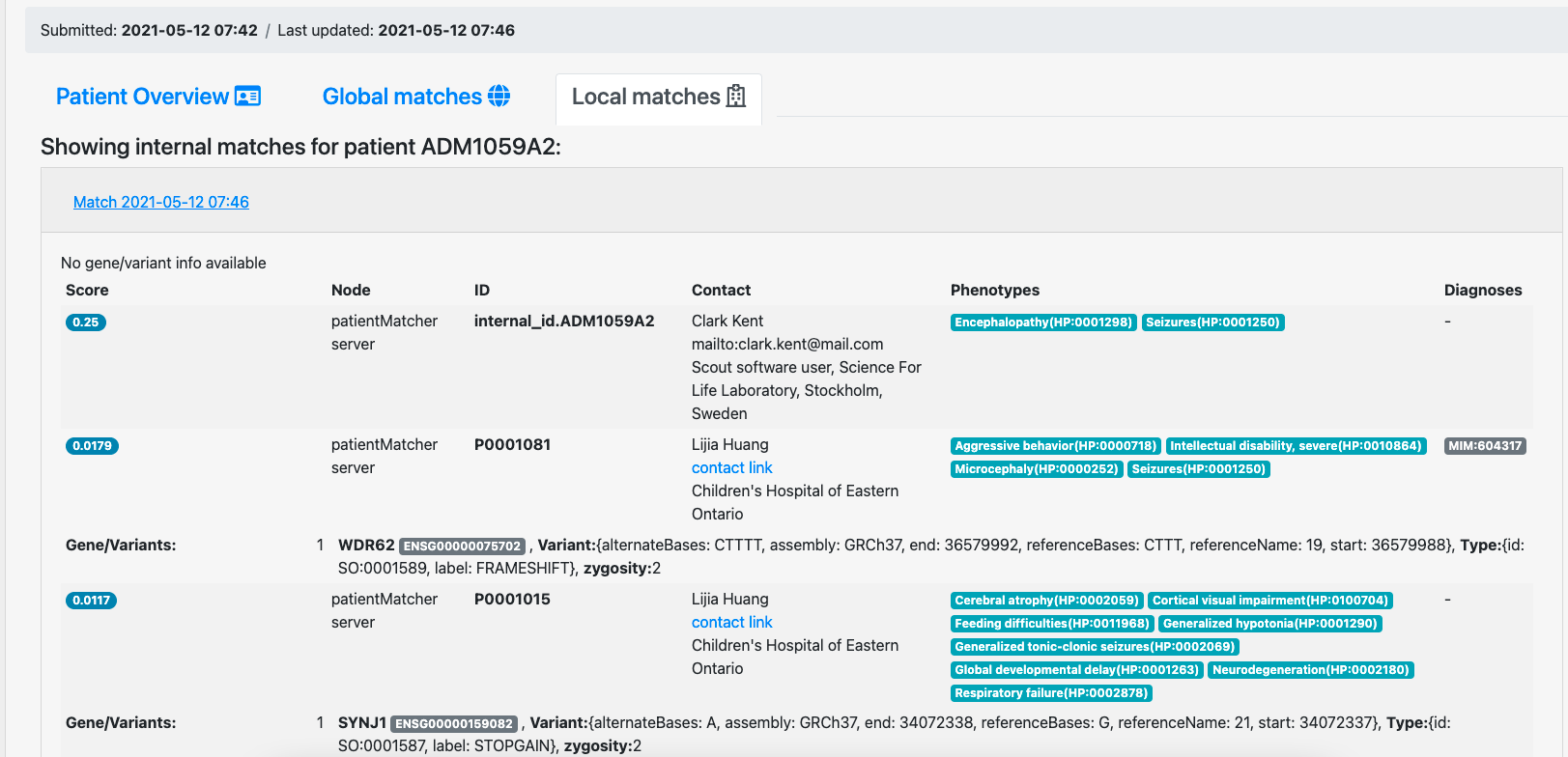
It works!
moedarrah
on 12 May 2021
Related issues
 1ctw
·
5Comments
1ctw
·
5Comments
 hassanfa
·
3Comments
hassanfa
·
3Comments
 andreaswallberg
·
4Comments
andreaswallberg
·
4Comments
 KickiLagerstedt
·
5Comments
KickiLagerstedt
·
5Comments
 dnil
·
3Comments
dnil
·
3Comments
Most helpful comment
I've just figured out why sending the patient from docker Scout to Docker PatientMatcher doesn't work! It's because if you tell Scout container that the PatientMatcher has address 127.0.0.1:9020 then it will send the request to its own localhost (inside the container) and not the localhost of your machine. I think it's an easy fix. OMG all this stuff! 🙄