Sceneform-android-sdk: Change scale and proportions of renderable at runtime
Hi,
I want to change the scale of a renderable at runtime, but stretch the proportions at the same time. For example by applying a Vector3(1,5,10). My attempts just result in a scaled renderable, but the proportions remain the same. (Andy is not stretched.)
I would also like to stretch a primitive cube from the ShapeFactory, but it does not work. Has anyone an idea?
What I have tried so far: Changing the scale and proportions as well as the texture, on button click:
// create a primitive cube with material and texture
MaterialFactory.makeOpaqueWithTexture(this, myTexture)
              .thenAccept(
                      material -> {
                          boxRenderable = ShapeFactory.makeCube(
                                  new Vector3(0.1f,0.1f,0.1f),
                                    new Vector3(0,0,0),
                                  material
                          );
                      }
              )
              .exceptionally(
                      throwable -> {
                          Toast toast =
                                  Toast.makeText(this, "Unable to make cube. material", Toast.LENGTH_LONG);
                          toast.setGravity(Gravity.CENTER, 0, 0);
                          toast.show();
                          return null;
                      }
              );

// on button click, the following method is called:
private void changeTexture(){

      // build the texture for texture change
      CompletableFuture<Texture> futureTexture2 = Texture.builder()
              .setSource(this, R.drawable.metaioman)
              .build();

      try {
          secondTexture = futureTexture2.get();
      } catch (InterruptedException e) {
          e.printStackTrace();
      } catch (ExecutionException e) {
          e.printStackTrace();
      }


     boxNode.setParent(null);
      boxNode.setLocalScale(new Vector3(0.5f,0.3f,0.1f));
      boxNode.setParent(anchorNode);

      // change the original texture
      boxRenderable.getMaterial().setTexture(MaterialFactory.MATERIAL_TEXTURE, secondTexture);

  }
 Berenice2018
All 7 comments
Can you share what you are seeing? I added
andy.setLocalScale(new Vector3(2,4,2));
To the HelloSceneform sample and Andy was taller and skinnier:

 claywilkinson
on 16 Jul 2018
claywilkinson
on 16 Jul 2018
Hi @claywilkinson ,
Thanks for your response. Where did you add that line of code? I added it in the setOnTapArPlaneListener():
 protected void onCreate(Bundle savedInstanceState) {
        super.onCreate(savedInstanceState);

        if (!checkIsSupportedDeviceOrFinish(this)) {
            return;
        }

        setContentView(R.layout.activity_ux);
        arFragment = (ArFragment) getSupportFragmentManager().findFragmentById(R.id.ux_fragment);

        // When you build a Renderable, Sceneform loads its resources in the background while returning
        // a CompletableFuture. Call thenAccept(), handle(), or check isDone() before calling get().
        ModelRenderable.builder()
                .setSource(this, R.raw.andy)
                .build()
                .thenAccept(renderable -> andyRenderable = renderable)
                .exceptionally(
                        throwable -> {
                            Toast toast =
                                    Toast.makeText(this, "Unable to load andy renderable", Toast.LENGTH_LONG);
                            toast.setGravity(Gravity.CENTER, 0, 0);
                            toast.show();
                            return null;
                        });

        arFragment.setOnTapArPlaneListener(
                (HitResult hitResult, Plane plane, MotionEvent motionEvent) -> {
                    if (andyRenderable == null) {
                        return;
                    }

                    // Create the Anchor.
                    Anchor anchor = hitResult.createAnchor();
                    AnchorNode anchorNode = new AnchorNode(anchor);
                    anchorNode.setParent(arFragment.getArSceneView().getScene());

                    // Create the transformable andy and add it to the anchor.
                    TransformableNode andy = new TransformableNode(arFragment.getTransformationSystem());
                    andy.setLocalScale(new Vector3(2,4,2));
                    andy.setParent(anchorNode);
                    andy.setRenderable(andyRenderable);
                    andy.select();
                });
    }
Andy in the result is not stretched:

It is the same (no stretched cube) , if I instantiate a cube with ShapeFactory and try to change the scale on button click after unparenting the node as in my code of my initial post. The cube looks like:
Before button click:
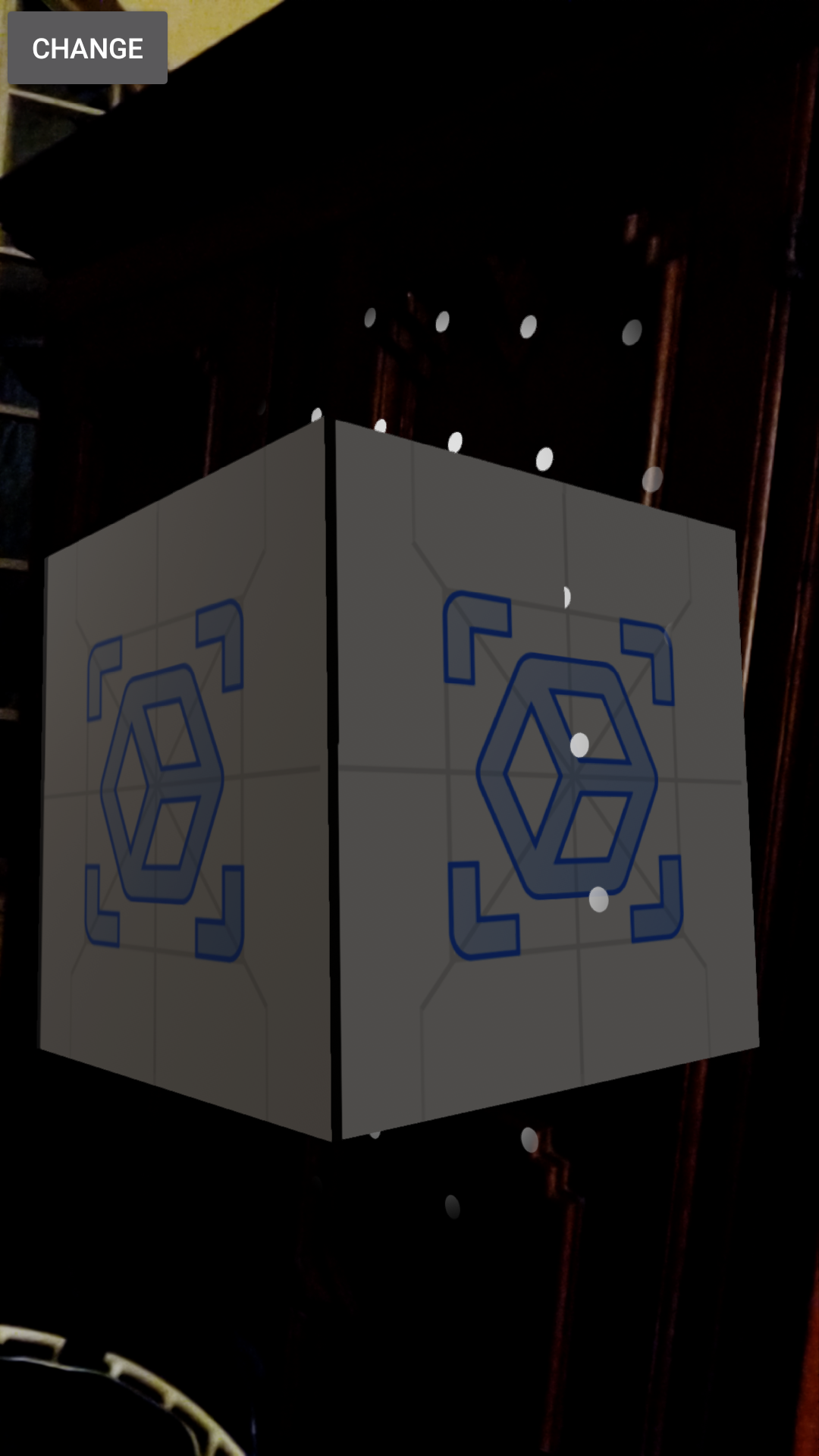
After button click that shall stretch the cube and change its texture:

Berenice2018
on 16 Jul 2018
@claywilkinson BTW, why is my texture flipped?
Berenice2018
on 16 Jul 2018
What if you set the andy renderable and scale on a new node that is a child of the TransformableNode?
 gstanlo
on 17 Jul 2018
gstanlo
on 17 Jul 2018
Thanks, @gstanlo
On button click, the following lines are called:
TransformableNode otherNode = new TransformableNode(arFragment.getTransformationSystem());
      otherNode.setRenderable(boxRenderable);
      otherNode.setLocalScale(new Vector3(0.8f,0.3f,0.8f));
      otherNode.setParent(anchorNode);
      Log.i(TAG, "### new scale = " + otherNode.getLocalScale());
The node is scaled, the correct Vector3 values are printed to the logcat, but the model does not reflect this scaling. Andy or my ShapeFactory cube are scaled, but not stretched.
Berenice2018
on 17 Jul 2018
The TransformableNode's ScaleController is overriding the scale being set. If you don't want the transformation controls at all, you can use a regular Node instead of a TransformableNode. Alternatively, you can create a regular Node as a child of otherNode, set the renderable on the child node, and set the local scale of the child node.
 dsternfeld7
on 17 Jul 2018
dsternfeld7
on 17 Jul 2018
Thanks a million, @dsternfeld7 ! I got it. Both versions work like a charm.
Berenice2018
on 17 Jul 2018
Related issues
 StevenOttoG
·
4Comments
StevenOttoG
·
4Comments
 yashvv
·
3Comments
yashvv
·
3Comments
 kunal-wayfair
·
3Comments
kunal-wayfair
·
3Comments
 hcjung2000
·
3Comments
hcjung2000
·
3Comments
 rajaselvan
·
4Comments
rajaselvan
·
4Comments
Most helpful comment
The TransformableNode's ScaleController is overriding the scale being set. If you don't want the transformation controls at all, you can use a regular Node instead of a TransformableNode. Alternatively, you can create a regular Node as a child of otherNode, set the renderable on the child node, and set the local scale of the child node.