Rundeck: Active Directory authentication client returns bad credentials
Describe the bug
Once Active Directory is configured for authentication, GUI returns Invalid username and password.
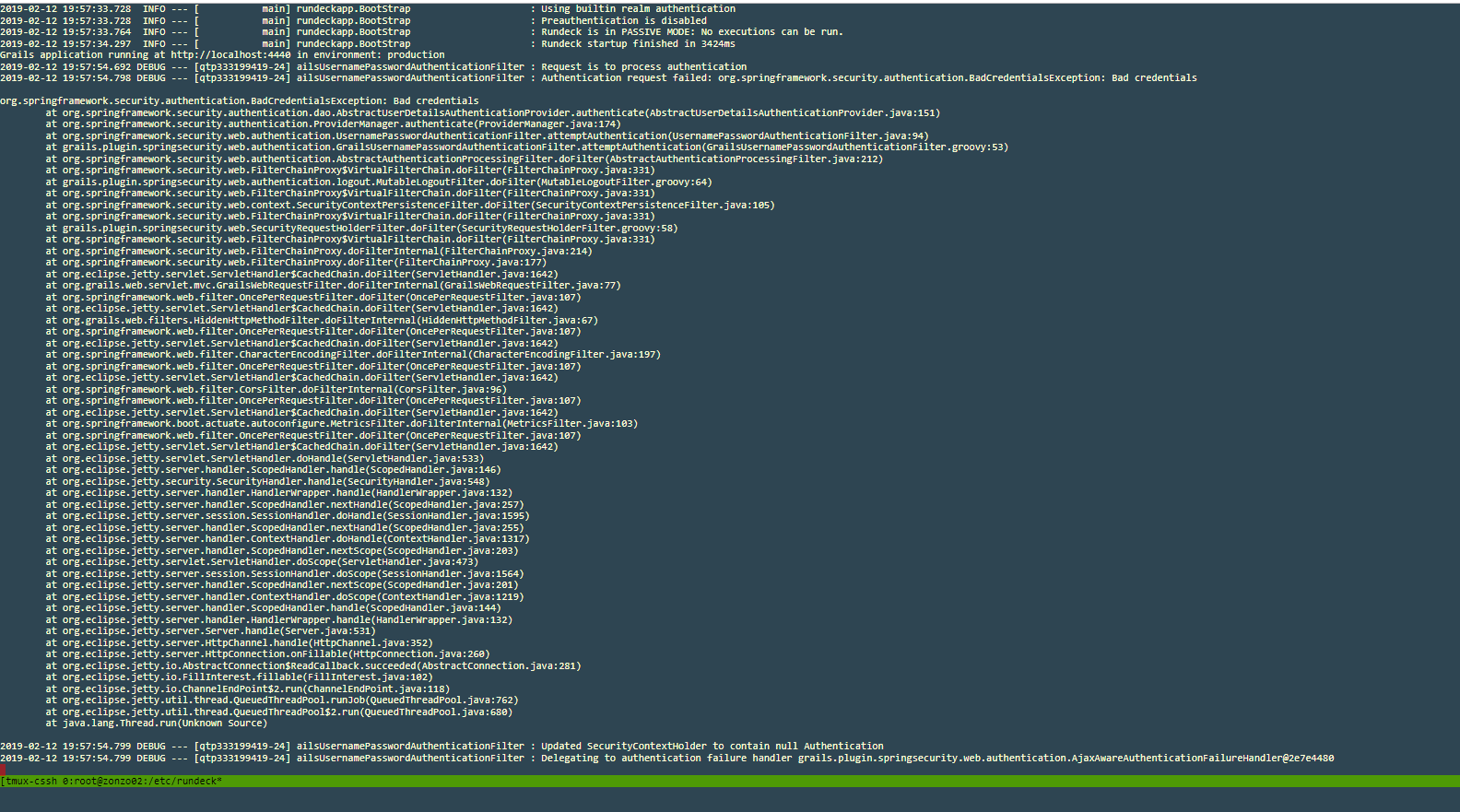
Upon looking services.log a solid error is seen: Authentication request failed: org.springframework.security.authentication.BadCredentialsException: Bad credentials
My Rundeck detail
- Rundeck version: tried both 3.0.6 and 3.0.13
- install type: rpm install
- OS Name/version: CentOS Linux release 7.5.1804 (Core)
- DB Type/version: mysql under haproxy
Also
JVM IMPLEMENTATIONVERSION : 25.201-b09
NAME : Java HotSpot(TM) 64-Bit Server VM VENDOR : Oracle Corporation
VERSION : 1.8.0_201
To Reproduce
Steps to reproduce the behavior:
- Clean install
- Configure /etc/rundeck/profile with parameters as
RDECK_JVM="-Djava.security.auth.login.config=/etc/rundeck/jaas-activedirectory.conf \
-Dloginmodule.name=activedirectory \
-Drdeck.config=$RDECK_CONFIG \
-Drundeck.server.configDir=$RDECK_SERVER_CONFIG \
-Dserver.datastore.path=$RDECK_SERVER_DATA/rundeck \
-Drundeck.server.serverDir=$RDECK_INSTALL \
-Drdeck.projects=$RDECK_PROJECTS \
-Drdeck.runlogs=$RUNDECK_LOGDIR \
-Drundeck.config.location=$RDECK_CONFIG_FILE \
-Djava.io.tmpdir=$RUNDECK_TEMPDIR \
-Drundeck.server.workDir=$RUNDECK_WORKDIR \
-Dserver.http.port=$RDECK_HTTP_PORT \
-Dcom.dtolabs.rundeck.jetty.jaas.LEVEL=DEBUG \
-Drdeck.base=$RDECK_BASE"
- Configure jaas-activedirectory.conf as
activedirectory {
com.dtolabs.rundeck.jetty.jaas.JettyCachingLdapLoginModule required
debug="true"
contextFactory="com.sun.jndi.ldap.LdapCtxFactory"
providerUrl="ldap://companydc.local:3268"
bindDn="CN=svc_rundeck2,OU=Services,OU=company,DC=companydc,DC=local"
bindPassword="runDec2018"
authenticationMethod="simple"
forceBindingLogin="true"
userBaseDn="DC=companydc,DC=local"
derUrl="ldap://companydc.local:3268"
userRdnAttribute="sAMAccountName"
userIdAttribute="sAMAccountName"
userPasswordAttribute="unicodePwd"
userObjectClass="user"
roleBaseDn="DC=companydc,DC=local"
roleNameAttribute="cn"
roleMemberAttribute="member"
roleObjectClass="group"
cacheDurationMillis="300000"
reportStatistics="true";
};
Expected behavior
A clear and concise description of what you expected to happen.
An authentication with the same configuration as above with an earlier version 2.10.4 happened to succeed.
Screenshots
If applicable, add screenshots to help explain your problem.
Errorlog services.log
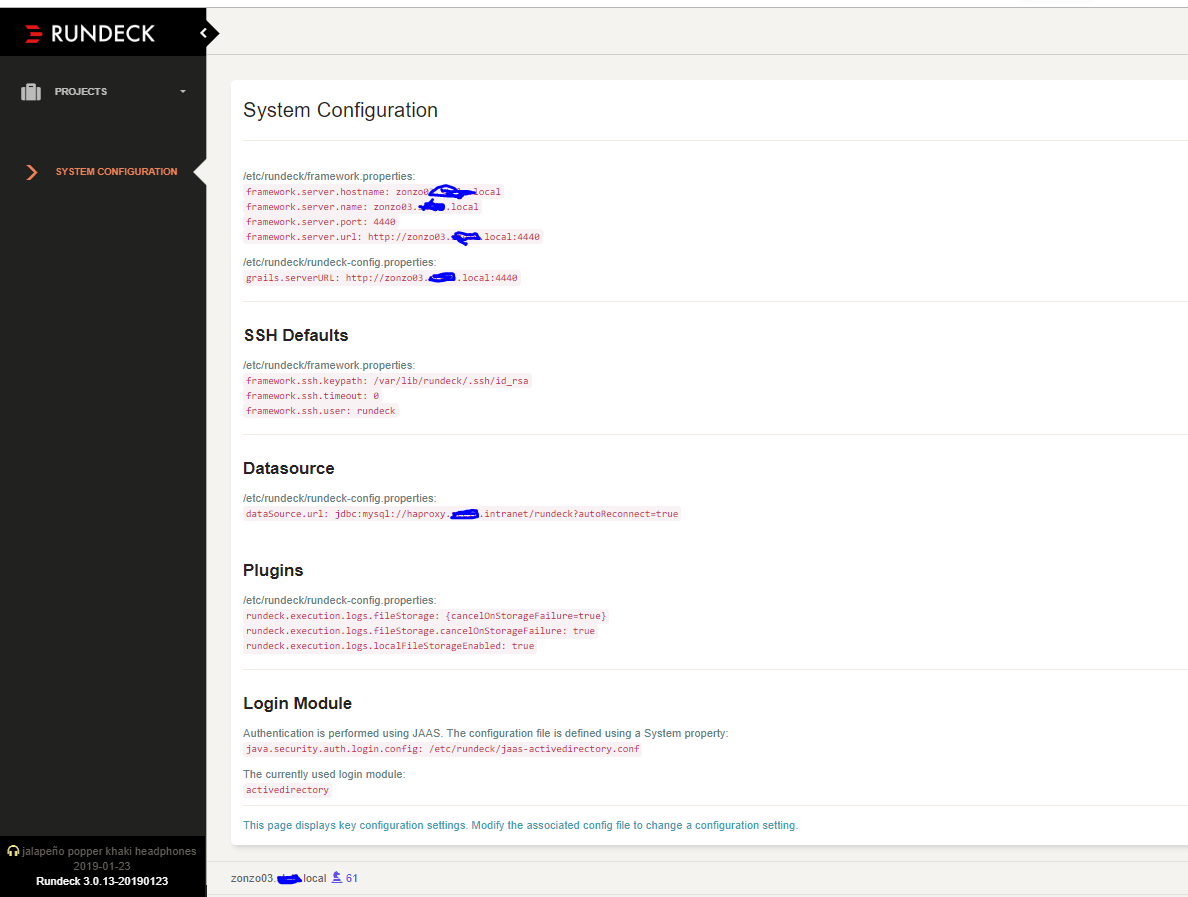
System Configuration loaded
Desktop (please complete the following information):
- OS: Windows
- Browser: Chrome
- Version 71.0
Additional context
Add any other context about the problem here.
Many configurations tryouts were made, returning the same solid error
- Java provider from OpenJdk to Oracle Jvm
- RD Version upgrade
- AD User recreation
 marcioyoshida
All 4 comments
@marcioyoshida Try adding: -Drundeck.jaaslogin=true to your RDECK_JVM system properties and see if that helps.
 sjrd218
on 13 Feb 2019
sjrd218
on 13 Feb 2019
@sjrd218 Added the parameter and, more oddly, it did not started the JVM. I played with the parameters on different line positions, but it seems it did not accepted the parameter.
Error log
Rundeck-AD-error-service.log
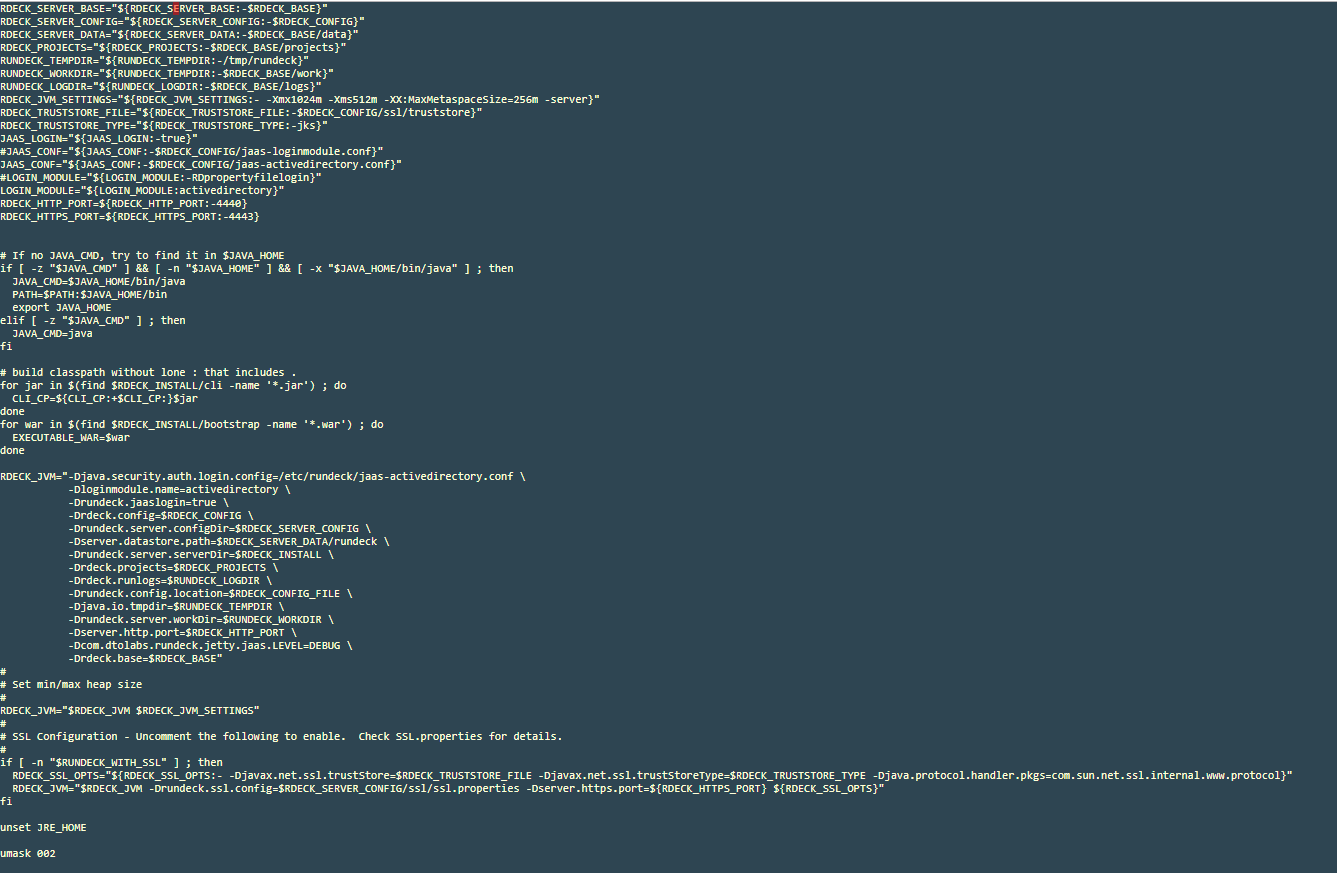
Profile configuration
marcioyoshida
on 13 Feb 2019
@marcioyoshida That stacktrace seems to indicate your jaas conf file is invalid. I think that's good progress because at least it's trying to use your jaas configuration now.
sjrd218
on 13 Feb 2019
I had it mistakenly commented with '#'. And, as magic, it authenticated with AD user.
@sjrd218, appreciate your guidance. Best regards, cheers.
marcioyoshida
on 13 Feb 2019
Related issues
 Thylossus
·
3Comments
Thylossus
·
3Comments
 elijah-ward
·
4Comments
elijah-ward
·
4Comments
 ZoeLeah
·
3Comments
ZoeLeah
·
3Comments
 falloutphil
·
4Comments
falloutphil
·
4Comments
 csimader
·
3Comments
csimader
·
3Comments
Most helpful comment
I had it mistakenly commented with '#'. And, as magic, it authenticated with AD user.
@sjrd218, appreciate your guidance. Best regards, cheers.