Rstudio: Git pane not theme correctly with Solarized theme
System details
RStudio Edition : Desktop
RStudio Version : 1.2.1541
OS Version      :  Windows 10
R Version       :  3.6.1
Steps to reproduce the problem
- Change the IDE theme to Solarized light
- Use a project with Git Enable
- Have a file change to activate changes in git pane
Describe the problem in detail
We see blank lines instead of the background theme
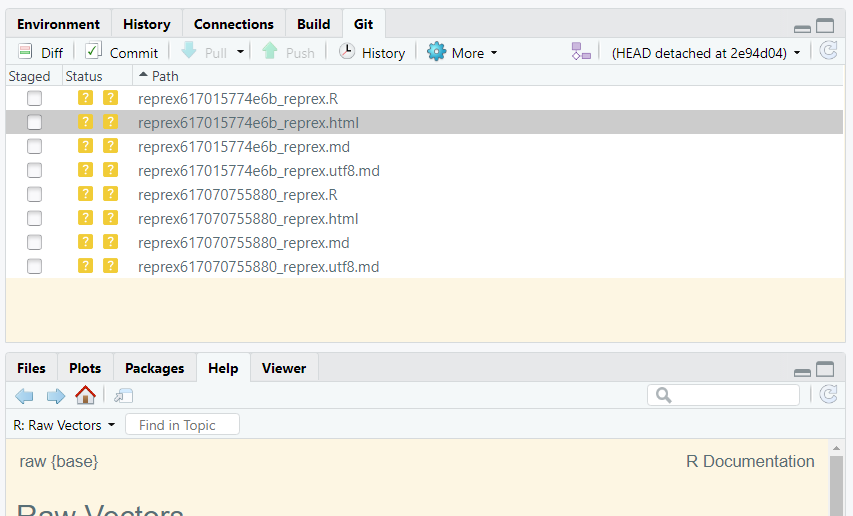
Describe the behavior you expected
Coherent background color in every pane.
 cderv
cderv
All 3 comments
@cderv Thank you for filing this—we'll review this as we continue development of RStudio.
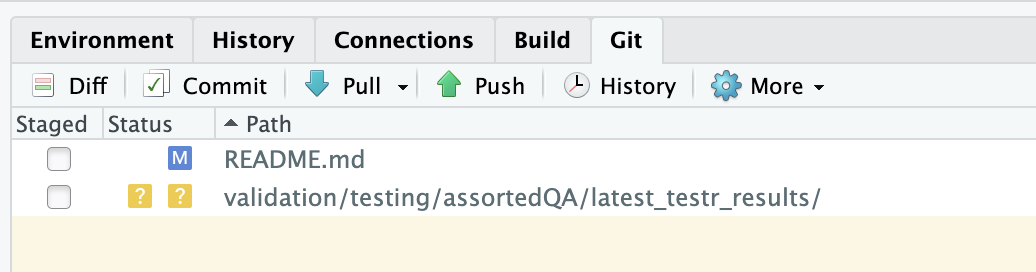
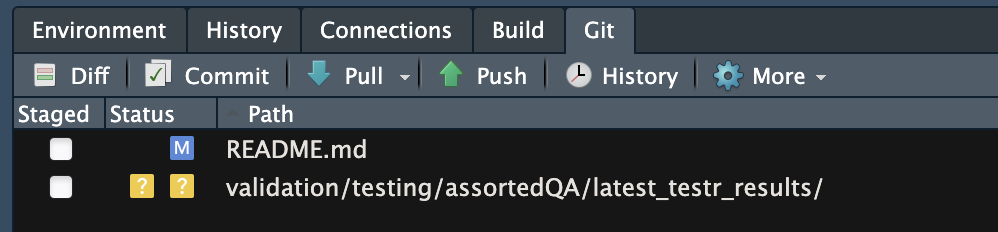
Reproducible on RStudio Desktop 1.2.1569 on MacOS 10.15 (Catalina), and RStudio Server 1.2.1568 on Red Hat 8. Also:
- It's also an issue in RStudio Desktop 1.1.463 and 1.2.1335
- It's only a problem with light themes. Dark themes behave correctly.
 ronblum
on 15 Aug 2019
ronblum
on 15 Aug 2019
Adding a bit to the scope: the same is true for autocomplete in the Console and Editor panes.
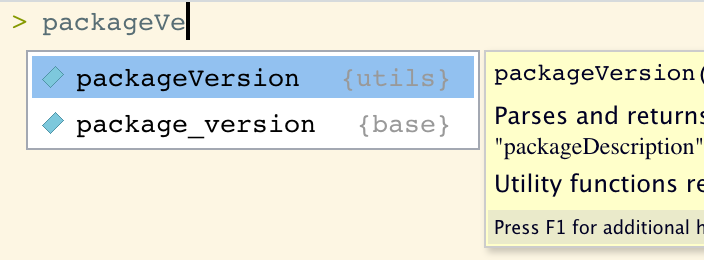
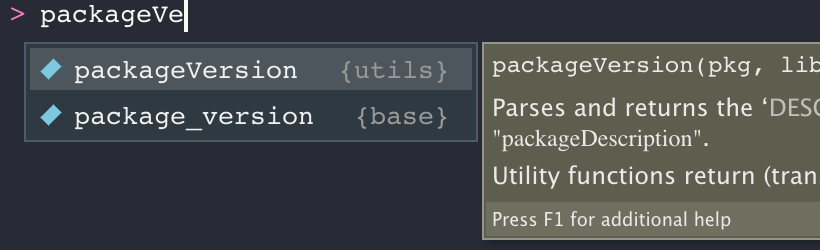
Note that most of the panes—like Files, Environment, and History—are working.
ronblum
on 15 Aug 2019
I'm not sure if this is the same problem as described in this issue, but the commit popup window is blinding (white background) when a dark theme is in effect on macOS, RStudio 1.3 beta.
See also https://community.rstudio.com/t/feature-request-dark-theme-for-pop-out-git-window/1266 and the attached screen shot.

 MatthewHeun
on 11 Feb 2020
MatthewHeun
on 11 Feb 2020
Related issues
 gtritchie
·
3Comments
gtritchie
·
3Comments
 riteshkukreja
·
3Comments
riteshkukreja
·
3Comments
 vrodriguezf
·
3Comments
vrodriguezf
·
3Comments
 almeidaxan
·
3Comments
almeidaxan
·
3Comments
 colinbrislawn
·
3Comments
colinbrislawn
·
3Comments