Rstudio: Highlight function parameters + separate styling for operators
I found that this has been requested a while ago here: https://support.rstudio.com/hc/en-us/community/posts/211643088-syntax-highlighting-for-known-function-names-parameter-names
But I couldn't find any news about adding possibility to add highlighting of parameters.
A second suggestion is to allow separate styling option for (), <-, %>%, =, etc.
 Mashin6
All 3 comments
@Mashin6 Thank you for the suggestion. We'll review this as we continue development of RStudio.
It's possible to create custom themes, uploaded using Tools -> Global Options -> Appearance -> Add. However, @MariaSemple—is it possible to make themes that have different styling for parameters and each operator?
 ronblum
on 25 Jun 2019
ronblum
on 25 Jun 2019
It is possible to do some custom styling for operators. Unfortunately, it is not currently possible to have separate styling for parameters. We are tracking this enhancement request here: https://github.com/rstudio/rstudio/issues/3717.
To apply a style for all operators, you can use the CSS selector .ace_keyword.ace_operator. To apply a style for (), {}, and [], you can use the CSS selector .ace_keyword.ace_operator.ace_paren. To apply a style for custom user operators (anything within %%, including %>% and %/%), you can use the CSS selector .ace_keyword.ace_operator.ace_infix.
 MariaSemple
on 26 Jun 2019
MariaSemple
on 26 Jun 2019
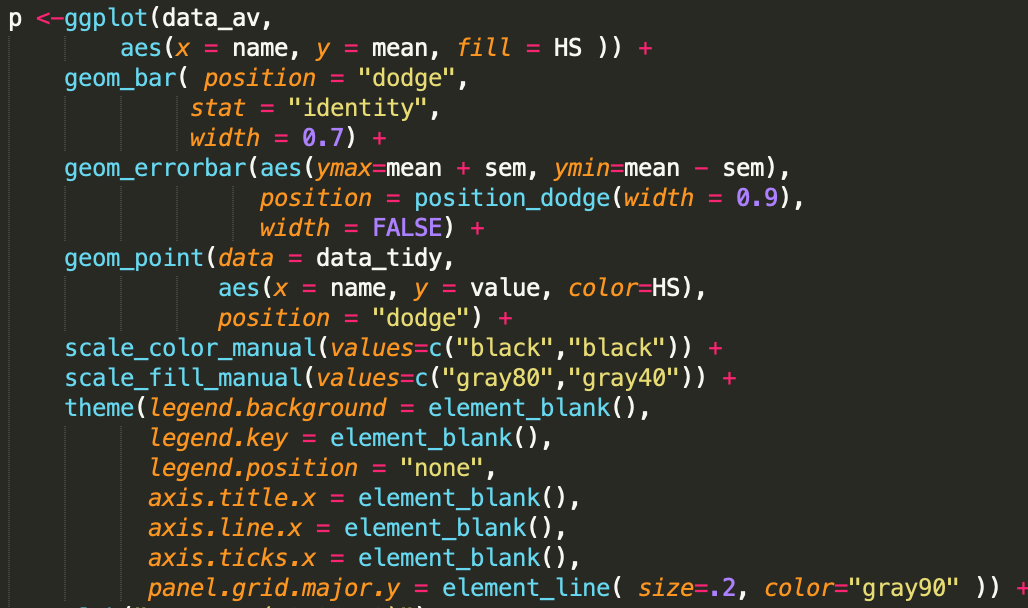
Thank you .ace_keyword.ace_operator.ace_paren already helped.
It's great that you already thought about the parameter styling. I think everybody would benefit if we could improve the readability of R code as it is in Sublime.
Mashin6
on 26 Jun 2019
Related issues
 garrettgman
·
3Comments
garrettgman
·
3Comments
 maelle
·
3Comments
maelle
·
3Comments
 cderv
·
3Comments
cderv
·
3Comments
 curtis999
·
3Comments
curtis999
·
3Comments
 kevinushey
·
3Comments
kevinushey
·
3Comments
Most helpful comment
Thank you
.ace_keyword.ace_operator.ace_parenalready helped.It's great that you already thought about the parameter styling. I think everybody would benefit if we could improve the readability of R code as it is in Sublime.