Rpi-jukebox-rfid: Web app: control buttons too small
On my Android device it's hard to hit the right button for the player control because they are pretty small (and i'm in the believe to not have abnormal fat fingers ;-).
Is this different on Apple devices?
As i'm working on the Web App at the moment (adding a settings page) i could fix this.
 zxa
zxa
All 6 comments
Hi @zxa
would be nice to have! As always, allowing this to be set in the config might be good, my iPhone5 likes the buttons as they are :)
Also, don't add CSS, you can try to add a class. This is what it looks like now:
~
class="btn btn-default btn-success"
~
This will make large buttons:
~
class="btn btn-lg btn-default btn-success"
~
The classes you can play with are: .btn-lg / .btn-md / .btn-sm / .btn-xs
What about adding a line in the config:
~
$conf['button_size_css'] = ""; // empty for normal size or try one of: btn-lg btn-md btn-sm btn-xs
~
?
 MiczFlor
on 4 Jul 2018
MiczFlor
on 4 Jul 2018
Hi @MiczFlor,
i'll have look at that. This is how btn-lg looks like for me:
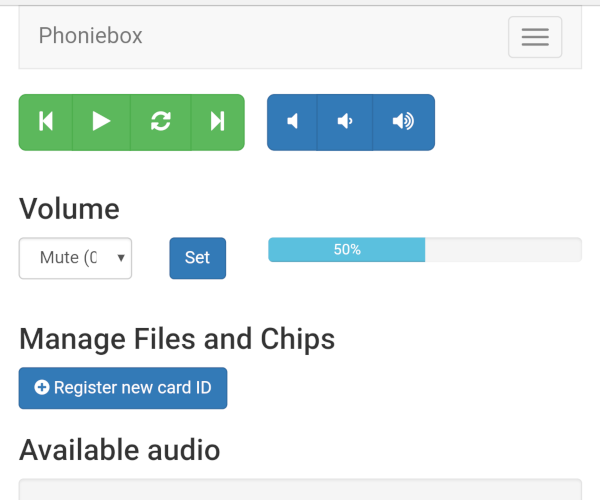
But before i will upload the new settings page for comments and public testing. It's optimized it for my device and it would be interesting how the Apple likes it:
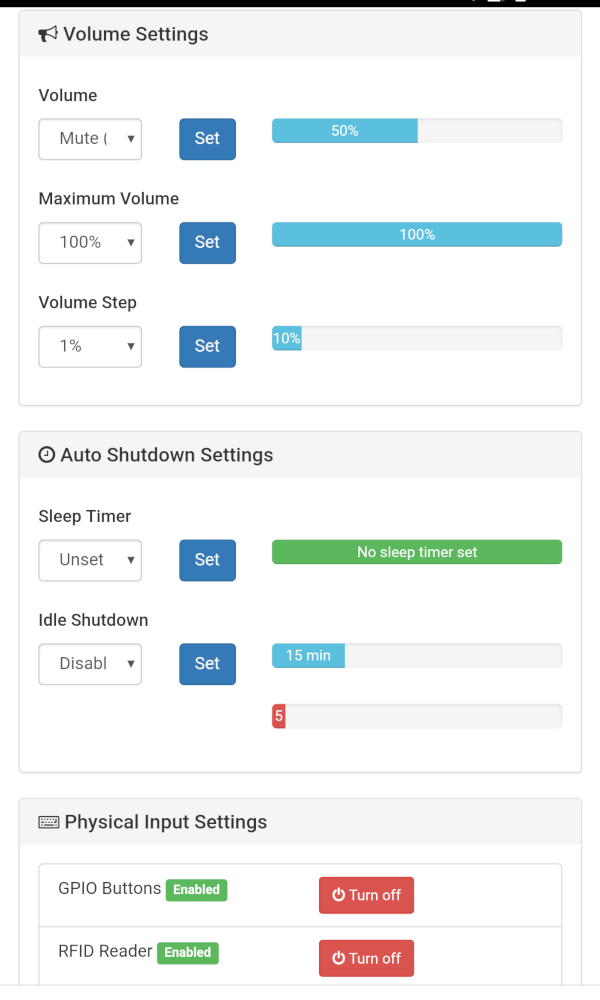
zxa
on 4 Jul 2018
Hi @zxa
looks great. Can you move this to a separate settings page, like
~
http://localhost/settings.php
~
?
The timed shutdown would be great to have at the top of the index page, alongside the player and volume change.
Other than that I think the front page is for playing and the settings would only be required 0.5% of the time you pull out your phone, no?
MiczFlor
on 4 Jul 2018
it's already a separate page. I have time clean up the code a bit an then i'll upload it.
And then we need someone who writes a graphical web app configuration tool, as for example i've never used the sleep timer and need more the volume limiter and button disabler ;-)
zxa
on 4 Jul 2018
Hi @MiczFlor,
it's all here now:
https://github.com/zxa/RPi-Jukebox-RFID/tree/web-app-settings-page
Should i do a pull request or do you take it from there for testing?
zxa
on 4 Jul 2018
Please create a pull request. Thanks
MiczFlor
on 5 Jul 2018
Related issues
 MontyMcMutton
·
8Comments
MontyMcMutton
·
8Comments
 s-martin
·
12Comments
s-martin
·
12Comments
 daireod1
·
9Comments
daireod1
·
9Comments
 domu83
·
7Comments
domu83
·
7Comments
 habersatt
·
8Comments
habersatt
·
8Comments