Rpcs3: rsx: Red Dead Redemption - excessively bright street lamps
Quick summary
Hi,
This is with Read Dead Redemption: Game of the Year Edition (BLES01294).
The street lamps look overly bright. Here are some screenshots comparing RPCS3 0.0.9-9960-c577bd21 Alpha with another Xbox 360 emulator:
This behaviour appears to occur when the lights are relatively distant.
Pic 1
RPCS3:

X360:

Pic 2
RPCS3:

X360:

But when the character is under the lights, they seem to be correct, except the distant ones:
RPCS3:

X360:
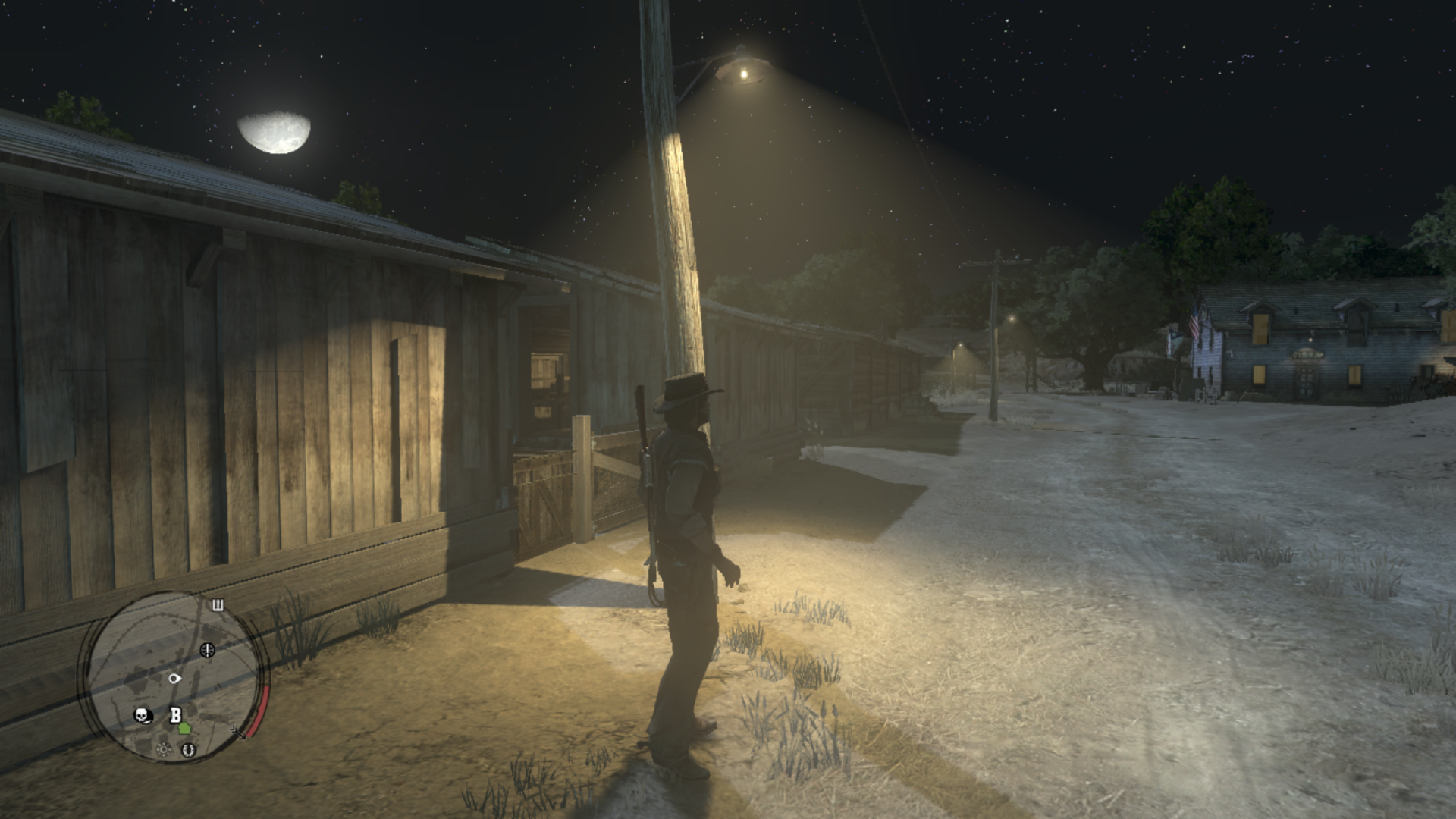
Sorry for not getting the screenshots in the same weather, the difference is noticeable anyway.
The "Write color buffers" option is on so it's not related to this issue, without it enabled the night looks like a concert.
Windows 10 (10.0.18363)
Intel Core i9-9900K
Nvidia RTX 2080 (drivers 442.50)
 Raijin56
All 16 comments
RPCS3 is not an Xbox 360 emulator. You're not comparing the same game, you're comparing a PS3 game with a Xbox 360 game, and the Xbox360 port is known to be very different.
Post comparison with real PS3 and ping for reopening if it's an issue there.
 AniLeo
on 21 Mar 2020
AniLeo
on 21 Mar 2020
@AniLeo
Here you have some screenshot of a YouTube video made in the original PS3.


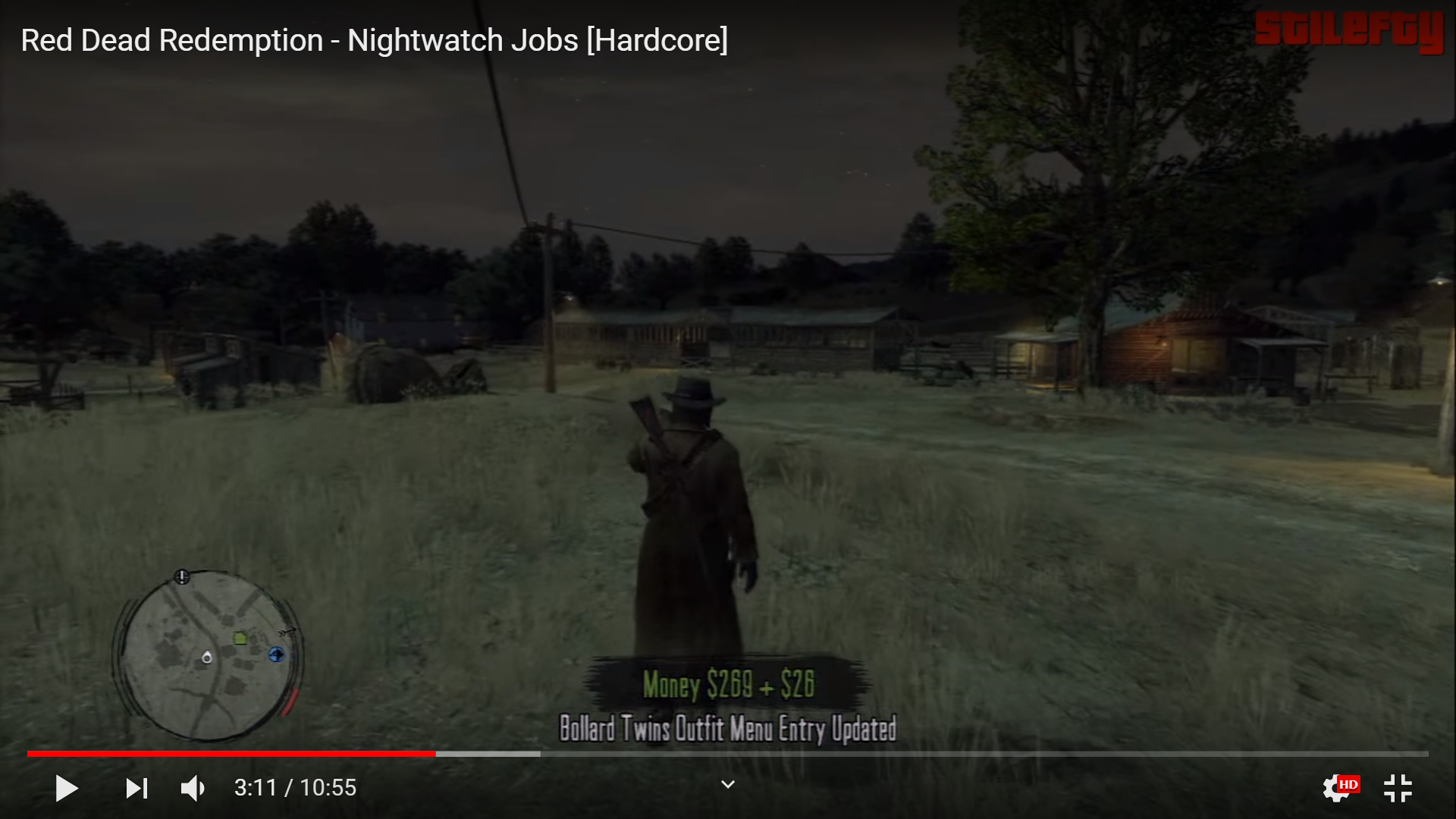

Raijin56
on 21 Mar 2020
If it doesn't happen on a PS3, then it should be an issue
An RSX capture of a frame with distant lighting is needed, or/and just post savedata for the game with easy access to that part
AniLeo
on 21 Mar 2020
Lol, I wrote Read Dead Redemption and I can't blame the corrector.
I tested different settings. The glitch happens when using Vulkan. I tried to test with OpenGL but the world becomes yellow and pink, not very appropriate for a West game. I also tried "Accurate xfloat", but that only decreases performance in this case.
With PPU Decoder set to "Interpreter (precise)" the game starts but the glitch continues. With SPU Decoder set to "Interpreter (precise)" the game doesn't start and gives 16 exceptions, one for each SPU Worker, so I set it up to "Interpreter (fast)" and "ASMJIT Recompiler (faster)", with unfortunately no solution for the street lamps' light.
- Here you have the RSX capture:
https://mega.nz/#!gxZBjSgQ!s-oprfjhbHbW5igUMyeeRy5moGHf845lXgV3tiGKlcs - And a savegame in the night and in the same place, MacFarlane's Ranch:
https://mega.nz/#!YpRgAAja!98ulR_L7kVvkRe-dJ5KCpv2VRgbTJSnhe0Tt00pcBq8
The serial of the game is the BLES01294.
Thank you very much!
Also, there's some minimally possibly related glitch. If you run outside and around some houses that have lights inside that are displayed through the windows, they sometimes blink. You can see that in the houses that are around the bonfire that is just going out of the house, to the left, after loading the savegame.
Raijin56
on 21 Mar 2020
The blinking windows issue and many others are caused by relaxed zcull. Can you check if the lamps light works properly without it?
 Yahfz
on 21 Mar 2020
Yahfz
on 21 Mar 2020
Hi. I didn't have that option turned on. Anyway, I have tried to activate it to see if it solved something, but the lights are seen at the same high intensity with Relaxed ZCULL Sync being on or off, also it didn't resolve the blinking windows issue. Thank you for the suggestion.
Raijin56
on 21 Mar 2020
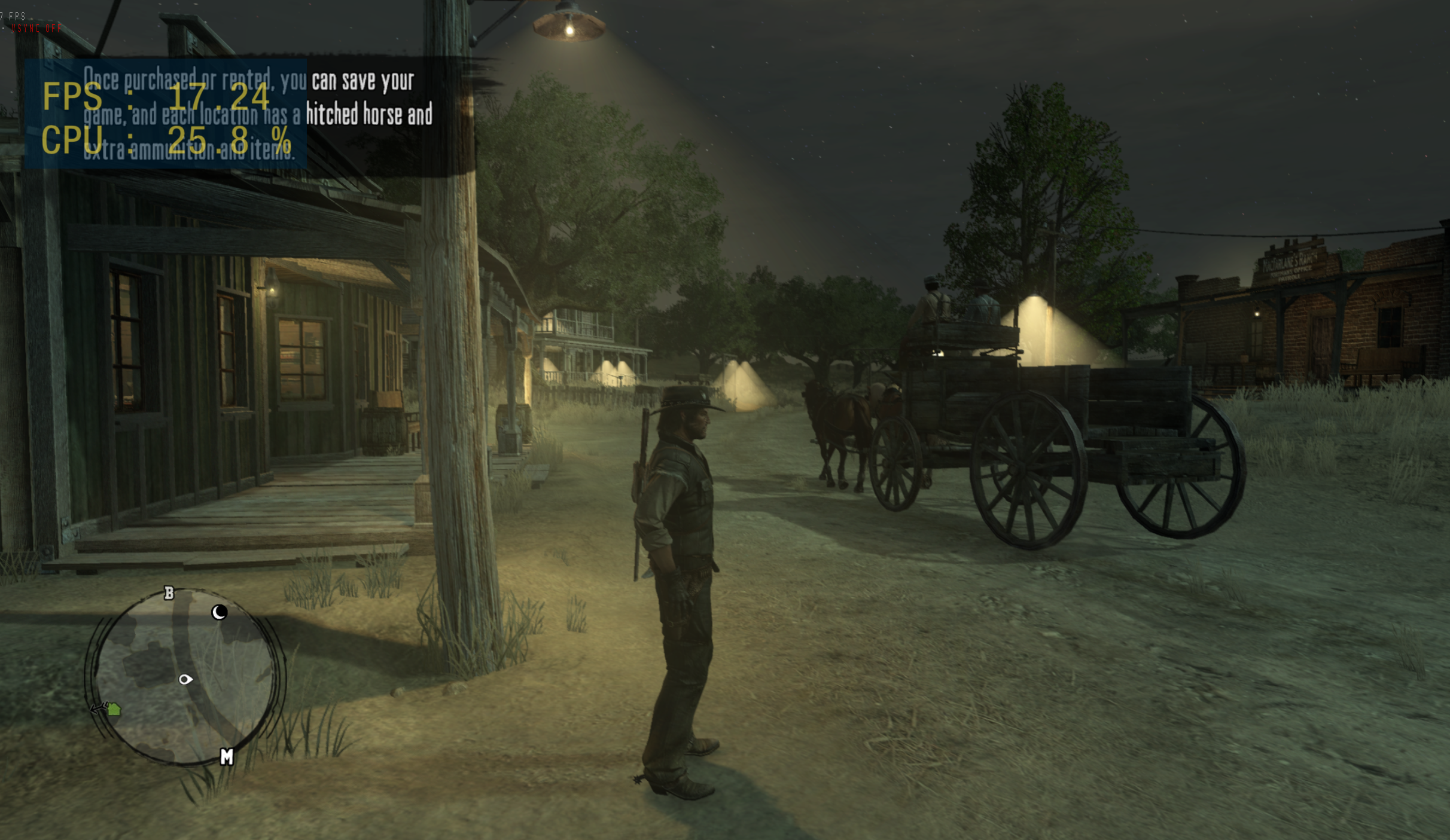
Here is what it looks like on my system. Note: the game was transitioning from night into day time, so the effect of the broken lighting is more dramatic in these shots.
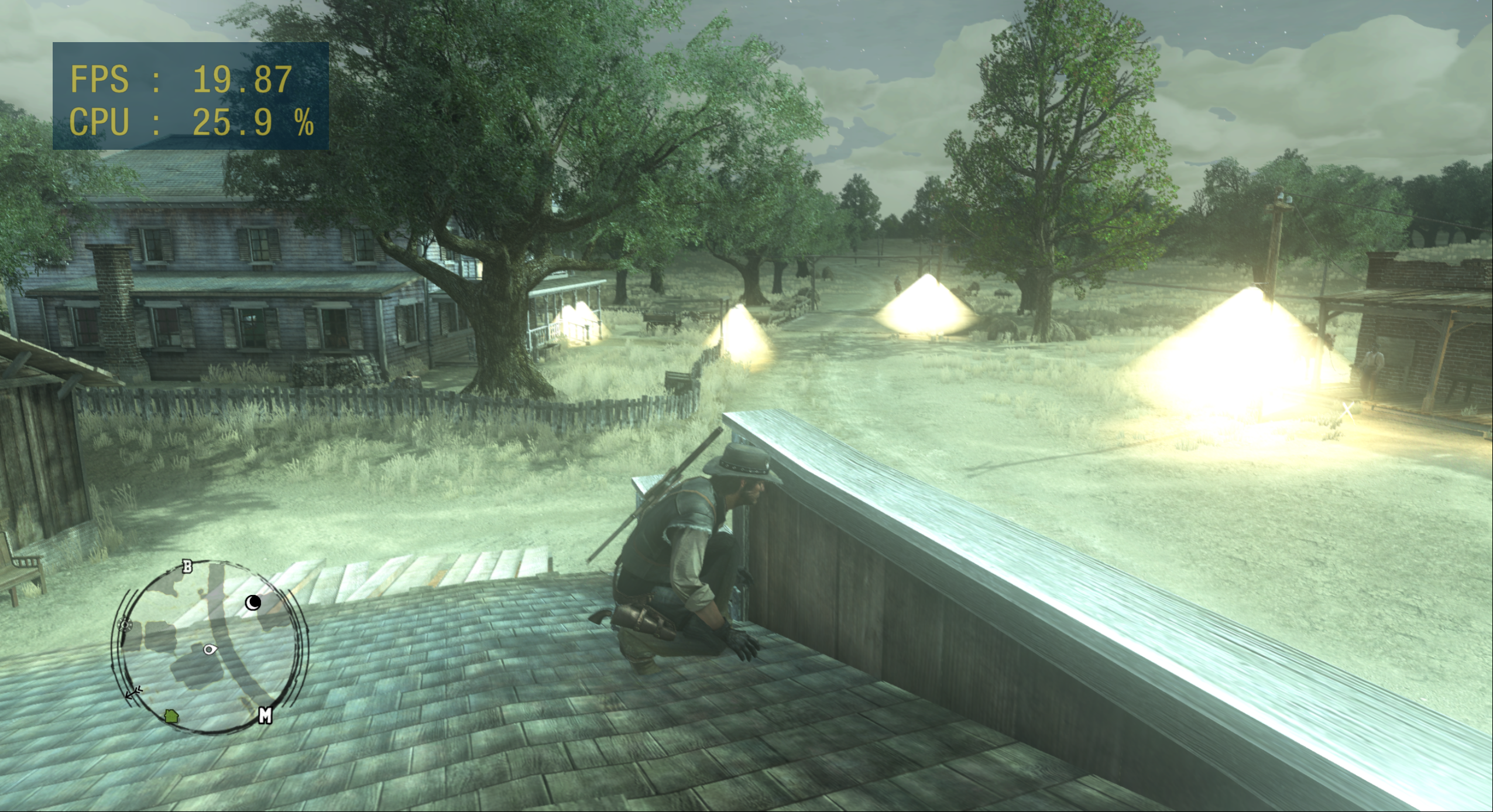
@Raijin56 mentioned that the lighting is correct when the player is under the light source, but I don't see this happening in my test:
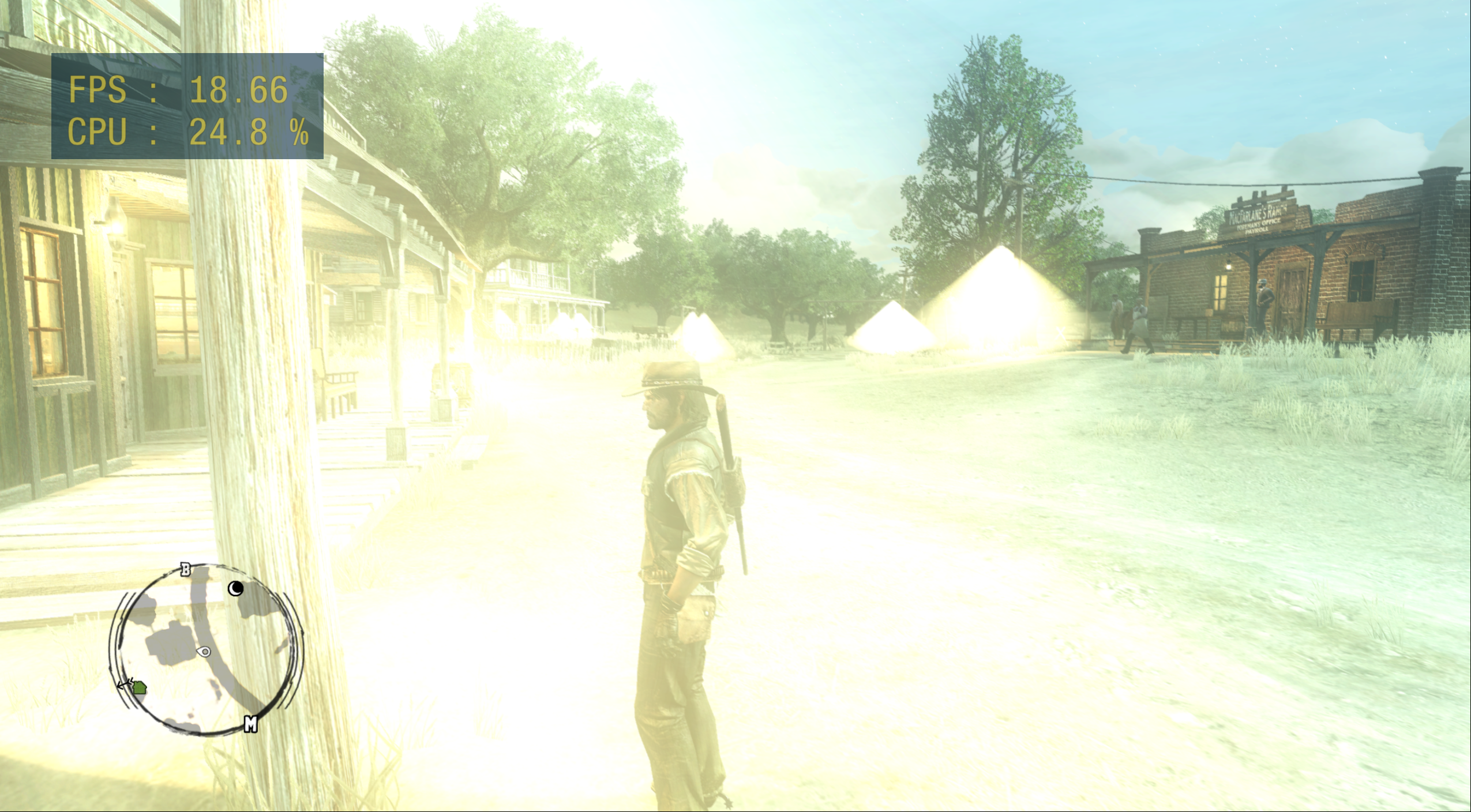
 avindra
on 23 May 2020
avindra
on 23 May 2020
Hey @avindra. Thanks for testing. Yes, I think the effect is worst occasionally, so sometimes it looks so bad.
Raijin56
on 24 May 2020
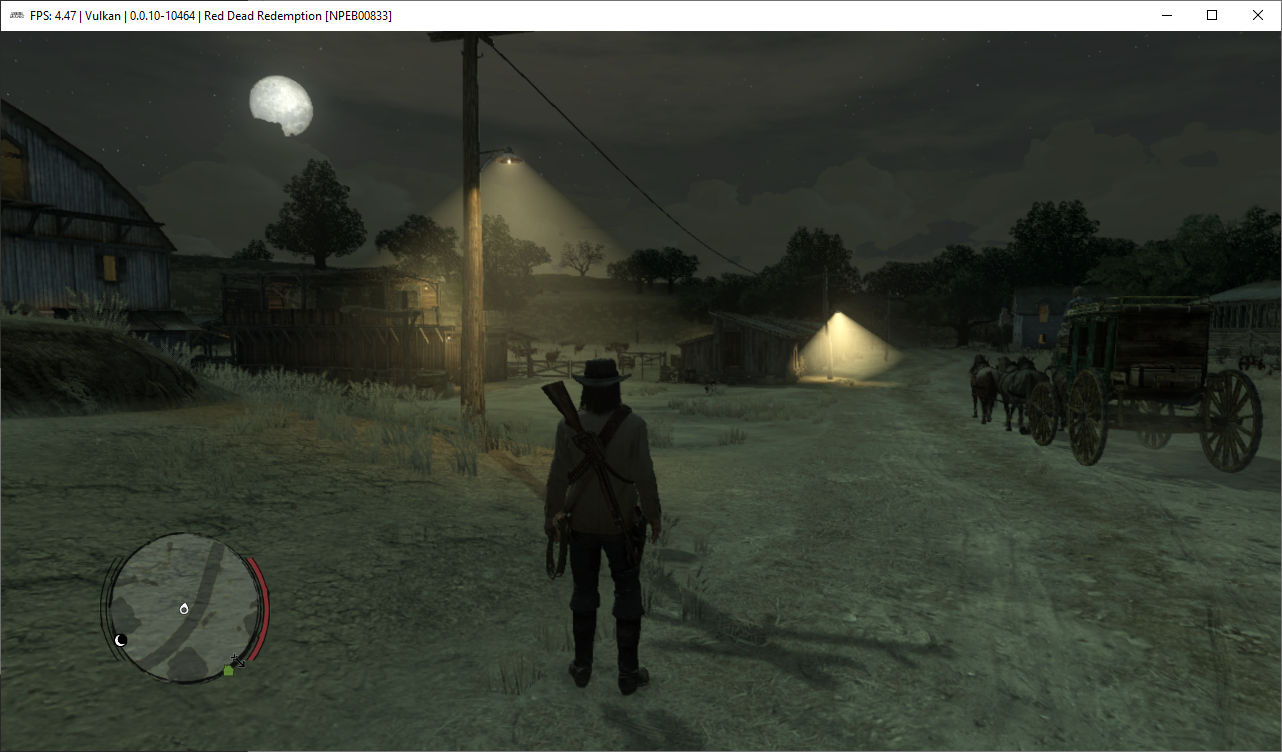
@avindra That overly bright lighting issue is caused by having 'Write Color Buffers' disabled. Make sure you switch it on. However, the bright street lamps are still unresolved currently.
 Kingo64
on 24 May 2020
Kingo64
on 24 May 2020
@Kingo64 good call, when I enable Write Color Buffers, I get a similar result to @Raijin56
avindra
on 27 May 2020
Fixed with #8367 ?
 jeremybris
on 6 Jun 2020
jeremybris
on 6 Jun 2020
@jeremybris
I think it is. I'll test master soon.

Edit: Yes. It's fixed with PR #8367.
 MarioSonic2987
on 6 Jun 2020
MarioSonic2987
on 6 Jun 2020
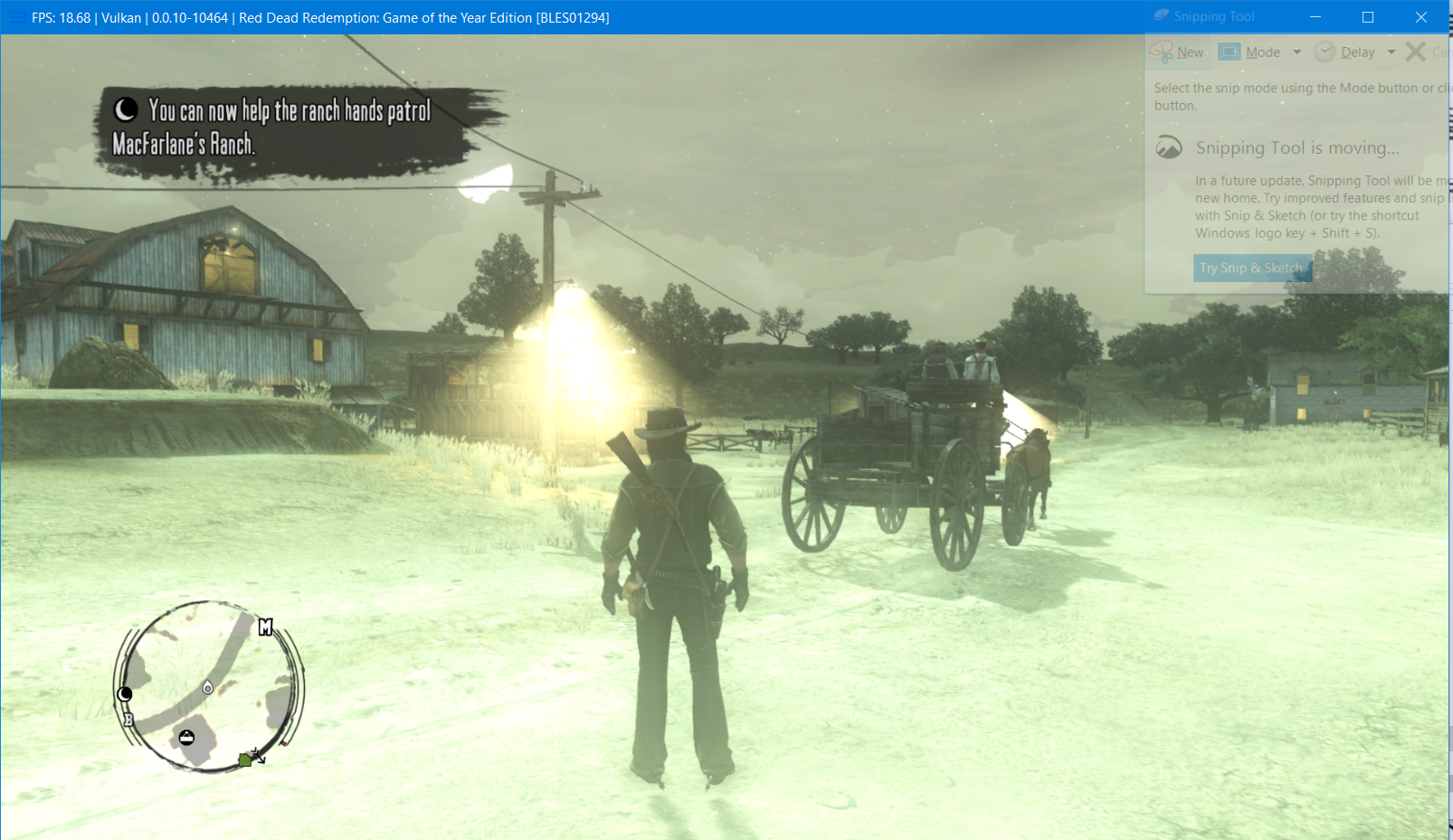
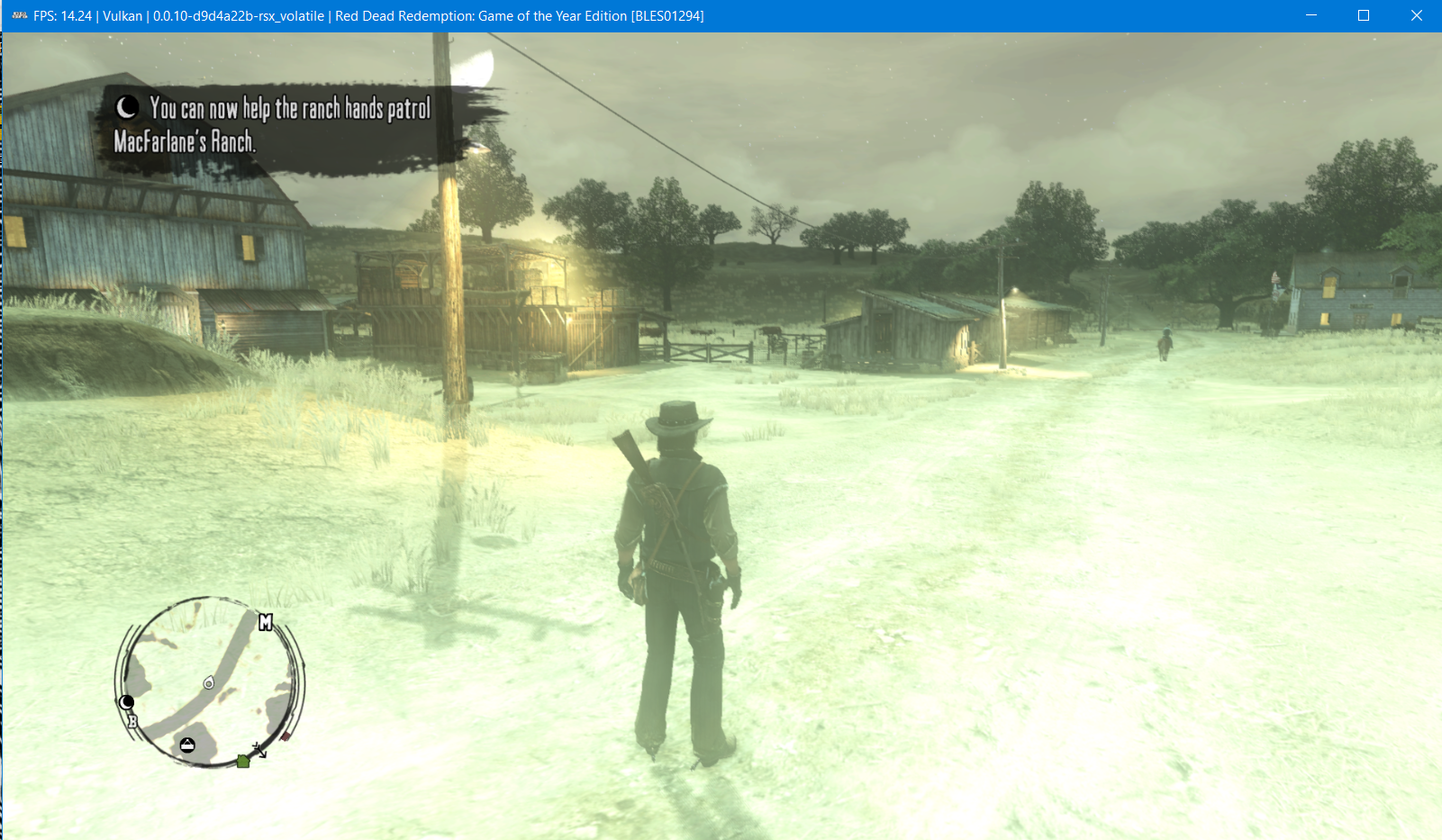
Seems fixed. The game still has a bloom issue for me, similar to #8122 . That is another issue.
Before:
After:
jeremybris
on 6 Jun 2020
@jeremybris Enable Write Color Buffers to fix broken lighting in night-time.
MarioSonic2987
on 6 Jun 2020
@jeremybris Enable Write Color Buffers to fix broken lighting in night-time.
Thanks, that worked, I didn't read the previous comments. My bad.
jeremybris
on 6 Jun 2020
Now the lights are shown as it should be. Thanks for your amazing work!

Raijin56
on 7 Jun 2020
Related issues
 Luffykun007
·
3Comments
Luffykun007
·
3Comments
 On1ko
·
3Comments
On1ko
·
3Comments
 xddxd
·
3Comments
xddxd
·
3Comments
 Birch-san
·
3Comments
Birch-san
·
3Comments
 LokiGrants
·
3Comments
LokiGrants
·
3Comments
Most helpful comment
Now the lights are shown as it should be. Thanks for your amazing work!