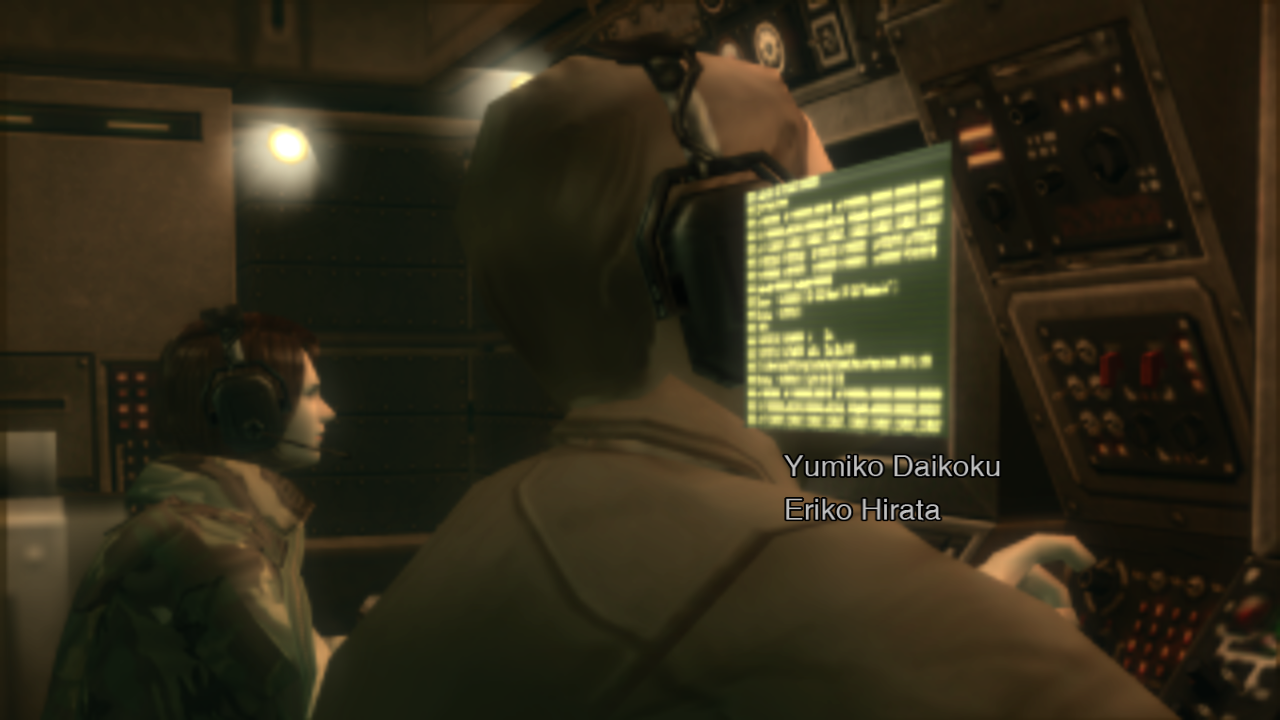
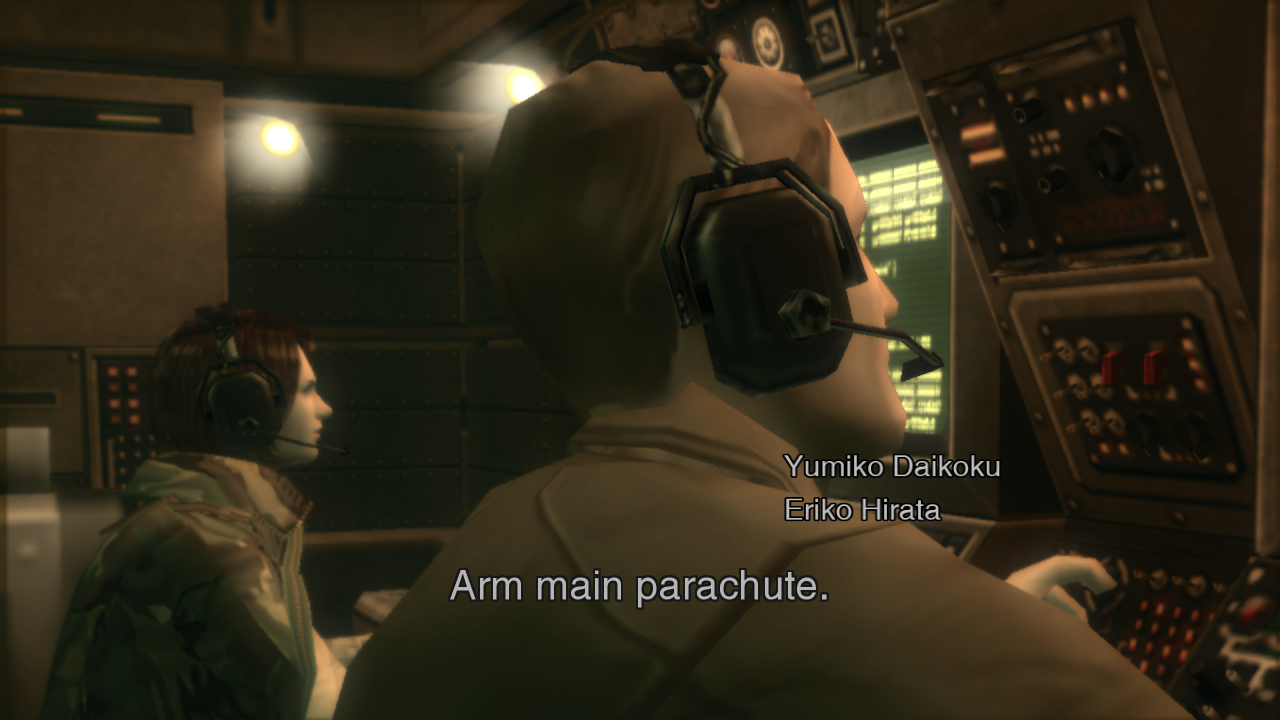
Having MSAA enabled causes some weird graphical glitches in Metal Gear Solid 3 that I'd like to demonstrate:
The intro section with MSAA enabled:
The intro section with MSAA disabled:
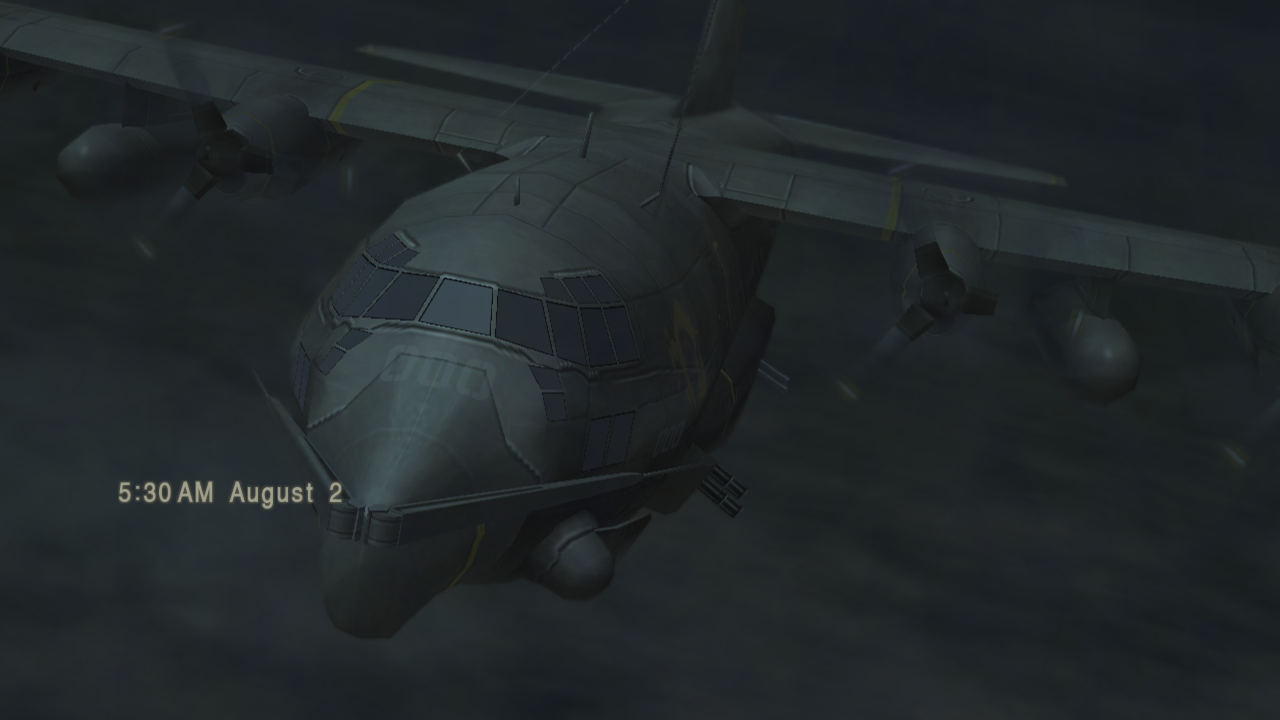
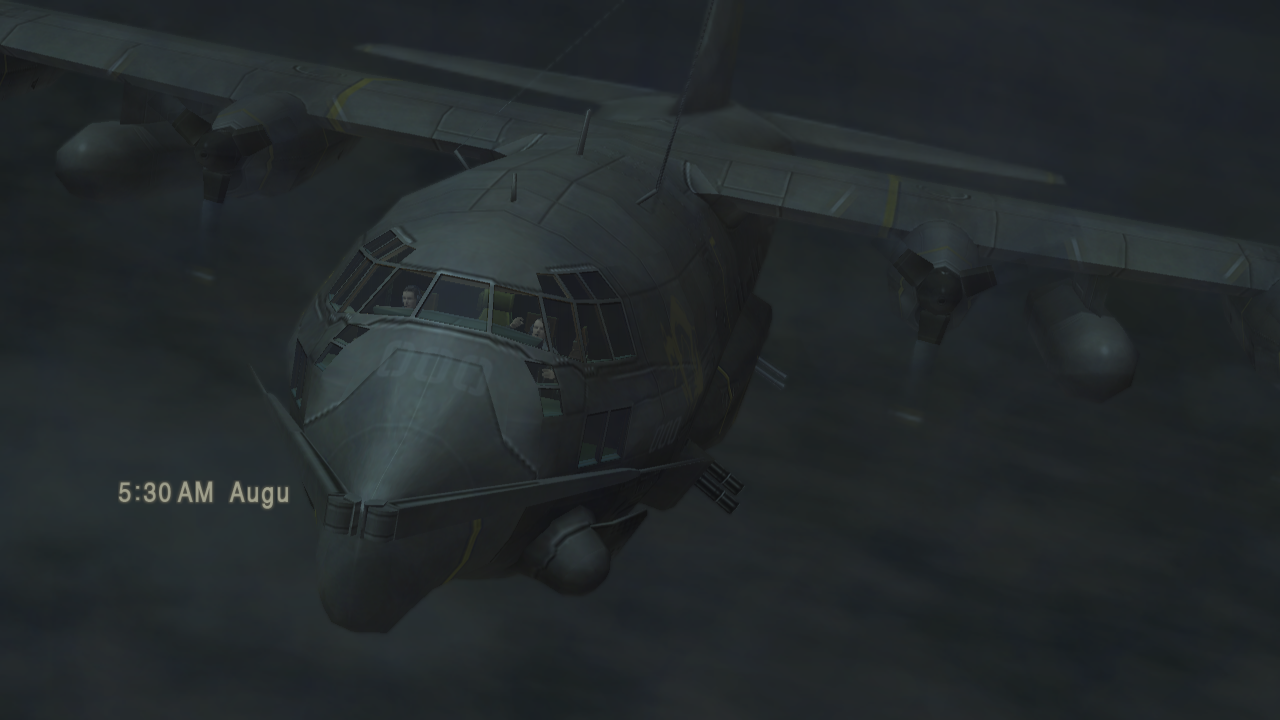
Enabling anti-aliasing is somewhat necessary since it also fixes some missing graphics such as:
- The cockpit showing incorrectly when MSAA is disabled:
- The same scene showing correctly with MSAA enabled:
Creating RSX captures of these screens crashes the emulator so I had to use Renderdoc instead.
The Renderdoc captures were done on an RX 570 with the latest drivers on Windows. (Though I'd like to mention that this issue is the same on Linux as well with RADV)
The Renderdoc with MSAA enabled: https://drive.google.com/open?id=1CHyrgidDsXqCcqC-KNDMH0i4oHlCXyOW
The Renderdoc with MSAA disabled: https://drive.google.com/open?id=18mRM3XpIDJs2y2Xc1LbqbM2WIq-cOTMl
 NotBeanz
All 3 comments
Turns out this is caused by an optimization I added to speed up surface operations. Removing it fixes the graphical problems but drops fps by something like 70%, I need to rethink the solution.
 kd-11
on 13 Jun 2020
kd-11
on 13 Jun 2020
Fixed by https://github.com/RPCS3/rpcs3/pull/8434, you can test using the build in the PR to verify.
kd-11
on 14 Jun 2020
The issue is indeed fixed. Nice work!
NotBeanz
on 14 Jun 2020
Related issues
 LokiGrants
·
3Comments
LokiGrants
·
3Comments
 xiangzhai
·
3Comments
xiangzhai
·
3Comments
 Asinin3
·
3Comments
Asinin3
·
3Comments
 xddxd
·
3Comments
xddxd
·
3Comments
 AniLeo
·
3Comments
AniLeo
·
3Comments