Rpcs3: [BLES00246] Metal Gear Solid 4: Guns of The Patriots - Alpha Textures Corrupted
With PR #6450
MGS4
Alpha Textures have an issue with decoding correctly when faced at certain LOD / MIP Level.

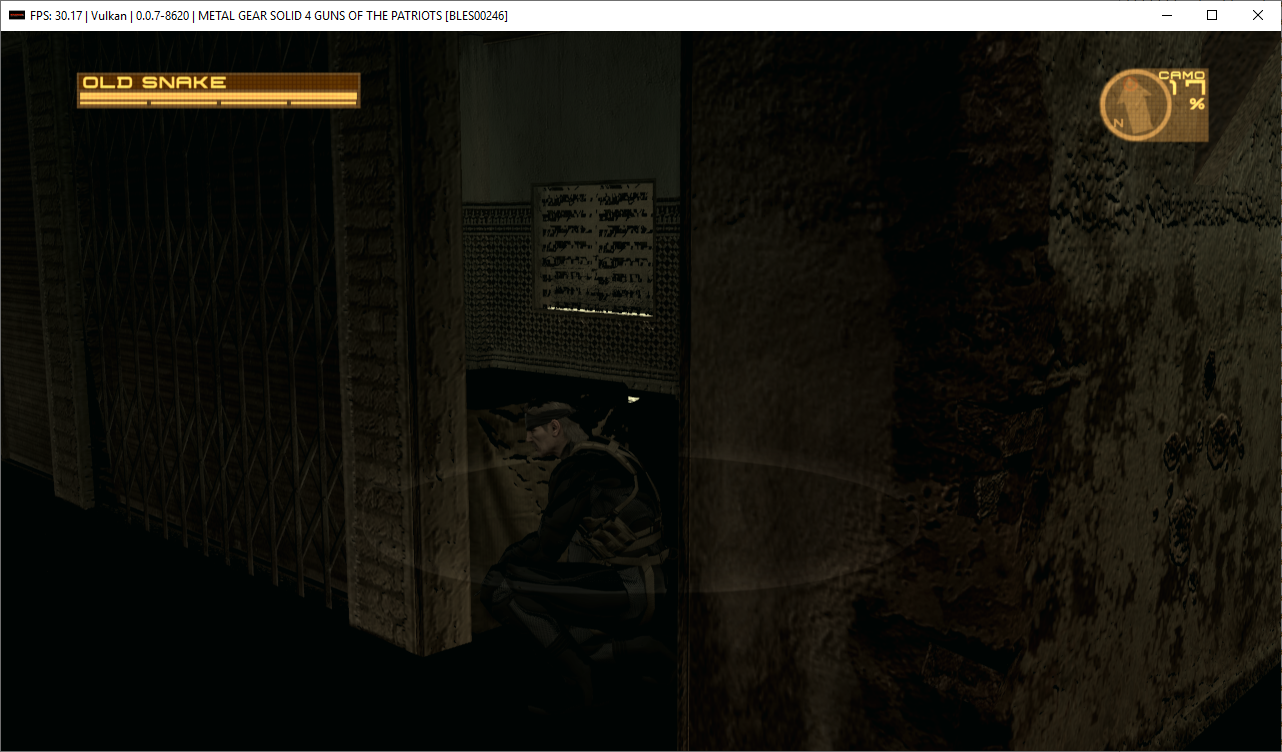

RSX capture:
https://1drv.ms/u/s!AgLgPtiiLQdWjm8BZx61Ay1z9sxT?e=MzJJ08
 HHCHunter
All 6 comments
Making a RSX capture and playing it back with same settings except different renderer:
https://images.sshnuke.net/2019-10-12_08-06-07_QPLfQhZFL.png
https://images.sshnuke.net/2019-10-12_08-06-38_q1d7hcLca.png
So this issue doesn't happen in OpenGL. And it's not a texture corruption problem in RAM, only a rendering/interpretation mistake (wrong padding after mip0?). MIP0 is sampled correctly, all the others are not. The offending texture's format is CELL_GCM_TEXTURE_COMPRESSED_DXT45 (but not all DXT45 compressed textures show this problem)
The texture shows up wrong even in RenderDoc:
https://images.sshnuke.net/2019-10-12_09-14-42_K9shU734M.png
https://images.sshnuke.net/2019-10-12_09-14-53_bCTCKKDTo.png
It looks like the mips other than 0 are from a different texture...
Since the RSX capture from OP doesnt want to open anymore in latest master, here's the one I used for these screenshots https://files.sshnuke.net/NPUB31633_20191012075619_capture.7z
 rajkosto
on 12 Oct 2019
rajkosto
on 12 Oct 2019
https://github.com/RPCS3/rpcs3/commit/5af8a9fbbcba6e683a8a0a89ff733e548215a3e7 changed some calculations that make it not show up on the previously attached RSX capture, but it still shows up ingame and on a newly made RSX capture (and the mips are still corrupted/wrong): https://files.sshnuke.net/NPUB31633_20191017175448_capture.7z
rajkosto
on 17 Oct 2019
Thanks.
 kd-11
on 17 Oct 2019
kd-11
on 17 Oct 2019
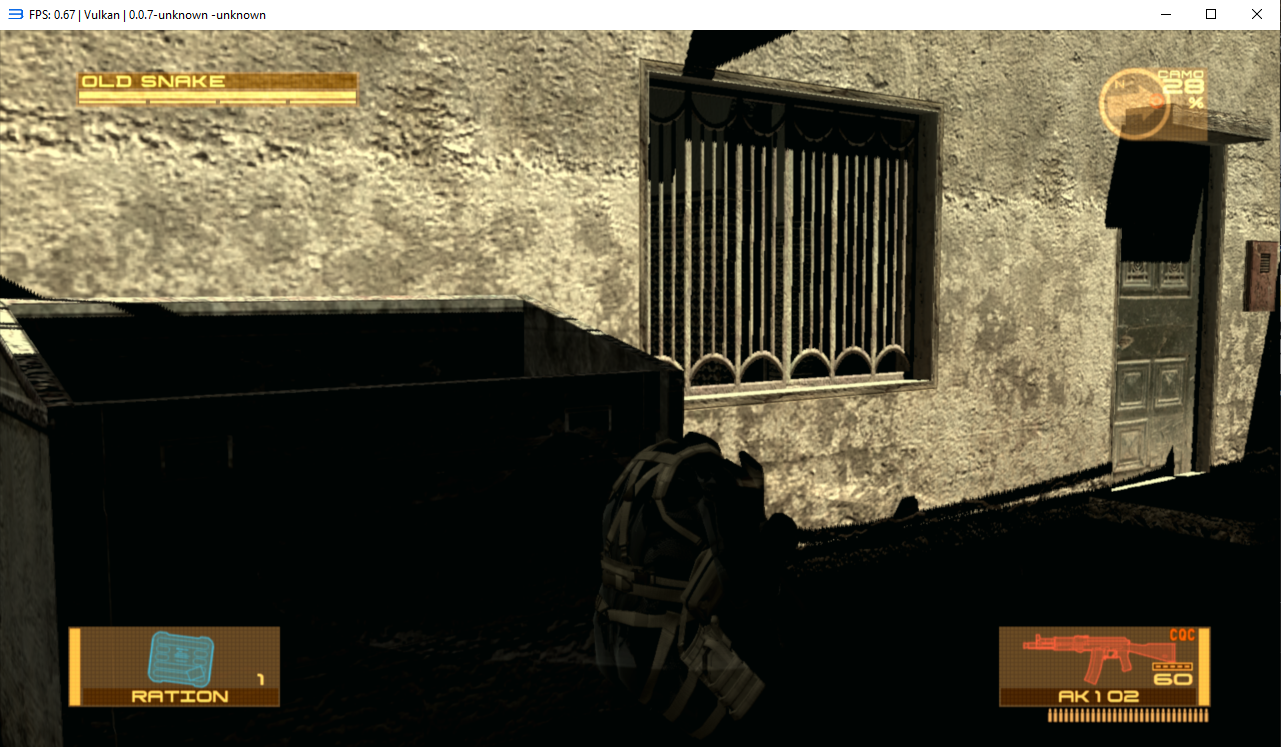
I think its fixed by https://github.com/RPCS3/rpcs3/pull/6790
kd-11
on 17 Oct 2019
The issue was not affected by #6790 both the previously attached RSX capture: https://images.sshnuke.net/2019-10-18_07-36-09_OCudg5NSX.png
or ingame still look the same: https://images.sshnuke.net/2019-10-18_07-34-47_dq2p8qX6W.png
You might have had resolution scale set to more than 100% when taking that screenshot, that makes it show more of MIP0 and less of the following ones, so it does not appear.
Here's the save i use for ingame: https://files.sshnuke.net/BLUS30109G5DA02B61.zip just go right.
EDIT: The texture internally seems to be corrupted the same way in OpenGL, its just never sampling past MIP0 in opengl for some reason, here's nsight screenshots showing it (Renderdoc cannot create captures of OpenGL mode in rpcs3):
https://images.sshnuke.net/2019-10-18_11-58-15_vtTXIo8Z0.png
https://images.sshnuke.net/2019-10-18_11-58-20_6UssQU4hM.png
rajkosto
on 18 Oct 2019
Actually fixed now with https://github.com/RPCS3/rpcs3/pull/6790/commits/dc82fe532af115367fd3278356ffe31c4f4ec6b0 which is part of #6790
rajkosto
on 18 Oct 2019
Related issues
 Luffykun007
·
3Comments
Luffykun007
·
3Comments
 AniLeo
·
3Comments
AniLeo
·
3Comments
 legend800
·
3Comments
legend800
·
3Comments
 elad335
·
3Comments
elad335
·
3Comments
 Nezarn
·
3Comments
Nezarn
·
3Comments