A regression tracker for any remaining bugs introduced by https://github.com/RPCS3/rpcs3/pull/5675.
EDIT: When reporting a regression, check if its fixed by enabling WCB and/or forcing CPU blit from the debug option.
TODO:
- [x] JAK II & III
- [x] Backbreaker
- [x] Rogue Legacy
- [x] Iron Man
- [x] MCLA
- [x] RE6
- [x] Genji
- [x] Yakuza 4
- [x] Silent Hill: Downpour
- [x] MS: Apocalypse
- [x] Ben 10 Galactic Racing
- [x] Monster Jam
- [x] Bioshock
 kd-11
kd-11
All 125 comments
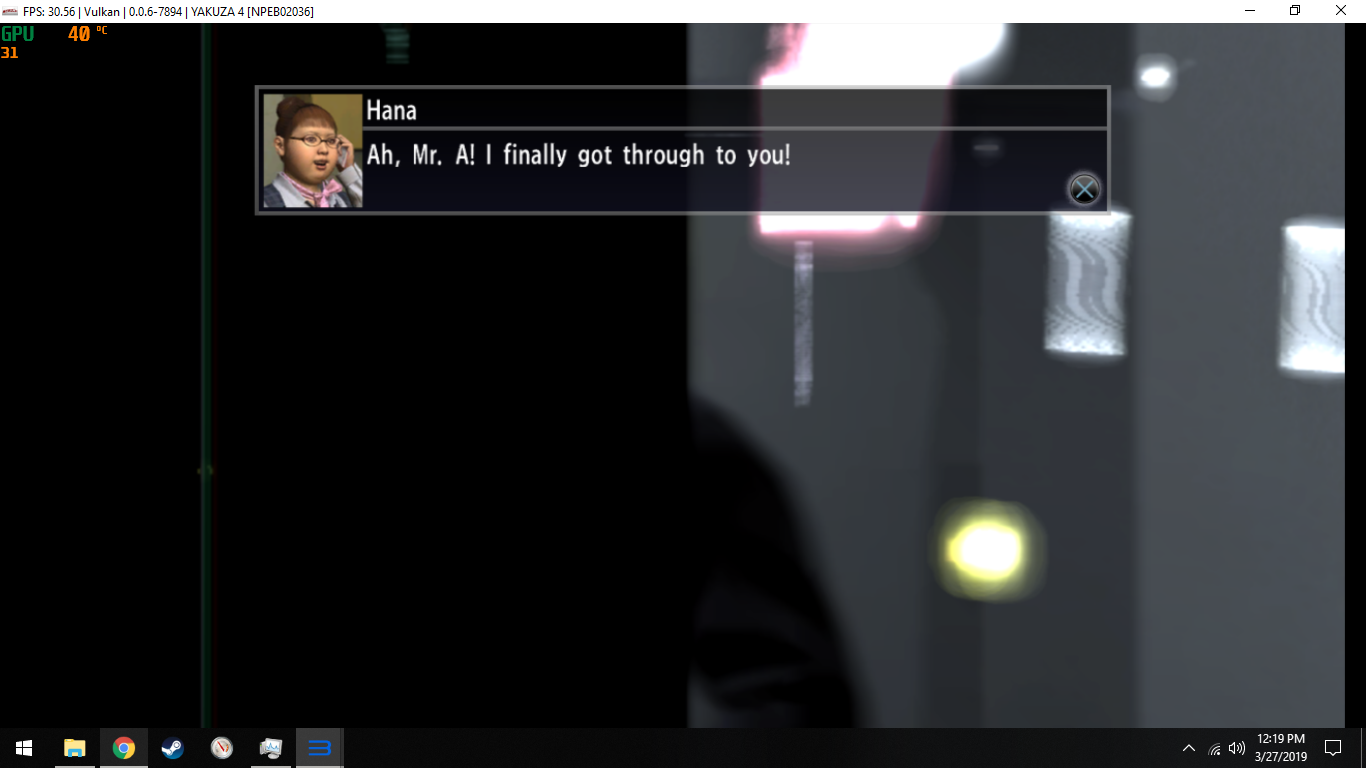
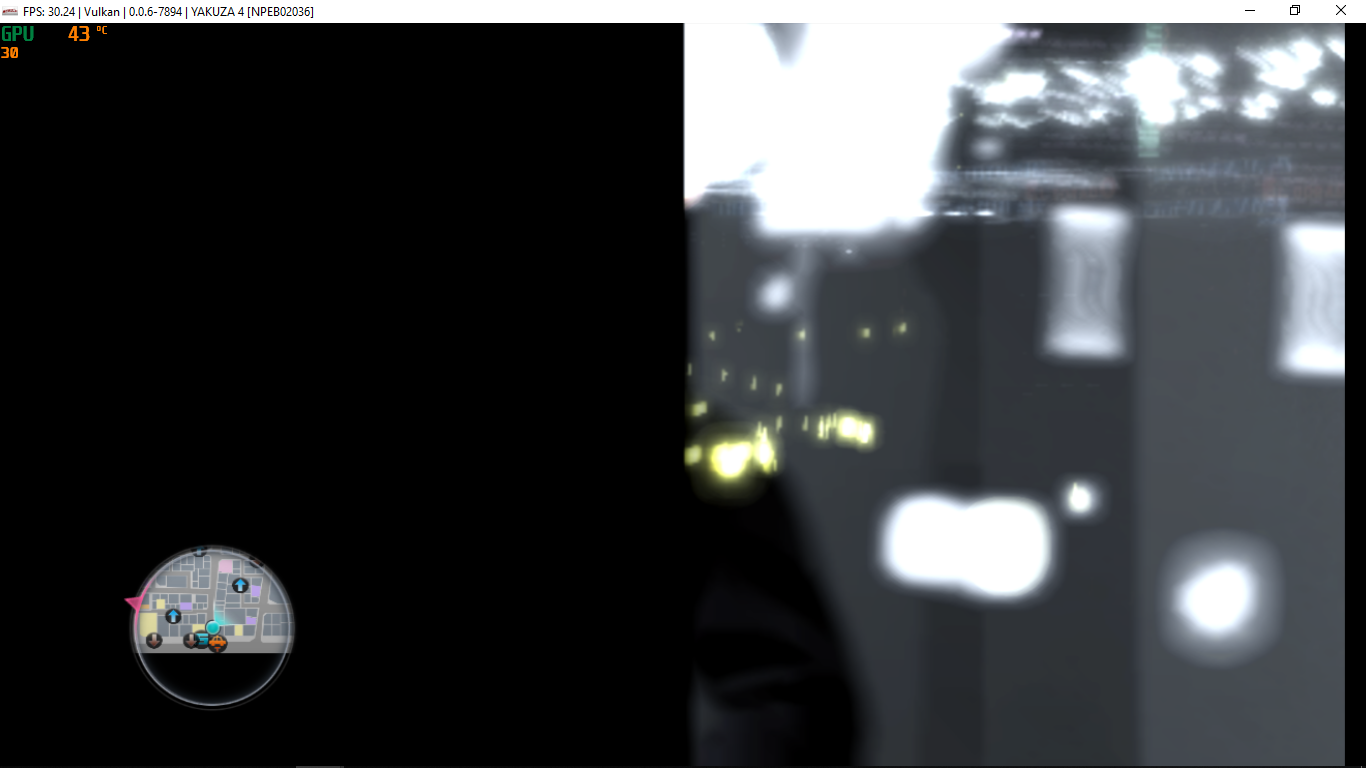
Yakuza 4 Ingame is now almost completely black now, only showing some lights in distance. Also there seems to be a still image that constantly flickers over the right side of the screen. Affects both opengl and vulkan.

The game also spams RSX: Blit request consists of an empty region descriptor! to log.
Indoor segments look a bit better, sometimes showing half or even full frame of correct graphics through the flicker.

Enabling WCB or CPU blit separately don't change anything. Enabling them both on OpenGL prints the following error to log and crashes the whole emulator: RSX: g_access_violation_handler(0xc2650004, 0): Assertion failed: src != nullptr
(in file ...\rpcs3\emu\rsx\common\texture_cache_utils.h:1403)
On vulkan it fixes the flicker, but graphics are still mostly black.

In an earlier version of the PR Yakuza 4 worked fine, but I wasn't checking it often enough to know which change caused it to regress.
 MSuih
on 10 Mar 2019
MSuih
on 10 Mar 2019
Do you not want issues that are fine with WCB + Blit?
Regression List:
Burnout Crash: (with or without WCB + Blit)
No longer playable - mad flickering of objects in levels following by a crash within a min or so (2/2 repro). GFX/stability perfect on Master. Happens with/w/o WCB+Blit.
S {RSX Decompiler Thread} RSX: New program compiled successfully x6
F {RSX [0x025d690]} RSX: class std::runtime_error thrown: Verification failed:
(in file c:\projects\rpcs3\rpcs3\emu\rsx\common\texture_cache.h:2101)
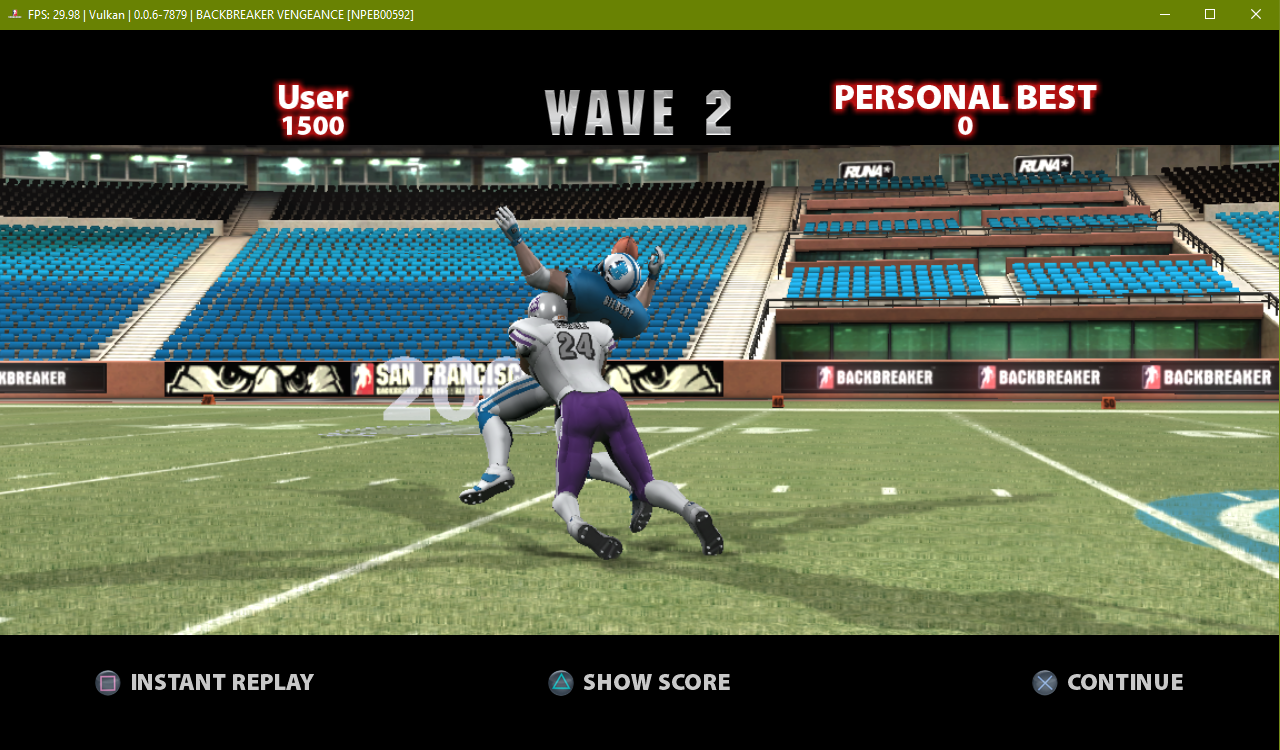
Backbreaker Vengeance:
Broken "Touchdown" text (only with WCB+Blit off):

Broken field logo: (with or without WCB + Blit)

Motorstorm Apoc. - (Needs wcb to render ingame gfx, blit makes everything black)
Does a weird thing now, where it shows a discolored edge that moves itself to the edge of screen and makes the black border bigger than normal. Strange.
Master:

PR:

Then transitions to this....

 legend800
on 10 Mar 2019
legend800
on 10 Mar 2019
Elad's PR merged from master branch, I've got excited to test GT6 game
Game: GT6
Settings: All tried, no changes effect.
Vulkan: F {RSX [0x119dc0c]} RSX: class std::runtime_error thrown: Assertion Failed! Vulkan API call failed with unrecoverable error: Device lost (Driver crashed with unspecified error or stopped responding and recovered) (VK_ERROR_DEVICE_LOST)
(in file c:\projects\rpcs3\rpcs3\emu\rsx\vk\vkhelpers.h:1278)
OGL: F {RSX [0x1918d68]} RSX: class std::runtime_error thrown: Assertion failed: src != nullptr
(in file c:\projects\rpcs3\rpcs3\emu\rsx\common\texture_cache_utils.h:1403)
log: RPCS3.log.gz
Game: GT5
Settings: Default
Vulkan: F {RSX [0x0013080]} RSX: class std::runtime_error thrown: Assertion Failed! Vulkan API call failed with unrecoverable error: Device lost (Driver crashed with unspecified error or stopped responding and recovered) (VK_ERROR_DEVICE_LOST)
(in file c:\projects\rpcs3\rpcs3\emu\rsx\vk\vkhelpers.h:1278) (night tracks including wet/time changeable)
F {PPU[0x1000010] Thread (ksF3) [0x01cb5ae4]} RSX: g_access_violation_handler(0xc68c3000, 1): Unexpected vkFormat 0x0
 jenci8888
on 10 Mar 2019
jenci8888
on 10 Mar 2019
Far Cry 3
Parts of the menu are corrupted

I have RSX capture - but in few tries it didnt show up there and OGL is stuck before any splash screen and in rsx capture it is fine as well.
RPCS3.log.gz
No longer spam of U {RSX [0x00836fc]} RSX TODO: Resource used before memory initialization but instead it spam few time E 0:00:38.630530 {RSX [0x00721ac]} RSX: Unsupported depth conversion (0x9C)
WCB / CPU blit / Off async doesnt do a thing
 Kravickas
on 10 Mar 2019
Kravickas
on 10 Mar 2019


 uaqlover
on 10 Mar 2019
uaqlover
on 10 Mar 2019
rpcs3-v0.0.6-7857-1875dc3f_win64
NASCAR® Unleashed [BLUS30806]
after playing like 5 minute it freeze
video
https://drive.google.com/file/d/1it4278clFvGgjMzk3Cx_yPaSb22fXxFG/view?usp=sharing

F {RSX [0x0061b9c]} RSX: class std::runtime_error thrown: Assertion failed: src != nullptr
(in file c:\projects\rpcs3\rpcs3\emu\rsx\common\texture_cache_utils.h:1403)
Rampage World Tour [NPUB30003]
is issue is back on master
F {PPU[0x1000006] Thread (Thread 1) [0x0013a3cc]} MEM: Access violation reading location 0x0
W {cellAudio Thread} cellAudio: Audio backend stopped unexpectedly, likely due to a buffer underrun
but when ever i try rpcs3-v0.0.6-49120261_win64 is working

uaqlover
on 10 Mar 2019
Emulation freezes with:
F {RSX [0x012afe8]} RSX: class std::runtime_error thrown: Verification failed (e=0x7f):
(in file c:\projects\rpcs3\rpcs3\emu\rsx\gl\gltexturecache.h:200)
when launching Jak 2 or 3 from Jak and Daxter Collection under both Vulkan and OpenGL
 BreakPoints
on 11 Mar 2019
BreakPoints
on 11 Mar 2019
Monster Jam: Path of Destruction [BLUS30561]
(cpu Blit off):

(cpu Blit on):

uaqlover
on 11 Mar 2019

 alexloxldlol
on 11 Mar 2019
alexloxldlol
on 11 Mar 2019
Bioshock also seems to be affected, as noted in #5609:

 Shoegzer
on 12 Mar 2019
Shoegzer
on 12 Mar 2019
In Ratchet and Clank Future: A Crank in Time with OpenGL, the top left of the screen only looks correct for ratchets fur and the crosshair when aiming in certain directions for this master while the previous master looks correct no matter what direction your aiming.
Previous Master OpenGL:

Master OpenGL:

5675 fixed the auger sight for Vulkan but OpenGL still has issues when using the sight. The very top left corner of the screen can show enemies and the environment but the rest of the sight is a still image.
Vulkan:

OpenGL(most of the left side of the screen is a still image):

 stride21
on 12 Mar 2019
stride21
on 12 Mar 2019
In this new version (rpcs3-v0.0.6-7867-980c3d6f_win64).

The menu still continues with the same problem; but in the game.
The game came back to work normally, only in these parts of "balance" happens an FPS fall

What did not happen in this version of the RPCS3 emulator v0.0.6-7840-a43e7c17, even running in 5K, was perfect
Note: from the RPCS3 version v0.0.6-7840-a43e7c17 - FOR - RPCS3 v0.0.6-7857-1875dc3f the game gets injurious 0,73FPS
 SkyEua
on 13 Mar 2019
SkyEua
on 13 Mar 2019
Need some general feedback with this build https://ci.appveyor.com/project/kd-11/rpcs3/builds/23040747/artifacts.
Note: Please check both OpenGL and Vulkan and note differences if any. Flickering with vulkan in some games is expected due to uneven performance desynchronizing Cell threads. This is being worked on. If it works fine on OpenGL and is mysteriously flickering with vulkan that is likely the cause.
kd-11
on 13 Mar 2019
The regression that I reported has been fixed in the new build. Not noticing any differences with master in Jak and Daxter's case.
Emulation freezes with:
F {RSX [0x012afe8]} RSX: class std::runtime_error thrown: Verification failed (e=0x7f): (in file c:\projects\rpcs3\rpcs3\emu\rsx\gl\gltexturecache.h:200)when launching Jak 2 or 3 from Jak and Daxter Collection under both Vulkan and OpenGL
BreakPoints
on 13 Mar 2019
working with this build
Rampage World Tour NPUB30003

Monster Jam: Path of Destruction [BLUS30561] is same

uaqlover
on 14 Mar 2019
In Resistance 3 the size of the screen portion that shows graphics when using the auger sight can expand and contract in size or completely disappear. When it contracts it can leave a still image that is the same size as the previous portion and it doesn't go away when it happens but with the PR it no longer shows still images when using the auger.

Ratchet and Clank Future: A Crank in Time is still the same with the recent PR.
stride21
on 14 Mar 2019
Need some general feedback with this build https://ci.appveyor.com/project/kd-11/rpcs3/builds/23040747/artifacts.
Note: Please check both OpenGL and Vulkan and note differences if any. Flickering with vulkan in some games is expected due to uneven performance desynchronizing Cell threads. This is being worked on. If it works fine on OpenGL and is mysteriously flickering with vulkan that is likely the cause.
RPCS3 v0.0.6-7862-154c8a2e
With vulkan, the game presents itself correctly, all the time in 30FPS even in 4k.
Only the opening screen, below 9FPS this time.
But occasionally I get the error:
F {RSX [0x014dea8]} RSX: class std::runtime_error thrown: Assertion Failed! Vulkan API call failed with unrecoverable error: Device lost (Driver crashed with unspecified error or stopped responding and recovered) (VK_ERROR_DEVICE_LOST)
(in file c:\projects\rpcs3\rpcs3\emu\rsx\vk\vkhelpers.h:1278)

Already in OpenGL, It behaves the same way, low fps only in opening; running 30FPS at all times.
But when it comes to the "balance" part the FPS drops.

I would have sent the log file, but it gets really big 2GB ????
SkyEua
on 14 Mar 2019
Results from new build:
No change: (VK/OpenGL same)
Backbreaker Vengeance broken TD text/logo
Fixed:
Burnout flicker/crashes
Worse:
Motorstorm Apocalypse border issue:
VK:

Much worse on OpenGL:

legend800
on 14 Mar 2019
GT5 and GT6 fails at intro, when SPU race condition breaks, both same error in log. (I've tried change all settings and no effect.)
However, Master doesn't have a problem, either. (Still remains RSX verification error)
F {SPU[0x2000001] Thread (PDICellSpursKernel1) [0x08074]} MEM: Access violation writing location 0x611e0000
Log: RPCS3.zip
Forget it, I created new folder, it seems like stuck infinite loading in GT6 and GT5 ingame right now.
jenci8888
on 14 Mar 2019
https://ci.appveyor.com/project/kd-11/rpcs3/builds/23070933 Should fix unstable vulkan image (flickering)
kd-11
on 14 Mar 2019
@jenci8888 I can't look into it if it dies with SPU crash; I certainly do not touch anything on SPU with this change.
kd-11
on 14 Mar 2019
This looks like a page fault miss.
 elad335
on 14 Mar 2019
elad335
on 14 Mar 2019
With Vulkan, MCLA now shows pink flickering reflections. Enabling Force CPU blit doesn't fix it. SRM and WCB (needed to fix broken car) are enabled.
Before #5675:

#5675 and after:

I've tested with the build provided by kd-11 and it still has this bug.
 MarioSonic2987
on 14 Mar 2019
MarioSonic2987
on 14 Mar 2019
You forgot to clarify what OpenGL looks like or if strict mode does anything.
kd-11
on 14 Mar 2019
@jenci8888
The fbo_fixes branch is not rebased on the latest master, so there is no fix for gt 5/6 in this branch.
 Emulator-Team-2
on 14 Mar 2019
Emulator-Team-2
on 14 Mar 2019
The only change for Yakuza 4 is that the OpenGL CPU blit + WCB crash has changed to RSX: class std::runtime_error thrown: Verification failed:
(in file c:\projects\rpcs3\rpcs3\emu\rsx\gl\glhelpers.h:303)
It also no longer crashes the whole emulator.
MSuih
on 14 Mar 2019
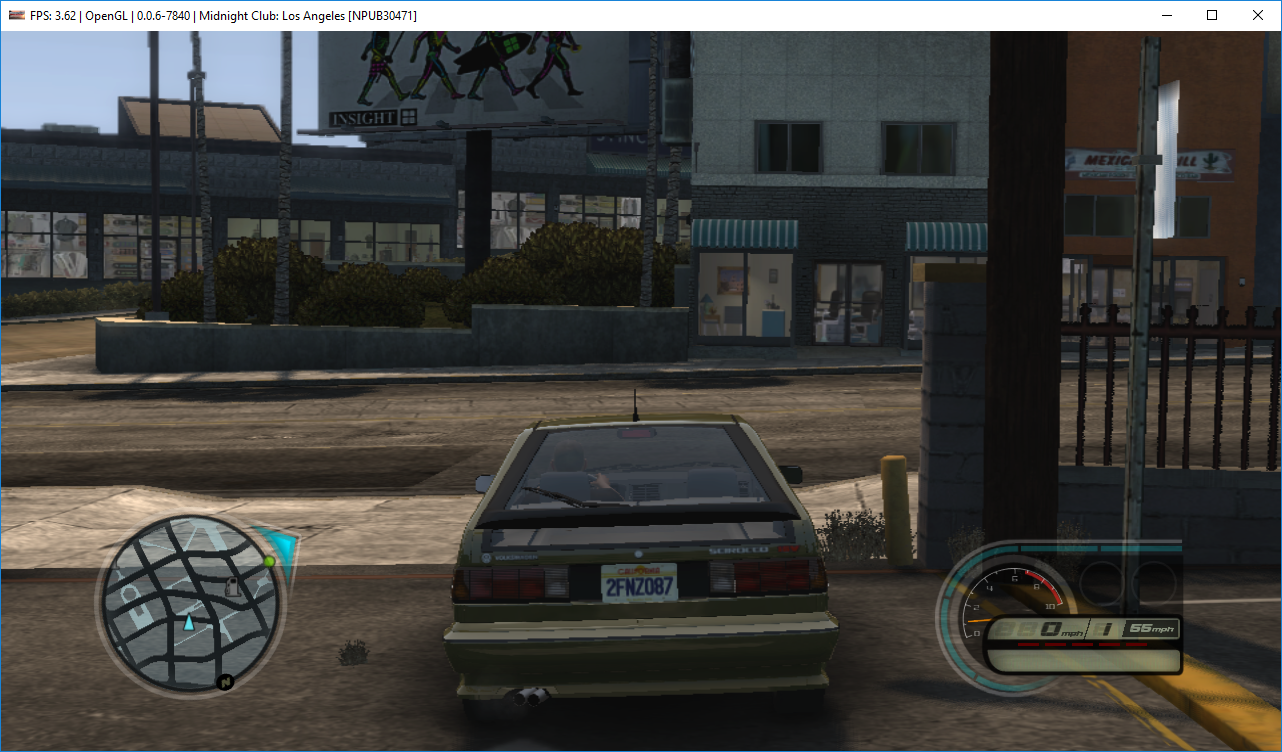
MCLA OpenGL
Before #5675:
With WCB (Different lighting is due to the game loads a different landspace in title screen.):
Without WCB:
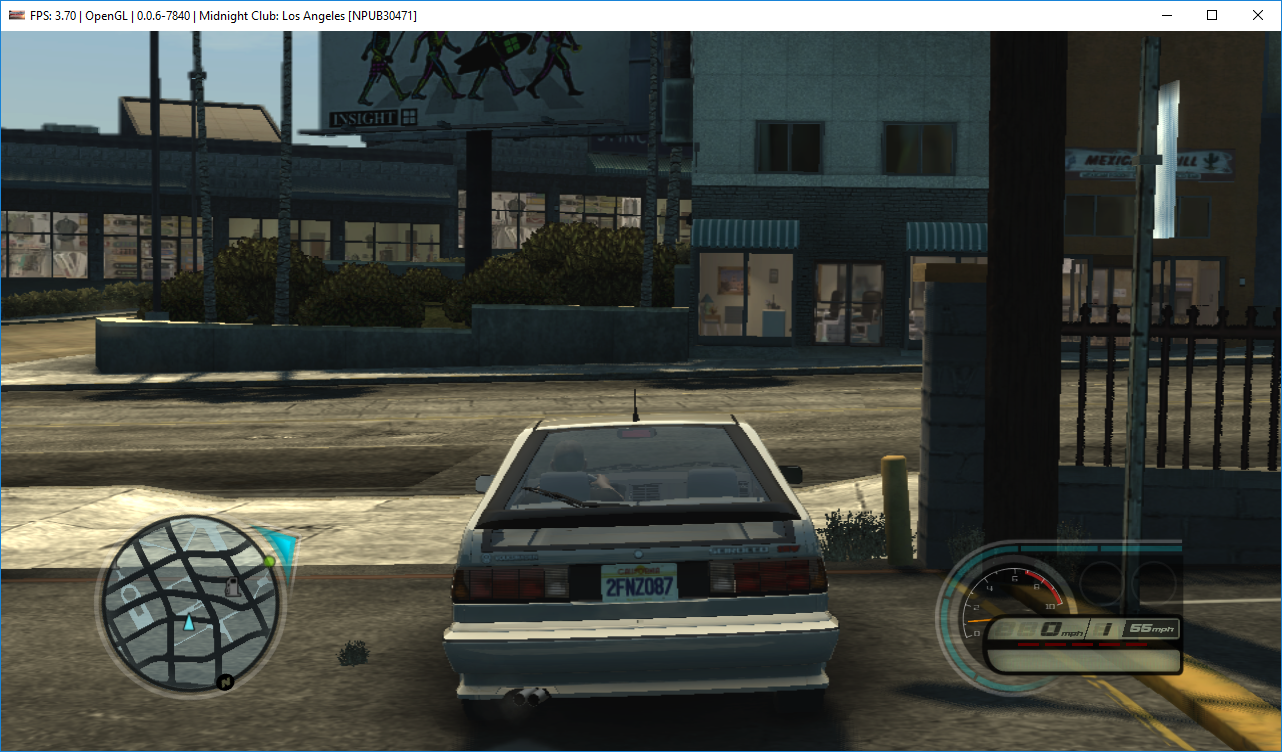
#5675 and after:
Without WCB, has black flickering reflections.
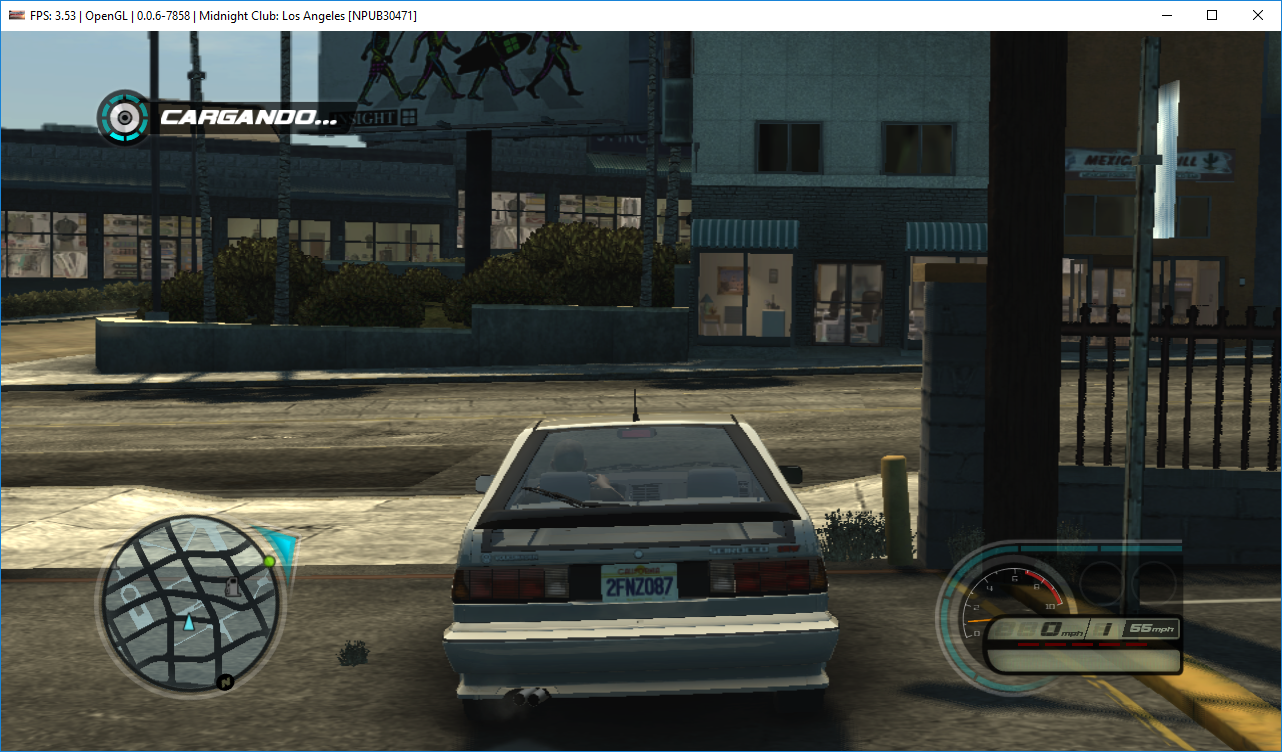
With WCB, throws this in console and crashes the emulator:
·F 0:01:26.276390 {RSX [0x001e01c]} RSX: class std::runtime_error thrown: Assertion failed: src != nullptr
(in file c:\projects\rpcs3\rpcs3\emu\rsx\common\texture_cache_utils.h:1403)
With fbo_fixes new build, it still has black reflections without WCB. CPU blit doesn't fix it.
With WCB, throws this in console and crashes the emulator:
F {RSX [0x0031afc]} RSX: class std::runtime_error thrown: Verification failed:
(in file c:\projects\rpcs3\rpcs3\emu\rsx\gl\glhelpers.h:303)
https://ci.appveyor.com/project/kd-11/rpcs3/builds/23070933 Should fix unstable vulkan image (flickering)
In the "balance" part this is working normally, even in the part of the introduction.
Only in this part that remains the same.

SkyEua
on 14 Mar 2019
@MSuih So vulkan is still broken? I'll look into the OGL issue.
@SkyEua We had this regression before; I remember it was easy to fix - will look into it.
Fortunately the most dangerous bug (flickering, which means race conditions) is gone now so the rest should be manageable.
kd-11
on 14 Mar 2019
After #5675
Iron Man-Demo now hangs up on the loading screen before entering the game.
Master:
Last error in the log:
RSX: Depth<->RGBA blit on a framebuffer requested but not supported
Log:
RPCS3.zip
With WCB + CPU blit crashes with fatal error:
[Vulkan]
F {RSX [0x0007860} RSX: class std::runtime_error thrown: Verification failed (e=0x7f):
(in file c:\projects\rpcs3\rpcs3\emu\rsx\vk\vkgsrender.cpp:3318)
[OpenGL]
F {RSX [0x00072c0]} RSX: class std::runtime_error thrown: Verification failed (e=0x7f):
(in file c:\projects\rpcs3\rpcs3\emu\rsx\gl\glgsrender.cpp:1649)
Log:
RPCS3-Log-Master.zip
With Latest build from [fbo_fixes] branch:
Still hangs on the loading screen, but show more errors:
RSX: Depth<->RGBA blit on a framebuffer requested but not supported
RSX: Area merge failed! addr=0xc1ab8000, w=1024, h=4096, gcm_format=0x85[sz=0]
RSX: Btw, you're about to lose a blit surface at 0xc1eb8000
Log:
RPCS3.zip
With WCB + CPU blit:
(in file c:\projects\rpcs3\rpcs3\emu\rsx\gl\glhelpers.h:303)
(in file c:\projects\rpcs3\rpcs3\emu\rsx\vk\vkgsrender.cpp:3287)
Log:
RPCS3-Log.zip
Emulator-Team-2
on 14 Mar 2019
@kd-11 Yes, Vulkan is still broken.
MSuih
on 15 Mar 2019
Rogue Legacy
Before #5675, Vulkan and OpenGL render correctly without the need of WCB.

RPCS3 Before.log.gz
5675 and after, Vulkan and OpenGL render incorrectly the background.

w/ WCB enabled it solves a part of the issue, forcing CPU Blit doesn't help.

RPCS3 Vulkan WCB.log.gz
OpenGL + WCB throws an error.
F {RSX [0x00cb378]} RSX: class std::runtime_error thrown: Assertion failed: src != nullptr
(in file c:\projects\rpcs3\rpcs3\emu\rsx\common\texture_cache_utils.h:1403)
RPCS3 OpenGL WCB.log.gz
 MsDarkLow
on 15 Mar 2019
MsDarkLow
on 15 Mar 2019
New build here https://ci.appveyor.com/project/kd-11/rpcs3/builds/23107321/artifacts. Retest.
EDIT: This build has a crash bug, check my next message below.
kd-11
on 15 Mar 2019
Yakuza 4 OpenGL crash is fixed, but the graphical issues described in my first message affect both APIs.
MSuih
on 15 Mar 2019
Disregard last build if getting crashes; use this build instead https://ci.appveyor.com/project/kd-11/rpcs3/builds/23108496
kd-11
on 15 Mar 2019
New build here https://ci.appveyor.com/project/kd-11/rpcs3/builds/23107321/artifacts. Retest.
With this build, Rogue Legacy seems to render everything correctly again. Both OpenGL and Vulkan
MsDarkLow
on 15 Mar 2019
MCLA pink reflections bug with Vulkan and black reflection bug and crash with WCB with OpenGL are now fixed.
In Resident Evil 6, there's no flickering but reduces performance by spamming in console:
E {RSX [0x018ebe0]} RSX: [vulkan] vk::wait_for_event has timed out!

With OpenGL, it's normal.

MarioSonic2987
on 15 Mar 2019
Thanks for confirming the timeout bug, I'm investigating.
kd-11
on 15 Mar 2019
This build should fix the events timing out with vulkan.
kd-11
on 15 Mar 2019
It no longer spams in console and performance returns to normal.

MarioSonic2987
on 15 Mar 2019
Worms Crazy Golf and Worms Revolution with Vulkan crash after starting up with this line thrown in console:
F {RSX [0x0102f34]} RSX: class std::runtime_error thrown: Verification failed (e=0x7f):
(in file c:\projects\rpcs3\rpcs3\emu\rsx\vk\vktexturecache.h:300)
With OpenGL, it's fine.
Edit: They don't crash with CPU blit.
MarioSonic2987
on 15 Mar 2019
Should be fixed by https://ci.appveyor.com/project/kd-11/rpcs3/builds/23114644
kd-11
on 15 Mar 2019
Both games still don't work. Throws in console:
·F 0:00:13.090633 {RSX [0x0103fb4]} RSX: class std::runtime_error thrown: Verification failed (e=0x7f):
(in file c:\projects\rpcs3\rpcs3\emu\rsx\vk\vktexturecache.h:310)
Log WCG VK Broken
Log WCG VK Master
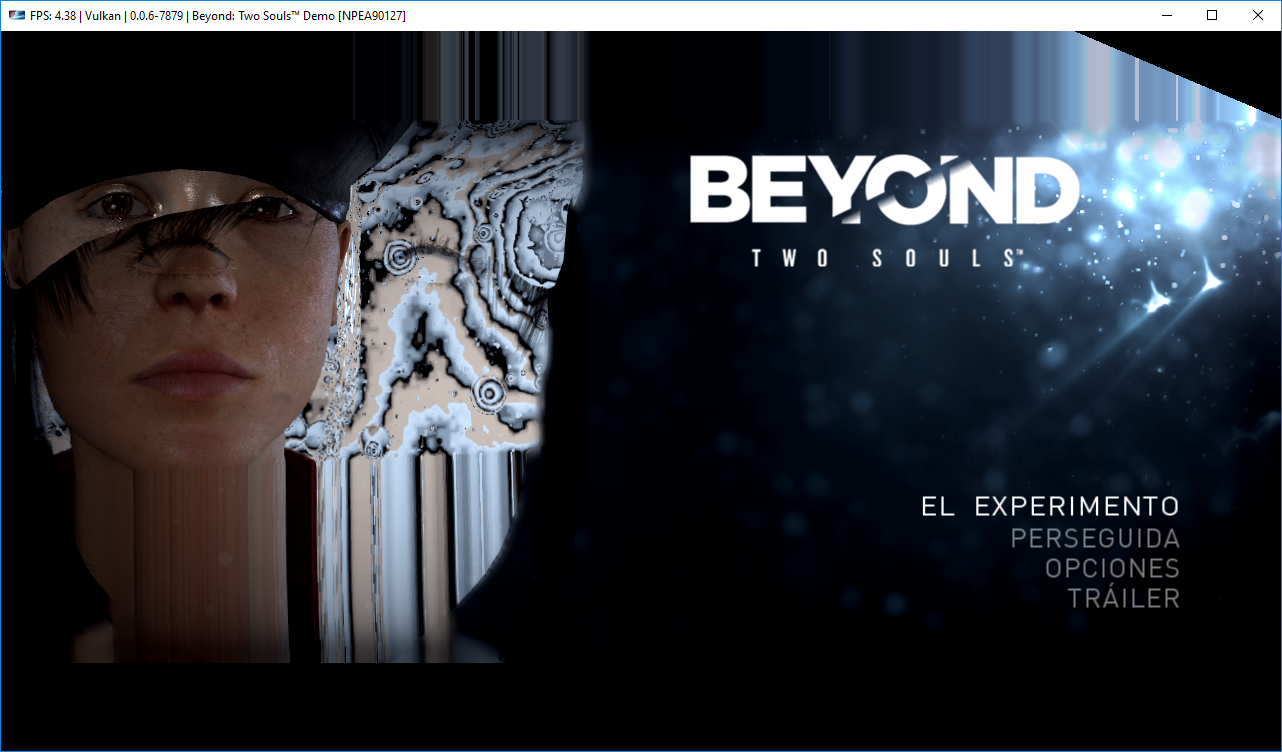
Now Beyond Two Souls no longer requires CPU blit to show proper textures.
Before/After

MarioSonic2987
on 15 Mar 2019
rpcs3-v0.0.0.6-7879-5d7b41a3_win64
fixed Monster Jam_ Path of Destruction [BLUS30561]

but it show yellow when i stop the car

uaqlover
on 15 Mar 2019
also it's stable now NASCAR® Unleashed [BLUS30806] not crashing
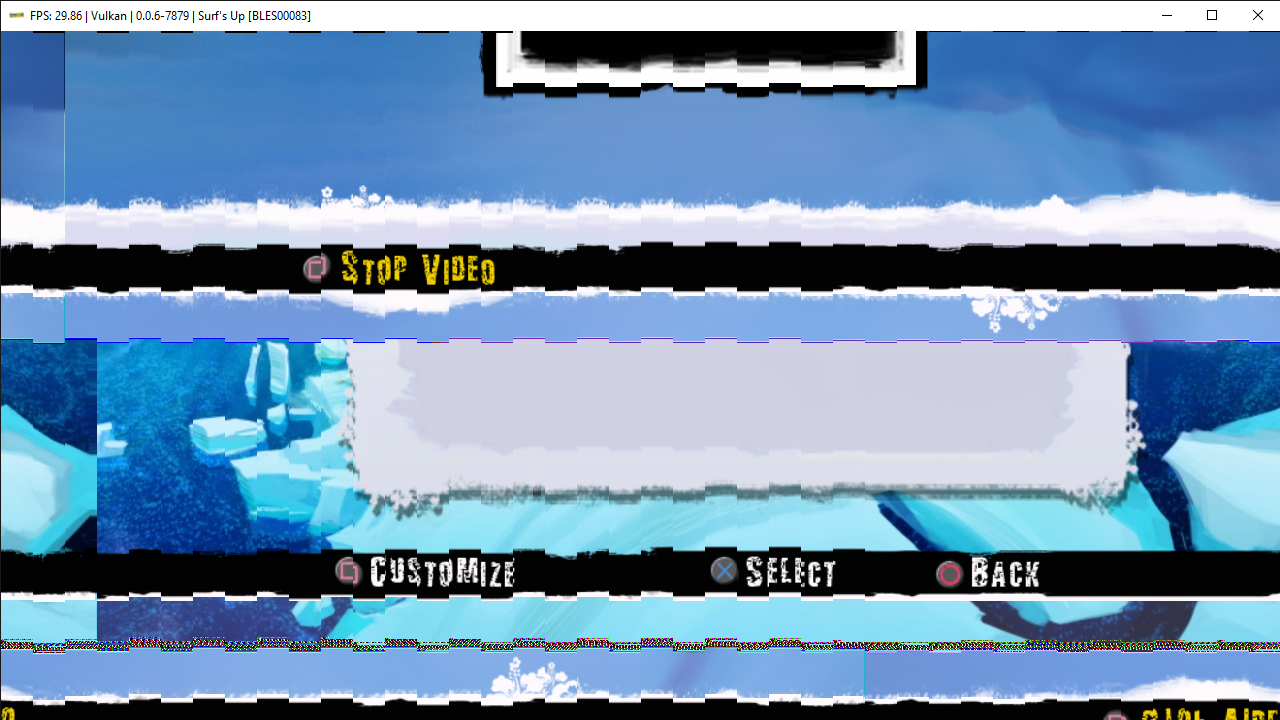
and Surf's Up [BLES00083] broke and flickering again


master


uaqlover
on 16 Mar 2019
Ben 10™ Galactic Racing [BLUS30822]
error is gone but still has black textures ingame


same is rio has black textures
uaqlover
on 16 Mar 2019
Skydive: Proximity Flight [NPUB30618] is broke

Shoot Many Robots (Demo) [NPUB30600] is still dark

uaqlover
on 16 Mar 2019
@uaqlover
Kung Fu Panda 2 requires to enable "Disable Vertex Cache" to fix this issue.
Stop spamming with unrelated issues.
Emulator-Team-2
on 16 Mar 2019
thanks @Emulator-Team-2 and sorry for posting unrelated issues
uaqlover
on 16 Mar 2019
this pr fix's all pes series games
pr

master

uaqlover
on 16 Mar 2019
@kd-11 Not only did you fix the field logo regression in Backbreaker, but you fixed this old VK regression making Backbreaker Vengeance, for the first time ever, fully playable with full speed!!
https://github.com/RPCS3/rpcs3/issues/5708
I no longer need to bug you on changes to this game in every PR after all these years. :P
Finish him!
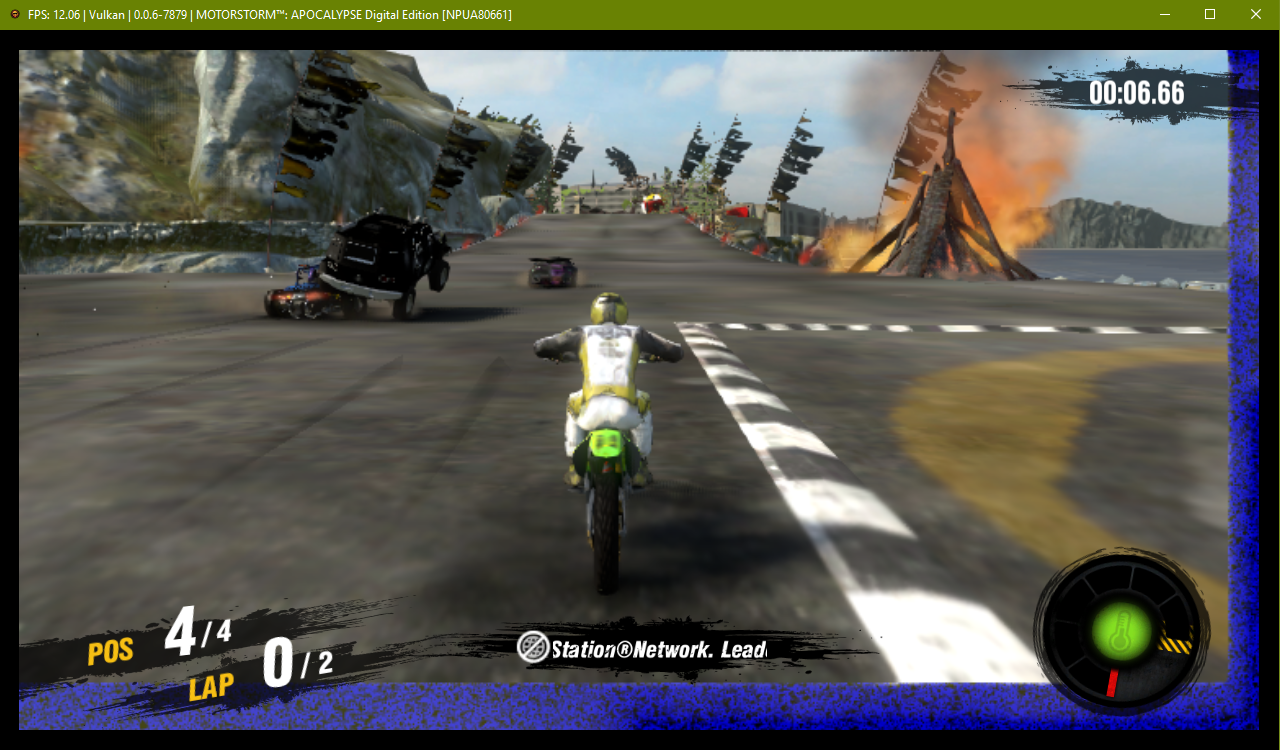
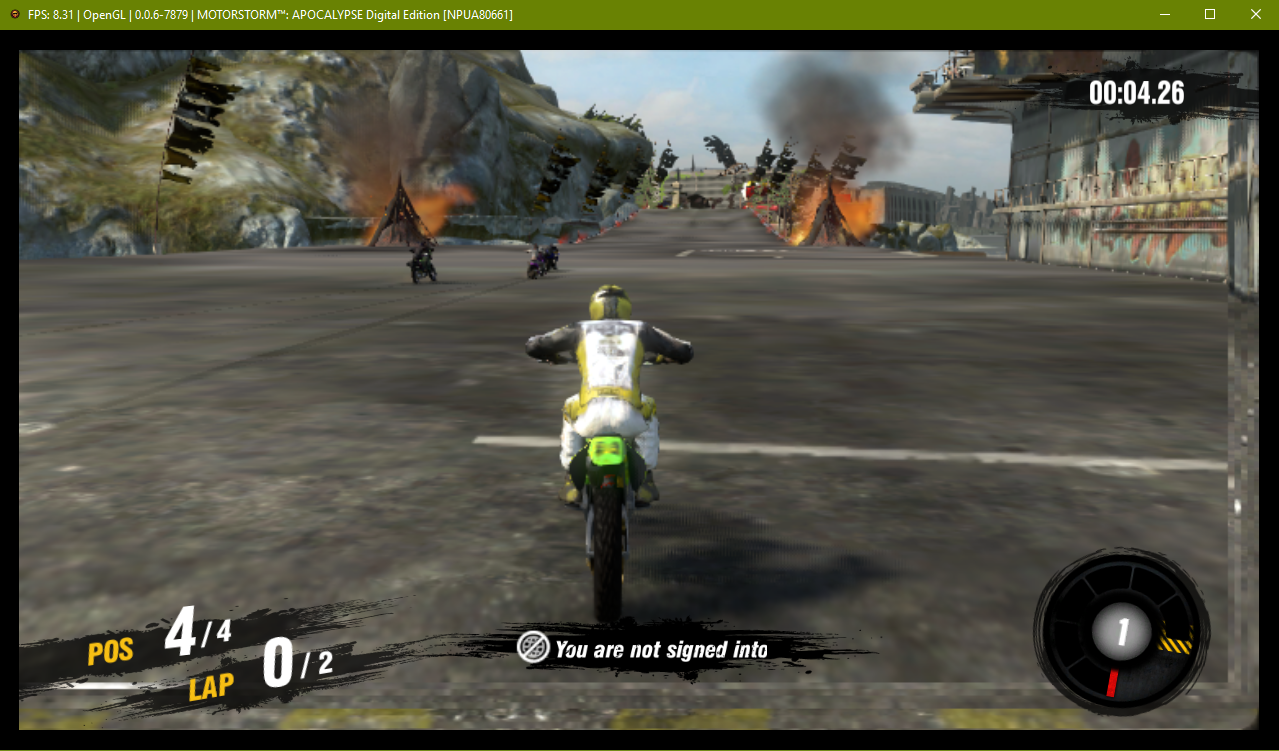
Motorstorm Apocalypse better, but still has a little bit of a regression:
VK (broken borders on intro to stage, gets a little better after race starts)
OpenGL (broken borders on intro to stage, weird blurry border after race starts)
legend800
on 16 Mar 2019
Flickering in GoW 3 finally fixed on GPU Blit, but still left a performance regression from https://github.com/RPCS3/rpcs3/commit/310c4f0feea6d254c8adbaf614e6143e39a4f961
 Xcedf
on 16 Mar 2019
Xcedf
on 16 Mar 2019
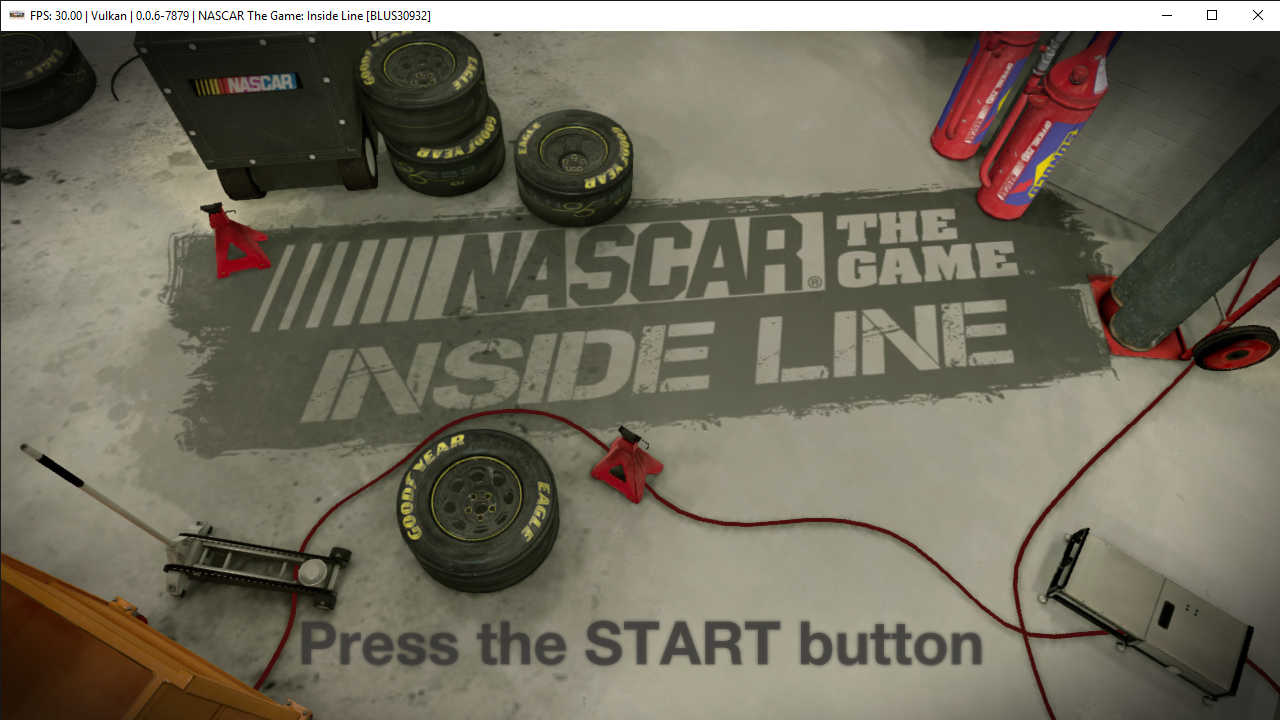
Regression NASCAR The Game: Inside Line [BLUS30932]
pr
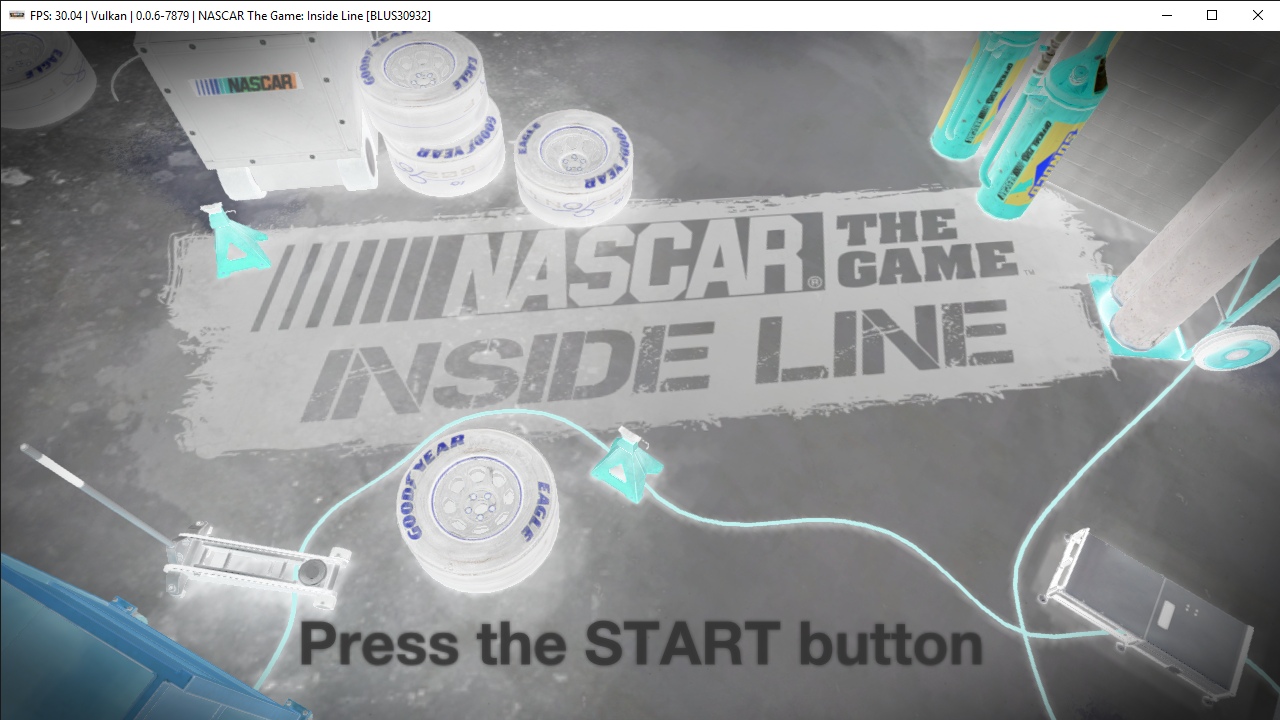
master

uaqlover
on 16 Mar 2019
@Xcedf Unfortunately there is no way around that, the old method just looks up a value and doesn't even check if its valid. It 'just works' for some games but clearly breaks many others.
Optimizations to the new cache mayb alleviate the performance hit, but for now the performance regression has to be there.
kd-11
on 16 Mar 2019
last build from https://github.com/kd-11/rpcs3/commit/fb757cef2fcafc03bcc1d92cab657ac8e7da12bf
rpcs3-v0.0.0.6-7879-fb757cef_win64
Regression NASCAR The Game: Inside Line [BLUS30932] is gone
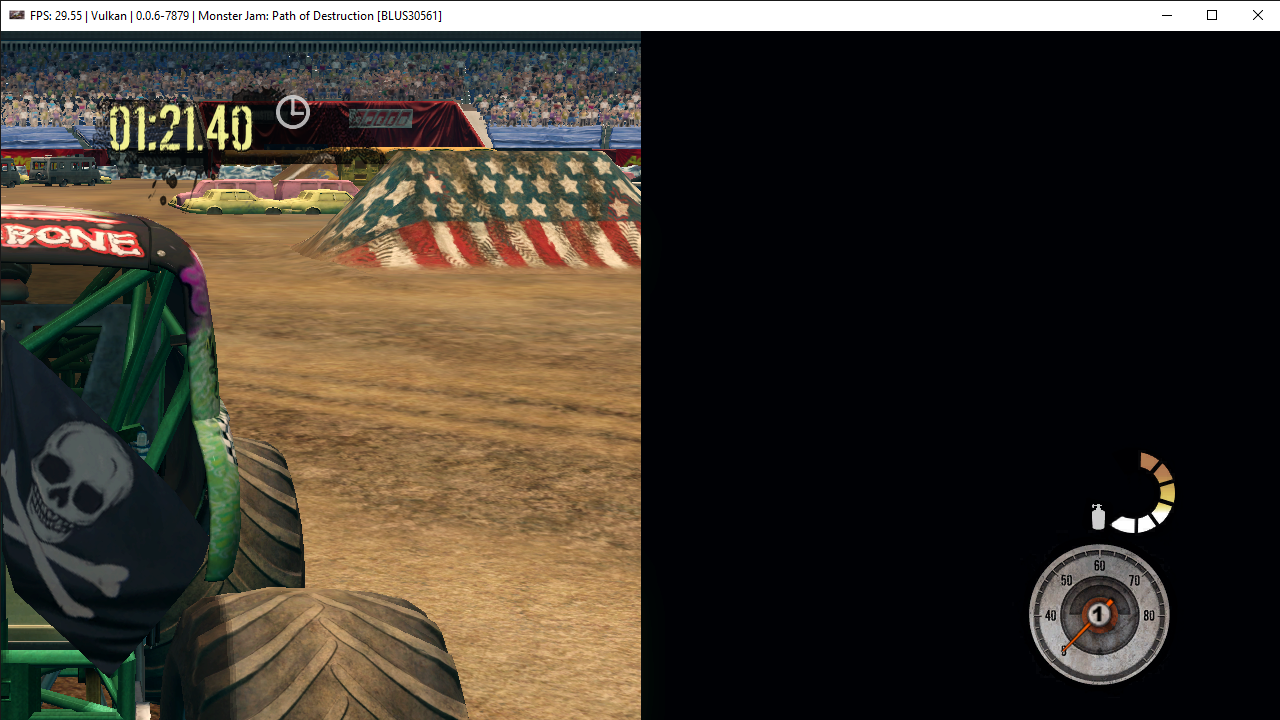
Monster Jam Path of Destruction BLUS30561 Regression is back
still has Regression Surf's Up [BLES00083]
Ben 10™ Galactic Racing [BLUS30822]
and rio
still has black textures
uaqlover
on 16 Mar 2019
New build https://ci.appveyor.com/project/kd-11/rpcs3/builds/23121862.
Pre-existing bugs like "black textures" are not getting fixed right now, that is not the point of this work. Its to address regressions compared to previous master versions.
Implemented GPU accelerated rotations which should fix surfs up and Genji regressions.
kd-11
on 16 Mar 2019
Last build failed to compiled, fixed here https://ci.appveyor.com/project/kd-11/rpcs3/builds/23122205
kd-11
on 16 Mar 2019
~WCG and Worms Revolution still crash, but it's solved with Strict Rendering Mode disabled. Enabling it, crashes both games.~
Nevermind. Both games are working.
MarioSonic2987
on 16 Mar 2019
PR opened to address this ticket https://github.com/RPCS3/rpcs3/pull/5726
kd-11
on 16 Mar 2019
Uncharted 2, has vk driver error, and it seems it was here since the beginning of https://github.com/RPCS3/rpcs3/pull/5675, yet the most of these isues were fixed, this one still here
E {SPU[0x2000003] Thread (highCellSpursKernel3) [0x02238]} RSX: [vulkan] vk::wait_for_event has timed out!
F {RSX [0x7001a20]} RSX: class std::runtime_error thrown: Assertion Failed! Vulkan API call failed with unrecoverable error: Device lost (Driver crashed with unspecified error or stopped responding and recovered) (VK_ERROR_DEVICE_LOST)
(in file c:\users\zero\desktop\rpcs3\rpcs3\emu\rsx\vk\vkhelpers.h:1297)
Xcedf
on 16 Mar 2019
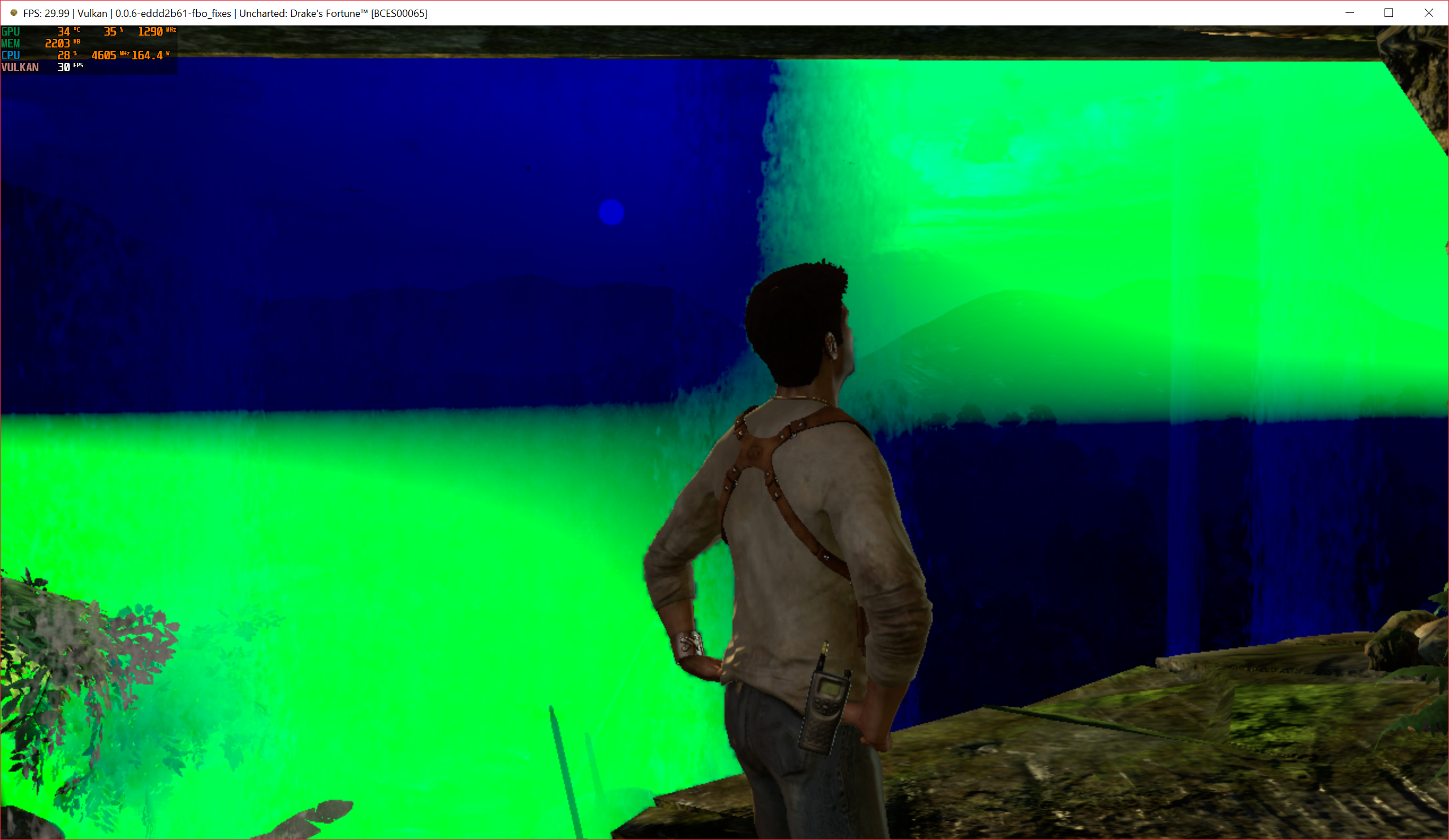
when moving camera around him
 hellboysss
on 16 Mar 2019
hellboysss
on 16 Mar 2019
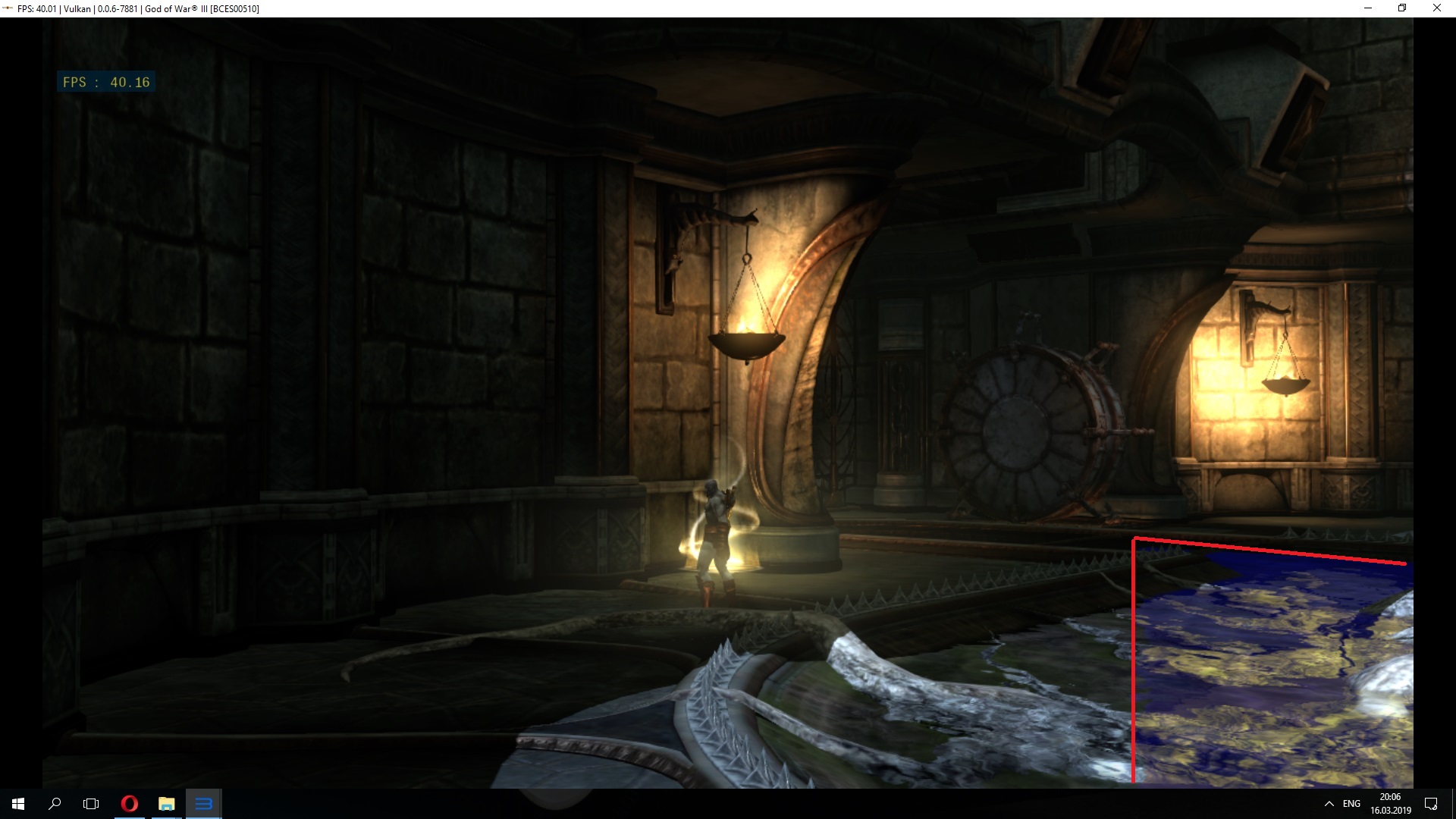
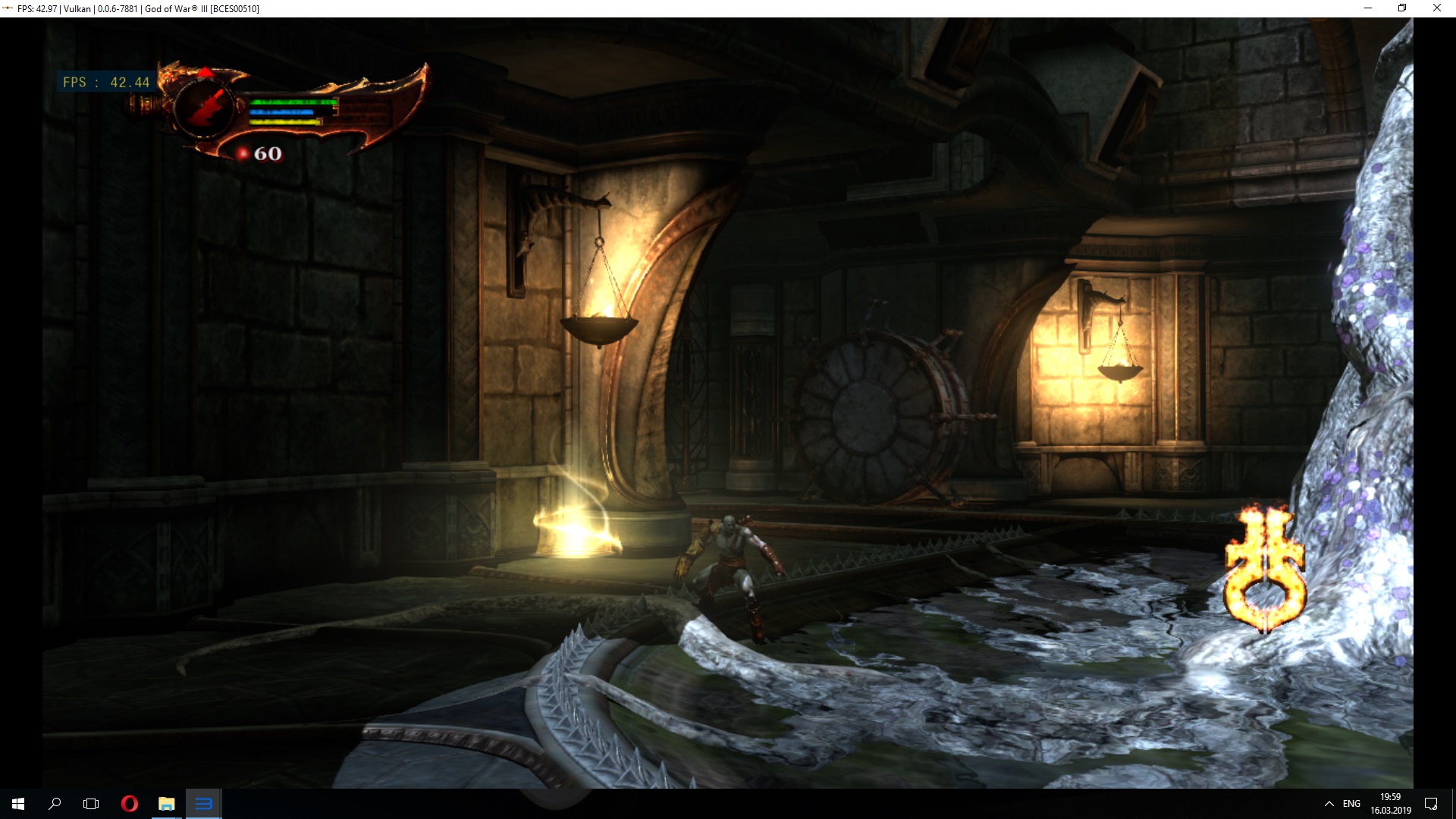
@kd-11 despite of performance regression, there's another bug in 310c4f0, a part of water surface has worng color
This PR
This PR +310c4f0 reverted
Xcedf
on 16 Mar 2019
Confirmed. I suspect there is a pitch incompatibility issue somewhere, will look into it after merging the current PR.
kd-11
on 17 Mar 2019
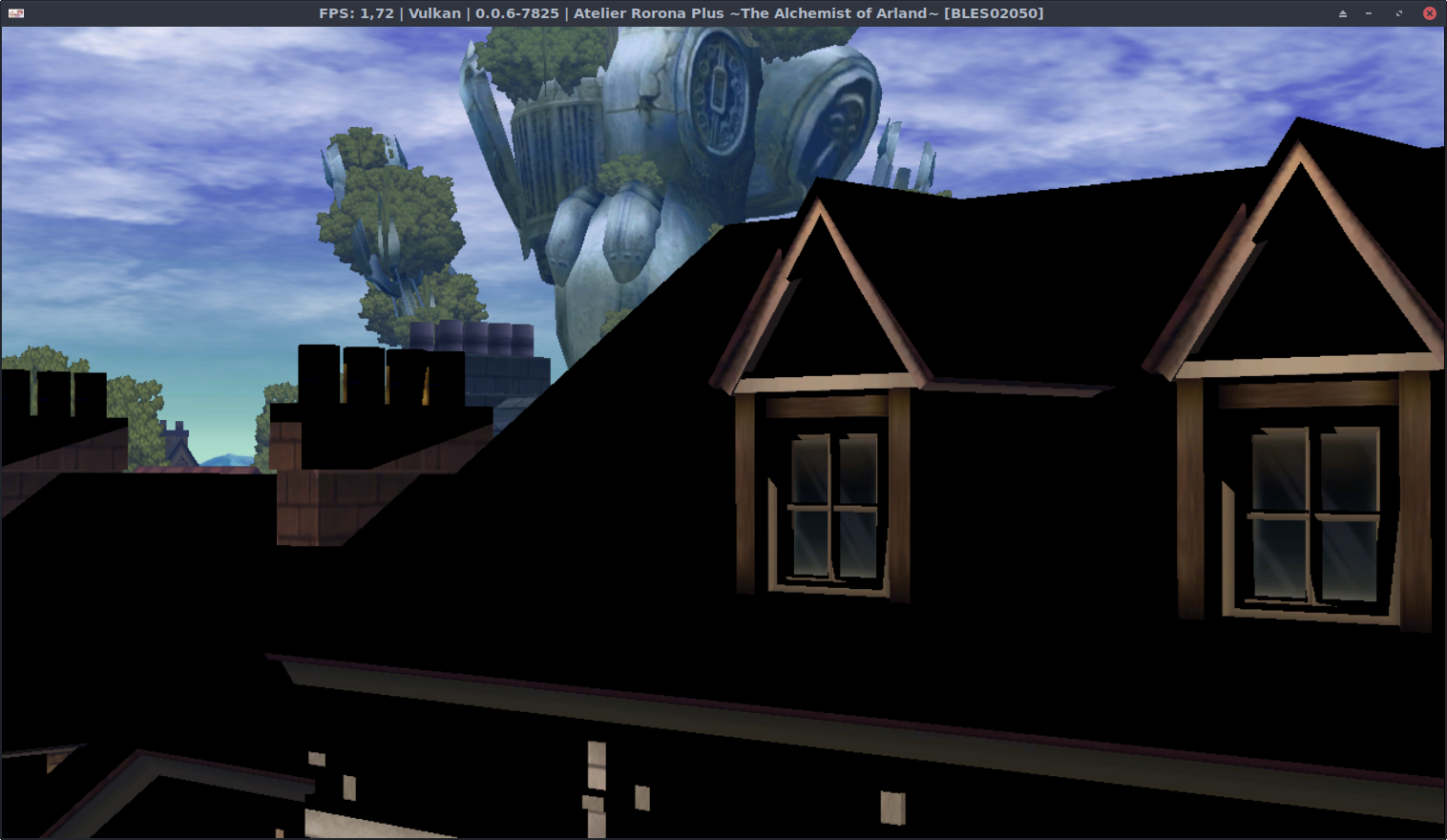
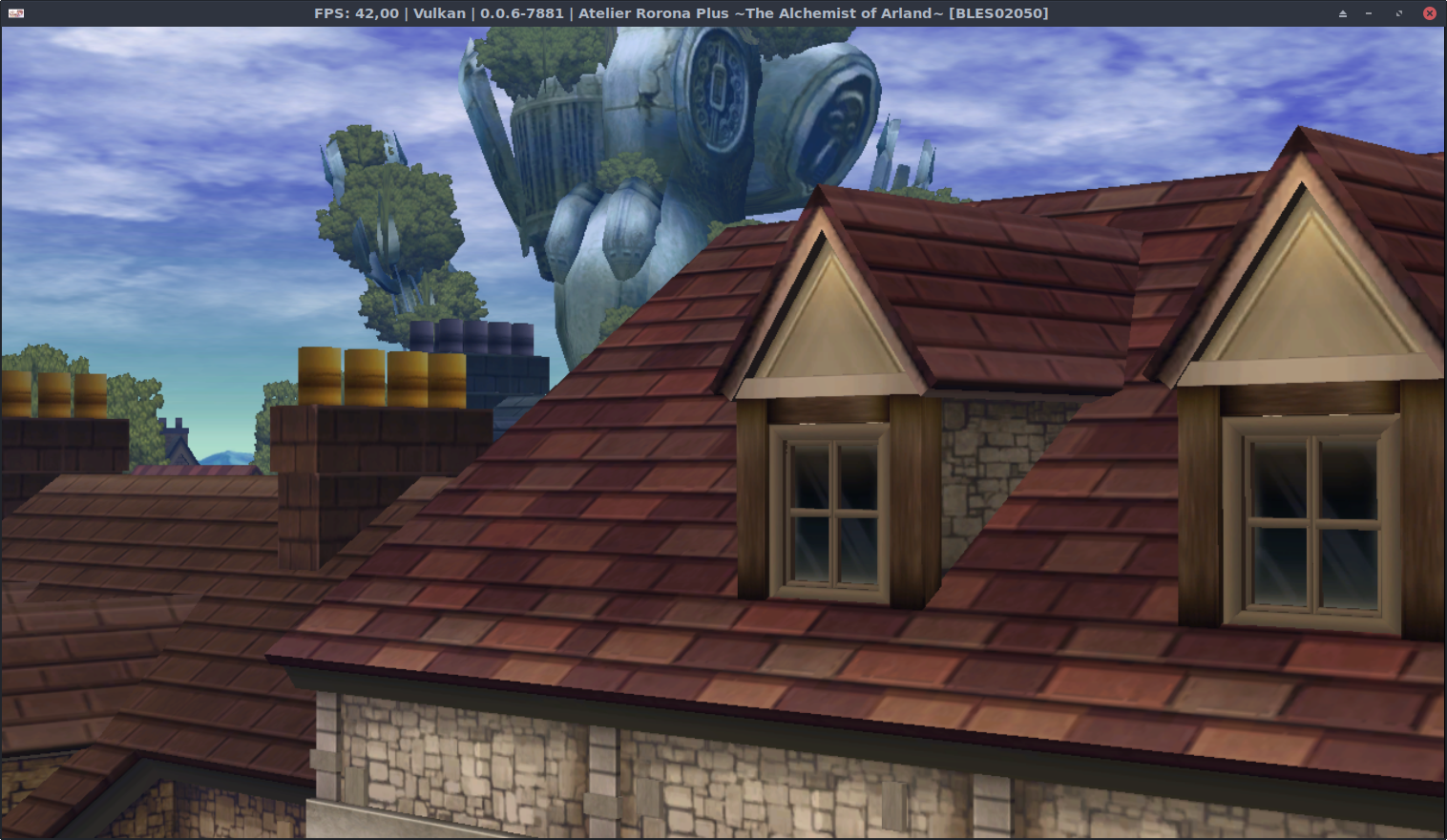
After #5726 I was eager to test the improvements on Atelier Rorona Plus (BLES02050). My System configuration is Debian Testing, Intel Graphics 620 HD and Mesa 18.4 or/and Modesetting.
Atelier Rorona Plus
Previously (in this case v0.0.6-7825) had no colour texture in many cases, but it didn't flicker
This PR has correct textures (nice!), but the entire screen animation (not visible in the screenshot) flickers so much, it hurts the eyes (not good!)
 Johndeep
on 17 Mar 2019
Johndeep
on 17 Mar 2019
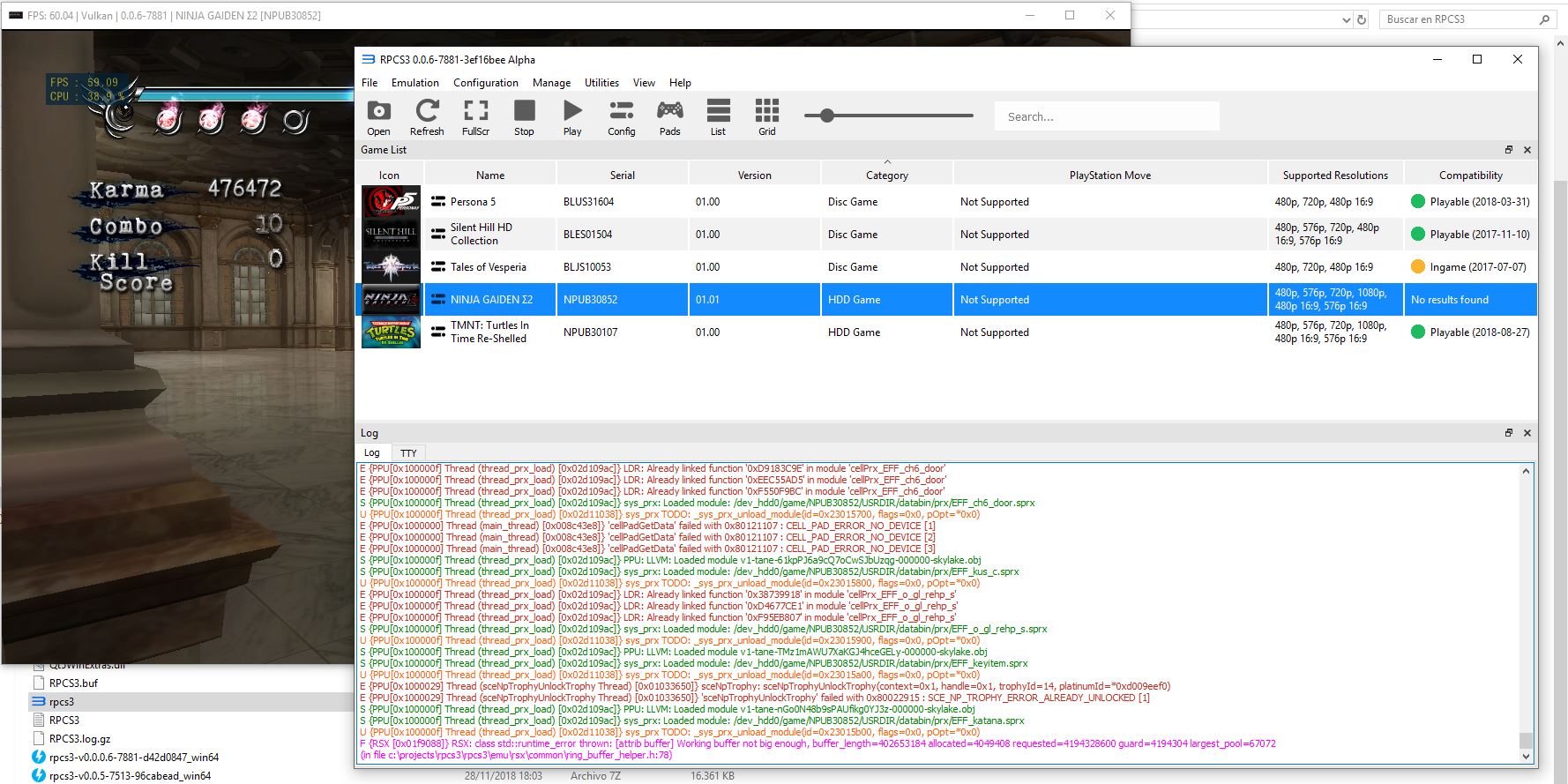
Ninja Gaiden Sigma 2 crash -- Buffer not big enough.
Started occurring with PR# 5675 (build 0.0.6-7857). Cannot replicate with PR #5697 build 0.0.6-7840.
 Senninz8
on 17 Mar 2019
Senninz8
on 17 Mar 2019
If you see an error about 'blit request denied because dst region does not fit' in the log, retest with this build https://ci.appveyor.com/project/kd-11/rpcs3/builds/23182024.
kd-11
on 19 Mar 2019
Retest with https://github.com/RPCS3/rpcs3/pull/5741
kd-11
on 19 Mar 2019
With #5741 applied Motorstorm (BCES00006) spams the log window with:
RSX: Could not gather all required slices for cubemap/3d generation
when selecting a vehicle.
Does not happen on master.
 arabek
on 19 Mar 2019
arabek
on 19 Mar 2019
Well, that was fast. The logspam is gone with #5742 applied on top of #5741.
arabek
on 19 Mar 2019
Would it be possible to have similar checks in the case where source region does not fit?
MSuih
on 19 Mar 2019
Do you have an example where source does not fit? The fix affects both src and dst, but src allows 'clipping' of inputs for performance reasons. Tbh that is a hack and will be removed down the road.
kd-11
on 19 Mar 2019
@SkyEua Is silent hill still broken in menu with current master?
kd-11
on 20 Mar 2019
@kd-11
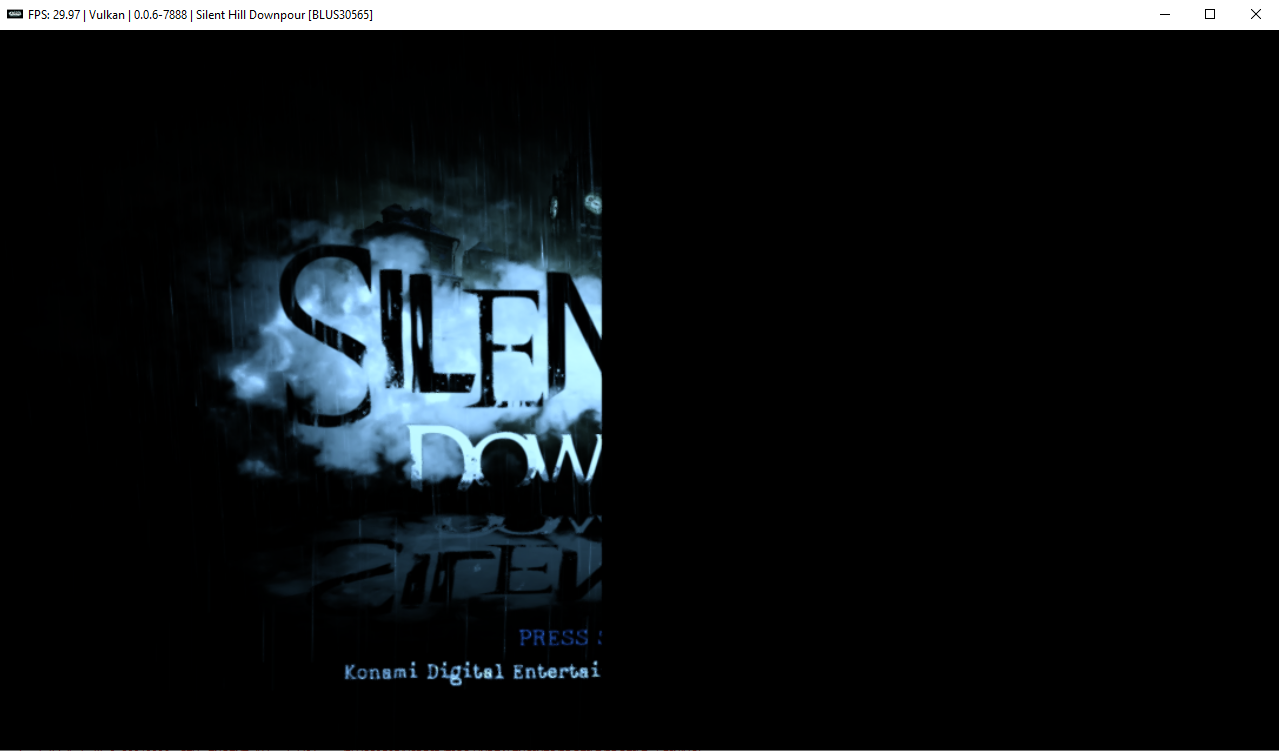
Silent Hill: Downpour is still broken on the title screen.
[Vulkan/OpenGL]
Emulator-Team-2
on 20 Mar 2019
@Emulator-Team-2 I'll need an RSX capture for that as well; something is 'off' with that second blit transfer
kd-11
on 20 Mar 2019
Also, can you check if WCB makes the issue go away? In theory it should, although there is still a bug there that needs fixing.
kd-11
on 20 Mar 2019
@kd-11
WCB doesn't fix this issue.
Emulator-Team-2
on 20 Mar 2019
@kd-11 Uncharted 3 during intro and Lollipop Chainsaw during certain scenes. I was thinking it could help with the AMD hw blit memory leak, but on further inspection it seems unrelated as there is one case where blit causes memory leak with nothing in log about blit request failed.
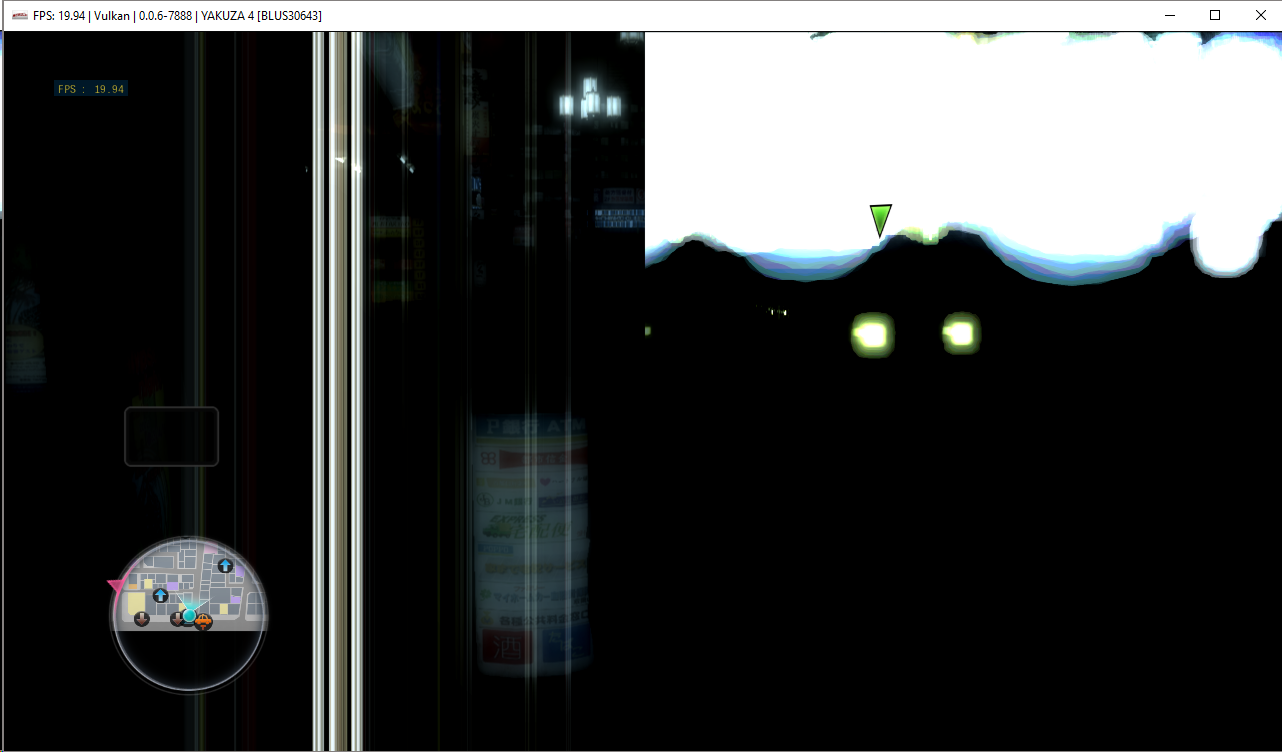
Also I'm not sure if you need an update but Yakuza 4 is still black even after the last PR merge. Without CPU blit and WCB the right side of screen is still messed up, and there seem to be new long lines on left that I haven't seen before. Also with those two disabled it still spams Blit request consists of an empty region descriptor to log.
Edit: Somehow forgot to include an image, here you go:
MSuih
on 20 Mar 2019
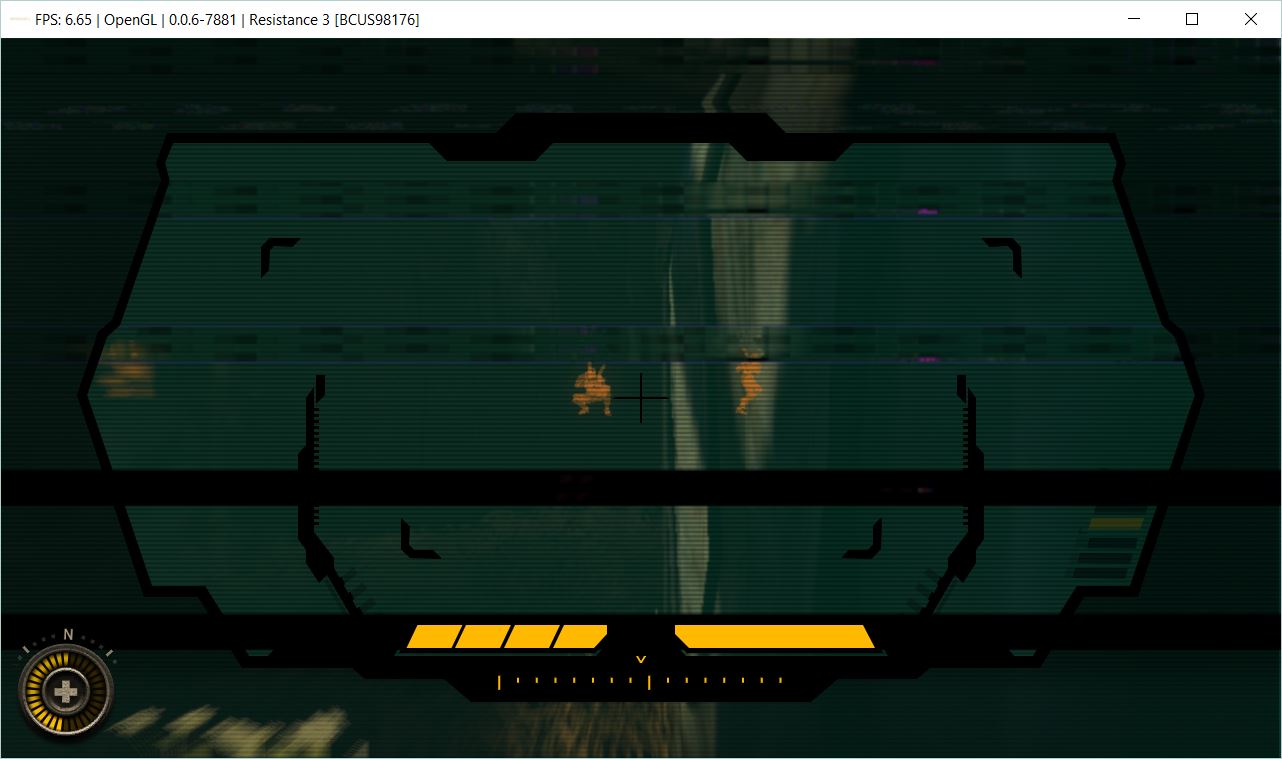
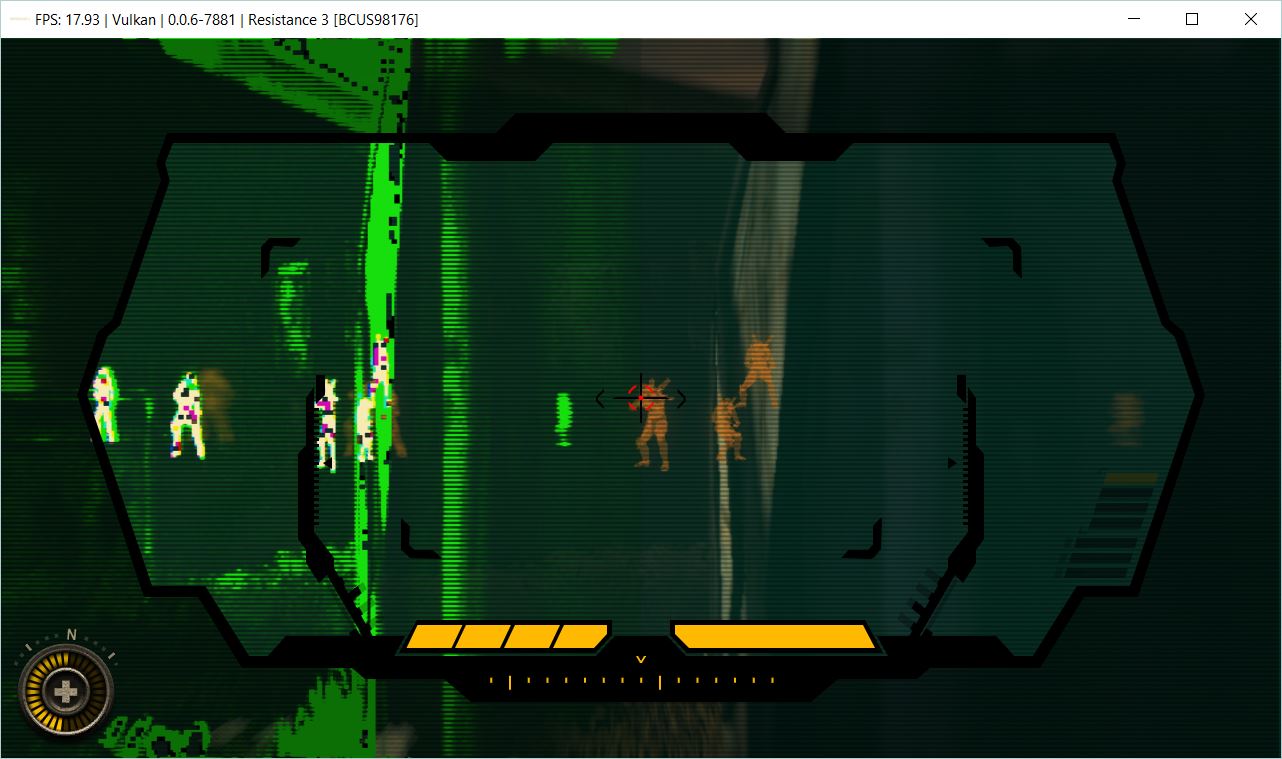
Auger sight in Resistance is working correctly when using OpenGL and CPU blit with #5726 but it still has the same issue when you have low health most or all of the screen will turn black with or without using the auger sight. Vulkan still works correct when using the auger sight and when health is low even with SRM only.
OpenGL with SRM and CPU blit:
Vulkan with SRM and CPU blit:
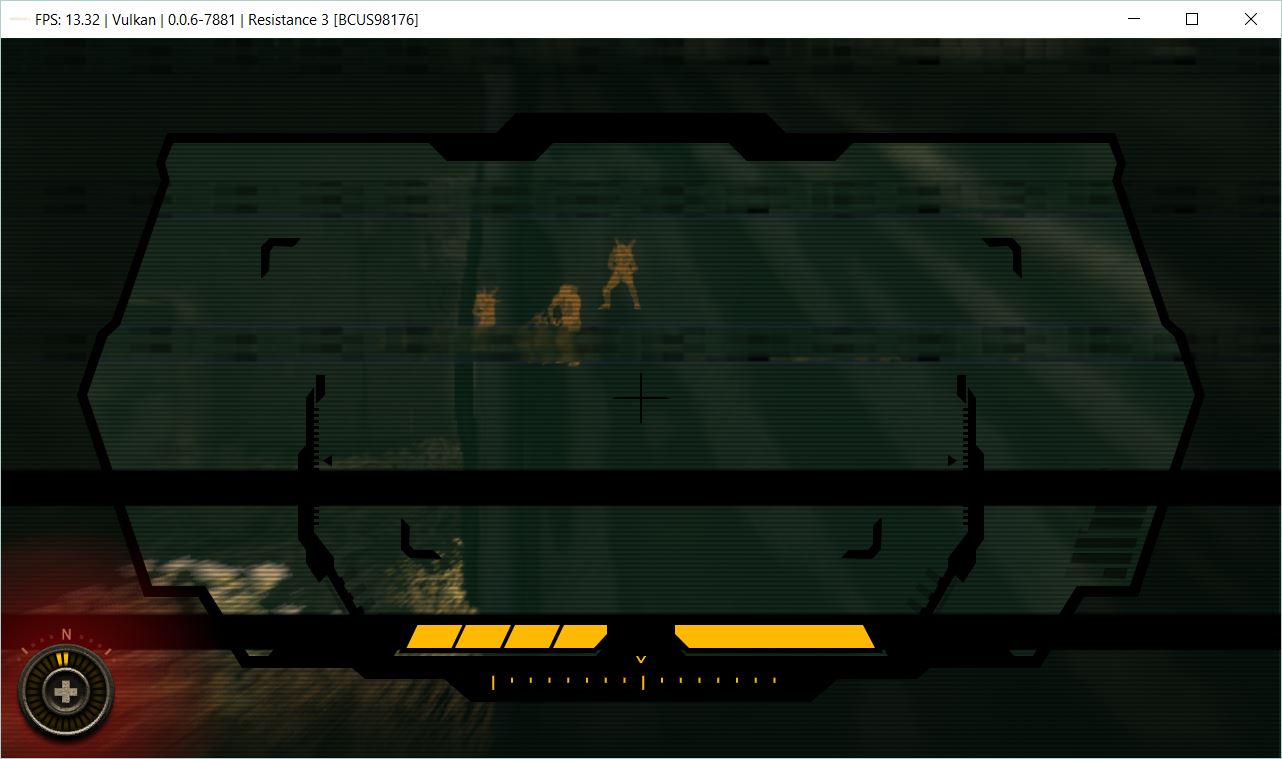
OpenGL with SRM and CPU blit(when health is low):
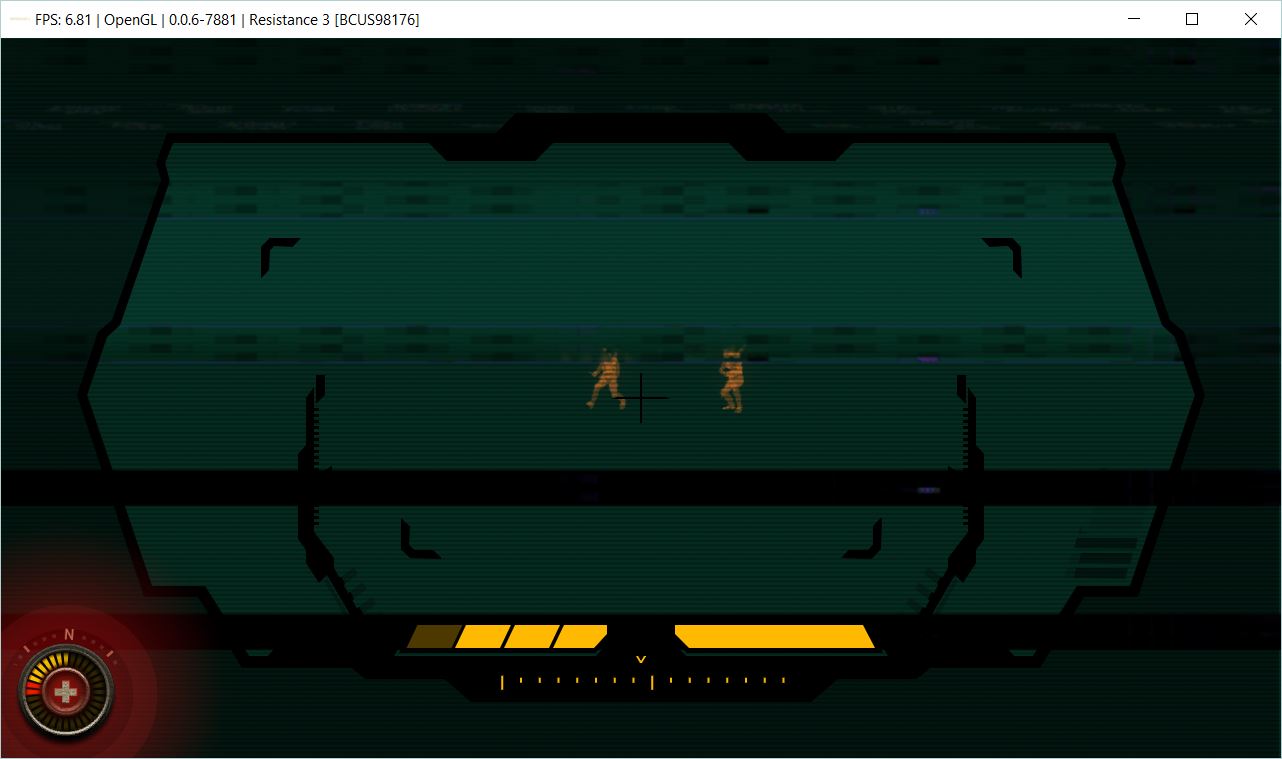
OpenGL SRM:
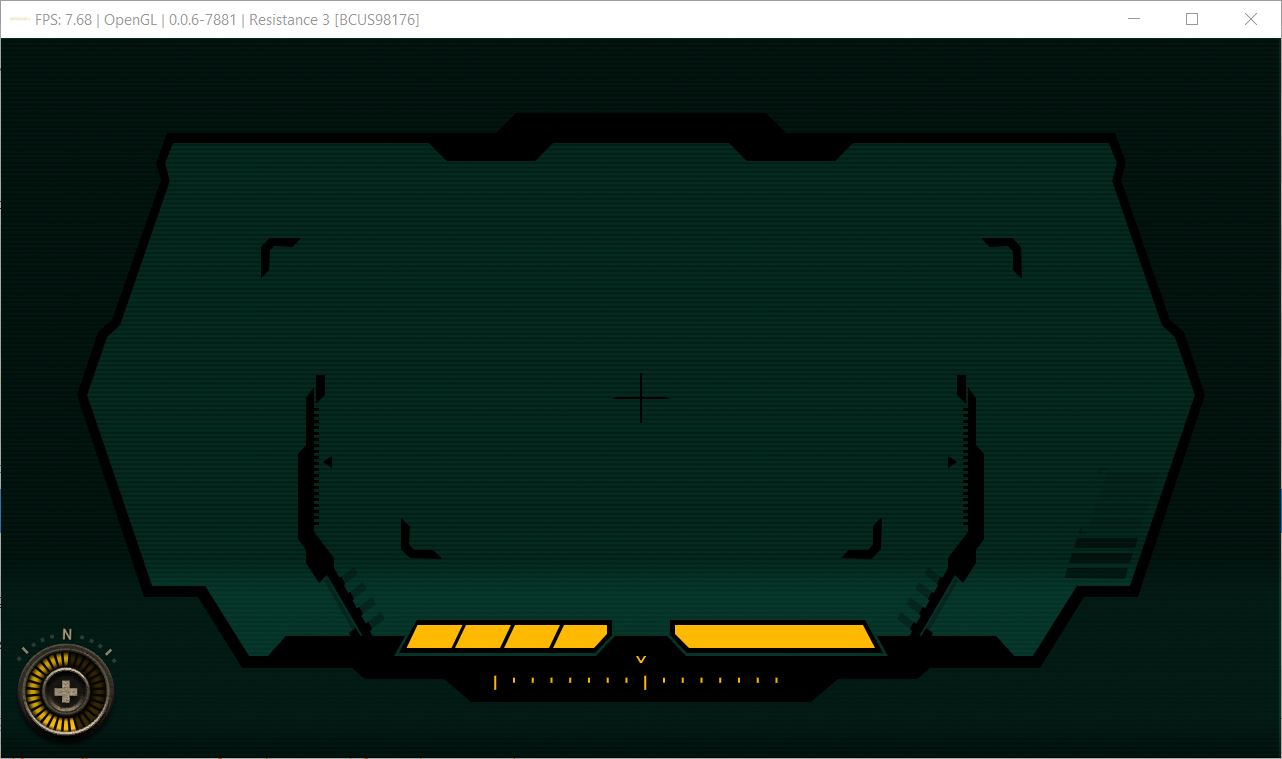
Vulkan SRM:
stride21
on 20 Mar 2019
Its hopeless to fix the GL bug without renderdocs.
kd-11
on 20 Mar 2019
Retest with https://ci.appveyor.com/project/kd-11/rpcs3/builds/23237878. Keep an eye out for regressions to other already fixed bugs and notify me if any.
kd-11
on 20 Mar 2019
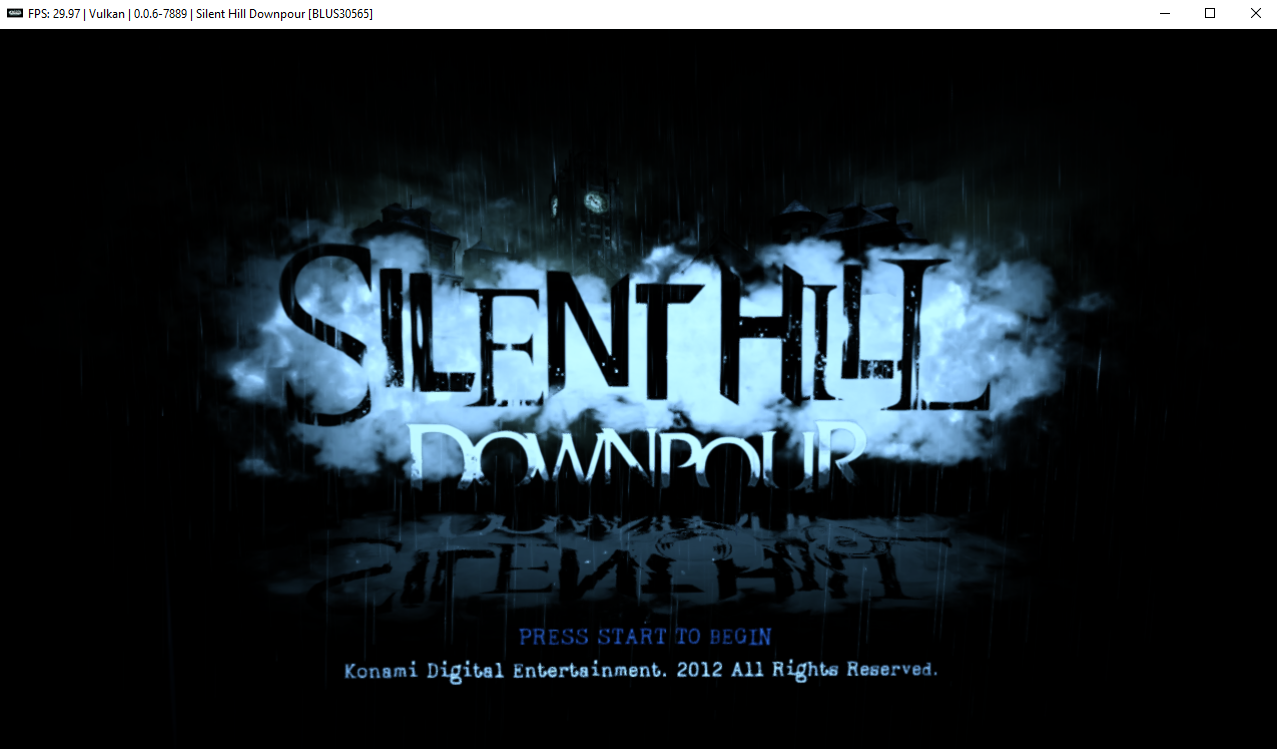
Silent Hill: Downpour is fixed now.
Emulator-Team-2
on 21 Mar 2019
Motorstorm Apoc. regression still present on latest build.
legend800
on 21 Mar 2019
New build here https://ci.appveyor.com/project/kd-11/rpcs3/builds/23245074 for those getting errors because of using resolution scaler.
kd-11
on 21 Mar 2019
kd-11
on 21 Mar 2019
Quick note, when testing make sure you first check if everything is working ok with 100% resolution scaling. Non-native rendering can break things so its worth making sure everything is native first and then report if scaling is what is causing problems.
kd-11
on 21 Mar 2019
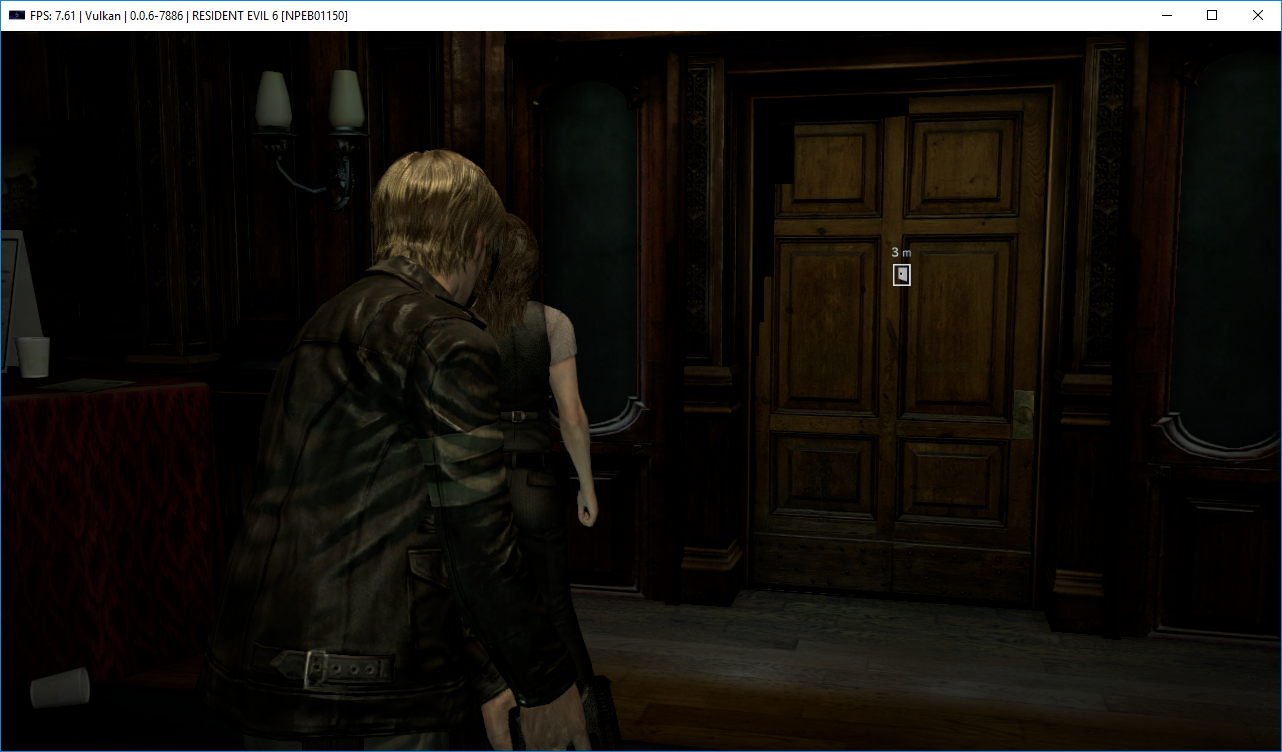
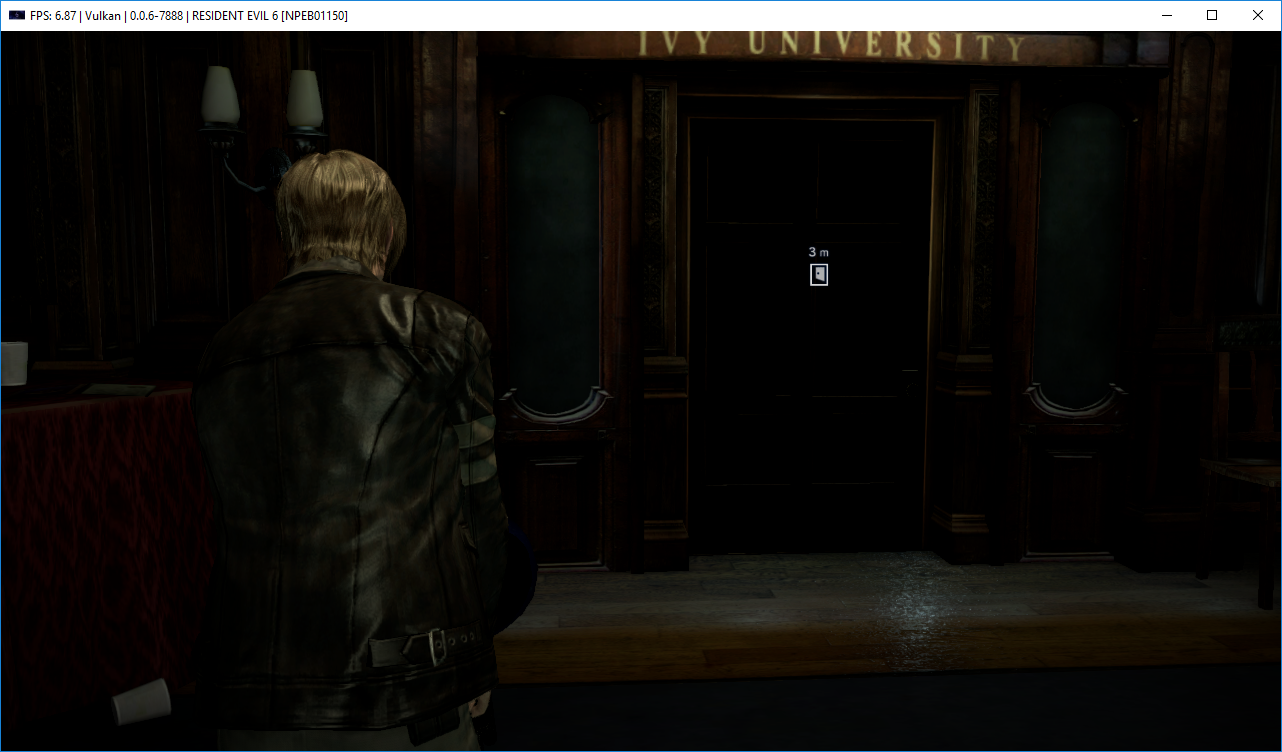
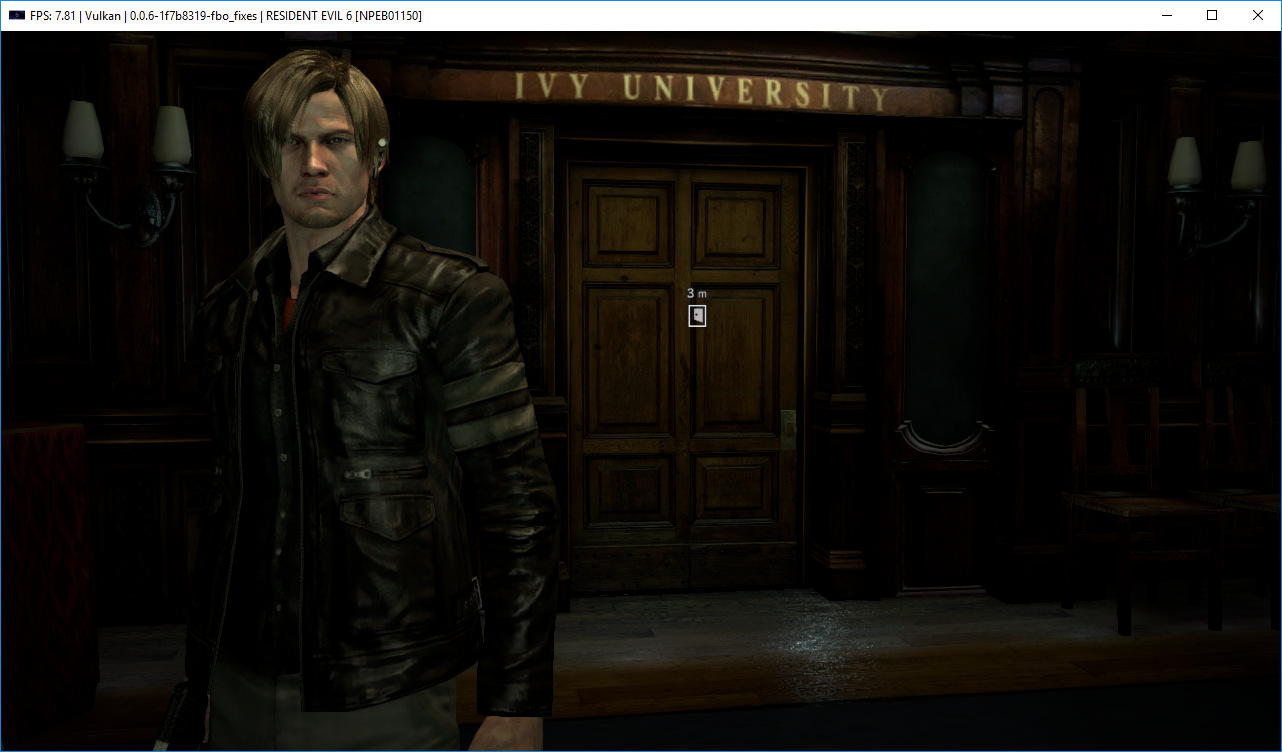
Resident Evil 6 has regressed with #5741, this door now has black textures. Enabling CPU blit doesn't fix this bug. In console, spams ingame with:
E {RSX [0x01cf428]} RSX: Could not gather all required slices for cubemap/3d generation
Before #5741:
5741:
MarioSonic2987
on 21 Mar 2019
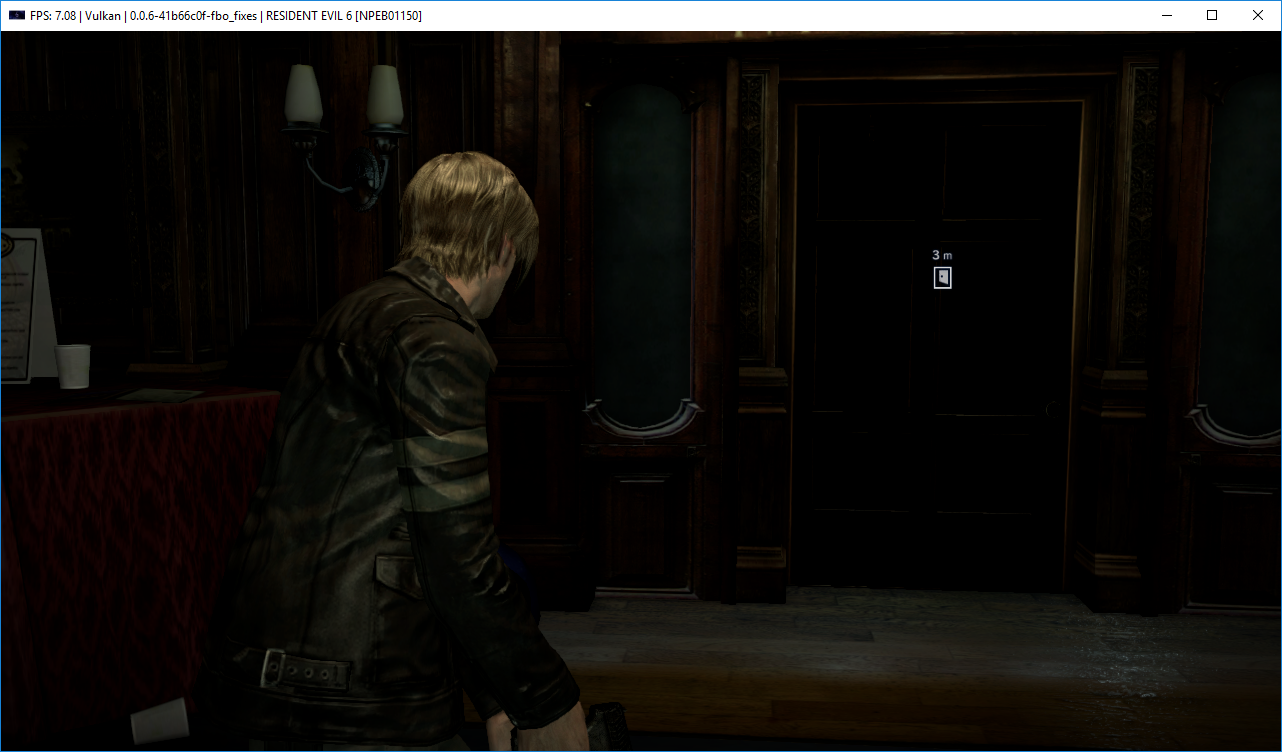
Don't compare to an old PR if a newer one is available.
kd-11
on 21 Mar 2019
 MarioSonic2987
on 21 Mar 2019
MarioSonic2987
on 21 Mar 2019
@kd-11
[Vulkan]
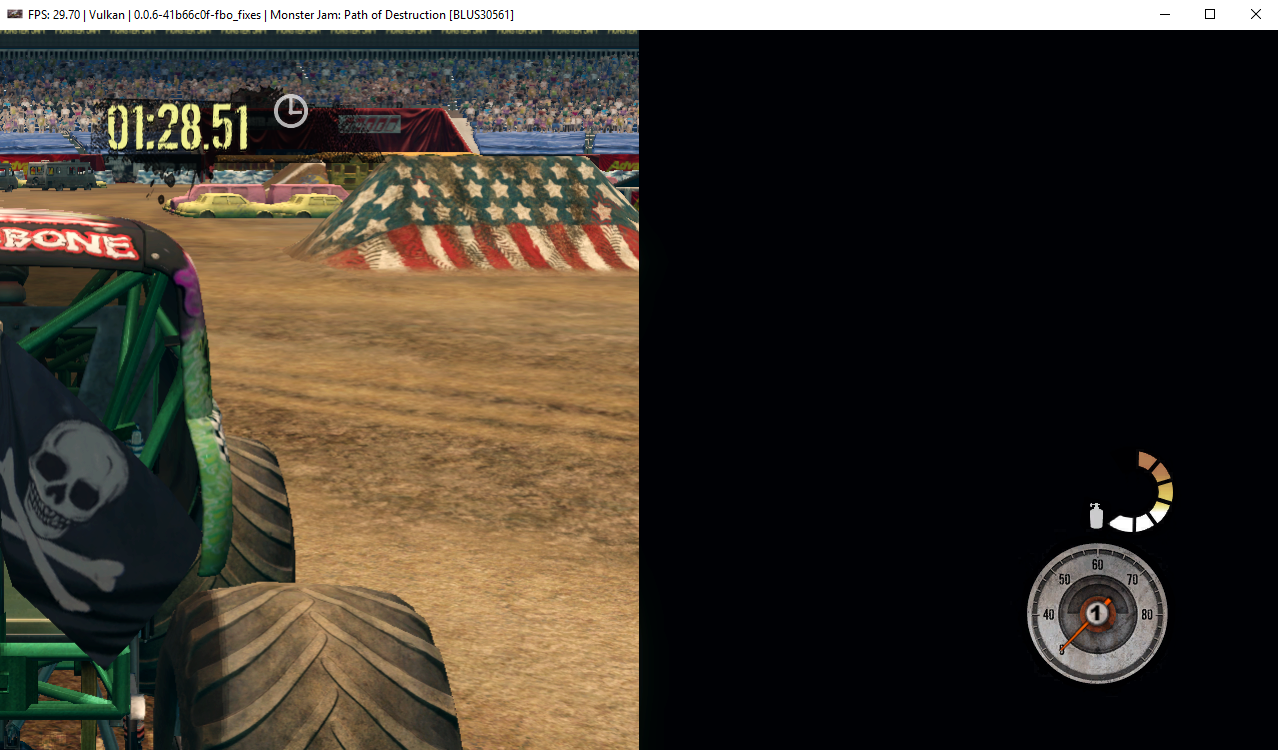
[OpenGL]
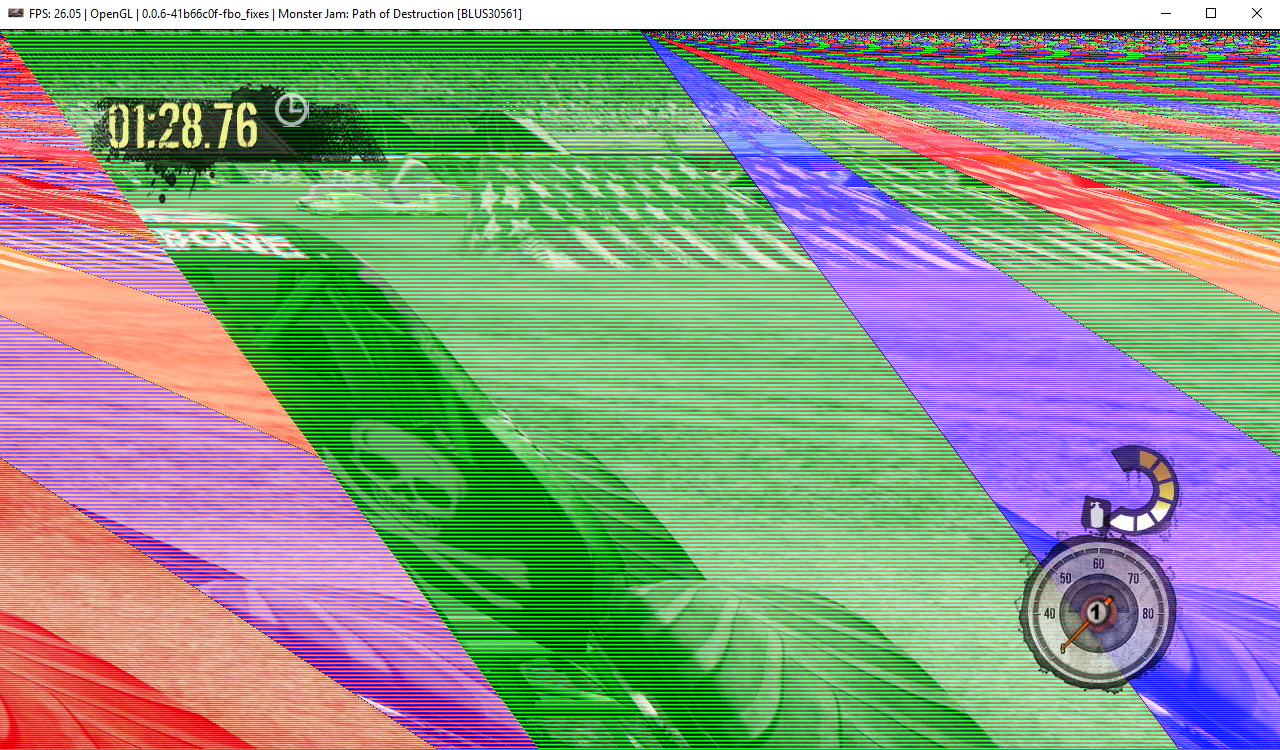
Emulator-Team-2
on 21 Mar 2019
Motorstorm still has broken borders, even at 100% res.
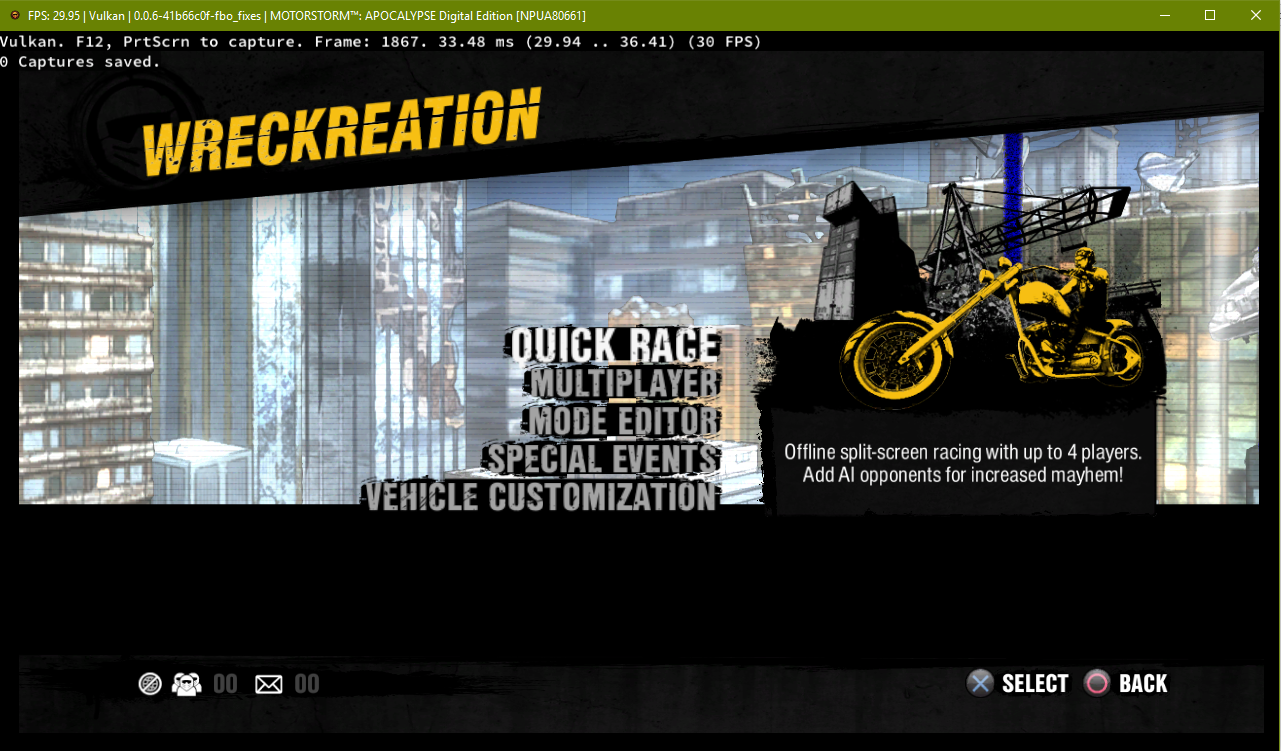
RDC:
https://drive.google.com/file/d/1Cby0koN3NFmC-9Omq92Yguw2lI_Hxlew/view?usp=sharing
legend800
on 21 Mar 2019
Pushed an intersection fix to the new PR, you can retry with that.
kd-11
on 21 Mar 2019
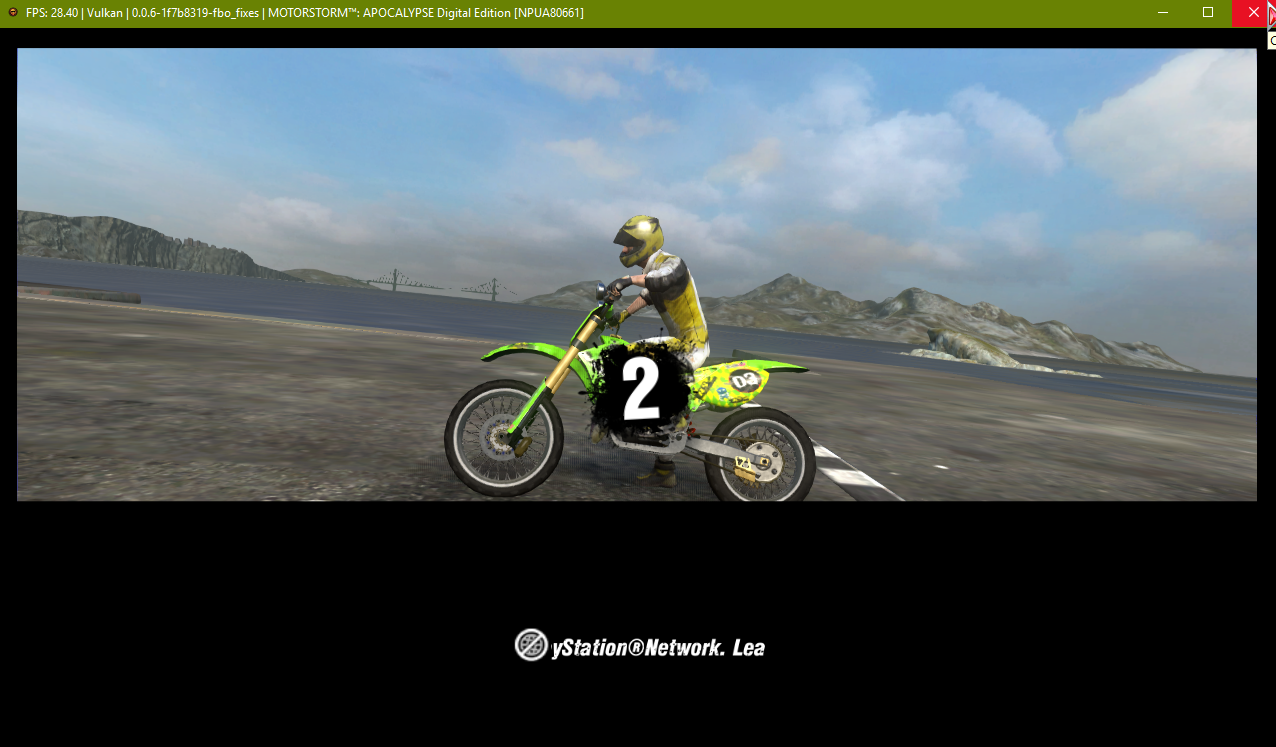
So it's 90% better. It's still off in the menus, pause menu, start of race and cutscenes. But once the race gets going, it's fine. So you're definitely make changes in the right area.

legend800
on 21 Mar 2019
Black textures in RE6 are now fixed.
MarioSonic2987
on 21 Mar 2019
@Emulator-Team-2 Is Monster Jam fixed now?
kd-11
on 21 Mar 2019
@kd-11
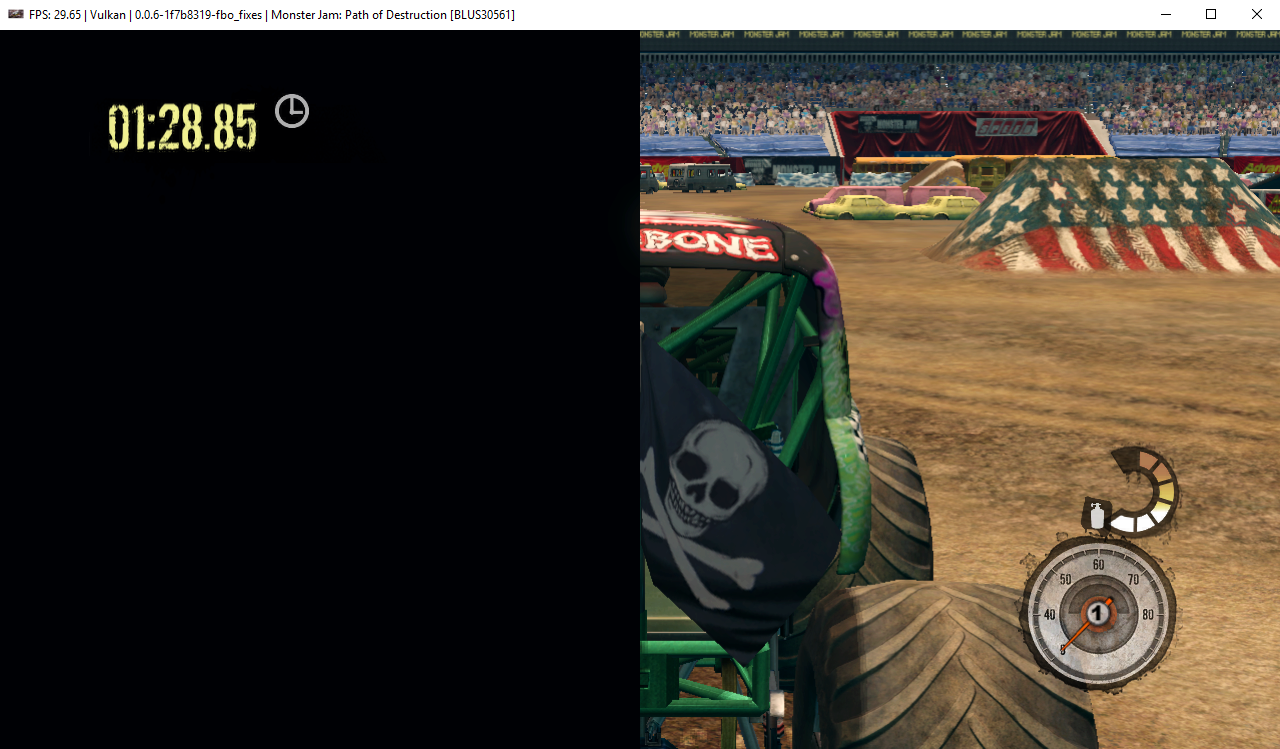
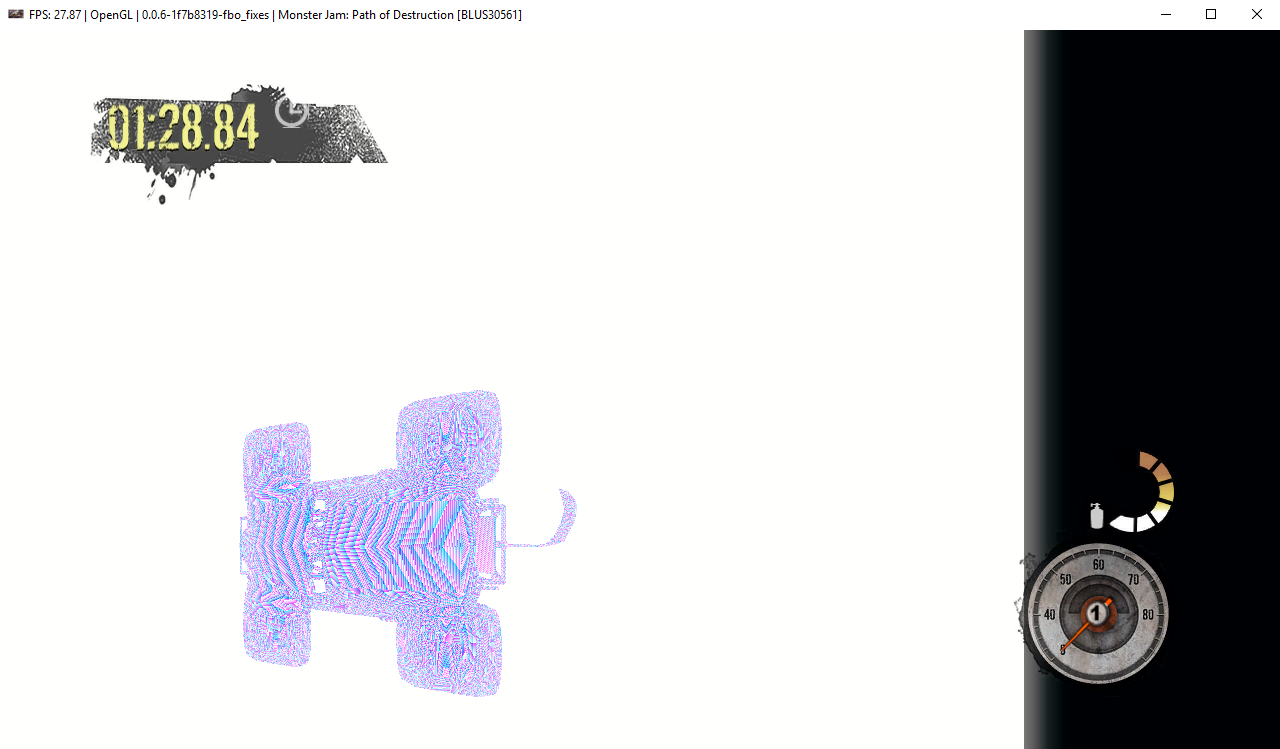
Tested with latest build.
[Vulkan]
[OpenGL]
Emulator-Team-2
on 21 Mar 2019
Eternal Sonata - the game is running really slow in a lot of places(weak cpu)but for example in Tenuto Village when I just load my save and do nothing for the next 20 seconds,the max speed I can reach is 18fps but since 0.0.6-7857 till 7888,the max speed I can get is 12fps
So 5-6fps drop since #5675
 vsub
on 22 Mar 2019
vsub
on 22 Mar 2019
Pushed a fix for Monster Jam issue, retest other affected titles.
@vsub Performance is not a primary focus at the moment. Optimization will come later after accurate rendering is achieved. There are still several PRs left in the series.
kd-11
on 22 Mar 2019
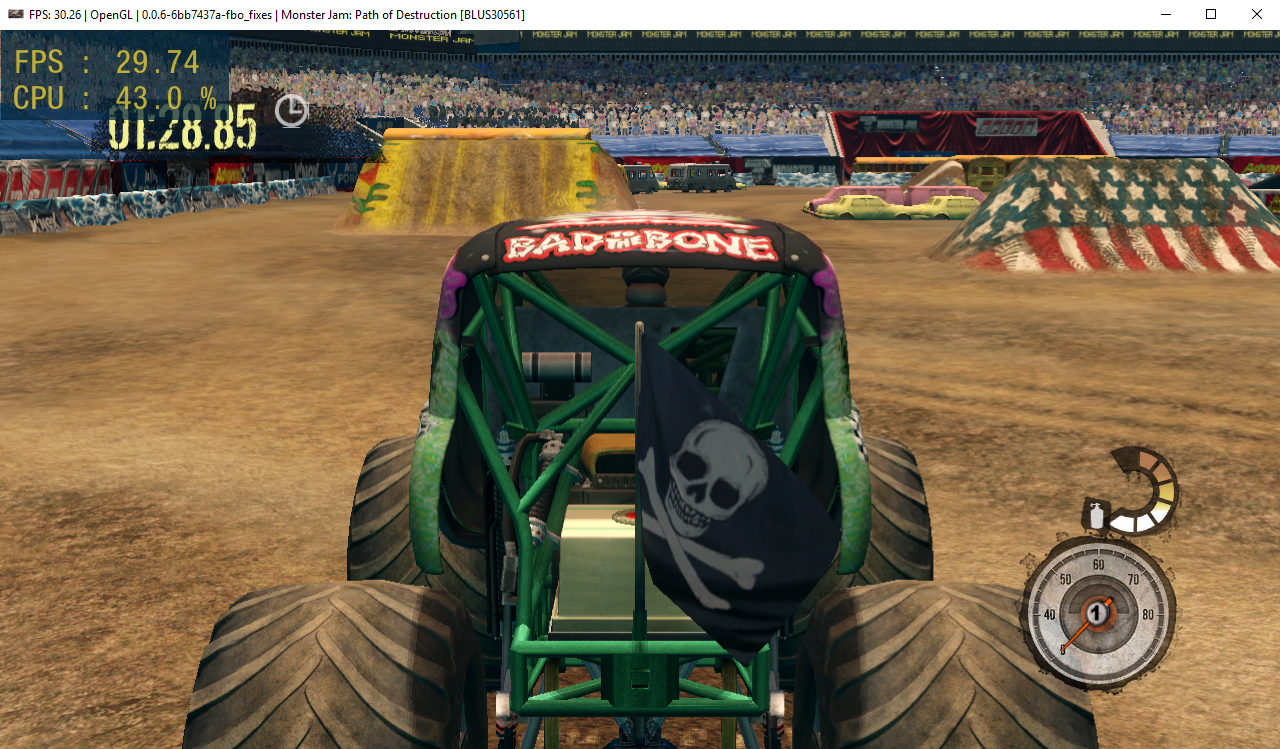
Monster Jam: Path of Destruction is fixed now on Vulkan and OpenGL thanks.

Emulator-Team-2
on 22 Mar 2019
I suppose the only graphics issue remaining issue here is now Yakuza 4, right?
kd-11
on 22 Mar 2019
That and the Motorstorm Apocalypse black screen areas I think.
legend800
on 22 Mar 2019
Did you check @legend800? There were like 3 more commits/changes since your last test.
kd-11
on 23 Mar 2019
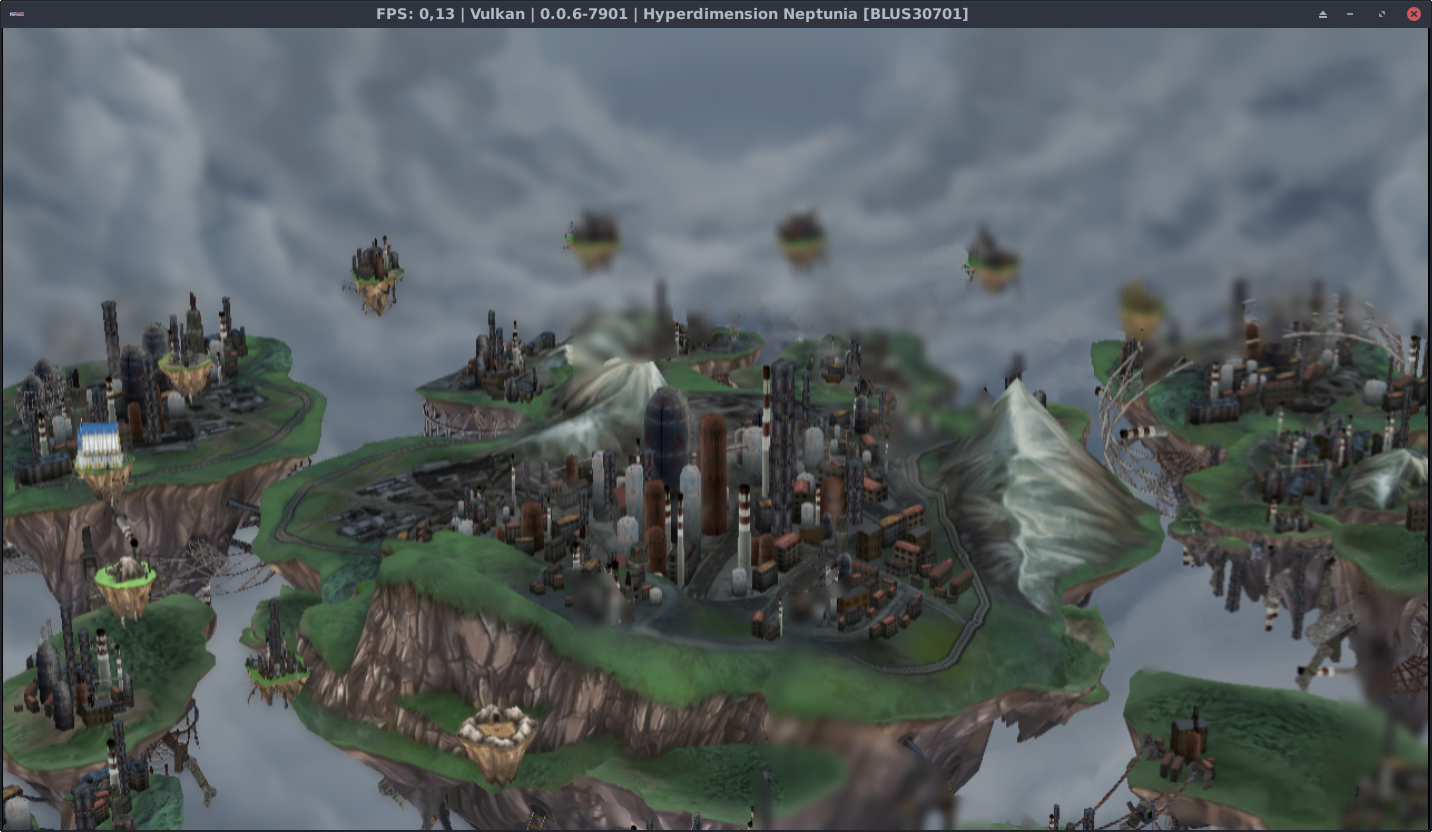
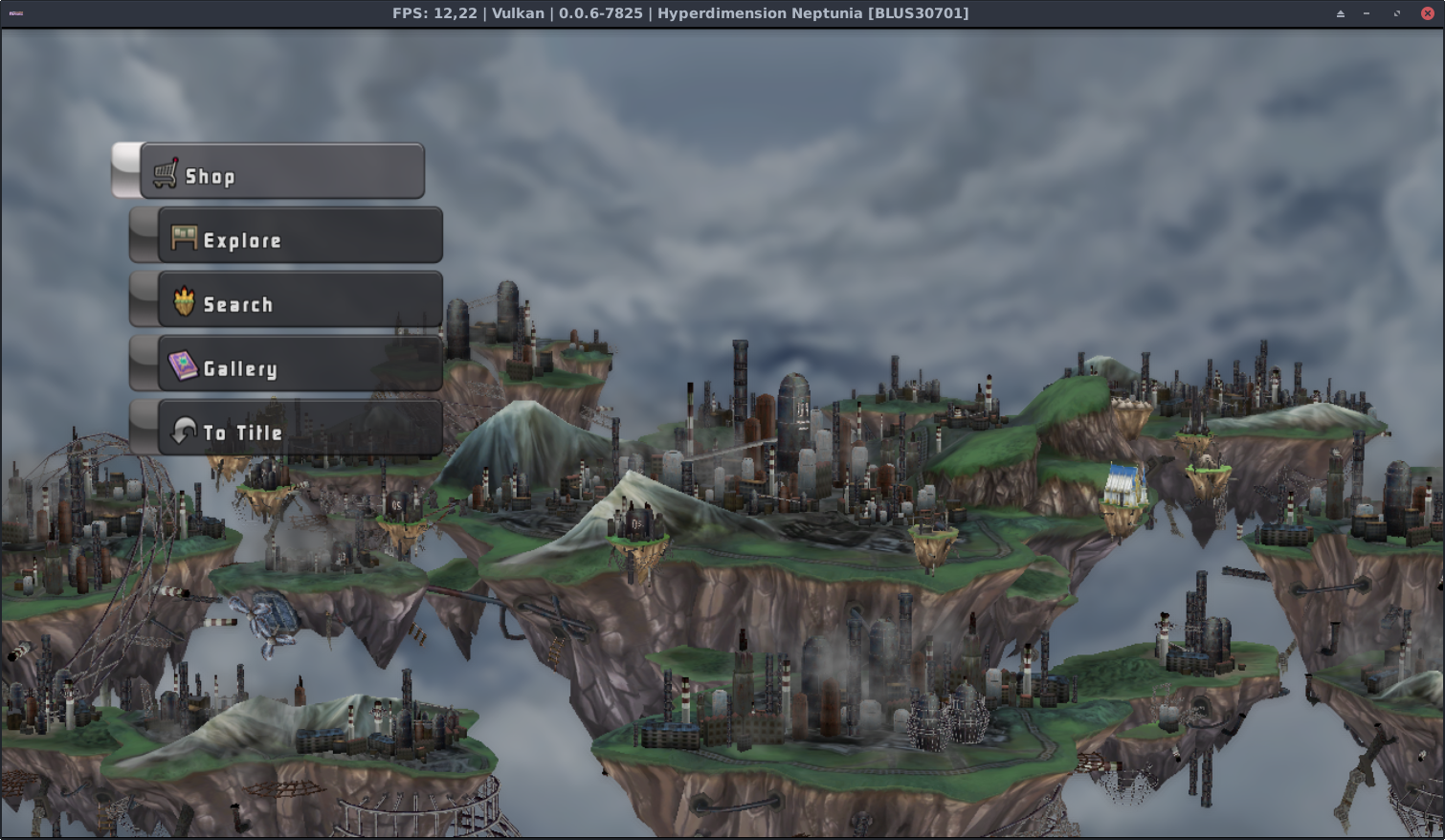
About Hyperdimension Neptunia [BLUS30701], after that PR, there was some change happening.
Again, I'm comparing between rpcs3-v0.0.6-7825 and now rpcs3-v0.0.6-7901 (since the 7825 was about the last "stable" before this huge texture change).
Furthermore, I wouldn't say it is a regression, but it seems that the blur effect in on the one hand finally present, BUT on the other hand, it is.. messed up.
After texture improvements, there are blur effects now, but not quite correct. (rpcs3-v0.0.6-7901) (Please don't mind the fps, because I paused the game)
No blur effects at all. (rpcs3-v0.0.6-7825)
Johndeep
on 23 Mar 2019
@kd-11 Yeah, I was testing on the latest build.
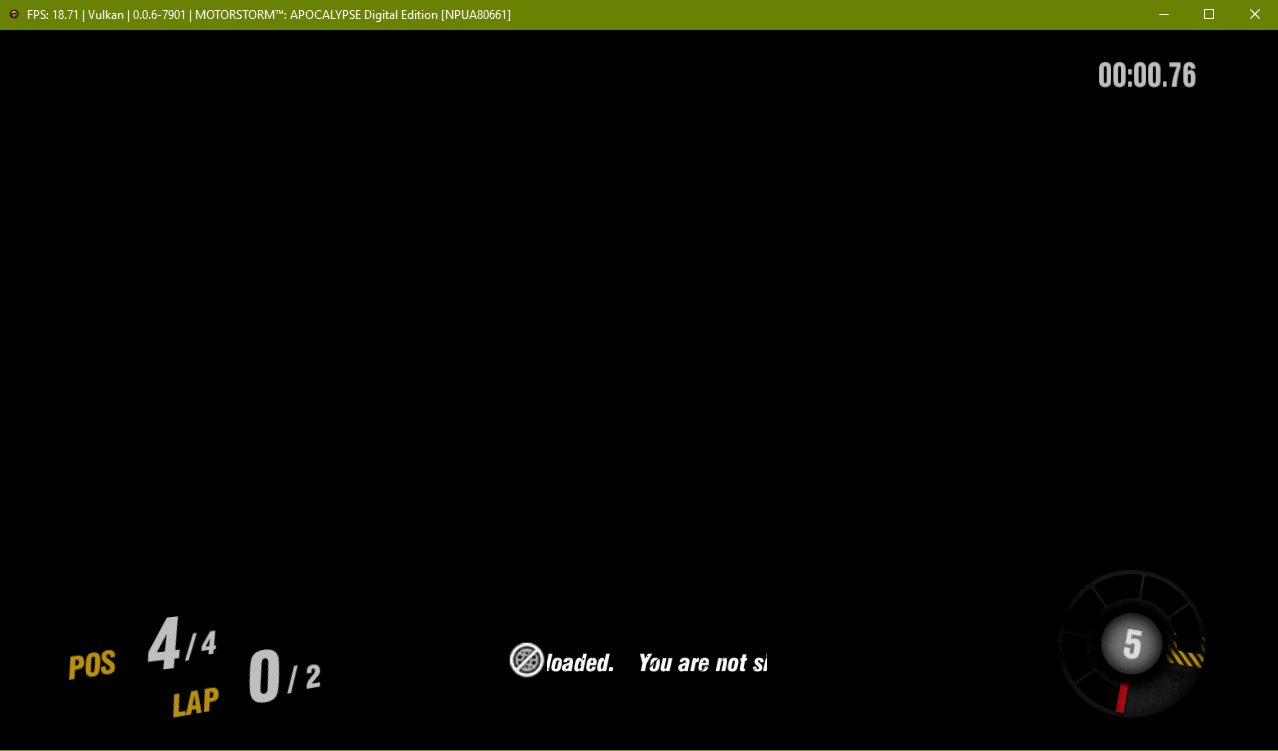
I found that expanding the "screen area" in-game affects the "black area" bug's behavior in those areas (menus, pause menu, track countdown, start of race). If I go 100% screen size (default is 50%) then all those areas are completely black.
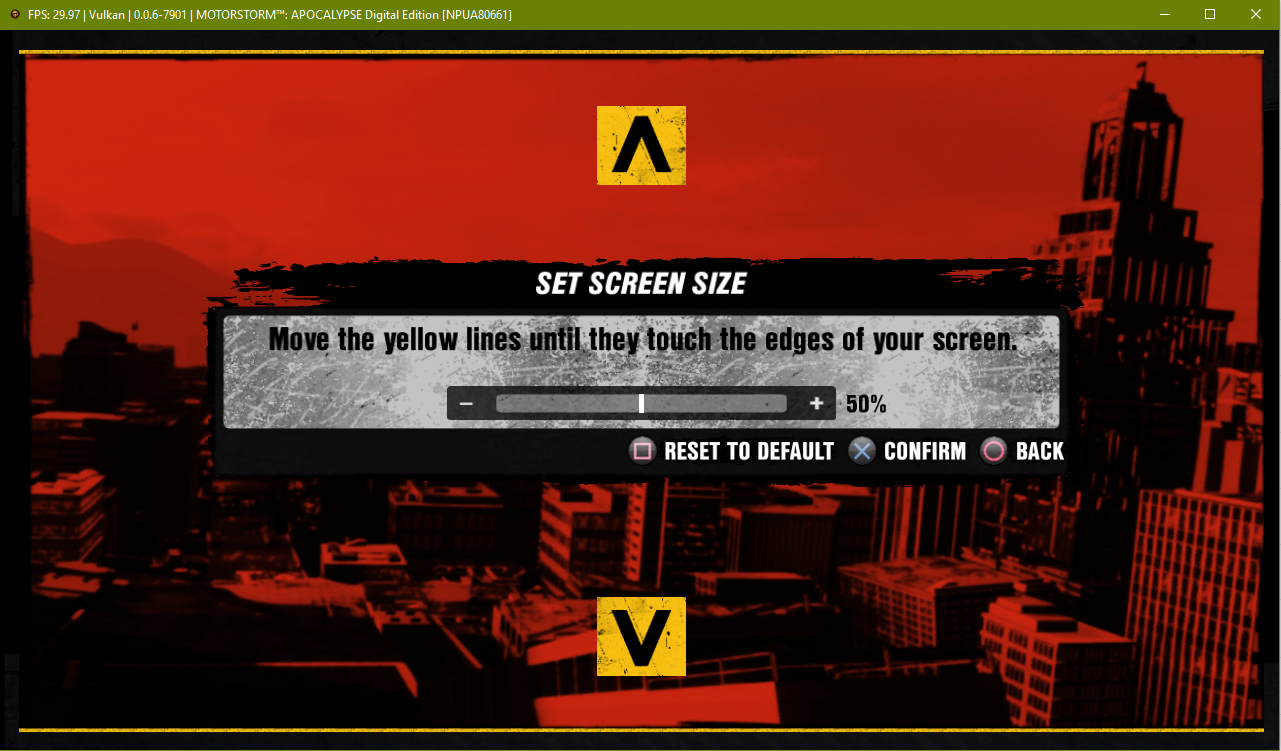
Default screen area:
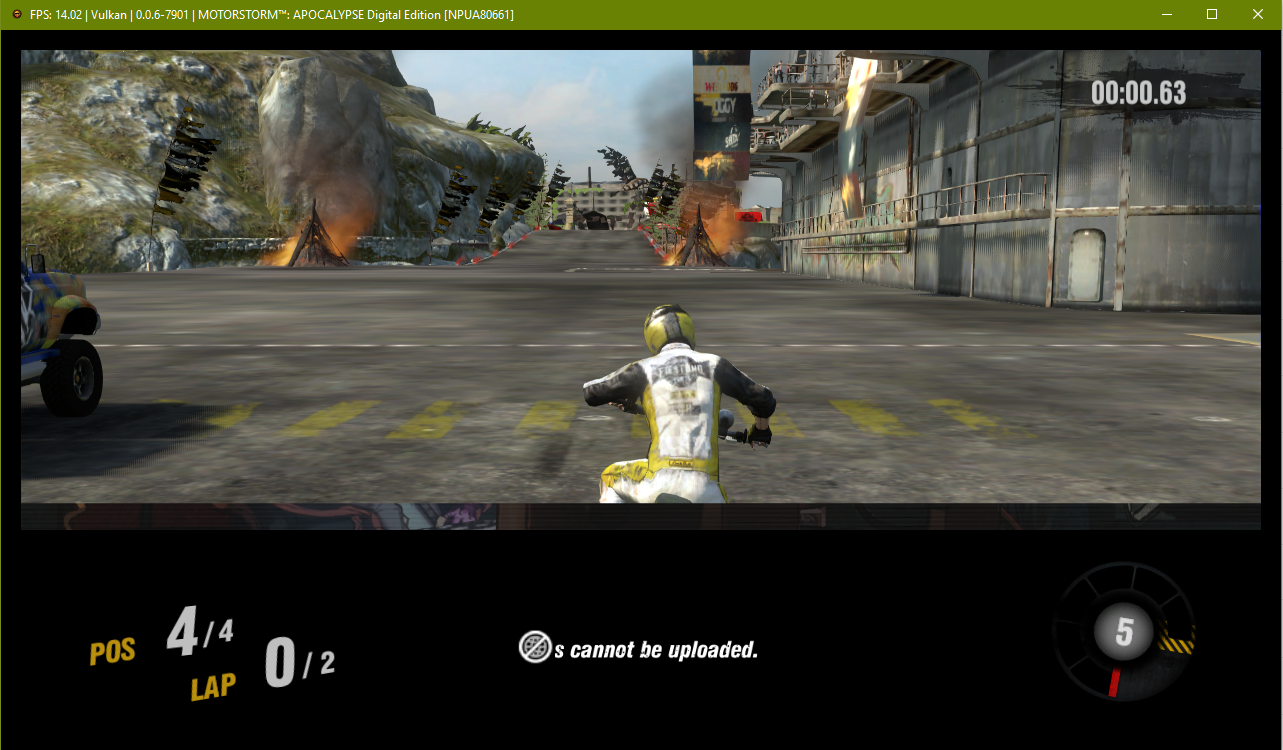
Screen area changed to 100%:
legend800
on 23 Mar 2019
Likely fixed in my appveyor builds, but also breaks a bunch of other things (still wip)
kd-11
on 23 Mar 2019
Now it's just all black always, no matter the in-game setting (w/ WCB+Blit). Soft locks during launch unless Blit is forced on.

legend800
on 24 Mar 2019
Yakuza 4 is still in black screen with WCB and force blit CPU on.
 stormymff
on 25 Mar 2019
stormymff
on 25 Mar 2019
GoW3 water colors are refixed with latest push

Xcedf
on 25 Mar 2019
@legend800 Check newest push for MS Apocalypse, fixed a few more issues. I think It's still broken if you use full display scaling ingame settings, I'll check it tomorrow.
@stormymff Force cpu blit is a debug option, it can't work properly with usable performance for all cases (specifically writes to render target area are often lost and there is no way around it that does not destroy performance). As long as the default settings work correctly, it's fine.
kd-11
on 25 Mar 2019
Tested with the latest commit:
BioShock still have pink graphics, but only with a vulkan without enable WCB+Cpu blit.


Emulator-Team-2
on 25 Mar 2019
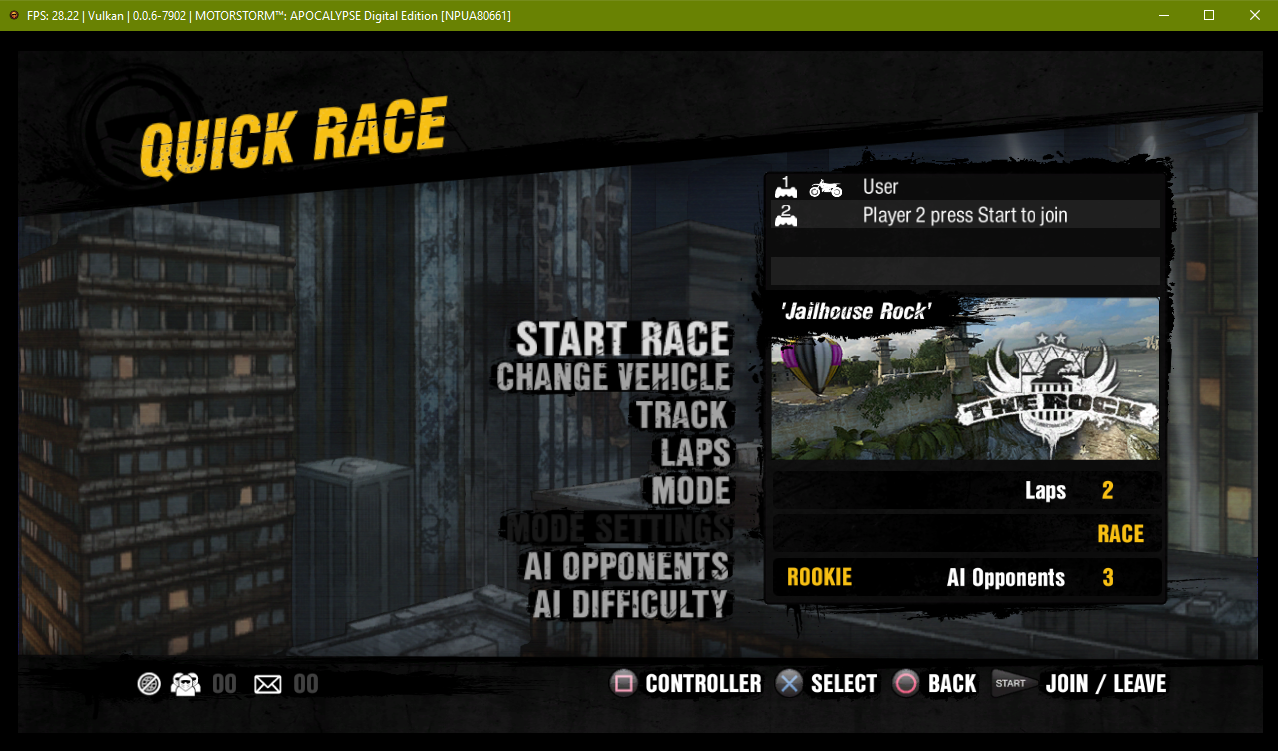
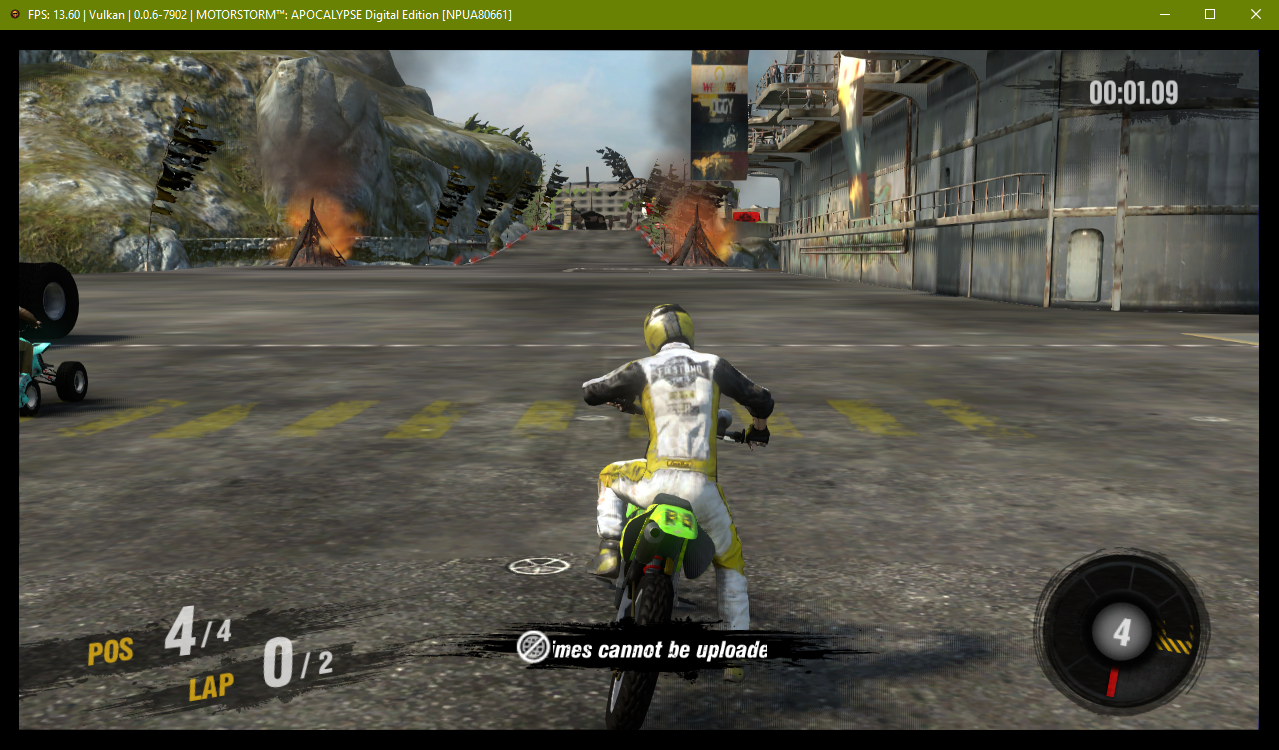
Motorstorm Apoc. is perfect (graphically) again. Thanks kd-11!
legend800
on 26 Mar 2019
Quick update on bioshock - I know why it's not working too well but it needs quite a bit of work (old code was working because of a hack). Should be ready in the next day or so.
kd-11
on 26 Mar 2019
what about Yakuza 4?
stormymff
on 26 Mar 2019
Yakuza 4 is working fine on the kd's appveyor builds
MSuih
on 27 Mar 2019
How to use it?
the problem starts from here
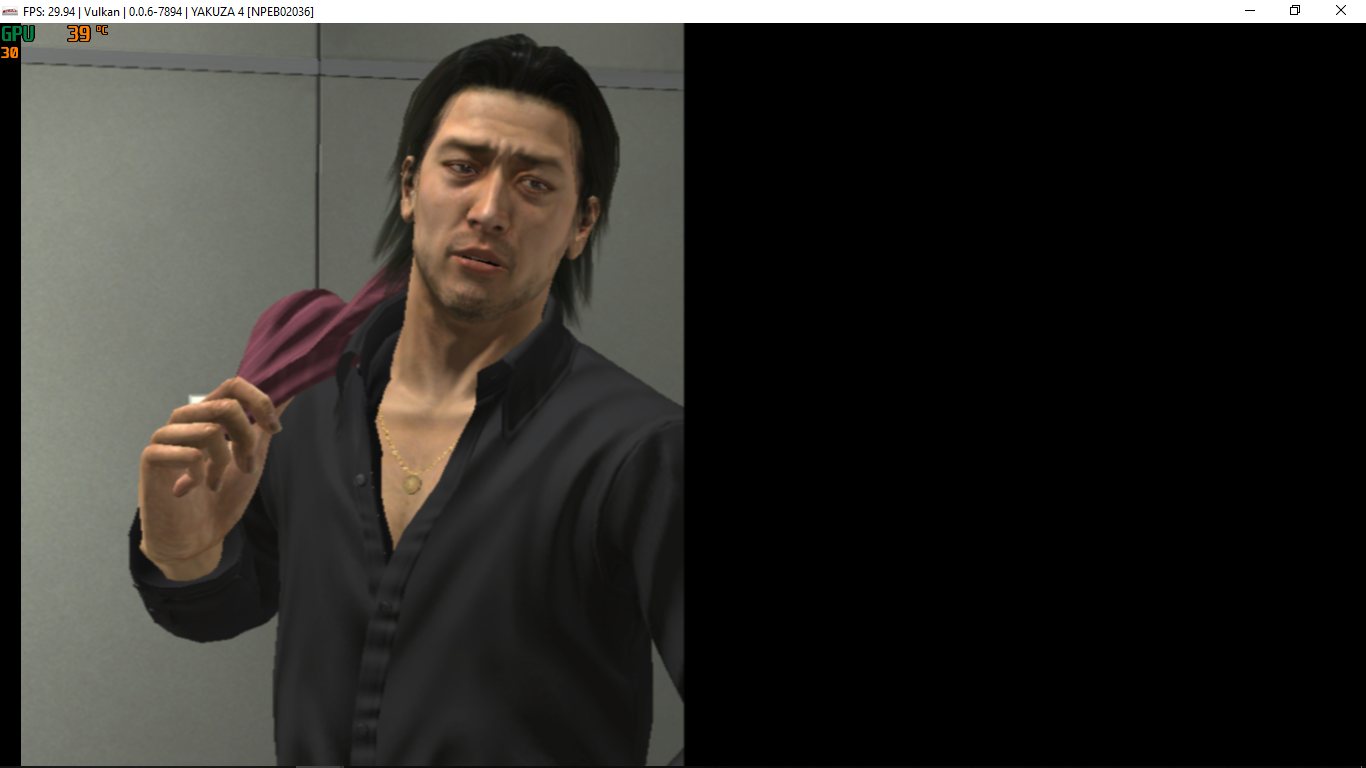
and it ends like this
sometimes, if i walk near the walls and rotate the camera,i get this
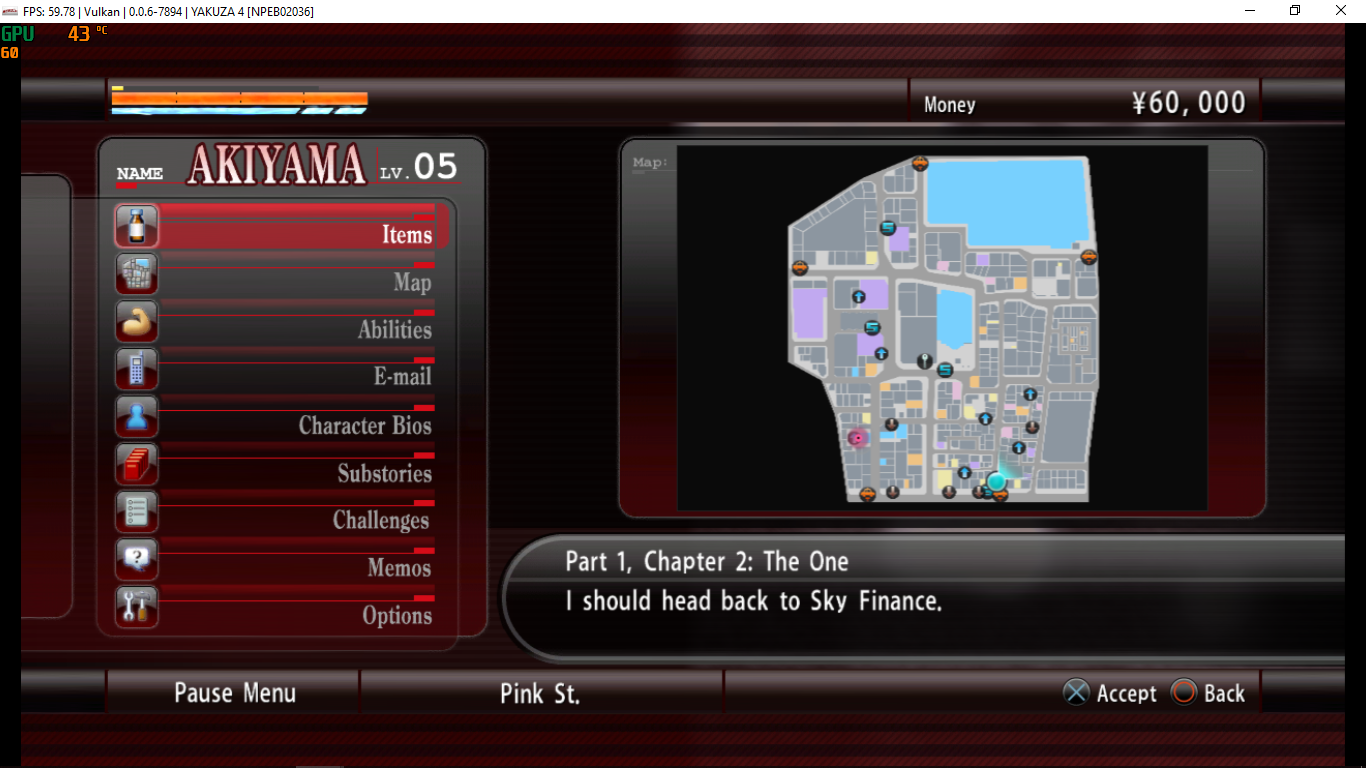
but it does not affect on pause menu
stormymff
on 27 Mar 2019
- https://ci.appveyor.com/project/kd-11/rpcs3/history
- Click on the latest entry from fbo_fixes branch.
- Switch to artifacts tab and download the largest file from there.
You could also ask questions like this at discord chat so that people following this regression issue woudn't get pointless notifications.
MSuih
on 27 Mar 2019
My apologies sir. Thanks for the responds, this is my first time
stormymff
on 27 Mar 2019
@kd-11 just out of curiosity, since you're improving GPU Blit, is there any way to make GoW Ascension work with it, for now it only works with CPU Blit, with GPU Blit it has
E {RSX [0x026b69c]} RSX: nv406e::semaphore_acquire has timed out. semaphore_address=0x50300510
E {RSX [0x026c910]} RSX: nv406e::semaphore_acquire has timed out. semaphore_address=0x50300520
on older builds, before your tc rewriting i used a hack to make it work
disabling the line in texture_cache.h
cached_dest->reprotect(utils::protection::no, { mem_base, mem_length });
And it worked a lot faster than with CPU Blit, now it also works, except it cause the overall darkness ingame.
Xcedf
on 30 Mar 2019
Interesting, I'll look into it.
kd-11
on 30 Mar 2019
Bioshock should now work correctly with builds from my repo. Check for any specific regressions. Only vulkan implementation is done, OpenGL in theory should be completely broken as format conversion is not yet implemented.
Uncharted 1 has a wierd glitch where it looks like motion blur is completely broken despite the fact that everything is being done accurately; this needs fixing before the commits are ready to PR.
kd-11
on 30 Mar 2019
Do not have Bishock to test but here's a portion of improvements of the last push
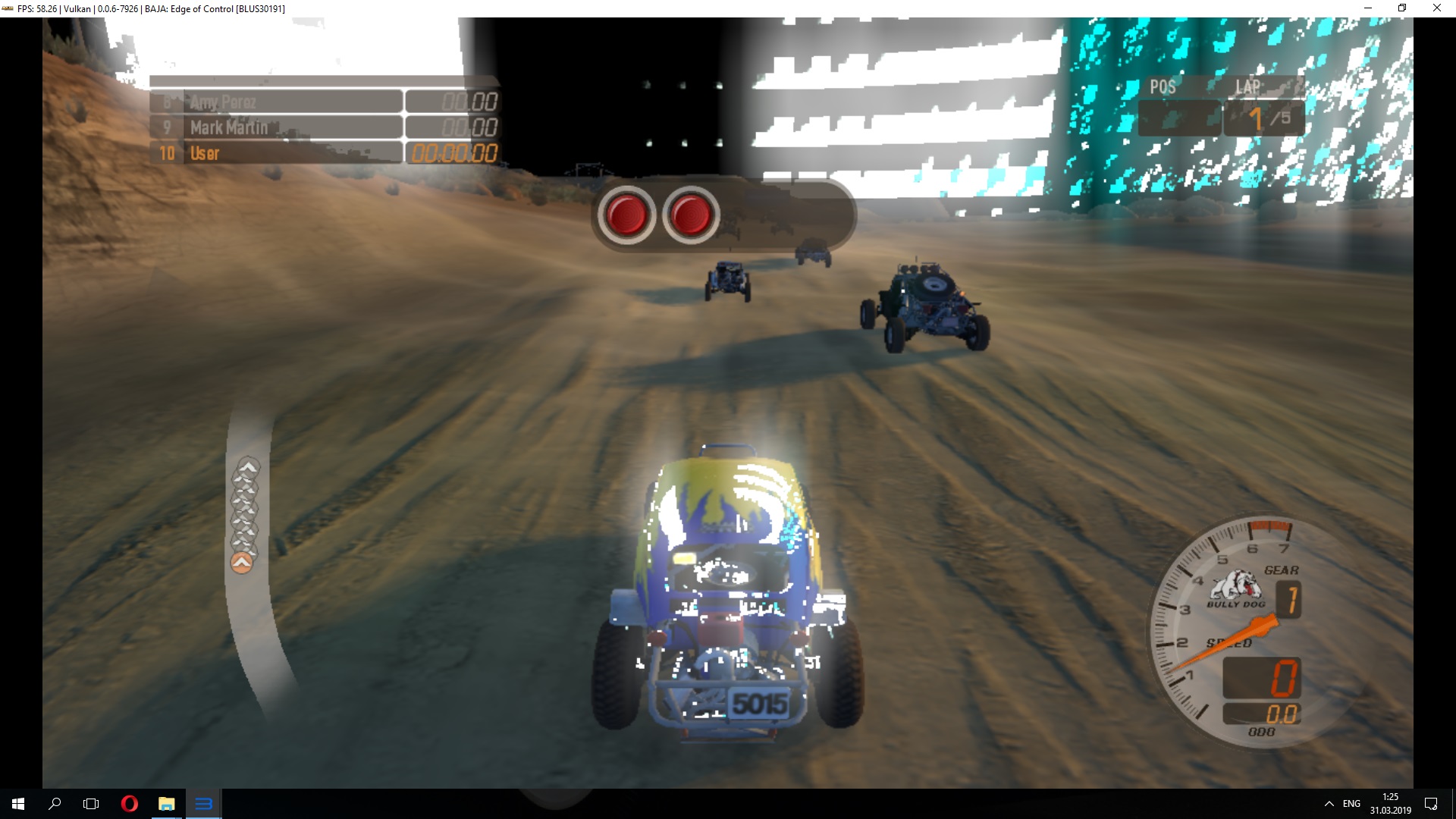
Baja: Edge of Control
The game still has some issues with skybox texture, but work a way better with GPU Blit now, besides maybe WCB+CPU Blit fix this, but work twice slower
before

after
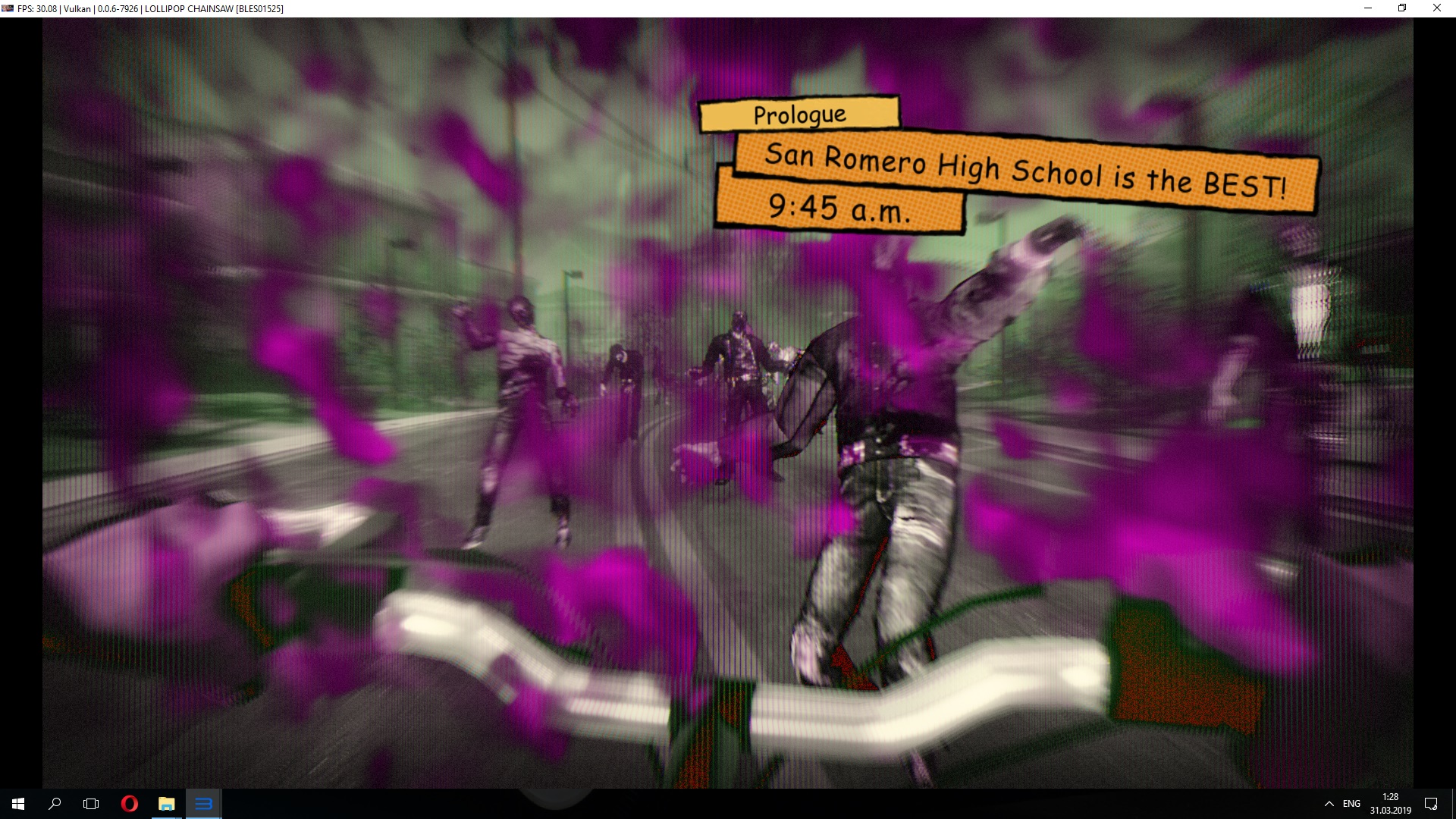
Lolipop Chainsaw
The intro scene is not exactly totally fixed but also a way better
before
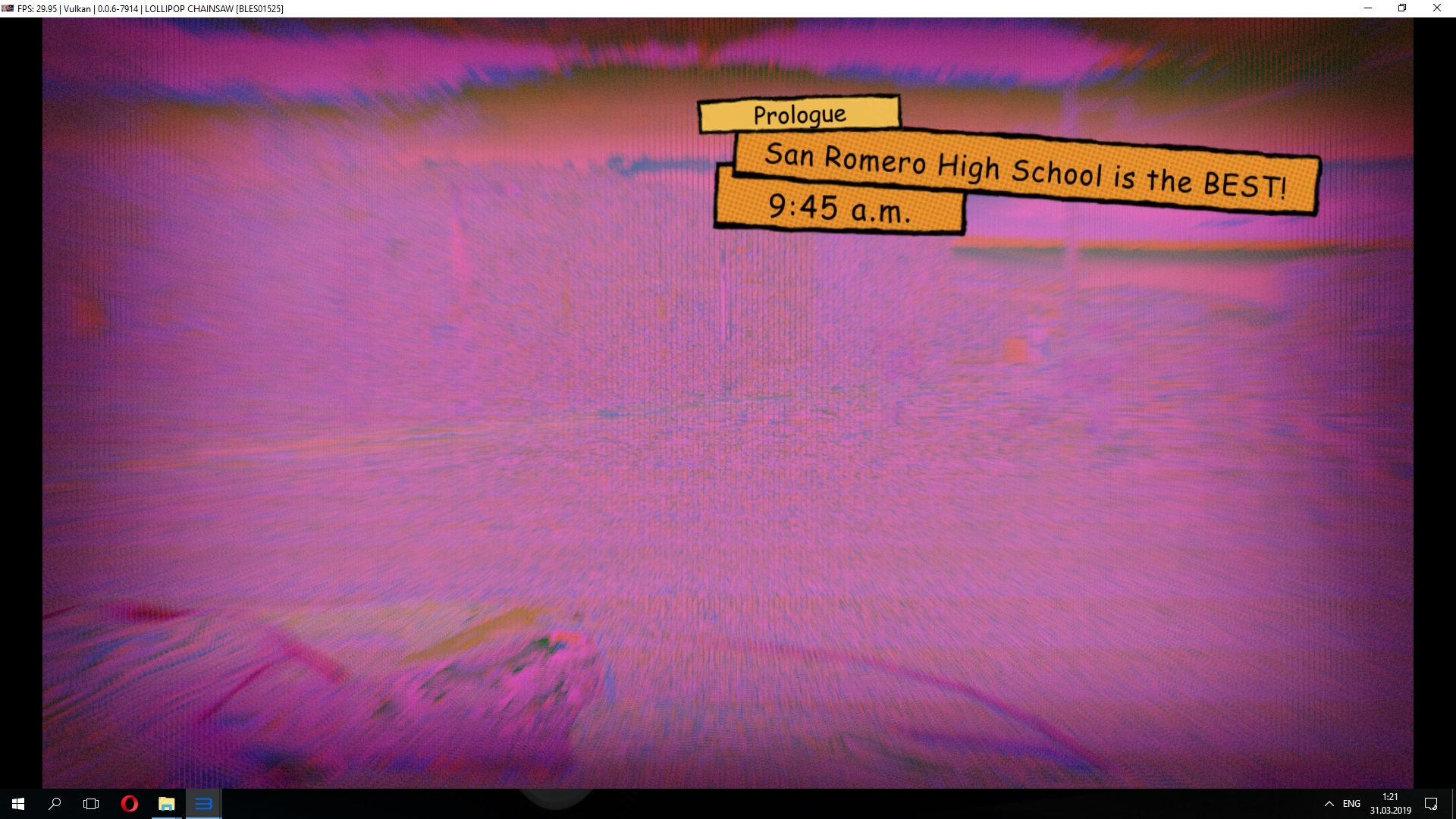
after
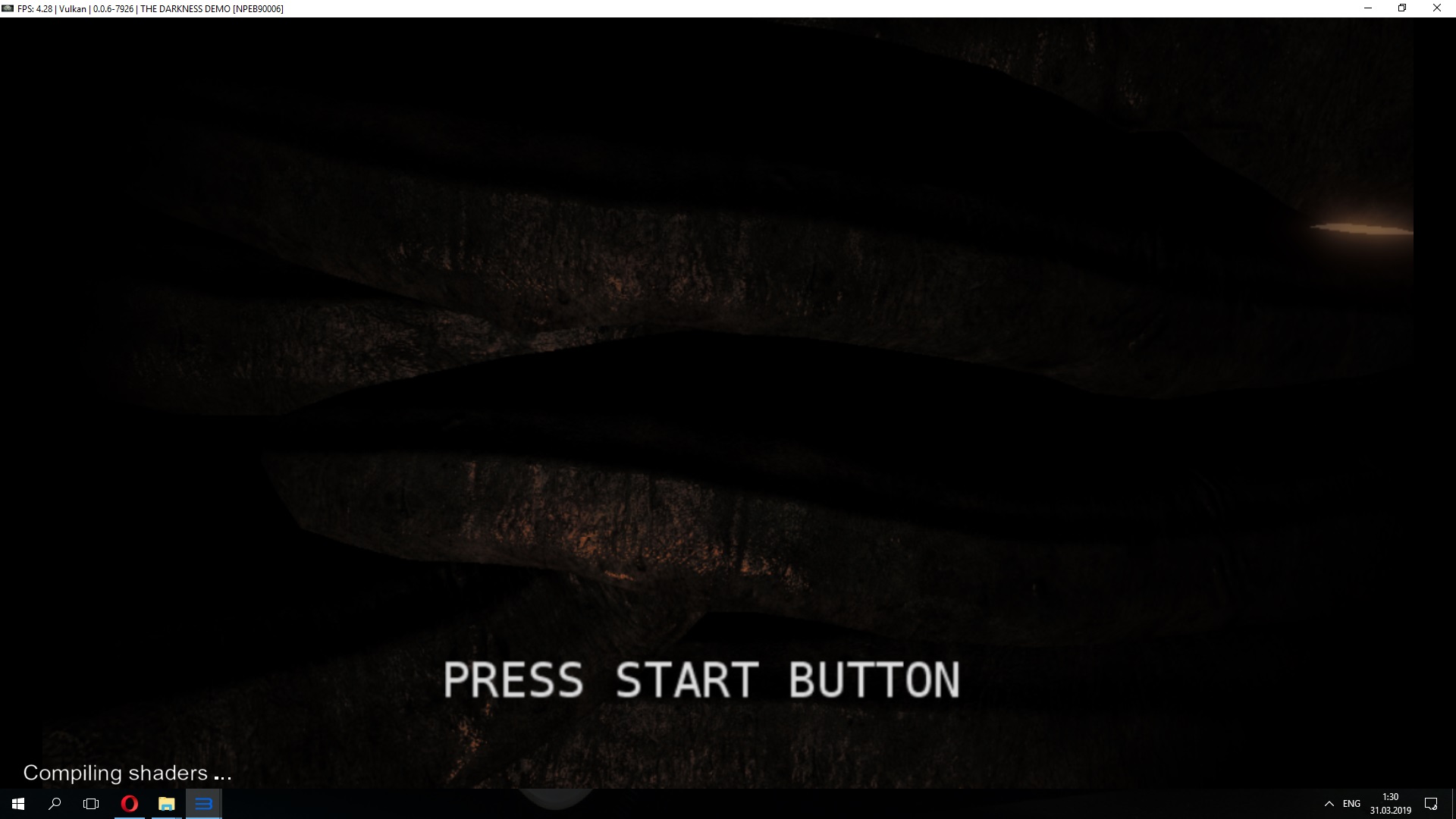
The Darkness Demo
Main Menu now looks fine, unfrotunately can't go ingame it freezes with Vulkan Driver Fail with GPU Blit
before
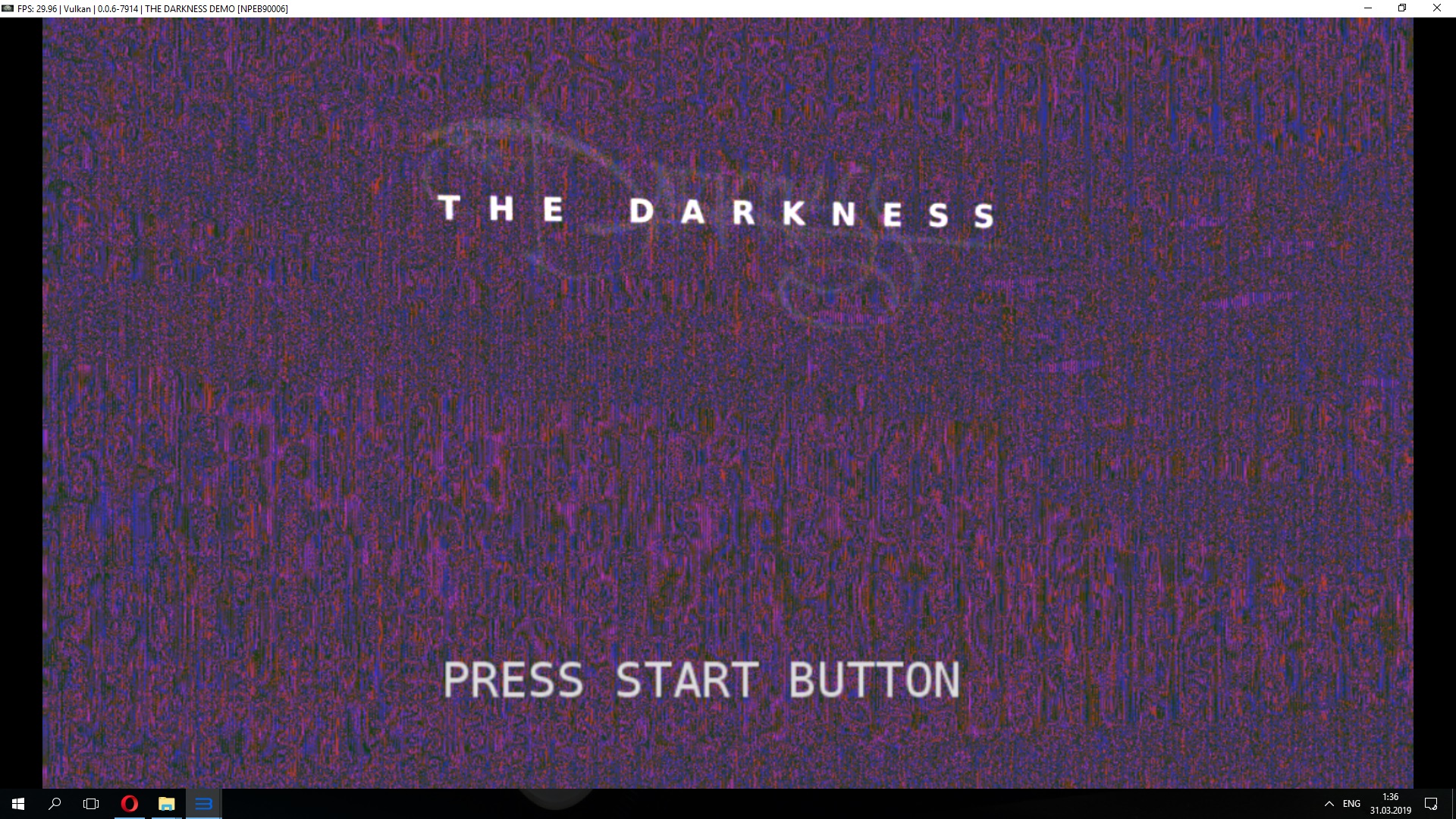
after
Xcedf
on 30 Mar 2019
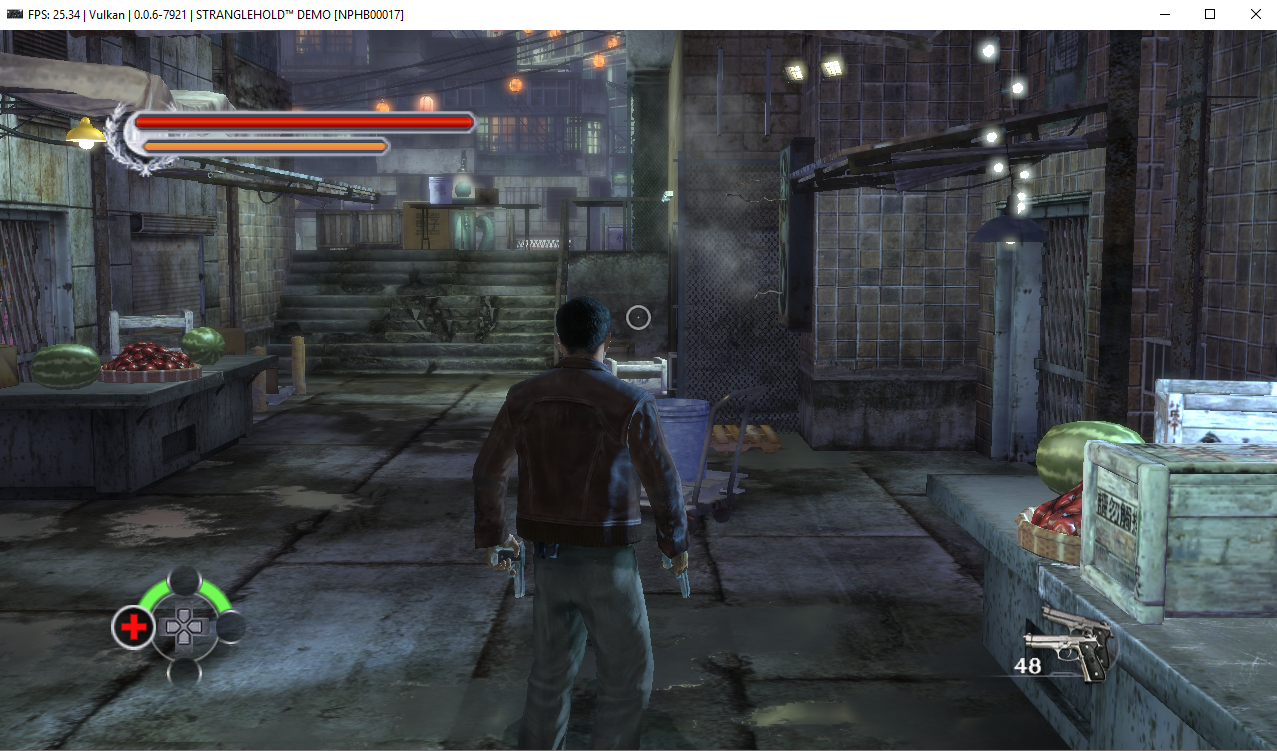
@kd-11
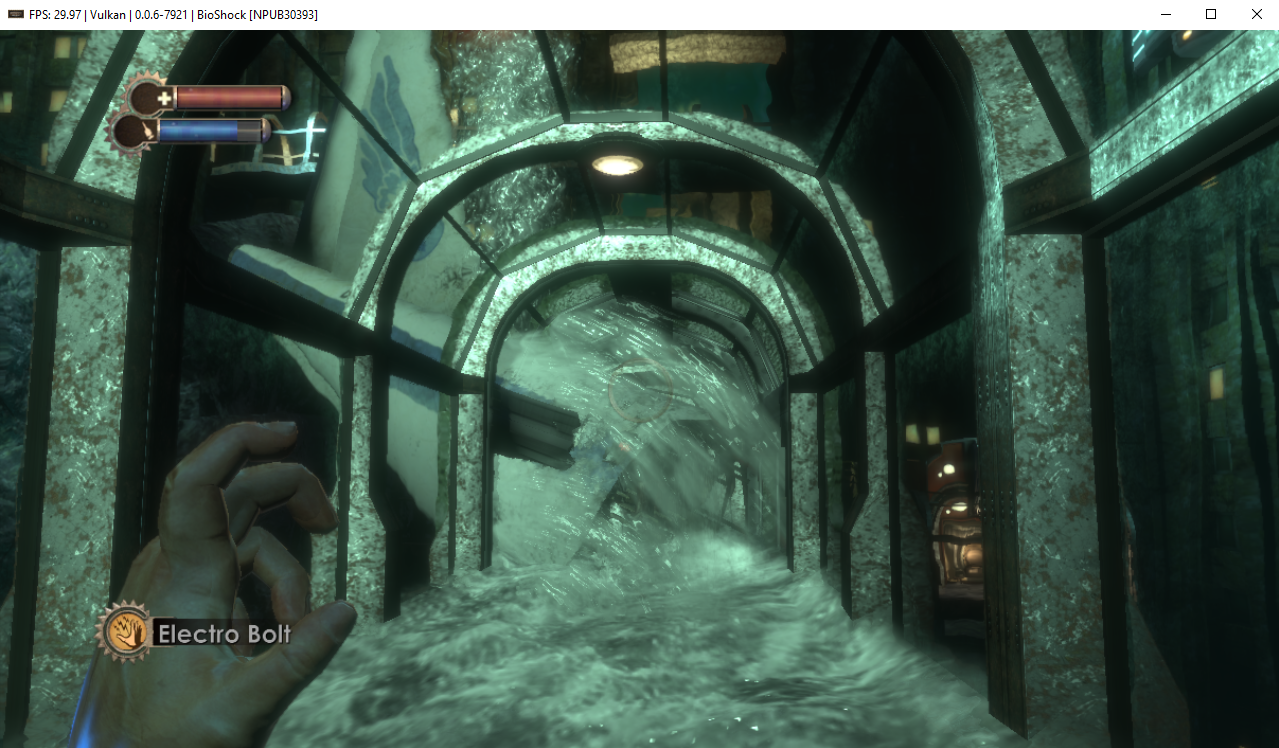
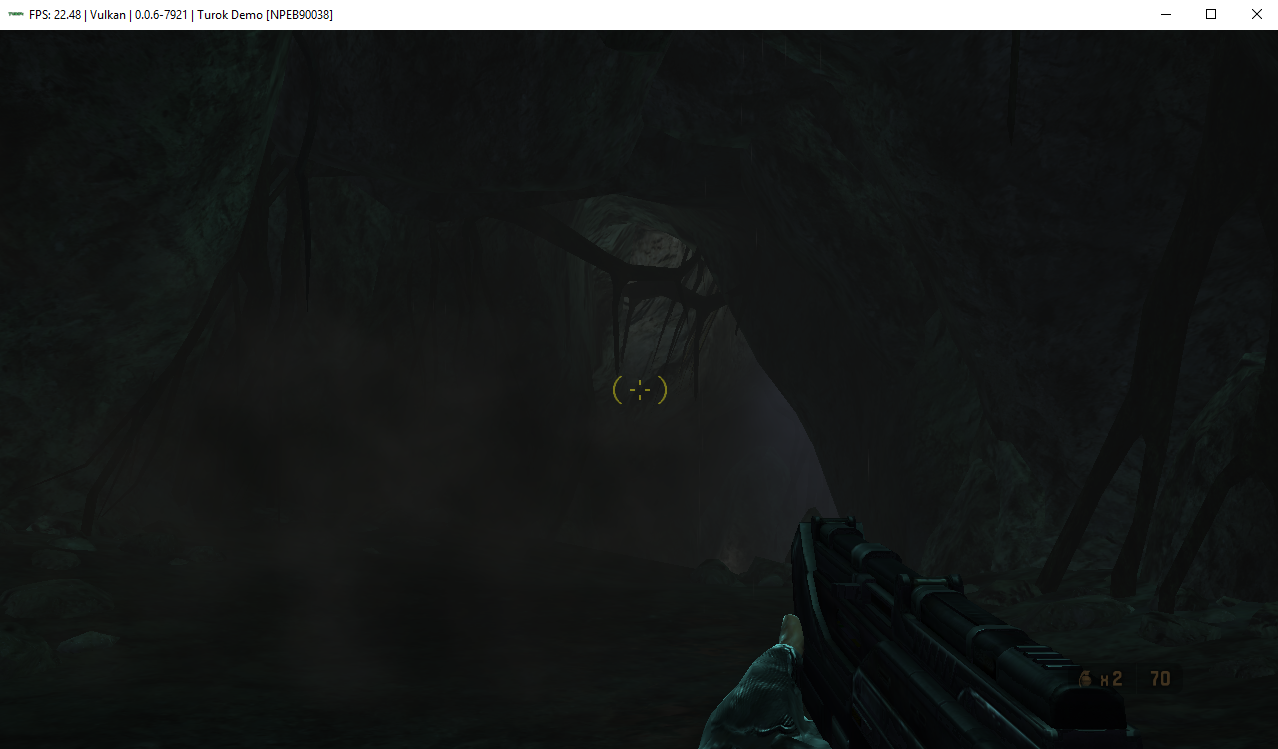
BioShock, Turok, Stranglehold are now fixed.
BioShock
Before:
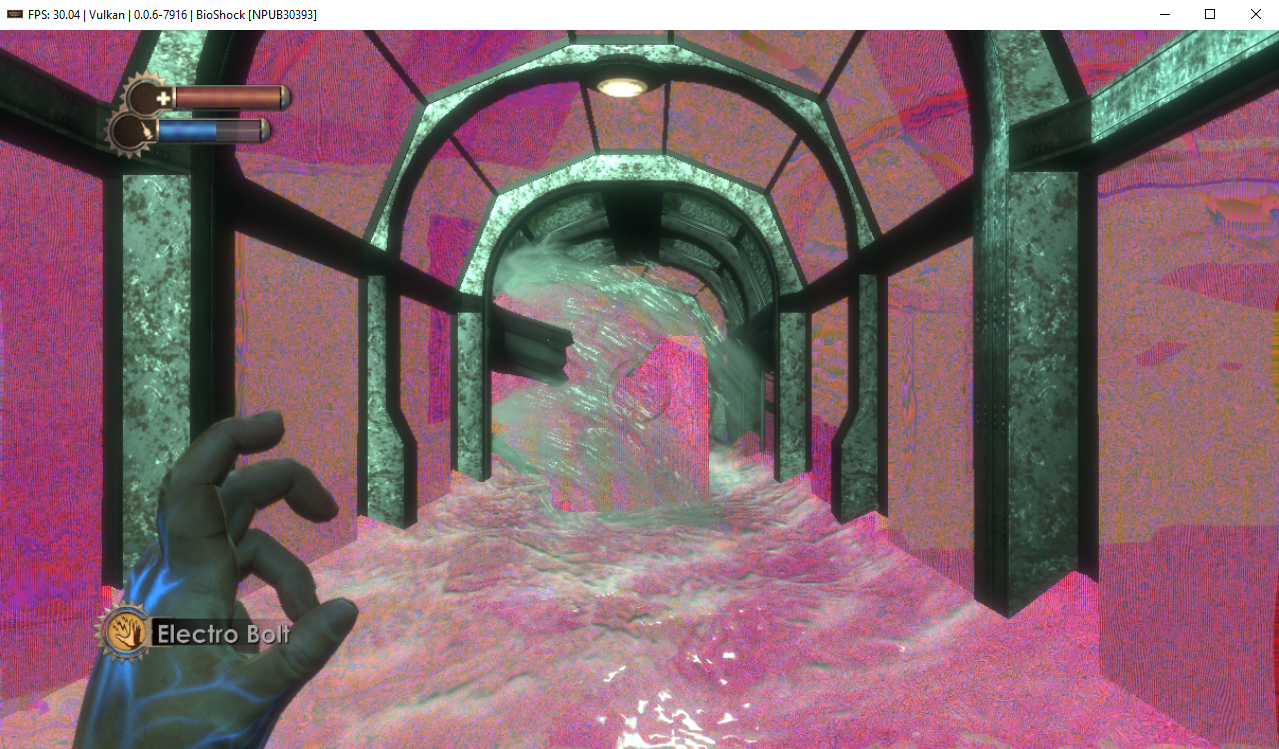
After:
Turok
Before:

After:
Stranglehold
Before:
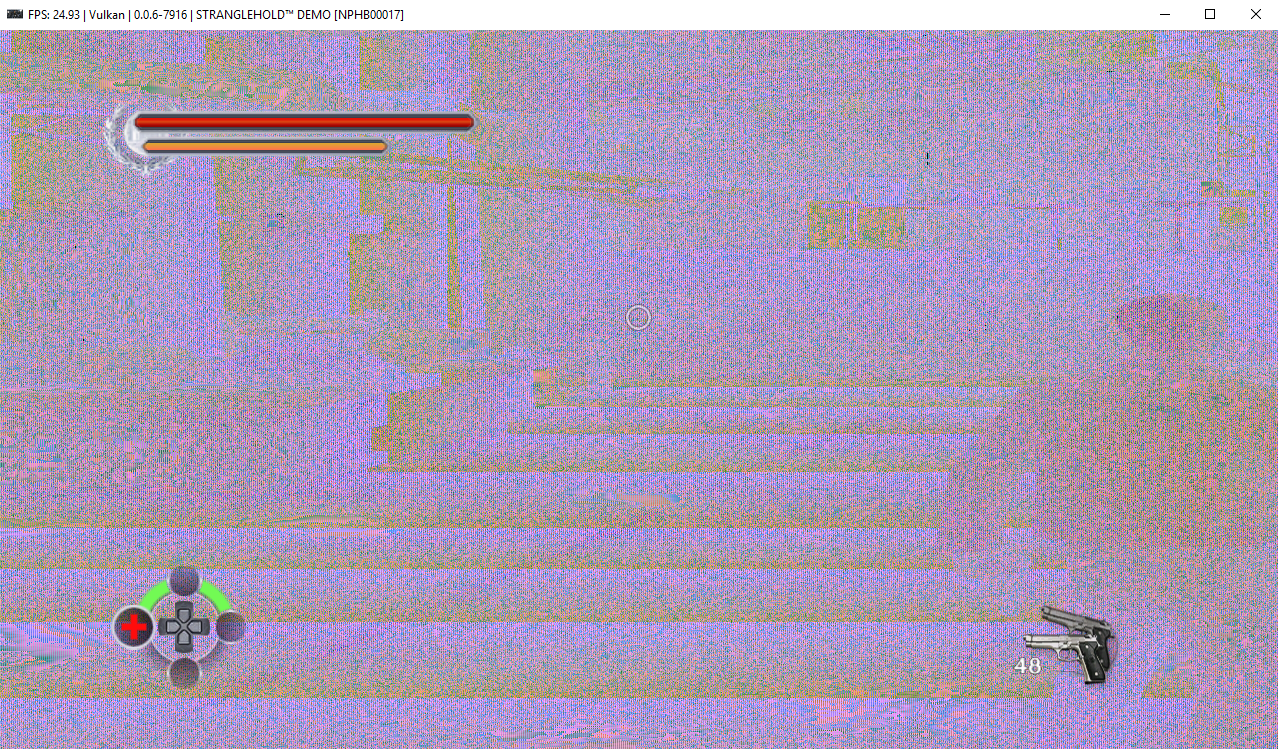
After:
Emulator-Team-2
on 31 Mar 2019
Fixed uncharted 1 as well (cache lookup bug); only OpenGL implementation of format conversions remains now. Just check if anything regressed in my builds. A PR should be coming in the next 48h.
kd-11
on 1 Apr 2019
Retest any remaining issues with https://github.com/RPCS3/rpcs3/pull/5785.
kd-11
on 2 Apr 2019
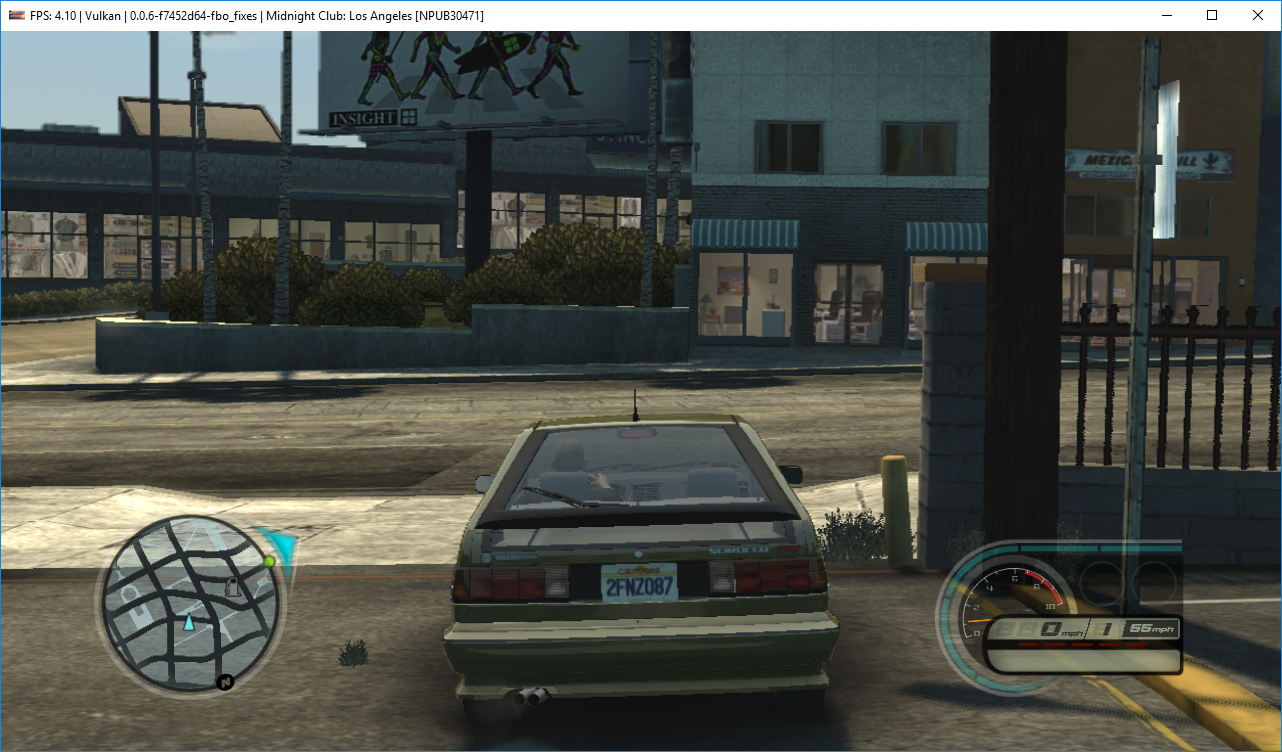
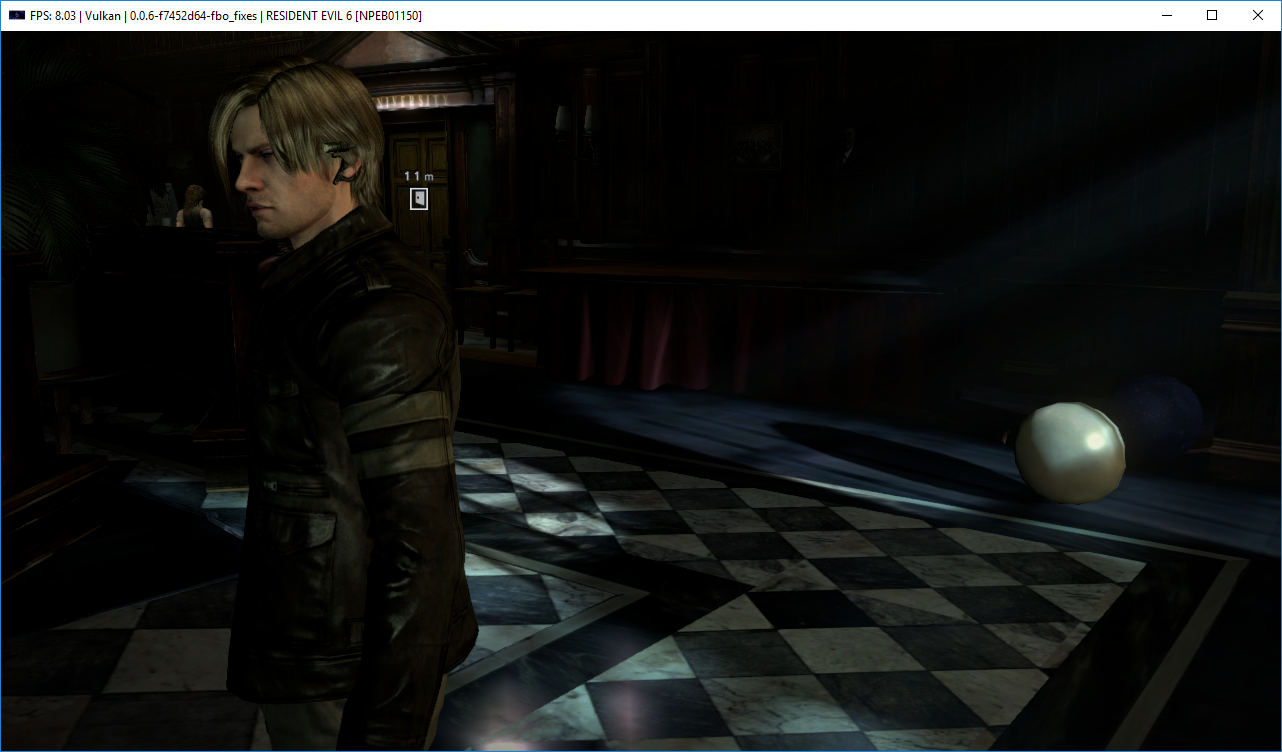
MCLA and RE6 still look fine with #5785:
MarioSonic2987
on 2 Apr 2019
Closing as fixed by https://github.com/RPCS3/rpcs3/pull/5785
kd-11
on 9 Apr 2019
Related issues
 LokiGrants
·
3Comments
LokiGrants
·
3Comments
 AniLeo
·
3Comments
AniLeo
·
3Comments
 XeClutch
·
3Comments
XeClutch
·
3Comments
 On1ko
·
3Comments
On1ko
·
3Comments
 Nezarn
·
3Comments
Nezarn
·
3Comments
Most helpful comment
Quick update on bioshock - I know why it's not working too well but it needs quite a bit of work (old code was working because of a hack). Should be ready in the next day or so.