Rpcs3: RPCS3 window scaling regression (#4908)
Beginning with PR #4908, all of RPCS3's windows, including the settings menu and the game window its self, are now being displayed at extremely large sizes compared to the versions before. I have tried every high DPI compatibility setting in the troubleshooting menu for the rpcs3 .exe file, but they did not help. The images below show how everything is displayed without any resizing of the windows.
Before (rpcs3-v0.0.5-7594-9717e19b):
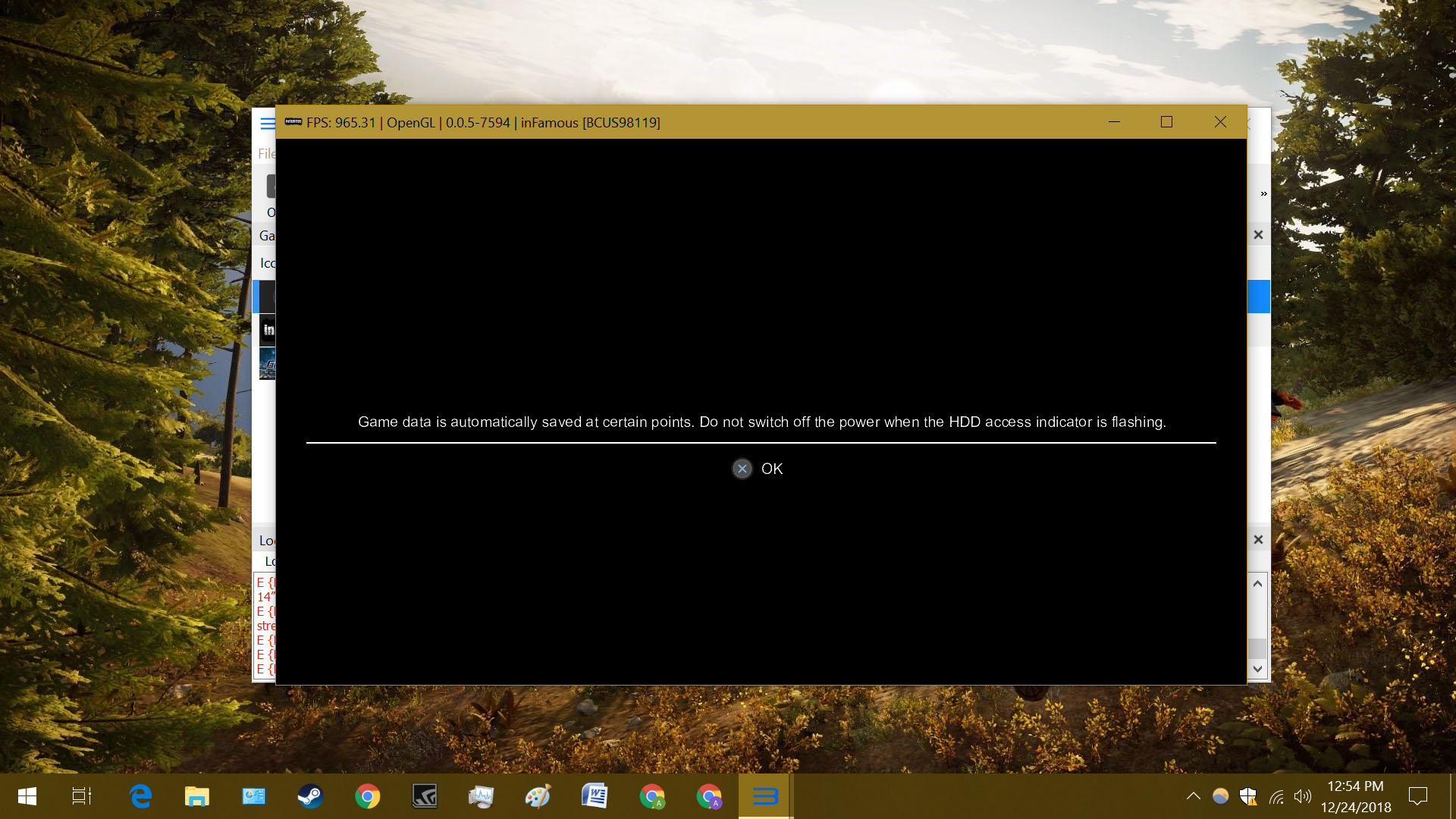
After (rpcs3-v0.0.5-7596-e80574cb / PR #4908):
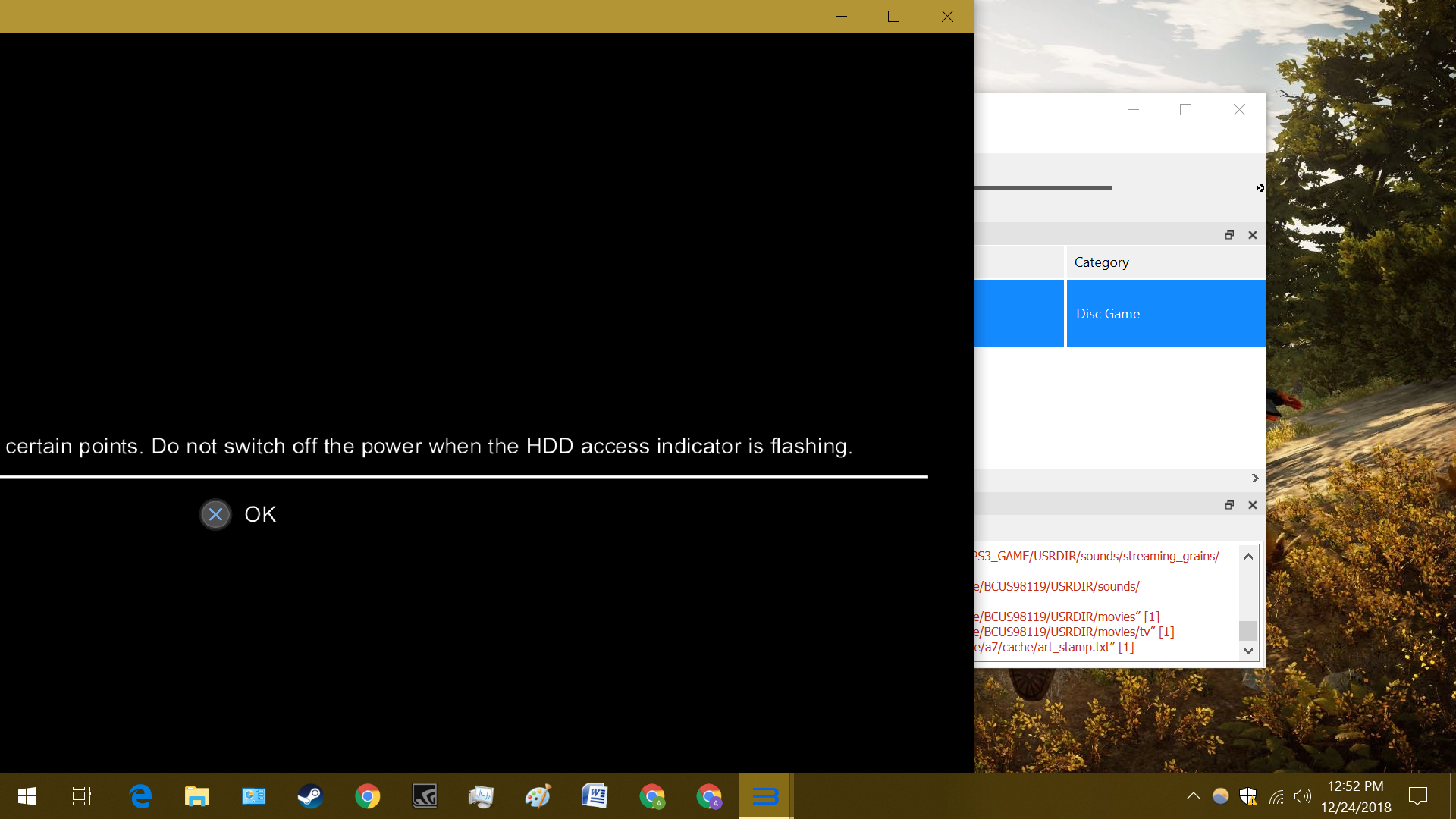
Past that screen seen in the image above, the game window turns black and none of the game's graphics are displayed, even when I try to resize the window.
This issue seems to be related to the 150% scaling I have set in my Windows settings because when I set it back to 100%, everything displays normally (though of course slightly smaller).
Update: More images
Before:
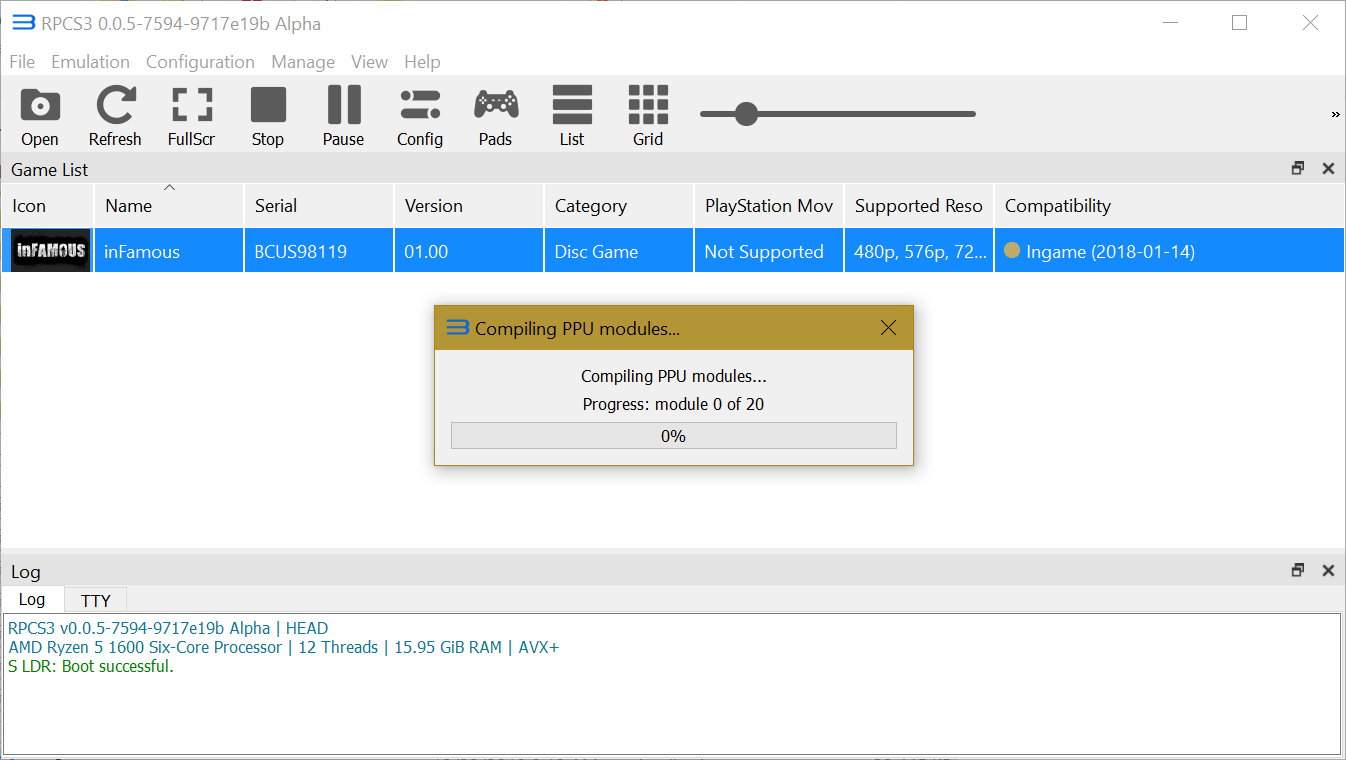
After:

 paxsyr
All 22 comments
@Megamouse :P
 dio-gh
on 24 Dec 2018
dio-gh
on 24 Dec 2018
This isn't really a regression. It's just how windows works with Qt right now.
Qt scaling is rounded to integer values at the moment:
https://bugreports.qt.io/browse/QTBUG-53022
Some possible fix for people who can't manage:
https://stackoverflow.com/a/49278365/8353754
The post above also mentions the old dpi setting that we had in place earlier, which was really just upscaling the original window and therefore making the games actually look blurry.
 Megamouse
on 24 Dec 2018
Megamouse
on 24 Dec 2018
@creeperjedi for simplify, now that is zoomed by 2x if you used scaling windows with 200 % like me, and yes, is problem :( i have removed temporary this commit on my build for fix that, i waiting all is fixed
 Zangetsu38
on 31 Dec 2018
Zangetsu38
on 31 Dec 2018
This isn't really a regression. It's just how windows works with Qt right now.
Qt scaling is rounded to integer values at the moment:
https://bugreports.qt.io/browse/QTBUG-53022Some possible fix for people who can't manage:
https://stackoverflow.com/a/49278365/8353754The post above also mentions the old dpi setting that we had in place earlier, which was really just upscaling the original window and therefore making the games actually look blurry.
Actually I tried the set environment variable solution and it doesn't really work like charm
The font is resized as if I set the windows scale down, it also breaks full screen. It would be nice to be able to have the option to disable new behaviour. For now I manually change windows scaling whenever I need to change pad config for rpcs3. I hope you and other contributors can consider this option if it doesn't really require extensive effort.
 darkash
on 9 Jan 2019
darkash
on 9 Jan 2019
Yeah megamouse plans on reverting it at some stage, I've been having a lot of issues with the changes myself since i often record gameplay while RPCS3 is windowed and rely on pixel perfect window sizes. I just use crop filters in OBS. It's also nice to be able to take screenshots that are an exact resolution like 1920x1080 while having DPI scaling on.
I don't think the above solution will work well for users like me who switch screens a lot which have different or no dpi scaling.
 Asinin3
on 9 Jan 2019
Asinin3
on 9 Jan 2019
After looking into this some more it seems with OpenGL, resizing the window, as is done automatically by this bug, causes the game window to only display black. With Vulkan, the resizing of the game window only streches what the game would normally display.
A workaround that I have found to work well is to download a program called Sizer (link:http://www.brianapps.net/sizer4/) and create a custom resolution of 1282x766. This will compensate for the borders of the window and have the game itself run at 1280x720, fixing the issuses with OpenGL and Vulkan.
paxsyr
on 21 Jan 2019
Using export QT_SCALE_FACTOR=0.5 would render the GUI useless, since it becomes too small, BUT this unironically get rid of all
E {RSX [<some address>]} RSX: Swapchain: Swapchain creation failed because dimensions cannot fit. Max = 1920, 1023, Requested = 1920, 1024
errors because of wrong size calculation due to the upscaling. Furthermore, the game window finally has the correct size!
But yeah, no offence, but I agree this to be a regression, since the font and element size mismatches and furthermore, it produces GUI related errors. The best would be to disable/reverting the HighDpiScaling option. And hope that either qt 5.11 resolve this correctly or just use the export options manually.
 Johndeep
on 20 Mar 2019
Johndeep
on 20 Mar 2019
Juste need remplace code set last time "AA_EnableHighDpiScaling" by "AA_DisableHighDpiScaling"
Disable Scaling is normal for Game/video/and here emulator, with scaling, all is broken and get wrong proportion
Zangetsu38
on 20 Mar 2019
I would be in favor of a toggle button on the GUI tab of the options menu, but I assume that is much easier said than done.
paxsyr
on 21 Mar 2019
@creeperjedi if you suggest something like a toggle button, then this means that this PR #4908 does resolve the problem for somebody? Because otherwise keeping a regression seems not to be wise, especially after what @Zangetsu38 said about scaling and Game/Video/or anything with graphical viewport.
update: [cut out daydreaming]
Johndeep
on 21 Mar 2019
@creeperjedi and all user here with this issue can use this build
https://ci.appveyor.com/project/Zangetsu38/rpcs3/builds/25912322/artifacts
that fix this issue for get like before and works normally
Zangetsu38
on 11 Jul 2019
for me and user is issue ^^ if with dpi 200 % with 4K screen yopu get all zoomed x2 is probleme, only one solution disable read Windows dpi value, for works normally and keep all good size, (like pc game using, dpi value is not read) and that is very simple.
And i have all time user that, i have never see your probleme with scaling bad for me i get good.
Also you have wrong for port view, if you set full screen render or window mode, it don't using real reslution used currently, like window 1280 or full screen 3840, image is calculae like faked with read dpi scaling, is so 1280x2 for window etired in real 2560x1440 size screen, and for full screen is 1920 etired on 3840x2160.
So all is wrong, and is just obligatory disable this
Zangetsu38
on 11 Jul 2019
Mate, we've had this discussion multiple times and all the devs gave up trying to explain it to you because it was pointless when you wouldn't even try taking a screenshot of both builds so you could compare for yourself.
100% scaling, 720p window size

150% scaling, same window size, old build

150% scaling, same window size, new build

Look at the edge of the text on the left, look at the light on the roof, it's obvious that it wasn't rendering at the proper resolution before Megamouse made the change. You pretty much drew all of the staff mad because we explained it for hours on multiple occasions but still wouldn't listen. Why bring it up in GitHub now? It's been months.
Asinin3
on 11 Jul 2019
so finnaly, with lot test and compare, us have see i have right, no have any blur issue, just now disable this read dpi value and close this issue :)
Zangetsu38
on 11 Jul 2019
The issue doesn't appear when retesting old builds (before and after Megamouse's PR) because GitHub built it with a new version of Qt which didn't exist when Megamouse made the Pull Request. Or windows fixed it. But either way upon doing a new comparison the image is clearly the same, even though we cant replicate it in it's previous state (probably need old version of windows), its clear that there is no visual difference (when using 200% Windows DPI & 300% resolution scaling) between 960x540 resized RPCS3 window with master builds and 1920x1080 on this build or the old build. We even got Zangetsu to take the screenshots himself and there was no visual difference in the image between them.
After a 6+ hour discussion between me and other devs with Zangetsu, he's still under the impression that the internal resolution of master builds is 960x540 when using 200% DPI scaling. This is not the case, the window is resized by 2x when using 200% DPI scaling, which is 1920x1080 and RPCS3 also increases the internal resolution to match. If the current state had an internal resolution which was half of the window size when using 200% DPI scaling, then it would look like complete shit. It would be very easy to spot differences between a 960x540 image that was upscaled(stretched) to 1920x1080 and a native 1920x1080 image. What I said above is still correct if you consider the current state of the emulator back when the change was made, but it made it difficult trying to explain the problem now that it was fixed by Windows or Qt. Either way the way its working right now is not broken.
Asinin3
on 11 Jul 2019
Is making the window DPI-unaware (which what seems to be done by #6192) really a correct fix? I somehow doubt it.
 CookiePLMonster
on 11 Jul 2019
CookiePLMonster
on 11 Jul 2019
yes, is real fix, never enable read dpi value for anythings have resolution render, like game/video etc, if you en,able that, you broken all and get out of box render etc
Zangetsu38
on 11 Jul 2019
It's not. Stop hacking
Megamouse
on 11 Jul 2019
I hack nothings, i set it on disable like you have set in before on enable...
Just in my code is just disable by default, like exactly you have set enable by default, but so if i listen you, want said you have hacking aslo ? :)
Zangetsu38
on 12 Jul 2019
Fixed by #6110 and it looks like Qt has fixed it on their end too because the bug that Megamouse linked to is now successfully closed.
Thank you for your work!
paxsyr
on 20 Sep 2019
@creeperjedi for me this regression on scaling is back again, you can test for see if same for you ?
caused by https://github.com/RPCS3/rpcs3/pull/6704
Zangetsu38
on 5 Oct 2019
I can confirm Zangetsu28's finding that this issue was reintroduced by #6704.
Last tested with: 0.0.7-9123
paxsyr
on 11 Nov 2019
Related issues
 On1ko
·
3Comments
On1ko
·
3Comments
 xiangzhai
·
3Comments
xiangzhai
·
3Comments
 altiereslima
·
3Comments
altiereslima
·
3Comments
 Xcedf
·
3Comments
Xcedf
·
3Comments
 AniLeo
·
3Comments
AniLeo
·
3Comments
Most helpful comment
It's not. Stop hacking