Hi, guys.
I have a notebook with a NVIDIA GTX 850m. I've tried to use RPCS3 on my TV and it has happened:
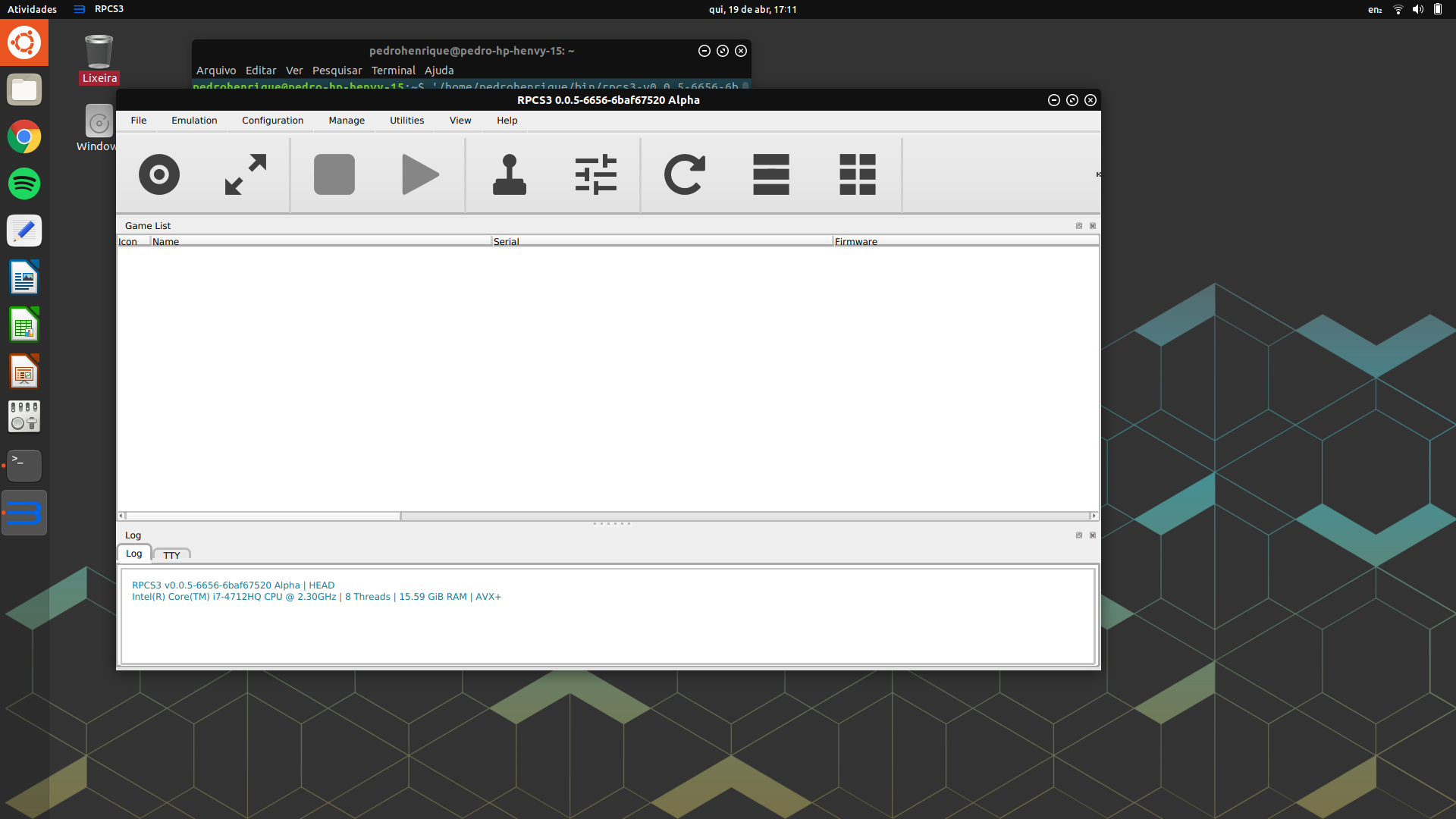
On my internal display it doesn't happen:
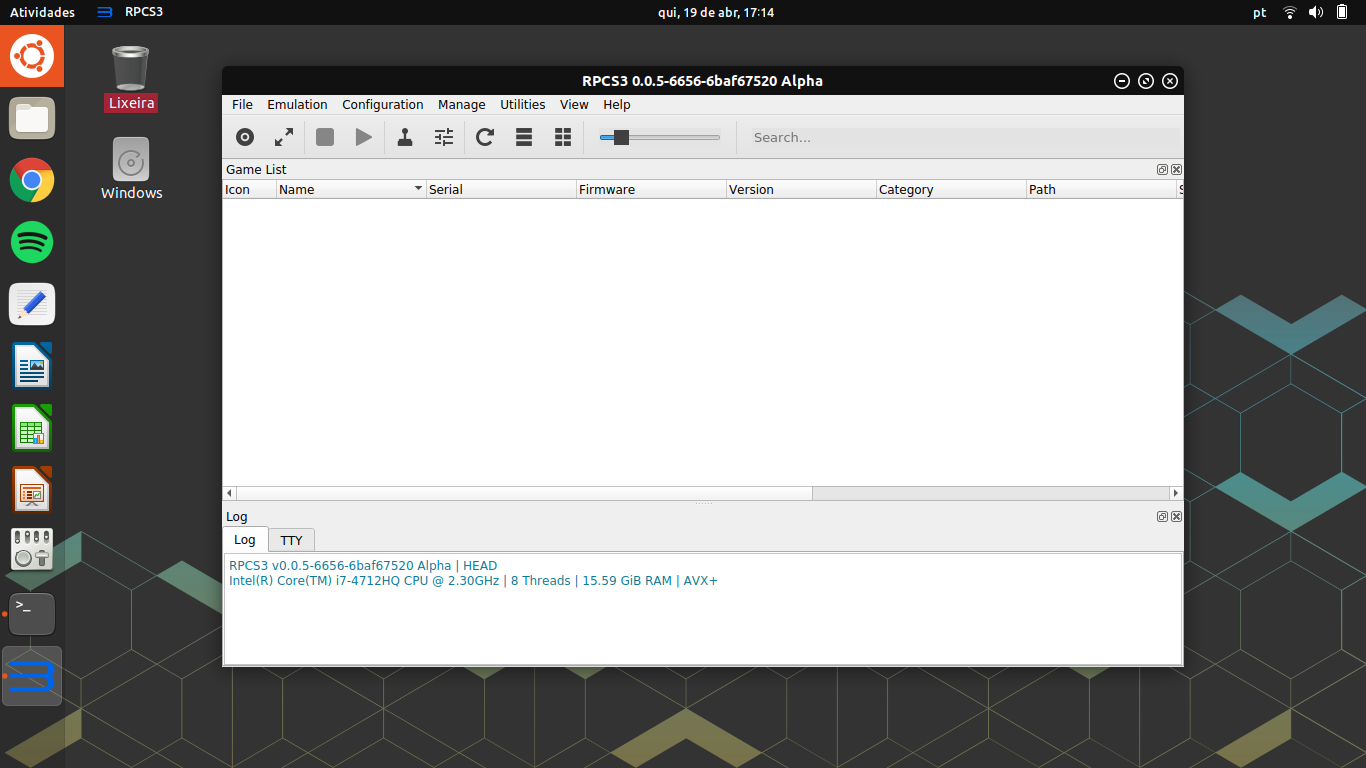
I fixed it using this Environment Variable "QT_SCREEN_SCALE_FACTORS" that I found here http://doc.qt.io/qt-5/highdpi.html. A set it to "0.333333". Look my terminal in the picture bellow:

System Specs:
- RPCS3 v0.0.5-6656
- HP Envy 15;
- Graphic Card: GTX 850m;
- Graphic Driver: NV Proprietary Driver (nvidia-396);
- SO:Ubuntu 18.04
Does anyone have any ideia what's causing this?
 stumts
All 19 comments
Ugh. Qt and HiDPI. It never stops haunting us.
 flash-fire
on 19 Apr 2018
flash-fire
on 19 Apr 2018
just wondering. is that TV your second screen or configured as your main screen?
Or do you switch to it while having RPCS3 open?
If yes: what happens when you boot into your OS and RPCS3 while already having the TV set up as main screen?
edit: and is the laptop screen also normal when using QT_SCREEN_SCALE_FACTORS 0.333333
 Megamouse
on 20 Apr 2018
Megamouse
on 20 Apr 2018
In my first post I was using only my TV or only my internal display. I've tested using both screens and the results were a little different. See the screeshots below:
My TV as my main screen:
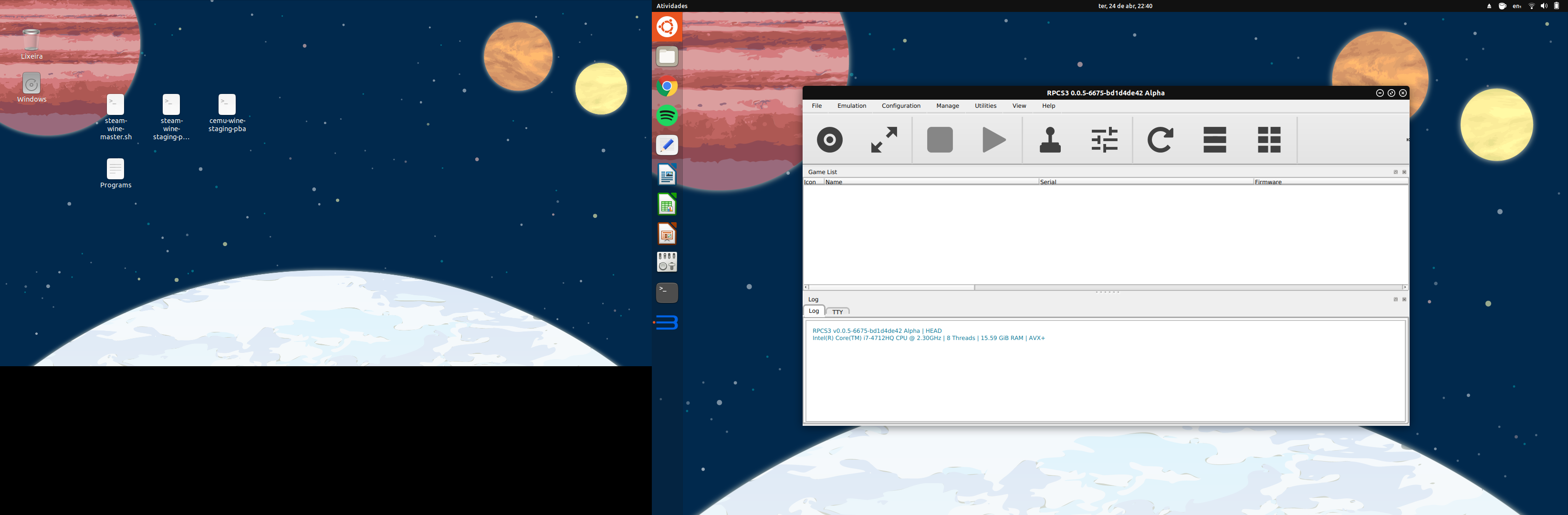
The texts are normal size, but the icons are big.
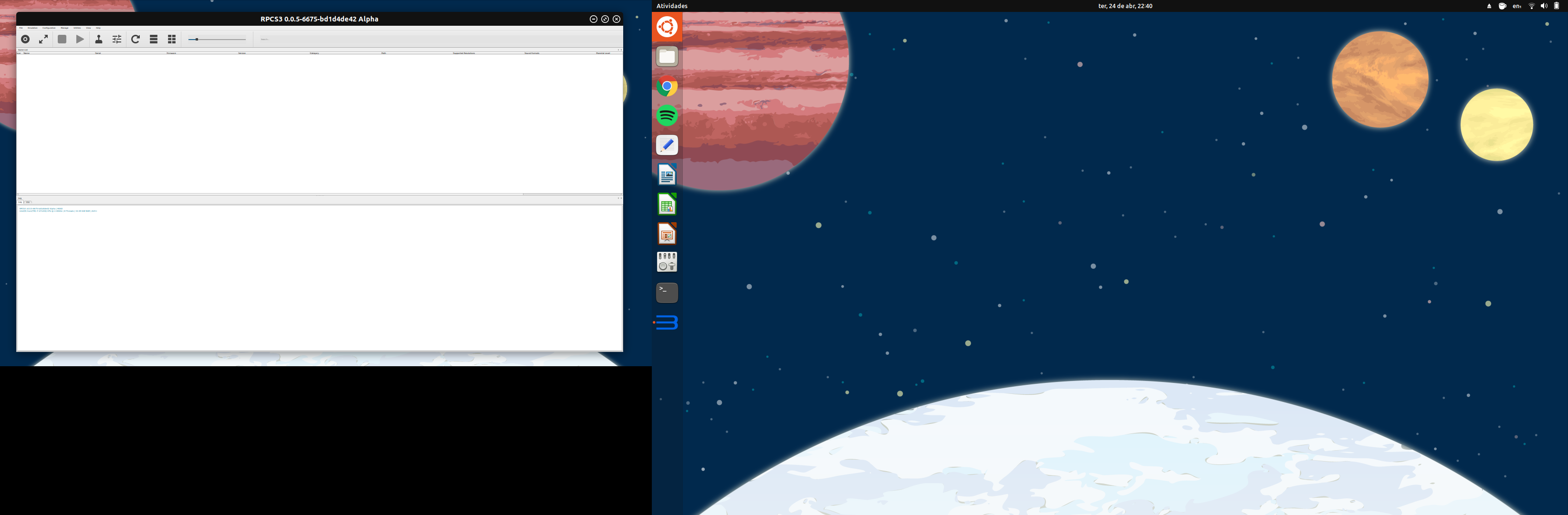
The texts are small and icons normal.
My internal display as my main screen:
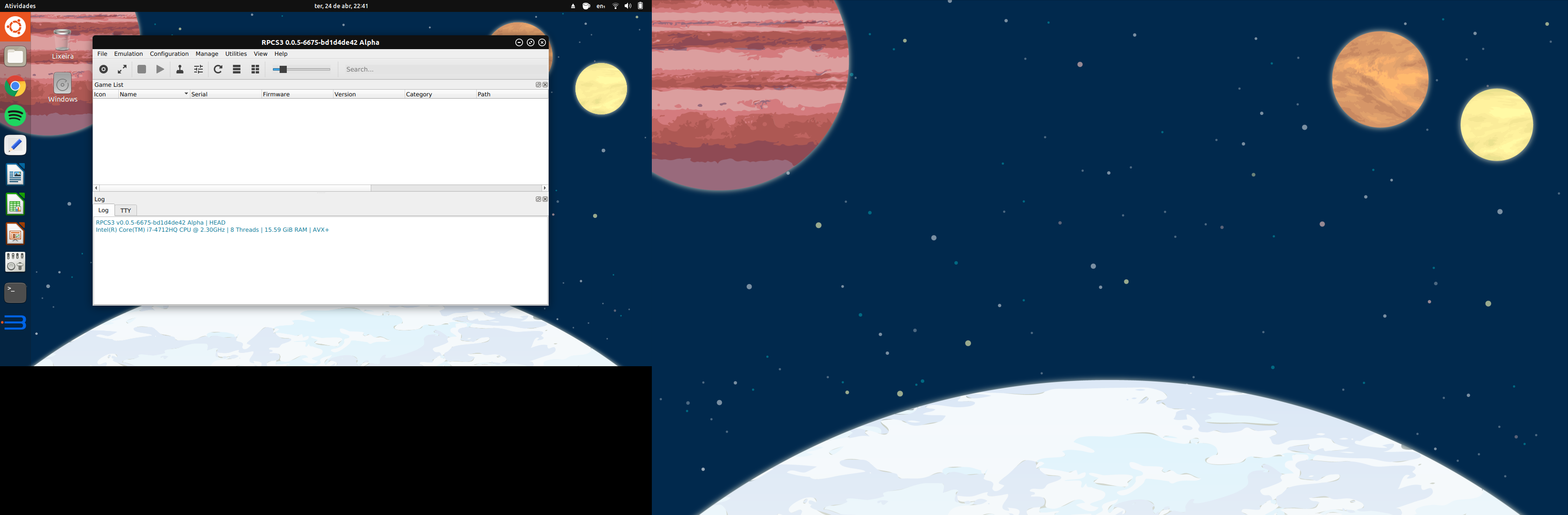
Texts and icons normal size.
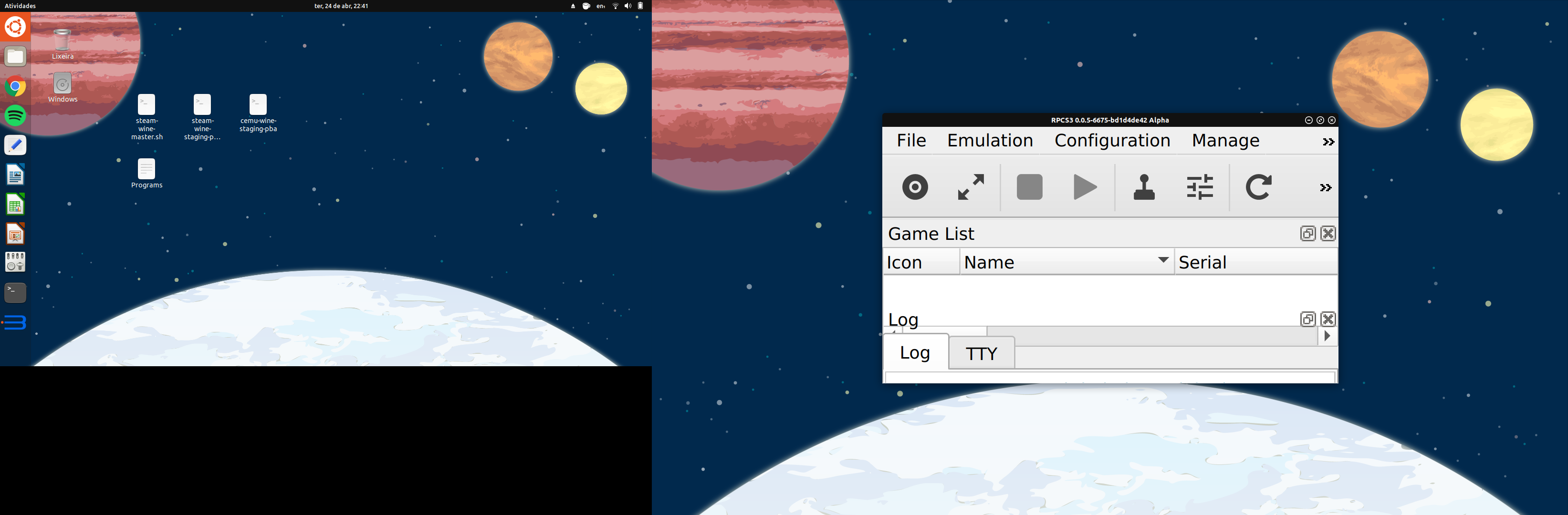
Texts and icons are big.
My TV as my main screen using QT_SCREEN_SCALE_FACTORS=0.333333:
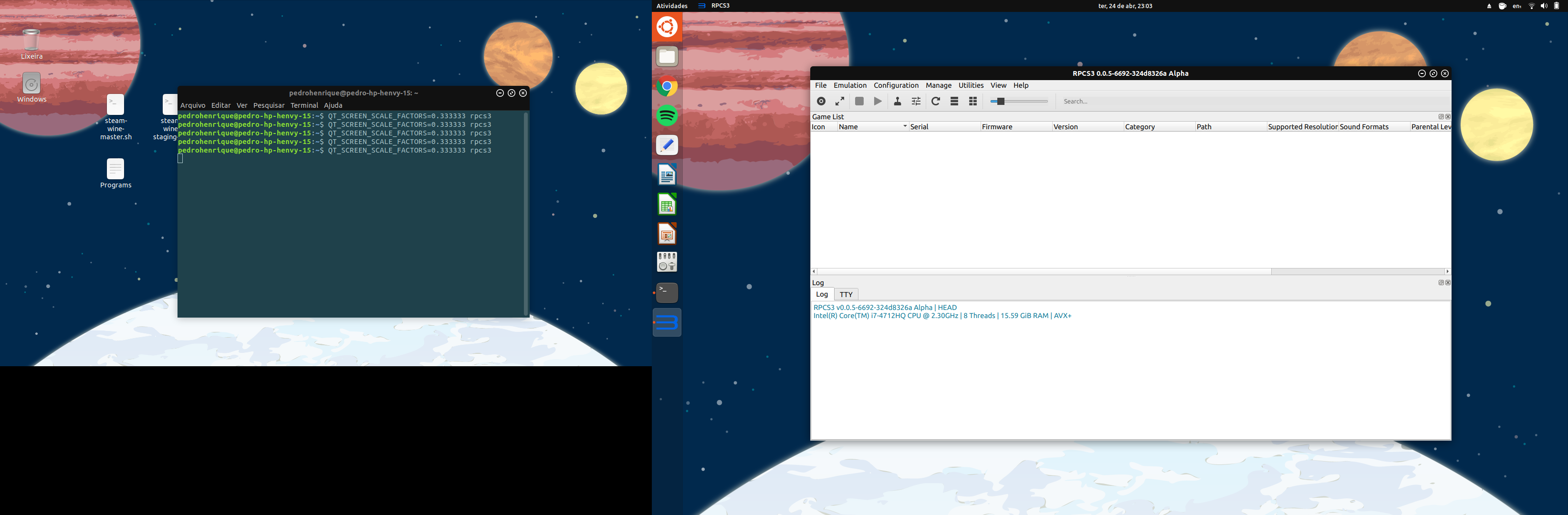
Texts and icons normal size.
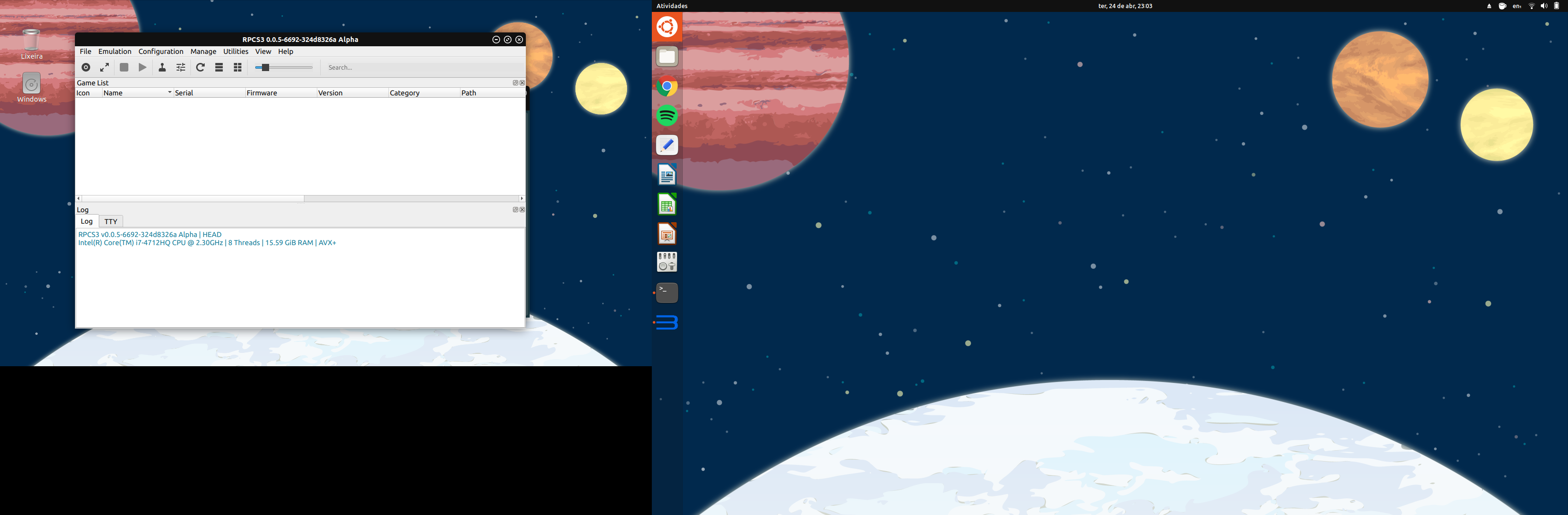
Texts and icons normal size.
My internal display as my main screen using QT_SCREEN_SCALE_FACTORS=0.333333:
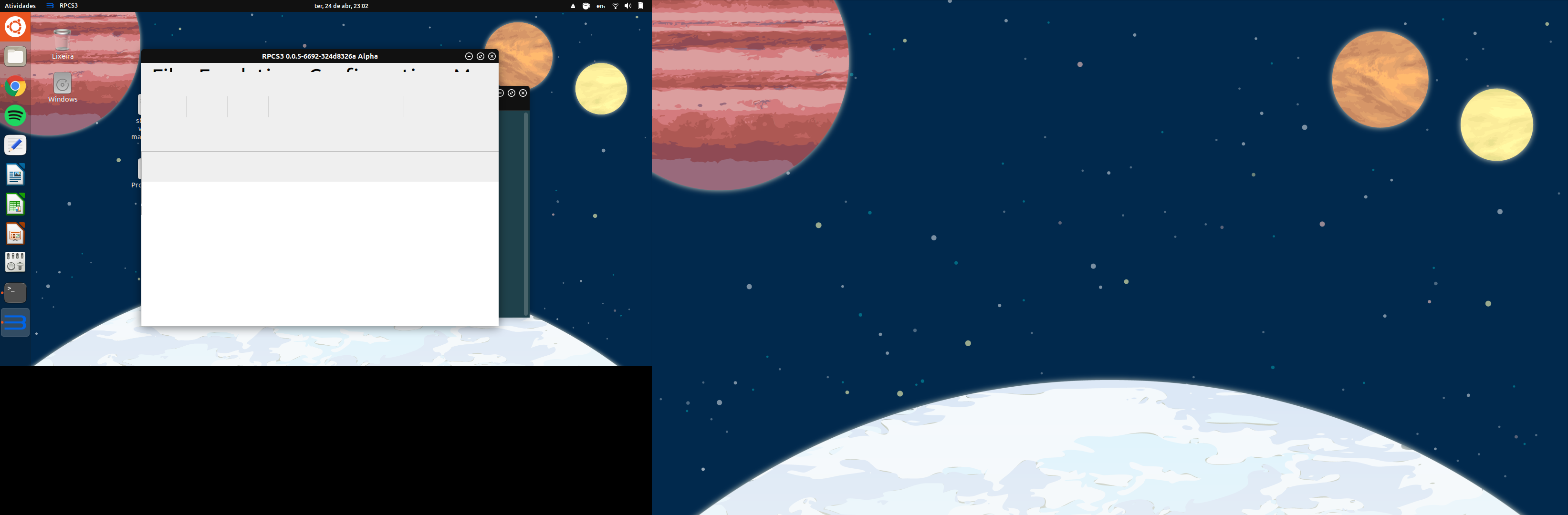
Everything very big.
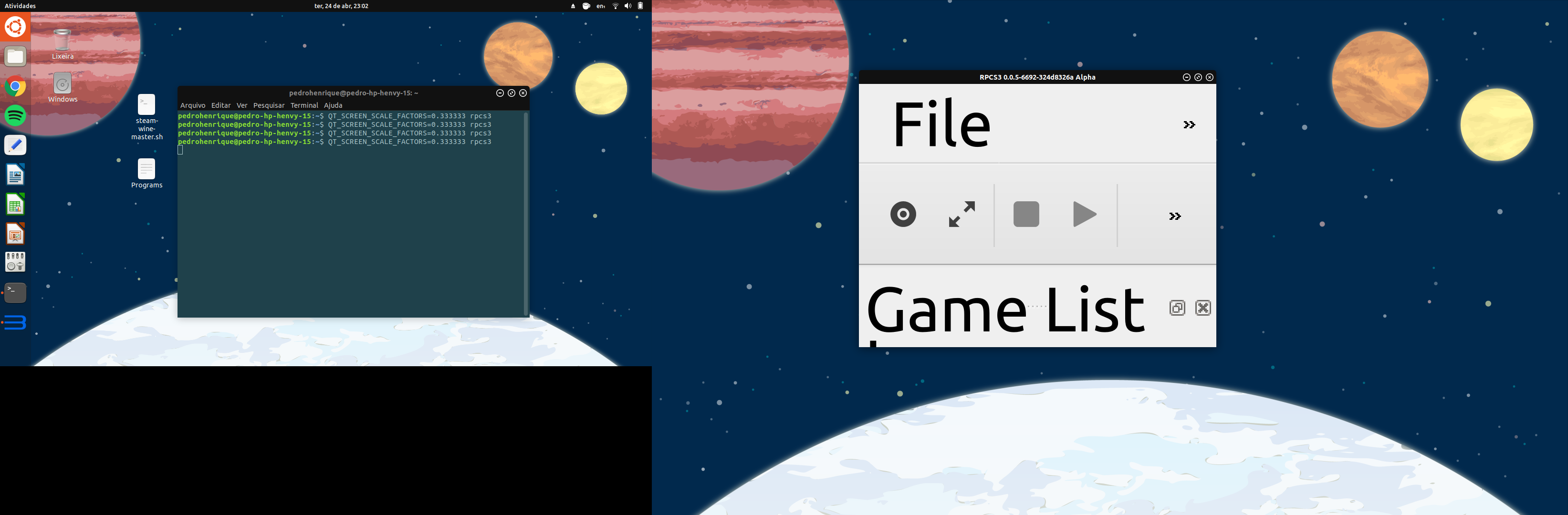
Texts are very big and icons just big.
The resolution of my internal display is 1366 x 768 and my TV resolution is 1920 x 1080.
Thanks for your help. Tell if you need more information.
stumts
on 25 Apr 2018
have you tried setting multiple factors with:
QT_SCREEN_SCALE_FACTORS [list]
or using
QT_SCALE_FACTOR
Megamouse
on 25 Apr 2018
QT_SCREEN_SCALE_FACTORS [list] fix my problem:
My TV as my main screen with QT_SCREEN_SCALE_FACTORS="0.333333;1":
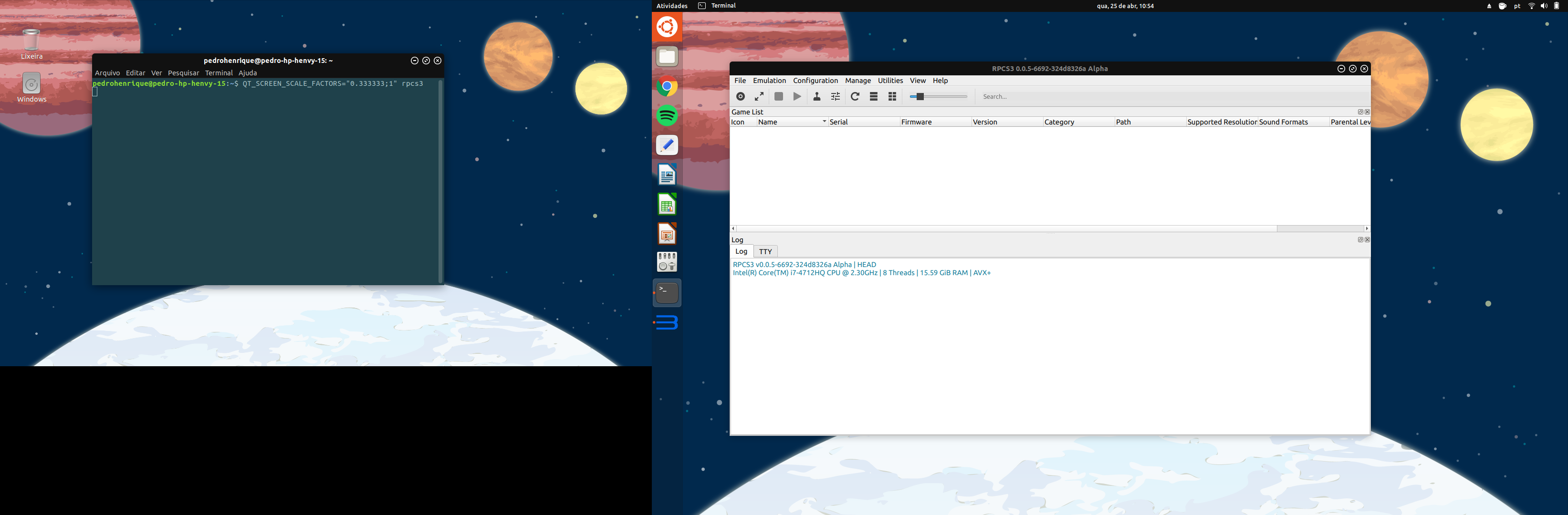
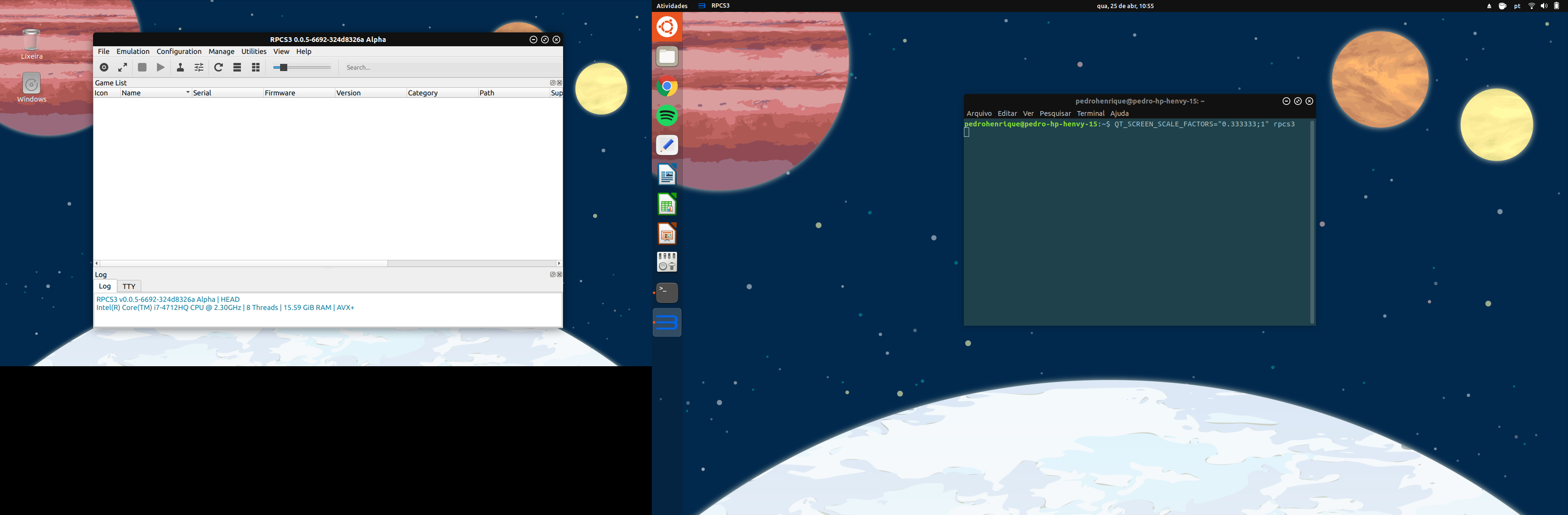
My Internal Display as my main screen with QT_SCREEN_SCALE_FACTORS="1;0.333333":
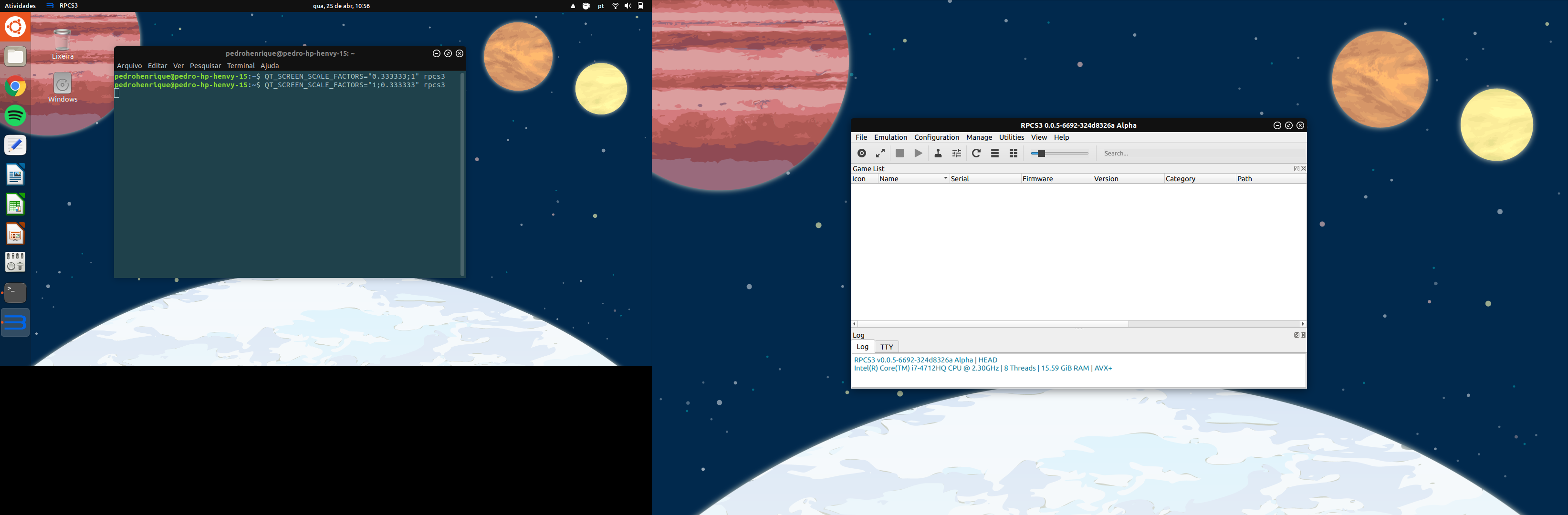
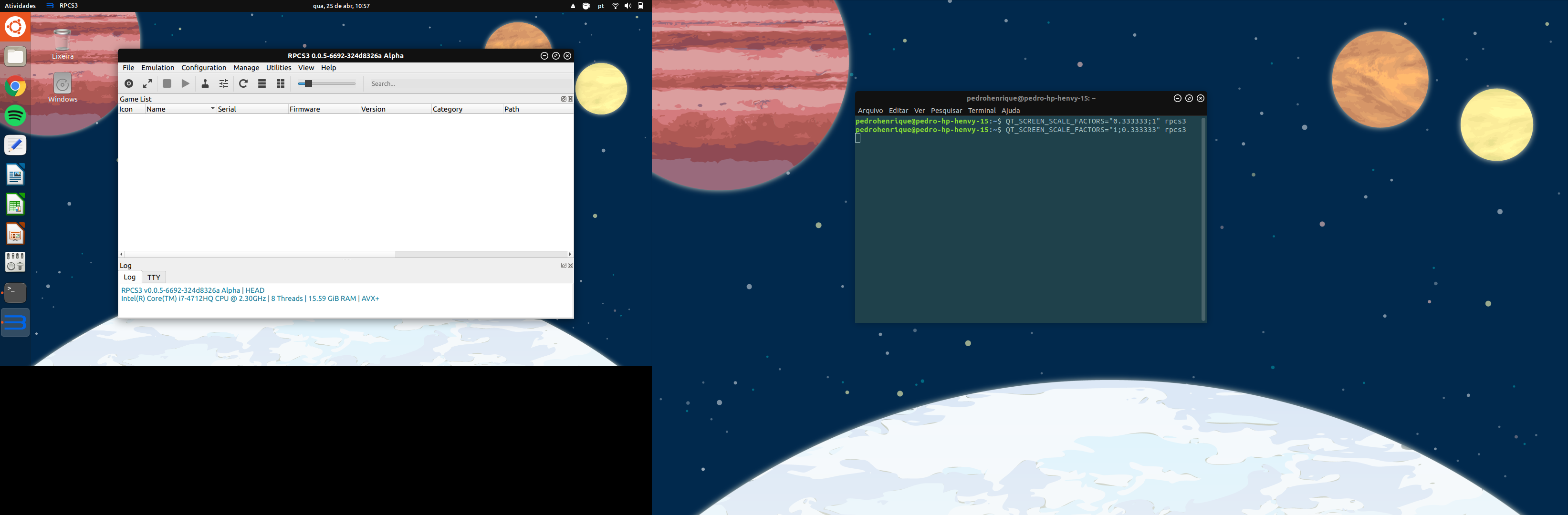
QT_SCALE_FACTOR didn't work 'cause it change point sized fonts also:
QT_SCALE_FACTOR=1

QT_SCALE_FACTOR=0.333333333333
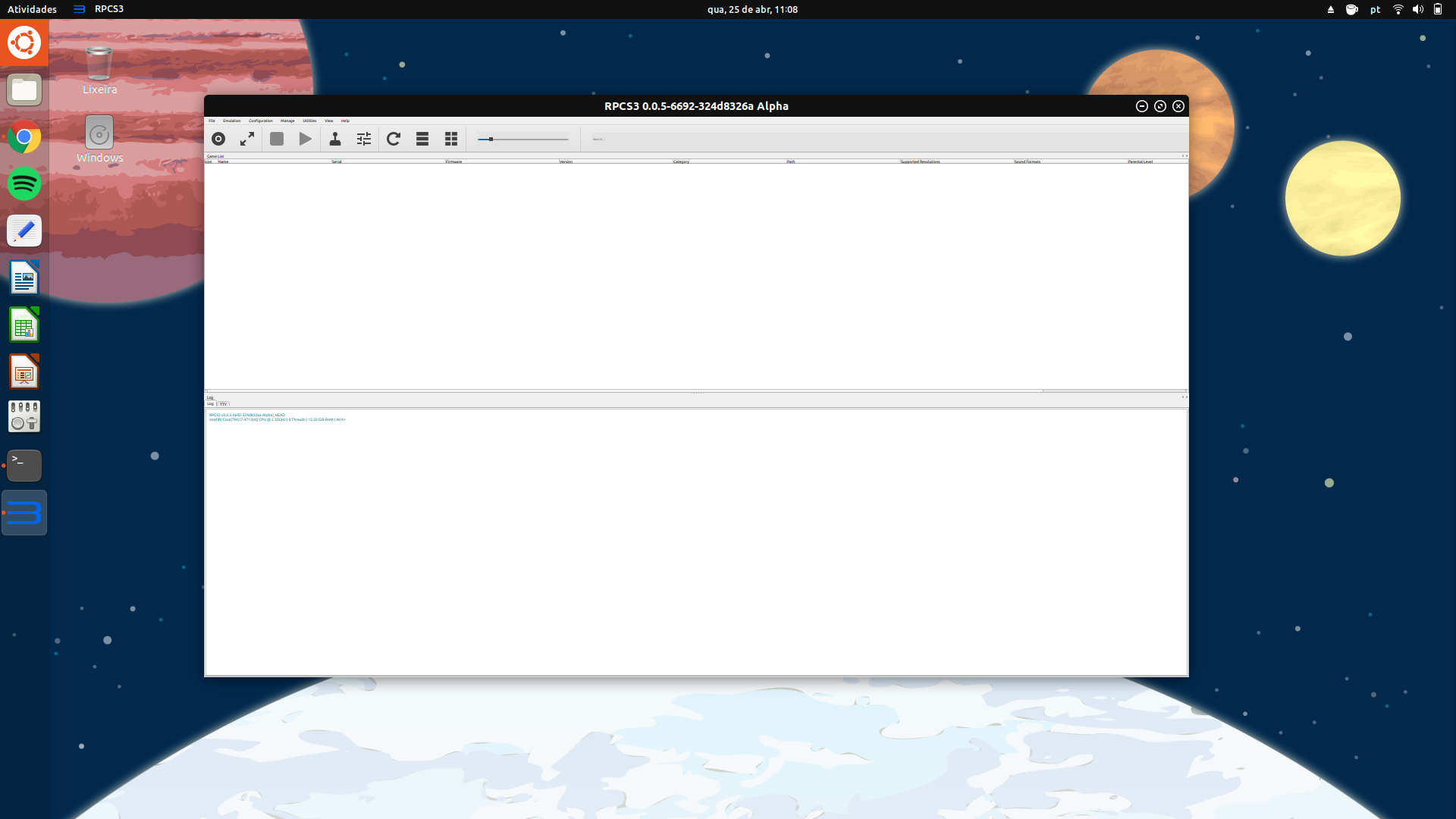
I just don't understand what's happening. Is it a problem with my linux, my TV EDID, rpcs3 QT5 implementation or QT5 itself? 'cause it doesn't happen on Windows.
stumts
on 25 Apr 2018
in case you are compiling your own builds you could try changing line 85 in main.cpp to

and see what happens.
I don't remember why we don't use it on Linux. There is an old issue where we discussed this. (On Windows it is less accurate than the current implementation, although I heard rumours of this getting fixed in the next Qt update).
Any way, this is most likely a bug in Qt and/or the Linux distro
Megamouse
on 25 Apr 2018
I've tried with QCoreApplication::setAttribute(Qt::AA_EnableHighDpiScaling) and nothing changed:
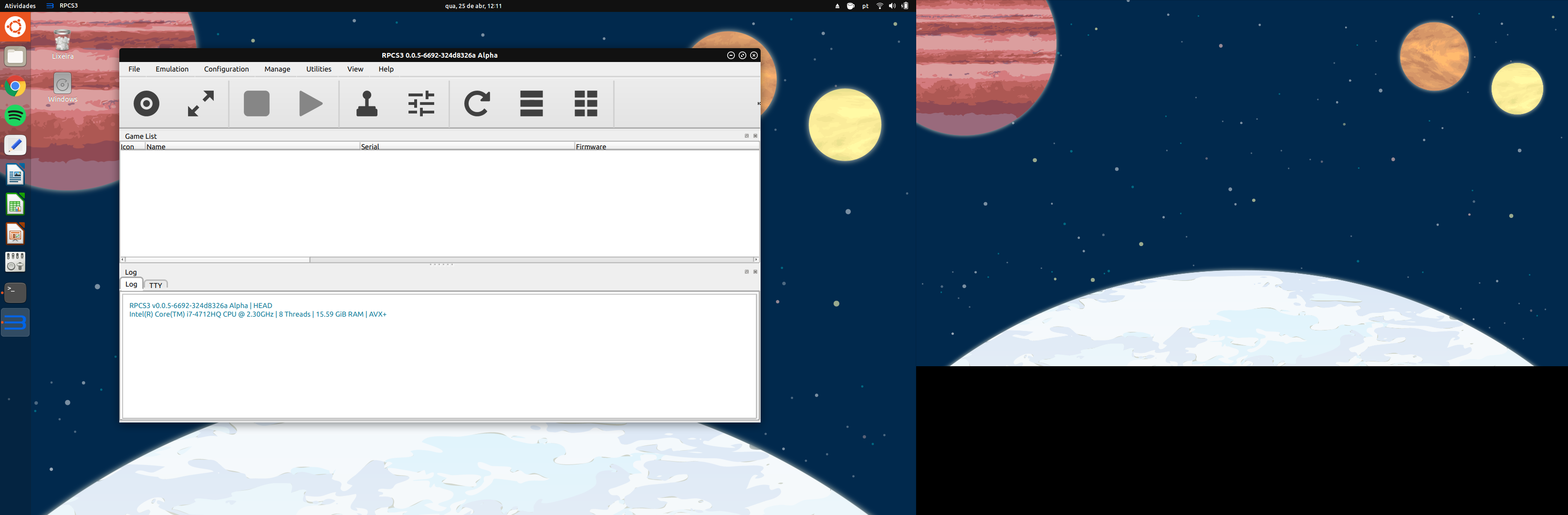
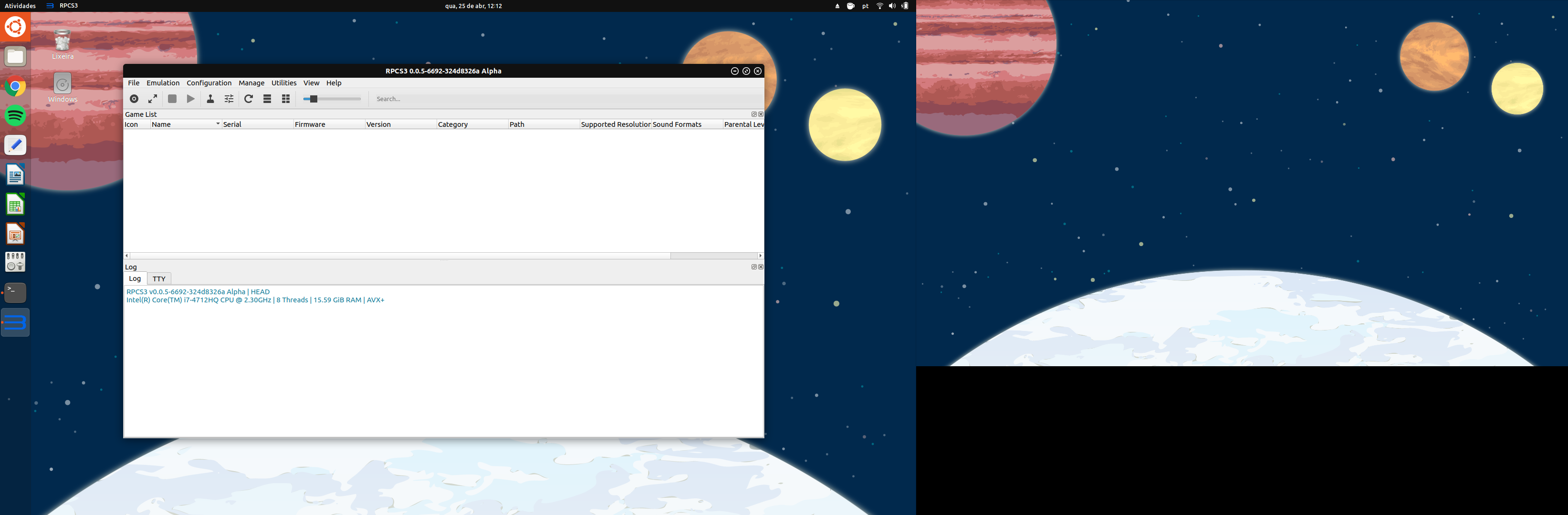
Then I tried with QCoreApplication::setAttribute(Qt::AA_DisableHighDpiScaling) and it worked like a charm:
stumts
on 25 Apr 2018
what if you just remove the whole section and don't set any scaling options.
Megamouse
on 25 Apr 2018
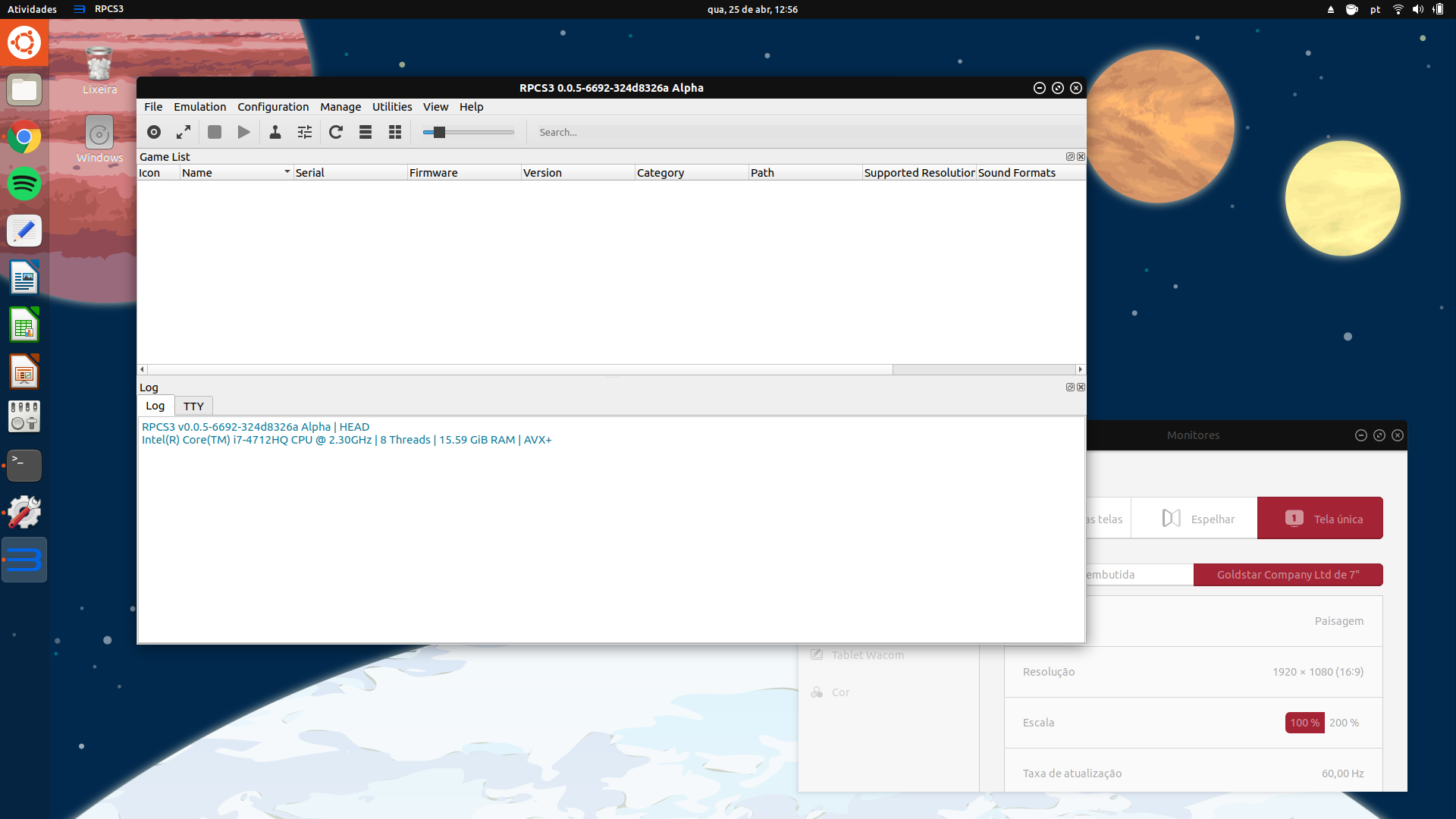
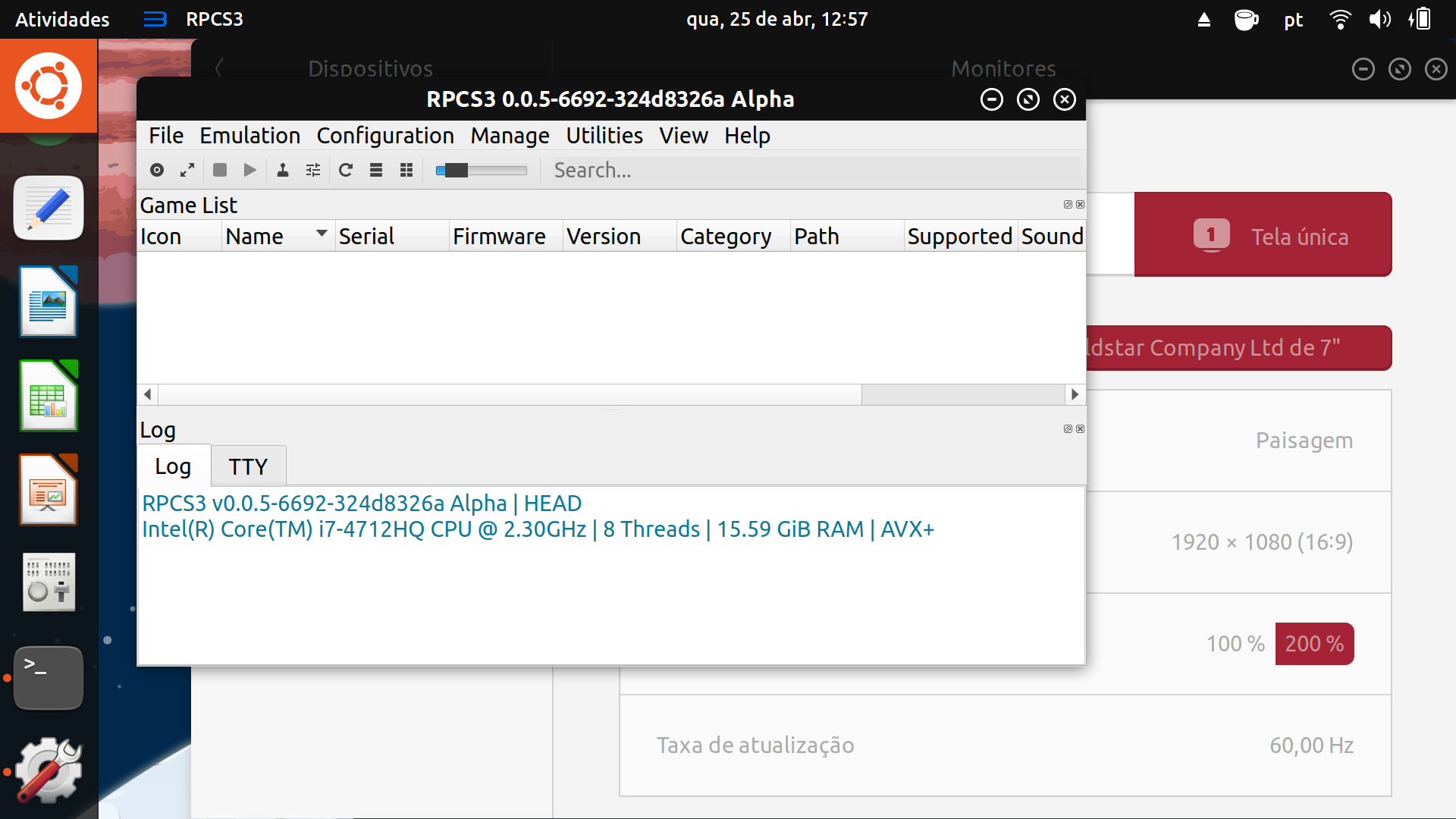
I make some tests changing my screen scale:
- I removed the whole section;
- I set qputenv("QT_AUTO_SCREEN_SCALE_FACTOR", "0");
- I set qputenv("QT_AUTO_SCREEN_SCALE_FACTOR", "1") + QCoreApplication::setAttribute(Qt::AA_DisableHighDpiScaling)
The results are the same:
And I also tested with qputenv("QT_AUTO_SCREEN_SCALE_FACTOR", "1"):
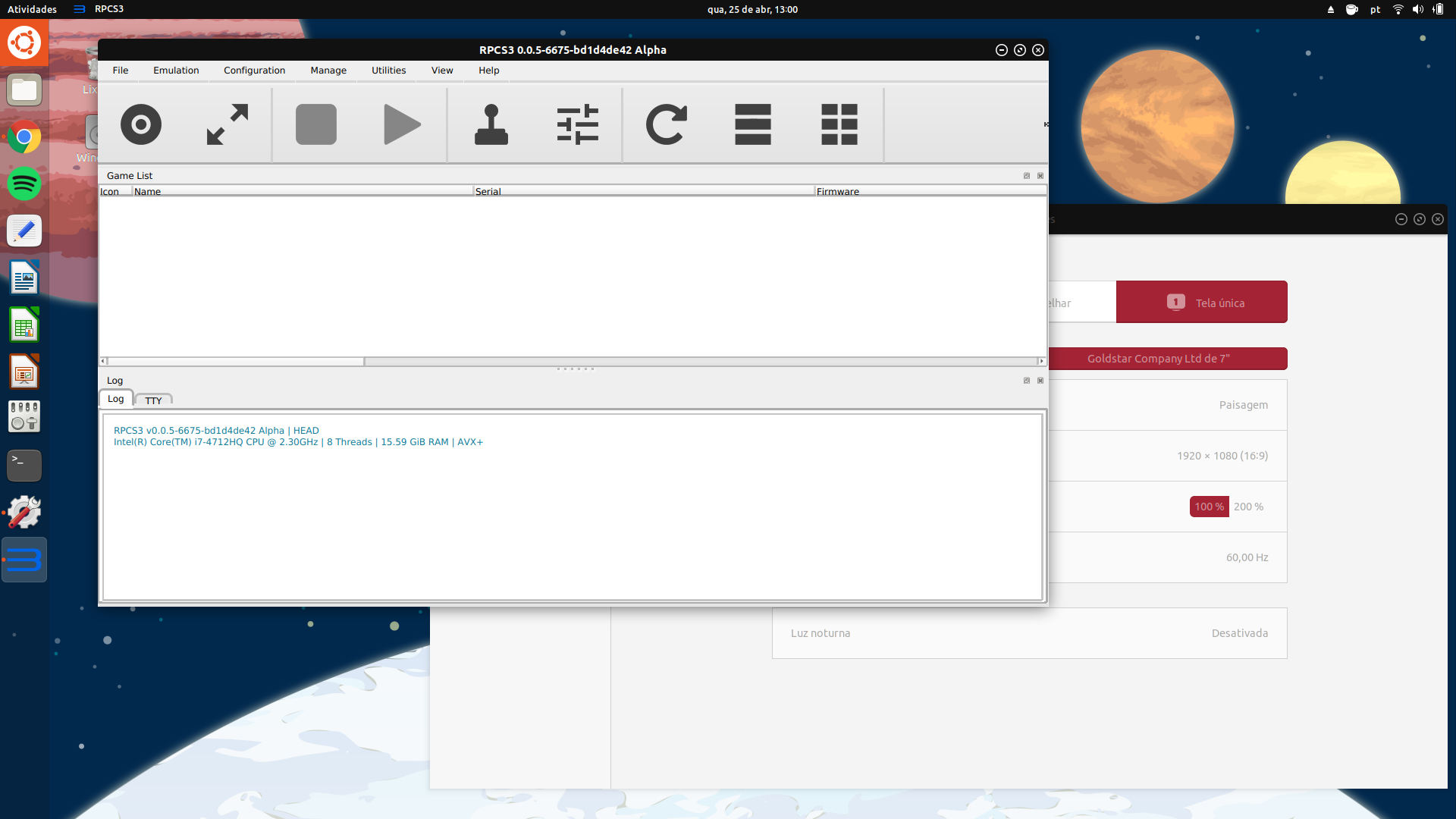
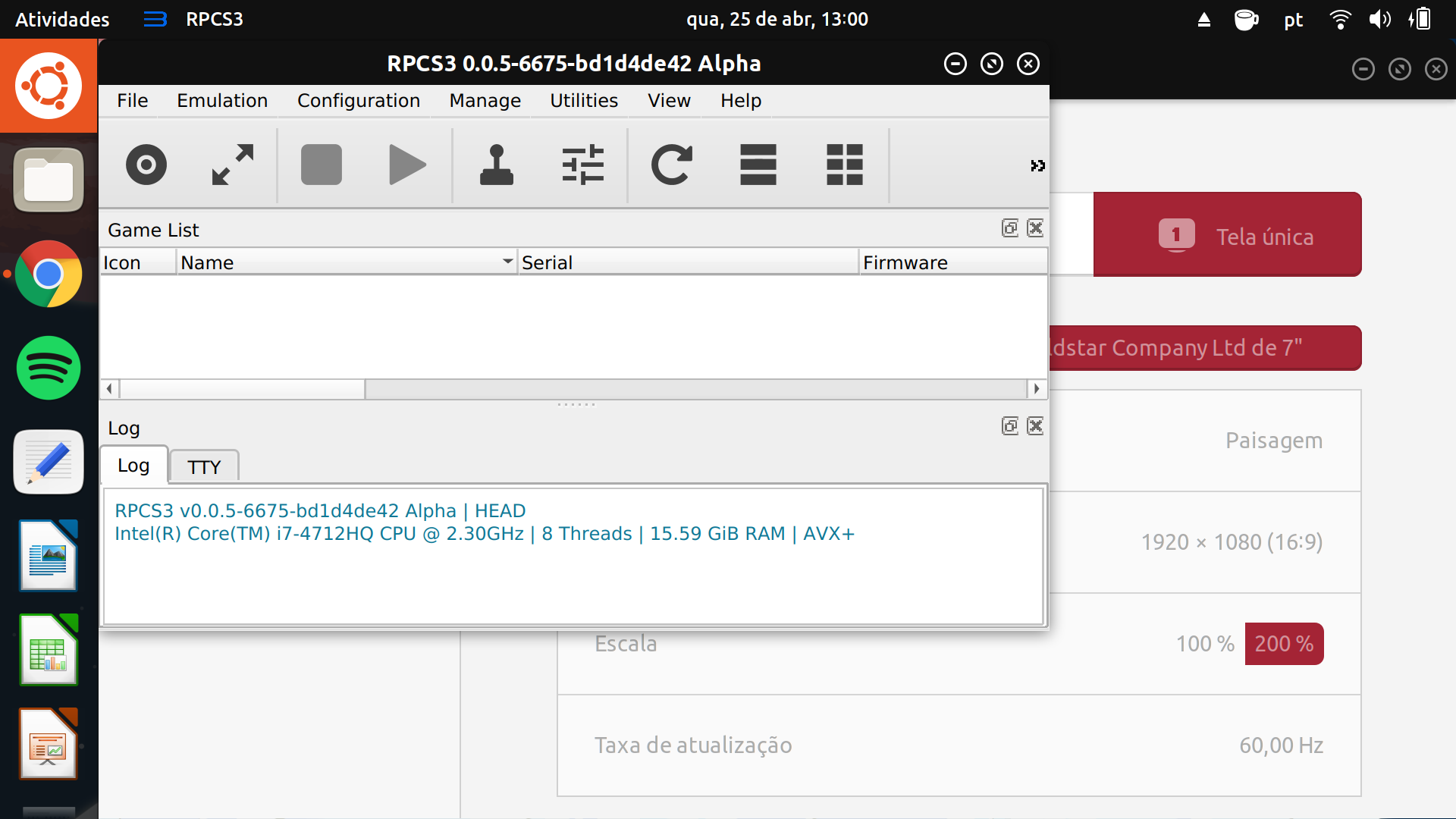
The conclusion that I got is the pixmaps aren't matching with my TV scale, but the fonts are.
stumts
on 25 Apr 2018
you could try to move the QCoreApplication::setAttribute(Qt::AA_UseHighDpiPixmaps); command into the win32 section (or just remove it).
Maybe it has some influence
Megamouse
on 25 Apr 2018
Moving the QCoreApplication::setAttribute(Qt::AA_UseHighDpiPixmaps); command into the win32 section or removing it, the results are the same, big and ugly icons:
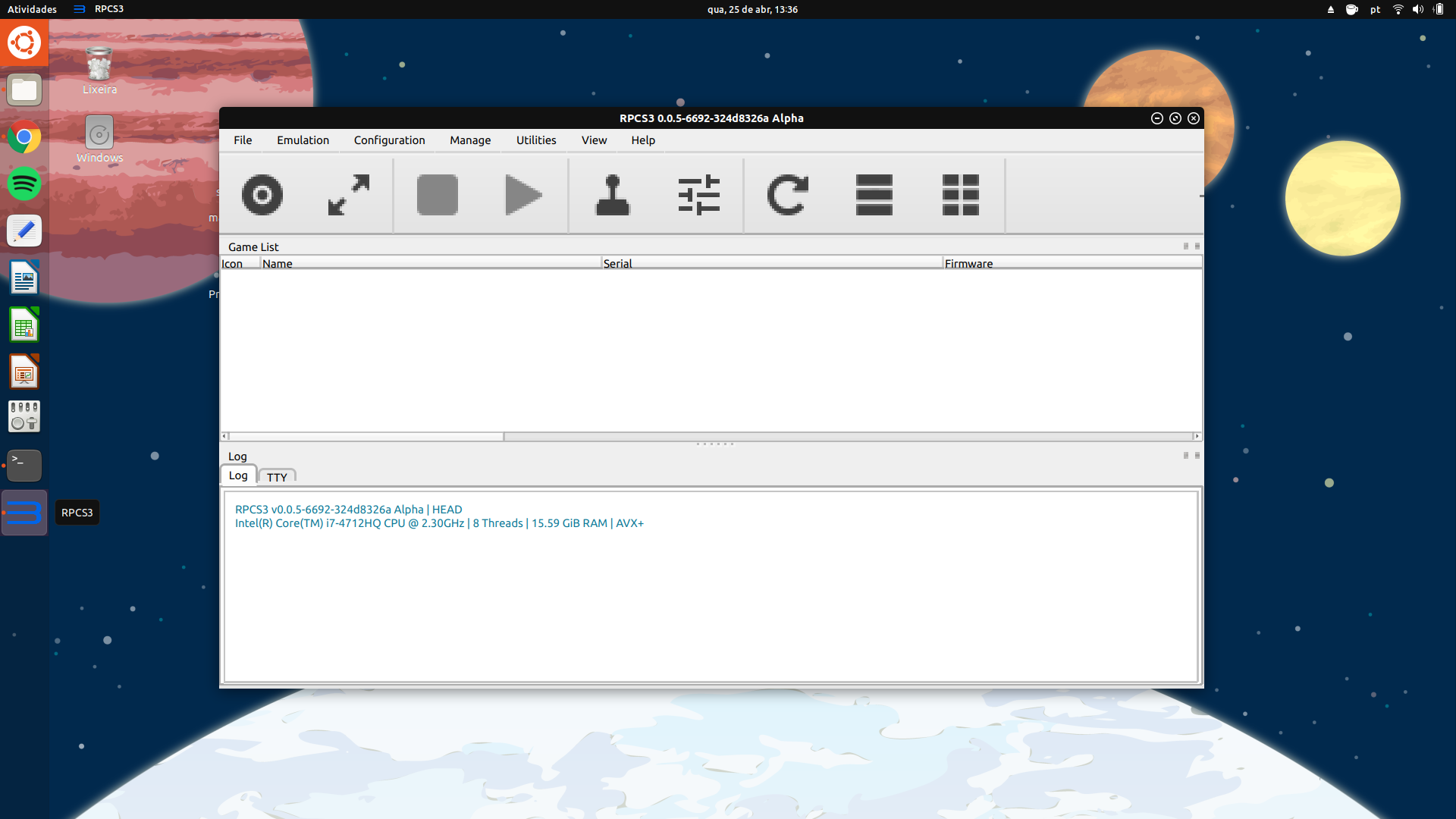
I think it's really a Qt5 bug.
stumts
on 25 Apr 2018
yes
Megamouse
on 25 Apr 2018
I think for now the best solution would be disable HiDPI with qputenv("QT_AUTO_SCREEN_SCALE_FACTOR", "0"); comand, but it's up to you. It's not working anyway or with weird behavior.
stumts
on 25 Apr 2018
Don't forget, It might only be wrong on your distro
Megamouse
on 25 Apr 2018
Yes, it's true. I'll make tests in others distros.
Thanks for your help.
stumts
on 25 Apr 2018
Also don't forget that it is primarily intended to fix the primary screen, so it is needed for 4k screens with higher scaling setups
Megamouse
on 25 Apr 2018
I did some testing of my own on Arch (Qt 5.10.1) for comparison.
For just QT_SCALE_FACTOR, everything in RPCS3 scales correctly, however any factor less than 1 causes all manner of weird rendering glitches and clipping issues.
As for QT_SCREEN_SCALE_FACTORS, it seems to only generate correct results if the first number in the list is 1. For example, if I were to use QT_SCREEN_SCALE_FACTORS="1;2" RPCS3 would scale properly - The configuration dialogue however gets confused and quite often initialises like this on the secondary screen.

However, it is fine if I drag it over to the primary screen - it looks rather weird there as it retains the larger window size - and then drag it back to the secondary screen.
If I want the scales to be flipped, i.e. QT_SCREEN_SCALE_FACTORS="2;1" it doesn't really give correct results. The UI scales, but the primary screen's text is that of UI scale 1, so if I drag it over to the secondary screen, the UI is normally sized, but the text is really tiny.
With that said, I am forcing a font DPI of 96, QT_SCREEN_SCALE_FACTORS="2;1" would probably work as intended if my font DPI was 192.
For correct scaling, I have to combine the 2, i.e. QT_SCALE_FACTOR=2 QT_SCREEN_SCALE_FACTORS="1;.5".
This lets RPCS3 scale correctly though it does also get pretty confused at times if I open the configuration window on the secondary screen.
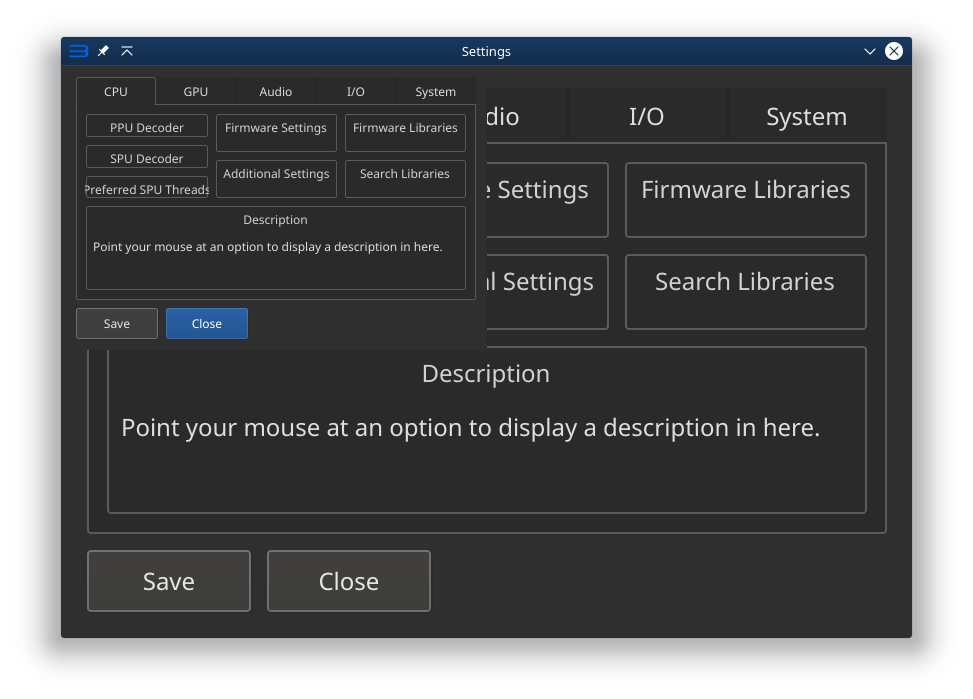
Like before, it's fine if I drag it to the primary and back to the secondary.
I'm not sure if the state of the configuration dialogue is a Qt5 bug, seems likely as it isn't consistent.
I'm not familiar with the Unity desktop and how you'd set up scaling there.
If it's automatic, it kind of looks like it's doing it wrong.
 Hirato
on 28 Apr 2018
Hirato
on 28 Apr 2018
Maybe you should post these issues on their bug tracker (Qt, Unity, ubuntu or whatever is affected), too, so they can test and improve things on their end. (also we can't really fix this in rpcs3 unless someone comes up with a genius idea).
that being said, you could try the Qt 5.11 beta and see if things changed there
Megamouse
on 28 Apr 2018
Hi guys
I tried Qt 5.11 beta but I can't build with it. It make compile fail.
I have a clue what's is wrong. In Qt web page http://doc.qt.io/qt-5/highdpi.html it's said that the enviroment QT_SCREEN_SCALE_FACTORS it's used for monitors with wrong edid. In fact my monitor has wrong edid values, for exemple, the screen size is wrong. I've fixed my edid, fixed its checksun but I couldn'd apply it. I can't replace it directly and I can't apply it "on the fly" 'cause my pc has an nvdia with optmus tecnology, therefor, my monitor it's not showed in nvidia-settings. If someone could test my bet, it would be amazing.
For me It's clear it's not a RPCS3 problem. It happen with others Qt programs that use QT_AUTO_SCREEN_SCALE_FACTOR", "1", for exemple, dolphin. So this issue could be closed for me.
Anyway, I fixed my problem adding QT_AUTO_SCREEN_SCALE_FACTOR=0 in my enviroment.
stumts
on 29 May 2018
Related issues
 altiereslima
·
3Comments
altiereslima
·
3Comments
 AniLeo
·
3Comments
AniLeo
·
3Comments
 legend800
·
3Comments
legend800
·
3Comments
 Emulator-Team-2
·
3Comments
Emulator-Team-2
·
3Comments
 XeClutch
·
3Comments
XeClutch
·
3Comments
Most helpful comment
Ugh. Qt and HiDPI. It never stops haunting us.