Rpcs3: NIER [BLUS30481] Graphics rendering bug.
I bought a brand new copy of NIER on Amazon just so I can play it on RPCS3, I only played Automata before. According to videos on Youtube, NIER used to work fine with no graphics issue, that's why I bought it. If I knew it would look like this I wouldn't have bought it https://s2.postimg.org/qq3r8hc7r/Base_Profile_Screenshot_2017.12.07_-_13.57.56.19.png. I'm using RPCS3 v0.0.4-6212-0b3fbf1d Alpha.
My specs is:
I7 4790K @ 4.7Ghz
GTX 1050Ti
16GB DDR3 @ 2400Mhz
Windows 10 Pro x64
 ghost
ghost
All 31 comments
You can play it in your ps3 without graphics issues. Thx.
 ikki84
on 7 Dec 2017
ikki84
on 7 Dec 2017
@ikki84 I wouldn't get the benefit of higher resolution on the PS3 now would I? I have a 1440p monitor and 720p looks like crap on it.
ghost
on 7 Dec 2017
No , you would´t.
I guess you have to be patient, In the future it probably will be fixed.
Also don´t blame the devs if you spend your money wishing to play a game in a emulator that is still in Alpha.
For you and the childish negative fingers:
You are not the center of the world. People don´t have to hurry just because you want to play a game.
And at least provide a log or a renderdoc trace.
ikki84
on 7 Dec 2017
What you can’t seem to realize the purpose of this post is that this is a bug that was fixed but came back. I'm merely contributing by letting the developers know of this issue. As I said before there are YouTube videos of this game on RPCS3 where the graphics are fine.
https://www.youtube.com/watch?v=9GWcmaJO-F0
https://www.youtube.com/watch?v=hLF_g1Vj_LQ
You are lucky I’m not a moderator and can’t delete your post, because if I was, I would spam that delete button on your äss for jumping to conclusions with your rude negativity.
ghost
on 8 Dec 2017
ignore the go play the ps3 guy better to use kd-11 builds https://ci.appveyor.com/project/kd-11/rpcs3/history they have many graphic fixes good luck
 ReaperOfSouls1909
on 8 Dec 2017
ReaperOfSouls1909
on 8 Dec 2017
Nier needs Write Color Buffers to render properly which may be currently broken
 Sandvichero
on 8 Dec 2017
Sandvichero
on 8 Dec 2017
@Nikorasu95 Next time check https://rpcs3.net/compatibility before buying your games on amazon.
Also, please provide the log, as I said before.
Don´t need to spam that delete button on my ass. Different from you , if I were a moderator I would just check it as invalid until you report it properly.
Anyway I believe kd-11 is already aware of Nier gfx bugs. And, don´t get me wrong, I want it to be fixed as much as you want it. I am just asking you to be patient.
ikki84
on 8 Dec 2017
@Sandvichero Yeah your right it does seem to be broken as I downloaded the latest build on https://ci.appveyor.com/project/kd-11/rpcs3/history and ticked Write Color Buffers yet the graphics is still fucked up. Thank you for telling me.
ghost
on 8 Dec 2017
@ikki84 If only you knew the problem was Write Color Buffers you could have told me in the beginning then we wouldn't had to get irritated with one another. You also probably wouldn't have gotten so many downvotes either if you would have chosen your words more wisely instead of being a smart ass.
ghost
on 8 Dec 2017
@Nikorasu95 I agree with you. I am sorry about that, I just checked that the games somehow requires it to be checked, and appearently, testing with the latest kd-11´s rsx_volatile build it´s not crashing, but the textures still are not rendering, Maybe you notice that after the first cutscene, in some frames it kind of shows the texture, but suddenly it "drops" for some reason.
ikki84
on 8 Dec 2017
@ikki84 Yes I noticed it as well. And I do forgive you, just treat people better from now on.
ghost
on 8 Dec 2017
i Hope Nier be playable soon and try last kd-11 builds apparently it's better now at least not crash
with write color buffers .
 Kojikun1
on 8 Dec 2017
Kojikun1
on 8 Dec 2017
yes, now render is perfect, in my test
 Zangetsu38
on 8 Dec 2017
Zangetsu38
on 8 Dec 2017
The latest build from kd-11 fixed the rendering bug but the game isn't sharp like it's suppose to be. I'm running with a internal resolution of 2560x1440 and the graphics is blurry and pixelated. https://s2.postimg.org/6skyxduw7/Base_Profile_Screenshot_2017.12.08_-_10.28.29.95.png
Also the game is a lot slower with this build. I'm now getting 10fps vs 30 from v0.0.4-6212-0b3fbf1d Alpha.
ghost
on 8 Dec 2017
FPS are normal and blurry rendering comes from the rendering of the game itself and the way it handles the depths. Issue fixed for me.
 Illynir
on 8 Dec 2017
Illynir
on 8 Dec 2017
@Illynir What build are you using where your FPS is normal and graphics are crystal clear?. The game is blurry even at 2560x1440 and the FPS is bad. I'm using build v.0.0.4-6212-82536294 Alpha.
ghost
on 8 Dec 2017
The FPS have always was bad. The game never was fullspeed 30 FPS for now.
The game was blurry on PS3 at the base, even upscaled we won't get any better, it's the rendering of the game itself which is like that. It would be necessary to upscale in 4K or even 8K to mitigate this problem.
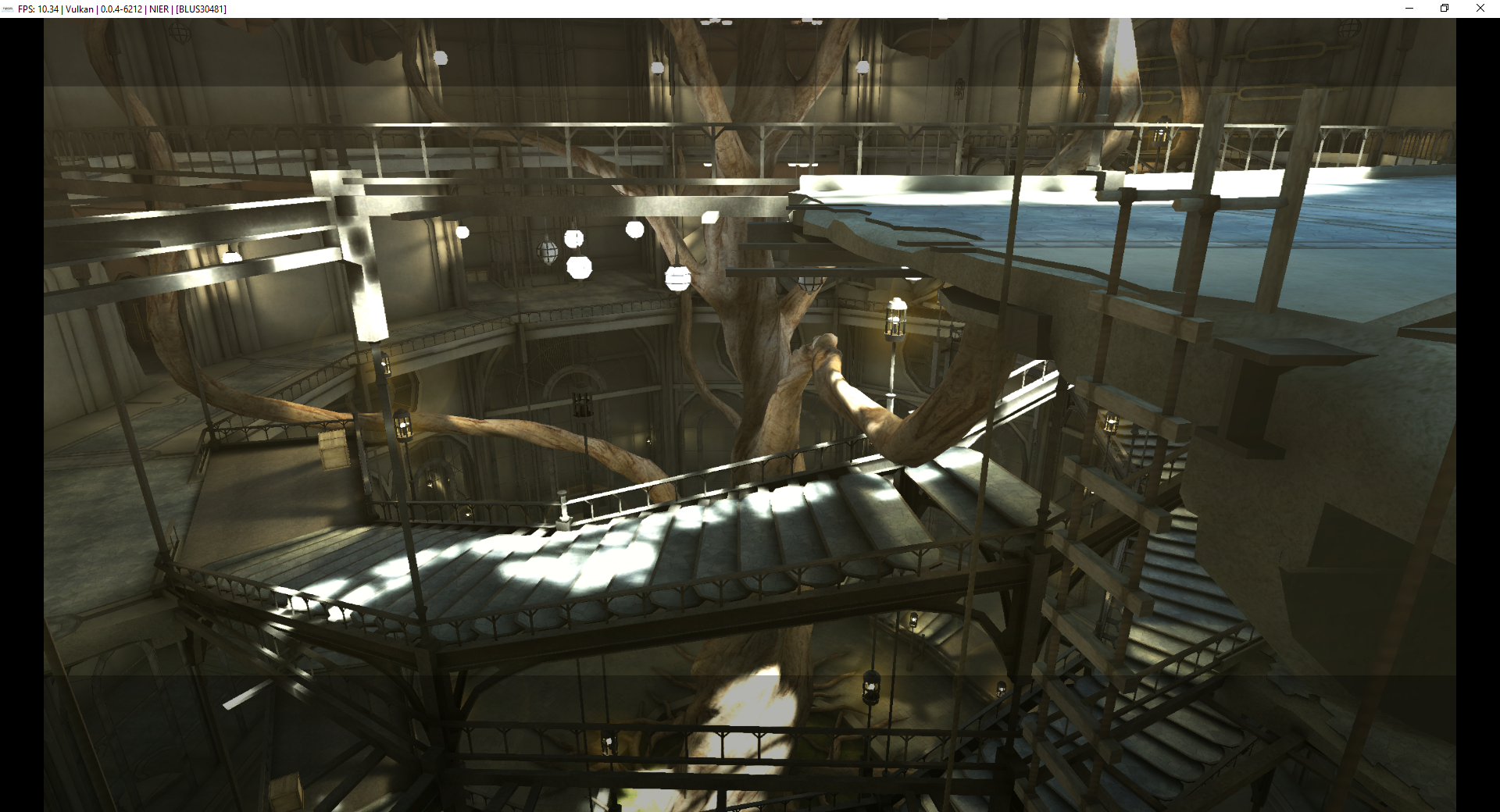
Besides, it's still very correct...
Illynir
on 8 Dec 2017
Nier Replicant still not rendering perfect like this last print
Kojikun1
on 8 Dec 2017
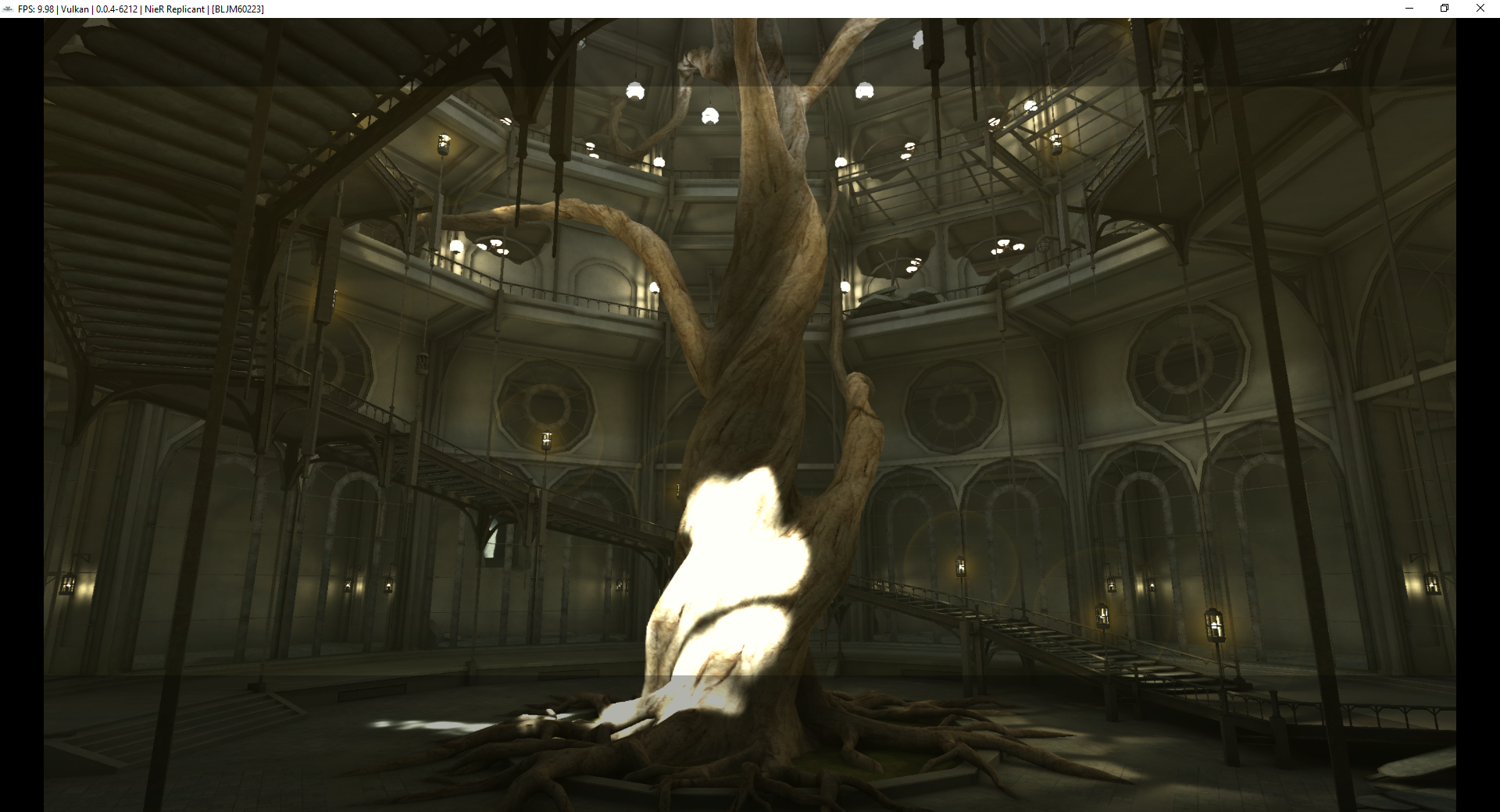
Both seems identical, maybe Nier Replicant is too white mais that's all. The game is playable and we're not going to get any better for now. Compared to before it is day and night...
Illynir
on 8 Dec 2017
@Illynir What resolution are you rendering that at?
ghost
on 8 Dec 2017
I don't believe the game is supposed to be blurry/pixelated like how it is in this picture. Come on look at the character model https://s2.postimg.org/6skyxduw7/Base_Profile_Screenshot_2017.12.08_-_10.28.29.95.png. This has to also be a rendering bug with the game. Hopefully, it will get fixed as well.
ghost
on 8 Dec 2017
2560.
I think that in fact the blurry side must be some kind of FXAA of the game that doesn't upscale on RPCS3. Maybe. But the game engine is weird, even on PS3.
Wait and see :)
Illynir
on 8 Dec 2017
@Illynir
2560x1440: https://s2.postimg.org/6skyxduw7/Base_Profile_Screenshot_2017.12.08_-_10.28.29.95.png
3840x2160: https://s2.postimg.org/g74omca2v/Base_Profile_Screenshot_2017.12.08_-_14.13.27.81.png
5120x2880 https://s2.postimg.org/9fe9jmxzr/Base_Profile_Screenshot_2017.12.08_-_14.16.52.74.png
6400x3600: https://s2.postimg.org/yb7p6qutz/Base_Profile_Screenshot_2017.12.08_-_14.15.08.86.png
The game looks best at 6400x3600. However, it doesn't make sense that the resolution needs to be that high for the game to look sharper, mainly the character models. Other games I tested on RPCS3 don't have this issue. This is a rendering bug with this game. Anything below 6400x3600 character models look oily and plastic like. If it was a problem with FXAA it should affect more than just the character models.
ghost
on 8 Dec 2017
@Illynir what settings are you using and what is you GPU ?
Kojikun1
on 8 Dec 2017
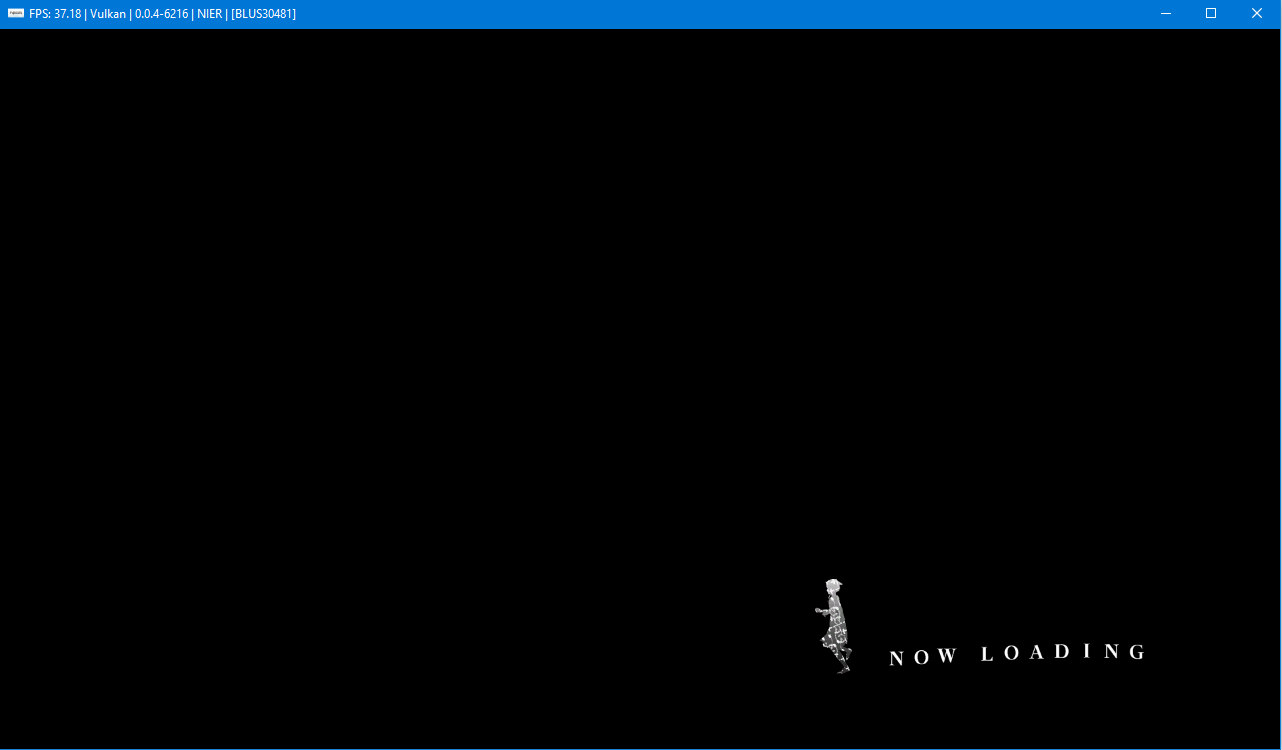
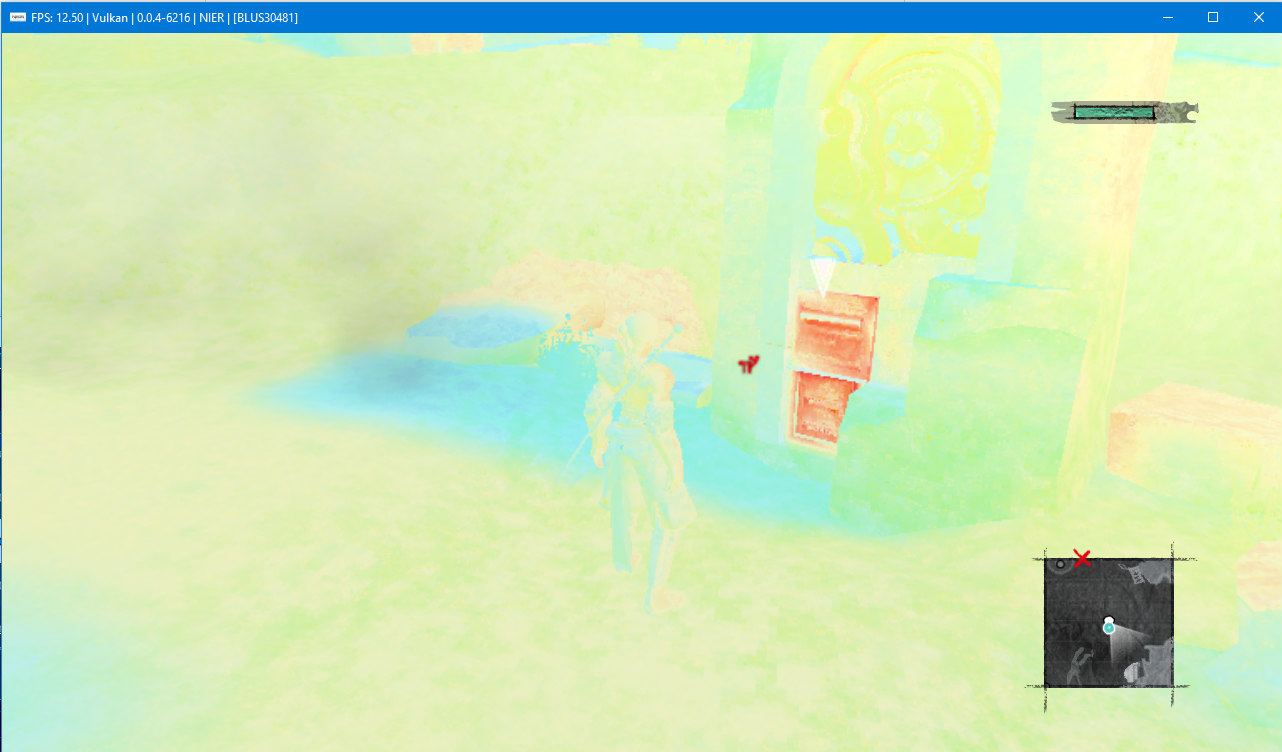
Nier (BLUS30481) Locks up while loading if I have "write color buffers" enabled but, loads fine without.
RPCS3.zip
 Tutankhamun8080
on 9 Dec 2017
Tutankhamun8080
on 9 Dec 2017
@cybertronicgames Use the latest build at https://ci.appveyor.com/project/kd-11/rpcs3/history
ghost
on 9 Dec 2017
@Nikorasu95 Thanks, It works fine with kd-11's build.
Tutankhamun8080
on 9 Dec 2017
Game at 2560x1440. Doesn't look like 2560x1440 at all does it??? it's like the character wasn't ugly enough already, the bug makes the character even uglier lol.
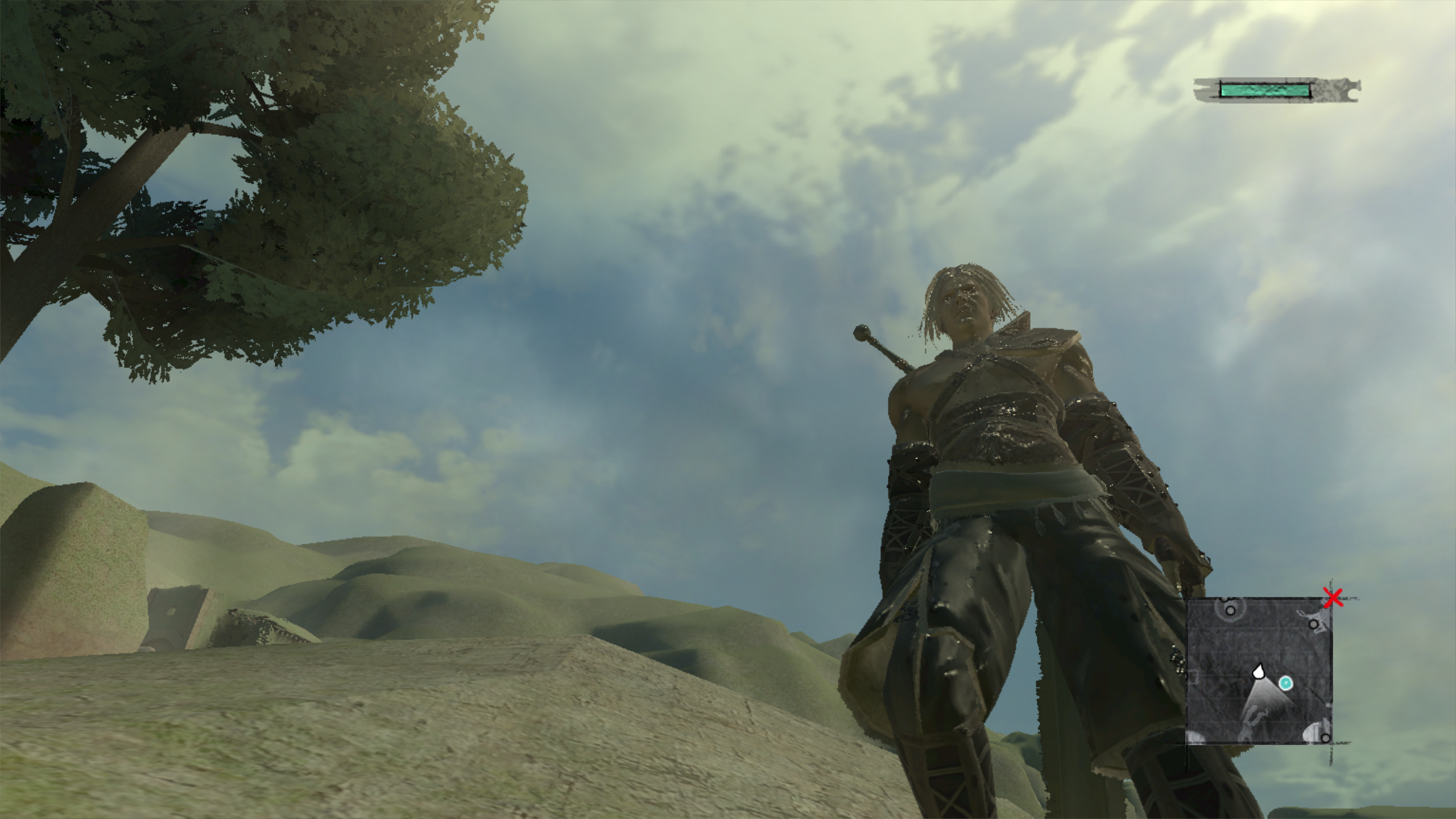
How the game looks in 6K which all the other resolutions should look as good.

Even on RPCS3 v0.0.4-e55e7z65d the resolution scale still isn't working properly for this game.
ghost
on 16 Dec 2017
This game uses upscaled 720p. Its real internal res is 1152x640. 1440p is therefore
225%. Ps3 upscaler is good enough to fool the eye but on pc using conventional bilinear filter to upscale will look rough.
 kd-11
on 16 Dec 2017
kd-11
on 16 Dec 2017
@kd-11 Even at 225% (2880x1620) the graphics still looks horrible. The best way to play the game is in 6K 500% (6400x3600) which could be taxing for some users.
ghost
on 16 Dec 2017
Please note that some games use blit engine to directly write to the display out buffers which minimizes the effeciency of upscaling due to double resize (4k -> 720p -> 4k). Thats just how the game is designed. The graphical issues with nier with the exception of the vulkan driver crashes which will be fixed soon are fixed. Closing.
kd-11
on 2 Jan 2018
Related issues
 JohnGodgames
·
3Comments
JohnGodgames
·
3Comments
 xddxd
·
3Comments
xddxd
·
3Comments
 AniLeo
·
3Comments
AniLeo
·
3Comments
 xiangzhai
·
3Comments
xiangzhai
·
3Comments
 XeClutch
·
3Comments
XeClutch
·
3Comments
Most helpful comment
Nier needs Write Color Buffers to render properly which may be currently broken