Rpcs3: Corrupted graphics - Hyperdimension Neptunia [BLES01178]
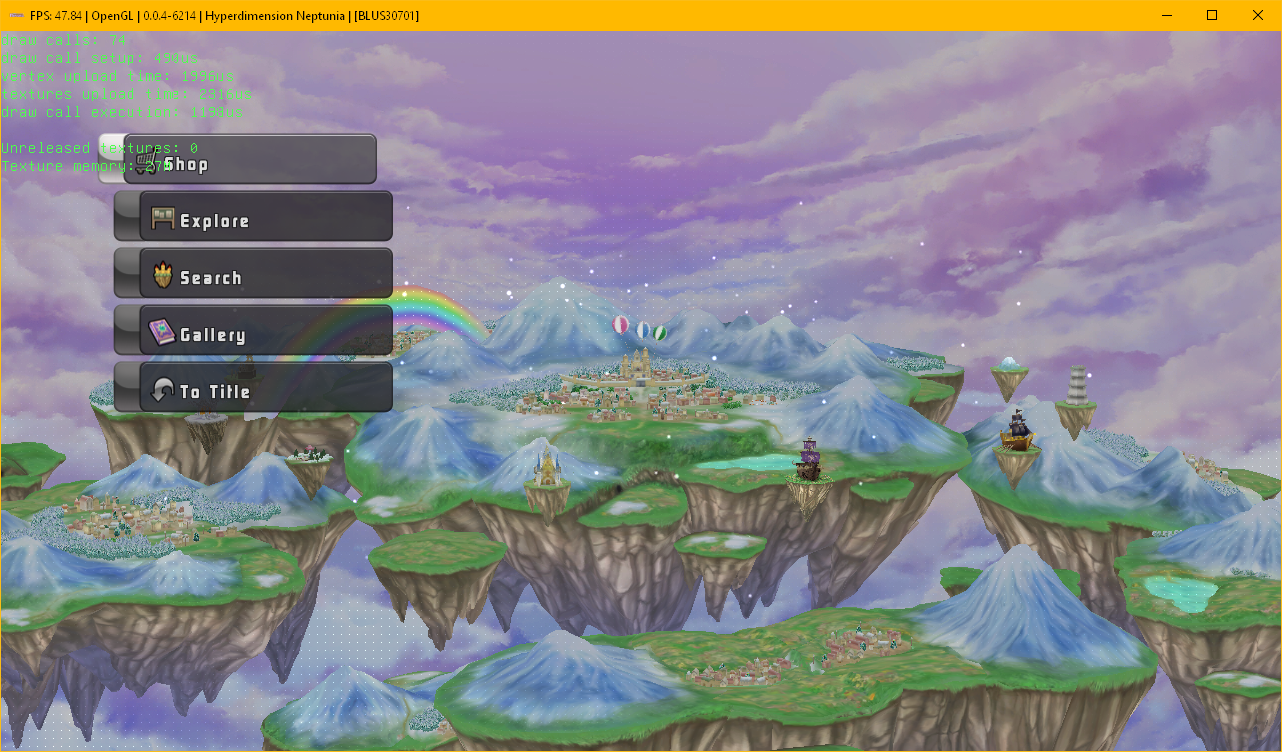
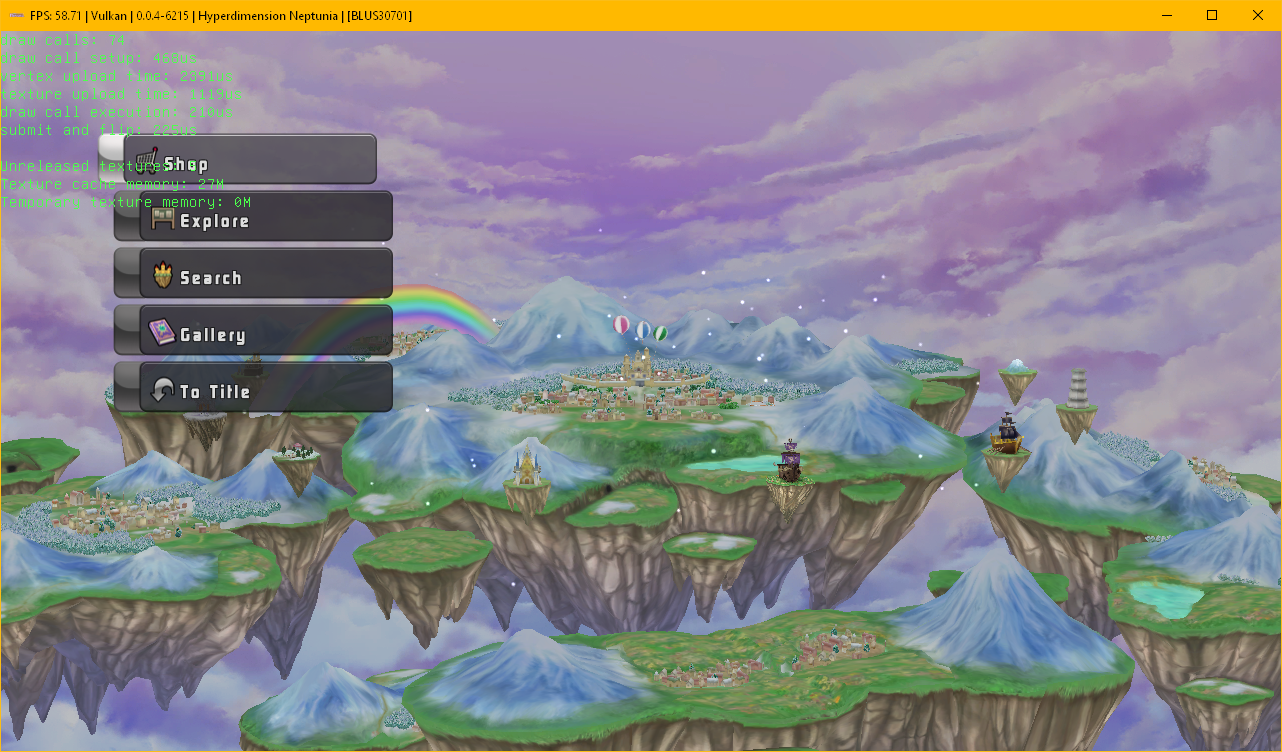
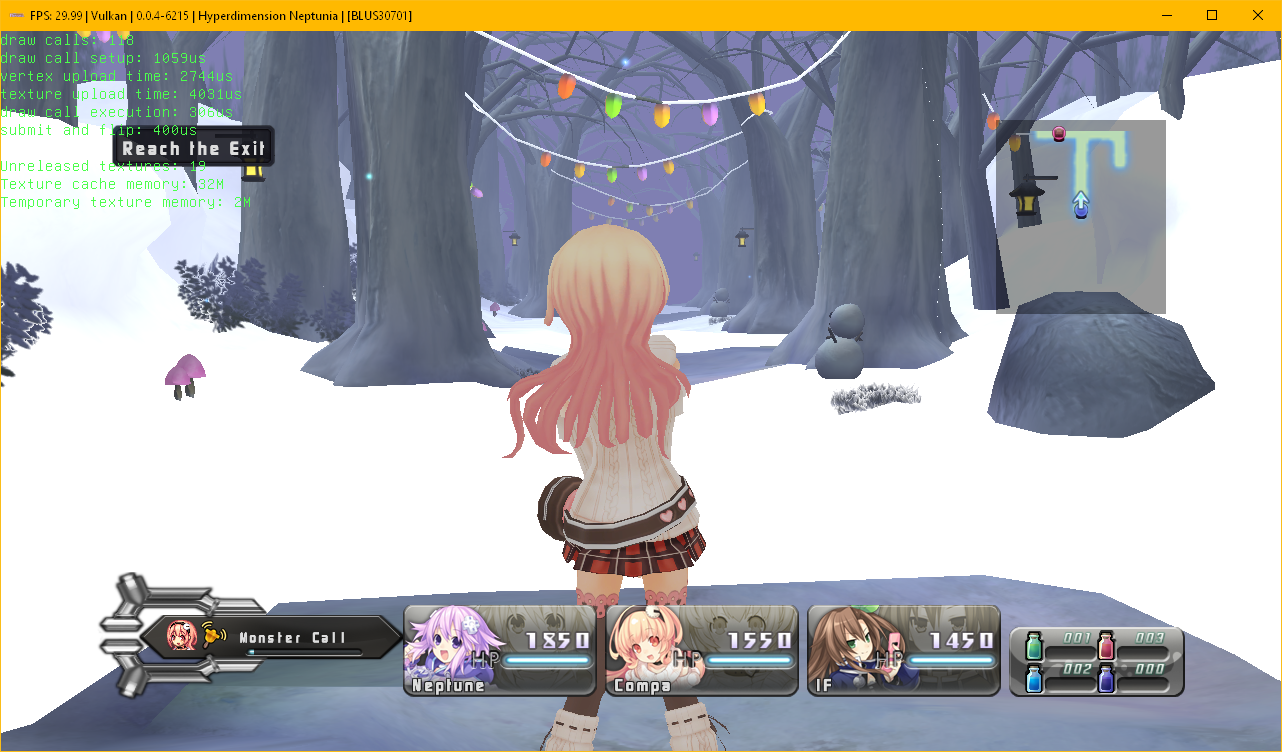
Graphics are coming out weird. During Every World Screen and dungeons, there are a pattern of tiny pixels in front of the screen, the textures behind it are okay though:

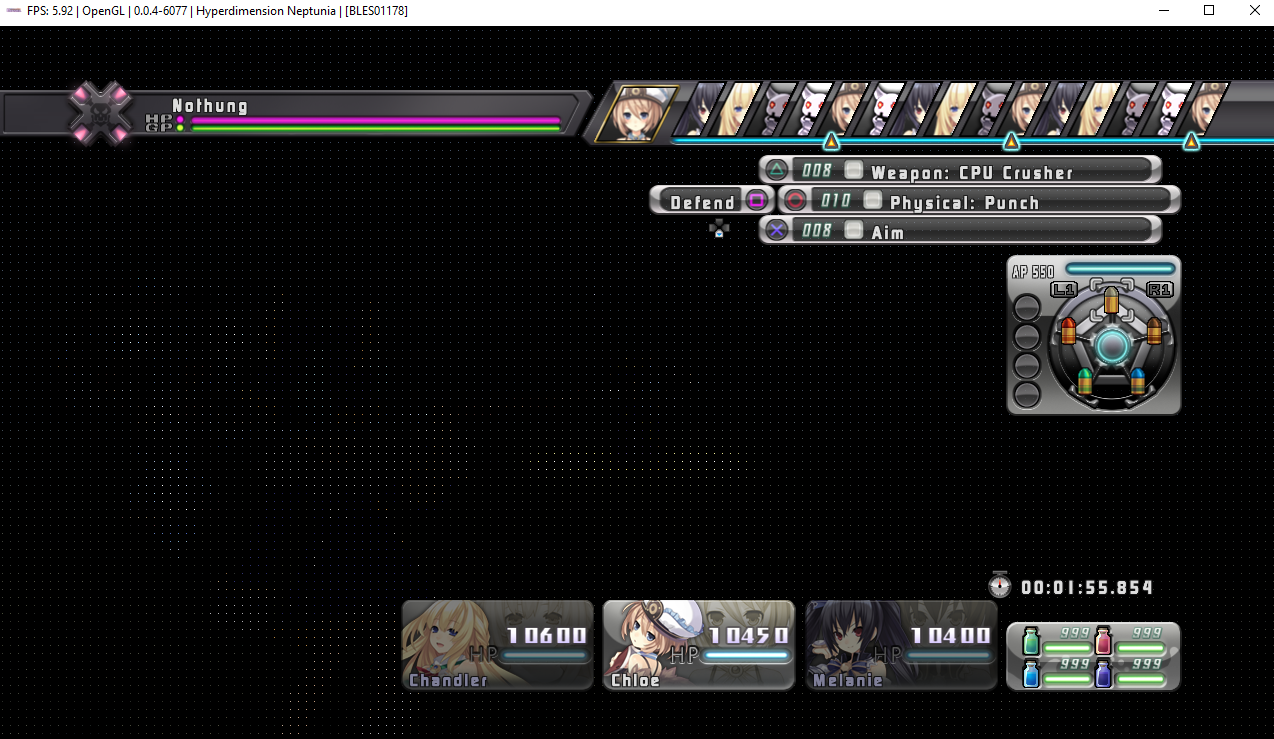
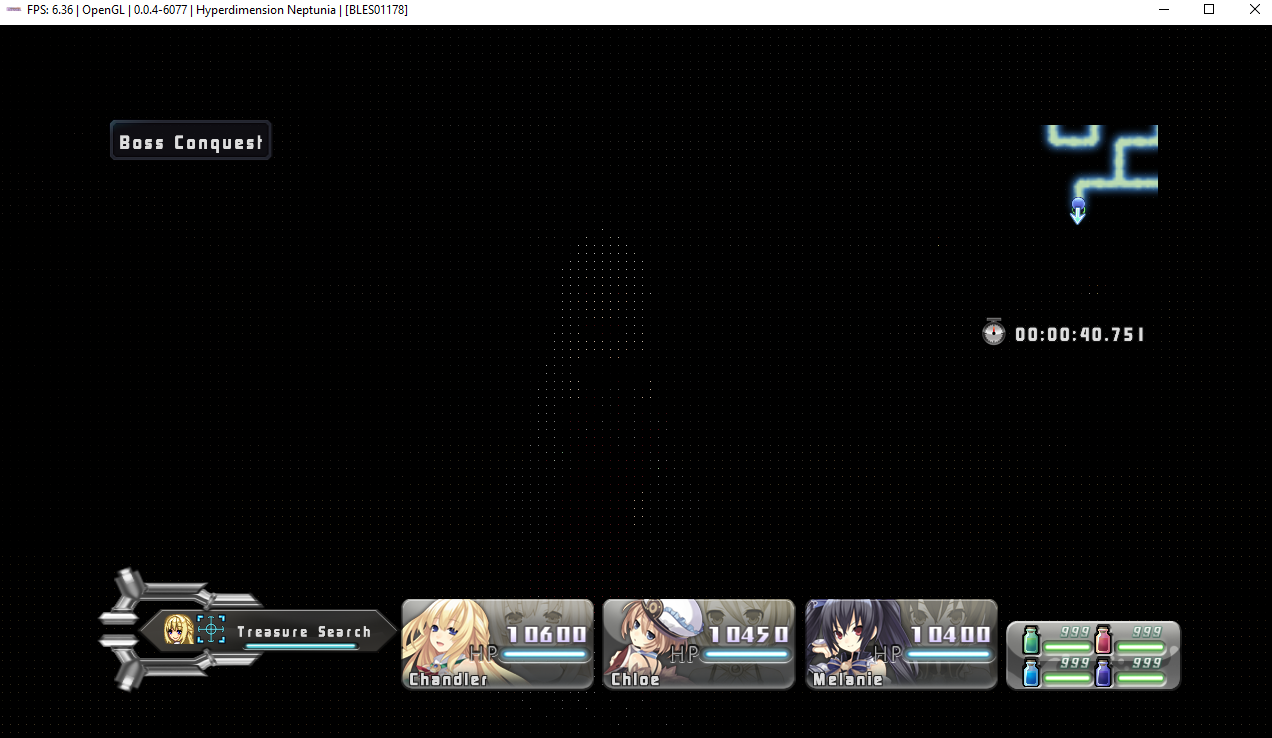
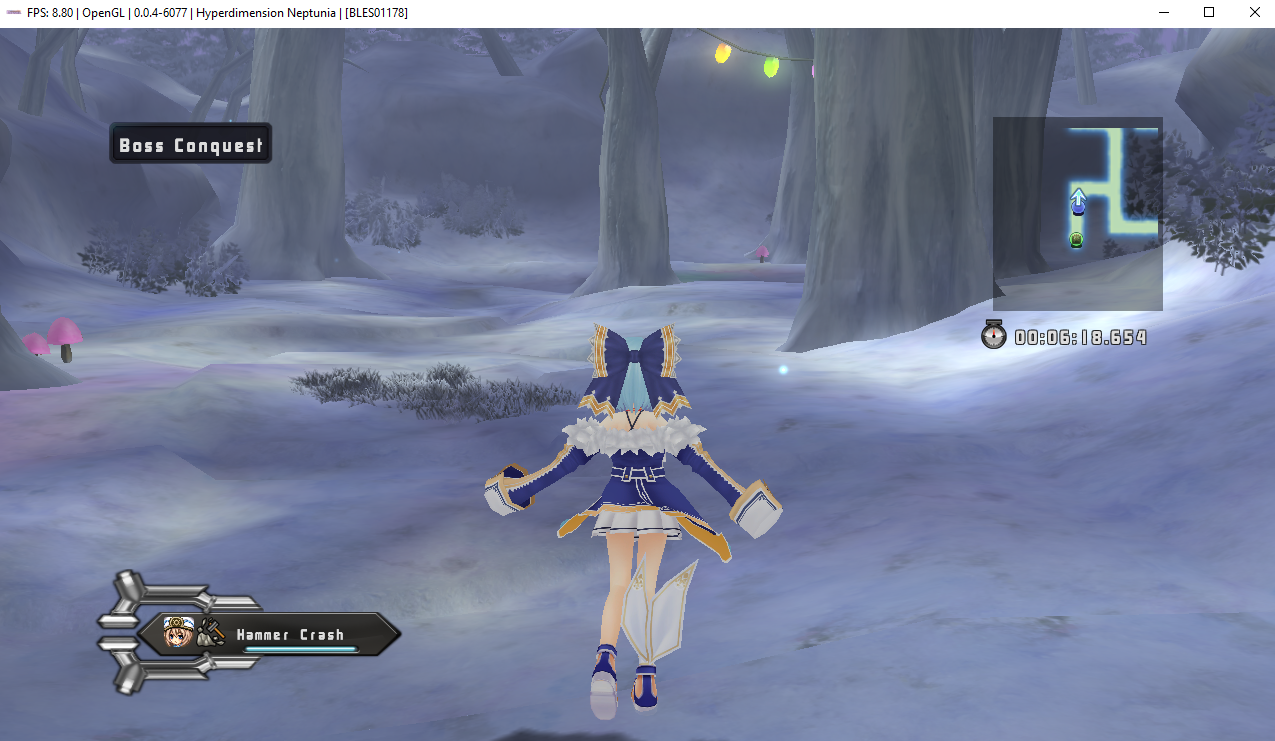
But in the snow dungeons, the pattern of tiny pixels disappear (By pressing the start button and going through the menu, then closing it):


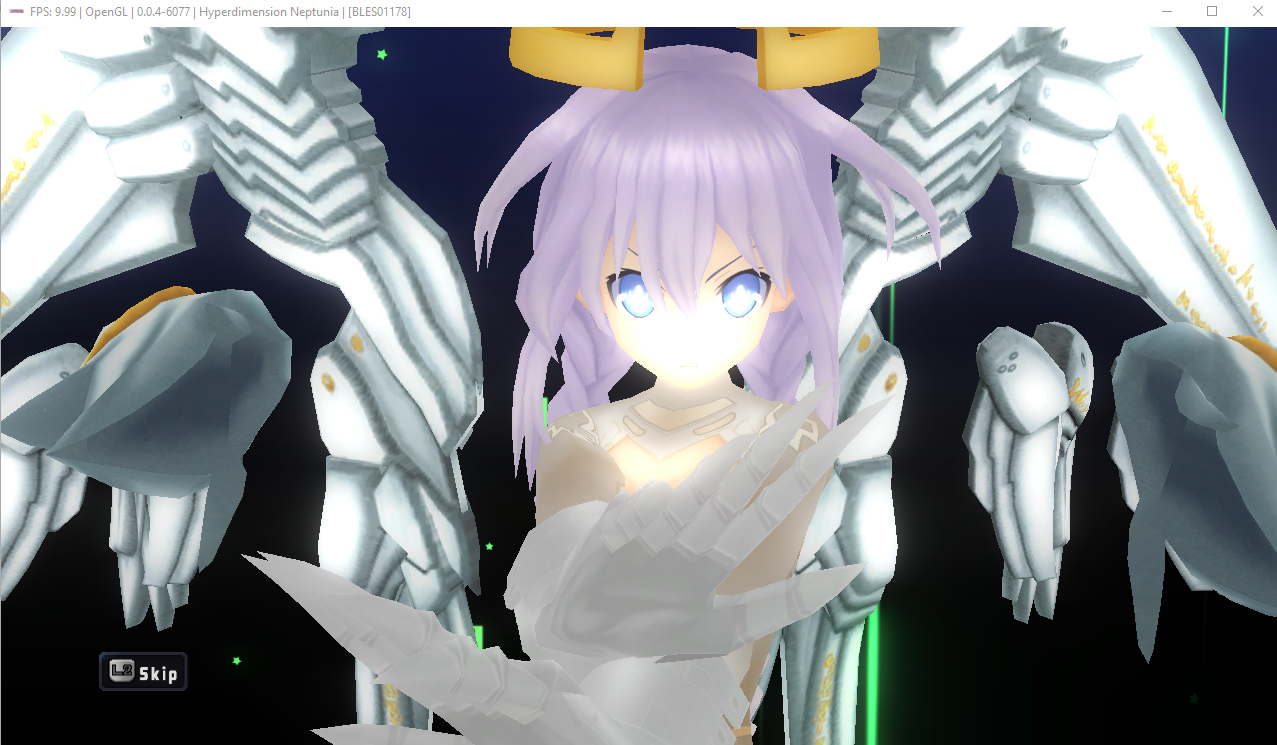
During skills and transformations cutscenes the pixels disappear as well:
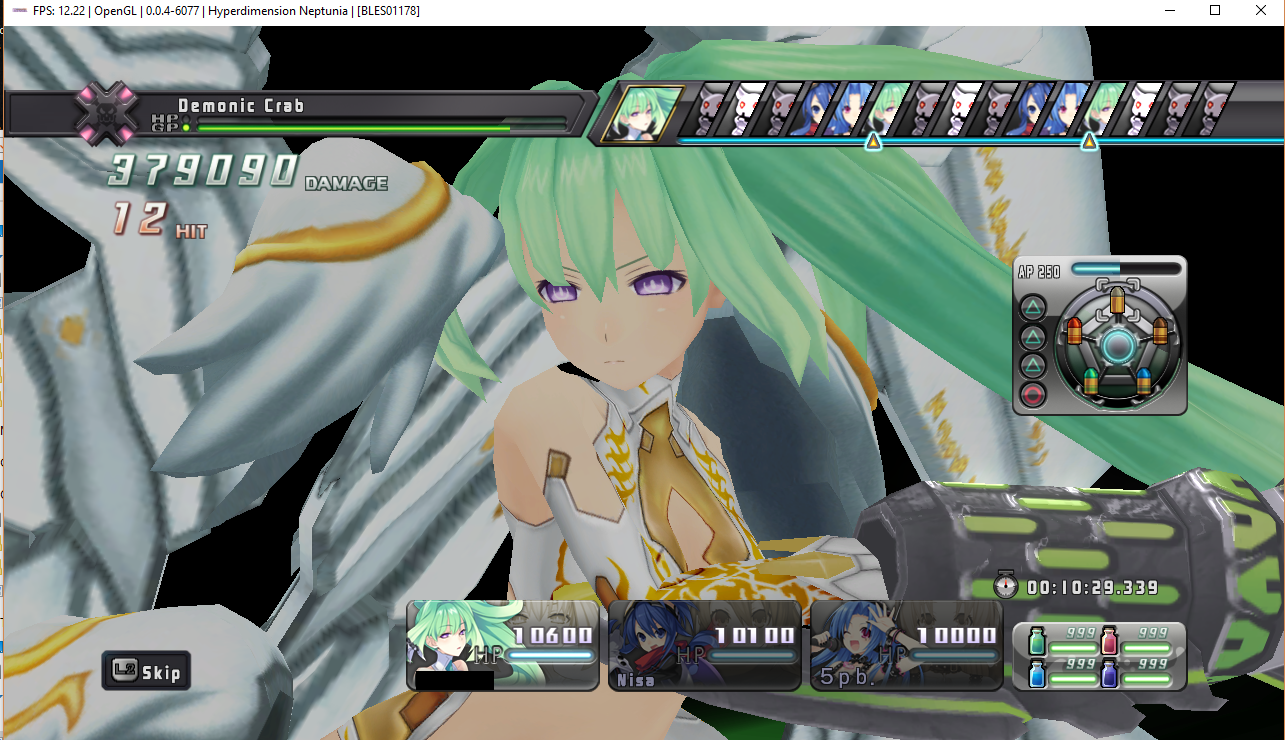
Using Vulkan makes the game much slower and makes the graphics worse, and weirdly the higher the Resolution Scale the worse the graphics get. But graphics has gone a lot better since v0.04 of RPCS3.
RPCS3 v0.0.4-6077-9e0b881b Alpha
_AMD A8-7410 APU with AMD Radeon R5 Graphics
6.94 GiB RAM
AVX_
 chandlerviolet
All 25 comments
Thats a known problem with the first Neptunia game since a lot of versions, I have these "pixels" too. It may take some time, till it gets fixed, the priority is very low.
 StarWolf3000
on 15 Nov 2017
StarWolf3000
on 15 Nov 2017
Using rpcs3-v0.0.4-2017-12-01-3fbc960c_win64
Intel Core i7-7700 @ 3.60GHz
DDR4-2400 16 GB
AMD Radeon R7 370 Series 4 GB
Microsoft Windows 10 64-bit
Config file config.zip
and log file RPCS3.log.gz
This line appears during gameplay
E {rsx::thread} RSX: glBindTexture in a Core context performing invalid operation with parameter <texture> set to '0x5a' which was removed from Core OpenGL (GL_INVALID_OPERATION)
The same issue but I have some results comparing to original PS3 game. Images are taken from youtube TheTwitGamer footage because I cannot capture my PS3 in proper way for now.
PS3 footage:
Looks like land menu

main menu
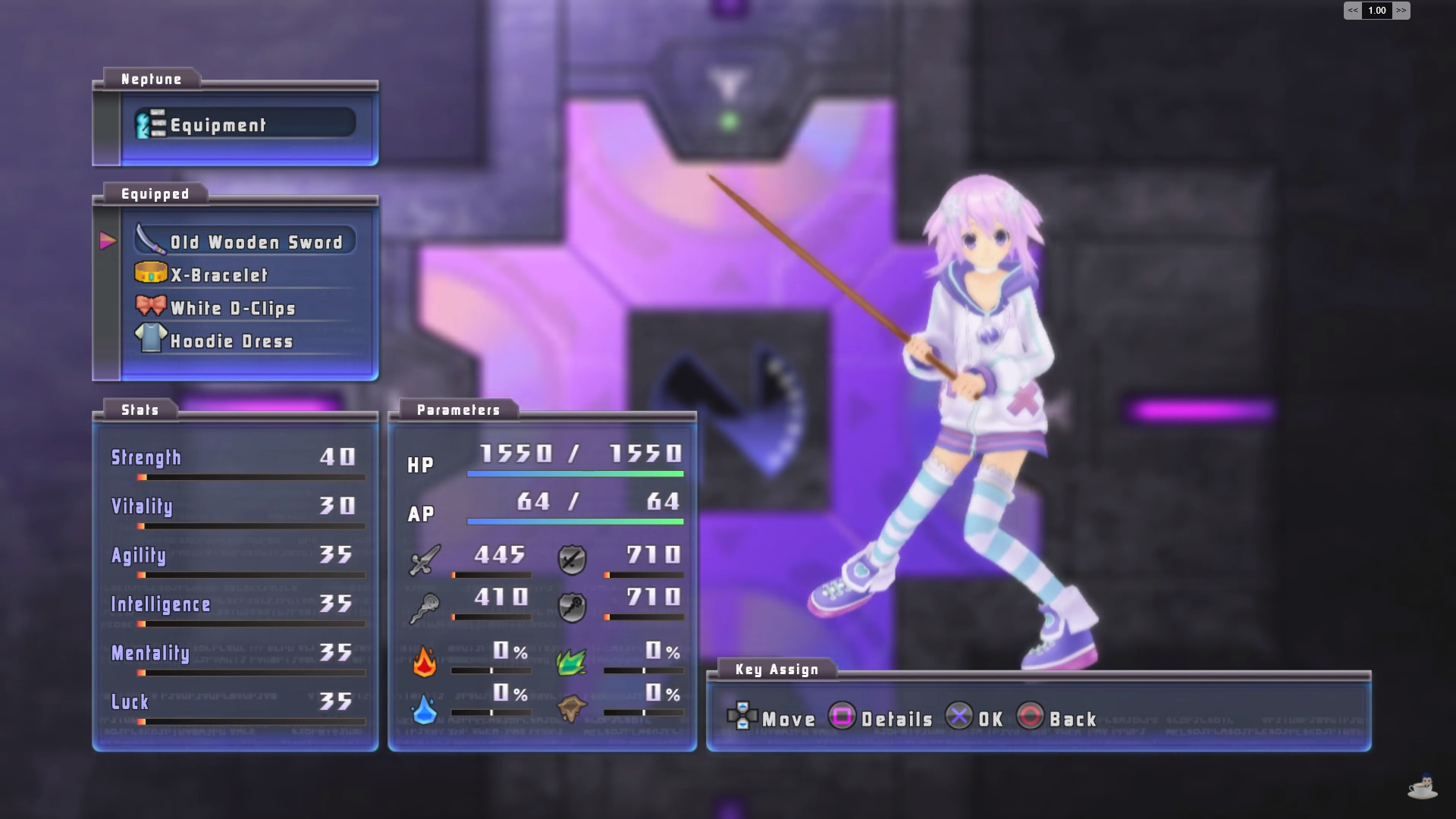
and this snow forest dungeon (like other dungeons)
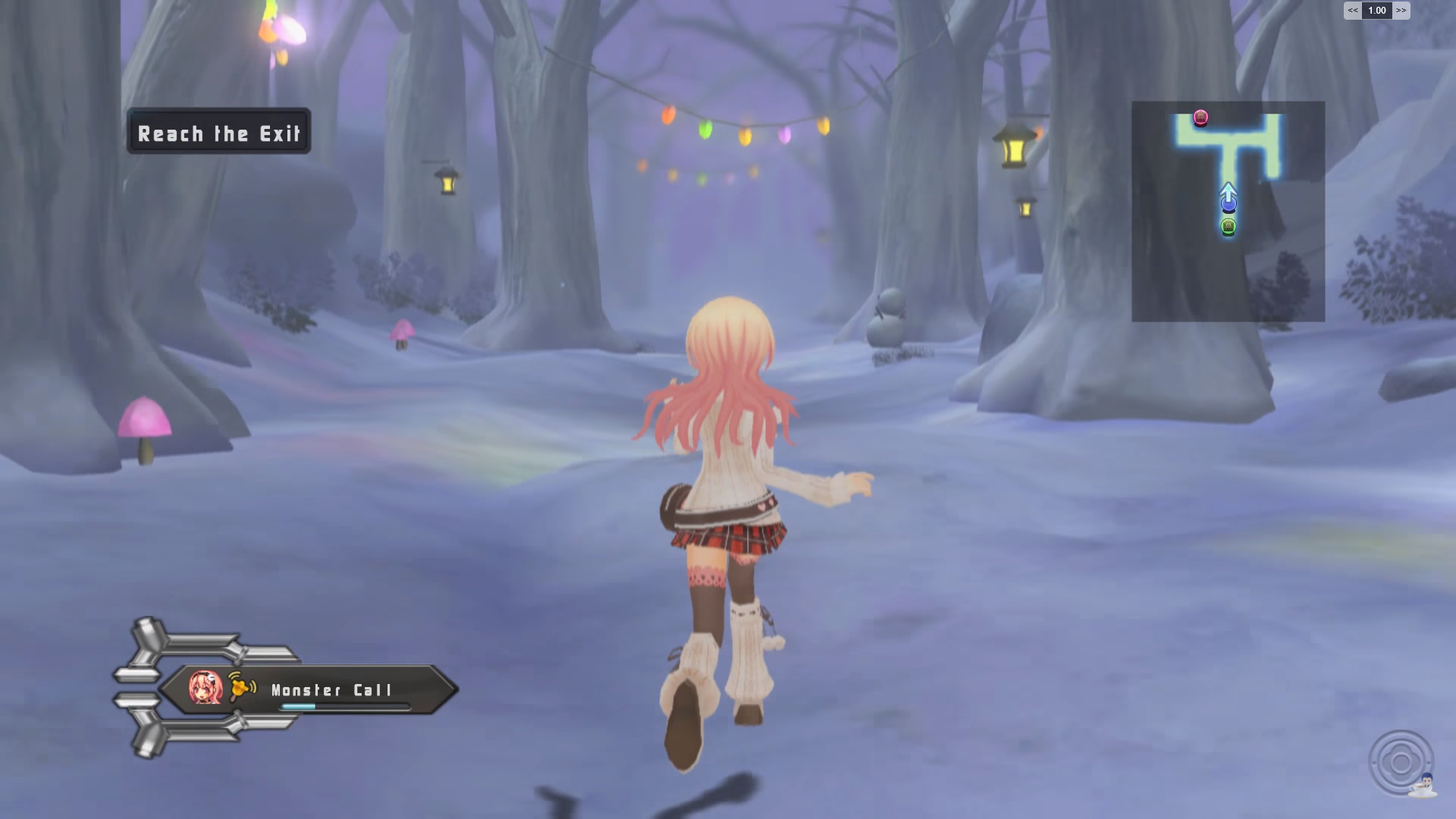
use the same Blur effect. When I reproduced the operation
But in the snow dungeons, the pattern of tiny pixels disappear (By pressing the start button and going through the menu, then closing it):
on my PS3 - blur disappeared.
 rekongstor
on 2 Dec 2017
rekongstor
on 2 Dec 2017
https://forums.rpcs3.net/thread-196992-post-291344.html#pid291344
In the world map, they Disappear for 2 seconds:
Here RenderDoc captures for those frames. 1 is bugged, 2-4 are clear and 5 is bugged again.
NepRenderDoc_dds.zip
NepRenderDoc_log.zip
And zip for .rdc files dropbox link: NepRenderDoc_rdc.zip
Also I have some results.
#5961601
In OpenGL disabling GL_COLOR_BUFFER_BIT in mask in
905: //mask |= GLenum(gl::buffers::color);
makes grid disappear but at cost of proper textures clearing:
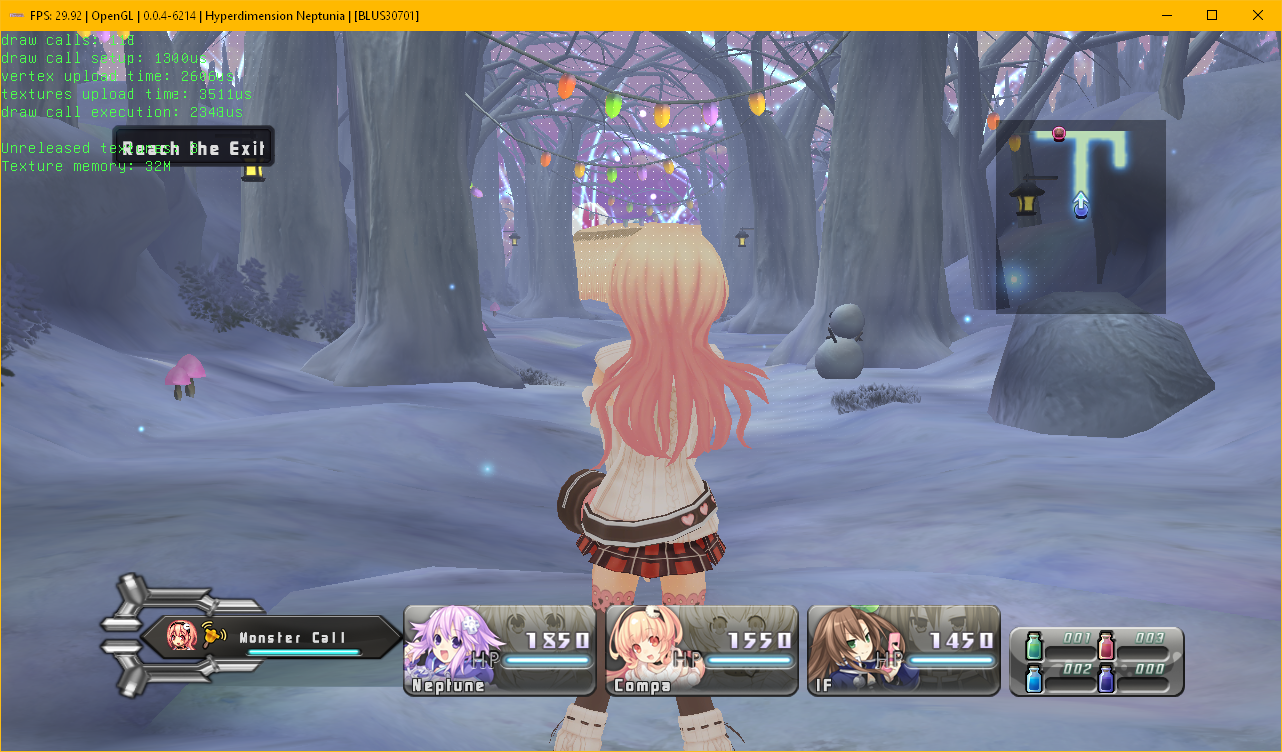
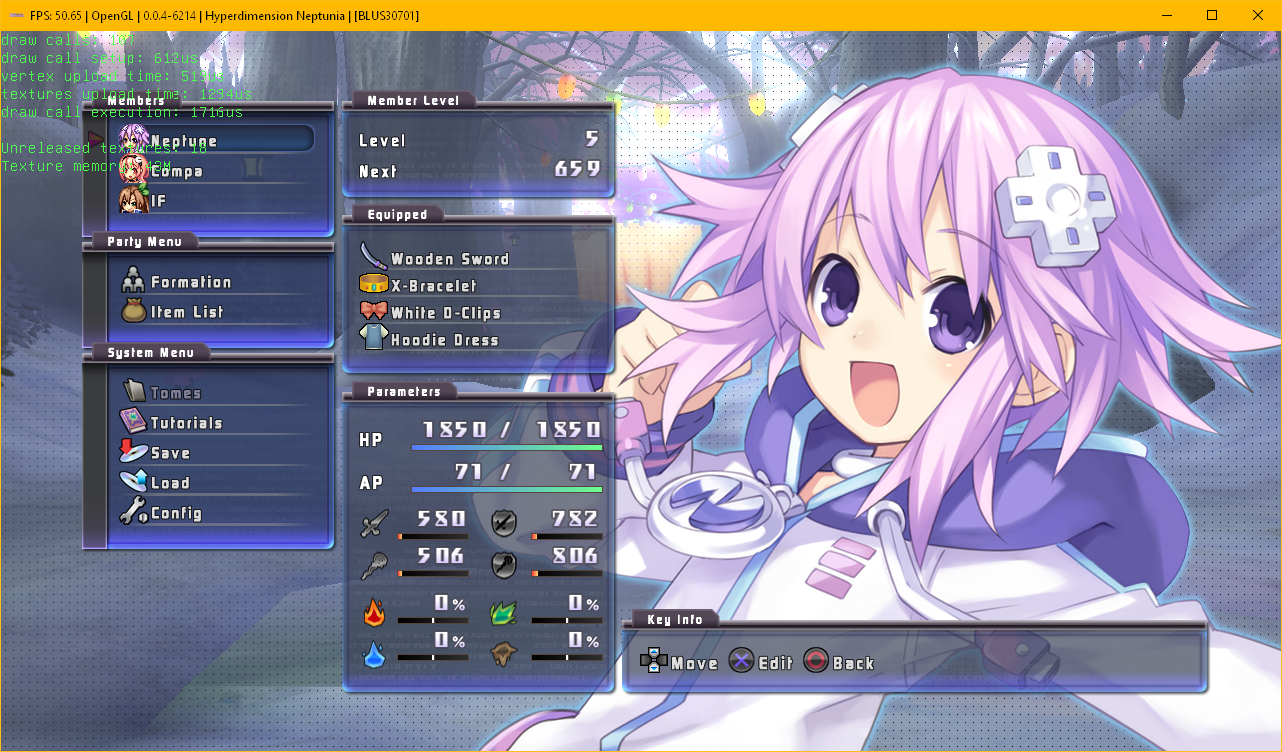
Better state with Vulcan.
#0d1788e
Setting vk::get_image_subresource_range from (0,0,1,1) to (0,1,1,1) where 2nd parameter is uint32_t base_mip makes game feel better but... not:

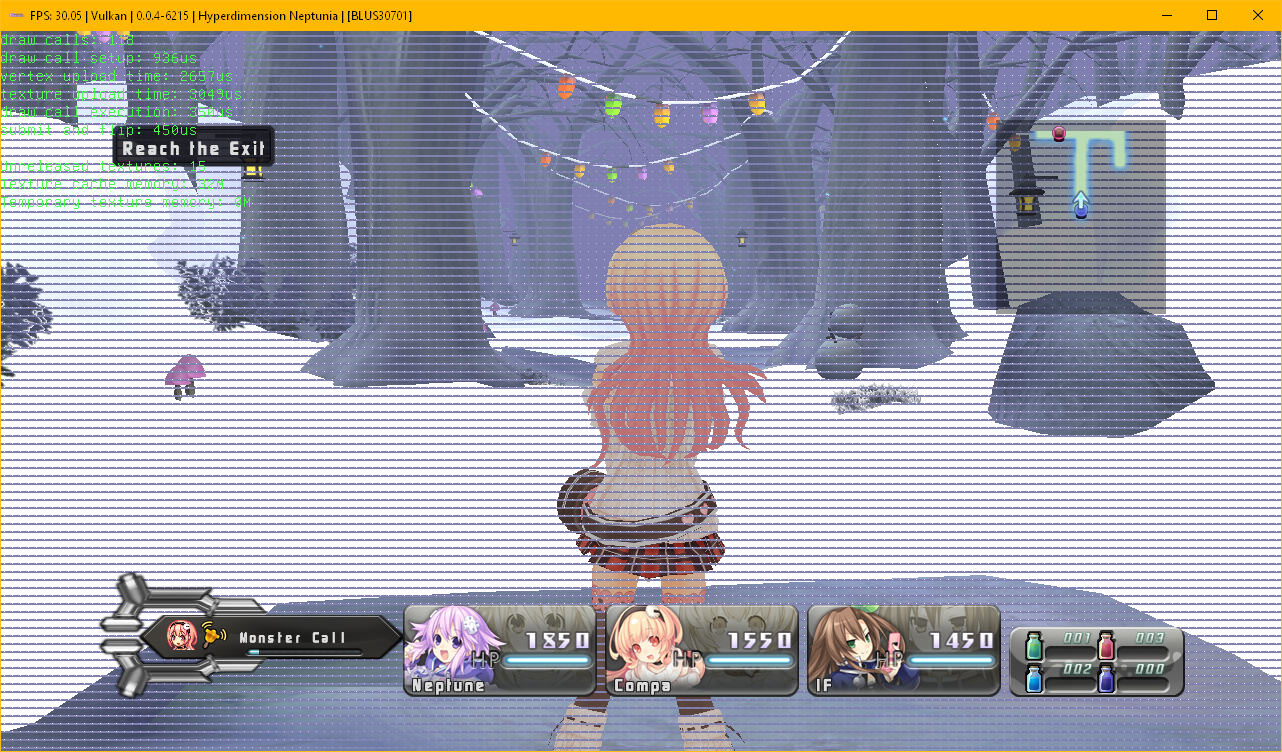
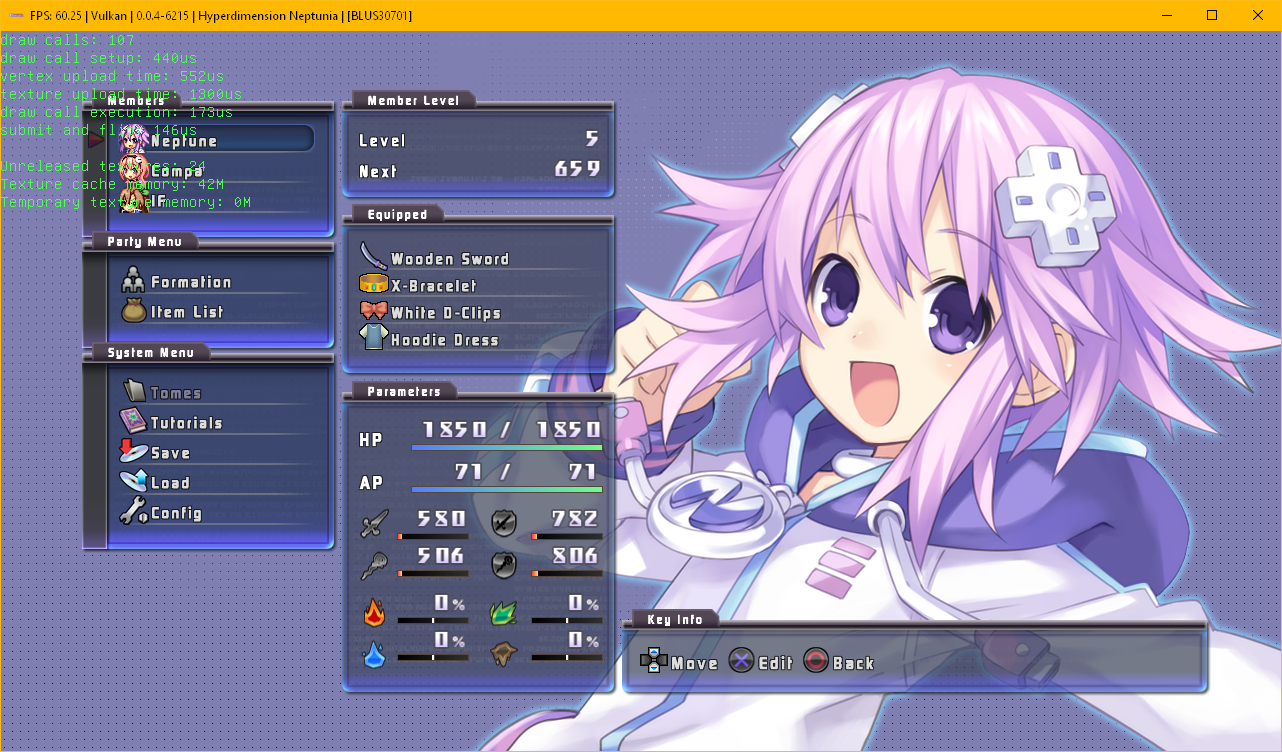
Now disabling vkCmdDraw for vertex_count == 14400 (info from RenderDoc) in
1499: const auto vertex_count = std::get<1>(upload_info);
1500: if (vertex_count != 14400)
1501: vkCmdDraw(*m_current_command_buffer, vertex_count, 1, 0, 0);
game will feel much better but... still not. And #0d1788e commit is necessary!
As I thought, scaling and blurring frames causes this issue but I have no idea where I should start from.
rekongstor
on 9 Dec 2017
No, this has nothing to do with the texturing pipeline. The game renders 14400 dots on top of the "correct" image - I'm not sure what the goal is, maybe filmgrain effect or pixel geometry correction filter. I'd need to see direct capture from a ps3 (youtube is too blurry unfortunately) to determine what the intention is. Its also likely a rasterization flag of sorts is set that should mean the points should not be rendered at all, but is not honored.
 kd-11
on 9 Dec 2017
kd-11
on 9 Dec 2017
I'm not sure but I think this is for blur optimization - blurred image is blurred. Not needed to blur the whole area 1280x720, but blurring down-scaled - that's the point for optimization.
I'll try to get capture device as soon as possible.
rekongstor
on 9 Dec 2017
No, the dots you see are real dots (GL_POINTS). Nothing beats a TMU at texture ops, it would make no sense to use 14400 points to simulate blurring. You can already see blurring in the other passes such as bloom filter using TMUs correctly. I dont get why you are so convinced its blurring. I've checked the pixel shader and there is no texel gathering there either. Its not used for blur.
kd-11
on 9 Dec 2017
@kd-11 Will #3931 be implemented for OpenGL too or do I have to install the Vulkan drivers?
StarWolf3000
on 13 Dec 2017
@StarWolf3000 both of them
rekongstor
on 13 Dec 2017
@kd-11
https://puu.sh/yIWPq.jpg
http://puu.sh/yIWVy.jpg
For the first time, at least that I'm aware of, battles have backgrounds/floors/whatnot, however, the overbloom makes it hard to see much of anything. Still, amazing progress. This also seems to be present in dungeons. It also appears HP text is missing. Compare 2nd screenshot to one of the ones above, the char tiles are missing text.
 twdarkeh
on 18 Dec 2017
kd-11
on 21 Dec 2017
twdarkeh
on 18 Dec 2017
kd-11
on 21 Dec 2017

Still present.
twdarkeh
on 21 Dec 2017
Did you delete the shader cache?
Edit: nvm, the specific fix change for that bug does not mess with shader recompilation
 rodjun
on 21 Dec 2017
rodjun
on 21 Dec 2017
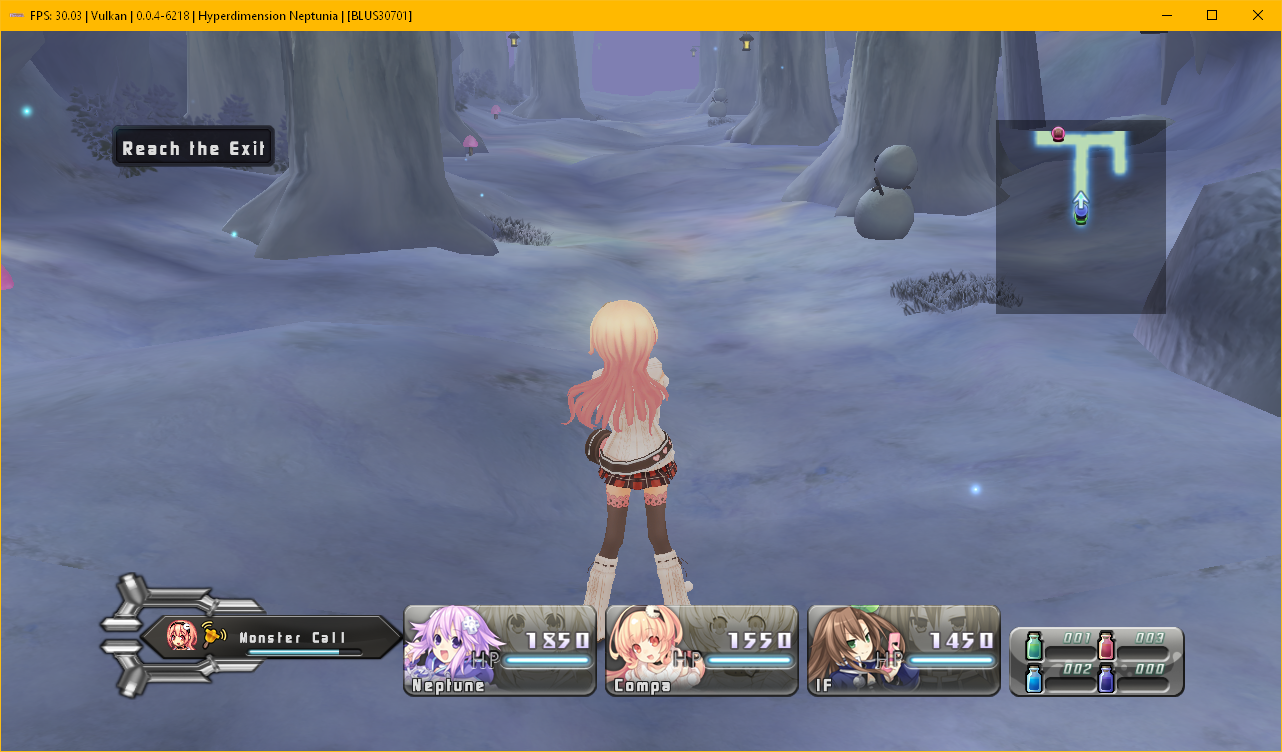
works fine for me. shader cache cleared previously
but some issues left
major: this appears kinda randomly but mostly on dialog skips (both renders)
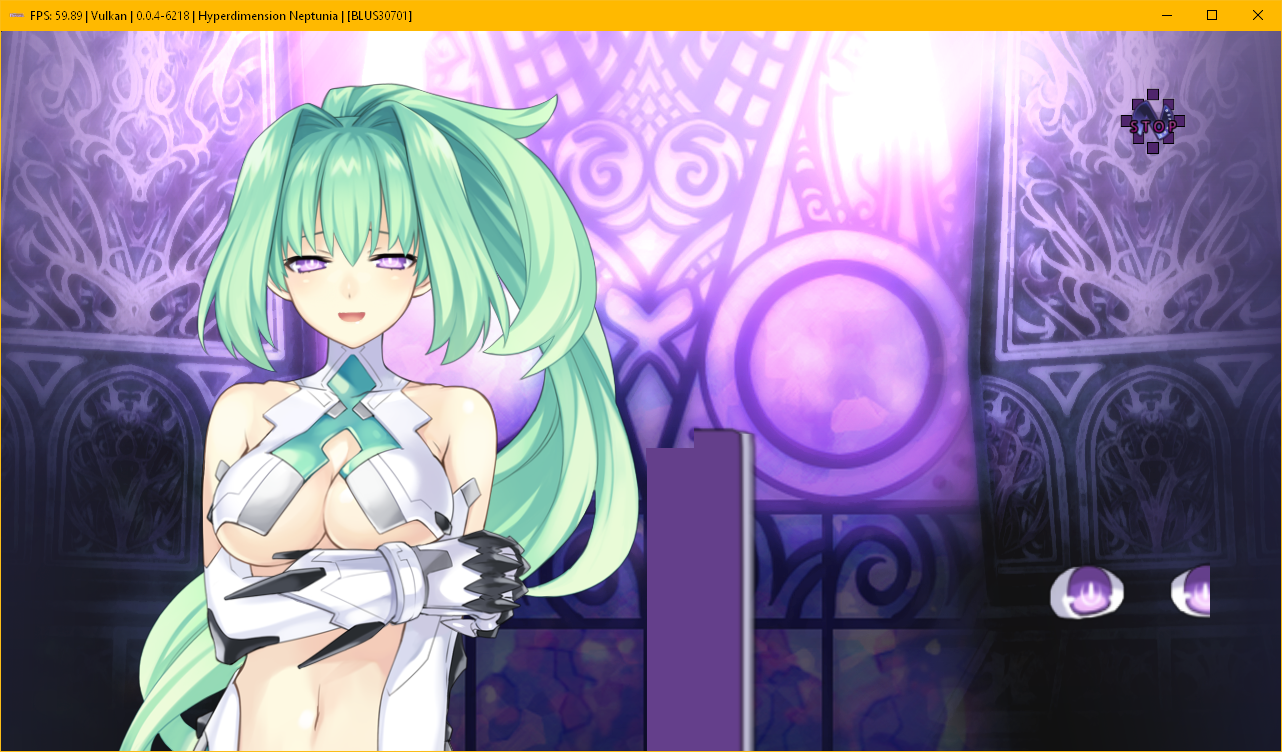
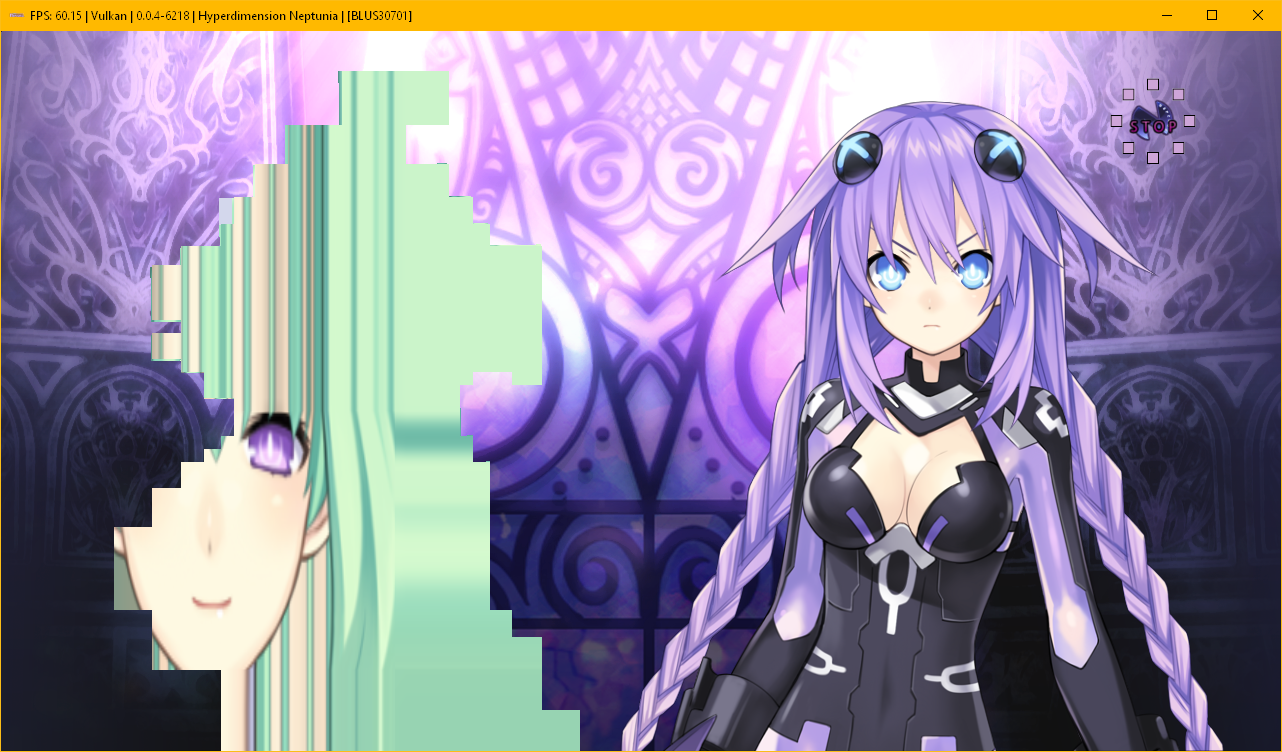
minor: blur has to be based on depth (both renders)
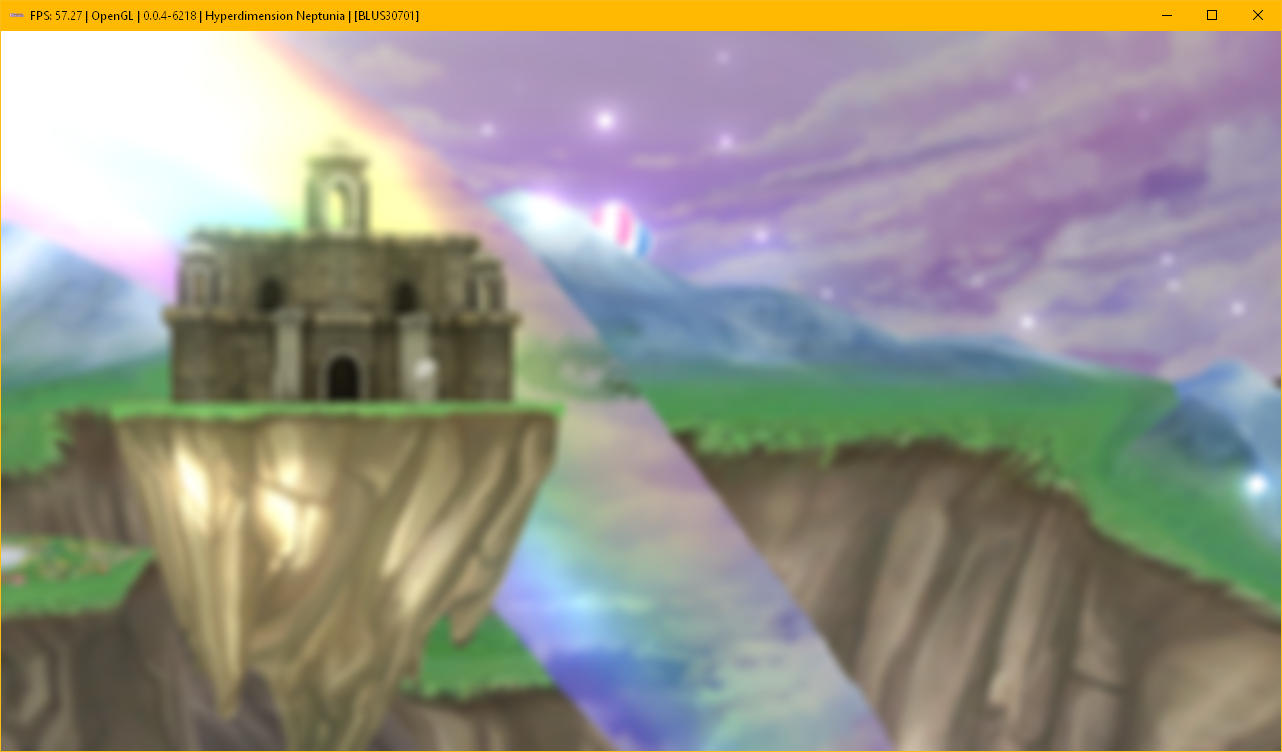

minor: bloom issues on hammer crash (probably on other key items and chests on dungeons), OpenGL only
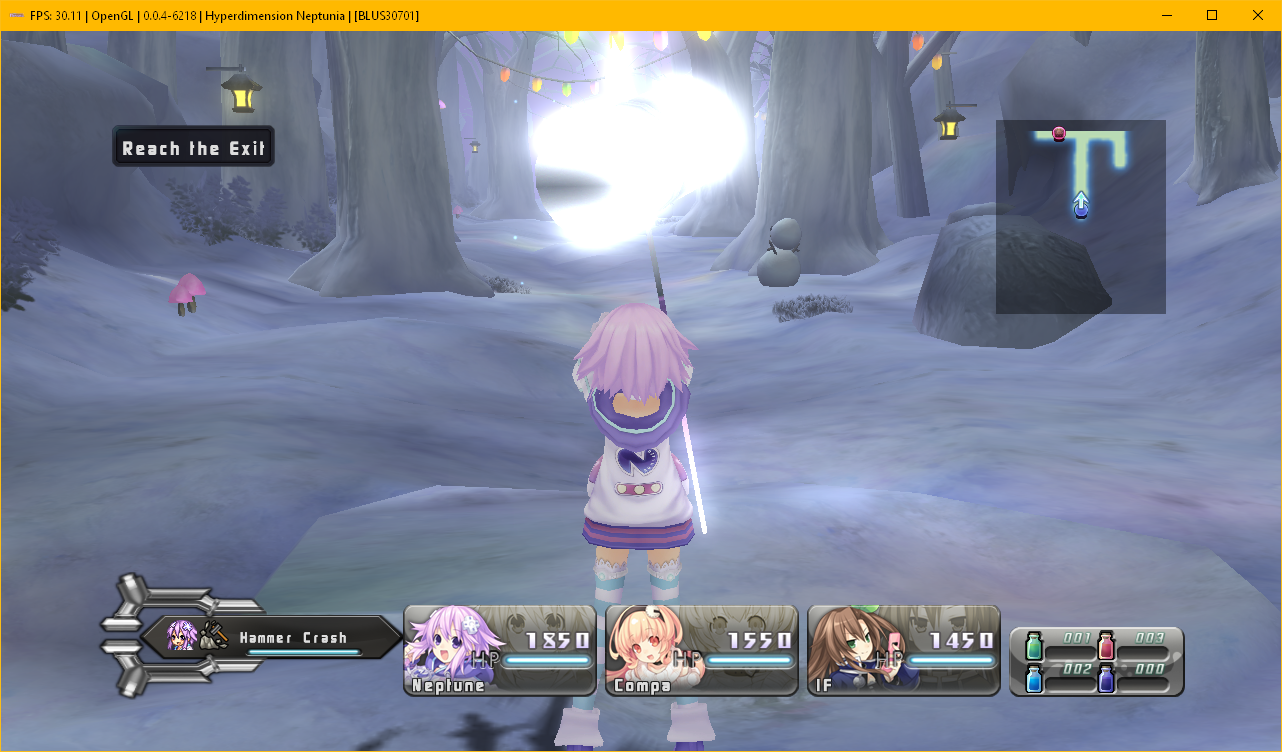
should this be in another issue thread? the main issue is fixed now
rekongstor
on 21 Dec 2017
What settings are you using?
twdarkeh
on 21 Dec 2017
@twdarkeh default with only changing renderer. But I build rpcs3 by myself using kd-11 fork, you can try to use latest build from here https://ci.appveyor.com/project/kd-11/rpcs3
rekongstor
on 21 Dec 2017
hmmm...everything seems fine to me, the only thing issues i see are:
- Some pics on the dialogue just as @rekongstor stated:

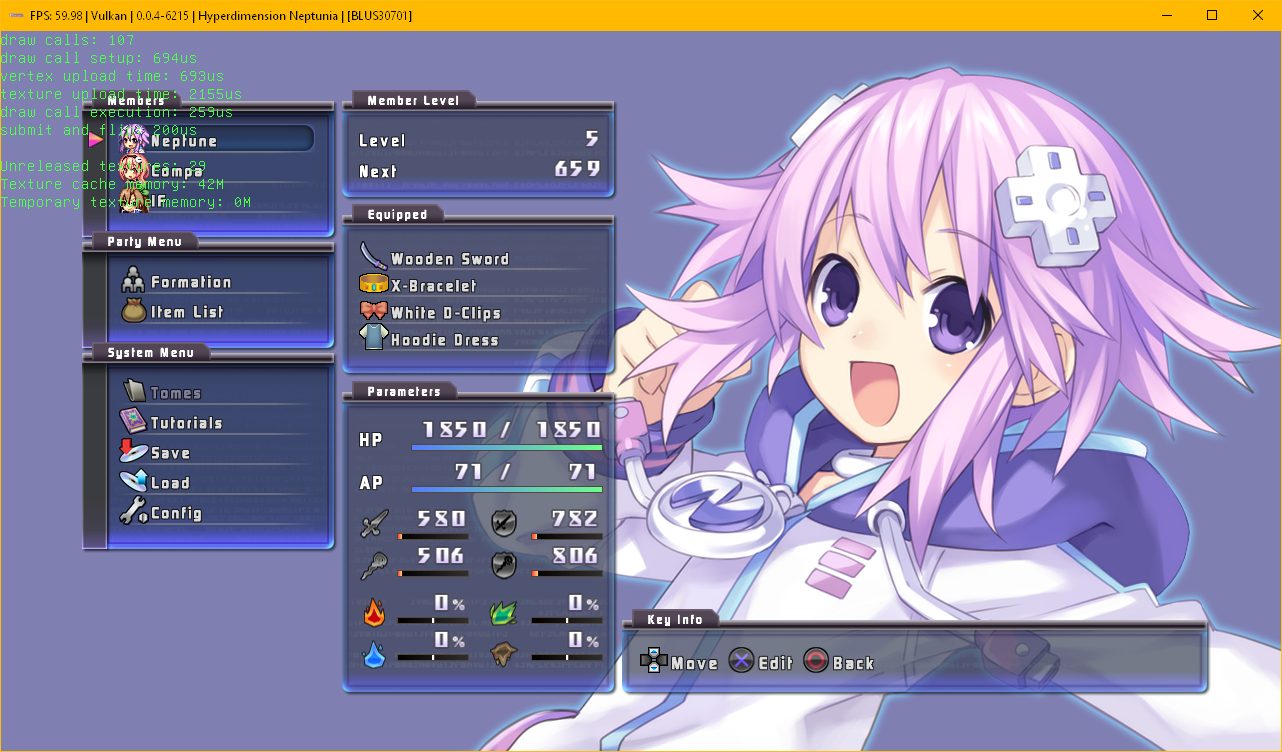
- There's a type of blur in the character menu:


But of all, everything seems to be in place!:


chandlerviolet
on 21 Dec 2017
Strange. Even when running from a fresh rpcs3 install, it still is a white screen on Vulkan for me. OGL is graphically perfect though.
twdarkeh
on 22 Dec 2017
The blooming is more intense on Vulkan (Nvidia) in the latest pr.
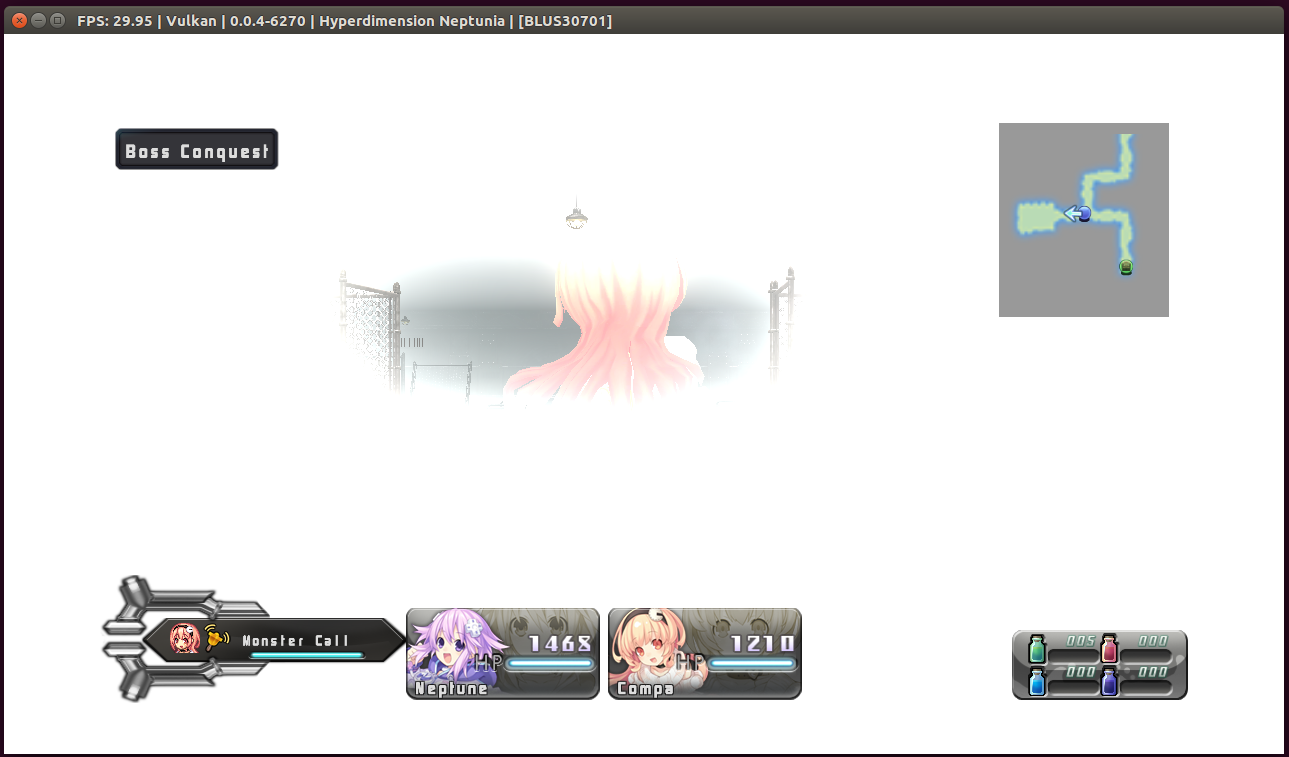
Edit:
With the Write Color Buffers option enabled, the blooming is gone, but it completely slows Ubuntu down to a crawl. (Feels more like 5fps in everything until the game is exited.)
Log also spams:
E {rsx::thread} RSX: Failed to find section for render target 0xC0780000 + 0x708000

WCB Vulkan Log:
RPCS3.log.gz
Edit 2:
The blooming had returned while retesting with Write Color Buffers enabled. I haven't been able to reproduce like what is seen in the provided second screenshot since.
 greentop
on 22 Dec 2017
greentop
on 22 Dec 2017
@twdarkeh @greentop This game runs weirdly, apparently the higher the graphic settings, the worse the textures/graphics get. For now the best option is to use OpenGL when playing this game....
chandlerviolet
on 22 Dec 2017
Runs fine for me now with OpenGL. Had some sporadic crashes, but deleting trophyusr.dat and let it generate again fixed the error messages that occured on my installation. For some reason the file was just 112 Bytes instead of about 10 KiB.
StarWolf3000
on 22 Dec 2017
@twdarkeh @greentop Retry with newer PR build. I'd forgotten to clear some memory and it may have contained garbage.
kd-11
on 22 Dec 2017
Seems to be fixed now, yes.

twdarkeh
on 22 Dec 2017
The blooming in Vulkan is fixed as of 9e3ed27
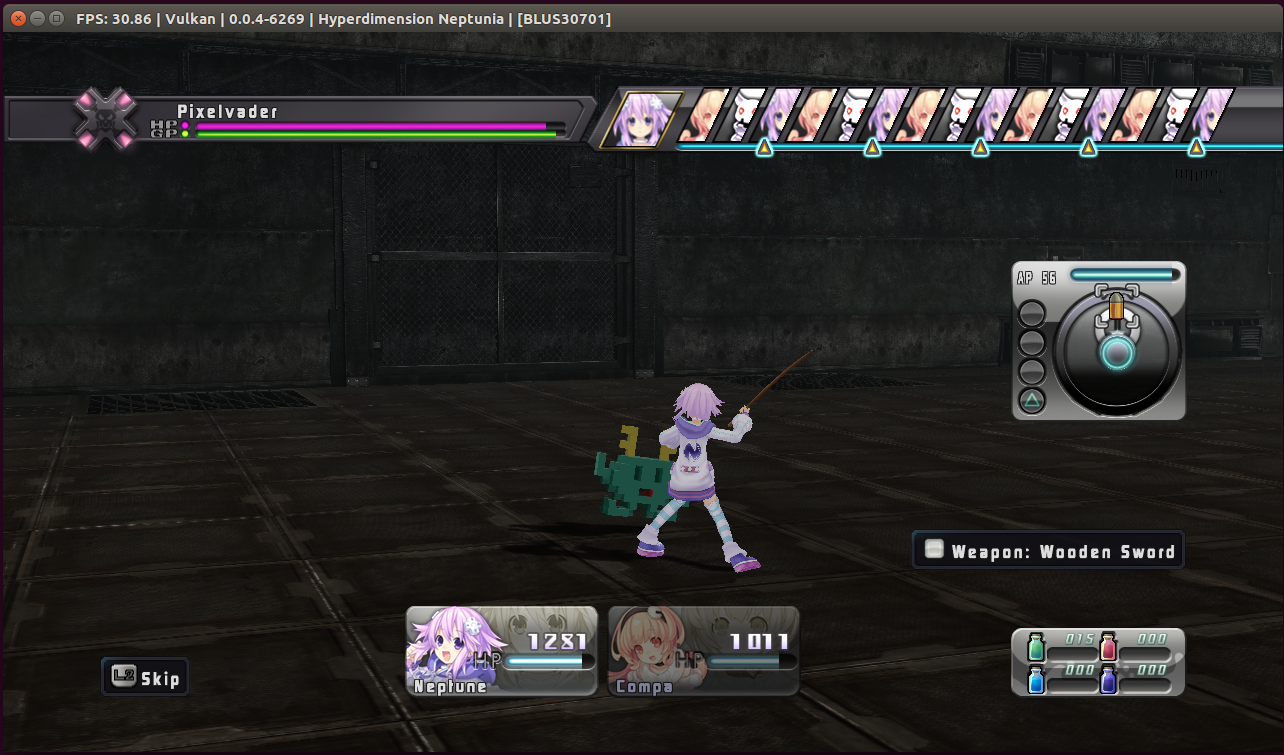
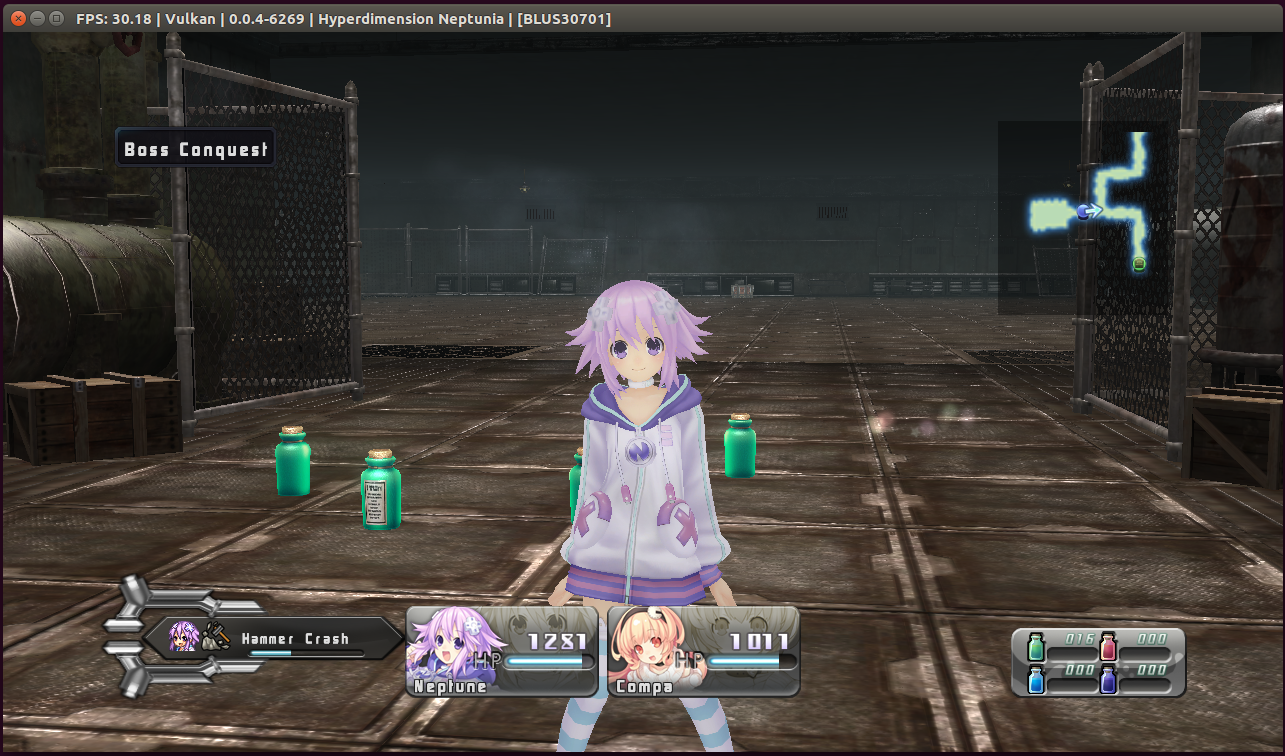
greentop
on 22 Dec 2017
I guess this can be closed now, almost all graphical problems seem now solved for this game.
StarWolf3000
on 25 Dec 2017
Yes, the only graphic problem i see is the blur, but other than that everything is all good. Thank you very much for everyone that helped make this game working and playable. ❤
chandlerviolet
on 25 Dec 2017
Related issues
 xddxd
·
3Comments
xddxd
·
3Comments
 XeClutch
·
3Comments
XeClutch
·
3Comments
 elad335
·
3Comments
elad335
·
3Comments
 AniLeo
·
3Comments
AniLeo
·
3Comments
 Emulator-Team-2
·
3Comments
Emulator-Team-2
·
3Comments