Rocket.chat: 0.59.3 Scrolling Bar always visible
Description:
Server Setup Information:
- Version of Rocket.Chat Server: 0.95.3
- Operating System: CentOS 7
- Deployment Method(snap/docker/tar/etc): Tar
- Number of Running Instances: 1
- DB Replicaset Oplog:
- Node Version: v4.8.4
Steps to Reproduce:
- Always present when using (current) Firefox.
- Not present when using Chrome/Chromium
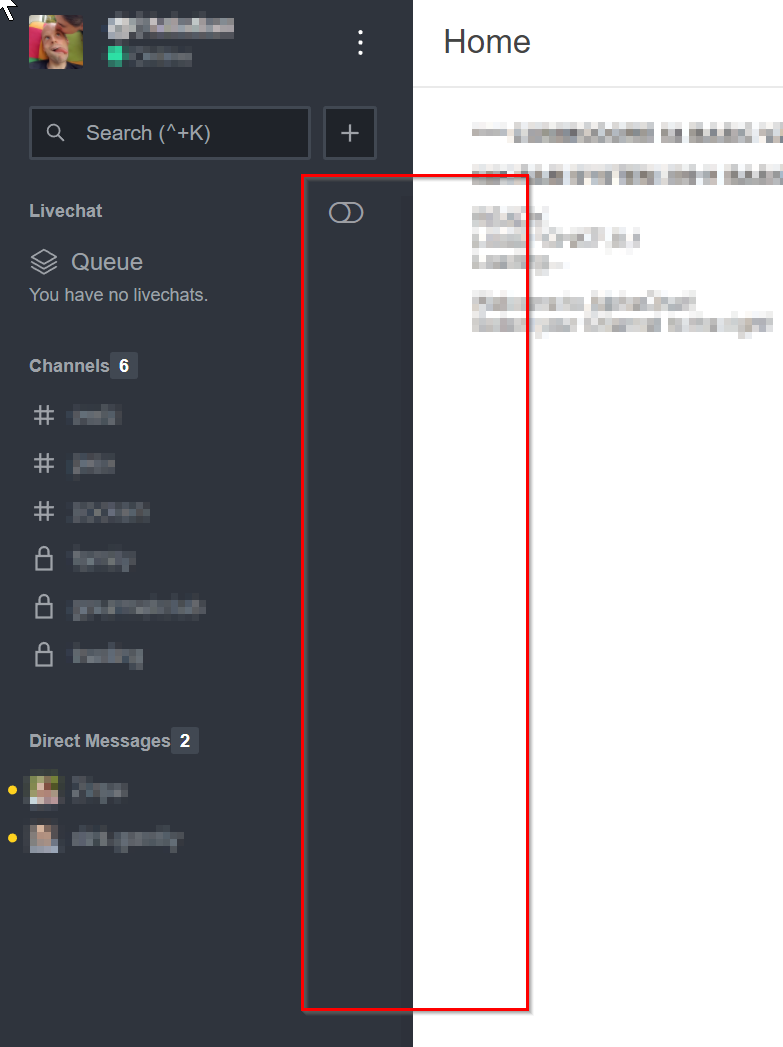
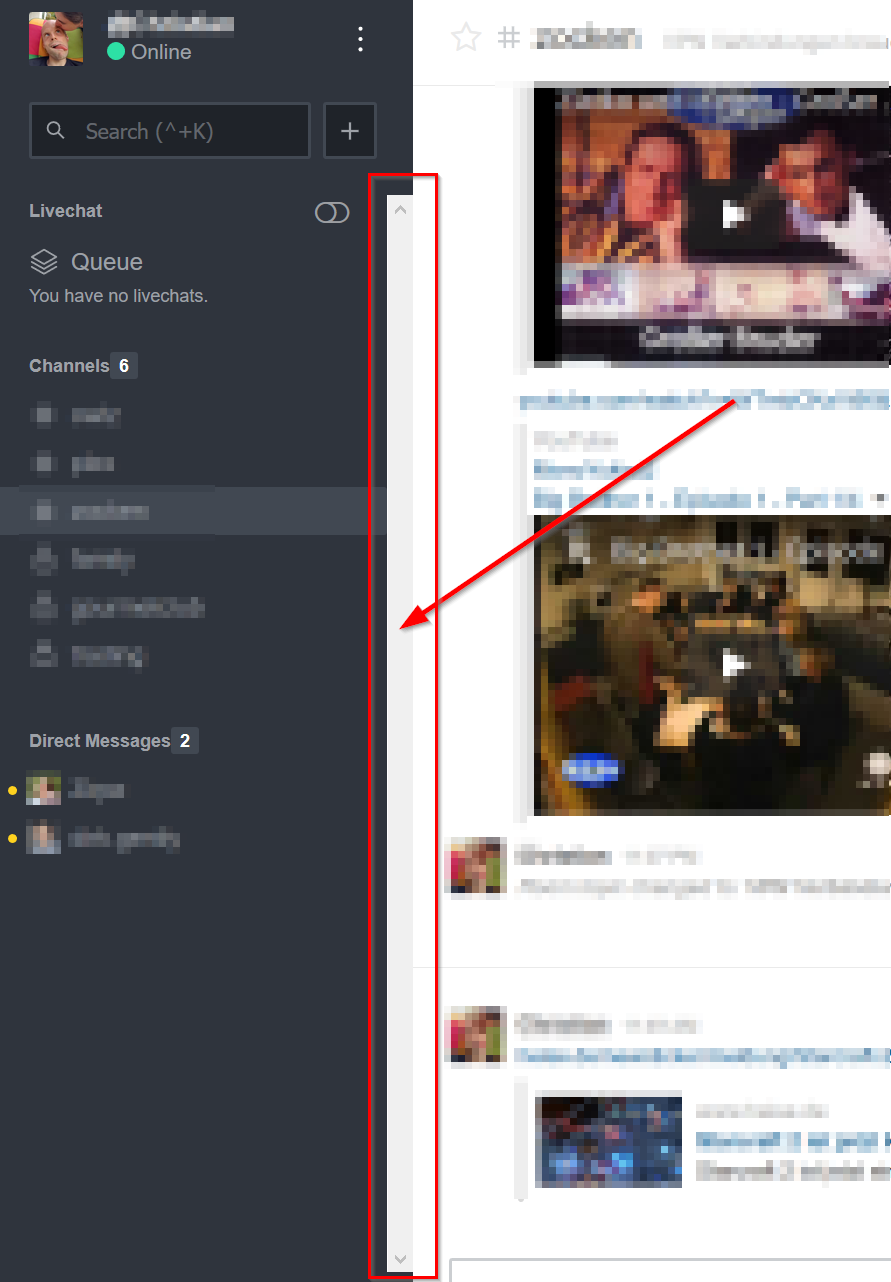
The Channel Scrollbar is always visible, even when nothing is there to scroll.
Expected behavior:
As seen in Chrome:
Actual behavior:
As seen in Firefox:
 christianreiss
👍3
All 7 comments
same on demo.rocket.chat
 localguru
on 20 Nov 2017
localguru
on 20 Nov 2017
same with Internet Explorer 11.
Rocket.Chat 0.59.3
 ArchimedesFM
on 20 Nov 2017
ArchimedesFM
on 20 Nov 2017
Found this workaround in open.rocket.chat (I recall):
Administration -> Layout -> Custom.CSS
/* Hide Firefox scrollbar in left pane if not needed */
.rooms-list { overflow-y: auto; }
 Gummikavalier
on 21 Nov 2017
Gummikavalier
on 21 Nov 2017
👍3
I can confirm the workaround from @Gummikavalier works.
christianreiss
on 21 Nov 2017
The workaround works for Firefox, but not for InternetExplorer 11.
ArchimedesFM
on 21 Nov 2017
😕1
Will this workaround be added to Rocket.Chat ? I'm using 0.64.2, and still viewing this.
 Dremor
on 6 Jun 2018
Dremor
on 6 Jun 2018
closed by #10367
 ggazzo
on 19 Oct 2018
ggazzo
on 19 Oct 2018
Was this page helpful?
0 / 5 - 0 ratings
Related issues
 Buzzele
·
3Comments
Buzzele
·
3Comments
 ghost
·
3Comments
ghost
·
3Comments
 djeber
·
3Comments
djeber
·
3Comments
 mddvul22
·
3Comments
mddvul22
·
3Comments
 tanc
·
3Comments
tanc
·
3Comments
Most helpful comment
Found this workaround in open.rocket.chat (I recall):
Administration -> Layout -> Custom.CSS