Rocket.chat.electron: Unidentified Developer on Mac 10.15
My Setup
- Operating System: Mac OS 10.15 PB1 (Catalina Public Beta 1)
- App Version: 2.15.3
- Installation type: App Store
- [X] I have tested with the latest version
- [X] I can simulate the issue easily
Description
Every time I try to launch the application, it is saying it is from an unidentified developer, and then throws up a Javascript error that does not go away. I have uninstalled and re-installed it multiple times.
Current Behavior
Pictures tell the whole story
When I open it (either by Double Clicking, Right-Click->Open, or Open from App Store):
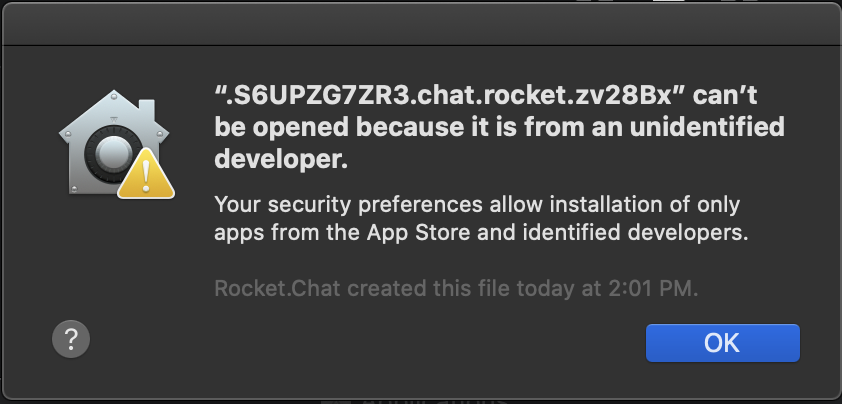
Then it does this weird error that cannot be removed (probably because it does not have access rights):
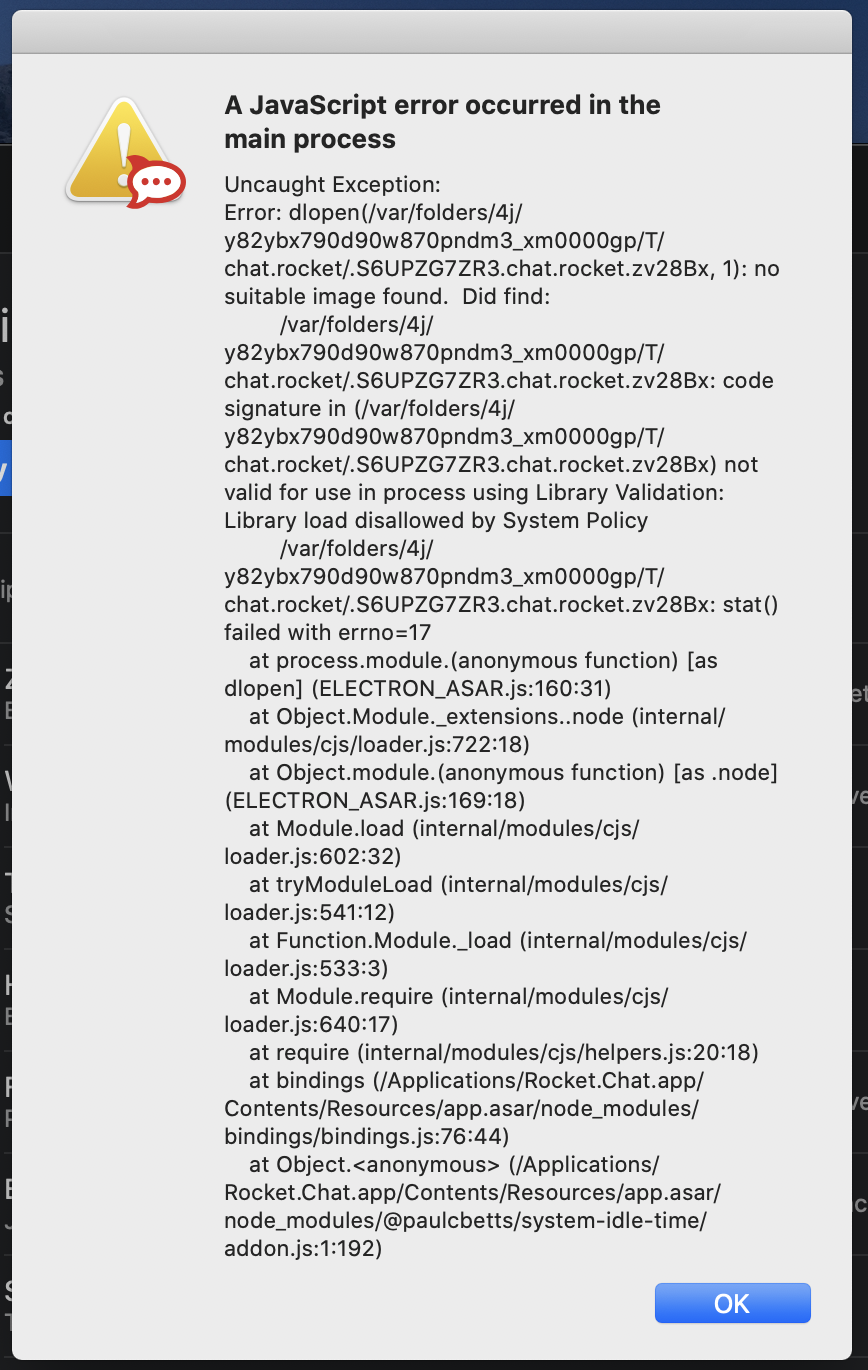
Expected Behavior
Launch the application
 nghtstr
All 11 comments
On macOS Catalina, all apps have to be notarized by Apple
Source
 Jack3113
on 16 Jul 2019
Jack3113
on 16 Jul 2019
Is there a workaround?
 abonillabeeche
on 30 Jul 2019
abonillabeeche
on 30 Jul 2019
On macOS Catalina, all apps have to be notarized by Apple
Source
Are you already working on getting it notarized? Catalina launch will be very soon.
 regetskcob
on 9 Aug 2019
regetskcob
on 9 Aug 2019
I am confused. You have the app in the Mac App Store already. I don't see how this would be at all difficult to handle.
nghtstr
on 13 Aug 2019
i found a workaround, for now download the app directly from the website instead installing from the app store
 lazyants
on 15 Aug 2019
lazyants
on 15 Aug 2019
@lazyants, worked like a charm!
nghtstr
on 20 Aug 2019
i think this is still not resolved, isn't it? I had to download the app once more from the website, because the one from the app store doesn't work anymore.
 gcommit
on 8 Oct 2019
gcommit
on 8 Oct 2019
Confirmed, a fresh download from the app store still fails with this error.
 abroadwin
on 8 Oct 2019
abroadwin
on 8 Oct 2019
Downloading directly from the site, works on current version of MacOS Catalina 10.15 (19A583)
 dyohan9
on 9 Oct 2019
dyohan9
on 9 Oct 2019
My temporary solution:
sudo xattr -cr /Applications/Rocket.Chat.app
sudo codesign --force --deep --sign - /Applications/Rocket.Chat.app
 xboston
on 9 Oct 2019
xboston
on 9 Oct 2019
https://developer.apple.com/news/?id=06032019i Here's the press release concerning this issue.
 lgerhardt45
on 15 Oct 2019
lgerhardt45
on 15 Oct 2019
Related issues
 tendo256
·
4Comments
tendo256
·
4Comments
 nstoeckigt
·
3Comments
nstoeckigt
·
3Comments
 Vkat14
·
4Comments
Vkat14
·
4Comments
 agentirons
·
4Comments
agentirons
·
4Comments
 engelgabriel
·
5Comments
engelgabriel
·
5Comments
Most helpful comment
i found a workaround, for now download the app directly from the website instead installing from the app store