Bug Report
Describe the Bug
The screenshot in the Home app does not work. (cf. log)
Roll back on 9.0.0, it does work again.
To Reproduce
upgrade to 9.1.1
Expected behavior
obtain screenshot in the Home app and in the notification
Screenshots/Logs
[6/10/2020,9:12:16 AM] [Ring] 404 from endpoint https://api.ring.com/clients_api/snapshots/image/5757450
[6/10/2020, 9:12:16 AM] [Ring] Failed to cache snapshot for Door Bell (28.728s), The camera currently reports that is it online
[6/10/2020, 9:12:16 AM] [Ring] Door Bell camera appears to be unable to upload snapshots.  This can happen when your Ring Modes settings prevent motion detection or live view, which also prevents snapshots.  If Modes are not blocking snapshots, this can also happen if the camera has gotten into a bad state, which requires a physical restart of the camera.  If this happens, you will also not be able to retrieve snapshots via the Ring app for this camera.  In that case, please turn off power to this camera by removing its battery or turning off the breaker for the circuit it is wired to.  Once power is cycled, snapshots should start working again.
Additional context
My Ring Doorbell is v1 with battery
Homebridge Ring Config
Post homebridge-ring platform config _without sensitive information_
{
        "bridge": {
                "name": "Homebridge",
                "username": "xxx",
                "pin": "xxx"
        },

        "description": "HomeBridge Ring",


        "selectiveLoad": true,

        "plugins":  [
                "homebridge-ring"
                 ],

        "platforms": [{
                "platform": "Ring",
                "refreshToken": "xxx",
                "hideInHomeDoorbellSwitch": true,
                "hideCameraMotionSensor": true
        }]
}
Environment
- OS: macOS 10.12
- Node.js: v12.16.1
- NPM: 6.14.5
- homebridge-ring: 9.1.1
- homebridge: 1.1.0
- hoobs: N/A
 phis5533
All 25 comments
There shouldn't have been any changes from 9.0.0 to 9.1.1 that would cause 404 errors on snapshots. Since it's a battery camera, you may just be hitting the timing poorly on the 10 minute window where snapshots are able to be captured. You could also try pulling out the battery and putting it back in to power cycle the camera.
 dgreif
on 10 Jun 2020
dgreif
on 10 Jun 2020
ok... I'm not home so I can't test by removing batteries...
Thank you for your answer, I'll keep you posted if the problem persists.
Thank you for your great job by the way !
phis5533
on 10 Jun 2020
But how do I do to reboot my Ring Doorbell v1 by pulling out the battery ?
Everything seems to be locked !
phis5533
on 11 Jun 2020
But how do I do to reboot my Ring Doorbell v1 by pulling out the battery ?
Everything seems to be locked !
I am also interested in this question!
 sergoo-lbt
on 12 Jun 2020
sergoo-lbt
on 12 Jun 2020
I think the battery is built into the v1 doorbell so it can't be removed. See if you are able to get snapshots from that camera in the Ring app. If so, then it is working fine and you should be able to get a new snapshot every 10 minutes via homebridge
dgreif
on 12 Jun 2020
Hi Dustin,
I confirm... v1 batteries are locked. (See ifixit).
Nevertheless, the behavior you describe doesn’t work. I can have snapshots in the ring app, but not in the home app....
It’s very weird.... And the stream does work very well..... I can’t understand.
Thx for your work.
Philippe.
phis5533
on 13 Jun 2020
@phis5533 are you still getting 404 in your logs, or something else? I don't have much to go off of here...
dgreif
on 13 Jun 2020
I continuously get 404 errors with v2 Ring doorbell and v9.1.1 of the plug-in when motion is detected. I have remove AC power and battery to reset camera with no improvement. Have not experienced any real problems getting snapshots or video locally on home network or remotely. I know you have spent a ton of time trying to figure this out so not complaining, just reporting.
Additional details:
- MacOS 10.15.5
- Node.js v12.18.0
- npm v6.14.5
 DMBlakeley
on 13 Jun 2020
DMBlakeley
on 13 Jun 2020
Hi Dustin,
Hereafter part of my log :
`6/12/2020, 12:14:26 PM] ---
[6/12/2020, 12:14:29 PM] Loaded plugin: [email protected]
[6/12/2020, 12:14:29 PM] Registering platform 'homebridge-ring.Ring'
[6/12/2020, 12:14:29 PM] ---
[6/12/2020, 12:14:29 PM] Loading 1 platforms...
[6/12/2020, 12:14:29 PM] [Ring] Initializing Ring platform...
[6/12/2020, 12:14:29 PM] [Ring] Configuring cached accessory xxxxxx-cd1f-4734-bb20-xxxxxxxx Door Bell
Setup Payload:
X-HM://0023ML0MYNBP5
Enter this code with your HomeKit app on your iOS device to pair with Homebridge:
┌────────────┐
│ Xxx-xx-xxx │
└────────────┘
[6/12/2020, 12:14:29 PM] Homebridge is running on port 54465.
[6/12/2020, 12:14:31 PM] [Ring] Configuring 1 cameras and 1 devices for location "Home" - locationId: Xxxxxxxxx
[6/12/2020, 3:13:26 PM] [Ring] Preparing Live Stream for Door Bell
[6/12/2020, 3:13:30 PM] [Ring] Waiting for stream data from Door Bell (4.23s)
[6/12/2020, 3:13:30 PM] [Ring] Received stream data from Door Bell (4.276s)
[6/12/2020, 3:13:32 PM] [Ring] Streaming active for Door Bell
[6/12/2020, 3:13:57 PM] [Ring] Stopped Live Stream for Door Bell
[6/12/2020, 4:34:17 PM] [Ring] Preparing Live Stream for Door Bell
[6/12/2020, 4:34:18 PM] [Ring] Waiting for stream data from Door Bell (1.465s)
[6/12/2020, 4:34:18 PM] [Ring] Received stream data from Door Bell (1.493s)
[6/12/2020, 4:34:20 PM] [Ring] Streaming active for Door Bell
[6/12/2020, 4:34:34 PM] [Ring] Stopped Live Stream for Door Bell
[6/12/2020, 5:14:31 PM] [Ring] Door Bell Button Pressed
[6/12/2020, 5:15:00 PM] [Ring] Snapshot failed to refresh after 40 attempts
[6/12/2020, 5:15:00 PM] [Ring] Snapshot failed to refresh after 40 attempts
[6/12/2020, 5:15:00 PM] [Ring] 404 from endpoint https://api.ring.com/clients_api/snapshots/image/5757450
[6/12/2020, 5:15:00 PM] [Ring] Failed to cache snapshot for Door Bell (29.242s), The camera currently reports that is it online
[6/12/2020, 5:15:00 PM] [Ring] Door Bell camera appears to be unable to upload snapshots. This can happen when your Ring Modes settings prevent motion detection or live view, which also prevents snapshots. If Modes are not blocking snapshots, this can also happen if the camera has gotten into a bad state, which requires a physical restart of the camera. If this happens, you will also not be able to retrieve snapshots via the Ring app for this camera. In that case, please turn off power to this camera by removing its battery or turning off the breaker for the circuit it is wired to. Once power is cycled, snapshots should start working again.
[6/12/2020, 5:15:00 PM] [Ring] 404 from endpoint https://api.ring.com/clients_api/snapshots/image/5757450 `
As you can see, streaming works perfectly but for snapshots : 404.
And I can confirm snapshots are working well in the Ring app....
Other precision, when I delete accessories et persist folder, the Home app doesn't see any camera, it says not responding....
very Weird...
Thx for your help and your work.
I’m like @DMBlakeley , not complaining at all ! But reporting 😉
Regards,
Philippe
phis5533
on 14 Jun 2020
Sorry guys, I know this is really annoying. Unfortunately I am unable to recreate these 404s with my battery stickup cam. It may be something specific to the v1 and v2 doorbells, but I don't have either to test with, and it's not really something I can have either of you test for me since the issue is coming from the Ring servers. I _can_ make that error message disappear, but I'm not sure how to actually get the snapshots working on those cameras at this point.
dgreif
on 14 Jun 2020
Hi @dgreif ,
No matter.... we will see in the next update.
But it is very strange that in 9.0.0 it does work and not in 9.1.1....
Thx
phis5533
on 14 Jun 2020
I’m having this issue as well. I just stepped through the last several versions and confirmed that it works as expected in 9.1.0 but logs the 404s in 9.1.1.
I haven’t had a chance to look at the code yet, but from the change log it looks like the main difference was dropping the cache from 10 minutes to 2 minutes. Perhaps the battery doorbells (or some subset of devices) don’t like being asked for a snapshot that frequently?
And for what it’s worth, video works fine in both 9.1.0 and 9.1.1.
 Sunoo
on 15 Jun 2020
Sunoo
on 15 Jun 2020
Same here with Ring Video Doorbell Pro and Spotlight Cam Wired.
9.1.1 doesn't work.
9.1.0 work.
npm -g install [email protected] --unsafe-perm
 nicoh88
on 15 Jun 2020
nicoh88
on 15 Jun 2020
Thanks for the input everyone. @Sunoo could you clarify what "works" vs "doesn't work" means between 9.1.0 and 9.1.1? Are you seeing the 404 error, or some other behavior? Also, are you testing it by triggering motion events, or just by opening the Home app?
dgreif
on 15 Jun 2020
I was only using the Home app, I didn’t bother trying motion.
As for not working, I was seeing 404s in the logs, and frequent “fetching snapshot” images in Home. When it is working on 9.1.0 and older, I see the “fetching snapshot” for 10 seconds, then it loads an image that seems to be good for the next 10 minutes and no 404s are ever logged.
If needed I can flip back to 9.1.1 and try to see how long the snapshot displays before it goes back to “fetching snapshot” and giving 404s, but right now I’m just running 9.1.0.
Sunoo
on 15 Jun 2020
I started seeing this issue today as well and realized snapshots weren't even updating in the Ring app, this lead me to check the Ring status page which does indeed report an ongoing issue with some services including snapshots.
Edit: Before looking on the status page I did try rolling back to 9.0.0 (and versions in between) but nothing resolved the 404s in my case.
 dlhall111
on 16 Jun 2020
dlhall111
on 16 Jun 2020
I’ve only been running 9.2.0 for about a half hour now, but I’ve done some testing and so far it appears the snapshots are working again.
Sunoo
on 17 Jun 2020
Hi,
update in 9.2.0, still doesn't work for me... :(
I've got a Fetching Snapshot when I open the home app on the Ring panel.
What it is weird again, is that in my log file, when it was working, there was a line :
[5/10/2020, 7:42:02 AM] [Ring] Snapshot for Door Bell Requested
[5/10/2020, 7:42:07 AM] [Ring] Snapshot for Door Bell Received (4.964s)
As I requested a snapshot, and now, nothing is requested.
Still, when I request a Live Stream, it is written in the log file...
[6/17/2020, 9:26:02 AM] [Ring] Preparing Live Stream for Door Bell
[6/17/2020, 9:26:03 AM] [Ring] Waiting for stream data from Door Bell (1.678s)
[6/17/2020, 9:26:03 AM] [Ring] Received stream data from Door Bell (1.691s)
[6/17/2020, 9:26:04 AM] [Ring] Streaming active for Door Bell
[6/17/2020, 9:26:25 AM] [Ring] Stopped Live Stream for Door Bell
phis5533
on 17 Jun 2020
It seems a recent version significantly reduced the amount of logging, at least while it is doing what would be expected. I know that the “snapshot requested” messages no longer appear for me, for example, even though they do actually load and appear in the Home app.
Sunoo
on 17 Jun 2020
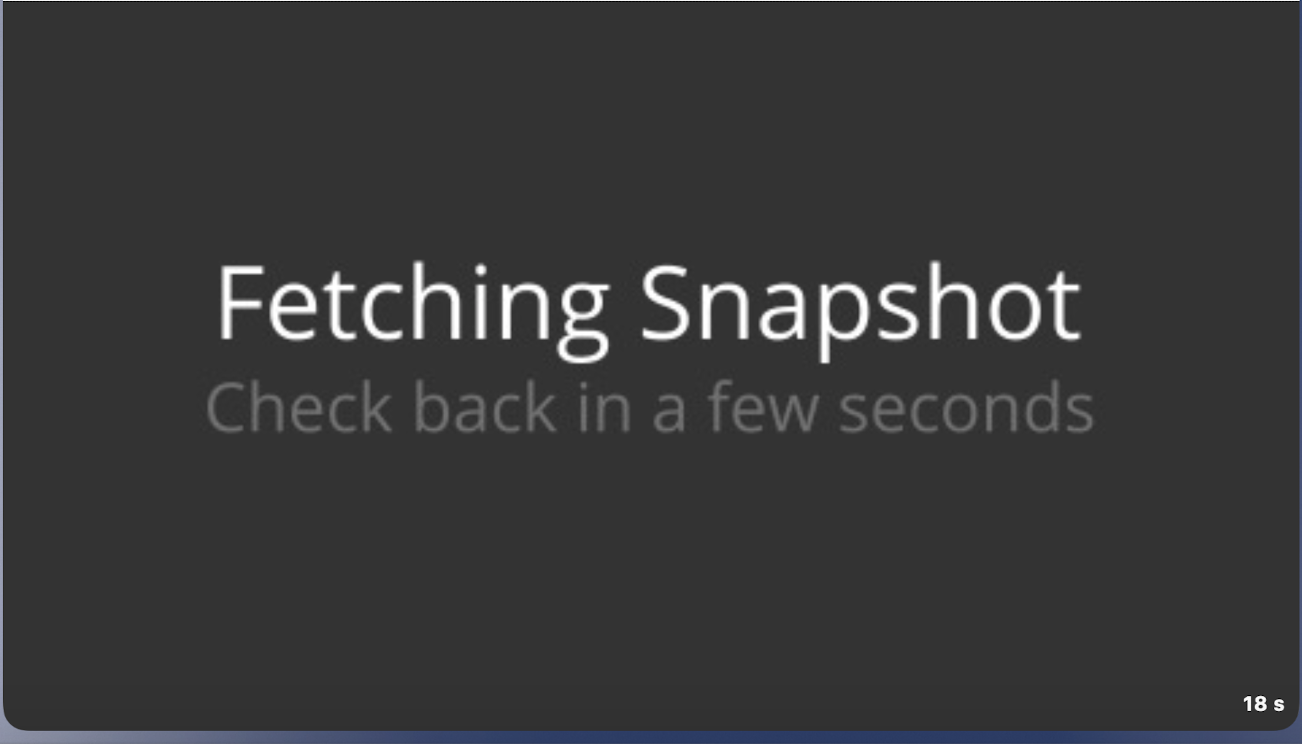
ehmm still problems with fetching snapshot. In version 9.1.0 no problems
 henkied
on 17 Jun 2020
henkied
on 17 Jun 2020
Still, the snapshot doesn't work. The second counter is updated, but the snapshot does not appear. Just wait a few seconds for the label.
sergoo-lbt
on 17 Jun 2020
Locking this thread for now. I'll let everyone know when there are changes to snapshots and more testing is merited
dgreif
on 17 Jun 2020
I did a bunch of testing with snapshots and have decided the current caching setup is the best approach given the limitations of HomeKit bridges. I know the placeholder images have been the biggest gripe, so I removed the 'fetching snapshot' placeholder completely and changed it to simply not return a snapshot if there isn't one in cache. This means you will still see your old snapshot with an old timestamp after a homebridge reboot until a snapshot is cached and you fetch a snapshot again. Hopefully this is a good enough middle ground that everyone is content
dgreif
on 28 Jun 2020
Excellent. Thank you for taking care of everybody ! :-)
Best regards
phis5533
on 28 Jun 2020
Great update! Thank you very much!
sergoo-lbt
on 28 Jun 2020
Related issues
 mrtekkid
·
3Comments
mrtekkid
·
3Comments
 LordZork
·
5Comments
LordZork
·
5Comments
 malmentm
·
4Comments
malmentm
·
4Comments
 donavanbecker
·
7Comments
donavanbecker
·
7Comments
 onefish2
·
5Comments
onefish2
·
5Comments