Rigs-of-rods: Flare/Beam materials do not load if using managedmaterials
Wilkgr originally reported this on Discord, and it looks like i've found the cause of it.
On the E36 (download here) there is white squares where the (invisible) flare texture would be. Happens on both versions of the vehicle.
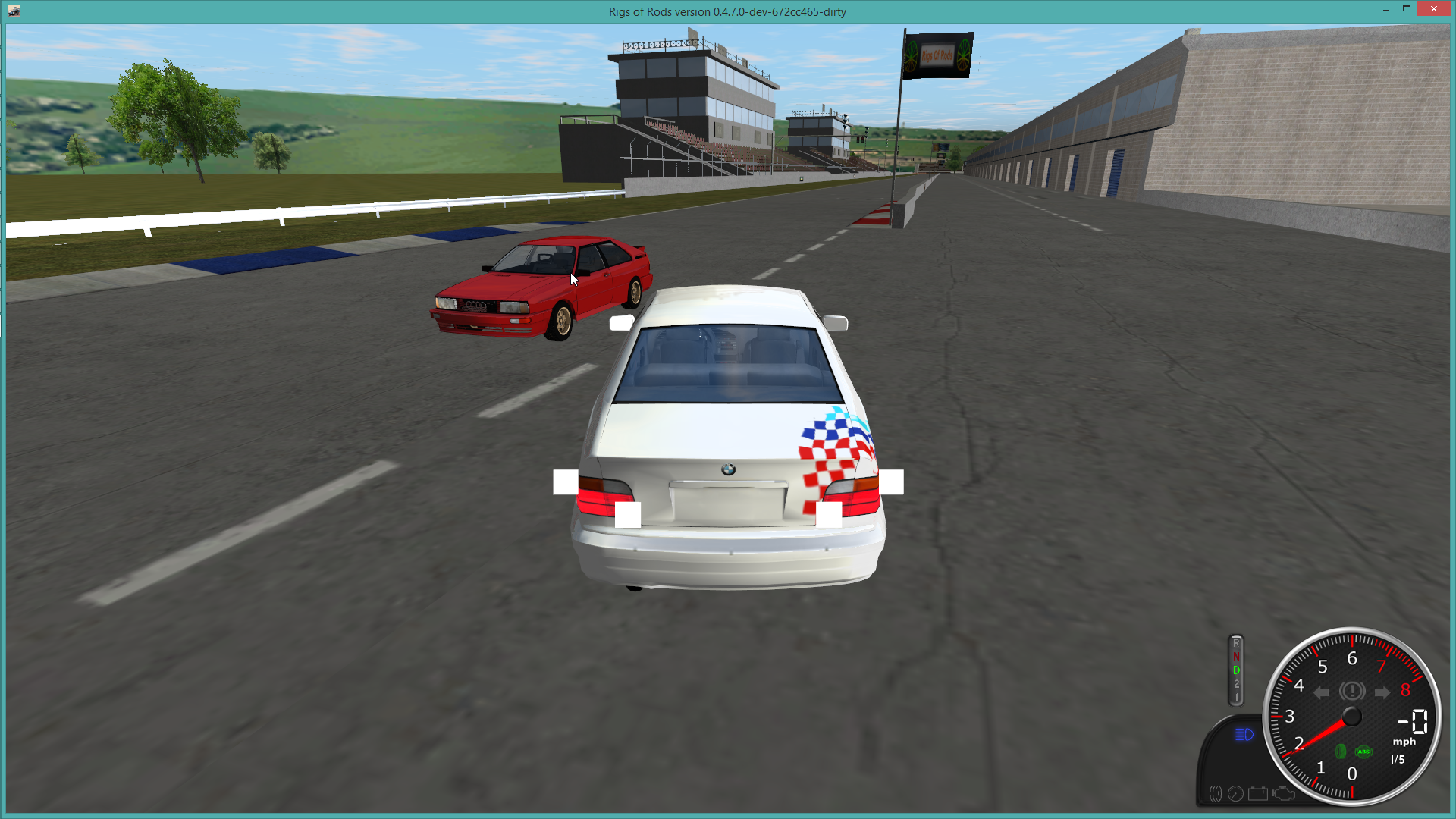
The material is defined using managedmaterials. Some vehicles use a invisible flare texture so they can define materialflarebindings without an actual flare visible.
I had used this same 'trick' on the 2014 Superduty while testing, didn't make it into the final release though. But that used the default tracks/trans material, which is defined in a .material file.
managedmaterials
gavrilinvis         mesh_transparent    gavrilinvis.dds     -
flares2
;RefNode,X,Y,OffsetX, OffsetY, OffsetZ, Type, ControlNumber, BlinkDelay, Size, MaterialName

;LEFT REAR BRAKES

78,77,100, 0.800, 0.090, 0.200, b, -1, 0, 0.14 gavrilinvis

etc..


md5-0ea77ef459efbd322fa05e02dae398da


material gavrilinvis
{
    technique
    {
        pass
        {
            alpha_rejection greater 255

            texture_unit
            {
                texture gavrilinvis.dds

            }
        }

    }
}
This does not happen on a older build (before #1271)
 ghost
ghost
All 2 comments
ManagedMaterial on a flare... I didn't think about this scenario 😄
It's broken because managedmaterials are now generated with unique per-vehicle name, so gavrilinvis becomes "gavrilinvis@Actor#" (where # is vehicle number). I need to add a post-processing step where I resolve flare mat. names against managedmaterial orig. names.
However, RoR should really provide an option to disable flares (and other gfx like meshwheels/cabs) instead of forcing modders to use invisible material tricks.
 only-a-ptr
on 21 Jun 2017
only-a-ptr
on 21 Jun 2017
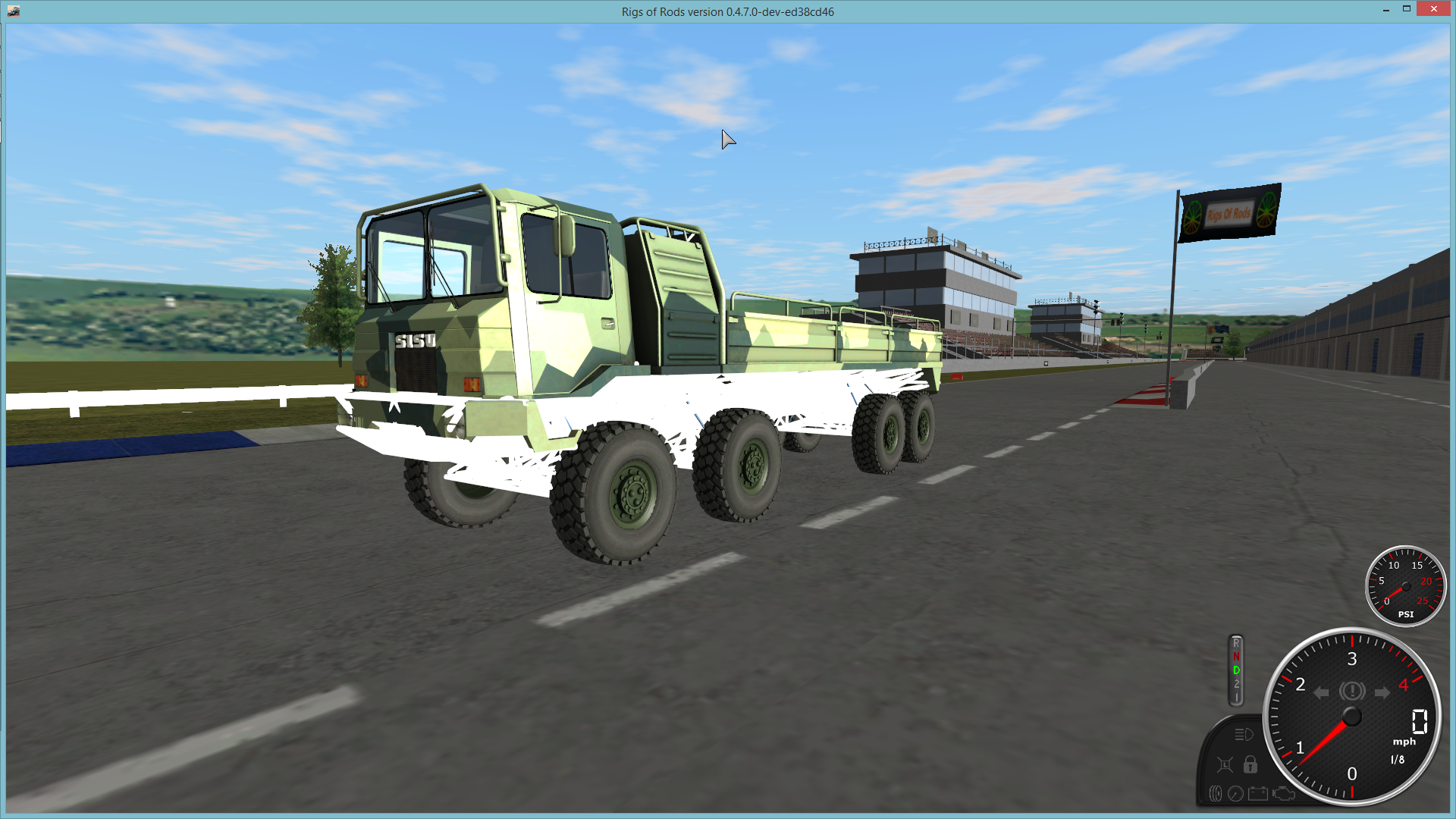
Beam materials defined using set_beam_defaults also don't load if its using managedmaterials:
managedmaterials
tracks/greyreflectivebeam mesh_standard greyreflectivebeam.png greyreflectivebeam-spec.png

set_beam_defaults 39000000, 2000, 1000000, 8000000, 0.05, tracks/greyreflectivebeam, 0.1
ghost
on 8 Sep 2017
Related issues
 smo68
·
4Comments
smo68
·
4Comments
 tritonas00
·
9Comments
ghost
·
7Comments
tritonas00
·
9Comments
ghost
·
7Comments
 DirtGamer301
·
11Comments
DirtGamer301
·
4Comments
DirtGamer301
·
11Comments
DirtGamer301
·
4Comments