Revolution: MODX upgrade should respect existing dashboard widgets
Summary
Dashboard widget list was changed due to MODX upgrade
Step to reproduce
Set some other widget list (inside default Dashboard) so that if will be different from default one. Then upgrade MODX from 2.6.0-pl up to 2.6.4-pl and check your Default Dashboard settings again.
Observed behavior
I had only BigBrother widget for Dashboard, please see how it was:
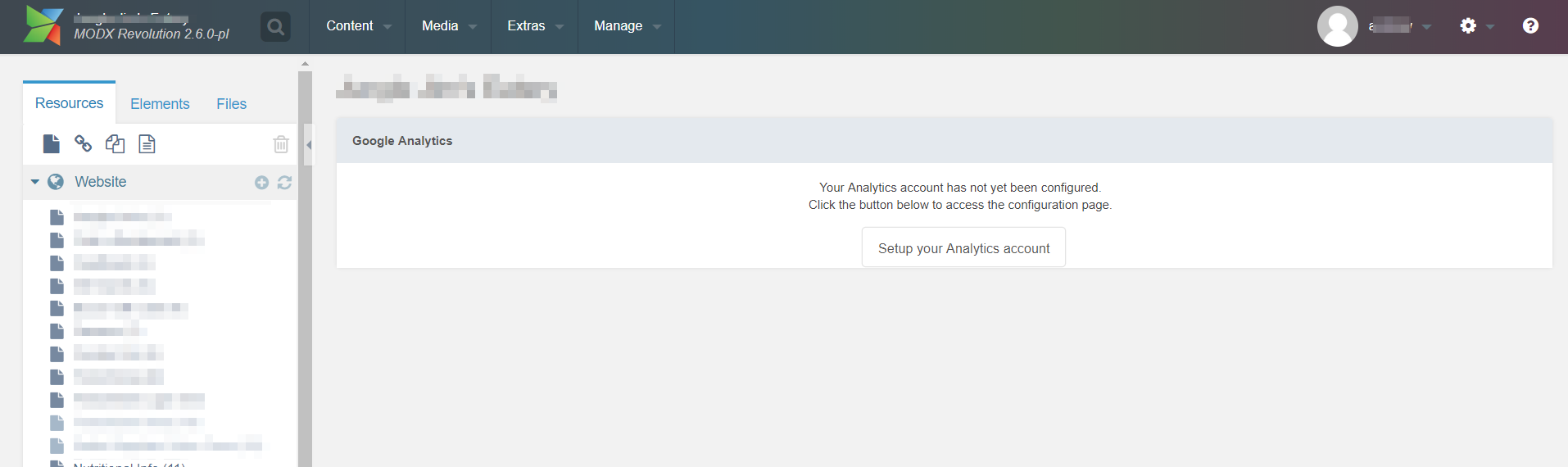
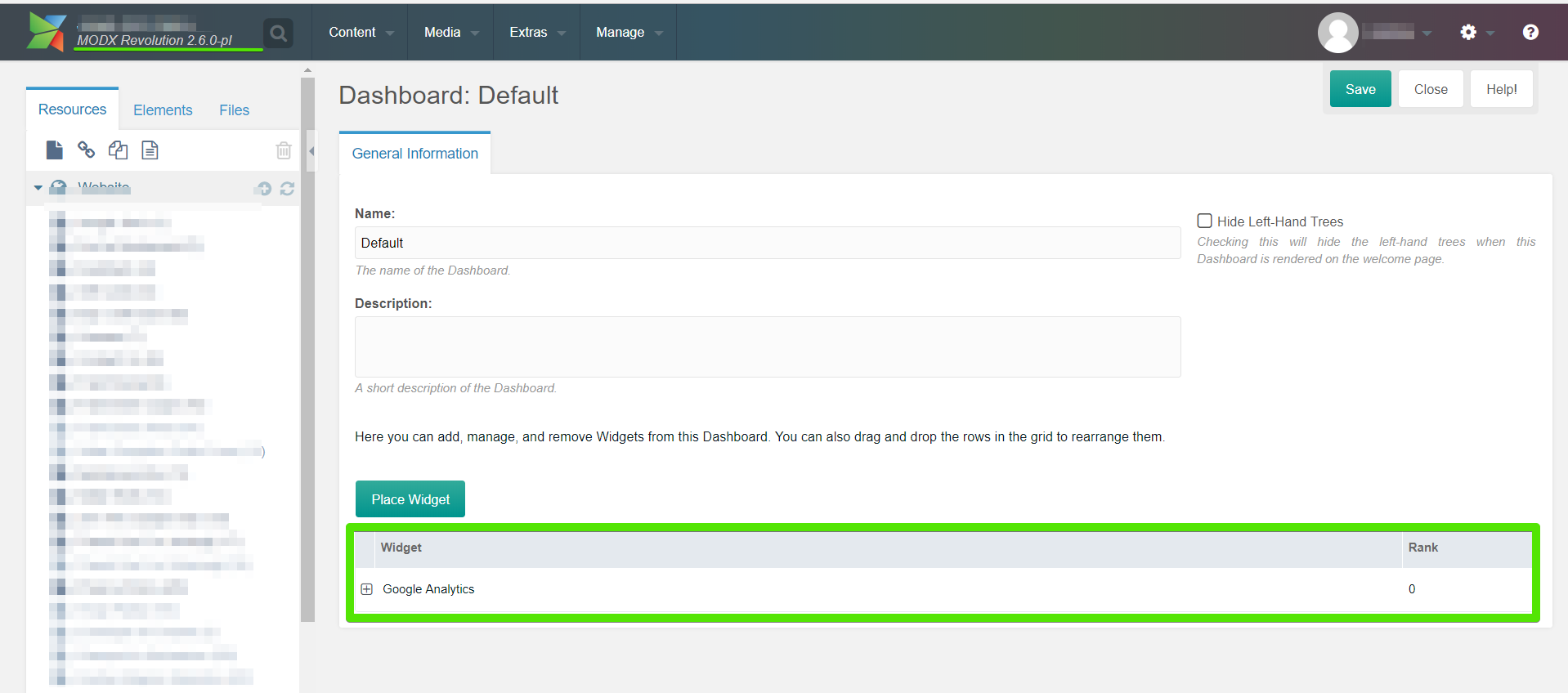
And here is what I've got after upgrade:
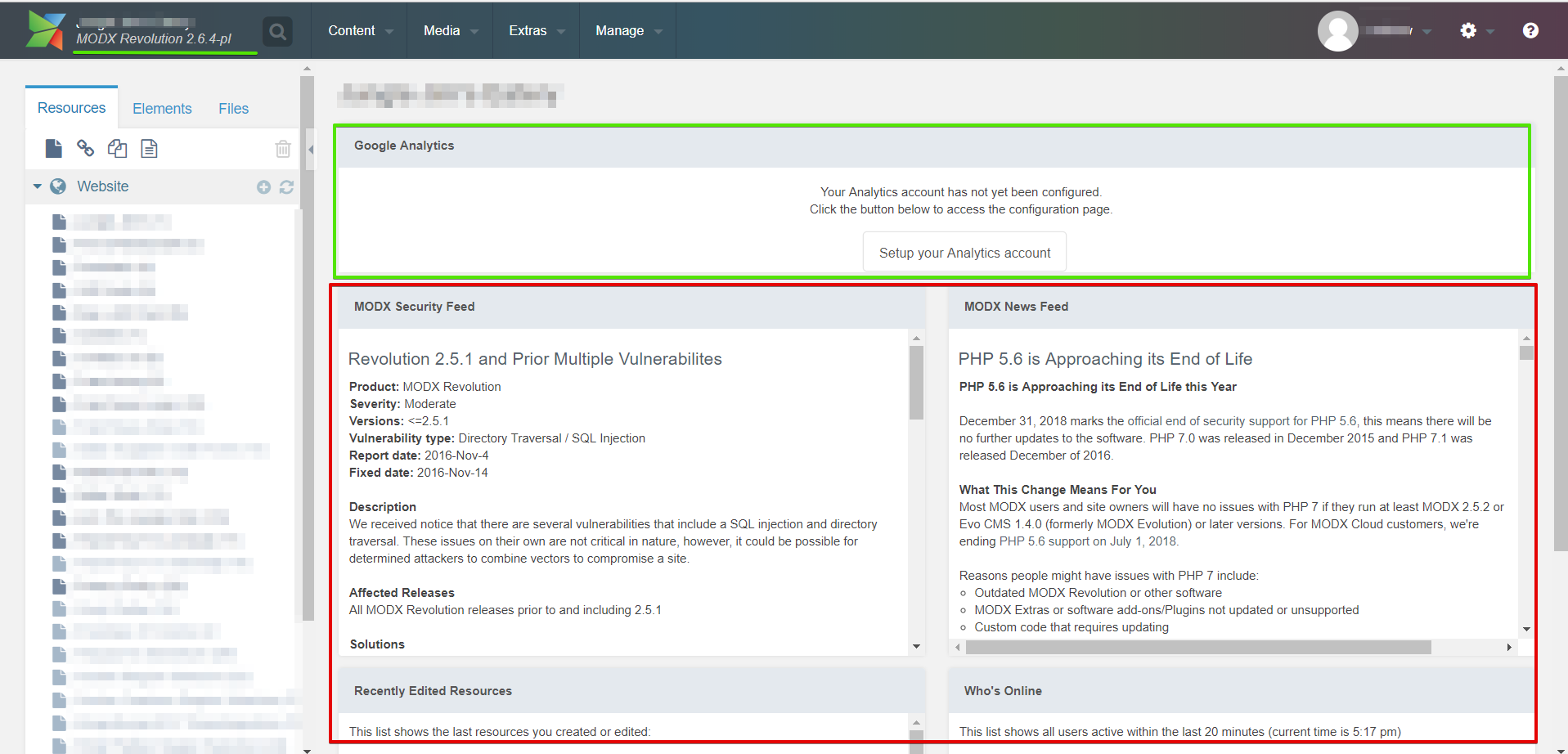
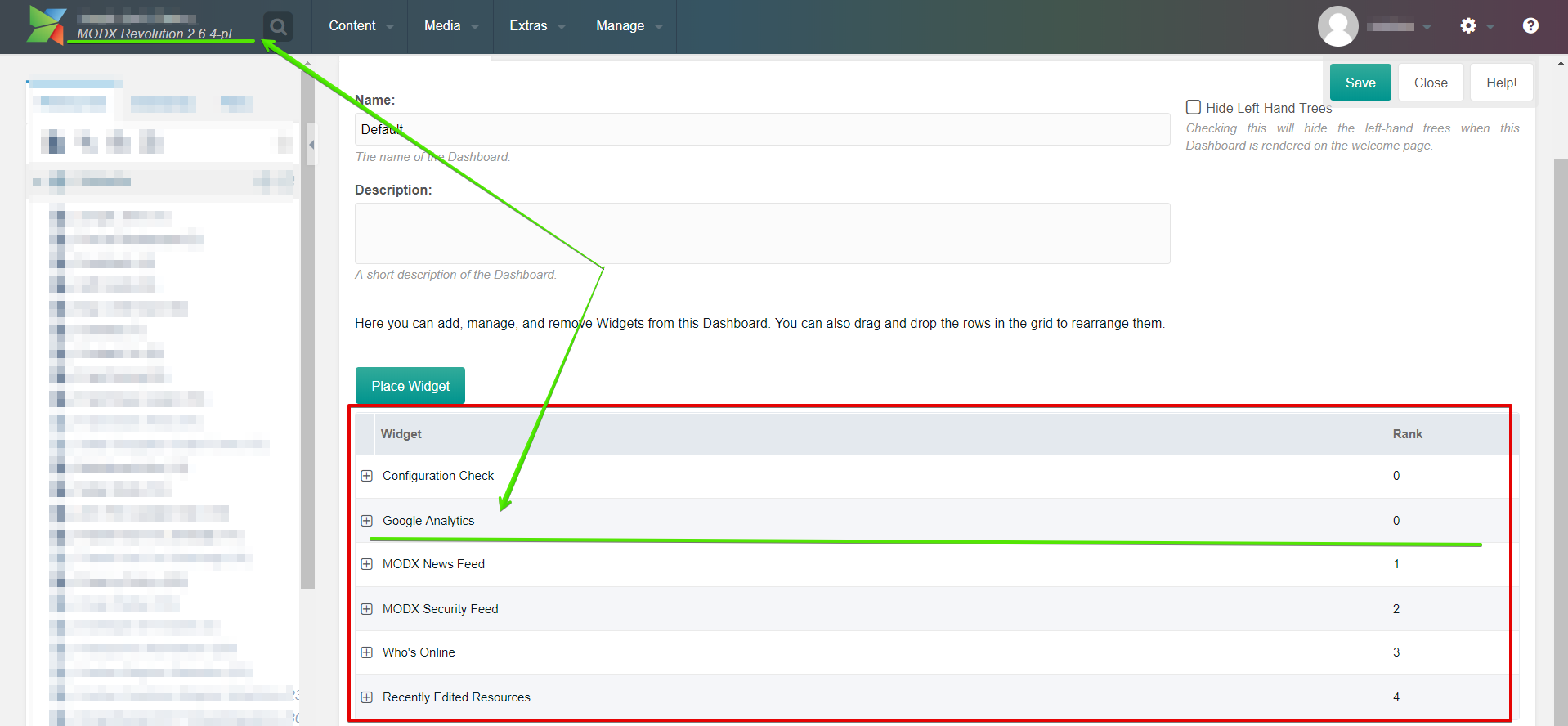
Expected behavior
I believe dashboard settings should not be supplemented or overwritten, everything there should remain the same as it was set before.
Environment
MODX 2.6.0-pl on MODXCloud
 ant-tar
All 7 comments
If wonder if the solution here is to not use the "Default" dashboard if you don't want the settings to
be overwritten during upgrades?
Create a new custom default dashboard that will be safe from upgrades.
 jonleverrier
on 9 Jul 2018
jonleverrier
on 9 Jul 2018
That's right @jonleverrier , will do so! But I've never seen any information (please let me know if exists) that dashboard settings can be overwritten ... It seems strange to me, but if this is feature and not bug - nps, just observation 👍
ant-tar
on 9 Jul 2018
Please, tell me how could I update my MODX Revolution 2.2.14-pl (traditional)? There are not a point of modx upgrade or something like it in the package grid. My Modx was hacked with virus soft. I restored it. But it is very needed to upgrade modx and some plugins. For some reason when I updated all plugins my admin console is collapse or appear bugs on my site.
Thanks in advance
 AlexUnicom
on 23 Jul 2018
AlexUnicom
on 23 Jul 2018
@AlexUnicom https://docs.modx.com/revolution/2.x/administering-your-site/upgrading-modx
The UpgradeMODX extra, available from the package manager, can help make it easier.
 Mark-H
on 23 Jul 2018
Mark-H
on 23 Jul 2018
Dear Mark, Thank you for help
AlexUnicom
on 23 Jul 2018
Hello guys! Can somebody help me to resolve it? If I upgrade my MODX Revolution 2.2.14-pl (traditional) to 2.6.5-pl version the catalogs on site do not work. And if update FormIt extra then an error appears on screen only.
AlexUnicom
on 30 Jul 2018
@AlexUnicom We can't help you with that in the issue tracker. Please post on the forum if you need help with that.
Mark-H
on 13 Aug 2018
Related issues
 travisbotello
·
3Comments
travisbotello
·
3Comments
 Ruslan-Aleev
·
3Comments
Ruslan-Aleev
·
3Comments
 dsuppiger
·
3Comments
dsuppiger
·
3Comments
 netProphET
·
3Comments
netProphET
·
3Comments
 sottwell
·
3Comments
sottwell
·
3Comments