Retroarch: Vulkan Frame Pacing Stutter
Description
Basically whenever i use the Vulkan video driver i get inconsistent frame pacing that results in visible and very distracting jerky micro stutter very noticeable in 2d side scrollers, also noticeable in 3d games. However this only happens when i launch a second game and so on in one session. The first launched game always runs with smooth consistent frame pacing and no visible micro stutter. Let me provide some info. I'm using the latest build of Windows 10. I have a GTX 1080ti (latest drivers) and yes i updated the driver with a clean driver install. I'm also using the latest version of RetroArch (dev) but this also occurs in latest stable. I would also like to say that the problem was occurring before the graceful video driver switching so i don't think it's related to that implementation. I've also tried clean installing RetroArch but it did not resolve the issue. I have Vsync enabled, Swapchain set to 2 (other values make no difference.) This occurs in Borderless fullscreen and true fullscreen, but not windowed mode. No I do not have threaded video enabled. My refresh rate is 60hz. This only happens with the Vulkan video driver. This happens with any core. I've provided a video i recorded with OBS. I don't know why it was unable to capture the gui properly so don't ask. Surprisingly though OBS did capture the inconsistent frame pacing and micro stutter. Pay attention to the frame pacing graph when i launch the first game and see how consistent it is (almost a constant straight line.) Then watch how wavy and inconsistent it gets when i launch another game and so on. The part of the video where the frame pacing returns to normal is when i close RetroArch and relaunch it with the first game, again not sure why OBS was unable to capture that. The frame pacing returns to normal but as soon as i launch another game in the same session it becomes inconsistent and stutters. https://drive.google.com/open?id=1WcSN5KtLYAAdWAvinYyUUVBBcdmrS7WE
Expected behavior
Consistent frame pacing with smooth scrolling.
Actual behavior
Smooth stutter free gameplay.
Steps to reproduce the bug
- Launch RetroArch
- Launch the first game, will have smooth frame pacing.
- Then launch a second, third or fourth game in the same session/instance of RetroArch to produce bad frame pacing and stutter.
Bisect Results
Not sure when it started happening. At one point though it did not do this.
Version/Commit
I have only tested 1.8.0, 1.7.9 and 1.7.8
Environment information
OS: Windows 10 Pro 64bit (Latest Build)
CPU: 8700K
GPU: GTX 1080Ti
RAM: 32GB DDR4
 BParks21
All 65 comments
Perhaps this is due to the emulated mailbox additions. Maybe this could be made optional.
 twinaphex
on 19 Nov 2019
twinaphex
on 19 Nov 2019
@twinaphex Emulated mailbox?
BParks21
on 22 Nov 2019
I have never had decent scrolling on vulkan w/nvidia on windows either.
Even the menu judders horribly.
 fr500
on 24 Nov 2019
fr500
on 24 Nov 2019
I have no idea whether this is related, but I noticed a couple of odd things on my system (Windows 10, Nvidia GTX 1080) with regards to Vulkan. I thought I'd try running with VSync disabled and instead use RTSS's scanline sync mode to avoid tearing.
Firstly, VSync still seems to be enabled even though it is disabled in the menu. At least, no tear lines are visible. Force disabling Vsync in the Nvidia control panel does definitely disable Vsync.
Secondly, I tested using the Genesis Plus GX core, and found that while Retroarch's internal FPS counter seems to display the expected framerate, RTSS reports that it's only running at 30fps. This only happens when VSync is disabled in the menu. The actual VSync state doesn't matter (i.e. whether it's force enabled or disabled), only whether it's disabled in the menu. OpenGL does not exhibit this behaviour. Also, this only applies while in a running emulator; Retroarch's menu always runs at the expected frame rate.
I currently experimenting to see whether enabling VSync (to avoid the 30fps drop) in the menu but actually force disabling it and controlling sync with RTSS produces a smooth experience.
 Silanda
on 27 Jan 2020
Silanda
on 27 Jan 2020
I think this might be an Nvidia Vulkan driver bug. Seeing similar issues in other emulators using vulkan. Maybe when Nvidia releases the vulkan 1.2 drivers this will go away?
BParks21
on 28 Jan 2020
FWIW, I've played around with setting VSync to on in Retroarch but force disabling it in the Nvidia control panel and using RTSS's scanline sync function to push the tearline off screen. It seems to work pretty well.
Silanda
on 28 Jan 2020
Hello. I have this exact problem. Have tried Vsync on/off, through control panel and limiting with RTSS but nothing works, only restarting Retroarch.
 Dantrigger
on 28 Mar 2020
Dantrigger
on 28 Mar 2020
Nvidia really needs to fix this I can reproduce this in all emulators using vulkan, frame pacing is terrible. This is Windows 10, latest build, driver, 60hz display, vsync, no vrr.
BParks21
on 14 May 2020
I can confirm that I'm also experiencing the same thing. I initially thought it was a problem just with the new ParaLLEl core , but it's actually a wider issue with vulkan and it happens with all cores.
What I experienced:
- as @BParks21 noted, the very first time any content is loaded with the video driver set to "vulkan" everything appears to be working smoothly. No frame pacing deviation is observed at all;
- continuing to close content and then load some other content (or even the same playlist entry over and over) within the same session, all while keeping the video driver set to "vulkan", will cause this very apparent microstrutter. The issue goes away only when quitting RA and then restarting it.
I also noticed three other things that might be useful.
1) If you enable the FPS indicator (Settings -> Onscreen Display -> Onscreen notifications -> Display Framerate set to ON) and keep loading new content until the microstutter appears (in my case it's not always with the second content loaded, sometimes it's the third or the fourth one), you will see that the framerate reported in the RA Menu ramps up considerably (north of 800fps!), as if it wasn't being throttled anymore.
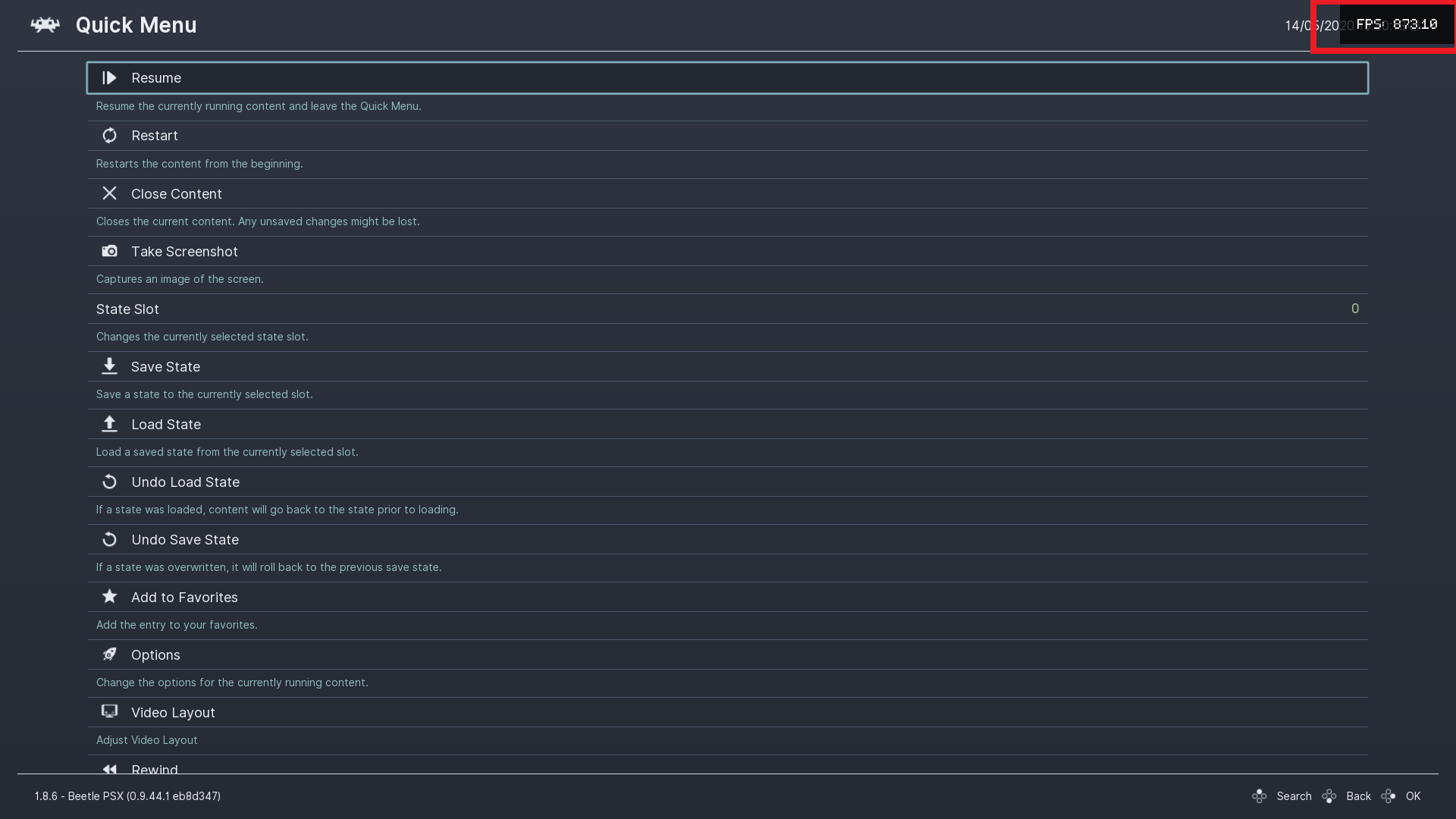
2) Probably related to the FPS increase (or un-throttling) in the Menu: scrolling up or down in the RA Menu goes way faster than normal as a result.
3) When the microstutter / frame pacing deviation kicks in, RA apparently stops using Exclusive Fullscreen properly.
With Exclusive Fullscreen (even with vulkan) when pressing the volume buttons on the keyboard the little volume widget in Windows does not appear on-screen. Instead, when this bug happens and the microstutter starts to show in-game, pressing the volume buttons / volume wheel on the keyboard will make the volume widget appear normally, as if RA was now forcing some form of Windowed Fullscreen.
My setup:
OS: Windows 10 x64 1909
CPU: i7 4790K
GPU: RTX 2070 Super with the latest drivers
RAM: 16GB DDR3
 Ryunam
on 14 May 2020
Ryunam
on 14 May 2020
we have the exact same problem!
and it seems no one cares! it's a shame, it's an old problem!
 asp0909
on 15 May 2020
asp0909
on 15 May 2020
I'm pretty certain this is either an Nvidia driver bug or a Windows bug. Even in standalone emulators that use vulkan this happens. Like upstream ppsspp and dolphin. Can anyone reproduce it in these emulators outside RA?
BParks21
on 15 May 2020
ppsspp does not pass, rpcs3 does not pass, dolphin does not pass, the problem only manifests itself in retroarch when trying to start a second game
asp0909
on 15 May 2020
It would be interesting to see if systems with AMD GPUs also exhibit the same issue, so as to narrow it down further and understand if it’s something that occurs only with Nvidia cards.
Ryunam
on 15 May 2020
Test the Nvidia vulkan 1.2 beta drivers and tell me if it still happens https://developer.nvidia.com/vulkan-driver
BParks21
on 15 May 2020
I am going to test the beta drivers in question on a Windows 10 1709 partition that I still have (same GPU and CPU).
Before uninstalling the current and latest Nvidia drivers, one thing I noticed in the 1709 build compared to the 1909 build is that I never get any microstutter with Parallel, but sometimes I get a few seconds of slowdown (a FPS dip to 40-45 that lasts for 2-3 seconds). With the 1909 build of Windows 10 instead, I never get any slowdown except for some intensive games like Conker, but the aforementioned frame pacing problem happens on subsequent content loads. Weird.
I’ll be posting an update after I test the beta drivers with Vulkan 1.2.
Ryunam
on 15 May 2020
Beta drivers are not making any difference in my testings, unfortunately.
Can you please try the following?
1) Load some content with the video driver set to vulkan, then while in-game press F to switch from fullscreen to windowed, then press F again to go back to fullscreen. See if you get microstutter this way. I can get this even on the first content load, if I switch from fullscreen to windowed and back again to fullscreen.
2) Might be entirely unrelated, but see if under Settings -> Video -> Output -> Screen Resolution you get "N/A" with vulkan.
EDIT: As noted on Discord, when experiencing this stutter with vulkan if I disable Audio Synchronization from the menu, the in-game FPS will increase enormously (700+ FPS). Apparently V-Sync is being dropped with Vulkan (at least on my system) when switching from windowed to fullscreen mode or when loading more content within the same RA session.
Ryunam
on 15 May 2020
@Ryunam I can confirm it reports N/A using vulkan.
BParks21
on 16 May 2020
Hi @BParks21 and @asp0909, can you please try the following steps?
1) Under "Properties" in Windows for retroarch.exe, tick the box in Compatibility for "Disable fullscreen optimizations" and (probably optional) under "Change high DPI settings" also tick the box for "Use this setting to fix scaling problems". This ensures that the W10 optimizations do not interfere with exclusive fullscreen.
2) In RetroArch, make sure that you have:
- Settings -> Drivers -> Video driver set to "vulkan",
- Settings -> Video -> Fullscreen mode -> Start in Fullscreen mode set to "on"
- Settings -> Video -> Fullscreen mode -> Windowed Fullscreen mode set to "off"
- Settings -> Video -> Synchronization -> Vertical Sync (Vsync) set to "on"
- Settings -> Audio -> Synchronization -> Synchronization set to "on"
3) Now load any content / core (preferrably something with 60fps scrolling scenes, like Super Mario World). Let it start, press F to switch to Windowed mode, then press F again to return to Fullscreen mode. See if you get stutter.
NOTE: You may actually have to switch between Windowed and Fullscreen 2-3 times in order to cause the stutter. This is similar to what happens with subsequent content loads basically.
4) If you experience stutter, call back the home RA menu, then go to:
- Settings -> Audio -> Synchronization
Set Synchronization to "off" this time, then return in-game and see if the FPS skyrocket like crazy as if you were using fast-forward.
Many thanks in advance!
Ryunam
on 17 May 2020
@Ryunam I tested the suggested compatibility settings. What i observed was a reduction in the stuttering, but there was still a noticeable jerkiness that isn't present on opengl and d3d. I was also able to reproduce the audio desync causing the the framerate to unthrottle. It was difficult to get it to happen though.
BParks21
on 18 May 2020
Thank you @BParks21 for your patience and for performing these tests. If you were able to reproduce the audio sync / unthrottling occurrence, I’d say all signs now point to a Vsync anomaly with Vulkan.
As noted on Discord, it seems that Vsync “drops” after certain conditions and this would cause the stutter and all the other effects that we have experienced.
Unfortunately I lack the technical skills to investigate this in the code, so let’s wait and hope for someone more competent to look into this.
Ryunam
on 18 May 2020
Just a quick update regarding this stutter problem. I just tested this on my Surface Pro 6 with an Intel GPU (on Windows 10 1909 x64) and I can confirm that it is not happening there.
No matter how many times I load some content with the vulkan driver, there will be no significant frame deviation or sudden stuttering. So I think it can be narrowed down to a Vsync Vulkan issue with Nvidia GPUs on Windows 10.
Ryunam
on 19 May 2020
For me this problem is always there under Vulkan. I don't have to restart a game, all games stutter right from the beginnig. Vsync doesn't work at all even in RA menus.
I'm runnig Windows 10 and GTX1070 and this bug was here for a long time sadly.
 HelicopterP
on 19 May 2020
HelicopterP
on 19 May 2020
Experienced the same issues yesterday when trying out the new ParaLLEl core. Windows 10 and GTX 1060 here.
 rodolfostanic
on 21 May 2020
rodolfostanic
on 21 May 2020
Yeah it's a shame 🙁
BParks21
on 21 May 2020
I tried beta drivers and they completely fixed this problem for me. I've tried multiple cores, toggling between windowed and fullscreen modes, changing shaders, etc and everything works perfect.
HelicopterP
on 22 May 2020
@HelicopterP That's interesting! Which driver version did you try specifically?
Ryunam
on 22 May 2020
HelicopterP
on 23 May 2020
I clean installed Windows and reinstalled the same most recent stable Nvidia driver and updated RA again and i can no longer reproduce it. Perhaps its a problem with Windows. I was already running Wimdows 10 1909. I reinstalled the same version and the issue is gone. Maybe when i upgraded from a previous Windows build something broke. Windows upgrades break things a lot
BParks21
on 23 May 2020
I am on a clean install of Windows 10 x64 1909, so I would lean towards ruling out the possibility of the upgrade being the culprit... But I honestly don't know. Windows can be such a pain sometimes.
I will now try again with the Beta drivers as per @HelicopterP's suggestion and report back here.
Ryunam
on 24 May 2020
Just tested the Nvidia Beta driver 443.15, after using DDU to clean the prior version and then installing it from scratch.
Unfortunately this is not producing any difference on my system. Perhaps the amount of stutter might be just slightly better with the beta driver, but I can consistently reproduce all of the following:
- Start RA with 'glcore' as video driver, in Exclusive Fullscreen mode (volume widget doesn't show when pressing Mute button on the keyboard)
- Load up some 60fps content with scrolling (for instance Yoshi's Story) through the ParaLLEl core, that has an override with video driver set to 'vulkan'
- Upon first loading the content, everything is fine and scrolling is smooth
- Press F to switch to Windowed mode, then again F to go back to Fullscreen
- Exclusive Fullscreen is dropped: I can press the keyboard mute button and the volume widget will show up over RA
- The game stutters visibly
- Menu framerate is unthrottled and scrolling is way faster
- If I go to Settings -> Audio -> Synchronization and set Audio Sync to OFF, the game speeds up like crazy, as if it was fast-forwarding permanently
I have tried also:
- Toggling the "Disable fullscreen optimizations" option under the Properties of retroarch.exe
- Resetting the GPU driver with CTRL+Win+Shift+B when this happens
- Playing with the GameDVR_FSEBehaviorMode flags under HKEY_CURRENT_USER\System\GameConfigStore in the registry
No difference. This happens consistently with the 'vulkan' video driver with all cores.
Ryunam
on 24 May 2020
This is weird, but I did exactly what you did, and everything is fine for me, i.e. volume widget is invisible, scrolling is fine, etc...
There is something wrong with muppen64 and ParaLLEl though. Yoshi's Story runs at full speed, but stutters heavily without Vsync; with Vsync it's absolutely fine. On the opposite Conker's Bad Fur Day is much better without Vsync (it is veeeery slow with Vsync on).
HelicopterP
on 24 May 2020
I can't reproduce the stutter at all anymore on a clean Windows 10 1909 install. Only thing i can trigger is the game speeding up when disable both vsync and audio sync @60Hz. Whats weird is when i disable vsync in yoshis story using the new ParaLLEl core rivatuner reports 30fps instead of 60fps and yoshis story appears as though it is running at 30fps but is experiencing no slowdown from it. If i enable vsync again it reports 60fps in rivatuner and yoshi is clearly running at 60fps again. This is bizarre.
BParks21
on 25 May 2020
Thank you for your reports. A few more questions for you both in order to try and determine exactly what is causing Vsync to be dropped. I’m really clueless about this!
1) Do you guys use multiple monitors? I’m wondering if that has anything to do with this stutter appearing or not.
2) After you respectively did your clean install of Windows (@BParks21) and your beta drivers installation (@HelicopterP), did you perform any extra steps in Windows, like disabling Fullscreen optimizations, disabling the Xbox GameBar and so on?
I might try later on with an Insider 2004 build of Windows on a separate partition and see if it works any better... I’d rather avoid it, but I figure I might as well just go and test all the possible scenarios at this point!
Ryunam
on 25 May 2020
Yes, I'm using multiple monitors, but I always run retroarch on primary monitor. Running it on secondary monitor may lead to all sorts of weirdness - not switching to fullscreen, wrong resolutions, etc. This instability is always there regardless of rendering backend, so I don't think it's related to this issue.
Fullscreen optimisations and Xbox GameBar were disabled even before I installed beta drivers. I didn't do any extra steps - I installed beta drivers, rebooted my PC, and the problem was gone.
HelicopterP
on 25 May 2020
I always use one monitor and every installation of Windows 10 I do I immediately disable all of it's garbage game bar settings. Always causes issue eventually. Really no extra steps. Just installed 7zip and rivatuner.
BParks21
on 25 May 2020
Okay, I have performed a clean install of Windows 10 x64 2004, the newest version that is about to be released, with the latest Nvidia drivers.
I am definitely surprised and glad to say that the issue seems to be fixed! I've done a stress-test with ParaLLEL and everything seems to work smoothly: no judder, no stutter, no undesired unthrottling whatsoever. I will test this some more, but so far seems like it was a Windows oddity in the end...
Ryunam
on 26 May 2020
@Ryunam, what's the driver version you are using with Windows 10 2004?
rodolfostanic
on 27 May 2020
@rodolfostanic Currently using hotfix driver 445.98, which was the latest stable release when I installed Windows 10 2004. You can find it here: https://nvidia.custhelp.com/app/answers/detail/a_id/5022/~/geforce-hotfix-driver-version-445.98
I did try this version with Windows 10 1909, but the stutter was still clearly present and I was getting all the issues described above with Vulkan (unthrottling of the menu, Vsync instability and so on). With this clean install of 2004, everything is working much better... Knock on wood!
I can see that version 446.14 was just released though. I will not test my luck for the time being and simply stick with 445.98 until Nvidia releases a version that fully supports WDDM 2.7.
Ryunam
on 27 May 2020
Did some testing today with no difference in results. I updated my Windows version to 2004 as well and tested two different driver versions (445.98 and 446.14) after cleaning them with DDU.
My hope is that a clean install like you guys did may fix it for me. I'll try it in the next days. Fingers crossed!
rodolfostanic
on 28 May 2020
So, in the hopes of finding out what was so different between my prior Windows 10 1909 installation and the new 2004 partition, I finally understood what was causing the issue on my end.
It was Rivatuner Statistics Server, which I was using for the scanline sync feature, mainly on Steam games.
The weird thing is that, regardless of whether Rivatuner was actually running in the background, the issue persisted until I uninstalled it. Then, just to double-check, I installed Rivatuner once again, disabled it from starting automatically with Windows, terminated all possible instances of the application, then loaded RA with a Vulkan core and - lo and behold - the stutter issue resurfaced. This happens on both Windows 10 1909 and 2004, so it seems to be completely unrelated to the OS.
Once again, this is purely my experience and may not match at all what others are seeing, but Rivatuner is definitely injecting or altering something at startup on my system (even when no executable is running and it's been blocked from autorunning) that is causing Vsync oddities with Vulkan on RA.
Now I need to understand how to possibly preserve Rivatuner and RA and just enable / disable whatever the former is doing when I need scanline sync for other titles. Does anyone know how to completely disable RTSS from loading its hooks at startup?
Ryunam
on 1 Jun 2020
I also use scanline sync only for some applications, not global, and have no issue with RA.
 sonninnos
on 1 Jun 2020
sonninnos
on 1 Jun 2020
@sonninnos Could you try the following very quickly if you have MSI Afterburner / Rivatuner installed?
- Start RA, set video driver to vulkan, then run any content with the Parallel core;
- press F to switch from Fullscreen to Windowed, then again to Fullscreen;
- press Mute on your keyboard and see if the W10 volume widget shows up over RA after going back to fullscreen mode.
Ugh, this is becoming a huge headache...
Ryunam
on 1 Jun 2020
The volume widget isn't showing in fullscreen, not even in windowed fullscreen.
sonninnos
on 1 Jun 2020
So weird... Normally it would not be showing here either. But if I have Afterburner or Rivatuner even just simply installed and use Vulkan with RA, the aforementioned steps will make the volume widget appear consistently over the RA window and will introduce stutter / frame deviation.
EDIT: Just tried also with a completely brand new retroarch.cfg file. Nothing, still does it. If I uninstall Rivatuner completely, I get perfect Vulkan performance.
Ryunam
on 1 Jun 2020
Hmm, try resetting the inject cache: Setup > General > Injection properties. Just spitballing here, but once for some mystical reason many Steam games stopped launching completely when RTSS was running until I found & hit that button.
sonninnos
on 1 Jun 2020
Tried it now, nothing. I have tested the following so far, to no avail:
- the injection cache reset button that you suggested;
- manually excluding retroarch.exe in the list of applications, by setting its detection to None;
- setting the Global entry with a detection value of None;
- closing RTSS entirely, disabling its autostart feature, rebooting and starting RA;
- disabling in RTSS all the boxes under Compatibility Properties, one by one.
Ryunam
on 1 Jun 2020
How could RTSS be causing issues when it's not even running? I've never had it set to run at startup.
BParks21
on 1 Jun 2020
By logic I would completely agree with your statement, but I could consistently reproduce the following: if I merely install RTSS and disable it from running, the issue happens. If I uninstall RTSS, the issue is gone.
Ryunam
on 1 Jun 2020
I've clean installed Windows 1903 and 1909 with RTSS and i haven't reproduced it yet.
BParks21
on 1 Jun 2020
Okay, I found something in the meantime: if I rename the "Vulkan" folder to something else (for example "Vulkan-old") under C:\Program Files (x86)\RivaTuner Statistics Server, then reboot the OS, the problem goes away entirely. Restoring the folder to its original "Vulkan" name reintroduces the issue.
So at least on my system those 4 files in the Vulkan RTSS folder seem to be interfering with RA. This is the weirdest thing for sure!
Ryunam
on 1 Jun 2020
Whut, I don't have that directory there at all.. what are those files?
sonninnos
on 1 Jun 2020
Maybe they were added in version 7.3.0 Beta 4 of RTSS, which is the one I'm using right now. The 4 files in the "Vulkan" folder are:
- RTSSVkLayer32.dll
- RTSSVkLayer64.dll
- RTSSVkLayer32.json
- RTSSVkLayer64.json
EDIT: Yeah, I checked in the RTSS folder of version 7.2.2 that I had on another Windows partition. No Vulkan folder there.
Ryunam
on 1 Jun 2020
Yeah I'm using the 7.2.3 stable and I don't have the vulkan-old folder just vulkan. Perhaps i was using beta on my installation of Windows where i was having the issue.
BParks21
on 1 Jun 2020
ok guys ... your long conversation is very interesting during these weeks ... i have the partial solution .... the problem is not windows, there is a problem in riva tuner ... completely uninstall and clean records, also delete residual folders of the program! I have not seen the frame time and the fps but; I have not tried to do another clean installation of riva tunner, I hope it works for you guys .... greetings
asp0909
on 2 Jun 2020
new data .... perform a new installation of msi afterburner with riva tuner, the problem returned, even when closed it persists, as I said before and as a definitive solution, do not install riva tuner
asp0909
on 2 Jun 2020
Doesn't happen for me with stable, riva.
BParks21
on 2 Jun 2020
@asp0909 At least I'm not the only one! Your case is identical to mine. As I was saying before, with 7.30 beta 4 of RTSS I could fix this by renaming the "Vulkan" folder, preventing the RTSSVkLayer DLL files from being hooked.
I'm not sure if this workaround is viable with prior versions of RTSS, since apparently they lack this Vulkan folder. I also don't understand at all why we are experiencing this conflict, while other people are not having any issue with it (of course that's great for everyone else, but still). This is on a clean install of Windows, there's literally nothing else that could possibly affect it and it's clear that it's caused by RTSS just being installed and those files being hooked.
I went to talk about this to Unwinder, the developer of RTSS. Here is the thread I opened on the Guru3D forums: https://forums.guru3d.com/threads/v-sync-oddity-with-rivatuner-installation-and-retroarch-with-vulkan-driver.432532/#post-5794813
This is their response on the matter:
Cannot help with that, sorry. RTSSVkLayer are passive bootstap layers that do nothing but passing through and saving Vulkan device/swapchain creation parameters. I have no ideas what RetroArch is doing and why standard Vulkan layer break its functionality (if they do).
@Themaister Sorry to bother you, I'm taking the liberty to ping you once more about this issue. Just to understand, given the response from the RTSS dev about these RTSSVkLayer files, do you think there is something to be done on the RetroArch side? I would be more than available for any test.
EDIT - Another response from Unwinder:
Implicit Vulkan layers are inntended to be permanently active by design of API, so there is no cleaner and appropriate way. Alternate way to restrict a layer is disable_environment variable referenced in corresponding JSON.
That explains why the problem occurs even when RTSS is not running in the background.
Ryunam
on 2 Jun 2020
I think I nailed it down. That's definitively a bug in that tiny RTSS Vulkan bootstrap layer, which resulted in leaking Vulkan instance & device handles. So the application performing full Vulkan context reinit on display mode switch like RetroArch couldn't get true exclusive fullscreen mode after entering it once and destoying that Vulkan context. New beta with a fix will be available in the next couple days.
 AlexUnwinder
on 3 Jun 2020
AlexUnwinder
on 3 Jun 2020
@Ryunam This is clearly a layer bug. Glad you root caused it though.
 Themaister
on 3 Jun 2020
Themaister
on 3 Jun 2020
I'm really glad that this was identified! Thank you @AlexUnwinder for getting involved and also for writing your findings here. I will look forward to trying out the new beta.
Ryunam
on 3 Jun 2020
Thanks for looking into this everyone, this was driving me crazy!
BParks21
on 3 Jun 2020
New RTSS beta is available, give it a try:
https://forums.guru3d.com/threads/rtss-6-7-0-beta-1.412822/page-122#post-5797841
AlexUnwinder
on 10 Jun 2020
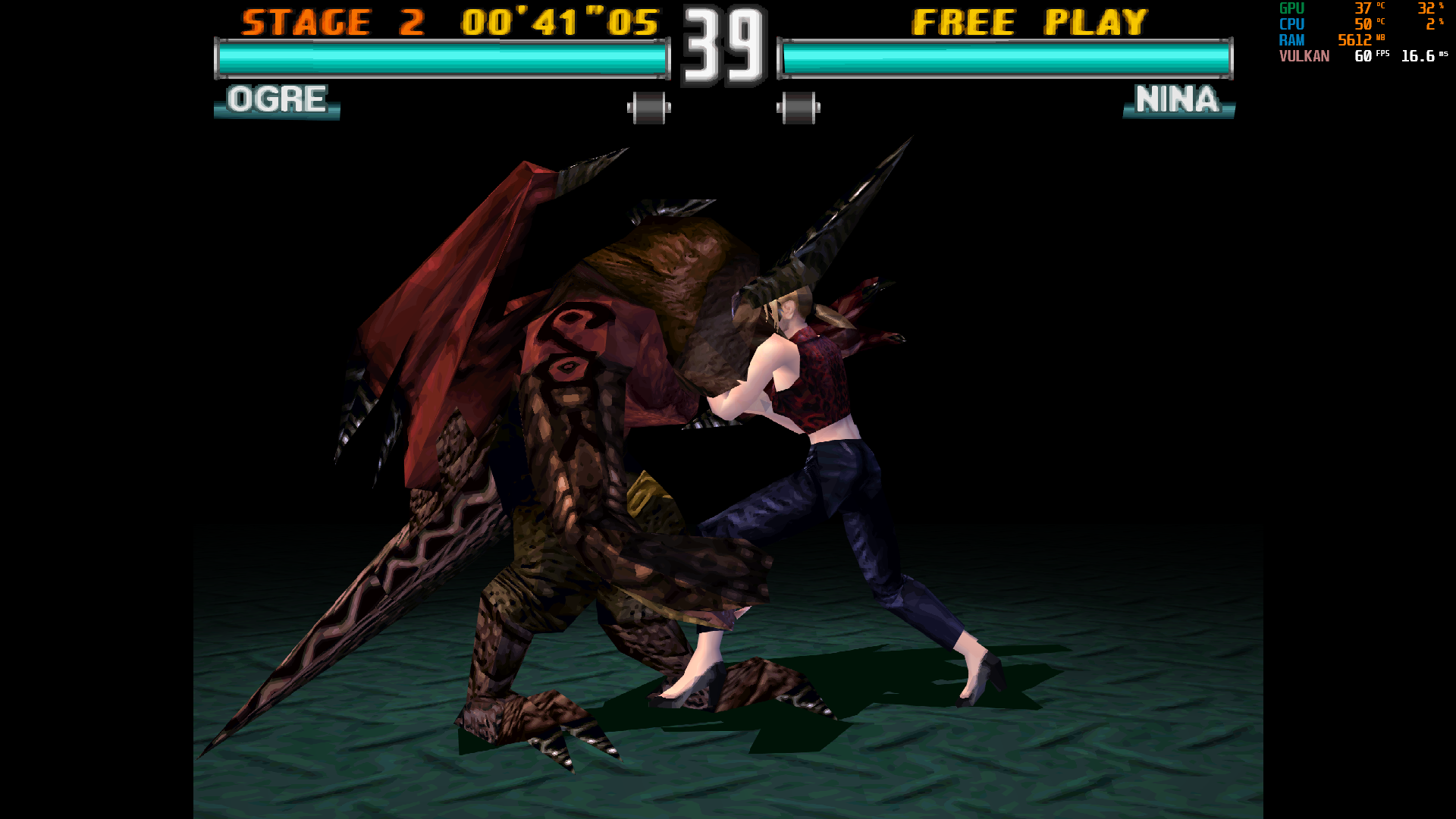
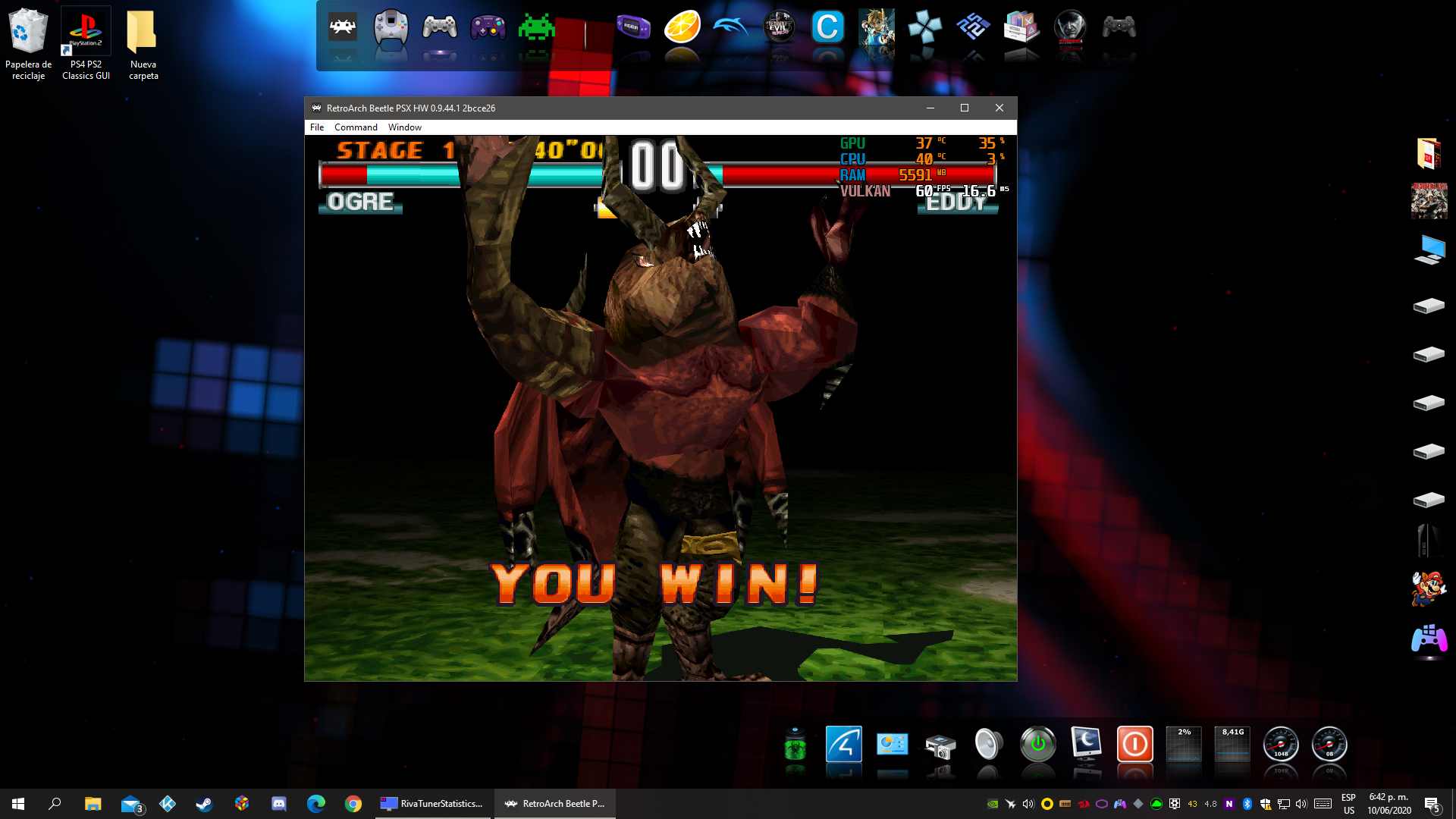
the problem has been completely resolved. I've done a lot of testing, the tearing is gone, the fps and frametime stay strong! Thanks a lot!
asp0909
on 11 Jun 2020
Excellent, thanks for testing ;)
AlexUnwinder
on 11 Jun 2020
Just took some time to finally test the new beta. It works perfectly! No more stutters with Vulkan and RA is definitely keeping Exclusive Fullscreen now after switching between windowed and fullscreen modes.
Thanks a lot for working on this and devising a solution so quickly. Very much appreciated.
Ryunam
on 13 Jun 2020
Related issues
fr500
·
4Comments
 orbea
·
3Comments
orbea
·
3Comments
 ghost
·
3Comments
ghost
·
3Comments
 Alex793
·
3Comments
Alex793
·
3Comments
 parkerlreed
·
3Comments
parkerlreed
·
3Comments
Most helpful comment
New RTSS beta is available, give it a try:
https://forums.guru3d.com/threads/rtss-6-7-0-beta-1.412822/page-122#post-5797841