Description
If you add a bunch of games to your playlists, and then remove some individual games from the file system, you'll end up with outdated playlists. There will be games that are listed in the playlist, but the file is no longer there.
It would be great if there was a "Clean Playlists" option in Settings > Playlists > Playlist Management that would go through each entry in each playlist, and remove entries whose files are no longer there.
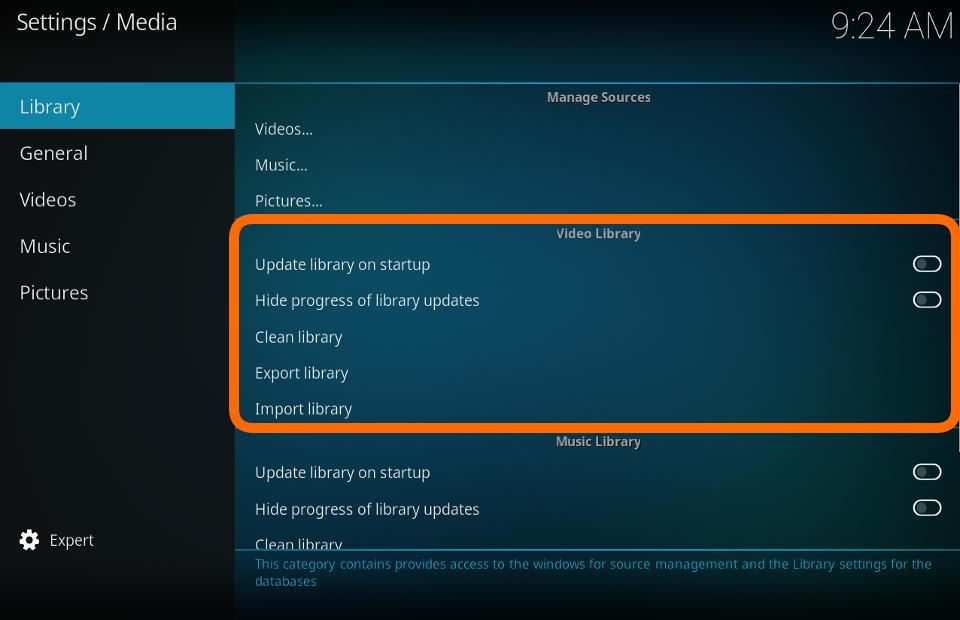
This is similar to Kodi's Clean Library feature, which will remove entries from your media library that are no longer there.
Expected behavior
- Add games to a playlist
- Remove some games from the file system
- Use the Settings > Playlists > Playlist Management > "Clean Playlists" option
- See that the files that you removed no longer appear in the playlist
Actual behavior
- Add games to a playlist
- Remove some games from the file system
- Try to play a game that you had removed from the filesystem
- See that RetroArch complains that the game no longer exists
Steps to reproduce the bug
- Add games to a playlist
- Remove the files from the file system
- Try to play a game that you had removed from the filesystem
- RetroArch complains that the game no longer exists
 RobLoach
All 3 comments
Ah, I've been meaning to do this for ages!
I have a few other things to take care of first - I'll try to get it done next week :)
 jdgleaver
on 8 Jan 2020
jdgleaver
on 8 Jan 2020
@RobLoach This should do the trick: https://github.com/libretro/RetroArch/pull/10013
jdgleaver
on 15 Jan 2020
Whoa! Nice work! Scanned to create a playlist, deleted a file, used "Clean Playlist", and the entry was removed. Very slick :cat: :tophat:
RobLoach
on 16 Jan 2020
Related issues
 hyarsan
·
4Comments
hyarsan
·
4Comments
 rrooij
·
3Comments
rrooij
·
3Comments
 fr500
·
4Comments
fr500
·
4Comments
 alki-apps
·
3Comments
fr500
·
3Comments
alki-apps
·
3Comments
fr500
·
3Comments