Retroarch: XMB going into "start directory" disable playlist thumbnails
Using XMB, do "load content", enter "start directory".
Then cancel twice to come back to your playlists: thumbnails aren't displayed any more.
You have to quit Retroarch and start it again for them to show again.
Retroarch 1.6.1, Win7 x64, OpenGL.
 Tatsuya79
All 17 comments
Confirmed on Linux also, latest commit.
 bparker06
on 20 Jul 2017
bparker06
on 20 Jul 2017
Something similar happens when you use the disk control interface and with subsystem, if you don't have a browser dir set it starts here:

And then it flat out doesn't work. I suspect that getting to the top level dir resets type.
 fr500
on 19 Mar 2018
fr500
on 19 Mar 2018
Here it's not the top of the browser dir that stops the thumbnails from displaying, it's entering the "Start directory" link itself.
(I tried with default browser dir too)
Removing that part in XMB fixes that issue but I'm not sure that's a proper fix.
Tatsuya79
on 19 Mar 2018
That "Start Directory" is using
MENU_ENUM_LABEL_RGUI_BROWSER_DIRECTORY
MENU_ENUM_LABEL_VALUE_RGUI_BROWSER_DIRECTORY
in menu\menu_setting.c.
While in menu\drivers\xmb.c it uses
MENU_ENUM_LABEL_VALUE_FAVORITES
MENU_ENUM_LABEL_FAVORITES
I wonder if that causes confusion in the cbs files.
Tatsuya79
on 19 Mar 2018
@Tatsuya79 Is this still a problem? Doesn't seem to happen with the master.
 orbea
on 3 Jan 2019
orbea
on 3 Jan 2019
Just replicated it on win7 x64.
But it doesn't need a restart to make the thumbnails display again:
just going into "Load Content" or "Load Core" and then going back to the playlists, the pics are displayed again.
Tatsuya79
on 3 Jan 2019
Maybe I'm doing something wrong, could you spell out the directions to reproduce? :)
orbea
on 3 Jan 2019
-have some thumbnails working with a playlist in XMB
-go to "Load Content" then into "Start Directory"
-go back twice to the main menu with your playlists
-thumbnails aren't loading any more
Tatsuya79
on 3 Jan 2019
Thanks, but I still seem unable to reproduce it here.
- I have thumbnails set to box arts.
- I checked that it shows for Cave Story, it does.
- I went to
Load Content -> Start Directory. - I hit
backspacetwice. - The Cave Story boxart is still visible.
I did this both with and without the start directory directory configured without any changes.
orbea
on 3 Jan 2019
Well, win7 x64 here.
Tatsuya79
on 3 Jan 2019
@bparker06 Also confirmed it before on Linux, but I'm afraid he never replies to my questions...
I guess there might be some specific setting you have enabled and I don't that is causing this?
orbea
on 3 Jan 2019
@orbea Say what? I'm not ignoring you... if I didn't answer your question I probably just didn't see it. Apologies
bparker06
on 3 Jan 2019
That's a first in a while. :)
If you haven't noticed I pinged you about several issues and some PRs for a while now without replies. You do seem to reply when I am not pinging you though so I have been confused.
That said, can you still reproduce this on linux?
orbea
on 3 Jan 2019
Ok I'm gonna explain this yet again.
Whenever you get to this list in any file list:
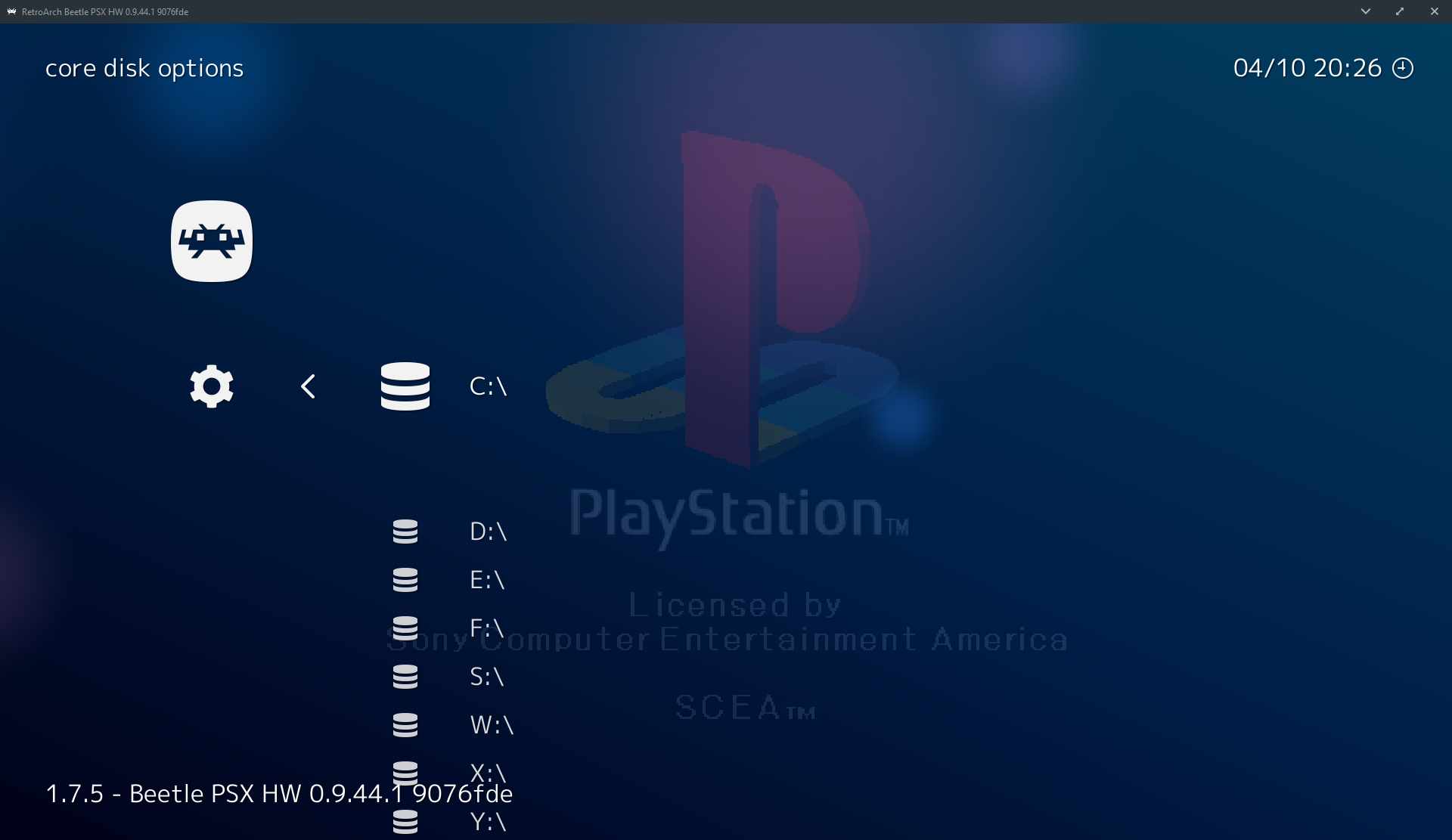
Shit breaks, that is because that particular list (I think windows only) is not really the regular file list, so when you reach that screen all the callbacks that were set on the file list are cleared.
This is the reason disk image control sometimes break, also subsystem loading, because once you reach that.... well all bets are off.
fr500
on 3 Jan 2019
I haven't tested all those systems well, but I have not had any problems with the equivalent screen in linux and I suppose it was fixed for linux and not windows at some point?
orbea
on 3 Jan 2019
Finally fixed with jdgleaver recent changes I assume. :smiley:
Tatsuya79
on 16 Mar 2019
It could be also related to the fix for subsystem and the disc control interface where the root directory also broke it, regardless glad to hear its fixed!
orbea
on 16 Mar 2019
Related issues
fr500
·
4Comments
 blackman91
·
3Comments
blackman91
·
3Comments
 bslenul
·
3Comments
bslenul
·
3Comments
 parkerlreed
·
3Comments
parkerlreed
·
3Comments
 alki-apps
·
3Comments
alki-apps
·
3Comments