Refined-github: Highlight new Refined GitHub features in dashboard
Continuing from #637
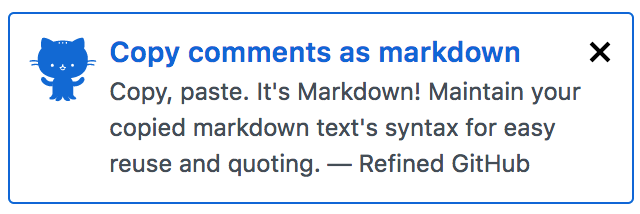
Refined GitHub could use GitHub's dashboard broadcasts/notifications to highlight our own recent big changes and features (and implemented as a reusable package)
 fregante
All 8 comments
I like how OctoLinker does a GitHub release full of info and emoji and then they open it when the extension updates to a new minor version.
 hkdobrev
on 16 Nov 2017
hkdobrev
on 16 Nov 2017
I like this implementation: https://github.com/vitalets/github-trending-repos
- [x] Create
locked+closedissue - [ ] Manually add comments whenever some worthwhile feature is added
- [x] Open page when users install it, prompting them to follow if they want. Old users will get a one-time tab as well.
This requires very little coding/maintenance. Just open the tab on install, remember this event in chrome.storage, then just update the thread whenever.
fregante
on 5 Mar 2018
Sounds good :)
 sindresorhus
on 5 Mar 2018
sindresorhus
on 5 Mar 2018
Done. Checkout the next two references.
Collaborators can add comments as needed, but knowing that everyone will be notified.
The comment can probably just be exactly what we add to readme.md (the markdown link as is) plus the PR, perhaps. Low effort.
- [Show issue resolution in header (was it closed by a PR?)](https://user-images.githubusercontent.com/1402241/35973522-5c00acb6-0d08-11e8-89ca-03071de15c6f.png)
- [Adds links to the default branch and to the latest semver release](https://user-images.githubusercontent.com/1402241/36961980-389bd2b0-2080-11e8-8bff-bb8af52e7128.png)
However, we probably need to just update the second comment or else the latest info will be at the bottom. Perhaps:
- Copy the previous comment's content
- Create new comment with the updates
- Append the previous comment's content
- Delete the previous comment
This way we get the notifications and we keep the discussion to 2 comments.
fregante
on 5 Mar 2018
@bfred-it Or we can just reverse the comment order in RG ;)
sindresorhus
on 5 Mar 2018
Or hide all comments except for the last one (newest).
sindresorhus
on 5 Mar 2018
Sure. Code vs manual work. 😃
We can collapse the old ones but we should still delete them at that point otherwise the page will become too long.
fregante
on 5 Mar 2018
Related issues
 durka
·
3Comments
durka
·
3Comments
 pawelad
·
3Comments
pawelad
·
3Comments
 MilesBHuff
·
3Comments
MilesBHuff
·
3Comments
 olso
·
3Comments
olso
·
3Comments
 vanniktech
·
3Comments
vanniktech
·
3Comments
Most helpful comment
I like this implementation: https://github.com/vitalets/github-trending-repos
locked+closedissueThis requires very little coding/maintenance. Just open the tab on install, remember this event in
chrome.storage, then just update the thread whenever.