Redwood: Netlify Deploy Hang/Fail following Tutorial deployment step (v0.6.0)
Hi All,
First off - ace tutorial! Followed it step by step until the end.
The site builds on Netlify successfully without the build plugins enabled. Once the build plugins are enabled it hangs at:
10:49:12 PM:
10:49:12 PM: ┌─────────────────────────────┐
10:49:12 PM: │ Netlify Build │
10:49:12 PM: └─────────────────────────────┘
10:49:12 PM:
10:49:12 PM: ❯ Version
10:49:12 PM: @netlify/build 0.3.9
10:49:12 PM:
10:49:12 PM: ❯ Flags
10:49:12 PM: mode: buildbot
10:49:12 PM:
10:49:12 PM: ❯ Current directory
10:49:12 PM: /opt/build/repo
10:49:12 PM:
10:49:12 PM: ❯ Config file
10:49:12 PM: /opt/build/repo/netlify.toml
10:49:12 PM:
10:49:12 PM: ❯ Context
10:49:12 PM: production
10:49:14 PM:
10:49:14 PM: ❯ Loading plugins
10:49:14 PM: - @netlify/plugin-functions-core from build core
10:49:14 PM: - [email protected]
10:49:14 PM:
10:49:14 PM: ┌───────────────────────────────────────────────────────────┐
10:49:14 PM: │ 1. onPreBuild command from @netlify/plugin-functions-core │
10:49:14 PM: └───────────────────────────────────────────────────────────┘
10:49:14 PM:
10:49:14 PM:
10:49:14 PM: (@netlify/plugin-functions-core onPreBuild completed in 3ms)
10:49:14 PM:
10:49:14 PM: ┌───────────────────────────────────────────────────────────┐
10:49:14 PM: │ 2. onPreBuild command from netlify-plugin-prisma-provider │
10:49:14 PM: └───────────────────────────────────────────────────────────┘
10:49:14 PM:
10:49:14 PM: Replaced provider with `provider = "postgresql"`
10:49:14 PM:
10:49:14 PM: (netlify-plugin-prisma-provider onPreBuild completed in 5ms)
10:49:14 PM:
10:49:14 PM: ┌──────────────────────────────────────────────────────────────────┐
10:49:14 PM: │ 3. build.lifecycle.onBuild command from netlify.toml config file │
10:49:14 PM: └──────────────────────────────────────────────────────────────────┘
10:49:14 PM:
10:49:14 PM: $ yarn rw db up --no-db-client && yarn rw build
The repo I am deploying is available here - but I don't think this is a code thing, I think something with the recent release of build plugins must have broke something for your deploy process. But I might be wrong!
 ehowey
All 7 comments
Hi @ehowey Thanks for the kind words about the tutorial. But sorry the deployment didn’t finish with a 🚀
I just re-deployed my test Redwood Tutorial App successfully. Repo is here:
https://github.com/thedavidprice/redwood-tutorial-test
The Netlify build does hang for a bit on $ yarn rw db up --no-db-client && yarn rw build. I’m wondering what happened to the overall deploy status on Netlify — if you look at the status at the top of the page where you copied your “Deploy Log”, what does it say? Mine reads “Published deploy”. Here’s the screenshot:
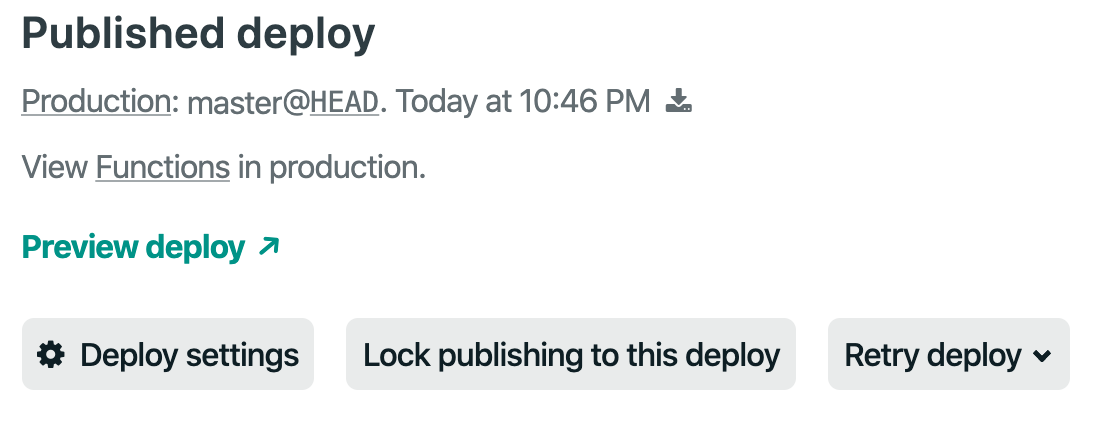
Could you try the button “Retry deploy” and report back? Regardless, we’ll dig into this further and check with the Netlify crew to see if things have changed on their end.
Thanks!
 thedavidprice
on 25 Apr 2020
thedavidprice
on 25 Apr 2020
Hey David,
Thanks for the quick response. Forked your tutorial repo - failed at the same spot for me. Which is odd indeed. I am going to chalk this up to some kind of weird bug that isn't worth fixing right now. Maybe something to do with Heroku? Who knows.
The tutorial was great - gave a great feel for Redwood and what it can do! Nice work - excited to see where you all go with this. I going to close this for now.
ehowey
on 26 Apr 2020
@ehowey This could be a cause -- the repo you provided doesn't define a Postgres URL.
You need to add something like this to your netlify.toml:
[context.production.environment]
  DATABASE_URL = 'postgresql://PASSWORD@HOST:5432/DBNAME?connection_limit=1'
  DB_PROVIDER = 'postgresql'
The plugin doesn't have enough info to replace your sqlite provider.
You may have the equivalent info in your local .env file, which could allow the build to work locally when running yarn rw dev or netlify dev, depending on other configurations -- but the .env file isn't used at all during a remote Netlify deployment -- isn't even checked in.
 chris-hailstorm
on 27 Apr 2020
chris-hailstorm
on 27 Apr 2020
Update: I have reproduced the build failure
Re-opening this issue as I was able to reproduce the build "hang" for a new Redwood App running v0.6.0 and deploying on Netlify. The deploy log hangs on yarn rw db up --no-db-client && yarn rw build
I can successfully re-deploy a previous Redwood App, upgraded to v0.6.0, that I host on Netlify. I suspect there is an issue enabling the required Netlify build settings -- something likely changed with the Beta Build environment or configuration.
I have reported the issue to Netlify.
thedavidprice
on 27 Apr 2020
Update
There is a problem with deployment when the Prisma migrate command attempts to apply migrations to a Redwood App’s DB. This affects both new sites and existing sites requiring DB migration updates.
Existing sites _without_ DB migrations are be able to deploy successfully.
Workaround
It is possible to deploy by changing the name of the ENV var used by Prisma for the DB connection.
Step 1: modify schema.prisma file
Change line 3 to replace DATABASE_URL with DATABASE.
datasource DS {
  provider = "sqlite"
  url      = env("DATABASE")
}
Step 2: change the Netlify ENV var
From the Netlify site settings “Build & Deploy” / “Environment” / “Environment Variables”, change the name of the ENV var from DATABASE_URL to DATABASE.
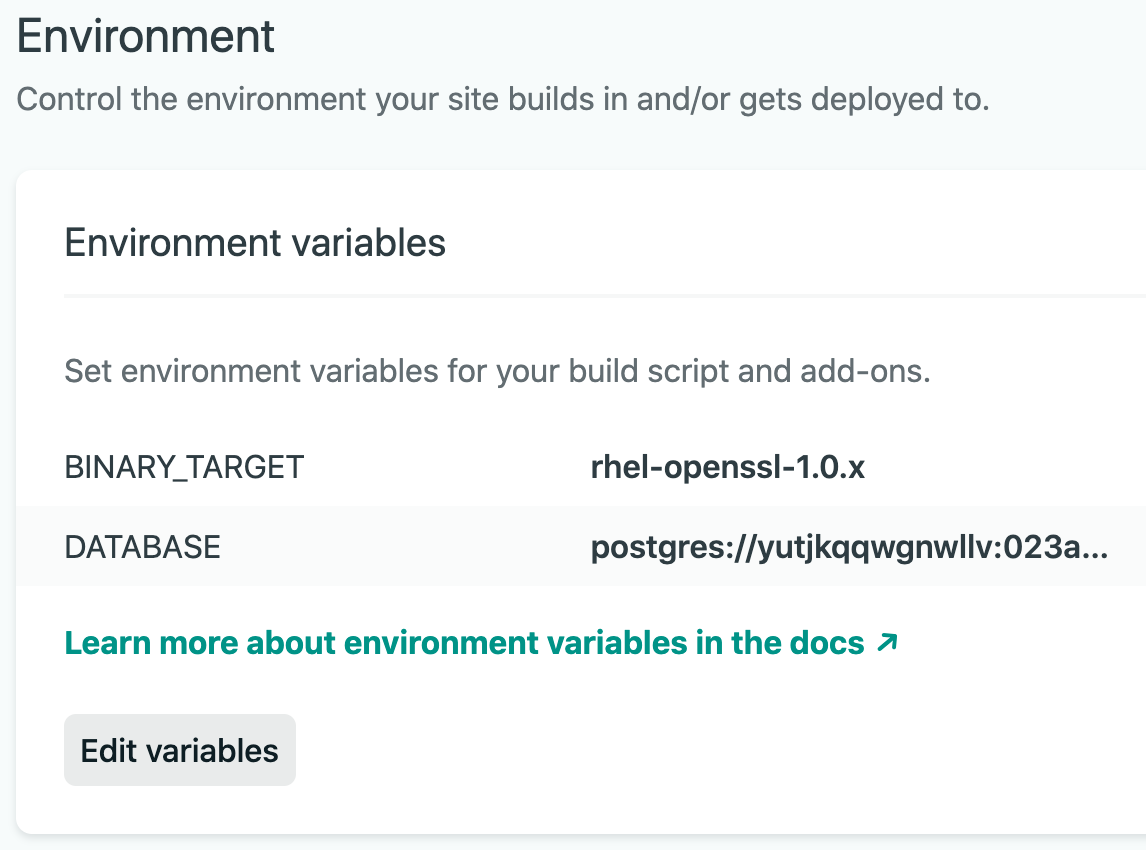
Next Steps
We are working directly with Prisma on a permanent solution, at which time we hope to deploy a patch release along with any instructions (if necessary).
Ideally sites will be able to use either DATABASE or DATABASE_URL for backwards compatibility.
We’ll update here once we know more.
thedavidprice
on 28 Apr 2020
Changing DATABASE_URL to DATABASE and re-deploy fixed the issue for me.
Also had to change the naming in .env.defaults and do yarn rw db up again
 bodazhao
on 29 Apr 2020
bodazhao
on 29 Apr 2020
Update: Resolved via Plugin Workaround
Thanks to @cannikin this issue has been resolved via the Redwood Netlify Plugin.
How to apply the fix to your App
In the main package.json, upgrade the Redwood Netlify plugin to v0.3.0:
"netlify-plugin-prisma-provider": "^0.3.0"
If you previously made adjustments to your provider ENV var name, make sure you are using the same name locally and on Netlify.
All new installations of Redwood will include this upgraded version of the plugin.
What the 🤬 happened?
Prisma beta3 changed the way migration files are validated against schema.prisma (and effectively the deployment DB). The new logic looks for matching datasource provider and url values between a migration steps.json file and schema.prisma. However, if the url values are not the same, the migration will run successfully and complete the deploy. This is unexpected behavior, which allowed the previous workaround of switching the url value _after_ a migration was created. It also made it challenging to debug.
Using different databases for local development (e.g. SQLite) and deployment (e.g. Postgres) is _not_ recommended for a robust, production-ready development workflow. We use this process in the Redwood Tutorial because it's an efficient process for _learning how to use Redwood_.
But Prisma's primary goal is, rightfully, hardening the DB migration process, which makes our Tutorial implementation a bit of an edge case. To be clear, the Redwood team couldn't be more excited about the state of Prisma 2 and the momentum with which they are cranking out a great product. And they're working on a permanent improvement to this process via a feature that will make the datasource provider dynamic via environment variables. (Quick, everyone go upvote this feature!!)
Thanks to countless people from both Prisma and Netlify who helped us out this week. Rob and I threw some pretty wacky debug ideas at you, and you were up for every single one of them. It's simply a pleasure to be a part of such a great community. 🚀
thedavidprice
on 2 May 2020
Related issues
 slavakurilyak
·
4Comments
slavakurilyak
·
4Comments
 wispyco
·
3Comments
wispyco
·
3Comments
 Tobbe
·
4Comments
thedavidprice
·
3Comments
Tobbe
·
4Comments
thedavidprice
·
3Comments
 CR1AT0RS
·
4Comments
CR1AT0RS
·
4Comments
Most helpful comment
Update: Resolved via Plugin Workaround
Thanks to @cannikin this issue has been resolved via the Redwood Netlify Plugin.
How to apply the fix to your App
In the main
package.json, upgrade the Redwood Netlify plugin to v0.3.0:"netlify-plugin-prisma-provider": "^0.3.0"If you previously made adjustments to your provider ENV var name, make sure you are using the same name locally and on Netlify.
All new installations of Redwood will include this upgraded version of the plugin.
What the 🤬 happened?
Prisma beta3 changed the way migration files are validated against
schema.prisma(and effectively the deployment DB). The new logic looks for matching datasourceproviderandurlvalues between a migrationsteps.jsonfile andschema.prisma. However, if theurlvalues are not the same, the migration will run successfully and complete the deploy. This is unexpected behavior, which allowed the previous workaround of switching theurlvalue _after_ a migration was created. It also made it challenging to debug.Using different databases for local development (e.g. SQLite) and deployment (e.g. Postgres) is _not_ recommended for a robust, production-ready development workflow. We use this process in the Redwood Tutorial because it's an efficient process for _learning how to use Redwood_.
But Prisma's primary goal is, rightfully, hardening the DB migration process, which makes our Tutorial implementation a bit of an edge case. To be clear, the Redwood team couldn't be more excited about the state of Prisma 2 and the momentum with which they are cranking out a great product. And they're working on a permanent improvement to this process via a feature that will make the datasource provider dynamic via environment variables. (Quick, everyone go upvote this feature!!)
Thanks to countless people from both Prisma and Netlify who helped us out this week. Rob and I threw some pretty wacky debug ideas at you, and you were up for every single one of them. It's simply a pleasure to be a part of such a great community. 🚀