Realm-js: Request: update example app to asynchronously open realm
The current example initialises the realm in a seperate file (module) which is then exported and imported into the other files:
js
//realm.js
export default new Realm({schema: [Todo, TodoList]});
However, the docs state:
This is typically not recommended as it blocks and could potentially be a time consuming operation, especially if there are migrations to run or if the realm is synchronized and you don’t want to risk modifying data before it’s been completely downloaded.
https://realm.io/docs/javascript/latest/#synchronously-opening-realms
Can the example app please be updated to show how to open the realm (with Realm.open) in a seperate file (module) which is then imported into the other components?
 MrHubble
All 24 comments
@MrHubble Thanks for the suggestion. We have not prioritized updating our examples (and create new ones) for a while - which shows.
 kneth
on 19 Sep 2017
kneth
on 19 Sep 2017
@kneth I have a model for a realm object that looks like this:
export default class Subtask {
  static schema = {
    name: 'Subtask',
    primaryKey: 'id',
    ...
  }
  static getAll () {
    return myRealm.objects(this.schema.name)
  }
if I'm not doing export default new Realm() in another file, how can I get a reference to myRealm in the getAll method? or is doing this type of class-based model definition not recommended?
 Talor-A
on 5 Oct 2017
Talor-A
on 5 Oct 2017
How did you made it, @Talor-A?
 donni106
on 11 May 2018
donni106
on 11 May 2018
Any updates on this ? I am trying to get a new app off the ground and not entirely sure on best practices to not have Realm.open in every single component. That seems like an awful lot of redundant code and I am not sure how best to organize my app.
 jengo
on 22 Aug 2018
jengo
on 22 Aug 2018
You might take a look at Tic Tac Toe game in https://github.com/realm/realm-server-side-samples
kneth
on 23 Aug 2018
As far as I can tell, the only way to import and declare your Realm schema in one file (ie realm.js), and then export that to be used within other files (ie myDatabaseMethods.js), is to use the old synchronous approach:
js
//realm.js
export default new Realm({schema: [Todo, TodoList]});
js
//myDatabaseMethods.js
import realm from './realm'
this.todoLists = realm.objects('TodoList').sorted('creationDate');
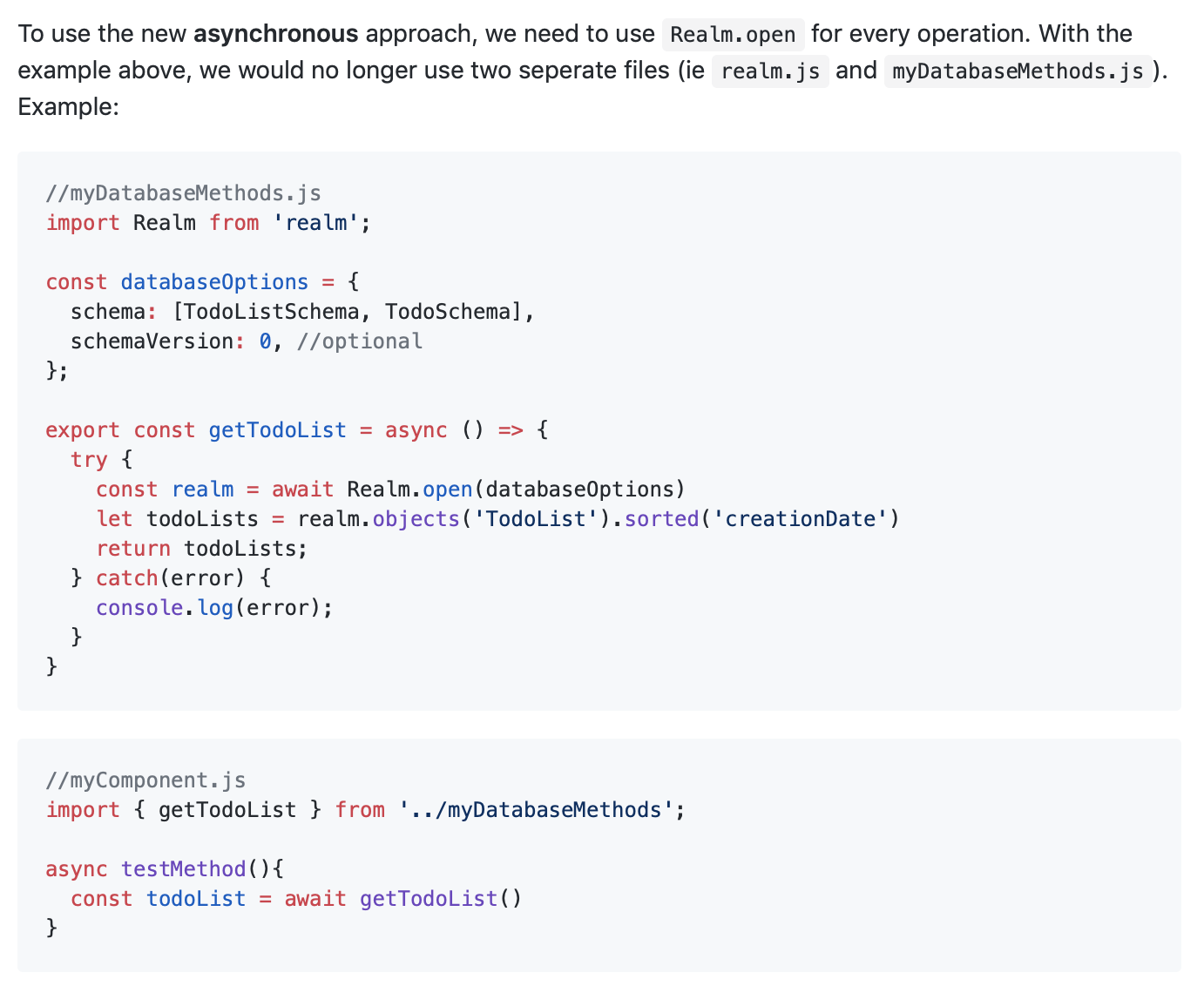
To use the new asynchronous approach, we need to use Realm.open for every operation. With the example above, we would no longer use two seperate files (ie realm.js and myDatabaseMethods.js). Example:
````js
//myDatabaseMethods.js
import Realm from 'realm';
const databaseOptions = {
schema: [TodoListSchema, TodoSchema],
schemaVersion: 0, //optional
};
export const getTodoList = async () => {
try {
const realm = await Realm.open(databaseOptions)
let todoLists = realm.objects('TodoList').sorted('creationDate')
return todoLists;
} catch(error) {
console.log(error);
}
}
````
````js
//myComponent.js
import { getTodoList } from '../myDatabaseMethods';
async testMethod(){
const todoList = await getTodoList()
}
````
References:
https://github.com/realm/realm-js/issues/1662#issuecomment-367270973
https://www.youtube.com/watch?v=2sI64vaHF98
https://github.com/sunlight3d/react_native_v0.49
MrHubble
on 18 Oct 2018
@kneth - Is opening Realm (Realm.open(configOptions)) every time while performing a write operation recommended ?
 Udbhav12
on 23 Nov 2018
Udbhav12
on 23 Nov 2018
@Udbhav12 I suggest that you open your Realm instance once and keep a reference to it. Said that, we try to cache the instance so opening is only an expensive operation the first time. Probably not relevant here, but Realm instances are bound to the thread which opens them.
kneth
on 26 Nov 2018
Actually as of now I am opening realm synchronously in my codebase (that is creating a realm instance by invoking the constructor and passing a configuration object to it. I am creating this instance once only globally). I am not using the Realm.open( ) or Realm.close( ) syntax anywhere in my codebase as of now.
Following are realm config options
var encryptionKey = new Int8Array(64);
let realm = new Realm({
schemaVersion,
schema,
encryptionKey,
shouldCompactOnLaunch: (totalBytes,usedBytes)=>{
return true
}
});
But when I insert around 600k records, although the insertion speed is mind-blowingly fast, I face out of memory error (mmap error) on Samsung Device (Galaxy On7 Pro : 16GB storage & 2GB RAM) soon after the insertion is completed. Application's data size grows to 190 MB
My best guess is that somehow realm is unable to reclaim memory.
Should I start using realm.close( ) after every write operation (that means I will also have to call realm.open( ) before every write operation) so as to solve this issue ?
I can share my codebase if it would help for more clarity
Udbhav12
on 26 Nov 2018
Every new Realm or Realm.open must be paired with close. As React Native runs as 32 bit, you can easily run into memory issues (600-700 MB Realm files). It can be a good idea to compact the Realm when your app is launching (shouldCompactOnLaunch - https://realm.io/docs/javascript/2.20.0/api/Realm.html#~Configuration).
kneth
on 26 Nov 2018
I am already using shouldCompactOnLaunch in my config options as I mentioned above. Below is the way I am using it
shouldCompactOnLaunch: (totalBytes,usedBytes)=>{
return true
}
Is this the correct way of using it ?
Every
new RealmorRealm.openmust be paired withclose.
Oh! Thanks. I didn't know that. I thought only Realm.open should be paired with close
The problem is whenever I call realm.close after my write operations,I see the following error
Cannot access realm that has been closed
As I have already used new Realm globally, I assume that one Realm instance is always open or am I missing something ?
How to correctly use realm.close ?
Udbhav12
on 26 Nov 2018
@Udbhav12 You are always compacting your Realm. It is fine to do so. We adding the two parameters in the callback so you can make a decision if you need to do it (for small Realm files, it doesn't take long).
The problem is whenever I call realm.close after my write operations,I see the following error
Cannot access realm that has been closed
Are you certain that your global Realm isn't garbage collected?
kneth
on 27 Nov 2018
@kneth - I cannot say for sure whether global Realm is garbage collected or not at some point of time. How to check this ?
Secondly according to docs opening Realm synchronously is not recommended. Should I refactor my code to use Realm.open when performing a write operation ?
Udbhav12
on 27 Nov 2018
How to check this ?
You can use the property Realm.isClosed to check if a Realm is closed.
Secondly according to docs opening Realm synchronously is not recommended. Should I refactor my code to use Realm.open when performing a write operation ?
The reason we recommend Realm.open() is that opening a Realm can take a while: validate schema, compact (if specified), migration, etc. If you do it synchronously, you will block your app.
kneth
on 28 Nov 2018
The reason we recommend Realm.open() is that opening a Realm can take a while: validate schema, compact (if specified), migration, etc. If you do it synchronously, you will block your app.
Can you expand on what you mean by blocking the app? Won't opening asynchronously cause the app to wait for the realm to open which may also be interpreted as blocking the app?
MrHubble
on 1 Dec 2018
@kneth
I suggest that you open your Realm instance once and keep a reference to it.
Would you be kind enough to share some code of how you would implement this in a React Native app?
MrHubble
on 1 Dec 2018
@MrHubble we're working on an example app for React Native, until it's merged you can have a look at the branch for the PR: https://github.com/realm/my-first-realm-app/tree/eric-rn/react-native/QueryBasedSync/ToDo
Here we're using new Realm(config) to open a Realm instance when the user authenticates. Then we pass the realm instance to the apps router (in our case react-native-router-flux) to change into a "logged in" scene: https://github.com/realm/my-first-realm-app/blob/eric-rn/react-native/QueryBasedSync/ToDo/src/components/LoginForm.js#L61-L68
I hope this gives an idea on how this can be accomplished and I hope that we'll soon be able to get better React Native examples published.
 kraenhansen
on 3 Dec 2018
kraenhansen
on 3 Dec 2018
@kraenhansen thanks so much for taking the time to reply. Quick couple of follow up questions if you'd be kind enough to answer.
From what I can tell, in the example, the realm will need to be passed to each screen/scene as a prop and used with:
const { realm } = this.props;
realm.write(() => {
  realm.delete(project);
 });
If possible, I would prefer not to send the realm as a prop as I have a number of nested screens/scenes and have found sending a prop from the initial navigation down from one nested screen to the other can be hard to maintain.
1. Besides sending the realm as a prop, are there any other recommended ways of accessing the already opened realm in a different scene?
2. Can you please point me to where you close the realm? I ask as it was mentioned that Realm.open must be paired with close
MrHubble
on 4 Dec 2018
@kraenhansen Just wondering if you've had a chance to read my questions above? Thanks.
MrHubble
on 11 Dec 2018
Besides sending the realm as a prop, are there any other recommended ways of accessing the already opened realm in a different scene?
We've actually been experimenting with a companion library to Realm JS + React, that will probably be releasing soon. It's called "React Realm Context" and it uses the React context API to provide the Realm instance to components deeper in the tree. Until it's released (lookout for http://npmjs.com/package/react-realm-context and https://github.com/realm/react-realm-context) you could use the React context API directly yourself.
Can you please point me to where you close the realm?
Where was this mentioned? I think that's the case when using Realm JS from a Node.js script that you want to exit, but you should keep it open until the app doesn't need it anymore. Our example app should probably do that when the user logs out: https://github.com/realm/my-first-realm-app/blob/eric-rn/react-native/QueryBasedSync/ToDo/src/components/LoginForm.js#L71 ... but, it doesn't :)
kraenhansen
on 12 Dec 2018
@MrHubble If you have multiple Realm instances, you might have one pointing to an old version (Realm is MCVV) and your file might growth rapidly. Realm.close() calls https://github.com/realm/realm-object-store/blob/master/src/shared_realm.cpp#L888 which could prevent it. Otherwise you will wait for it to be GC'ed, and then https://github.com/realm/realm-object-store/blob/master/src/shared_realm.cpp#L226 is called. But you don't know if or when it is GC'ed.
kneth
on 12 Dec 2018
@kraenhansen @kneth
I asked about Realm.close() because I thought this was a requirement:
Every
new RealmorRealm.openmust be paired with close
I am not using multiple Realm instances, but I am using Realm.open multiple times as demonstrated in the example above as I thought this was needed for asynchronous usage:
MrHubble
on 21 Jan 2019
Was this closed because it's been resolved?
MrHubble
on 30 Jan 2021
@MrHubble Sorry for not making a comment when closing. We have a proper tutorial now: https://docs.mongodb.com/realm/react-native/quick-start
kneth
on 1 Feb 2021
Related issues
 laznrbfe
·
3Comments
laznrbfe
·
3Comments
 arshbot
·
3Comments
arshbot
·
3Comments
 fever324
·
4Comments
fever324
·
4Comments
 bdebout
·
3Comments
bdebout
·
3Comments
 emrehayirci
·
3Comments
emrehayirci
·
3Comments
Most helpful comment
@MrHubble we're working on an example app for React Native, until it's merged you can have a look at the branch for the PR: https://github.com/realm/my-first-realm-app/tree/eric-rn/react-native/QueryBasedSync/ToDo
Here we're using
new Realm(config)to open a Realm instance when the user authenticates. Then we pass the realm instance to the apps router (in our casereact-native-router-flux) to change into a "logged in" scene: https://github.com/realm/my-first-realm-app/blob/eric-rn/react-native/QueryBasedSync/ToDo/src/components/LoginForm.js#L61-L68I hope this gives an idea on how this can be accomplished and I hope that we'll soon be able to get better React Native examples published.