Reactjs.org: Grayscale and excessive margin top affects color-coded images and documentation
Commit banner applies grayscale on documentation pages, as visible on Thinking in React, which makes the images unclear because the documentation references the image's colors.
Additionally the text is cut off on the bottom because of excessive margin top.

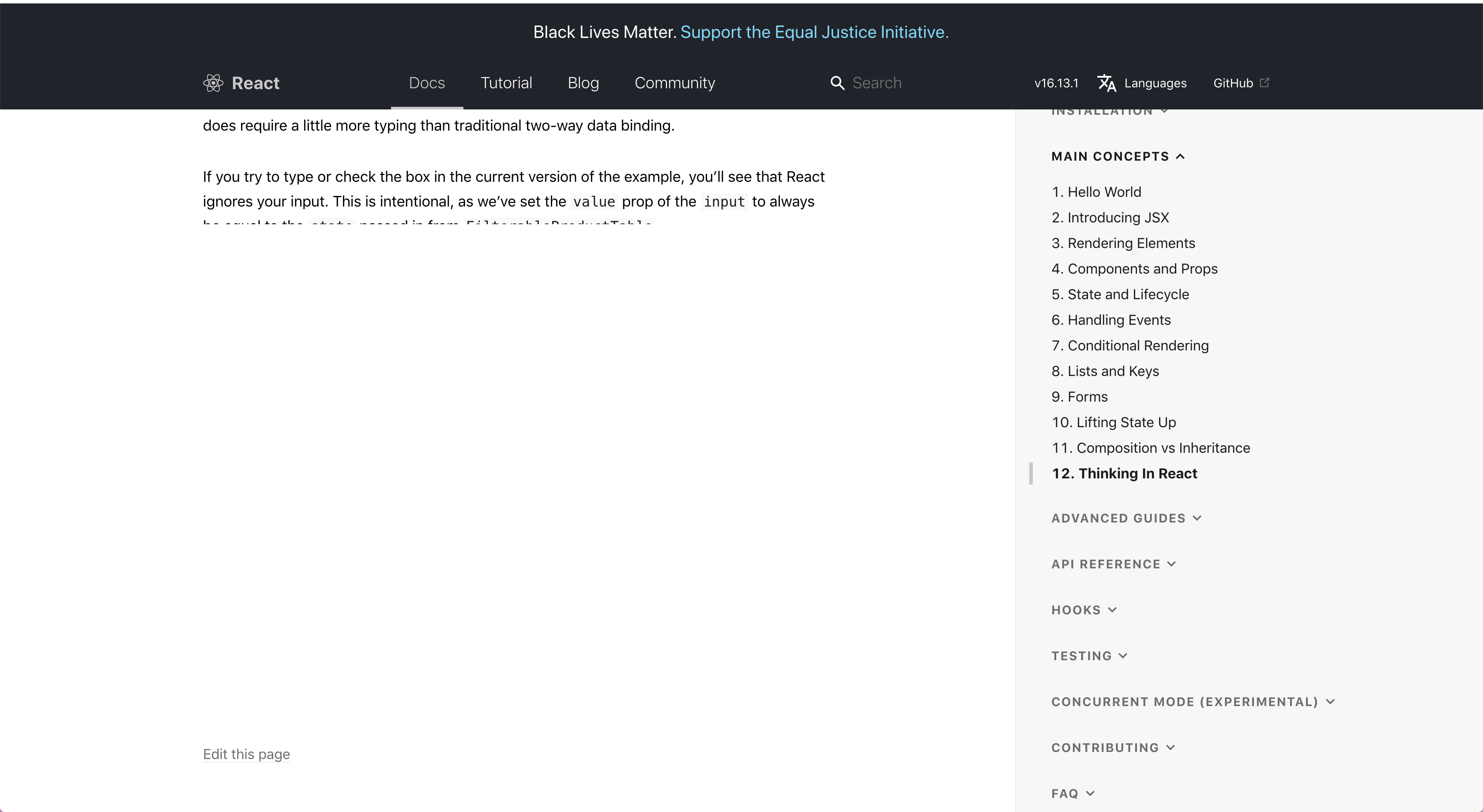
I was able to fix the problem locally by undoing the grayscale but I do not have write access to make a PR. (The edits in MarkdownHeader are not causing causing issues) thanks.
 kris10cabrera
All 6 comments
Came across the same issue while browsing through the Context API documentation, but this somehow seems to be localized to Chrome - this issue is not taking place in Safari or Firefox.
Screenshot from Safari:

Screenshot from Firefox:

 rimildeyjsr
on 2 Jun 2020
rimildeyjsr
on 2 Jun 2020
Thanks for reporting.
I've fixed the blank text problem (seems to be caused by the filter affecting layout).
As for the color-coding, it is unfortunate but we're willing to temporarily leave this broken.
 gaearon
on 3 Jun 2020
gaearon
on 3 Jun 2020
Is there any way to switch this grayscale filter off to see code highlight? At least for the ppl outside of the US?
 hoblin
on 4 Jun 2020
hoblin
on 4 Jun 2020
As for the color-coding, it is unfortunate but we're willing to temporarily leave this broken.
This disappoints me - when reading documentation, all the syntax highlighting is gray-scale. When I'm reading a manual on how to fix a car, the pages shouldn't turn into black and white because of some external force. As a developer who can see and understand the viewpoints of the BLM movement, it upsets me that it is affecting my ability to see pretty colors.
Is it possible to opt-out of this? I need my pretty colors darn-it!
 SirJosh3917
on 5 Jun 2020
SirJosh3917
on 5 Jun 2020
There is a women who was raped by two cops in Ukraine last week. Let’s switch colors to yellow-blue. Or you think that her life does not matter?
hoblin
on 5 Jun 2020
Is it possible to opt-out of this? I need my pretty colors darn-it!
You can open devtools in the browser then find the CSS rule which begins with * { then add filter: none !important; to it and that will do the trick.
hoblin
on 5 Jun 2020
Related issues
 tajo
·
4Comments
tajo
·
4Comments
 gajomon
·
4Comments
gajomon
·
4Comments
 VinayakBagaria
·
3Comments
VinayakBagaria
·
3Comments
 dstudzinski
·
3Comments
dstudzinski
·
3Comments
 tesseralis
·
3Comments
tesseralis
·
3Comments
Most helpful comment
Thanks for reporting.
I've fixed the blank text problem (seems to be caused by the filter affecting layout).
As for the color-coding, it is unfortunate but we're willing to temporarily leave this broken.