Reactiveui: [BUG] RoutedViewHost Example from ReactiveUI Handbook doesn't work as expected
Describe the bug
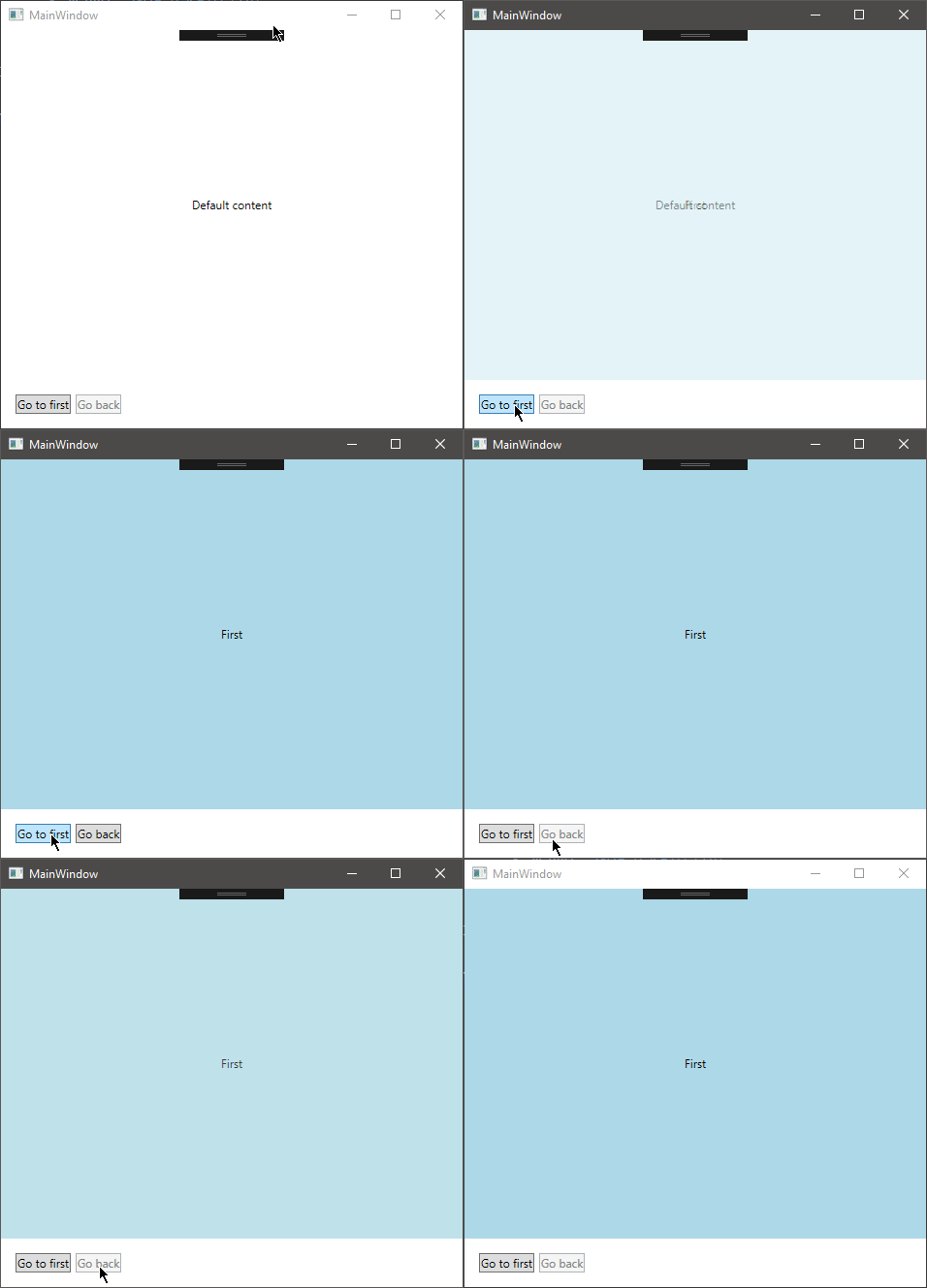
RoutedViewHost doesn't go back to the default content. Also you must click on Go First button twice in order to enable Go Back button.
Steps To Reproduce
Just follow guide here https://reactiveui.net/docs/handbook/routing/ and compile Routing example.
Expected behavior
Going back to default content & enable NavigateBack after one click on GoFirst
Screenshots
Environment
- OS: Win 10 build 1803
- Version 9.17.4
- Device: PC
 M0n7y5
All 4 comments
Do you happen to have the code that generated this issue in a repository we can access? Just want to be sure there is no additional code that might be causing issues. Also going to make the assumption this is WPF and not UWP or WinForms.
 RLittlesII
on 17 Jun 2019
RLittlesII
on 17 Jun 2019
@RLittlesII No i don't have this code in online repository. It's just exact code from online Handbook (ReactiveUI website). And yes this is WPF ... i forgot to mention it.
M0n7y5
on 18 Jun 2019
@M0n7y5 I was able to reproduce your issue last night. I am going to find a solution. Seems that there is a disconnect for sure in the docs. The video of the working sample in the docs, is indeed different than what you get by implementing it.
Thank You for reporting this.
RLittlesII
on 19 Jun 2019
To have the behavior from the GIF recording located at https://reactiveui.net/docs/handbook/routing/ the following line of code from the tutorial:
GoBack = Router.NavigateBack;
Should be replaced with this line:
GoBack = ReactiveCommand.CreateFromObservable(
      () => Router.NavigateBack.Execute(Unit.Default));
Although there is a risk to get the IndexOutOfBoundsException. Ideally need to define the canGoBack condition via a call to WhenAnyValue and pass it to the reactive command. Probably we should simply replace the GIF from the tutorial to another one for simplicity, and mention other back button handling scenarios.

 worldbeater
on 29 Jul 2019
worldbeater
on 29 Jul 2019
Related issues
 phamhieu
·
5Comments
phamhieu
·
5Comments
 jorisvergeer
·
6Comments
jorisvergeer
·
6Comments
 glennawatson
·
3Comments
glennawatson
·
3Comments
 SuperJMN
·
4Comments
worldbeater
·
6Comments
SuperJMN
·
4Comments
worldbeater
·
6Comments
Most helpful comment
@M0n7y5 I was able to reproduce your issue last night. I am going to find a solution. Seems that there is a disconnect for sure in the docs. The video of the working sample in the docs, is indeed different than what you get by implementing it.
Thank You for reporting this.