React-to-print: create-react-app: PDF text is reversed when rendered / copying
First of all, thank you for this GREAT library which is saving me so much time!
When I copy the example from the demo within my app and my app is running "react-to-print": "^2.12.3" the pdf is generated seemingly perfectly. However, when I attempt to search for text within the PDF I'm unable to. After some digging I realized I'm unable to search for text because it is somehow reveresed/backwards/mirrored.
Note how I have to type the word _column_ backwards to be able to find it:

If I type _column_ normally I get no results:

Further, when I copy and paste some of the text from the PDF it shows the text as reversed.
Also, I'm unable to highlight single characters from the PDF successfully:
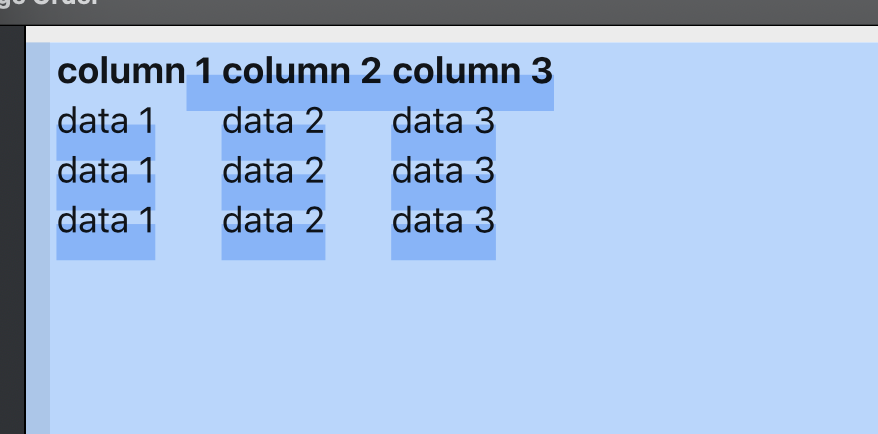
For extra clarity, this is the exact code I copied and am running within my app:
import React from 'react';
import ReactToPrint from 'react-to-print';

class ComponentToPrint extends React.Component {
  render() {
    return (
      <table>
        <thead>
          <th>column 1</th>
          <th>column 2</th>
          <th>column 3</th>
        </thead>
        <tbody>
          <tr>
            <td>data 1</td>
            <td>data 2</td>
            <td>data 3</td>
          </tr>
          <tr>
            <td>data 1</td>
            <td>data 2</td>
            <td>data 3</td>
          </tr>
          <tr>
            <td>data 1</td>
            <td>data 2</td>
            <td>data 3</td>
          </tr>
        </tbody>
      </table>
    );
  }
}

class Example extends React.Component {
  render() {
    return (
      <div>
        <ReactToPrint
          trigger={() => <a href="#">Print this out!</a>}
          content={() => this.componentRef}
        />
        <ComponentToPrint ref={el => (this.componentRef = el)} />
      </div>
    );
  }
}

export default Example;
Thanks in advance for any guidance!
 asaldivar
All 10 comments
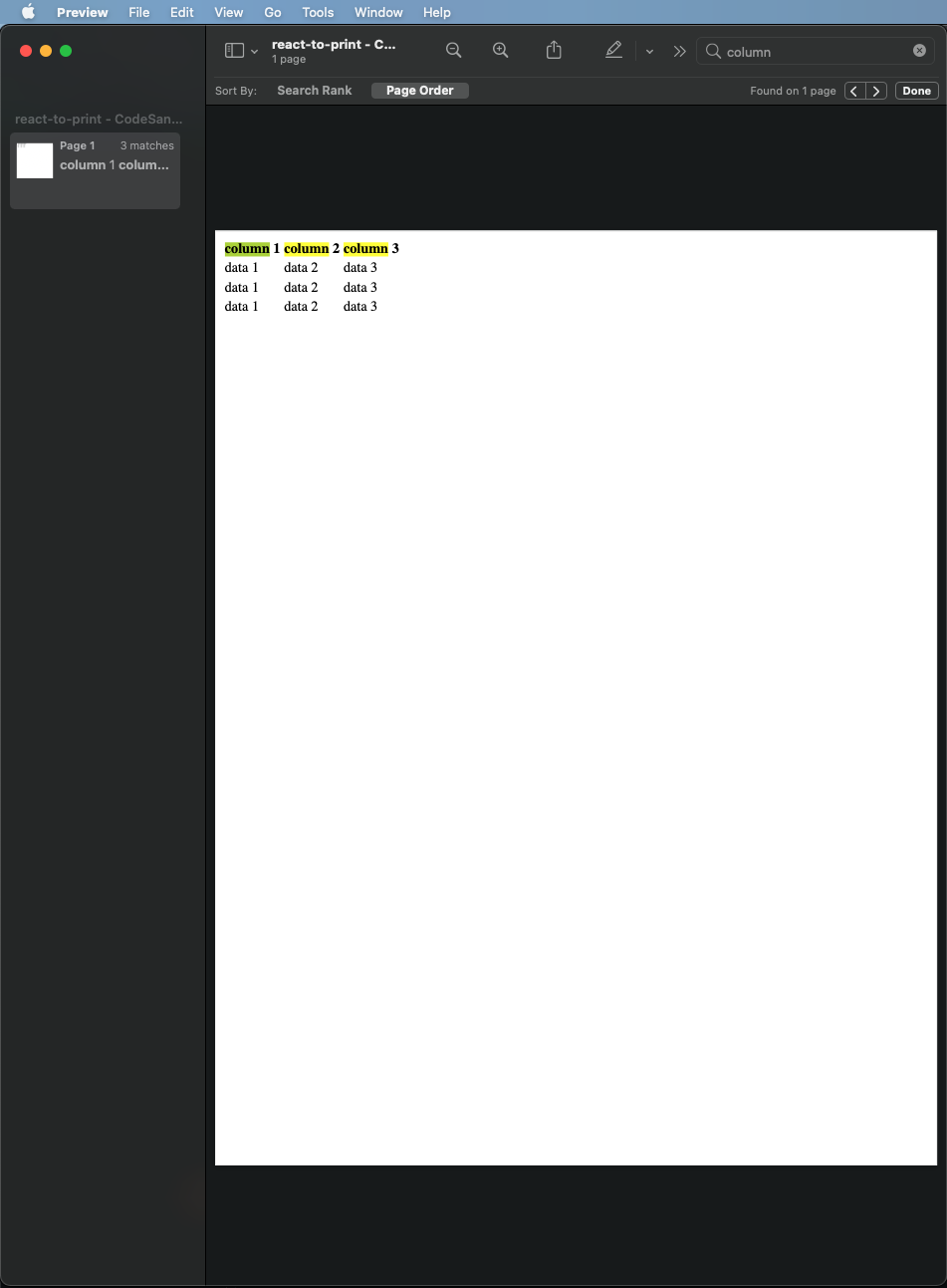
Hello. I just printed from the demo and saved as PDF, and when I open the PDF I am able to search for text without issue. I used Chrome 88 to print on MacOS 11.12.1, using MacOS's default Preview app to view the PDF. What browser/OS are you on, and what tool are you using to view the PDF? (I think you are on MacOS and using Viewer as well from your pics, right?)
 MatthewHerbst
on 13 Feb 2021
MatthewHerbst
on 13 Feb 2021
Thanks for the fast reply @MatthewHerbst ! Yes, when I print from the demo example (not within my own app) the searching for text also works perfectly. It's only from within my own app that the text becomes reversed in the PDF.
I am on Chrome version 88, macOS Big Sur 11.2, and using MacOS default Preview app to view the PDF.
My app is a simple Create React App. Is it possible there is some kind of setting that could be affecting the package?
asaldivar
on 13 Feb 2021
This is very strange. I am able to replicate the issue when using Create React App: https://codesandbox.io/s/create-react-app-forked-h4omm?file=/src/App.js
I'll do some digging here. It's clearly an issue with something create-react-app is doing, but not sure what. I'll get back to you, thanks for reporting
MatthewHerbst
on 13 Feb 2021
Thank you so much @MatthewHerbst . Really appreciate your efforts and looking forward to hearing from you. I'll keep digging as well and if I find anything out I'll report back ASAP!
asaldivar
on 13 Feb 2021
@MatthewHerbst For further context, I found this CRA app where the searching for text does work as expected. Note it's running version "react-scripts": "3.4.1". I just tried fixing my app's CRA version from ^3.4.0 to 3.4.1 like in that repo but still faced the same issue. The CRA version you are running in your last linked codesandbox example is "react-scripts": "2.0.5". This makes me wonder if it is a CRA caused issue or possibly something else?
asaldivar
on 13 Feb 2021
@MatthewHerbst Please note that for the working example I linked, CRA app, you must be using the code from the react-pdf branch.
asaldivar
on 15 Feb 2021
@MatthewHerbst, aha! I haven't quite figured out the _why_ but I have figured out the _what_. For some reason react-to-print's functionality doesn't seem to like global styles. I forked your example and simply commenting out the index.css import fixes the text selectability within the PDF. Here is that fork.
I'm wondering if a change to how the styles are copied, maybe somewhere here or possibly here, would fix the problem?
asaldivar
on 15 Feb 2021
@asaldivar thanks so much for investigating! I'm not sure exactly how global styles could be causing an issue. I'll keep playing around with it. I'll have more time tomorrow to look at it. Please let me know if you discover anything else, thank you!
MatthewHerbst
on 16 Feb 2021
Hi @asaldivar my friend and I were looking at this and we believe it comes down to a mix of Chrome and the BlinkMacSystemFont font. When the page is printed via Firefox there is no issue. On Chrome, if you remove the BlinkMacSystemFont font there is no issue.
It _might_ be related to this Chromium bug, but not sure. I'll keep researching that, but for now just avoiding use of the BlinkMacSystemFont should fix your problems
MatthewHerbst
on 18 Feb 2021
@MatthewHerbst Thanks so much!!!! Will try out your suggestion and if it doesn't go as expected will report back to you. Thanks again for your effort and kudos on such a great package!
asaldivar
on 18 Feb 2021
Related issues
 JoshuaKGoldberg
·
3Comments
JoshuaKGoldberg
·
3Comments
 hoangdoan267
·
8Comments
hoangdoan267
·
8Comments
 FernandoLuizNemeChibli
·
5Comments
FernandoLuizNemeChibli
·
5Comments
 vikmehta
·
3Comments
vikmehta
·
3Comments
 avniraiyani
·
3Comments
avniraiyani
·
3Comments